Skip to content

Best 360Hz Monitors in 2026

By Priya NairUpdated July 5, 2026

We may earn a commission from links on this page, at no extra cost to you. Learn more.

A 360Hz monitor sits at the sharp end of competitive gaming, redrawing the screen six times as often as a standard 60Hz panel to deliver motion clarity that pro players and serious esports enthusiasts chase. At this refresh rate, tracking a flicking target or a fast-moving enemy feels almost frictionless, and the smoothness is instantly noticeable to anyone who has spent time at lower speeds. The catch is that 360Hz screens vary enormously, from sharp fast-IPS panels around 200 dollars to premium QD-OLED displays that cost several times more, and some clever dual-mode designs blur the line further. This guide ranks nine of the best 360Hz monitors you can buy right now, spanning fast IPS esports screens, dual-mode 4K panels and standout OLEDs, so there is a right pick whether you prize raw frames or want speed and image quality together.

Top 9 Best 360Hz Monitors

Best QD-OLED Value4.4
Best Budget 360Hz4.3
Best White Design4.2
Best for Vertical Use4.2
Best Dual-Mode 4K4.2

Our top 9 picks, reviewed

1Best Overall

ASUS ROG Strix XG27ACMS 27in QHD

The ASUS ROG Strix XG27ACMS tops the list by pairing a crisp 27-inch QHD Fast IPS panel with a 0.3ms response and ASUS's Extreme Low Motion Blur Sync, delivering exceptionally clean motion. USB-C with DisplayPort Alt mode simplifies cabling, G-Sync compatibility covers NVIDIA rigs, and a three-year warranty adds peace of mind. Its 320Hz overclock falls just short of a true 360Hz, but the overall package is the most complete here.

Size
27in
Resolution
2560x1440 QHD
Refresh
320Hz (OC)
Response
0.3ms Fast IPS

What we liked

  • Sharp QHD Fast IPS panel
  • 0.3ms response with ELMB Sync
  • USB-C with DisplayPort Alt mode
  • 3-year ASUS warranty and support

Worth noting

  • Overclocks to 320Hz, not full 360Hz
  • HDR is entry-level
2Best Premium OLED

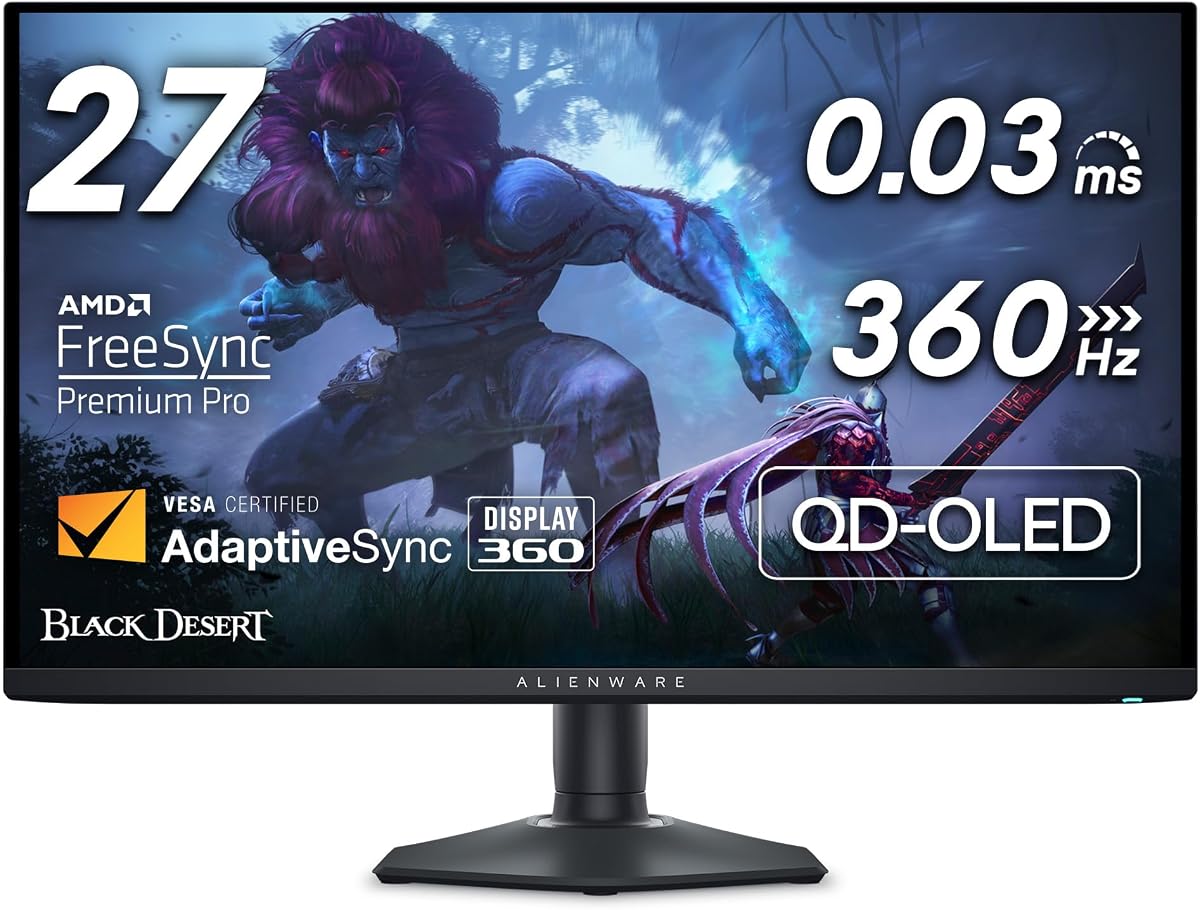
ASUS ROG Strix XG27ACDNG 26.5in QD-OLED

The ASUS ROG Strix XG27ACDNG is the premium choice, combining a genuine 360Hz refresh with a QD-OLED panel that delivers perfect blacks, 99% DCI-P3 colour and an almost instant 0.03ms response. A custom heatsink and OLED Care+ features guard against burn-in, and it is G-Sync compatible. It is one of the priciest screens here and demands the usual OLED care, but the combination of speed and image quality is exceptional.

Size
26.5in
Resolution
2560x1440 QD-OLED
Refresh
360Hz
Response
0.03ms GtG

What we liked

  • True 360Hz QD-OLED panel
  • Blazing 0.03ms response
  • 99% DCI-P3 with True Black HDR 400
  • OLED Care+ and custom heatsink

Worth noting

  • Among the most expensive here
  • OLED carries burn-in caution
3Best QD-OLED Value

MSI MPG 271QRX 27in QD-OLED

The MSI MPG 271QRX offers much of what the ASUS OLED does at a slightly lower price, wrapping a 27-inch QD-OLED panel around a true 360Hz refresh and a 0.03ms response. VESA True Black HDR 400 gives it superb contrast, Delta E under two keeps colour accurate, and USB-C joins HDMI and DisplayPort for flexible hookups. It remains a premium buy with the usual OLED considerations, but it is a strong value within the OLED tier.

Size
27in
Resolution
2560x1440 QHD
Refresh
360Hz
Response
0.03ms GtG

What we liked

  • Next-gen QD-OLED at 360Hz
  • 0.03ms response time
  • True Black HDR 400
  • USB-C alongside HDMI and DP

Worth noting

  • Premium price
  • Burn-in caution over years
4Best 1080p Esports

ASUS TUF Gaming VG259QMRL5A 24.5in FHD

The ASUS TUF VG259QMRL5A is the pure esports pick, using an easy-to-drive 24.5-inch 1080p Fast IPS panel that overclocks to 310Hz with a rapid 0.3ms response. DisplayHDR 400, 99% sRGB and a height-adjustable stand make it flexible, and ELMB Sync keeps motion sharp. It stops short of a full 360Hz and sticks to Full HD, but for mid-range rigs chasing very high frame rates it is the sensible, affordable choice.

Size
24.5in
Resolution
1920x1080 FHD
Refresh
310Hz (OC)
Response
0.3ms Fast IPS

What we liked

  • Easy-to-drive 1080p at high refresh
  • 0.3ms Fast IPS response
  • DisplayHDR 400 and 99% sRGB
  • Height adjustable with 3-year warranty

Worth noting

  • 310Hz overclock, not full 360Hz
  • Full HD only
5Best Budget 360Hz

KTC H25X7 24.5in FHD

The KTC H25X7 pushes past the category name, reaching an eye-watering 400Hz over DisplayPort on a 24.5-inch Fast IPS panel while still supporting 240Hz over HDMI. A 128% sRGB gamut and HDR400 give it lively colour, FreeSync Premium Pro keeps play tear-free, and it packs dual HDMI and dual DisplayPort. The unfamiliar brand and Full HD panel are the trade-offs, but few screens offer this much raw refresh for the money.

Size
24.5in
Resolution
1920x1080 FHD
Refresh
400Hz (DP)
Response
1ms Fast IPS

What we liked

  • Reaches 400Hz over DisplayPort
  • Fast IPS with 128% sRGB
  • HDR400 for vivid colour
  • Dual HDMI and dual DisplayPort

Worth noting

  • Lesser-known brand
  • Full HD resolution only
6Best White Design

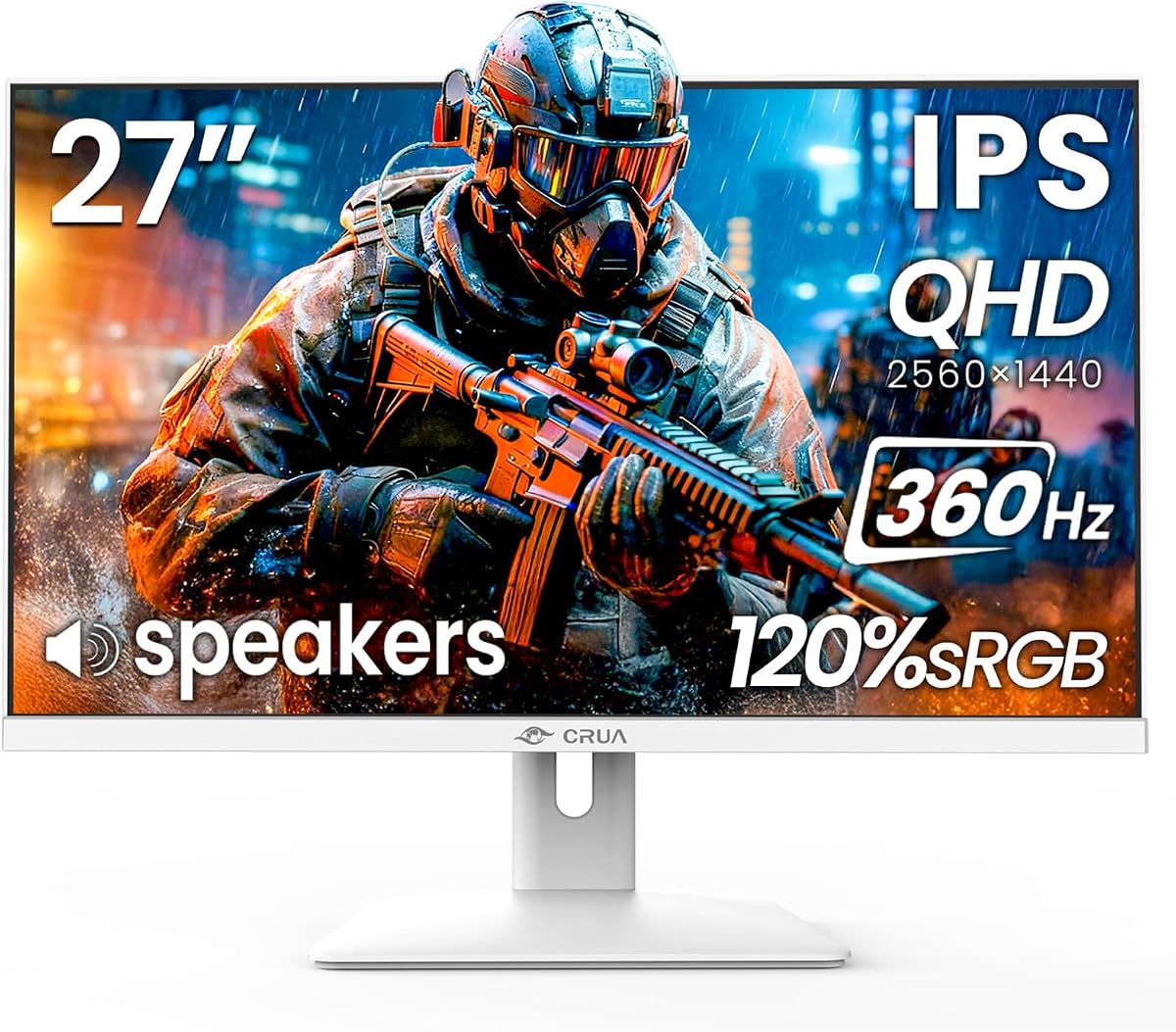
CRUA 27in QHD 360Hz (White)

The CRUA 27-inch is the pick for a standout white setup, pairing a sharp QHD IPS panel at 360Hz over DisplayPort with RGB ambient lighting and a clean, narrow-bezel look. A 120% sRGB gamut keeps colour vivid, HDMI 2.1 and DP 1.4 handle modern sources, and built-in speakers save desk space. HDMI caps at 144Hz and the stand only tilts, but for style plus QHD speed it delivers.

Size
27in
Resolution
2560x1440 QHD
Refresh
360Hz (DP)
Panel
IPS 120% sRGB

What we liked

  • Sharp QHD IPS at 360Hz
  • Clean white RGB-lit design
  • HDMI 2.1 and DisplayPort 1.4
  • Built-in speakers included

Worth noting

  • 360Hz needs DisplayPort
  • Tilt-only, no height adjust
7Best for Vertical Use

CRUA 27in QHD 360Hz Pivot (Black)

The black CRUA 27-inch adds the ergonomics its white sibling lacks, offering a full stand with height, swivel, tilt and a 90-degree pivot so you can rotate it into portrait for coding or long documents between matches. It keeps the same QHD IPS panel at 360Hz over DisplayPort, 120% sRGB colour and HDMI 2.1. The DisplayPort-only top refresh and higher price are the trade-offs for that flexibility.

Size
27in
Resolution
2560x1440 QHD
Refresh
360Hz (DP)
Stand
Height/Pivot/Swivel/Tilt

What we liked

  • Fully adjustable stand with 90 pivot
  • Sharp QHD IPS at 360Hz
  • 120% sRGB colour gamut
  • HDMI 2.1 and DisplayPort 1.4

Worth noting

  • 360Hz only over DisplayPort
  • Priced in the upper tier
8Best Dual-Mode 4K

Gawfolk 27in 4K/FHD Dual-Mode

The Gawfolk 27-inch is the clever dual-mode option, switching between crisp 4K at 180Hz for detail-rich games and content and Full HD at 360Hz for pure esports smoothness. A 100% sRGB IPS panel, generous dual HDMI 2.1 and dual DP 1.4 ports, a height-adjustable stand and speakers round it out. The 360Hz mode drops to Full HD and the brand is unfamiliar, but the flexibility is genuinely useful.

Size
27in
Resolution
4K 180Hz / FHD 360Hz
Refresh
360Hz (FHD mode)
Panel
IPS 100% sRGB

What we liked

  • Dual-mode 4K 180Hz and FHD 360Hz
  • 1.07 billion colours, 100% sRGB
  • Dual HDMI 2.1 and dual DP 1.4
  • Height adjustable with built-in speakers

Worth noting

  • 360Hz limited to FHD mode
  • Lesser-known brand
9Best Value QHD

27in QHD 360Hz Fast IPS

This unbranded 27-inch QHD screen rounds out the list as the value QHD pick, delivering a sharp 2560x1440 Fast IPS panel at 360Hz with a 0.5ms response and HDR400 for notably little money. A fully adjustable stand with 90-degree pivot supports vertical use, and HDMI 2.1 with DP 1.4 covers modern sources. The unbranded listing means leaning on return protection, but the raw specification for the price is impressive.

Size
27in
Resolution
2560x1440 QHD
Refresh
360Hz
Response
0.5ms Fast IPS

What we liked

  • QHD 360Hz at a low price
  • 0.5ms Fast IPS with HDR400
  • 90 pivot for vertical mode
  • HDMI 2.1 and DisplayPort 1.4

Worth noting

  • Unbranded listing
  • Newer product with limited feedback

How We Chose the Best 360Hz Monitors

Best 360Hz Monitors in 2026

The 360Hz category is where competitive display technology gets serious, and shopping in it means understanding that raw refresh rate is only part of the story. Some screens here are affordable Full HD panels engineered purely for the highest achievable frame rate, while others are premium QHD OLEDs that pair blistering speed with a stunning image. A few take unusual routes, offering dual-mode operation or refresh rates that climb even higher than 360Hz. The right choice depends entirely on your games, your graphics card and how much you value picture quality alongside pace.

We started by examining how each monitor actually delivers its headline refresh rate, since many reach their top figure only over DisplayPort or in a specific mode. From there we weighed response time and motion clarity, panel type and resolution, colour accuracy and HDR, adaptive-sync support, ergonomics including pivot for vertical use, and value. We deliberately spread the list across price tiers and panel types, from the budget KTC H25X7 to the premium ASUS ROG Strix XG27ACDNG, so there is a sensible pick whether you want the cheapest route to high frames or the best image money can buy.

What 360Hz Actually Gets You

At 360Hz, the display redraws its image six times as often as a standard 60Hz screen, and the payoff is motion clarity at the very edge of what the eye can use. Fast-moving targets stay sharper, camera pans smear less, and the input feel becomes almost immediate. For players competing in fast first-person shooters, that translates into easier tracking and flicking, and a subtle edge in the moments where reaction time decides the outcome. It is a refinement aimed squarely at the competitive end of gaming rather than a transformative upgrade for everyone.

The honest caveat is that the benefit shrinks as refresh rate climbs. The leap from 60Hz to 144Hz is dramatic, from 144Hz to 240Hz clearly noticeable, and from 240Hz to 360Hz genuine but subtle, most appreciable to trained competitive players. It also demands a system capable of sustaining very high frame rates, which is why the easy-to-drive 1080p ASUS TUF VG259QMRL5A and KTC H25X7 make so much sense here. On QHD panels like the ASUS ROG Strix XG27ACMS, only a powerful graphics card will approach 360fps, and where it falls short, adaptive sync keeps the picture smooth regardless.

Full HD Frames Versus QHD and OLED Image

Resolution splits this category cleanly. Full HD panels are the traditional path to the highest frame rates because they are the least demanding to drive, and both the ASUS TUF VG259QMRL5A and KTC H25X7 take this route, prioritising raw speed and value. The KTC even reaches 400Hz over DisplayPort, going beyond the category name entirely. For a player whose only goal is the smoothest possible motion in competitive titles on a mid-range rig, Full HD remains the pragmatic and affordable choice.

QHD screens are the sharper, more versatile alternative, and they now dominate the higher end of 360Hz. The ASUS ROG Strix XG27ACMS, both CRUA models and the unbranded QHD pick deliver crisper text and more desktop space, making them better for people who work as well as game, at the cost of a heavier demand on the GPU. At the very top, the QD-OLED ASUS ROG Strix XG27ACDNG and MSI MPG 271QRX add perfect blacks and the richest colour to that sharpness. The Gawfolk sidesteps the choice with a dual-mode design, offering 4K at 180Hz or Full HD at 360Hz depending on what you need in the moment.

Panel Types and Response Time

Panel technology shapes both image and motion at 360Hz. Most screens here use Fast IPS, valued for wide viewing angles and accurate colour, seen in the ASUS ROG Strix XG27ACMS, ASUS TUF VG259QMRL5A, KTC H25X7, both CRUA panels and the unbranded QHD pick. These deliver response times from 0.3ms to 1ms, all clean enough for high-refresh play. At the top sit the QD-OLED panels in the ASUS ROG Strix XG27ACDNG and MSI MPG 271QRX, whose near-instant 0.03ms response and self-lit pixels set them apart for both motion and contrast.

Response time keeps ghosting from undermining the refresh rate, and the figures here are uniformly strong. The OLEDs lead at 0.03ms, the fast-IPS ASUS models manage 0.3ms, and even the budget KTC and unbranded picks stay at or near 1ms and 0.5ms respectively. In practice, every screen on this list is quick enough that pixel response will not hold back the experience, which shifts the decision toward resolution, image quality and ergonomics rather than raw speed alone.

Adaptive Sync, HDR and Vertical Flexibility

Every monitor here includes adaptive sync to eliminate tearing, whether branded G-Sync compatible on the ASUS models or FreeSync on the CRUA, KTC and Gawfolk screens. Most work well across NVIDIA and AMD graphics cards, so tear-free play is assured whatever your GPU. HDR support ranges from the genuine True Black HDR 400 on the OLED panels, which is worth using, to the more basic HDR400 modes on cheaper IPS screens that add colour punch without transformative brightness.

Ergonomics deserve attention too, particularly the ability to pivot into portrait mode. The black CRUA 27-inch and the unbranded QHD pick both offer a full 90-degree pivot, letting you rotate the screen vertical for coding, reading long documents or vertical layouts when you step away from gaming. That flexibility is genuinely useful for anyone who works at the same desk they play at. Screens with tilt-only stands, like the white CRUA, stay in landscape unless mounted on an adjustable arm, so factor in how you will use the monitor beyond gaming before you buy.

A Closer Look at the Top Picks

The ASUS ROG Strix XG27ACMS takes the overall win because it strikes the best balance in the category, marrying a sharp QHD Fast IPS panel with a 0.3ms response, effective ELMB Sync motion handling and convenient USB-C connectivity, all backed by a three-year warranty. Its 320Hz overclock stops just short of a true 360Hz, but the completeness of the package and the strength of its owner rating make it the screen we would recommend to most serious players first.

Behind it, the ASUS ROG Strix XG27ACDNG and MSI MPG 271QRX are the OLED standouts for anyone who refuses to compromise on image quality, delivering true 360Hz alongside perfect blacks and rich colour. The ASUS TUF VG259QMRL5A is the affordable esports pick, the KTC H25X7 pushes refresh rate furthest for the money, and both CRUA models bring QHD speed with the black version adding vertical flexibility. The dual-mode Gawfolk and the value-focused unbranded QHD screen round out a list built to suit frame-chasers, all-rounders and buyers on tighter budgets alike.

Tips for Getting the Most From a 360Hz Monitor

Setup matters even more at 360Hz than at lower refresh rates. After connecting, use the DisplayPort cable rather than HDMI on screens like the CRUA models and KTC H25X7, since their top refresh rate is only available over DisplayPort. Then open your display settings and manually select the highest refresh rate, as systems often default to a lower figure, and enable adaptive sync in both the monitor menu and your graphics driver so play stays tear-free when frame rate dips.

Be realistic about hardware. If your graphics card cannot approach 360fps in a game, lowering a few settings, or dropping to a lower resolution on a dual-mode screen like the Gawfolk, will let you feel more of the refresh rate's benefit. OLED owners choosing the ASUS ROG Strix XG27ACDNG or MSI MPG 271QRX should enable the built-in panel-care features and vary their content to limit burn-in over time. Finally, buy from listings with clear return protection, especially for the KTC and unbranded picks, so a faulty unit is easy to replace. With the right screen and careful setup, 360Hz delivers the smoothest motion available today.

Final Recommendation

For most serious competitive players, the ASUS ROG Strix XG27ACMS is the best 360Hz monitor in 2026, combining a sharp QHD panel, fast response, effective motion handling and USB-C convenience into the most complete package here. If image quality is your priority and budget allows, the ASUS ROG Strix XG27ACDNG and MSI MPG 271QRX bring superb QD-OLED speed and contrast. Frame-focused players on a budget should look at the ASUS TUF VG259QMRL5A or the refresh-rate-leading KTC H25X7, while the black CRUA adds handy vertical flexibility and the Gawfolk offers clever dual-mode versatility. Match the resolution to your graphics card, use DisplayPort for full refresh, and 360Hz delivers motion clarity at the very cutting edge.

How we picked

We judged each 360Hz monitor on how it delivers its headline refresh rate, response time and motion clarity, panel type and resolution, colour accuracy and HDR, adaptive-sync support, ergonomics including pivot for vertical use, and value at its price. Because 360Hz spans fast-IPS bargains and premium OLEDs, we prioritised screens that back their speed with a usable image, and mixed resolutions and price tiers to suit both pure esports players and demanding all-rounders.

Frequently asked questions

Is a 360Hz monitor worth it over 240Hz?

For dedicated competitive players with the hardware to sustain very high frame rates, 360Hz offers a further reduction in motion blur and input feel beyond 240Hz, though the difference is smaller and harder to notice than the jump from 60Hz. If you play fast esports titles seriously, screens like the ASUS ROG Strix XG27ACMS make the case; more casual players are well served at 240Hz.

What GPU do I need to hit 360Hz?

Reaching close to 360fps is easiest at 1080p on panels like the ASUS TUF VG259QMRL5A or KTC H25X7, which demand a strong mid-range or better graphics card in competitive titles. At QHD, screens such as the ASUS ROG Strix XG27ACMS need considerably more power to approach that frame rate, so match the resolution to your GPU.

Are OLED 360Hz monitors better than IPS?

OLED panels like the ASUS ROG Strix XG27ACDNG and MSI MPG 271QRX offer the fastest 0.03ms response, perfect blacks and the richest colour, so their motion and image quality lead the field. The trade-offs are higher cost and a small burn-in risk. A quality fast IPS such as the ASUS ROG Strix XG27ACMS is brighter and cheaper with no burn-in concern.

Can I use a 360Hz monitor in portrait mode?

Yes, if it has a pivoting stand. The black CRUA 27-inch and the unbranded QHD pick both offer a 90-degree pivot, so you can rotate them into portrait for coding, reading long documents or vertical layouts between gaming sessions. Screens with tilt-only stands, like the white CRUA, stay in landscape unless wall-mounted on an adjustable arm.

Do these monitors reach 360Hz over HDMI?

Usually not. Most 360Hz panels here, including the CRUA models and the KTC H25X7, deliver their top refresh only over DisplayPort, with HDMI capped lower, often at 144Hz. If you want maximum refresh, use the DisplayPort connection. Consoles, which rely on HDMI, will not reach 360Hz on these screens regardless.