Expert Review & Guide

Best 32 Inch Monitors 2026: Gaming, 4K, and Office Picks

A 32-inch monitor is the sweet spot where a single display starts to feel like a dual-monitor setup without the bezel gap. Spreadsheets gain breathing room, editing timelines stop feeling cramped, and competitive or story-driven games fill more of your peripheral vision. In 2026 the category is no longer just giant 1080p TVs pressed into desk duty—you can buy flat office IPS panels, immersive curved VA gaming screens, serious QHD 1440p panels that actually have enough pixels at this size, and true 4K productivity monitors that make text and photo detail look properly sharp.

This ReviewConsensus roundup ranks ten current Amazon options from our best 32 inch monitors pack only. We weigh resolution against pixel density, refresh rate against real GPU headroom, curve radius for immersion versus flat-panel desk flexibility, and eye-care features you will notice after eight hours of work. Ratings reflect Amazon listing scores at research time. We do not list dollar prices because promotions shift constantly—use the live product links for the current deal.

Start with the top picks if you want a fast shortlist, skim the comparison table for resolution and refresh cues, then dig into the full reviews for honest tradeoffs. A 32-inch 1080p panel is still useful for movies and casual work, but QHD or 4K is the smarter long-term bet if you sit close and read a lot of text. The right monitor is the one that matches your GPU, desk depth, and whether you prioritize gaming smoothness or productivity clarity.

Our Top 32 Inch Monitor Picks for 2026

As an Amazon Associate we earn from qualifying purchases. We may earn a commission at no additional cost to you.

32 Inch Monitor Comparison: Resolution, Refresh, and Panel Type

Use this table to separate 1080p everyday screens, QHD gaming panels, curved immersive displays, and 4K productivity monitors before you buy on diagonal size alone. Each row lists three specs that define daily use—no prices, because the better question is whether you need pixel density, high refresh, or a simple office panel.

#ProductSpecificationsScore
1
  • 32-inch QHD Fast IPS, 180Hz
  • 1ms GtG, G-Sync Compatible
  • HDR10, ergonomic height stand
9
2
  • 31.5-inch 4K UHD VA, 120Hz
  • FreeSync Premium, 99% sRGB
  • ComfortView Plus, HDMI + DP
8.8
3
  • 32-inch FHD IPS, 75Hz
  • Dual speakers, thin bezels
  • HDMI + VGA, VRR support
9.4
4
  • 32-inch QHD 1000R curved
  • 165Hz, 1ms MPRT, HDR10
  • AMD FreeSync, Eye Saver Mode
8.8
5
  • 32-inch curved FHD VA, 100Hz
  • AMD FreeSync, Black Stabilizer
  • OnScreen Control, tilt stand
9.2
6
  • 32-inch QHD IPS, white chassis
  • 120Hz Adaptive Sync, HDR10
  • 109% sRGB, HDMI + DisplayPort
9
7
  • 32-inch QHD IPS, 120Hz
  • HDR10, Adaptive Sync
  • HDMI, DP, Mini DP, VESA
8.4
8
  • 32-inch 1500R curved FHD
  • 165Hz, 1ms MPRT, HDR10
  • 122% sRGB, HDMI + DisplayPort
9
9
  • 31.5-inch FHD VA, 100Hz
  • 1ms MPRT, Adaptive-Sync
  • HDMI, DP, VGA, 4-year warranty
8.6
10
  • 32-inch flat borderless display
  • 75Hz, AMD FreeSync, Game Mode
  • HDMI + DisplayPort, Eye Saver
9

1. Samsung Odyssey G5 G50F - Best Overall Gaming

Samsung Odyssey G5 G50F 32" QHD

Samsung Odyssey G5 G50F 32" QHD

9/10★★★★★

The Samsung Odyssey G5 G50F is the monitor we would recommend first if someone asked for one 32-inch screen that can handle serious gaming without abandoning desk work. QHD resolution on a 32-inch diagonal is the practical sweet spot for most desktop distances: icons and browser chrome stay crisp, spreadsheets remain readable without aggressive scaling, and game worlds gain more detail than a stretched Full HD panel can deliver. Fast IPS helps with that dual use case because colors and contrast stay more consistent when you glance from the side or share the screen with someone standing nearby.

  • 32-inch QHD Fast IPS, 180Hz
  • 1ms GtG, G-Sync Compatible + FreeSync
  • HDR10, height/pivot/tilt/swivel stand
Check Price →
✓ Pros
  • QHD at 32 inches looks meaningfully sharper than Full HD for text and UI work
  • 180Hz Fast IPS is a strong balance of motion clarity and viewing angles
  • G-Sync Compatible and FreeSync cover both NVIDIA and AMD gaming PCs
  • Ergonomic stand with height, pivot, tilt, and swivel beats fixed tilt-only bases
  • Black Equalizer and Virtual Aim Point help in dark competitive scenes
✕ Cons
  • Needs a capable GPU to push QHD near 180fps in modern titles
  • HDR10 is useful but not a full local-dimming HDR showcase
  • Flat panel immersion is milder than 1000R curved Odyssey siblings

Detailed review

Motion performance is the G50F’s headline. A 180Hz refresh rate with a claimed 1ms GtG response gives competitive and fast single-player games a cleaner feel than the 75Hz and 100Hz office panels in this roundup. Pair that with NVIDIA G-Sync Compatible certification and AMD FreeSync support and you get tear reduction across the two major GPU ecosystems. You still need enough graphics horsepower to feed the panel; a midrange card that held 1080p at high frame rates may need settings adjustments at 1440p.

Samsung layers in gaming-oriented tools that matter more than marketing bullets suggest. Black Equalizer lifts shadow detail so you are not squinting into dim corridors, while Virtual Aim Point adds an on-screen reticle for titles that leave you without a clean crosshair. HDR10 improves highlight punch in supported content, though like most midrange monitors it is best treated as a brighter, more contrasty picture mode rather than reference cinematic HDR. Auto Source Switch+ is a quiet quality-of-life win if you jump between a desktop and a console or laptop.

Ergonomics separate this Odyssey from several cheaper 32-inch options that only tilt. Height adjustment lets you set the top of the panel near eye level without stacking books under the base. Pivot, tilt, and swivel make portrait document work, cable access, and shared viewing less awkward. If your desk is shallow, measure carefully—32 inches of panel wants roughly an arm’s length of viewing distance for comfort, and the stand footprint is not tiny.

For mixed-use buyers who game several nights a week and still live in browsers, docs, and creative apps, the G50F is the most complete package in the pack. It is not the cheapest path to a big screen, and it is not a curved cockpit-style display. It is the best default when you want resolution density, high refresh, adaptive sync, and a stand that respects long sessions.

If your GPU is older or you mainly stream video and browse, a Full HD 100Hz curved panel may feel smoother for less system demand. If your work is photo retouching or dense UI design at native scale, also compare the Dell 4K option below. Everyone else shopping for a primary 32-inch gaming monitor should start here.

Who should buy the Odyssey G5 G50F

Choose this monitor if you sit about two to three feet from the screen, own or plan a GPU that can drive 1440p well, and want one panel for ranked games plus everyday productivity. It is also a strong pick for creators who edit casually and prefer IPS viewing angles over the deeper blacks of a VA curve.

Skip it if you need maximum immersion from a tight curve, or if you only need a secondary office display and will never use more than 75Hz. In those cases the G55C or ViewSonic VA3209M make more sense.

Setup notes for QHD 180Hz

Use DisplayPort when possible for the full refresh-rate ceiling, confirm Windows or your GPU control panel is set to 2560x1440 at 180Hz, and enable adaptive sync in both the monitor OSD and driver. Dial sharpness carefully—oversharpened QHD can make UI text look harsh.

If text still feels small, try 110–125% OS scaling rather than dropping to 1080p. You paid for the pixel density; scaling preserves clarity better than undersampling the panel.

Check Price on Amazon →

We may earn a commission at no additional cost to you.

2. Dell S3225QS - Best 4K Productivity

Dell S3225QS 32" 4K

Dell S3225QS 32" 4K

8.8/10★★★★☆

The Dell S3225QS is the productivity-first answer in this pack: a roughly 32-inch class panel that actually uses its physical size for pixel density instead of simply magnifying Full HD. At 3840x2160, spreadsheets, code windows, design canvases, and browser multitasking look cleaner, and you can keep more windows visible without the soft, chunky look that 1080p often shows at this diagonal. If your day is documents, research, photo review, or light creative work, that clarity is worth more than another 60Hz of competitive esports headroom.

  • 31.5-inch 4K UHD VA, up to 120Hz
  • FreeSync Premium, 99% sRGB coverage
  • ComfortView Plus, HDMI and DisplayPort
Check Price →
✓ Pros
  • 4K resolution makes 32-inch text, photos, and UI chrome look properly sharp
  • 120Hz with FreeSync Premium keeps desktop motion and casual games fluid
  • ComfortView Plus targets lower blue light without a dim, muddy picture
  • Strong sRGB coverage and anti-glare coating suit office and creative desks
  • Sleek ultra-thin bezel design with a distinctive ash-white finish
✕ Cons
  • VA panel viewing angles are narrower than Fast IPS gaming alternatives
  • Heavy 4K gaming still demands a strong GPU compared with QHD 180Hz panels
  • Built-in audio is improved but still not a substitute for real speakers

Detailed review

Dell does not treat this as a static office brick. Refresh rates up to 120Hz with AMD FreeSync Premium mean scrolling, window dragging, and casual games feel snappier than classic 60Hz 4K business monitors. Response timing is not in the same league as the Odyssey G5’s 1ms GtG gaming pitch, but for mixed work-and-play desks the balance is sensible. You get motion that feels modern without forcing every buyer into a pure gaming chassis.

Color and comfort features match the productivity brief. Dell cites 99% sRGB and strong DCI-P3 coverage claims on the listing, which helps photos and video look vivid in everyday color-managed apps. ComfortView Plus is positioned to reduce harmful blue light emissions while preserving usable color, which matters if you leave the monitor on from morning standup to late editing. The anti-glare surface is welcome under bright office lighting where glossy panels turn into mirrors.

The VA panel brings deeper contrast than many IPS office screens, so dark video and UI chrome can look richer. The tradeoff is classic VA behavior: viewing angles and dark-scene smearing can trail a good Fast IPS panel if you sit off-center or play very fast dark games. For a centered desk user doing knowledge work, the contrast benefit usually wins. Gamers who sit wide with friends or chase the absolute cleanest motion should still prefer the G50F.

Design is more intentional than most value 32-inch monitors. Ultra-thin bezels and an ash-white finish make the S3225QS feel like a modern workstation display rather than a black plastic gaming slab. Re-engineered built-in audio aims for more output and deeper response than prior generations, which is fine for calls and quick clips. Serious music or movie nights still deserve external speakers or headphones.

Buy the Dell when sharpness and all-day comfort outrank esports refresh rates. It is the clearest step up from the Full HD options in this list, and it remains flexible enough for evening gaming if your GPU can feed 4K at sensible settings. Pair it with DisplayPort, set the native 4K resolution, and use modest OS scaling if you want larger UI without abandoning the density advantage.

Who it is for

Writers, analysts, developers, students, and creators who sit close to a large desktop and hate soft text will get the most from the S3225QS. It is also a strong single-screen replacement for a dual 24-inch Full HD setup when you want one clean canvas.

Competitive players chasing 180Hz at QHD, or buyers who only need a secondary Netflix and email screen, can save complexity with a lower-resolution high-refresh option instead.

4K versus QHD at 32 inches

QHD looks good at 32 inches and is easier for GPUs to drive. 4K looks sharper for text and fine detail, especially under two feet of viewing distance. If your work is reading and precision, take 4K. If your nights are GPU-bound shooters, take QHD 180Hz.

Windows scaling at 125–150% is normal on 4K desktop monitors. Do not fear scaling; fear buying 1080p at this size and permanently living with large, soft pixels.

Check Price on Amazon →

We may earn a commission at no additional cost to you.

3. ViewSonic VA3209M - Best Office Value

ViewSonic VA3209M

ViewSonic VA3209M

9.4/10★★★★★

The ViewSonic VA3209M earns Best Office Value because it focuses on the jobs most 32-inch buyers actually have: spreadsheets, browsers, video calls, study sessions, and comfortable all-day viewing. It does not pretend to be a 180Hz esports weapon. Instead it delivers a large IPS canvas, thin bezels, dual speakers, and the kind of connectivity that still matters in real offices where a VGA cable occasionally appears next to HDMI.

  • 32-inch Full HD IPS, 75Hz
  • Flicker-Free and Blue Light Filter
  • HDMI + VGA, dual speakers, thin bezels
Check Price →
✓ Pros
  • Highest Amazon rating in this pack for a reason: simple, comfortable office use
  • IPS panel keeps colors and readability consistent across wider viewing angles
  • HDMI and VGA cover both modern laptops and older desktop video outputs
  • Built-in dual speakers reduce desk clutter for calls and light media
  • View presets for Game, Movie, Web, Text, and Mono speed up daily tuning
✕ Cons
  • Full HD on 32 inches looks softer up close than QHD or 4K alternatives
  • 75Hz is fine for work but not a high-refresh gaming destination
  • Stand flexibility is more limited than height-adjustable gaming models

Detailed review

Full HD at 32 inches is the honest tradeoff. Sit farther back—roughly an arm’s length plus a bit—and the image remains enjoyable for documents and media. Sit very close as you would with a 27-inch QHD panel and you will notice larger pixels. That is not a defect unique to ViewSonic; it is geometry. If crisp text is non-negotiable at close range, step up to the Dell 4K or one of the KTC/Samsung QHD options. If you want maximum screen for everyday tasks without overspending on pixels you will not feed with a work laptop, the VA3209M is rational.

Eye comfort features are central to the pitch. Flicker-Free technology and a Blue Light Filter mode help during long writing or research days. Variable refresh rate support reduces tearing when you do play lighter games or watch video that can benefit from sync. Picture presets for Game, Movie, Web, Text, and Mono give you fast starting points instead of hunting through an obscure OSD every time the content type changes.

Connectivity and speakers make this a practical home-office appliance. HDMI handles modern PCs, Macs, and sticks; VGA rescues older institutional desktops and some specialty machines. Built-in dual speakers are not audiophile hardware, but they remove the need for a separate soundbar during Zoom days. Frameless styling helps if you later add a second identical panel and want a cleaner dual-monitor seam.

At a 4.7 rating, customer sentiment in this pack favors the VA3209M for reliability of expectations: people buying an office monitor seem to get an office monitor. That sounds obvious, yet many shoppers overspend on gaming specs they never use. If your GPU is integrated graphics on a work laptop, 75Hz Full HD is often the smoother real-world experience than a starving 4K panel.

Recommend this when the brief is big, comfortable, and uncomplicated. Students, remote workers, and secondary family PCs are the core audience. Gamers and pixel-sensitive creators should keep scrolling to higher-resolution picks, but they should still respect how well this ViewSonic covers the boring, important majority of desktop time.

Best desk roles for the VA3209M

Use it as a primary home-office display for documents and calls, a classroom or study station, or a living-room PC screen where viewing distance is greater. It also works as a straightforward laptop companion when you want HDMI simplicity and built-in audio.

Avoid it as your only creative reference display if you retouch photos closely, or as a competitive gaming monitor if you already own a strong discrete GPU.

Living with 1080p at 32 inches

Increase viewing distance before you blame the panel. Push the desk a few inches deeper or use an arm to set the screen farther away and the softness becomes less obvious. Keep Windows scaling at 100% unless accessibility needs require larger UI.

For video, Full HD matches many streaming sources well. For text-heavy coding all day at close range, budget toward QHD instead.

Check Price on Amazon →

We may earn a commission at no additional cost to you.

4. Samsung Odyssey G55C - Best Curved Immersion

Samsung Odyssey G55C 32" QHD

Samsung Odyssey G55C 32" QHD

8.8/10★★★★☆

The Odyssey G55C is the immersion pick: same 32-inch QHD class as the G50F, but shaped into a 1000R curve that pulls the edges closer to your field of view. That matters most in driving games, flight sims, open-world exploration, and story campaigns where feeling inside the scene beats perfectly flat geometry for Excel. Samsung’s claim of roughly 1.7x Full HD pixel density is the right framing—QHD curved at 32 inches looks substantially more refined than the Full HD curved options later in this list.

  • 32-inch QHD 1000R curved panel
  • 165Hz refresh, 1ms MPRT, HDR10
  • AMD FreeSync, Eye Saver, glare-free
Check Price →
✓ Pros
  • 1000R curve wraps QHD gameplay around your peripheral vision
  • 165Hz and 1ms MPRT keep fast scenes feeling responsive
  • QHD detail beats Full HD curved bargains for sharpness
  • HDR10 and deep contrast presentation suit cinematic games
  • Eye Saver Mode and flicker reduction help during long raids
✕ Cons
  • Curve can distort spreadsheets and precise design layouts for some users
  • Not the G50F’s Fast IPS viewing-angle story
  • Stand ergonomics may be less flexible than the height-adjust G50F depending on setup

Detailed review

Performance specs land in the modern gaming mainstream. A 165Hz refresh rate eliminates the soft motion of 60–75Hz office panels, while 1ms MPRT marketing speaks to reduced perceived blur in quick camera pans. AMD Radeon FreeSync keeps frame pacing cleaner when your GPU cannot hold a perfect flat frame rate. HDR10 adds pop to highlights and shadow detail in supported titles, especially useful for uncovering dark corners without permanently nuking contrast in the OSD.

The curve is a preference, not a universal upgrade. Some people love how racing cockpits and first-person worlds hug their vision. Others find straight lines in spreadsheets and design grids slightly bowed, which becomes annoying during pure office days. If your week is seventy percent documents and thirty percent games, the flat G50F or Dell 4K may frustrate you less. If your week is the reverse, the G55C’s wraparound effect is the point of buying a 32-inch gaming monitor at all.

Eye-care features deserve mention because curved gaming monitors often get used for marathon sessions. Eye Saver Mode trims blue light, and flicker reduction aims to lower the fatigue that shows up as headaches after midnight queues. Glare-free treatment helps under mixed room lighting. None of these replace breaks and proper desk height, but they are meaningful checklist items when comparing similarly priced Odyssey models.

Choose the G55C when you want QHD clarity and a cockpit-like curve without jumping to ultra-premium mini-LED territory. It sits beside the G50F as a fork in the road: flat Fast IPS versatility versus curved immersion. Both are serious 32-inch gaming monitors; only your content mix decides the winner.

Console players should verify the HDMI refresh behavior they need for their specific console generation, and PC players should prefer DisplayPort for the cleanest high-refresh path. As always, set the native 2560x1440 resolution—do not let a GPU default underscan this panel into a soft Full HD mode.

Curve versus flat Odyssey choice

Take the G55C for sim racing, immersive single-player games, and movie nights where the wrap helps. Take the G50F for mixed productivity, wider viewing angles, and a more flexible ergonomic stand story.

If you already dislike curved TVs, do not convince yourself a 1000R desktop will feel different. Preferences usually transfer.

Visibility tools that help in-game

Use HDR10 where it looks natural, then check black levels in dark multiplayer maps. Samsung’s shadow-friendly picture tools are there so you can spot enemies without permanently overbrightening the whole image.

Eye Saver Mode is better for long patch-note reading and inventory management than for color-critical photo work—switch modes when the task changes.

Check Price on Amazon →

We may earn a commission at no additional cost to you.

5. LG 32MR50C-B - Best Curved Everyday

LG 32MR50C-B

LG 32MR50C-B

9.2/10★★★★★

LG’s 32MR50C-B is the everyday curved monitor for buyers who want immersion and smoother motion without committing to a QHD GPU workload. The 32-inch curved Full HD VA panel delivers vivid color and a sense of wrap that makes movies, casual games, and browsing feel larger than a flat 27-inch screen. At a strong 4.6 rating, it is one of the more liked balanced options in the pack for people who are upgrading from older 60Hz displays.

  • 32-inch curved Full HD VA, 100Hz
  • AMD FreeSync, Black Stabilizer
  • OnScreen Control, Reader Mode, tilt stand
Check Price →
✓ Pros
  • Curved FHD canvas feels big and cinematic for media and casual games
  • 100Hz plus FreeSync is a clear step up from 60–75Hz office panels
  • Black Stabilizer and Dynamic Action Sync help in darker game scenes
  • OnScreen Control makes splits and basic settings easier from Windows
  • Reader Mode reduces blue light for long reading sessions
✕ Cons
  • Full HD pixel density is softer than QHD curved rivals at close range
  • Tilt-only stand lacks height adjustment found on premium gaming models
  • Not ideal as a color-critical flat reference display

Detailed review

The 100Hz refresh rate is the practical hero feature. It is not 165Hz or 180Hz, yet the jump from classic office panels is immediately visible in mouse movement, scrolling, and lighter games. AMD FreeSync reduces tearing when frame rates fluctuate. Dynamic Action Sync and Black Stabilizer lean into LG’s gaming feature set by tightening feel and lifting shadow detail—useful even if you only play a few evenings a week.

Software convenience is better than average for this class. OnScreen Control lets you split the workspace or adjust monitor options with mouse clicks instead of living inside joystick OSD menus. Reader Mode targets long document sessions by reducing blue light. Together those features make the LG feel thoughtfully tuned for mixed study, streaming, and casual play rather than as a pure spec sheet special.

The limitations are predictable. Full HD on a curved 32-inch panel will not match QHD sharpness for coding or dense UI work at close distance. The ergonomic stand is described around tilt flexibility, not a full height-pivot suite, so monitor-arm users may want VESA mounting if available in their setup plans. Color is lively for entertainment; professionals who need a flat, neutral reference should look at IPS QHD or Dell 4K instead.

Still, as a living-room PC display, dorm entertainment screen, or main desk monitor for someone who watches as much as they work, the 32MR50C-B hits a friendly middle. It is more exciting than a flat 75Hz office panel and less demanding than QHD 180Hz. That middle is exactly where many real buyers live.

If you already know you sit close and read tiny text all day, spend your attention on the QHD or 4K rows. If you want curve, FreeSync, and a bigger everyday window into games and shows, keep the LG high on the shortlist.

Who gets the most from this LG

Casual gamers, streaming binge watchers, students, and anyone replacing a TV-as-monitor experiment will appreciate the curve and 100Hz smoothness. It is also a sensible console companion when you want a dedicated desk screen instead of fighting living-room glare.

Hardcore competitive players and close-sitting productivity users should prioritize higher refresh QHD or sharper 4K panels.

Using Black Stabilizer wisely

Raise Black Stabilizer in dark competitive maps, then lower it again for movies so blacks do not turn gray. Features like this are situational tools, not permanent picture modes.

Pair Reader Mode with night-time document work, and switch back to a standard or game preset when color and contrast matter more than blue-light reduction.

Check Price on Amazon →

We may earn a commission at no additional cost to you.

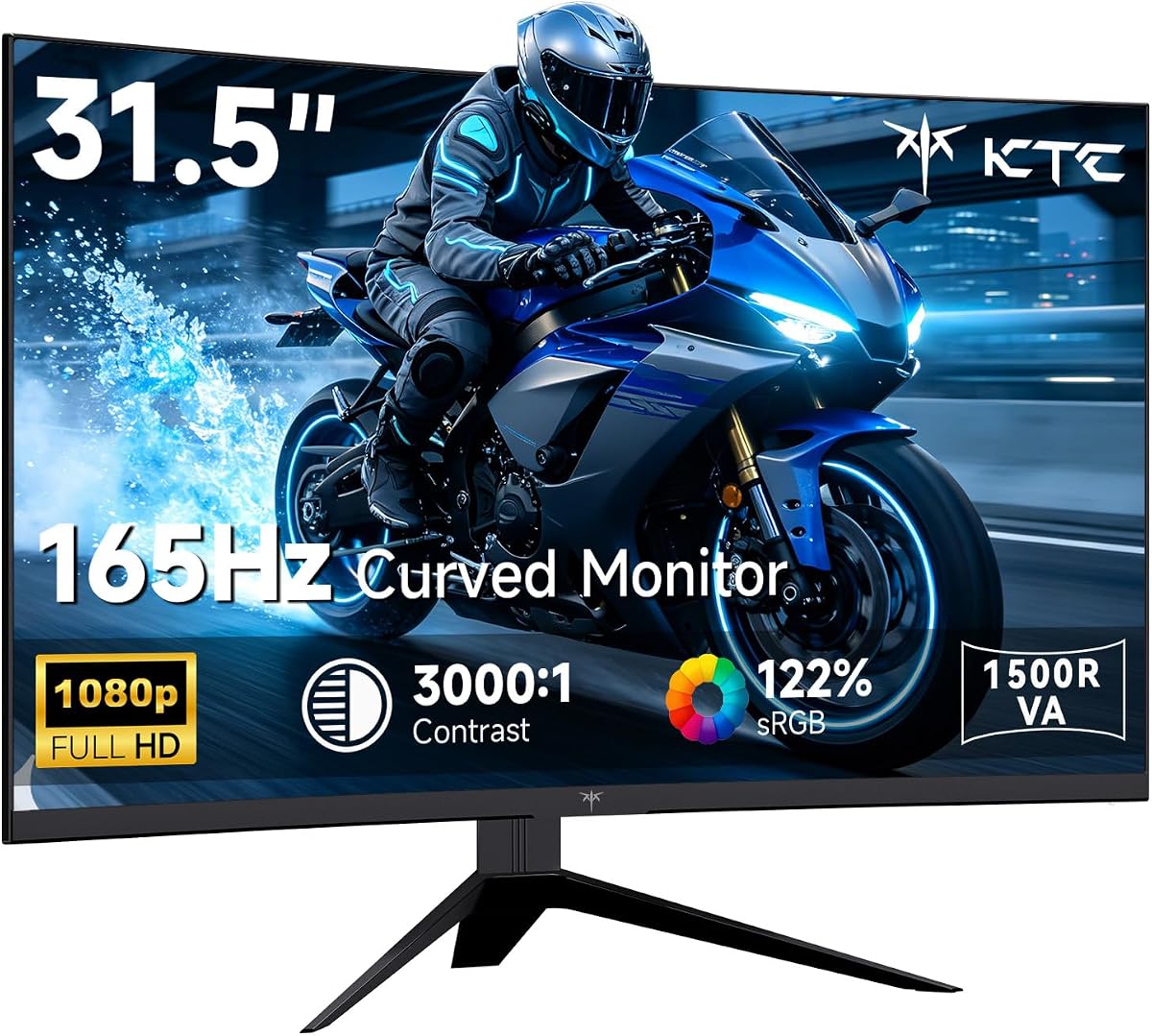
6. KTC H32D6 - Best White Aesthetic QHD

KTC H32D6 32" QHD White

KTC H32D6 32" QHD White

9/10★★★★★

KTC’s white H32D6 is the aesthetic QHD pick for people building a clean light-colored desk who still want real 1440p density at 32 inches. Most gaming monitors default to black plastic aggression; this one leans office-modern while keeping Adaptive Sync, HDR10, and a 120Hz ceiling that feels current for work and play. If your room is bright, your peripherals are white or silver, and you hate a glossy black monolith dominating the table, this chassis matters more than spec snobs admit.

  • 32-inch QHD IPS in a white chassis
  • 120Hz Adaptive Sync with HDR10
  • 109% sRGB, HDMI 2.0 + DP 1.4, VESA
Check Price →
✓ Pros
  • White QHD IPS looks sharp and fits bright modern desk setups
  • 120Hz Adaptive Sync covers office smoothness and casual gaming
  • Strong sRGB area claim and Delta E targeting for creative-friendly color
  • Dual HDMI plus DisplayPort make multi-device switching easy
  • Low blue light, flicker-free, tilt, and VESA support for flexible mounting
✕ Cons
  • 120Hz trails the 165–180Hz Samsung Odyssey gaming ceiling
  • Brand support and retail footprint differ from Dell, LG, or Samsung
  • Tilt-only stand may push perfectionists toward a VESA arm

Detailed review

Visually, QHD IPS is the right technology call. Wide viewing angles help when you share the screen or sit slightly off-center, and 2560x1440 keeps text far more composed than the Full HD 32-inch options. KTC cites about 109% sRGB gamut area, HDR10 support, and Delta E under 2 targeting—marketing language that, if your unit is well calibrated out of the box, makes the panel friendlier for photo review and colorful creative work than a generic washed-out office screen.

Motion is good rather than maximal. A 100Hz baseline that can run at 120Hz with Adaptive Sync eliminates the laggy feel of older business monitors without requiring the GPU muscle of sustained 180Hz esports settings. For indie games, older multiplayer titles, productivity motion, and console docking, that is plenty. For high-frame-rate competitive shooters, the Odyssey G5 still wins.

Connectivity is generous: DisplayPort 1.4 and two HDMI 2.0 inputs are listed with high-refresh support, so a desktop, laptop, and console can coexist more peacefully. Eye-care claims include low blue light and flicker-free operation. Tilt adjustment from roughly -5° to 20° covers basic ergonomics, and VESA 100x100 compatibility is the escape hatch if you want a proper arm with height control.

Value-brand caveats apply. Firmware polish, warranty logistics, and reseller variability can differ from Dell or Samsung. Read the seller terms, keep packaging until you confirm dead pixels within return windows, and use the ports that match your devices’ max refresh. Done carefully, the H32D6 is one of the more charming ways to get a big QHD IPS onto a styled desk.

Pick it when looks and 1440p clarity matter together. Skip it only if you need absolute maximum refresh or prefer a deeply curved immersive panel for sim racing.

Desk styling and mounting tips

White monitors show dust and cable clutter quickly, so route cables through an arm or rear channel and use light-colored sleeves if you care about the photo-ready setup. A VESA arm also solves height better than most tilt stands.

Calibrate or at least run a quick OSD color reset after setup; creative claims are only useful if the picture mode you enable is not an oversaturated Game preset.

Office and casual gaming balance

Leave Adaptive Sync on for games and off if you notice desktop oddities in your specific GPU driver—rare, but worth knowing. Use HDR only when content benefits; Windows HDR on desktop can wash out ordinary apps if mismanaged.

At 32 inches, 125% scaling is optional on QHD. Try native first; many users prefer the extra workspace.

Check Price on Amazon →

We may earn a commission at no additional cost to you.

7. KTC H32T13 - Best Budget QHD

KTC H32T13 32" QHD

KTC H32T13 32" QHD

8.4/10★★★★☆

The KTC H32T13 is the practical budget path to a 32-inch QHD IPS monitor when you know Full HD will look too soft up close but you do not need Samsung’s 180Hz stack. It targets the same resolution class as the more premium Odyssey and white KTC models: 2560x1440, thin bezels, Adaptive Sync, HDR10, and eye-care filtering. The rating is a bit lower at 4.2, so expectations should stay honest—this is value hardware, not a flagship.

  • 32-inch QHD IPS, 120Hz HDR10
  • Adaptive Sync, 109% sRGB
  • HDMI, DisplayPort, Mini DisplayPort, VESA
Check Price →
✓ Pros
  • QHD IPS sharpness at 32 inches without jumping to premium brand pricing tiers
  • 120Hz Adaptive Sync is enough for casual games and snappy desktops
  • Ultra-thin bezels help immersion and potential dual-monitor pairing
  • Rare Mini DisplayPort inclusion alongside HDMI and DisplayPort
  • Eye-care features and multiple picture presets for mixed daily use
✕ Cons
  • Lower Amazon rating than several brand-name alternatives in this pack
  • Stand is basic compared with Samsung’s fully adjustable Odyssey base
  • Not the highest refresh option if competitive gaming is the priority

Detailed review

For office and casual gaming, the spec blend works. One hundred twenty hertz makes dragging windows and playing lighter titles feel contemporary. Adaptive Sync reduces tearing. A claimed 109% sRGB area and 1.07 billion color presentation aim for vivid everyday visuals, while Game, Movie, Web, Text, and Mono presets give you fast scene matching. Flicker-free and blue light filter modes support long homework or spreadsheet nights.

Connectivity is a quiet strength. HDMI and DisplayPort are expected; Mini DisplayPort is less common and can rescue older workstations, certain laptops, and specialty outputs without hunting for adapters on day one. VESA 100x100 support means you can retire the included stand if tilt range feels limiting. That upgrade path matters because many budget 32-inch stands are merely acceptable.

Where you compromise is polish and peak gaming feel. The Odyssey G5 still owns high-refresh competitive scenarios. Dell still owns 4K productivity density. The H32T13 owns the “I want QHD pixels and a big IPS screen without overbuying” lane. If that is your lane, the lower brand prestige is a fair trade.

Inspect units carefully on arrival for uniformity and dead pixels, as you should with any value panel. Set native QHD resolution immediately, enable the correct refresh rate, and avoid sharpening filters that create halos around text. Used with those basics, the H32T13 can be a highly rational main monitor for students and builders stretching a PC budget toward GPU and RAM instead of display branding.

If you prefer a white desk theme, compare the H32D6 first. If you want curve and cheaper Full HD thrills, look at the KTC 165Hz curved model instead. The H32T13 stays the flat, sharp, budget QHD workhorse.

When budget QHD beats cheap 1080p

If your face is within two to three feet of the screen and you read all day, QHD is the upgrade that changes comfort. A larger Full HD panel only makes soft pixels bigger. Spending on resolution here often improves satisfaction more than spending on RGB lighting elsewhere.

Keep 1080p only when viewing distance is longer, the PC is very weak, or the monitor is truly secondary.

Ports and device mixing

Use DisplayPort for the PC when you want the cleanest Adaptive Sync path, and leave HDMI for console or laptop duty. Mini DisplayPort is your legacy lifeline—label the cable so you do not forget which input is active.

Auto-switching behavior varies; if the monitor does not jump inputs reliably, set a muscle-memory hotkey or OSD habit when you change devices.

Check Price on Amazon →

We may earn a commission at no additional cost to you.

8. KTC H32S17C - Best Budget Curved Gaming

KTC H32S17C Curved

KTC H32S17C Curved

9/10★★★★★

The KTC H32S17C chases the classic value-gaming fantasy: a huge curved screen, 165Hz smoothness, and feature icons like HDR10 and Adaptive Sync without requiring a QHD-capable GPU. For players upgrading from a small 60Hz office panel, the first hour in a 1500R 32-inch cockpit can feel transformative. Motion is quick, the curve fills more of your vision, and GamePlus extras such as crosshairs and Black eQualizer scratch competitive itches immediately.

  • 32-inch 1500R curved Full HD
  • 165Hz, 1ms MPRT, Adaptive Sync
  • 122% sRGB, HDR10, HDMI + DisplayPort
Check Price →
✓ Pros
  • 165Hz curved immersion at a value-focused Full HD specification
  • Adaptive Sync compatibility claims cover FreeSync Premium and G-SYNC styles of use
  • Vibrant 122% sRGB and HDR10 marketing for punchy game visuals
  • GamePlus crosshairs, Black eQualizer, and timer tools for practical play
  • VESA mount and tilt adjustment support cleaner desk upgrades later
✕ Cons
  • Full HD at 32 inches remains the sharpness bottleneck up close
  • 1500R is immersive but less aggressively wrapped than Samsung’s 1000R QHD curve
  • Color vibrancy can look overcooked for photo-accurate work if left in game modes

Detailed review

Understand the resolution contract before you buy. This is Full HD, not the QHD of the Odyssey G55C. From a couch-like distance or a deeper desk, that can be acceptable—especially for consoles and action games where cinematic scale matters more than spreadsheet crispness. From a tight typing distance, text and desktop icons will look larger and less precise than on the KTC QHD models. Many buyers are fine with that trade if their PC cannot push 1440p at high frames.

Color is tuned to excite. A claimed 122% sRGB gamut area and HDR10 support make games and media pop, which is fun and occasionally excessive for work documents. Use a milder preset when editing photos or living in spreadsheets all afternoon. Adaptive Sync support aimed at both FreeSync Premium and G-SYNC compatible style setups helps keep tearing down when frame rates swing—verify behavior with your specific GPU and cable.

Physical flexibility is adequate. Tilt from about -5° to 15° covers basic posture fixes, and VESA 100x100 gives you a real ergonomic future with an arm. Connectivity includes HDMI and DisplayPort plus additional ports noted in the listing for headphones and power, which is enough for a straightforward PC-first battle station. Eye-care modes reduce fatigue during long campaigns.

The H32S17C makes the most sense as a dedicated fun monitor: sim-ish immersion on a budget, high refresh for esports-like responsiveness at 1080p, and enough extras to feel like a gaming product rather than a boring VA television. It is less compelling as a precision productivity panel. That clarity helps it sit honestly in this roundup instead of being forced into a best-overall crown it should not wear.

If you can stretch to QHD curved, the Samsung G55C is the sharper immersion upgrade. If you need flat text clarity, jump to the G50F or KTC QHD flats. If you want maximum curve thrills for the hardware you already own at 1080p, this KTC is the energetic pick.

GamePlus features worth leaving on

Crosshairs help in games with distracting or tiny default reticles. Black eQualizer is useful in dim tactical maps. The timer can keep ranked sessions honest so you actually stand up between queues.

Turn the gimmicks off for movies; overlays that help in FPS titles become visual litter during story cutscenes.

GPU pairing reality

A major advantage of curved 1080p 165Hz is that midrange and even older GPUs can feed it. That means you may enjoy the refresh rate you paid for instead of buying QHD and locking frames at 70fps.

If you are about to buy a new GPU anyway, consider whether that money plus a modest display upgrade path should go toward QHD instead. Future-proofing lives in pixels you can grow into.

Check Price on Amazon →

We may earn a commission at no additional cost to you.

9. Philips 32E1N1100L - Best Warranty Confidence

Philips 32E1N1100L

Philips 32E1N1100L

8.6/10★★★★☆

Philips earns a distinct badge here because ownership experience is part of buying a large monitor. The 32E1N1100L pairs a 31.5-inch Full HD VA panel with 100Hz refresh, Adaptive-Sync, and—critically—a four-year Advance Replacement warranty story in the United States. When a giant office panel fails, waiting through slow repairs hurts; advance replacement is a practical benefit students, small offices, and home workers understand immediately.

  • 31.5-inch Full HD VA, 100Hz
  • 1ms MPRT, Adaptive-Sync
  • HDMI, DisplayPort, VGA, 4-year advance replacement
Check Price →
✓ Pros
  • Four-year Advance Replacement warranty in the US reduces downtime anxiety
  • 100Hz Adaptive-Sync makes everyday motion smoother than old 60Hz panels
  • HDMI, DisplayPort, and VGA cover mixed modern and legacy devices
  • Flicker-Free positioning suits long work sessions
  • VESA compatibility supports arms and wall mounts
✕ Cons
  • Full HD detail cannot match QHD/4K productivity panels at close range
  • VA gaming feel trails dedicated 165–180Hz models
  • Design and stand experience are more utilitarian than premium Odyssey hardware

Detailed review

Performance sits in the sensible middle. One hundred hertz and 1ms MPRT claims make scrolling and casual games more fluid than bargain 60Hz displays, while Adaptive-Sync reduces tearing. This will not dethrone the Odyssey G5 for competitive play, and it should not be sold that way. It will feel like a modern everyday monitor rather than a leftover conference-room panel.

Port selection is intentionally broad. HDMI and DisplayPort handle current PCs and many laptops, while VGA keeps older desktops relevant. Audio out and VESA mounting round out a install-anywhere mindset for offices that standardize on arms. Flicker-Free operation supports the long Excel and browser days that actually justify a 32-inch purchase in business contexts.

Image expectations should mirror other Full HD 32-inch screens: great for distance and media, softer for close text. If your workflow is coding at two feet for eight hours, the warranty will not make pixels denser—choose Dell 4K or a QHD IPS instead. If your workflow is shared family computing, classroom-style study, or a secondary machine where reliability matters as much as sharpness, Philips becomes compelling.

Brand familiarity also helps less technical buyers. Philips is easier to explain to a purchasing department than a lesser-known value gaming marque, and the E-Line positioning reads as productivity hardware with light gaming capability. That positioning matches the feature set cleanly.

Buy this when support confidence and flexible inputs outrank chasing the highest refresh number on the page. It is a grounded, adult choice in a roundup that correctly also celebrates flashier Odyssey and KTC gaming panels.

Who should prioritize the warranty

Remote workers who cannot be without a display, parents buying a family PC hub, and small offices without spare monitors on a shelf should weigh advance replacement heavily. A slightly softer panel you can replace quickly can beat a sharper panel that strands you for weeks.

Tinkerers who love chasing peak specs and already buy from brands with easy returns may care less—and should shop QHD first.

Office deployment notes

Use VESA arms to standardize height across desks, enable Flicker-Free defaults, and document which input each computer uses so staff are not stuck on the wrong source. VGA is a compatibility tool, not the preferred path for new PCs—prefer HDMI or DisplayPort when available.

Set 100Hz explicitly in the operating system; many machines still default to 60Hz after a driver reinstall.

Check Price on Amazon →

We may earn a commission at no additional cost to you.

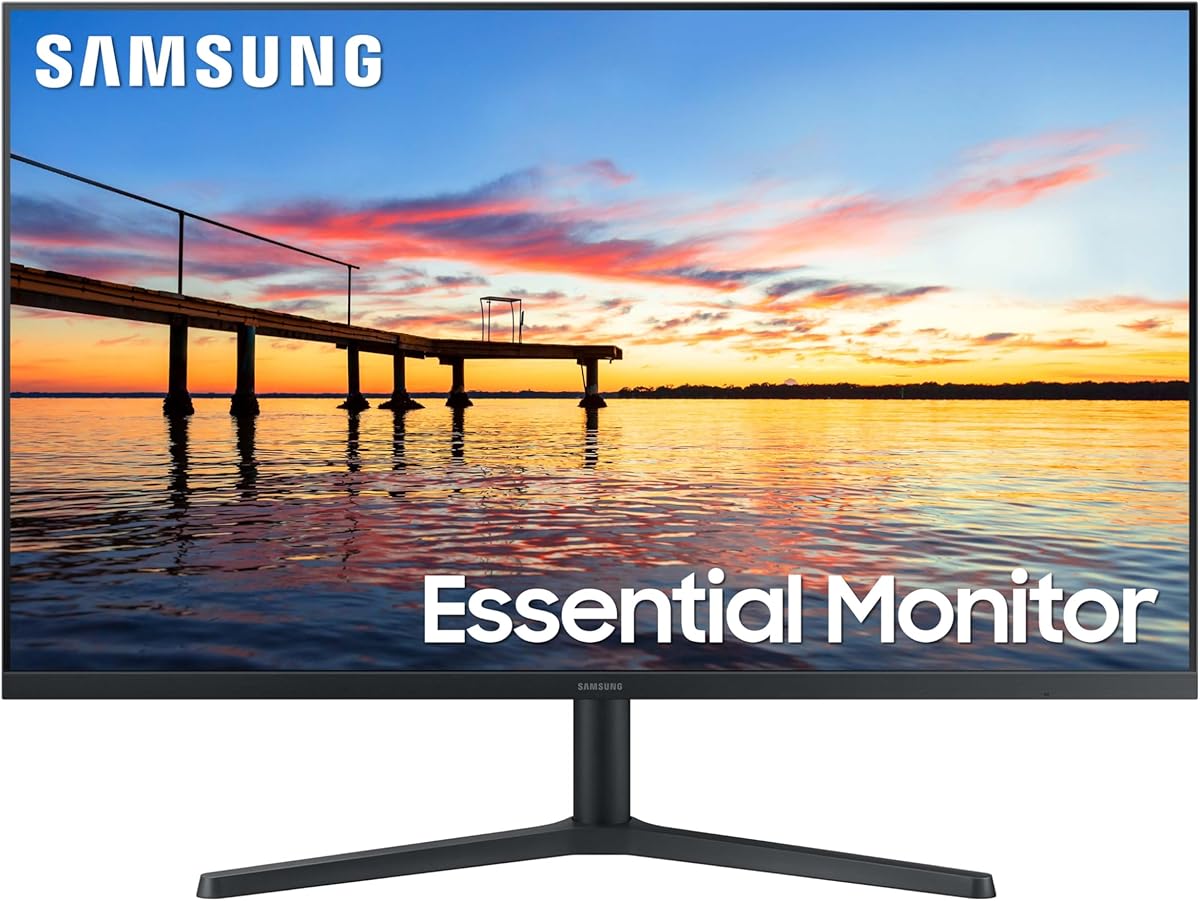
10. Samsung LS32B304 - Best Simple Everyday Flat

Samsung LS32B304 32" Flat

Samsung LS32B304 32" Flat

9/10★★★★★

Samsung’s LS32B304-style 32-inch flat monitor is the simple, borderless everyday screen for buyers who want a large clean desktop without entering full Odyssey gaming territory. The three-sided borderless design is the visual hook: it looks modern alone and lines up more neatly in dual-monitor setups where thick side bezels would create a distracting trench between screens. For office aesthetics and tidy battlestations that still need occasional Game Mode, that matters.

  • 32-inch flat three-sided borderless design
  • 75Hz with AMD FreeSync and Game Mode
  • HDMI + DisplayPort, Eye Saver, Flicker Free
Check Price →
✓ Pros
  • Clean borderless aesthetic works well in multi-monitor lineups
  • AMD FreeSync and Game Mode add light entertainment capability
  • Advanced eye-care features support long workdays
  • HDMI and DisplayPort cover typical PC connections without adapter chaos
  • Familiar Samsung brand presence for straightforward retail purchases
✕ Cons
  • 75Hz is modest next to 100–180Hz alternatives in this same list
  • Not the sharpest choice if the panel is Full HD-class at this size
  • Fewer enthusiast gaming tools than Odyssey-branded siblings

Detailed review

A 75Hz refresh rate with AMD FreeSync sits above ancient 60Hz panels and below the 100–180Hz crowd. In practice, work feels fine, videos look smooth enough, and lighter games benefit from tearing reduction. This is not the monitor you buy to showcase a high-end GPU. It is the monitor you buy when the computer is a workhorse and the display should stay out of the way.

Eye care is a major part of the listing for good reason. Flicker Free technology and Eye Saver Mode target the fatigue that appears during long spreadsheet, email, and browser sessions. Game Mode can boost contrast and visibility when you do jump into a title, and FreeSync keeps those sessions cleaner if your AMD or FreeSync-compatible setup varies in frame rate.

Compared with the ViewSonic VA3209M, this Samsung leans harder into the seamless multi-monitor aesthetic and Samsung’s eye-care branding, while the ViewSonic counters with IPS framing, dual speakers, and VGA legacy convenience. Compared with Odyssey models, it is calmer, slower, and less immersive—and that is acceptable when your primary apps are Chrome, Office, and a video call client.

Connectivity through HDMI and DisplayPort is the right minimum for modern PCs. Set the native resolution, enable 75Hz, and consider an arm if you want height flexibility the basic stand may not emphasize. In multi-monitor layouts, match scaling and color temperature across panels so the borderless dream is not ruined by one warm and one cool screen.

Choose the LS32B304 when you want a big, tidy, brand-familiar flat monitor for work with light play on the side. If gaming is central, step up to an Odyssey. If you need speakers and VGA, take the ViewSonic. If sharpness is everything, take Dell 4K or QHD IPS.

Multi-monitor tips

Borderless designs shine when both monitors match. Mixing a borderless Samsung with a thick-bezel random panel cancels much of the visual benefit. Align top edges physically and in software to reduce neck strain.

Keep FreeSync behavior consistent across GPU outputs when possible, or disable it on the secondary if you see odd desktop flickering.

Who should stop here versus upgrade

Stop here if your upgrade goal is simply more space for windows and a cleaner look than a small old 1080p screen. Upgrade if you already know you want high refresh gaming or denser text—those needs are better served earlier in this ranking.

This tenth-place finish is not a failure; it is a specialist finish for straightforward desks that do not need specialist gaming hardware.

Check Price on Amazon →

We may earn a commission at no additional cost to you.

Best 32 Inch Monitors 2026: Gaming, 4K, and Office Picks

How to Choose a 32 Inch Monitor in 2026

Resolution and viewing distance come first

Diagonal size without resolution is marketing. At 32 inches, Full HD can feel large and soft up close, QHD usually hits the best balance for mixed gaming and work, and 4K looks superb for text and creative detail if your GPU and habits support it. Measure how far your eyes sit from the desk surface where the panel will live. Under about two and a half feet, prioritize QHD or 4K. Farther away, a good Full HD curved screen can still feel immersive for media.

Refresh rate should match your hardware

Buying 180Hz for an office laptop with integrated graphics wastes the headline number. Buying 75Hz for a strong gaming PC leaves frames on the table. Match refresh to what your system can produce in the games or apps you care about. Adaptive Sync via FreeSync or G-Sync Compatible matters more than chasing a peak Hz figure you will never hold.

Panel type and curve are preference decisions

IPS generally wins for viewing angles and mixed productivity color consistency. VA often wins for contrast and cinematic blacks, especially on curves. A 1000R or 1500R curve enhances immersion for games and movies but can annoy spreadsheet purists. Flat panels are easier for design grids, multi-monitor alignment, and shared viewing.

Ports, stand, and eye care decide ownership joy

Confirm HDMI and DisplayPort versions for your PC or console refresh targets. VGA still matters in some offices. Height-adjustable stands or VESA arms prevent the stack-of-books ergonomics that ruin big-monitor posture. Flicker-free operation and blue-light modes will not fix a bad chair, but they help during long days. Warranty terms—like Philips’ advance replacement—are part of value, not an afterthought.

A simple decision path

Frequently Asked Questions

01

Is 32 inches too big for a desk monitor?

It depends on distance more than fashion. If you sit about 30–40 inches away, 32 inches can feel natural and productive. If your nose is closer to a shallow desk, the panel can dominate your field of view and force excessive head turning for corners. A monitor arm that increases distance often solves “too big” complaints without abandoning the size. Ultrawide 34-inch screens are an alternative shape, but a 32-inch 16:9 panel remains easier for games, consoles, and standard content scaling.

02

Is 1440p or 4K better for a 32-inch monitor?

For most mixed-use buyers with gaming PCs, 1440p QHD is the best balance of sharpness and frame-rate affordability. 4K is better when your priority is text clarity, photo detail, and workspace density, and when your GPU or workload can handle it. Full HD remains viable for media and distant seating but is the easiest to outgrow if you sit close. In this roundup, the Odyssey G5 and KTC QHD models represent the 1440p path, while the Dell S3225QS represents the 4K productivity path.

03

Do I need a curved 32-inch monitor?

No. Curve is optional immersion. It helps racing, flight, and cinematic games feel more enveloping, and some people simply like the look. It can make straight lines in productivity apps feel slightly bent, which bothers certain users. Flat IPS panels are usually smarter for design work, multi-monitor alignment, and wide off-angle viewing. If you have never liked curved TVs, you will probably not convert at the desk.

04

What refresh rate should I get on a 32-inch screen?

Match the monitor to your system. Office and study machines are well served by 75–100Hz. Mixed everyday gaming feels great at 120Hz. Competitive or high-frame-rate play benefits from 165–180Hz if your GPU can hold higher frames at your chosen resolution. Adaptive Sync support is valuable across all of those tiers because real frame rates fluctuate. A high Hz number without GPU headroom is just a menu setting you never reach.

05

Are built-in speakers on 32-inch monitors good enough?

They are good enough for calls, system sounds, and casual videos. They are rarely good enough for music production critical listening or immersive movie nights. The ViewSonic VA3209M and Dell S3225QS advertise more intentional audio stories than silent business panels, yet headphones or desktop speakers still elevate the experience. Treat built-in speakers as convenience, not as your final audio plan.

06

Can a 32-inch monitor replace dual monitors?

Often yes for people who mainly split a browser and a document. A single large QHD or 4K screen avoids the bezel gap and simplifies cable management. Dual monitors still win when you need truly separate virtual desktops at extreme angles, or when you want a vertical coding screen beside a main landscape display. Many users in this size class find one well-chosen 32-inch panel cleaner than two mismatched 24-inch leftovers.

07

Is FreeSync or G-Sync required?

Not required, but strongly preferred for gaming. FreeSync and G-Sync Compatible features reduce tearing and stutter when frames vary. Several monitors in this guide support AMD FreeSync, and the Odyssey G50F also advertises NVIDIA G-Sync Compatible support. For pure office work, variable refresh is a nice bonus rather than a reason to buy. For games, it is one of the first boxes to tick after resolution.

08

How important is HDR10 on these monitors?

HDR10 can improve highlight punch and contrast in supported games and videos, but midrange monitors without advanced local dimming rarely deliver reference HDR. Enjoy it when it looks good, and do not treat HDR marketing as equal to a high-end HDR television. For work, accurate SDR color modes usually matter more. If Windows desktop HDR makes apps look washed out, leave HDR off until you launch compatible content.

09

What stand features matter most at 32 inches?

Height adjustment is the standout luxury because a panel this large is miserable when the top edge sits too high or low. Tilt is the minimum. Swivel and pivot help with sharing and portrait scenarios. If the included stand is tilt-only, budget a VESA arm—especially on value models from KTC and some office panels. Good ergonomics prevent the productivity gains of a bigger screen from being erased by neck pain.

10

Which monitor in this guide is the best overall pick?

For most people who want one 32-inch monitor to game and work, the Samsung Odyssey G5 G50F is the best overall balance of QHD sharpness, 180Hz motion, adaptive sync coverage, and ergonomic stand flexibility. Choose the Dell S3225QS instead if your world is 4K productivity first. Choose the ViewSonic VA3209M if you need a highly rated, simple office panel and will not feed high-refresh QHD. The rest of the list fills curve, aesthetic, budget, and warranty niches around those three anchors.

Conclusion

The best 32 inch monitor in 2026 is the one that matches your distance, GPU, and whether you care more about immersion or text clarity. From this pack, the Samsung Odyssey G5 G50F is the strongest all-around gaming and mixed-use choice, the Dell S3225QS is the clearest 4K productivity upgrade, and the ViewSonic VA3209M remains the sensible highly rated office value pick.

Curved fans should weigh the QHD Samsung Odyssey G55C against the more affordable Full HD LG and KTC curves, while styled desks and budget builders have credible QHD IPS options from KTC. Philips stands out when advance-replacement peace of mind matters as much as panel thrills.

Ignore dollar prices in articles that go stale and check the live Amazon links for current deals. Set native resolution and the highest stable refresh rate on day one, then spend a week with honest posture and scaling choices. A 32-inch monitor should make your desktop feel bigger and calmer—not sharper in the marketing copy and softer in real life.