Detailed review
Connectivity is the second reason it earns Best Overall. A 24-bit USB-C DAC path lets you pull digital audio straight from a modern PC or laptop, while optical and 3.5 mm AUX cover monitors, consoles, and older machines. Bluetooth adds phone or tablet streaming when you step away from the keyboard. That mix matters in 2026 desks that rotate between work Zoom sessions, Spotify breaks, and evening gaming without constantly reseating cables.
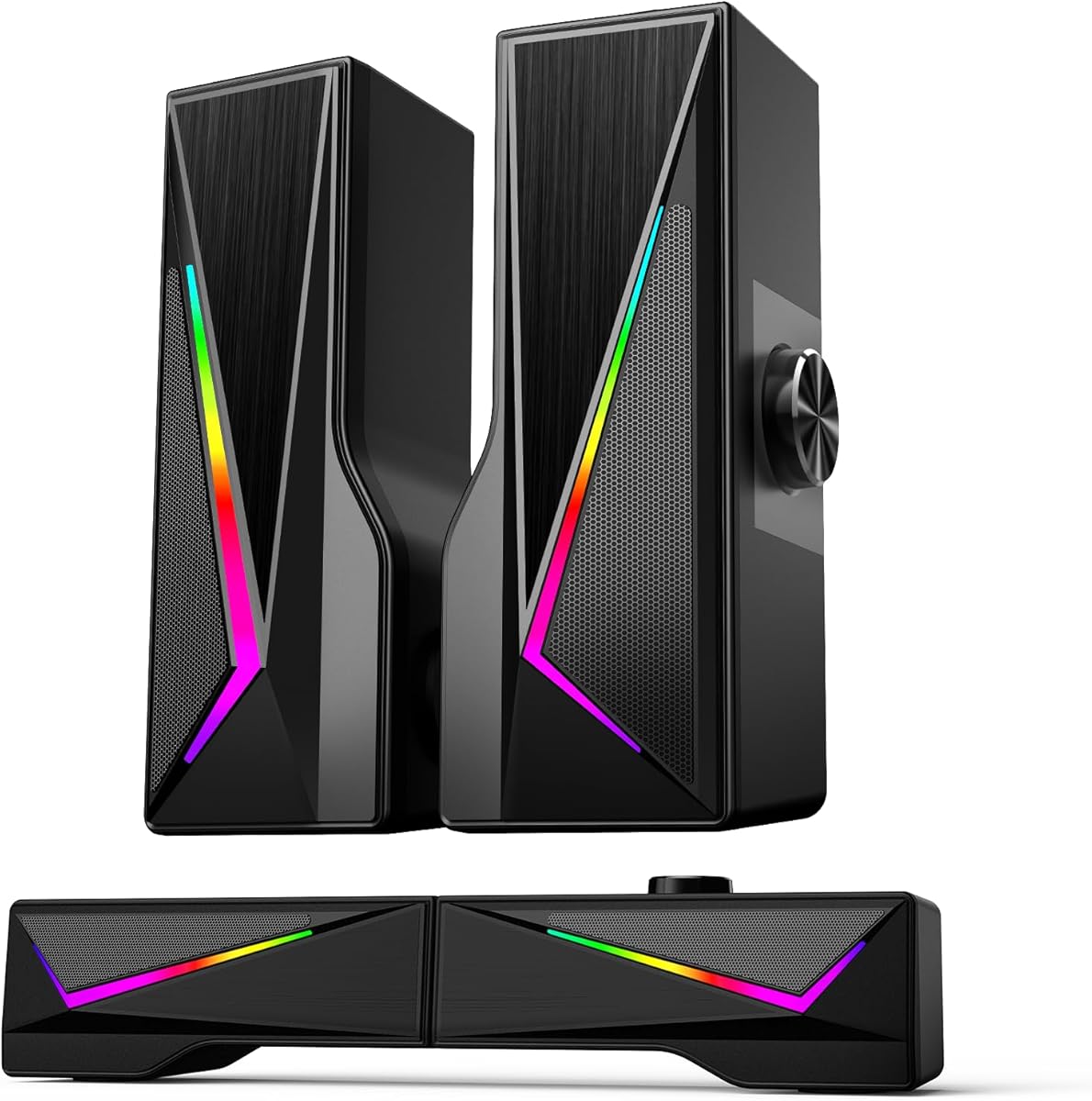
Tone control placement is unusually practical. Master volume, treble, and bass live on the front panel, so you can tame bright headphones-style mixes, thicken sparse laptop masters, or pull bass back when neighbors share a wall. Software EQ can do similar work, but a physical knob during a match or movie is faster and less disruptive. The rear reflex design helps the pair feel fuller than sealed USB minis, even though this is not a dedicated 2.1 satellite-and-sub stack.
Placement still decides whether the H1 sounds expensive or merely loud. Keep the speakers roughly ear-height and form an equilateral triangle with your seated position. Leave a little breathing room behind the cabinets so the ports can do their job, and avoid burying one speaker behind a tall PC tower. If your desk is extremely narrow, measure first—the H1 is compact for a powered pair, but it is larger than Creative Pebble or Amazon Basics sticks.
Compared with the OHAYO and Sanyun bookshelf options, the H1 feels more current on digital inputs and more studio-adjacent on the USB-C DAC claim. Compared with true 2.1 systems like the renewed Logitech Z313, it trades a dedicated subwoofer for cleaner cable management and easier tone shaping at the desk. For most people searching for best 2.1 computer speakers who will actually live with a pair beside a monitor all day, that trade is worth it.
The remaining caveats are predictable. If your favorite content is EDM or action movies at living-room levels, a floor subwoofer still wins. If you only need louder browser audio, the H1 is more speaker than required. Everyone else—hybrid workers, gamers who care about midrange detail, and music listeners tired of tinny laptop drivers—should put this pair at the top of the shortlist.
Who should buy the H1
Buy the H1 if your desk is the main listening room and you want one powered pair that covers work audio, streaming music, and games without adding a sub box under the desk. It is especially strong when your PC or monitor can feed USB-C or optical and you want front-panel EQ within arm's reach.
Skip it if you need the smallest possible USB-only footprint or if a true satellite-plus-subwoofer layout is non-negotiable for chest-thumping bass.
Setup tips for cleaner desktop sound
Start with the USB-C DAC connection on your main computer, set OS volume near maximum, and control loudness from the H1 master knob so you preserve bit depth and avoid double attenuation. Then use bass and treble sparingly: small turns matter more at near-field distances than living-room EQ habits suggest.
If optical is available from a monitor or GPU, use it for movie nights so the PC can sleep while the speakers stay on a video source.
How it compares in this roundup
Against Creative Pebble, the H1 is larger, louder, and more tunable. Against OHAYO and Sanyun, it competes closely on power while offering a more modern input mix. Against the renewed Z313, it is the safer daily-driver recommendation unless you specifically want a classic 2.1 subwoofer system and accept refurbished variability.