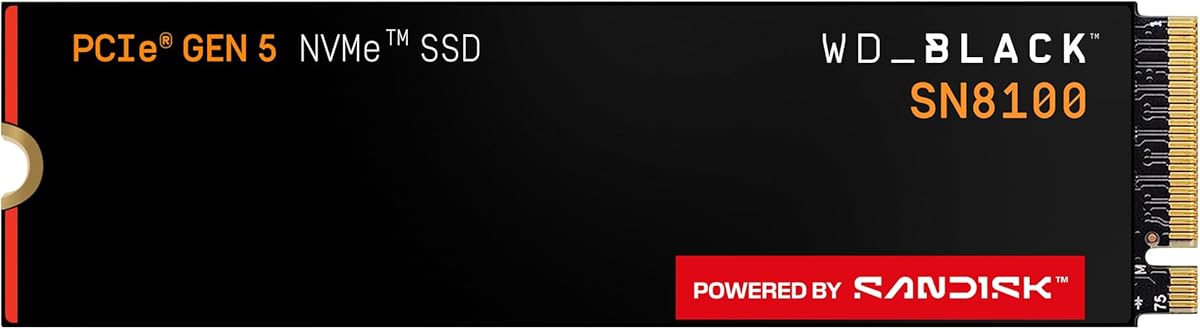

Two terabytes is where many gaming PCs finally stop playing uninstall roulette. The WD_Black SN8100 2TB keeps the family’s PCIe 5.0x4 speed targets—reads up to 14,900MB/s—while giving enough room for an OS, a serious game shelf, and active creative projects.
This review is for builders who already own a Gen5-capable motherboard or laptop slot and want one primary drive that feels instant without jumping to archival 4TB or 8TB capacities yet.
We look at when 2TB is the sweet spot, how the shared SN8100 performance claims apply, thermal and software habits, and how to place this SKU in a multi-drive rig.
The 2TB SN8100 is the practical enthusiast default in this lineup. You keep the Gen5 speed story—up to 14,900MB/s reads—while the shared materials highlight especially strong write and IOPS figures on 2TB–4TB capacities, including sequential writes up to 14,000MB/s and over 2.3 million IOPS. That combination is why this size feels like the “do everything primary” drive for many gaming desktops.
Gamers notice capacity first: shader caches, high-resolution texture packs, and multiplayer titles coexist more peacefully on 2TB than on 1TB. Speed shows up second: installs finish sooner, and large open-world streaming hitches less when the drive and CPU can feed assets quickly. You still need RAM and a capable GPU; storage removes a bottleneck, it does not invent frames.
Content workflows benefit when active timelines, proxies, and cache folders live on the SN8100. Park cold archives on a bulk HDD or larger secondary SSD. Two terabytes is comfortable for a week’s working set for many editors; multi-project shops should still design a two-tier storage habit.
Local AI users often land on 2TB as the minimum calm capacity—enough for several model weights, datasets samples, and the OS without immediate panic. The listing’s AI positioning makes sense here: model files are large, and random performance matters when tools thrash small reads during prep.
Power efficiency claims for 1TB–4TB SN8100 models—over 100% better than Sandisk’s Gen4 reference at roughly 7.5W or under average—help in compact AM5/LGA boards where M.2 slots sit near VRMs. Efficiency does not erase the need for a heatsink; it just means the drive is engineered not to be a thermal clown car at idle and light use.
Install habits decide whether you ever see brochure speeds. Use the CPU-direct Gen5 slot when your board has one, update BIOS, and confirm link speed after install. Laptop owners should check vendor thermal limits; some thin chassis prefer Gen4 even when a Gen5 bay exists.
Sandisk Dashboard on Windows remains the maintenance cockpit: watch temperatures, check attributes, and apply updates. Acronis True Image for Sandisk covers migrations from an older boot drive. After cloning, validate wake-from-sleep, BitLocker status if used, and that restore points still behave.
Choose the 2TB SN8100 when you want Gen5 responsiveness and a library that breathes. Step to 4TB if you refuse secondary drives; stay at 1TB only if this is a dedicated scratch disk beside larger storage.
Who it's for
Perfect for Gen5 gaming PCs that keep a dozen large titles installed, hybrid creator-gamers, and AI tinkerers who need room for a few models. Also a strong laptop upgrade when the bay and cooling are officially Gen5-ready.
Who should skip it
Skip if you are on PCIe 4.0 hardware and would rather save money for a GPU, or if your media vault already demands 4TB+ on the primary disk. Casual office upgrades rarely need Gen5.
Daily performance & capacity feel
Day to day, 2TB reduces housekeeping anxiety while Gen5 shortens the painful moments: big installs, project copies, and shader compilation spikes tied to storage. Keep at least 15–20% free space for consistent SSD behavior.
Setup tips & verdict
Mount with the board heatsink, align to the Gen5 slot, migrate with Acronis or clean-install Windows, then spot-check crystalDisk-style link rate. Verdict: the SN8100 sweet-spot capacity for most high-end gaming and mixed creative rigs.
- 2TB capacity fits modern game libraries without constant deletes
- Gen5 sequential and high IOPS claims suit load-heavy titles and asset work
- Strong efficiency narrative versus prior Gen4 WD_Black class drives
- Windows Sandisk Dashboard for health, updates, and monitoring
- Same M.2 2280 footprint as smaller SN8100 SKUs for easy upgrades
- Still overkill if your host only offers PCIe 4.0 bandwidth
- Sustained Gen5 writes need a competent heatsink strategy
- Creators with multi-camera 4K/8K vaults may outgrow 2TB sooner than expected
FAQs
How is the 2TB SN8100 different from the 1TB model?
Both target the same Gen5 speed class, but 2TB gives substantially more usable space for games and projects. Family materials also highlight peak write and IOPS figures particularly for 2TB–4TB capacities, making 2TB a stronger all-in-one primary drive for many users.
Can the SN8100 2TB improve FPS?
It can reduce stutter tied to asset streaming and shorten load screens, but average FPS is usually GPU- and CPU-bound. Think of Gen5 storage as responsiveness insurance, not a substitute for a graphics upgrade.
Does 2TB need a special heatsink?
Use at least the motherboard M.2 heatsink. Aftermarket spreaders help in warm cases or multi-SSD boards. Monitor temps in Sandisk Dashboard during long game installs or video exports.
Is the SN8100 good for video editing?
Yes as a fast working drive for media cache, proxies, and active timelines. Keep finished archives on larger secondary storage so the 2TB volume stays responsive.
What software should I install?
Sandisk Dashboard on Windows for health and updates, and Acronis True Image for Sandisk if you are migrating an existing system disk. macOS/Linux users should plan native cloning or clean installs instead.
Will it work in a PCIe 4.0 slot?
Typically yes at reduced maximum throughput. You retain capacity and strong Gen4-class performance, but you will not see full Gen5 peaks until the host provides Gen5 lanes.
How full can I fill a 2TB NVMe?
Leaving headroom improves consistency. Try not to live at 95% full—move older games or exports off when free space gets tight so TRIM and write performance stay healthier.
Is WD_Black SN8100 made by Sandisk?
Yes—the listing states WD_Black flash products are manufactured by Sandisk Technologies or affiliates under license from Western Digital Corporation.