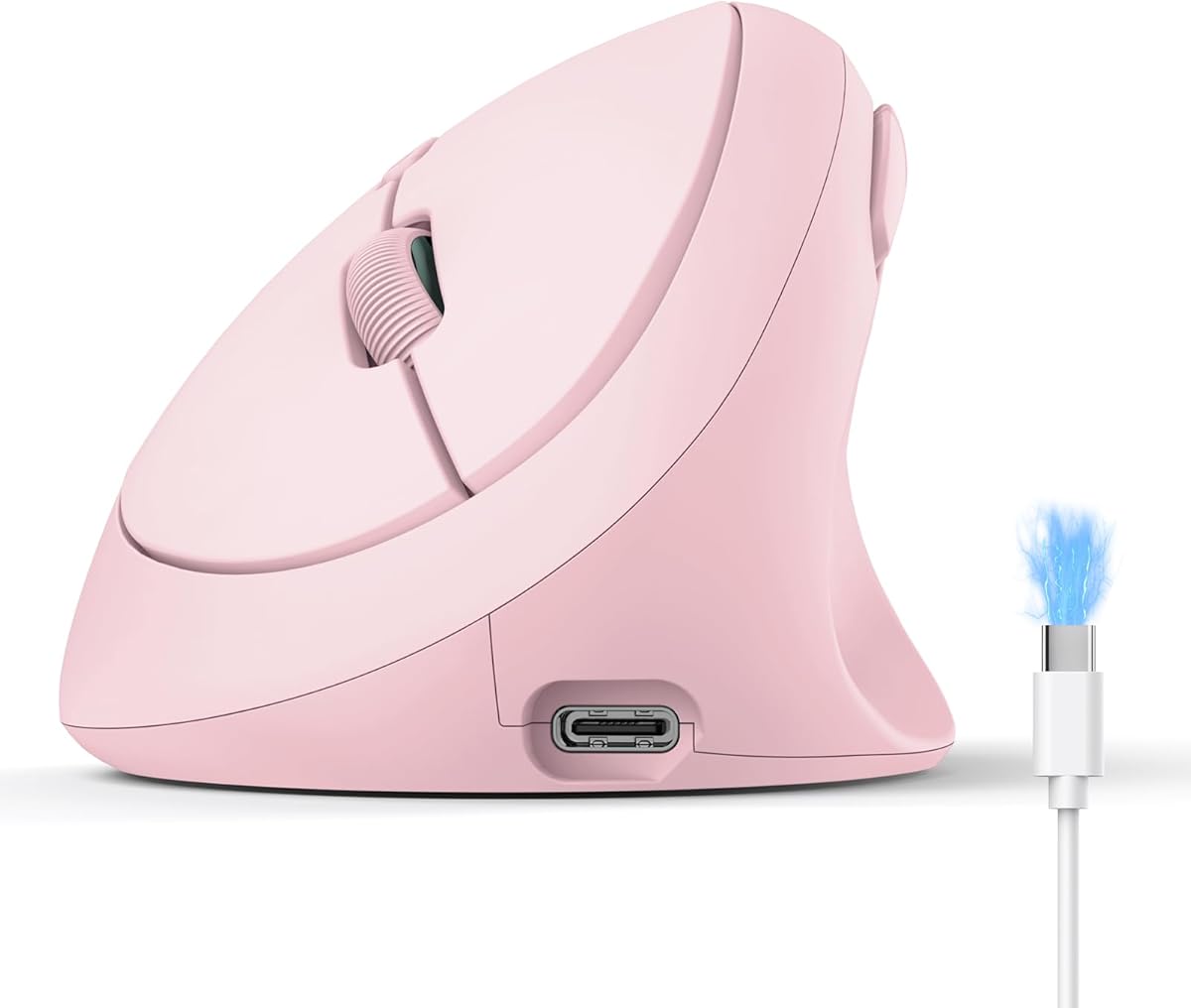

Photo editors and designers often spend hours nudging layers, brushing masks, and scrubbing timelines—work that rewards precision but punishes a twisted wrist. The TECKNET Ergonomic Mouse in pink targets that fatigue with a 52° vertical handshake posture, quiet clicks, and DPI stepping up to 4800.
This SKU stands out for creators who want multi-device switching without juggling disposable batteries. Bluetooth 5.0/3.0 plus a 2.4G USB-A dongle cover laptops and desktops, while the 600mAh pack and Type-C cable aim for months of use after a short charge.
Below we unpack tracking for detail work, silent office manners, pink finish practicality, and who should stick with a classic claw-grip mouse instead.
Vertical mice succeed when they make your forearm feel less twisted after a full day. TECKNET’s 52° angle pushes the palm into a handshake rather than a flattened claw. For photo editing—dodging, burning, and precise selections—that posture can cut the dull ache that shows up around hour three. You still need a stable desk height and a mousepad that isn’t glossy plastic, but the geometry is the main idea.
Connectivity is the second pillar. Pair two machines over Bluetooth and keep the nano 2.4G receiver for a desktop that lacks free Bluetooth stacks, or reverse that strategy if your laptop hates dongles. Switching among three devices is useful when a Lightroom catalog lives on a tower and Slack lives on a thin notebook. Expect a short re-acquire moment when you flip; it is not a seamless KVM, but it beats unplugging cables.
DPI ranging from 800 through 4800 in six steps matters more than the marketing maximum. Editors often park around mid-range for brush control, then bump higher when scrubbing large panoramas on a 4K panel. Optical tracking that behaves on wood and paper is convenient in coffee-shop sessions, though a consistent cloth pad still wins for fine masks. Use the DPI button deliberately—accidental jumps feel like the cursor is drunk.
Silent click hardware is a genuine quality-of-life upgrade in open studios. TECKNET claims a large noise reduction on the primary buttons, which keeps critiques and calls less annoying for neighbors. Durability messaging around millions of clicks is reassuring for daily production work; treat side forward/back buttons as browser and history shortcuts rather than deeply remappable macros unless your OS tools allow it.
Battery life claims—roughly two months after about 1.5 hours of charging—assume moderate daily use. Type-C means you can borrow a phone cable in a pinch. Charge before long travel days; wireless mice that die mid-export are how bad habits start. The pink finish is more than vanity: in a shared desk drawer it is instantly identifiable, and it photographs well if you care about desk aesthetics for content.
Compatibility spanning common Windows versions plus broader laptop ecosystems covers most creator stacks. Side-button behavior can vary by OS, so verify critical shortcuts on your primary machine. The mouse is a right-hand tool; left-handed editors need a different shape entirely. Pairing is straightforward once you know which mode switch position matches Bluetooth versus the dongle.
Compared with premium vertical mice, TECKNET trades brand cachet for approachable features: rechargeable power, quiet clicks, and enough DPI for editing. Compared with flat office mice, it asks for a week of adaptation. Most people who stick with the handshake grip report less wrist fatigue; people who hate the angle bounce back quickly. Give yourself a deliberate trial period before judging accuracy.
For keyword intent around mice for photo editing, this pink vertical model is a sensible daily driver when comfort outranks ultralight gaming specs. Keep a spare flat mouse for FPS nights if needed. Within TECKNET’s range, this ASIN is the color-forward, rechargeable vertical option aimed at multitaskers who click quietly and switch machines often.
Who it's for
Right-handed creators and office users with small-to-medium hands who want a quieter vertical mouse, pink desk flair, and Bluetooth plus 2.4G switching across a laptop, tablet, and desktop without disposable batteries.
Who should skip it
Skip if you need left-hand ergonomics, a palm-filling large vertical shell, or deep onboard profiles for competitive gaming. Also skip if you refuse any adaptation period away from a traditional flat mouse.
Editing precision & daily tracking
Park DPI in the middle for brush work, raise it for navigating wide timelines, and keep the sensor on a consistent pad. Forward/back side buttons speed Lightroom and browser history. Silent clicks help during client screen shares when every click is audible on the mic.
Setup tips & verdict
Install the dongle or pair Bluetooth carefully, charge fully once, and give the 52° grip three solid workdays. Verdict: a colorful, quiet vertical mouse that fits photo-editing fatigue better than a generic flat office mouse, provided the size matches your hand.
- Handshake grip reduces pronation during long retouching sessions
- 4800 DPI ceiling gives headroom for large canvases and 4K displays
- Quiet clicks suit shared studios and late-night edits
- Pink shell is easy to spot in a bag of black peripherals
- Rechargeable design skips AA battery swaps mid-project
- Vertical shape has a learning curve if you grew up on flat mice
- Best fit is S/M hands; very large palms may feel undersized
- Not a tournament gaming mouse despite high DPI numbers
FAQs
Is the TECKNET pink vertical mouse good for photo editing?
Yes for comfort-focused editing. The 52° handshake grip and adjustable DPI up to 4800 help with long retouching sessions. Pair it with a stable mousepad and a mid DPI setting for brush control, then raise sensitivity when panning large images.
How do Bluetooth and 2.4G modes work?
You can use Bluetooth 5.0/3.0 and the included USB-A receiver. The design targets switching among three devices, so a laptop and desktop can stay paired while you flip with the mode control. Give the connection a moment to wake after idle sleep.
How long does the battery last?
TECKNET cites roughly two months of use after about 1.5 hours of charging with the 600mAh pack under typical conditions. Heavy DPI and constant motion shorten that. Type-C charging makes top-ups easy with common cables.
Are the clicks actually quiet?
The primary buttons use silent-click tuning meant for libraries and open offices. They are not completely silent, but they are far less sharp than traditional microswitches. Side and DPI buttons may sound different from the main pair.
Will it fit large hands?
Marketing positions the shape for small-to-medium hands. Large palms may feel the shell is short or low. If possible, compare dimensions with a vertical mouse you already like before committing.
Does it work on Mac and Windows?
It is aimed at broad Windows compatibility and common laptop ecosystems via Bluetooth or 2.4G. Feature support such as side buttons can differ by OS. Test your must-have shortcuts after pairing.
Can I use it for gaming?
Casual games and strategy titles are fine. It is not optimized like a lightweight esports mouse with ultra-low latency tuning. Keep expectations on comfort and office precision rather than competitive aiming.
What makes this pink model different from other TECKNET vertical mice?
This ASIN emphasizes the pink finish, 52° angle, rechargeable 600mAh cell, quiet clicks, and 4800 DPI stepping with tri-mode links. Other TECKNET vertical SKUs may use different angles, battery types, or colorways—compare the title specs carefully.