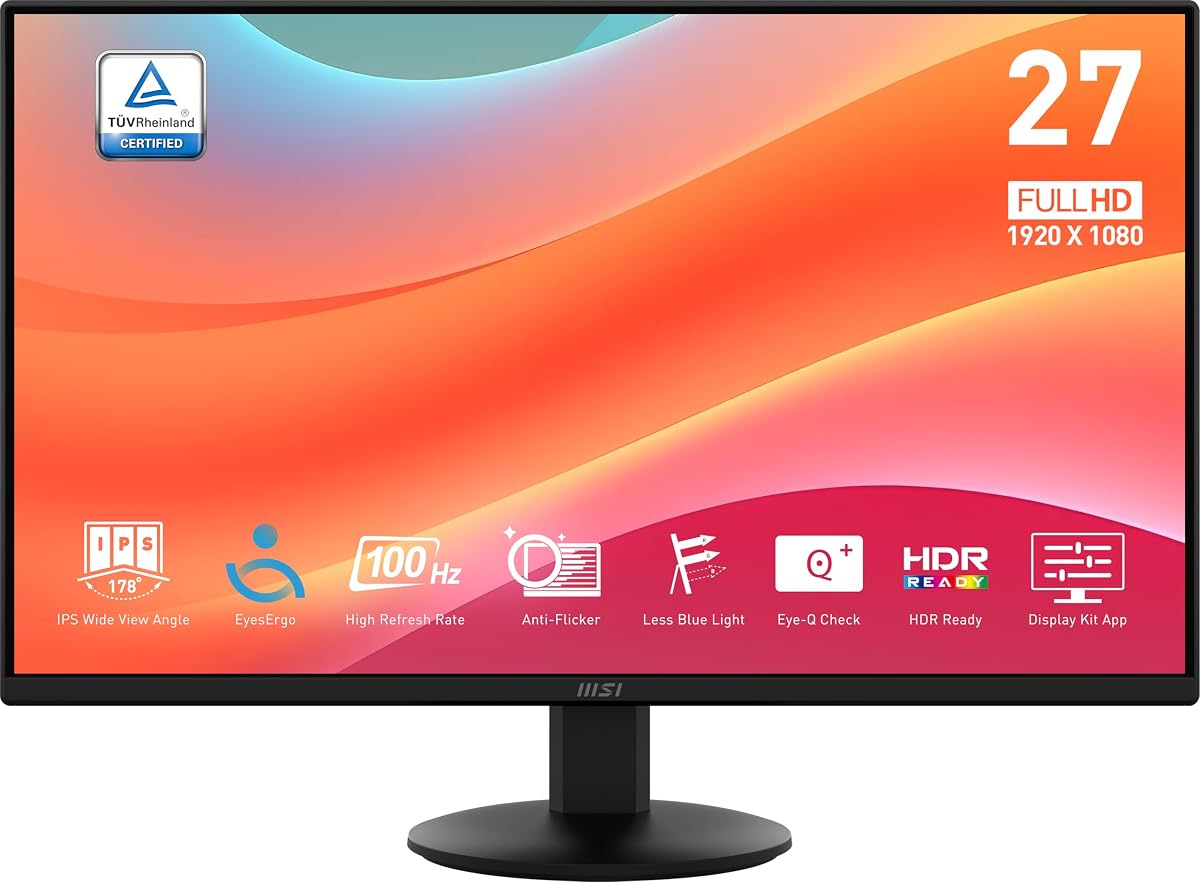
Twenty-four-inch Full HD IPS remains the default business size for a reason: enough space for documents, familiar scaling, and easy dual-monitor pairing. The MSI PRO MP242LE updates that formula with a one-hundred-hertz panel, Adaptive Sync, HDMI plus DisplayPort, and a four-side slim PerfectEdge design.
This review is for office upgraders, students, and hybrid workers who want smoother motion and cleaner multi-monitor bezels without jumping into gaming-monitor branding. We use only listing facts on Eye-Q Check, Power Link, tool-free assembly, and tilt ergonomics.
Expect a practical verdict on who should buy, who should chase higher refresh or QHD, how 100Hz changes the workday, and the setup details that make Power Link and Adaptive Sync useful.
The PRO MP242LE is MSI’s take on the modern office essential: a roughly 23.8-inch Full HD IPS panel with thinner bezels and a refresh rate that finally leaves ancient 60Hz panels behind. PerfectEdge four-sided frameless styling is aimed at dual-monitor continuity, where thick chins and side frames usually break spreadsheet immersion.
One hundred hertz is the everyday differentiator. Motion in browsers, slide decks, and casual games is clearer than on 60Hz or 75Hz inventory screens still common in offices. Adaptive Sync, noted as FreeSync compatible, helps reduce tearing when frame rates fluctuate during play after work. It is a productivity monitor that does not punish evening gaming.
Eye comfort features match the PRO line’s pitch. TÜV Rheinland Flicker Free and Low Blue Light certifications target long-session fatigue, while Eye-Q Check offers a built-in way to think about healthier viewing settings. Keep brightness reasonable for your room; certifications help most when you do not stare at a maxed backlight all day.
Connectivity is appropriately modern: HDMI 1.4b for Full HD at 100Hz on PC and compatible consoles, plus DisplayPort 1.2a for reliable high-bandwidth PC output. That pairing beats older office monitors that stranded you on VGA. Use DisplayPort on desktops when available, and HDMI for laptops or consoles.
Power Link is a sleeper feature. MSI describes synchronization that can power the display on and off with the PC, cutting unnecessary standby consumption and simplifying the end-of-day shutdown ritual. In shared offices or for people who forget monitors overnight, that small automation is genuinely useful.
Assembly and desk manners are beginner-friendly. Tool-free assembly and an integrated cable clip aim to get the stand sorted quickly without a screwdriver scavenger hunt. Tilt from minus five to twenty degrees covers basic viewing angles; if you need height matching for dual monitors, budget a VESA arm after confirming mount compatibility for your exact unit.
As a dual-monitor candidate, PerfectEdge matters. Matching two MP242LE units side by side reduces the visual ditch between screens for finance grids, coding plus docs, or research layouts. Full HD scaling stays simple on Windows and macOS, which is still why many IT buyers prefer this size class.
Buy the MP242LE when you want a clean 24-inch IPS office upgrade with 100Hz smoothness, modern ports, and thoughtful extras like Power Link. Look elsewhere for OLED contrast, 1440p density, or fully ergonomic stands included. For everyday professional desks, it is a sensible PRO-series workhorse.
Set 1920x1080 at 100Hz explicitly after connecting DisplayPort or HDMI, enable Adaptive Sync if you game, try Power Link with your PC power behavior, and use low blue light modes during night shifts. Those steps turn a generic office panel into the smoother daily driver MSI is advertising.
Who it's for
Office workers, students, and dual-monitor builders who want a 24-inch IPS with 100Hz motion, slim bezels, and HDMI/DisplayPort flexibility.
Who should skip it
Skip if you need height-adjust stands out of the box, QHD sharpness, or a high-refresh dedicated gaming panel above 100Hz.
Office performance & light gaming
100Hz improves scrolling comfort immediately; Adaptive Sync keeps after-hours games cleaner when frame rates vary.
PerfectEdge bezels pay off most when you run matched dual screens for wide spreadsheets.
Setup, tips & verdict
Assemble tool-free, clip cables, force 100Hz in the OS, and evaluate Power Link with your PC’s power routine.
Verdict: a polished 24-inch MSI PRO IPS for workplaces that want modern refresh without full gaming-monitor theatrics.
- IPS panel delivers consistent color for office work and media versus basic TN
- 100Hz feels smoother than 60Hz corporate panels for scrolling and light games
- Four-side slim bezels improve dual-monitor visual continuity
- HDMI and DisplayPort cover modern PCs better than VGA-era office screens
- Power Link can sync monitor power behavior with the PC for less standby waste
- 100Hz is a comfort bump, not a competitive high-refresh gaming ceiling
- Stand offers tilt only—height adjust needs a separate arm
- Full HD on 24 inches is standard, not a sharpness upgrade for QHD seekers
FAQs
Is the MP242LE 24 inches or 23.8?
MSI’s about text references a 23.8-inch Full HD IPS panel while the title markets it in the 24-inch class. In real desk use it behaves like a standard 24-inch office monitor.
How different is 100Hz from 60Hz for work?
Scrolling, cursor movement, and UI animation feel noticeably smoother. It is not as dramatic as jumping to 200Hz gaming panels, but most people notice the comfort upgrade quickly.
Does it include DisplayPort?
Yes. DisplayPort 1.2a is listed alongside HDMI 1.4b, giving flexible connectivity for modern PCs and compatible devices.
What is MSI Power Link?
Power Link is described as synchronizing monitor and PC power behavior so the display can turn on and off with the computer, reducing unnecessary standby power use and simplifying shutdown routines.
Are the bezels good for dual monitors?
PerfectEdge is MSI’s four-sided slim bezel design intended to minimize borders for more continuous multi-monitor layouts. Matching two identical units usually looks cleaner than mixing thick-bezel leftovers.
Is the stand height adjustable?
The listing emphasizes tool-free assembly and tilt from about -5° to 20°. Height adjustment is not part of that stand story, so use a riser or arm if eye-level height is mandatory.
Can I use Adaptive Sync for gaming?
Adaptive Sync is listed as FreeSync compatible and aims to reduce tearing and stutter as frame rates change. Enable it in the monitor and GPU settings when you play.
Is Full HD enough on this size?
For typical office distance, Full HD on a 24-inch class IPS remains clear and easy to scale. If you sit very close or want more desktop real estate without scaling tricks, consider QHD at a similar size.