Best Rechargeable Wireless Mouse in 2026: Long Battery Picks
By James ·
Disposable AA mice still work, but the best rechargeable wireless mouse in 2026 wins on friction: plug USB-C for a couple of hours, then forget the battery aisle for months. The category has matured past gimmicky power banks with cursors. You can now choose silent dual-device office mice that claim season-long runtimes, compact travelers with five-minute emergency top-ups, LED status screens that show DPI and charge at a glance, 4-way tilt wheels for wide spreadsheets, and brand ergonomic options like Lenovo’s Yoga Pro with programmable buttons and multi-surface tracking.
This guide ranks the ten rechargeable models in the pack—mostly TECKNET variants that differ by color, scroll tricks, thinness, and status displays, plus Afaartcci’s lighted dual-mode traveler, Uineer’s battery-display 2.4G workhorse, and Lenovo’s softer-sided Yoga Pro. We care about charge time versus claimed endurance, whether you can keep working while charging, Bluetooth-plus-receiver flexibility, silence for shared rooms, and whether the shape survives eight-hour days.
You will get three top picks for different charging lifestyles, a full comparison, deep reviews that distinguish near-twin TECKNET SKUs instead of treating them as clones, and a buying checklist so you do not overpay for a screen you will ignore or underbuy a battery you will babysit weekly.
As an Amazon Associate we earn from qualifying purchases. We may earn a commission at no additional cost to you.
Rechargeable Wireless Mouse Comparison
Compare claimed runtime, charge behavior, device count, and scroll features before reading reviews. Near-twin TECKNET models are labeled by color or specialty so you can tell grey dual-device from blue dual-device, LED display, 4-way wheel, ultra-thin, and side-scroll editions.
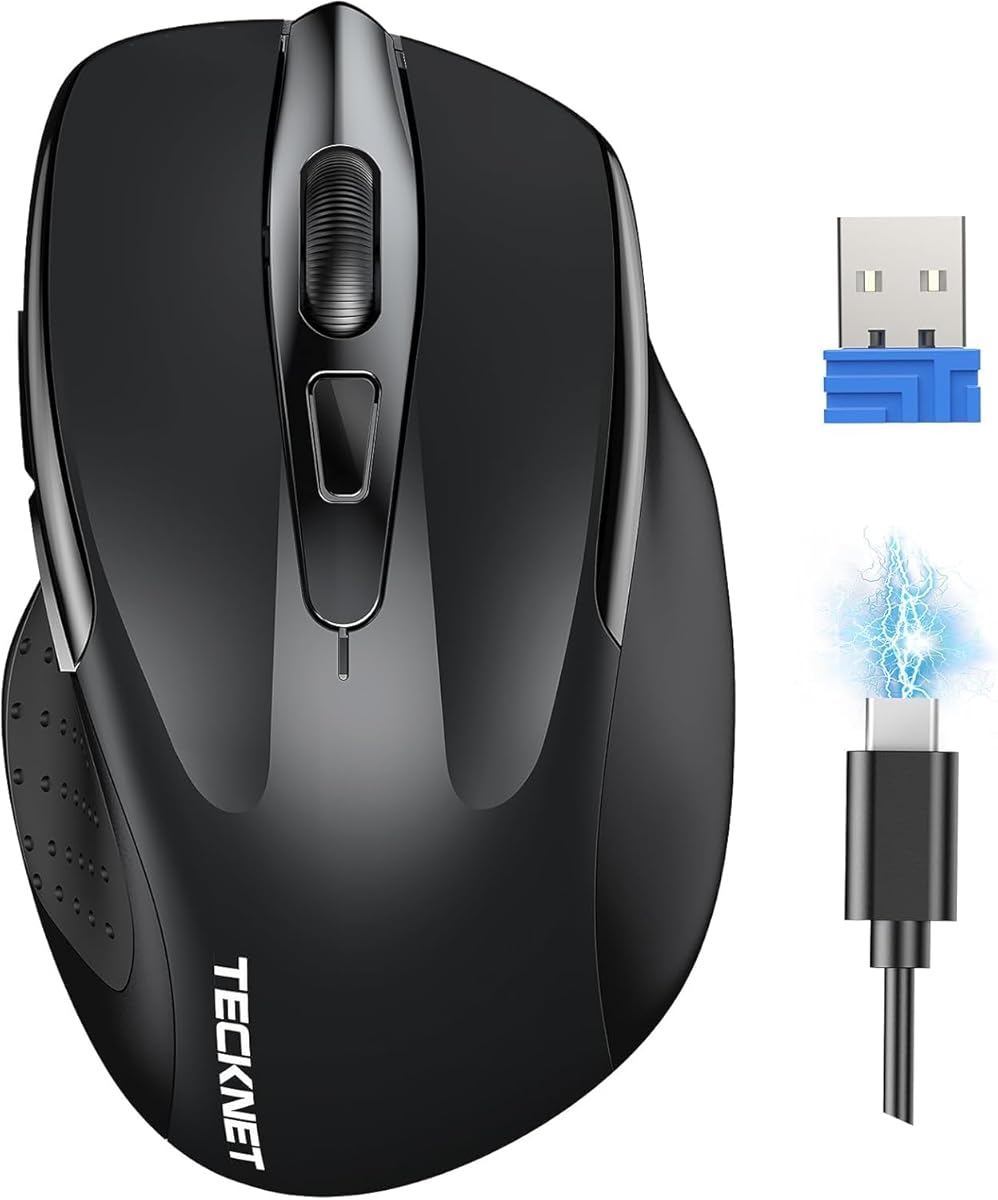
The grey TECKNET dual-device mouse is the pack’s baseline definition of a modern rechargeable wireless mouse: silence, a slide switch between two machines, and a battery story measured in months rather than nights. If your week is laptop-plus-desktop, that slide beats unpairing rituals.
Two-device Bluetooth or USB-A wireless with slide switching
Silent clicks and six DPI levels from 800 to 4800
Recharges in about 1.5–2 hours for multi-month light-use claims
High pack rating with a proven dual-device office formula
Broad DPI ladder covers careful editing and fast monitor jumps
Silent tuning fits libraries, night work, and open offices
Charge-once-per-season lifestyle for light daily users
Works across Windows, macOS, Chrome OS, and Linux notes
✕ Cons
No onboard battery percentage screen like the LED TECKNET
Lacks 4-way or dedicated side-scroll helpers for huge sheets
USB-A receiver still needs an adapter on some USB-C-only laptops
Detailed review
Six DPI stops up to 4800 are unusually flexible for an office-leaning rechargeable. Slow down for spreadsheet cells, speed up for ultrawide window tossing. Silent switches keep the microphone-friendly manners that make rechargeable office mice worth owning in 2026.
Charging is intentionally boring—roughly two hours to full, then long stretches at a couple of hours of daily use. That pattern is why people abandon AA mice: not because AA fails, but because convenience compounds.
It is not the specialty king. If you live in horizontal-scrolling financial models, the 4-way or side-scroll TECKNETs will feel smarter. If you want a battery glyph on the mouse itself, the LED display model reduces anxiety. As a default grey workhorse, though, this ASIN earns its keep.
Start here when you want the best rechargeable wireless mouse without paying mentally for features you will not use. Upgrade within the TECKNET family only after you know which friction still remains.
Charge habit that prevents surprise deaths
Plug it in during your weekly desk tidy even if the cursor still feels lively. Multi-month claims assume moderate use; heavy DPI-high gamers and bright-room travelers should shorten the interval.
Grey versus blue twin
Functionally treat B0CP3HTHLZ and the blue B0CP3J2SMK as colorways of the same dual-device idea. Pick the finish that matches your machine; do not expect a different sensor story.
This compact TECKNET is the travel first-aid kit of the pack. Instead of bragging only about month-long stamina, it emphasizes fast recovery: a short charge that allegedly returns enough energy for a full workday, plus a fuller charge for longer stretches. That matters in airports when your mouse dies and your laptop cable is already busy.
Compact 2.4G USB-A rechargeable mouse with receiver storage
Rapid top-up claim: minutes of charge for a day of use
Five-minute rescue charge narrative is perfect before boarding
Receiver stores in the mouse—harder to lose in hotel drawers
Compact dimensions favor small-to-medium hands and tight trays
Meaningful click noise reduction for shared workspaces
Simple plug-and-play across major desktop OS families
✕ Cons
2.4G only—no Bluetooth multi-device hopping
Smaller shell can feel cramped for large palms
Fewer DPI steps than the 4800-class TECKNET siblings
Detailed review
Pure 2.4G keeps the mental model simple—plug the mini receiver (often housed in the mouse), work up to the marketed range, done. You sacrifice Bluetooth tablet pairing, which is fine if your trip is one Windows or Mac laptop.
Silence and compactness are the comfort story. It will not replace a full-size ergonomic Lenovo for injury-prone wrists, but it will disappear into a sleeve pocket and click softer than old travel mice that announce every email selection.
Choose it for road warriors and students who live out of backpacks. Choose a three-device Bluetooth TECKNET when your bag also carries an iPad you drive with a cursor. Choose Uineer if a visible battery meter on a fuller desk mouse matters more than pocketability.
As a rechargeable specialist, its superpower is recovery speed psychology: you stop fearing empty lithium cells mid-journey.
Receiver discipline
Always return the dongle to the mouse bay before zipping the bag. Most ‘broken travel mice’ are actually missing receivers.
Who should skip it
Anyone who needs Bluetooth for a second tablet device, or who wants horizontal tilt scrolling for finance work on the road.
Afaartcci plays the cheerful dual-mode card: Bluetooth on one machine, 2.4G on another, silent enough for shared rooms, and a rainbow breathing LED for people who still want a little desk personality. The rechargeable 500mAh pack is the honest tradeoff—lighter endurance than TECKNET’s long-claim flagships, offset by two-hour charges and aggressive sleep.
Bluetooth 5.2/3.0 + 2.4G dual-mode switching between two devices
500mAh rechargeable cell with short charge and multi-day claims
Seven-color LED breathing light on a compact silent shell
Dual-mode flexibility without jumping straight to pricier brand mice
LED glow helps locate the mouse on dark hotel desks
Portable footprint suits laptop bags
Sleep-after-idle behavior stretches the smaller battery
Driver-free plug-and-play framing for quick setups
✕ Cons
500mAh is smaller than 800mAh class rivals—charge more often
LED lighting can shorten real-world runtime if left bright
Fewer advanced scroll features than TECKNET specialty models
Detailed review
Portability numbers (roughly pocketable dimensions) make it a spare mouse candidate. Ergonomics are general contoured, not vertical medical. That is fine for students; injury-conscious users should look at Lenovo Yoga Pro instead.
Lighting is decorative. If your goal is maximum months per charge, disable or dim LEDs whenever the product allows and treat glow as optional. If your goal is a fun dorm setup, leave it cycling.
Pick Afaartcci when budget dual-mode rechargeable plus light show is the brief. Skip it when you need status screens, 4-way wheels, or multi-month hands-off endurance as a primary requirement.
It diversifies the pack so not every recommendation wears a TECKNET logo—useful, not transcendent.
Battery expectations
Plan on more frequent top-ups than the six-month TECKNET narratives. Weekly charging keeps anxiety near zero even if standby claims sound longer.
Best desk match
RGB keyboards and dark battlestations that want a matching soft glow without buying a full gaming mouse stack.
If you like everything about the grey dual-device TECKNET but want blue plastic in the hand, this is the SKU. Dual-device Bluetooth/USB-A switching, silent clicks, six DPI stops, and the same rechargeable lifestyle framing carry over. The editorial value of separating them is honesty: color is the difference, not a secret sensor.
Blue colorway of TECKNET’s two-device BT + USB-A silent mouse
Six DPI levels to 4800 with rechargeable multi-month framing
Quiet clicks suited to libraries and late-night work
Same strong dual-device rechargeable recipe as the grey sibling
Blue finish stands out on light desks and matches blue PC accents
Silent operation and broad OS compatibility
Familiar slide switching reduces learning time
High customer rating signal in-pack
✕ Cons
Not a functional upgrade over grey—mostly aesthetic
Still no LED battery glyph or tilt-wheel extras
Receiver adapter needs remain on USB-C-only hosts
Detailed review
That honesty helps shoppers avoid buying both. Households sometimes grab grey for one person and blue for another so the mice do not migrate permanently to the wrong backpack. For a single buyer, pick the color you will still like in a year.
Performance expectations match review #1: months of light daily use after a short charge, quiet enough for shared space, flexible DPI for mixed work. Specialty scroll features live elsewhere in the TECKNET subtree.
Ranked beside its twin on purpose. Neither is ‘better’ universally; together they show how this pack clusters.
Choose blue when aesthetics tip a tie. Choose a specialty TECKNET when features tip a tie.
Household labeling trick
Different colors plus a tiny initial on the belly label stop partner mouse theft more effectively than any DPI argument.
When to jump to a specialty model
If you catch yourself dragging horizontal scrollbars daily, stop debating blue versus grey and move to the 4-way or side-scroll editions.
This is our Best Multi-Month Productivity pick because it pairs a serious endurance narrative with a scroll feature that changes spreadsheet life. Tilt left/right to cruise columns instead of hunting tiny scrollbars—especially painful on trackpads and basic three-button mice.
4-way wheel tilts for horizontal as well as vertical scrolling
Three-device connectivity through Bluetooth and 2.4G
USB-C recharge ~2 hours with up to ~6 months use claims
Horizontal tilt is a genuine productivity multiplier on wide sheets
Three-device pairing covers laptop, desktop, and tablet weeks
Long runtime framing is among the strongest in this pack
Six DPI levels with indicator feedback reduce guesswork
Ambidextrous-leaning shell helps more hand preferences than hard right humps
✕ Cons
Tilt wheels have a learning week if you have never used one
Ambidextrous shapes rarely match deep right-hand ergonomic support
Power users may still prefer a dedicated side wheel like B0FB9BR23C
Detailed review
Three-device connectivity means the same rechargeable body can wake your work laptop, home desktop, and tablet without AA gymnastics. DPI up to 4800 with an indicator keeps sensitivity visible when you change contexts.
USB-C charging in about two hours for up to roughly six months of claimed use is the rechargeable fantasy people actually want. Real results vary with DPI, surface, and hours per day, but the design intent is clear: charge rarely.
Compared with the side-scroll TECKNET, tilt-on-the-main-wheel is more integrated and slightly more ‘learn by muscle memory.’ Compared with Lenovo Yoga Pro, you get longer-claim battery marketing and multi-device breadth, while Lenovo counters with plush ergonomic materials and brand software polish.
If your job is wide tables, timelines, or canvases, shortlist this before any RGB novelty mouse. It is one of the clearest ‘why rechargeable is worth it’ products in the pack.
Learning the tilt wheel
Practice in a huge Sheet for ten minutes. Once tilt becomes reflex, going back to a normal wheel feels like losing a finger.
Device assignment idea
Park 2.4G on the machine that hates Bluetooth congestion, and use Bluetooth slots for the portable devices you carry.
Anxiety is a feature tax on rechargeable gear. TECKNET’s LED display model pays that tax down by showing battery, DPI, and connection mode on the mouse itself. Instead of wondering whether the cursor stutter is RF or a dying cell, you glance and know.
Built-in LED status for DPI, battery life, and connection mode
Bluetooth 5.2/5.0 + 2.4G for up to three devices
800mAh Type-C rechargeable silent mouse with long runtime claims
Ends the ‘is it dead or just sleeping?’ guessing game
Tri-mode three-device life matches modern multi-machine work
800mAh class capacity supports longer hands-off stretches
Silent clicks for focus-heavy environments
On-mouse DPI visibility speeds context switching
✕ Cons
Status screen is overkill if you already charge on a schedule
More UI chrome can distract minimalism fans
Still not a vertical ergonomic therapy device
Detailed review
Tri-mode pairing across Bluetooth generations plus 2.4G covers up to three devices—the sweet spot for people who rotate PC, laptop, and tablet. Silent click tuning keeps the office story intact while the 800mAh pack and fast-charge messaging chase multi-month freedom.
Is a screen necessary? No. Is it the best rechargeable wireless mouse for status-obsessed brains and shared hot-desk pools where you inherit mystery peripherals? Often yes. The display also helps when lending the mouse to a teammate who will otherwise mash DPI blindly.
Choose this when information density on the device matters. Choose the 4-way wheel when scrolling features matter more than glyphs. Choose Lenovo when hand shape outranks telemetry.
As a top pick, it represents the ‘rechargeable done thoughtfully’ lane: not only a battery inside, but feedback about that battery.
Reading the display without breaking flow
Glance during natural pauses—after sending a message, not mid-drag. The point of telemetry is fewer emergencies, not more obsession.
Hot-desk advantage
In shared offices, a visible battery meter stops the tragedy of leaving a 5% mouse for the next human. Charge etiquette becomes enforceable.
Lenovo’s Yoga Pro Mouse is the comfort-brand answer in a sea of feature checklists. Soft side grips, balanced full-size symmetry, and a thumb rest communicate all-day intent. Silent left and right buttons keep hybrid meeting culture polite.
Full-size right-hand ergonomic shell with soft side materials
Dual-device Bluetooth 5.1; USB-C recharge under ~2 hours
Silent L/R buttons, programmable controls, blue optical sensor
Dual-device Bluetooth fits laptop + tablet Yoga lifestyles
✕ Cons
Right-hand only—lefties need another product family
Bluetooth dual-device may be less flexible than three-device TECKNETs
Runtime marketing is less ‘six months’ flashy than some rivals
Detailed review
Rechargeable USB-C power with a sub-two-hour full charge keeps it in the modern club, while dual-device Bluetooth 5.1 matches the Yoga crowd that hops between a Windows convertible and a second screen machine. Programmable side and top buttons, plus a configurable wheel, are where brand software ecosystems can outpace generic silent mice—if you invest the setup time.
The blue optical sensor’s multi-surface confidence matters in real kitchens and hotel gloss tables where budget red LEDs stutter. DPI offers on-the-fly stages and software headroom up to 4000 for finer tuning.
You may give up the absolute longest TECKNET endurance claims and three-device tilt-wheel toys. You gain a shape many wrists prefer and a manufacturer channel that offices already trust for laptops.
Pick Lenovo when comfort and programmable workflow beat status screens. It is the best rechargeable wireless mouse in this pack for people who say ‘my hand hurts’ before they say ‘my battery died.’
Software worth five minutes
Map one button to desktop switch or screenshot and one to back. Tiny remaps create outsized daily savings versus leaving defaults forever.
Yoga ecosystem note
Pairs naturally with Lenovo laptops but remains a standard Bluetooth mouse for other PCs. Buy for ergonomics, not logo lock-in.
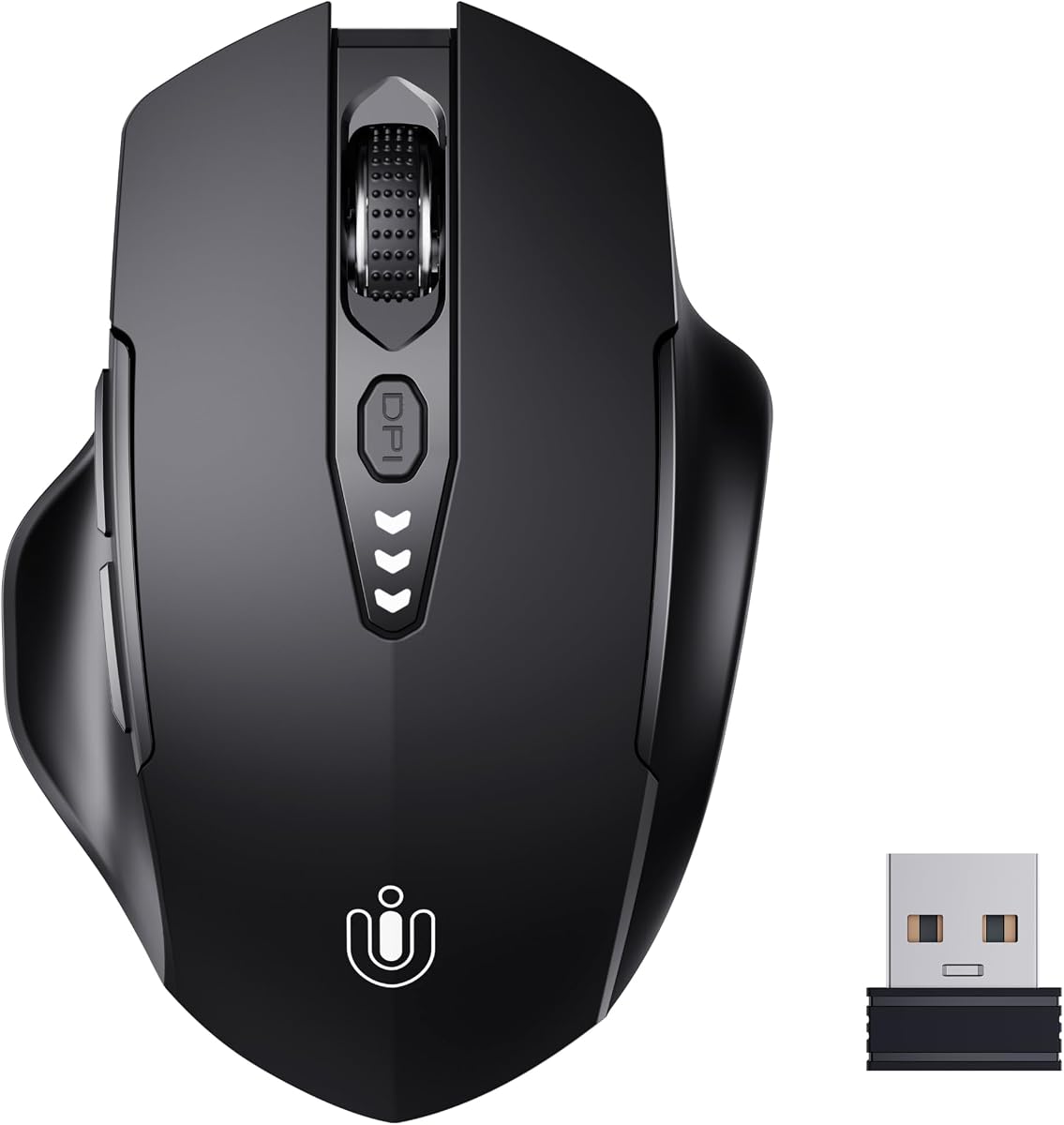
Uineer is refreshingly single-minded: reliable 2.4G, rechargeable power you can see, ergonomic enough shaping, and DPI that stops at sensible office speeds. The battery display is the headline for anyone burned by mystery power deaths on unmarked lithium mice.
2.4GHz USB-A rechargeable mouse with visual battery display
Battery display without needing a full multi-line status suite
Stable single-mode 2.4G keeps setup foolproof
Ergonomic contour supports longer desk days than flat travel slivers
Strong rating signal among simpler pack options
DPI range covers mainstream office precision needs
✕ Cons
No Bluetooth—tablets and dongle-free Ultrabooks may object
Four DPI steps top out below 4800-class TECKNETs
Fewer productivity scroll extras
Detailed review
Plug-and-play USB-A receiver design favors desktop towers and hub-equipped laptops. If your life is Bluetooth-only tablets, look elsewhere. If your life is one PC and a hatred of AA waste, Uineer feels tailored.
Ergonomics sit between travel slim and Lenovo plush—adequate for most right-hand users who want a traditional hump. DPI at 800–2400 will not thrill high-sens gamers and does not need to.
Choose Uineer when simplicity plus a meter beats tri-mode complexity. Choose TECKNET LED if you also need connection-mode and DPI glyphs with Bluetooth. Choose compact TECKNET when pocket size beats desk comfort.
Sometimes the best rechargeable wireless mouse is the one that refuses to become a science project. Uineer understands that.
Ideal user
Home office workers on a single Windows desktop who want rechargeable convenience without managing three Bluetooth pairings.
DPI starter settings
1200 for general work, 800 for careful photo masks, 1600–2400 for large monitors. Ignore the urge to max DPI ‘because it’s there.’
Thickness is a feature when your backpack is already a brick yard. TECKNET’s ultra-thin rechargeable Bluetooth mouse targets that reality with a whisper-quiet shell, anti-slip skin-touch coating, and multi-device wireless that still climbs to 4800 DPI when you dock at a hotel monitor.
Ultra-thin silent body designed for sleeves and pockets
Bluetooth 5.2/3.0 + 2.4G with three-device switching
USB-C recharge; ~60 days at ~2 hours/day claim; DPI to 4800
Genuinely bag-friendly thickness compared with full-size ergonomics
Three-device control for laptop-heavy travelers
Soft skin-touch coating resists fingerprint grime
Whisper clicks and high DPI flexibility in a thin shell
USB-C charging matches modern laptop cable ecosystems
✕ Cons
Thin mice offer less palm support for all-day injury-prone hands
60-day claim is shorter than some six-month TECKNET narratives
Not the best choice if you want a status LED dashboard
Detailed review
USB-C charging in a few hours for roughly two months of light daily use sits in the middle of the pack’s endurance spectrum—less mythical than six-month claims, more reassuring than weekly 500mAh toys. Three-device switching keeps an iPad or second laptop in the rotation.
Comfort is the known thin-mouse tradeoff. If your wrist already complains, borrow Lenovo’s fuller shape for the home desk and keep this as the commute mouse. If your hands are smaller and your workdays shorter, thin may be ideal every day.
Against the compact 2.4G TECKNET, you gain Bluetooth multi-device and lose some of the emergency-top-up simplicity narrative. Against the side-scroll model, you gain pocketability and lose horizontal wheel luxury.
Pack it when ounces and millimeters decide whether the mouse comes with you at all. A rechargeable mouse left at home helps nobody.
Sleeve carry tip
Store it in a soft pouch so the skin-touch coating does not pick up keycap grit inside the laptop sleeve.
DPI on the go
Use lower DPI on airplane tray tables with short mouse runs; raise DPI when you suddenly have a full hotel desk.
Where the 4-way TECKNET tilts one wheel, this model adds a dedicated side scroll wheel and a metal primary roller. That layout is bliss for people who want horizontal motion to feel like a separate intentional control—not a skill-check on tilt pressure.
BT 5.3/5.0 + 2.4G with seamless three-device switching
Metal main wheel plus dedicated side scroll for horizontal moves
Six DPI to 4800 with quiet clicks on a rechargeable ergonomic body
Dedicated side wheel is clearer than learning tilt gestures for some users
Newer Bluetooth 5.3 option alongside 5.0 and 2.4G paths
Metal wheel feel adds tactile quality over all-plastic rollers
Quiet clicks and high DPI suite match serious office use
Ergonomic shaping aims at longer weekday sessions
✕ Cons
More controls can mean accidental side-scroll nudges at first
Heavier feature set than ultra-thin travelers need
Overlaps philosophically with the 4-way wheel model—compare hands-on preference
Detailed review
Three-device switching with BT 5.3/5.0 and 2.4G keeps it in the flagship productivity club. Six DPI levels with LED blink counting help you know when you have jumped from 1600 to 4800 without opening a settings app. Quiet clicks preserve shared-room manners.
Rechargeable ergonomics here are fuller than the ultra-thin sibling, so it is more of a desk primary than a sleeve ghost. If you already love Philips-style side scroll ideas from other roundups, this TECKNET is the pack’s onboard answer.
Versus Lenovo, you gain explicit side scroll hardware and broader device count; Lenovo may still win on soft-touch comfort and programmable ecosystem depth. Versus the LED display TECKNET, you trade status glyphs for scroll specialization.
Shortlist it whenever your day is columns, boards, and timelines. Among best rechargeable wireless mouse options focused on output speed, side scroll is not a gimmick—it is navigation.
4-way tilt vs side wheel
Prefer tilt if you want one integrated wheel and fewer protrusions. Prefer side wheel if you want a distinct control you will not confuse with middle-click.
Accidental scroll fix
Relax thumb posture for a day, or slightly lower sensitivity in apps that interpret horizontal scroll aggressively. Most accidental nudges fade with familiarity.
We may earn a commission at no additional cost to you.
How to Choose the Best Rechargeable Wireless Mouse
Optimize for charge anxiety, not brochure months
Marketing runtimes assume light daily use and sleep modes. If you work eight hours at high DPI, cut claims in half mentally. The best rechargeable wireless mouse is the one whose charge ritual matches your personality: status screen for worriers, six-month claim for neglectors, five-minute top-up for travelers.
Count the devices you touch weekly
One PC: simple 2.4G (Uineer, compact TECKNET) is enough. Two machines: dual-device grey/blue TECKNET or Lenovo dual Bluetooth. Three machines: 4-way, LED, ultra-thin, or side-scroll TECKNETs with explicit 3-device framing.
Scroll features are the hidden productivity spec
If your job is wide, prioritize 4-way tilt or side scroll before RGB lights. If your job is email, save money/attention and buy a silent dual-device basic. Scroll hardware changes weekly speed more than another 1000 DPI on paper.
Silence and shape still outrank battery chemistry
A long battery in a painful shell gets abandoned. Match ergonomic need (Lenovo full-size, TECKNET office contours, ultra-thin travel) and insist on quiet clicks if you take calls. Rechargeable is the power system, not the whole product.
USB-C is the charge port you want in 2026
Prefer mice that sip from the same cable family as your phone and laptop. Receiver storage bays and dual Bluetooth modes are bonuses; proprietary mystery ports are red flags in a commodity category.
Frequently Asked Questions
01
How long does a rechargeable wireless mouse battery last?
It depends on hours per day, DPI, lighting, and sleep behavior. Pack claims range from multi-day 500mAh mice to multi-month TECKNET narratives and roughly 60-day ultra-thin estimates. Treat claims as best-case light use, then build a charge habit that is more frequent than the brochure.
02
Can I use a rechargeable mouse while it is charging?
Many 2.4G and Bluetooth mice can operate while tethered, but cables restrict movement and some products advise charging-only cables. If wired-while-charging matters to you, verify on the product Q&A. For meetings, a five-minute emergency top-up model can be smarter than working on a leash.
03
Is rechargeable better than AA wireless mice?
Rechargeable wins for convenience and less disposable waste if you remember to top up. AA wins for swapping a spare cell instantly with zero cable. Heavy travelers sometimes keep one of each. Neither chemistry fixes a bad shape.
04
Which rechargeable mouse is best for spreadsheets?
Choose the TECKNET 4-way wheel or the TECKNET with a dedicated side scroll. Horizontal navigation reduces drag-select fatigue more than raw DPI. Lenovo Yoga Pro is a comfort alternative if you scroll less but sit longer.
05
Do silent rechargeable mice feel mushy for gaming?
Silent office switches prioritize quiet over the crispest tactile snap. They are fine for casual games and many work-from-home hybrids. Competitive players may still want a dedicated gaming mouse with louder, sharper switches and higher polling.
06
Why does this pack include so many TECKNET models?
TECKNET segments rechargeable mice by color and specialty—dual-device basics, compact travel, LED status, 4-way wheel, ultra-thin, side scroll. They are not identical. Match the specialty to your friction point instead of assuming any TECKNET is interchangeable.
07
What DPI do I need on a rechargeable office mouse?
Most people live between 800 and 1600 DPI. Higher steps help large monitors and faster flicks across ultrawides. If a mouse offers six levels to 4800, use the ladder as a toolbox, not a dare to max out permanently.
08
Bluetooth or 2.4G—what should a rechargeable mouse use?
Bluetooth saves ports and helps tablets. 2.4G often feels stabler on busy desks and older machines. The best answer in 2026 is dual-mode or tri-mode so you can choose per environment. Pure 2.4G is fine for single-PC simplicity.
09
How do I maximize rechargeable mouse battery life?
Enable sleep, dim or disable LEDs, avoid leaving it moving in a bag, use moderate DPI, and store it off if unused for weeks. Charge before it hits empty; deep discharges are harder on some lithium packs over years.
10
What is the best rechargeable wireless mouse overall here?
For most productivity users, the TECKNET 4-way wheel three-device mouse balances endurance and horizontal speed. The LED display TECKNET is best if you want onboard battery certainty. Lenovo Yoga Pro is best when ergonomic comfort outranks feature count. Pick based on your dominant pain—scrolling, anxiety, or wrist fatigue.
Conclusion
Rechargeable mice stopped being novelties once charge times shrank and runtimes stretched into month-scale claims. In this pack, TECKNET’s specialty tree covers dual-device basics, travel top-ups, status screens, tilt wheels, thin commuters, and side-scroll desks, while Afaartcci adds lighted dual-mode fun, Uineer keeps metered 2.4G simple, and Lenovo Yoga Pro champions softer ergonomics.
Choose the best rechargeable wireless mouse by naming your bottleneck: device count, horizontal scroll, charge anxiety, pocket thickness, or hand comfort. When that bottleneck is clear, the right ASIN in this list stops looking like a sea of twins.
Charge on a boring schedule, click quietly, and spend the energy you used to waste on battery shopping on actual work.