Samsung 27" Odyssey OLED G6 240Hz
- 240Hz QHD QD-OLED with glare-free coating and Pantone Validated color
- OLED Safeguard thermal modulation plus HDR10 and 0.03ms response
- Height-adjustable ergonomic stand and three-year warranty coverage
Expert Review & Guide
QD-OLED monitors sit in a narrow but exciting corner of the display market: quantum-dot color conversion layered onto self-emissive OLED pixels, usually at 2560×1440, with refresh rates that now span 180Hz on entry panels up to 360Hz on esports flagships. The pitch is not merely "OLED looks nice." It is measurable contrast without a backlight bleed halo, near-instant pixel response, and color volume that makes WOLED gaming TVs feel slightly muted in side-by-side HDR scenes—if you accept OLED's long-term care habits and typically higher cost per inch.
We evaluated ten current QD-OLED listings using only what each pack advertises: refresh ceilings, True Black HDR tiers, burn-in mitigation (Samsung OLED Safeguard, ASUS OLED Care+, GIGABYTE AI OLED Care, MSI OLED Care 2.0), motion clarity certifications like VESA ClearMR 13000–15000, and practical desk features such as glare-free coatings, Pantone validation, USB hubs, and Type-C KVM. Hz tiers matter here in a way they do not on IPS: 180Hz is fine for story-driven play, 240Hz is the balanced competitive default, 280Hz splits the difference for buyers who want headroom without chasing 360Hz GPU budgets, and 360Hz is for players who can actually feed the panel in QHD.
Our everyday pick is the Samsung Odyssey OLED G6 at 240Hz with glare-free coating and Pantone validation. Competitive specialists should start with the ASUS ROG Strix XG27ACDNG at 360Hz and its custom heatsink stack. Feature hunters who want 280Hz, True Black 400, ClearMR 15000, and Type-C KVM should look at GIGABYTE's MO27Q2A. If you want ultrawide immersion, MSI's MAG 341CQP is the wildcard—promising fifth-gen tandem QD-OLED and 1300-nit HDR peaks—but it currently shows a 0.0 rating on its listing, meaning early adopters are buying on spec sheets and brand trust rather than buyer consensus.
As an Amazon Associate we earn from qualifying purchases. We may earn a commission at no additional cost to you.
Refresh rate, HDR tier, and burn-in protection philosophy are the three columns that usually decide a QD-OLED purchase in 2026. Use the table to shortlist by Hz bucket and certification, then read the reviews for heatsink design, stand ergonomics, and whether a glare-free Samsung or Pantone-validated panel fits your room lighting.
Samsung's Odyssey OLED G6 is the monitor we would put on most desks that want QD-OLED without obsessing over Hz brackets. At 240Hz and 0.03ms, it sits exactly where mid-to-high gaming PCs can actually land frame rates in QHD without pretending every buyer owns a 4090. The QD-OLED panel delivers the infinite contrast and color volume that justify leaving fast IPS behind—shadows stay clean in horror titles, and HDR10 highlights get nuance instead of a single blown-out bloom.
What separates the G6 from generic OLED gaming listings is Samsung's glare-free technology. QD-OLED can look stunning in a dark room and frustratingly mirror-like near a window; the G6's anti-reflection treatment is a practical desk feature, not a spec-sheet footnote. Pair that with Pantone Validated reproduction of 2100+ colors and 110+ skin tone shades, and you have a panel that survives daytime productivity beside night-time ranked play without two different monitor profiles.
OLED Safeguard is Samsung's answer to the elephant in every OLED purchase: burn-in anxiety. The thermal modulation system actively helps keep the panel cooler during demanding scenes, which supports longevity alongside scheduled pixel refresh routines you should still enable. Combined with a three-year warranty class and FreeSync Premium for tear-free VRR, the G6 reads as a complete package rather than a bare panel in a plastic shell.
Ergonomics are better than many gaming OLEDs: height adjustment plus pivot, tilt, and swivel on the stand means you can align the screen with a webcam and keyboard tray without immediately buying a VESA arm. For console players, HDMI support exists in the broader Odyssey ecosystem, though PC users chasing 240Hz should still prefer DisplayPort and verify OS refresh settings on first boot.
Against the 180Hz G5 sibling in this same pack, the G6 is the pick when you game enough to feel 240 versus 180 in tracking smoothness. Against the 360Hz ASUS, the G6 wins on glare-free coating, Pantone validation, and a higher aggregate rating—buyers who are not feeding 360 fps in competitive titles should not pay for Hertz they cannot use.
If your workflow mixes Lightroom-adjacent color checks, streaming, and AAA gaming, the G6 is the least regretful default in this roundup. It is not the cheapest QD-OLED, but it is the one whose feature set matches how real desks look: lit rooms, long sessions, and a need for both speed and color honesty.
Gamers and creators who want one QD-OLED for mixed use, especially if your desk catches window glare. Skip it only if you truly live at 360Hz esports levels or need ultrawide width.
Enable OLED Safeguard features in the OSD, run Samsung's recommended pixel refresh after heavy static workloads, and avoid pinning chat overlays at maximum brightness for weeks. The thermal system helps; habits finish the job.
The G5 saves money with 180Hz but drops the everyday smoothness headroom serious multiplayer players notice. The G6's glare-free and Pantone stack is the better primary monitor if you cannot buy twice.
We may earn a commission at no additional cost to you.
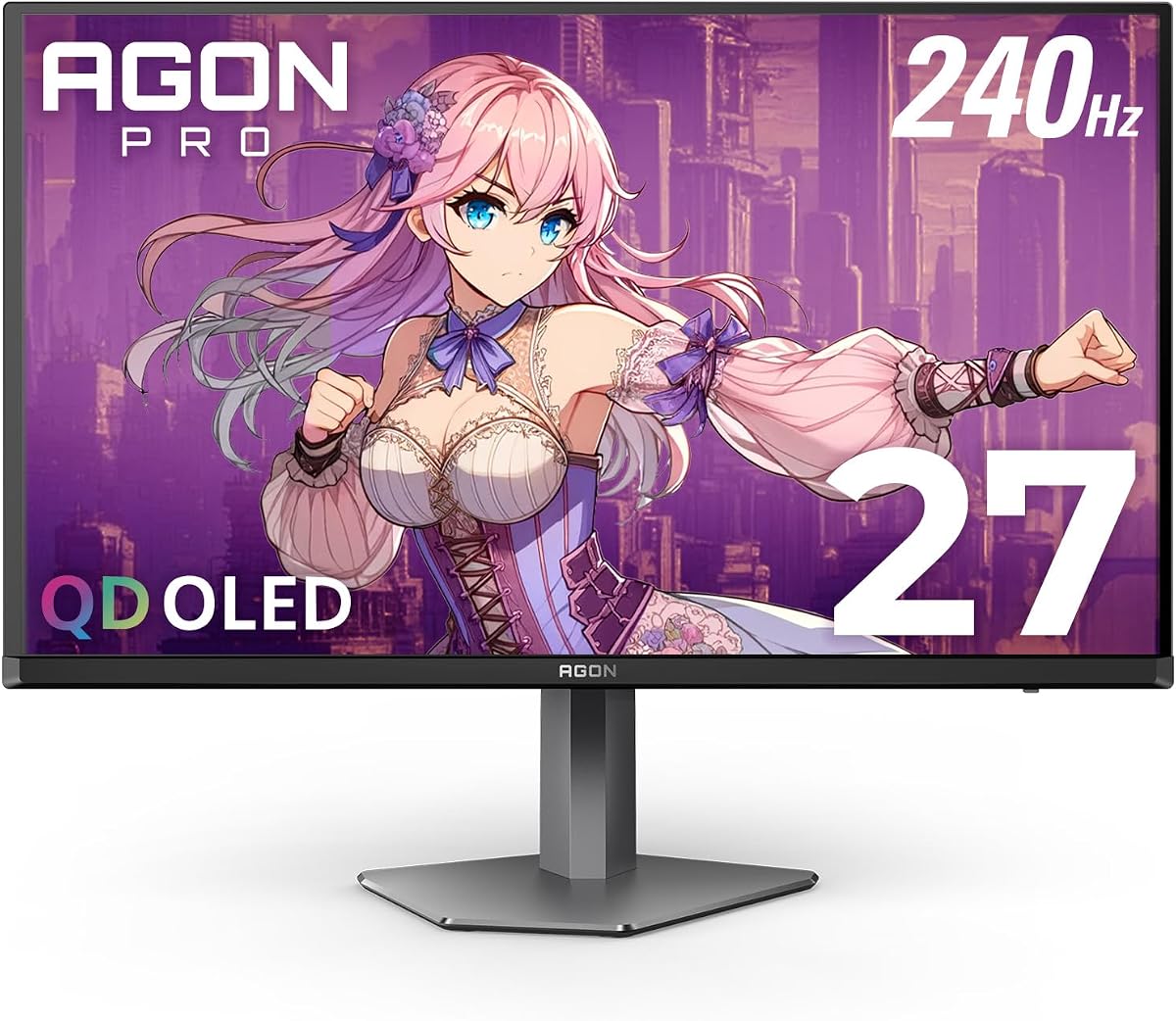
AOC's Agon Pro AG276QZD2 is the enthusiast-tournament face of the brand's QD-OLED push: up to 280Hz, 0.03ms GTG, and G-Sync support wrapped in Agon styling with rear RGB lighting you can sync across AOC gear. The 26.5-inch QHD OLED panel emphasizes self-emissive blacks and over 1.07 billion colors—marketing language that actually matches what QD-OLED delivers when you leave an IPS panel behind.
HDR True Black 400 is the certification to note here. On OLED, True Black tiers assume the panel can hold deep black levels while mapping highlights—more credible for HDR10 gaming and movies than generic HDR400 on LCD. AOC also claims 101 percent DCI-P3 and 136.7 percent sRGB coverage, which supports vivid esports titles and reasonably serious color work, though Pantone validation on Samsung remains the stricter creator badge in this pack.
Motion performance is the Agon Pro's competitive argument. 280Hz gives headroom above the 240Hz mainstream without requiring the GPU budget of 360Hz. In fast FPS titles, the difference between 240 and 280 is subtle but real for players who track micro-stutter during strafe corrections. G-Sync compatibility keeps frame pacing stable when your GPU cannot hold a flat line.
Practical desk features include height adjustment, VESA mounting, and built-in speakers—small conveniences that matter when you are testing a new QD-OLED and have not yet committed to a desktop speaker pair. Console gaming is explicitly part of AOC's pitch, with up to 120Hz frame rate support depending on console and title limits.
Agon-specific extras like six game modes and Shadow Control are genuinely useful if you learn them; otherwise they are OSD noise. The four-year warranty is a standout against three-year rivals and signals AOC's confidence in panel longevity when paired with sensible burn-in habits.
Choose the Agon Pro when you want 280Hz and True Black 400 in a gaming-branded shell with longer warranty coverage. Skip it for glare-heavy rooms where Samsung's coating wins, or if you need Type-C KVM—GIGABYTE owns that niche here.
Use DisplayPort for 280Hz on PC, cap in-game settings to hold frame rates steady, and enable G-Sync. Agon lighting is optional flair—prioritize stable fps over RGB sync during ranked sessions.
Both hit 280Hz class speeds. INNOCN carries a higher 4.9 rating and often undercuts on price; Agon Pro wins on True Black branding, four-year warranty, and Agon ecosystem features. Pick warranty and brand trust versus raw buyer score.
We may earn a commission at no additional cost to you.
The ASUS ROG Strix XG27ACDNG exists for one buyer profile: competitive PC players who can feed a 360Hz QD-OLED at QHD and want OLED contrast while doing it. At 0.03ms response, pixel transitions are effectively a non-issue compared with GPU frame delivery—exactly the bottleneck esports players actually fight.
ASUS did not treat cooling as an afterthought. The custom heatsink and advanced airflow design actively reduce thermal buildup that accelerates OLED wear, pairing hardware with OLED Care+ software functions accessible through DisplayWidget Center. That matters because high refresh OLED at bright HDR peaks generates heat; fanless graphene on MSI and custom heatsink on ASUS are both answers to the same physics problem.
HDR credentials are serious: VESA DisplayHDR 400 True Black compliance, 99% DCI-P3, true 10-bit, and Delta E under 2. Competitive players may shrug at color science, but streamers and hybrid creators benefit when one desk monitor must pass both aim tests and thumbnail color checks. G-SYNC Compatible support keeps tearing controlled when frame rates dip during ability-heavy fights.
ROG-exclusive OLED anti-flicker technology targets flicker during refresh-rate fluctuations—an edge case, but one ASUS clearly heard about from early OLED adopters. HDMI 2.1 and DisplayPort 1.4 cover PC and console paths, though only PC users with serious hardware will unlock 360Hz.
The three-year warranty with ARR and explicit burn-in coverage is among the clearest ownership policies in this pack. Enable OLED Care+ on setup, schedule pixel refresh, and treat static HUD elements with respect; the warranty backs prudent use, not abuse.
Buy the XG27ACDNG when your main titles are CS2, Valorant, Apex, or Fortnite at high competitive settings and your GPU consistently pushes high QHD fps. Buy the Samsung G6 or GIGABYTE MO27Q2A instead if your GPU lives closer to 144–240 fps or your desk fights window glare daily.
Verify in-game fps at 2560×1440 before purchase. If you cap at 240 fps, you are paying for headroom you never see—280Hz or 240Hz panels deliver better value.
Install DisplayWidget Center, enable logo brightness reduction and pixel cleaning, and run a full pixel refresh after long static sessions. The heatsink helps thermals; Care+ handles compensation routines.
ASUS wins raw Hz and esports focus. GIGABYTE wins 280Hz with ClearMR 15000, Type-C KVM, and AI OLED Care for dual-PC desks. Different winners for different desks.
We may earn a commission at no additional cost to you.
AOC's Q27GAZD is the straightforward 27-inch QD-OLED option for buyers who want 240Hz, True Black HDR, and G-SYNC Compatible adaptive sync without paying for Agon Pro lighting or ASUS heatsink engineering. The panel story is familiar QD-OLED: rich colors at 147.6% sRGB and 110.2% DCI-P3 coverage, 0.03ms response, and infinite contrast that makes fast IPS panels look gray in comparison during night scenes.
HDR400 True Black is the meaningful HDR label here—on OLED it implies highlight mapping that respects black floor performance. For story-driven AAA titles and HDR streams, that matters more than a higher peak nit number on a LCD that cannot hold blacks.
Ports are practical for a PC-first desk: DisplayPort 1.4 for maximum refresh, HDMI 2.0 for console or secondary machines, earphone out for clean audio routing, and VESA mount support when the stock stand is not enough. Console-ready marketing is accurate within HDMI 2.0 bandwidth limits—verify your console target modes before assuming 120Hz VRR on every title.
Versus the Q27GAZDV sibling in this pack, the Q27GAZD trades HDMI 2.1 and USB 3.2 hub convenience for a simpler, often lower-cost configuration. If you only connect one gaming PC over DisplayPort, you may never miss the V variant's extras.
Burn-in care is not as loudly branded as Samsung Safeguard or ASUS Care+, which means you should adopt generic OLED habits aggressively: pixel refresh, avoid static brightness max, use screen savers during long idle breaks. The 4.4 rating suggests satisfied buyers who treated the panel responsibly.
Pick the Q27GAZD when budget gates you out of Samsung G6 but you still refuse to go back to IPS for competitive play. Upgrade to G6 for glare-free and Pantone, or Q27GAZDV for HDMI 2.1 and USB hub ergonomics.
Use DisplayPort, set 240Hz in Windows and the OSD, enable adaptive sync in NVIDIA or AMD control panels. This is the path to the spec sheet promise.
Choose GAZDV for HDMI 2.1, USB hub, and height-adjust stand. Choose GAZD when you want the simplest 240Hz QD-OLED pipe from GPU to panel.
We may earn a commission at no additional cost to you.
The Q27GAZDV is AOC's more complete 240Hz QD-OLED package: same core QHD quantum-dot OLED performance as the Q27GAZD, but with the ports and ergonomics buyers keep asking for after the first week of ownership. HDMI 2.1 matters if PS5 or Xbox Series X shares the desk—bandwidth headroom for high refresh modes is simply safer than HDMI 2.0 on the base GAZD.
The USB 3.2 hub is a quiet productivity win. Plug a mouse receiver, external SSD, or stream deck into the monitor instead of stretching cables to the PC tower under the desk. It is not KVM-grade switching, but it cleans cable runs for single-PC setups beautifully.
Ergonomics are a step up: height, tilt, swivel, and pivot on the stand plus flicker-free operation for long sessions. QD-OLED's visual punch already reduces eye strain versus washed-out panels; flicker-free backlight behavior (or equivalent OLED drive strategies) adds comfort during marathon raids.
Motion credentials remain elite for the 240Hz tier: 0.03ms response, G-SYNC Compatible adaptive sync, and True Black HDR for gaming and cinematic content. The 4.5 rating—higher than the Q27GAZD—suggests buyers value the V variant's extras enough to leave positive feedback.
OLED longevity still depends on you. Without a heavily marketed care suite name on the box, adopt standard pixel refresh schedules and avoid static taskbars at peak brightness. Treat it like any OLED: spectacular when respected, punishing when neglected.
Buy the GAZDV when you want AOC value at 240Hz with modern HDMI and a USB hub. Jump to GIGABYTE MO27Q2A if you need 280Hz and Type-C KVM, or Samsung G6 if glare-free and Pantone validation dominate your room.
HDMI 2.1 to console, DisplayPort to PC, use input switch or auto source if available. Confirm VRR on your console dashboard after enabling monitor adaptive sync.
Route keyboard, mouse, and low-power peripherals through the monitor hub to reduce front-panel USB sprawl. Avoid high-draw devices that belong on powered hubs.
We may earn a commission at no additional cost to you.
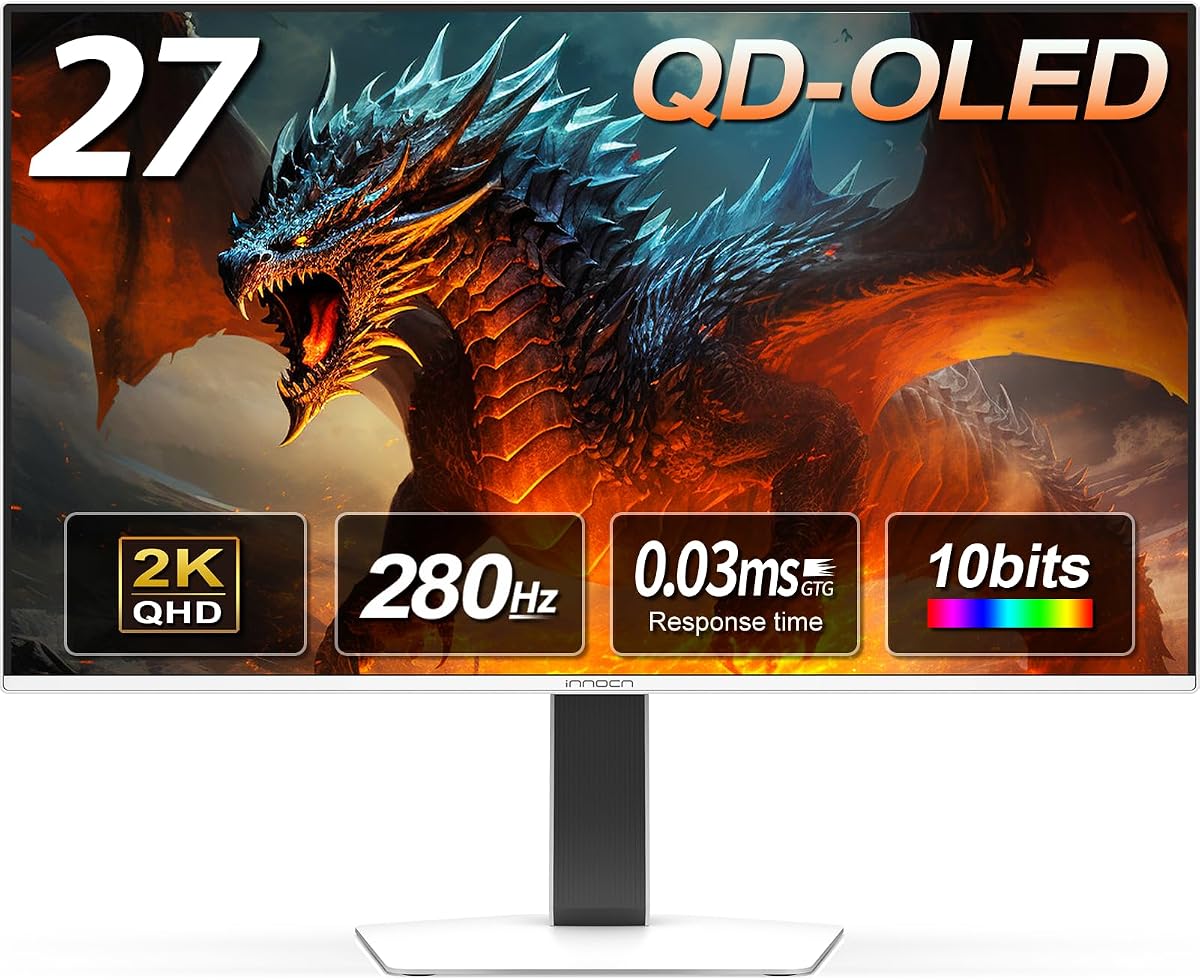
INNOCN's 2780s is the value disruptor that keeps proving QD-OLED does not have to wear a Samsung or ROG badge to satisfy buyers. Its 4.9 rating stands out in a pack where even excellent panels live in the 4.4–4.7 range—buyers are reporting real-world happiness with speed, color, and reliability at this listing.
The performance headline is 280Hz with 0.03ms response at QHD on a QD-OLED panel—effectively the same speed tier as AOC Agon Pro and GIGABYTE MO27Q2A without the same marketing spend. Deep blacks and vibrant highlights sell the OLED advantage in immersive games; HDMI 2.1 and DisplayPort cover PC and console paths with fewer compromises than HDMI 2.0 budget models.
Ergonomics exceed what price-conscious buyers expect: height, tilt, and pivot adjustment plus built-in speakers for casual audio. INNOCN also advertises compatibility with PS5, Xbox, Switch, and gaming laptops—accurate positioning for a desk that rotates between work laptop and evening console sessions.
Support policy language includes lifetime technical support and free replacement within 30 days, which reduces risk for first-time OLED buyers nervous about dead pixels or early failures. Long-term burn-in remains an OLED universal: INNOCN does not headline AI care algorithms like GIGABYTE, so adopt conservative brightness and pixel refresh habits anyway.
Versus GIGABYTE MO27Q2A, INNOCN wins raw buyer rating and often value; GIGABYTE wins ClearMR 15000 certification, True Black 400, Type-C KVM, and a more explicit AI OLED Care story. Versus Samsung G6, INNOCN skips glare-free and Pantone but adds 280Hz and a stunning aggregate rating.
If you trust buyer consensus over brand lore, the 2780s deserves a top-three audition. Pair it with sensible OLED hygiene and a GPU that can approach 280 fps in your main competitive titles.
High scores at this scale usually mean fewer DOA reports, fewer banding complaints, and refresh rates that match listings out of the box. Still verify your unit on arrival like any OLED.
We gave GIGABYTE the feature-packed top pick for KVM and ClearMR. INNOCN is the alternate if buyer rating and value beat docking features on your desk.
We may earn a commission at no additional cost to you.
MSI's MAG 272QP QD-OLED X24 is the engineering-forward 240Hz option: quantum-dot OLED with 10-bit color, 99% DCI-P3, Delta E at or below 2, and a VESA ClearMR 13000 rating that quantifies motion clarity instead of only quoting 240Hz and hoping you notice.
The graphene fanless heatsink is MSI's thermal story—dissipating heat without a buzzing fan on a panel type sensitive to sustained brightness and temperature. Pair that with OLED Care 2.0 in Gaming Intelligence software, including burn-in mitigation, console modes, and AI-supported Smart Crosshair features, and you get a monitor that assumes you will live in its software ecosystem at least once a week.
Connectivity is modern: DisplayPort 1.4a and HDMI 2.1 with CEC, both supporting WQHD at 240Hz for PC and console paths MSI explicitly lists. The four-way adjustable stand covers tilt and height for mainstream ergonomics; enhanced sub-pixel arrangement messaging targets sharper text if you split time between spreadsheets and shooters.
Native contrast around 1.5M:1 and up to 400 nits peak brightness describe HDR-friendly behavior within OLED physics—punchy flashes, not blinding office lighting. Adaptive-Sync keeps VRR smooth when frame rates wobble in open-world titles.
The 4.3 rating is honest middling against 4.6–4.9 leaders—some buyers likely wanted 280Hz at this price or simpler OSD. Still, ClearMR 13000 and graphene cooling differentiate MSI from generic 240Hz QD-OLED rebadges.
Choose the 272QP when motion clarity certification and fanless heatsink engineering matter more than hitting 280Hz. Choose GIGABYTE MO27Q2A or INNOCN 2780s when raw Hz headroom wins.
OLED Care 2.0 pixel shift and refresh, console mode for HDMI console VRR, Smart Crosshair if you play without in-game reticles. Skip the rest if it distracts.
ClearMR 13000 means VESA measured substantially more clear than blurry pixels in motion tests—useful when two 240Hz panels look similar on paper but different in strafe tests.
We may earn a commission at no additional cost to you.
GIGABYTE's MO27Q2A is the Swiss-army QD-OLED of this pack: 280Hz speed, True Black 400 HDR, ClearMR 15000 motion clarity, and a Type-C KVM that actually solves a desk problem instead of decorating a spec sheet. The 27-inch QD-OLED panel delivers 1.5M:1 contrast, 99% DCI-P3, and 10-bit depth—numbers that match what premium gaming OLED should feel like in person.
OLED Care is GIGABYTE's burn-in philosophy: AI-based algorithms minimizing risk in the background with user-adjustable settings when you want more aggressive logo protection. That is the right mindset—OLED ownership is part hardware, part habit, and GIGABYTE tries to automate the boring half.
280Hz at 0.03ms sits in the sweet spot between 240Hz mainstream and 360Hz flagship cost. FreeSync Premium Pro and G-SYNC Compatible mean AMD and NVIDIA users both get adaptive sync without tribal port choices. For FPS players who notice stutter between 240 and 280, this panel earns its premium over base 240Hz models.
Type-C KVM is the desk feature that sells the MO27Q2A to consultants, streamers, and devs running work laptop plus gaming PC on one monitor. One keyboard and mouse, two machines, fewer HDMI handoffs behind the desk. HDMI, DisplayPort, and Type-C cover modern connectivity without adapter nests.
VESA ClearMR 15000 certification claims 145–155 times more clear pixels than blurry pixels in standardized motion testing—marketing, yes, but more comparable across brands than vendor GTG quotes alone. DisplayHDR True Black 400 keeps HDR gaming and movies grounded in OLED strengths.
With a 4.7 rating, buyers validate that the feature stack works—not just on paper. If you will not use KVM, INNOCN 2780s competes on rating and value; if you need 360Hz, ASUS wins. For dual-PC QD-OLED with AI burn-in care and 280Hz, MO27Q2A is our feature-packed pick.
Connect Type-C from laptop, DisplayPort from desktop, USB upstream to both, enable KVM in OSD. Test switch hotkey before your first work call.
Leave AI protection enabled, add manual pixel refresh after long static spreadsheets, and use logo brightness reduction for persistent HUD games. Adjust aggressiveness if you notice dimming you dislike—then find a balance.
Samsung wins glare-free and Pantone for mixed creator desks. GIGABYTE wins 280Hz, KVM, and ClearMR 15000 for dual-machine gamers. Many households want one of each in different rooms.
We may earn a commission at no additional cost to you.
Samsung's Odyssey OLED G5 is how many buyers should enter QD-OLED: same quantum-dot OLED QHD panel family and Samsung ecosystem features as the G6, but capped at 180Hz for a lower entry point. You still get 0.03ms response, glare-free coating, Pantone Validated color with 2100+ shades, HDR10, and OLED Safeguard thermal modulation— the visual and care fundamentals without paying for Hz you might not utilize.
180Hz is not slow by historical standards—it is only slow relative to this pack's 240, 280, and 360 tiers. Story-driven gamers, RPG players, and hybrid work users who occasionally queue competitive modes will still feel OLED's motion advantage over 60Hz or 144Hz IPS. Ranked players who live in aim trainers will notice the gap versus 240Hz and should stretch to the G6.
Glare-free technology keeps the G5 viable on desks with windows—arguably the G5's hidden value versus non-Samsung QD-OLEDs that skip anti-reflection treatments. Pantone validation matters if you edit photos between matches; it is rare on budget-tier gaming panels.
Auto Source Switch+ is a quality-of-life win for HDMI swapping between console and PC without digging through OSD input menus. Combined with G-Sync Compatible and AMD FreeSync support, the G5 is console-friendly within each device's refresh limits.
Burn-in care matches the G6: enable Safeguard features, run pixel refresh, avoid static HUD at max brightness. The three-year Samsung warranty class provides baseline peace of mind; habits provide the rest.
Buy the G5 when budget caps Hz at 180 but you refuse IPS for dark-scene gaming. Upgrade to G6 when multiplayer is primary; skip G5 entirely if you already own a 360Hz-capable GPU and esports ambition.
Single-player immersion, strategy, simulation, and casual multiplayer at high but not pro frame rates. Not for players who already notice 144 vs 240 on IPS.
If you buy G5 and later crave 240Hz, you are buying twice. If competitive play is even probable, start at G6 and save the hassle.
We may earn a commission at no additional cost to you.
MSI's MAG 341CQP QD-OLED X28 is the outlier in every sense: a 34-inch UWQHD ultrawide with 1800R curve, fifth-generation tandem QD-OLED, and 280Hz refresh in a pack otherwise filled with 27-inch 16:9 panels. If you wanted QD-OLED immersion without giving up quantum-dot contrast, this is the only candidate here—and it arrives with a blunt honesty check: the listing currently shows a 0.0 rating, meaning there is essentially no aggregated buyer feedback yet. You are buying on MSI's spec sheet, early hands-on reviews elsewhere, and tolerance for first-wave product risk.
The panel technology story is ambitious. MSI advertises a new RGB stripe sub-pixel layout for sharper visuals, DarkArmor film for 40% deeper blacks and 2.5× scratch-resistant surface versus prior films, uniform luminance compensation, and a five-layer tandem OLED with EL Gen 3 technology claiming up to 30% light efficiency improvement. On paper, that addresses common OLED complaints—text fringing on stripe layouts, glossy fragility, and brightness efficiency—for ultrawide productivity plus gaming splits.
HDR credentials jump a tier: VESA DisplayHDR True Black 500 and up to 1300 nits peak brightness for short HDR bursts, plus VESA ClearMR 15000 for motion clarity at 280Hz and 0.03ms. FreeSync Premium Pro and G-SYNC Compatible cover VRR on AMD and NVIDIA systems. AI Care sensor adds another burn-in mitigation layer beyond MSI's software suites on the 272QP—watch how it behaves with static sidebars in ultrawide productivity layouts.
Practical ownership demands more GPU than 27-inch QHD: pushing 3440×1440 at 280Hz is a serious load. Racing, flight sim, and cinematic RPG players may happily cap lower and still love the width; competitive FPS players should measure fps at ultrawide before assuming 280Hz utility. Desk depth matters too—1800R wraps more gently than aggressive 1000R gaming arcs but still wants space.
The 0.0 rating is not a quality verdict—it is an absence of data. Early adopters should inspect for panel uniformity, text clarity on the new sub-pixel layout, and HDR behavior near windows. Keep receipt and return window accessible; MSI's broader OLED care messaging applies, but ultrawide tandem QD-OLED is newer than the mature 27-inch models above.
Buy the 341CQP when ultrawide QD-OLED immersion is non-negotiable and you accept pioneer risk. Buy Samsung G6 or GIGABYTE MO27Q2A when you want proven buyer ratings on standard 16:9 desks first.
Test uniform gray backgrounds, read small text at corners, run HDR samples, and verify 280Hz over DisplayPort with your GPU. Document any defects immediately while return windows are open.
Ultrawide multitasking increases static UI area—taskbars, timelines, and side panels. Rotate layouts, use dark themes, and lean on AI Care sensor features if they detect static content.
You trade buyer consensus and lower GPU load for width and True Black 500 HDR peaks. Most buyers should master 27-inch QD-OLED first; sim and racing enthusiasts are the natural 341CQP audience.
We may earn a commission at no additional cost to you.

Both are self-emissive OLED families, but QD-OLED routes light through quantum-dot conversion rather than WOLED's white OLED plus color filter stack. In gaming and HDR content, buyers often notice punchier color volume and cleaner highlight behavior on QD-OLED, especially in bright outdoor scenes and neon-heavy titles. WOLED still dominates large TV sizes and can win on brightness in some living-room setups, but the 27-inch QD-OLED monitor segment is where quantum-dot OLED has become the default premium panel story.
None of that eliminates OLED's universal tradeoffs: static HUD elements, taskbars, and channel logos remain burn-in risks if you run them at maximum brightness for months without pixel refresh routines. QD-OLED monitors in this pack respond with vendor-specific mitigation—thermal modulation, pixel shift, logo detection, and warranty language that finally mentions burn-in. Treat those tools as habits, not magic shields.
180Hz (Samsung G5) is the value entry for players who want QD-OLED contrast without paying for headroom they will not use. 240Hz (Samsung G6, both AOC 240Hz models, MSI 272QP) is the sweet spot for most PC gamers with mid-to-high GPUs. 280Hz (AOC Agon Pro, INNOCN 2780s, GIGABYTE MO27Q2A, MSI ultrawide) rewards players who notice frame-time micro-stutter between 240 and 280. 360Hz (ASUS XG27ACDNG) only makes sense when your system consistently delivers high QHD frame rates and you play titles where input latency is measurable, not imagined.
Console buyers should read HDMI fine print: HDMI 2.1 on several models supports high refresh from PS5 and Xbox Series X, but exact modes depend on the console game and the monitor's accepted VRR range. DisplayPort remains the safest path to maximum Hz on PC.
VESA DisplayHDR True Black 400 and True Black 500 are more meaningful on OLED than generic HDR400 on LCD because they assume emissive black levels. Samsung's HDR10 support on G5/G6 pairs with Pantone Validated color for creators who also game. When a listing cites ClearMR 13000 or 15000, it is claiming motion clarity under VESA's blurry-versus-clear pixel methodology—useful when comparing MSI and GIGABYTE against panels that only quote Hz and GTG.
Peak nit claims on the MSI MAG 341CQP ultrawide (1300 nits advertised) describe HDR punch in short bursts, not sustained full-screen brightness. That is normal OLED behavior; still, calibrate expectations for sunlit room washout versus a glare-free Samsung in the same window.
Enable OLED care suites on day one: ASUS OLED Care+, GIGABYTE OLED Care, MSI OLED Care 2.0, Samsung OLED Safeguard. Run pixel refresh after long sessions with static UI. Avoid max brightness 24/7 with news tickers or spreadsheet grids frozen for weeks. Use dark mode where practical. If you edit with timelines and scopes, rotate layouts or add brief full-screen breaks.
Warranty burn-in coverage (ASUS three-year ARR with burn-in, Samsung three-year class, AOC four-year on Agon Pro) reduces financial panic but not the inconvenience of panel wear. Buy the monitor that fits your content diet, then behave like an OLED owner—not like an IPS owner who never thinks about image retention.
Samsung's glare-free coating on G5 and G6 is a real room-lighting feature for desks near windows—QD-OLED's glossy beauty otherwise becomes a mirror. Height-adjustable stands vary: GIGABYTE and several AOC models tilt and height-adjust; confirm pivot needs if you want portrait (rarely ideal on OLED gaming panels anyway).
MSI's MAG 341CQP trades 16:9 simplicity for 3440×1440 ultrawide immersion with 1800R curve, RGB stripe sub-pixel layout, and DarkArmor film claiming deeper blacks and scratch resistance. It is the only ultrawide in this pack—and the only listing here with a 0.0 rating, so treat it as a spec-forward early adopter bet until buyer reviews accumulate.
QD-OLED uses quantum dots to convert OLED light into red, green, and blue instead of relying on a WOLED white pixel plus color filters. On desk-sized gaming monitors, buyers often see wider color volume and cleaner HDR highlights compared with many WOLED implementations. Both remain self-emissive OLED with the same burn-in care requirements—QD-OLED is a panel architecture upgrade, not a magic durability pass.
Yes. Static elements—taskbars, minimaps, news tickers, HUD overlays—can cause uneven wear if left at high brightness for months. Monitors in this pack mitigate risk with thermal systems (Samsung OLED Safeguard), software care suites (ASUS OLED Care+, GIGABYTE AI OLED Care, MSI OLED Care 2.0), pixel refresh routines, and warranties that increasingly mention burn-in. Habits still matter: run refresh cycles, avoid max brightness 24/7 with static UI, and use dark modes when sensible.
Match Hz to your GPU and game diet. 180Hz on the Samsung G5 is enough for story-driven and casual competitive play. 240Hz on Samsung G6, AOC models, and MSI 272QP is the balanced default for serious PC gaming. 280Hz on Agon Pro, INNOCN 2780s, GIGABYTE MO27Q2A, and MSI ultrawide rewards players who notice micro-stutter between 240 and 280. 360Hz on the ASUS XG27ACDNG only pays off when you consistently deliver very high QHD frame rates in esports titles.
If your desk sits near windows or bright overhead lights, yes—it is one of the most practical differentiators in this pack. QD-OLED's glossy beauty becomes a mirror without anti-reflection treatment. Samsung G5 and G6 advertise glare-free technology specifically. Other models in this roundup can look stunning in dark rooms but show more ambient reflection in bright spaces.
True Black HDR tiers are defined with emissive black levels in mind—more meaningful on OLED than generic HDR400 on LCD. True Black 400 appears on several 27-inch models here (ASUS, AOC Agon Pro, GIGABYTE). MSI's ultrawide 341CQP advertises True Black 500 with up to 1300 nits peak for shorter HDR bursts. These certifications describe tone mapping and black floor behavior, not sustained full-screen brightness.
ClearMR is VESA's motion clarity metric comparing clear versus blurry pixels during standardized motion tests. Higher numbers imply less perceived blur at a given refresh rate. MSI MAG 272QP claims ClearMR 13000; GIGABYTE MO27Q2A and MSI MAG 341CQP claim ClearMR 15000. It is a useful cross-brand comparator when every listing says 0.03ms GTG.
Many models advertise console readiness with HDMI 2.1 (ASUS, INNOCN, AOC Q27GAZDV, MSI 272QP) or HDMI 2.0 with refresh limits (AOC Q27GAZD). Actual modes depend on the game and console VRR support—verify 120Hz VRR on your target titles. PC users chasing maximum Hz should use DisplayPort and set refresh explicitly in the OS.
A 0.0 rating typically means the listing has not accumulated enough buyer reviews to compute an average—not that the product scored zero stars. The 341CQP is a newer ultrawide tandem QD-OLED with ambitious specs (280Hz ultrawide, True Black 500, DarkArmor film). Treat it as an early adopter purchase: strong on paper, unproven by crowd feedback in this pack. Keep your return window and test for uniformity and text clarity on arrival.
Choose the G5 at 180Hz if budget is tight and your games are mostly single-player or casual multiplayer. Choose the G6 at 240Hz if competitive frame rates matter and you want the same glare-free and Pantone stack with more headroom. Both share OLED Safeguard and QD-OLED QHD visuals; the Hz gap is the main fork.
For most desks: Samsung Odyssey OLED G6 for everyday glare-free 240Hz balance. Esports specialists with top GPUs: ASUS ROG Strix XG27ACDNG at 360Hz. Dual-PC feature hunters: GIGABYTE MO27Q2A with 280Hz and Type-C KVM. Value seekers trusting buyer scores: INNOCN 2780s at 4.9 rating. Ultrawide sim fans accepting pioneer risk: MSI MAG 341CQP—after understanding its unrated listing.
QD-OLED monitors in 2026 finally span sensible Hz tiers instead of forcing every buyer into one refresh bracket. Samsung's Odyssey OLED G6 remains our everyday recommendation thanks to glare-free coating, Pantone validation, and 240Hz balance; ASUS ROG Strix XG27ACDNG owns the competitive ceiling at 360Hz with heatsink and OLED Care+; and GIGABYTE MO27Q2A packs 280Hz, ClearMR 15000, AI OLED Care, and Type-C KVM for complex desks.
AOC's 240Hz pair, INNOCN's 4.9-rated 2780s, and MSI's ClearMR-certified 272QP fill value and engineering niches, while Samsung's 180Hz G5 opens QD-OLED to budget-conscious entry. MSI's MAG 341CQP ultrawide is the immersion wildcard—True Black 500, 1300-nit peaks, tandem fifth-gen QD-OLED—honestly flagged at 0.0 rating until buyers speak.
Whichever you choose, behave like an OLED owner: enable care suites, run pixel refresh, match Hz to real GPU performance, and pick glare-free Samsung if your room is bright. Do that, and QD-OLED's contrast and color advantages over WOLED and IPS stop being hype—and start being the reason you stop shopping for monitors every year.