Best OLED Laptops in 2026
We may earn a commission from links on this page, at no extra cost to you. Learn more.
OLED has quietly become the display to beat, and once you have worked on a laptop with true blacks, punchy contrast and rich, accurate colour, ordinary LCD panels look flat by comparison. But an OLED laptop is only as good as the machine wrapped around that gorgeous screen, and the choices range from slim creator ultrabooks to high-refresh gaming rigs with very different strengths. This guide ranks nine of the best OLED laptops you can buy in 2026, weighing panel quality, colour accuracy, contrast and the creative or gaming power behind the display, so there is a right pick whether you edit photos and video, chase frame rates or simply want the most beautiful screen you can carry.
Top 9 Best OLED Laptops
Our top 9 picks, reviewed
HP OmniBook 7 16in OLED Touch
The HP OmniBook 7 is the best all-round OLED laptop, pairing a stunning 16-inch 2K OLED touchscreen at 120Hz with a strong Intel Core 9 processor, 32GB of RAM and a 1TB SSD. It backs that beautiful panel with a genuinely good 5MP AI webcam, WiFi 7 and a Copilot key, making it superb for creative work and video calls alike. A perfect owner rating seals its place at the top of this list.
- Display
- 16in 2K OLED 120Hz touch
- CPU
- Intel Core 9 270H
- RAM
- 32GB DDR5
- Storage
- 1TB SSD
What we liked
- Gorgeous 16in 2K OLED touchscreen at 120Hz
- Excellent 5MP AI-enhanced webcam
- Huge 32GB RAM and 1TB SSD
- WiFi 7 and Copilot AI key
Worth noting
- Touchscreen adds glare in bright rooms
- Integrated graphics limit heavy gaming
ASUS Vivobook S16 OLED (Ryzen AI 7 350)
The ASUS Vivobook S16 is the creator's value pick, matching a superb 16-inch 3K OLED panel with 100% DCI-P3 colour and 600-nit HDR to a fast Ryzen AI 7 350 processor. Its 50-TOPS NPU accelerates AI-assisted editing, and up to 14 hours of battery keeps you working unplugged. With 16GB of RAM and a 1TB SSD it handles photo and light video work beautifully, all at a friendlier price than most rivals here.
- Display
- 16in 3K OLED 120Hz
- CPU
- Ryzen AI 7 350
- RAM
- 16GB
- Storage
- 1TB SSD
What we liked
- Sharp 3K OLED with 100% DCI-P3 colour
- 600-nit HDR peak brightness
- Ryzen AI 7 with 50 TOPS NPU
- Up to 14-hour battery life
Worth noting
- 16GB RAM is tighter for heavy editing
- Radeon 860M is fine but not for AAA gaming
Lenovo Legion 5i (RTX 5070, 15in OLED)
For gamers who want OLED without compromise, the Lenovo Legion 5i delivers a fast 165Hz PureSight OLED panel driven by an Intel Core i7-14700HX and NVIDIA's RTX 5070. That combination handles demanding titles at high settings while the OLED contrast makes dark scenes genuinely striking. It doubles as a capable creation machine and even throws in three months of PC Game Pass, though the power comes at a premium price and some extra weight.
- Display
- 15in 2.5K OLED 165Hz
- CPU
- Intel Core i7-14700HX
- GPU
- RTX 5070
- Storage
- 1TB SSD
What we liked
- Fast 165Hz PureSight OLED display
- Powerful RTX 5070 graphics
- Strong i7-14700HX processor
- 3 months of PC Game Pass included
Worth noting
- Premium price and heavier chassis
- Shorter battery under gaming load
ASUS Vivobook S16 OLED (Core Ultra 9, 32GB)
This ASUS Vivobook S16 is the value champion, offering a 16-inch 2.8K OLED panel, a 16-core Core Ultra 9 285H, 32GB of RAM and a 1TB SSD for the lowest price on this list. The 120Hz OLED with 100% DCI-P3 colour is a creator's delight, and Thunderbolt 4 plus WiFi 7 keep it future-ready. Integrated Arc graphics cap serious gaming, but for editing and everyday power it is remarkable value.
- Display
- 16in 2.8K OLED 120Hz
- CPU
- Core Ultra 9 285H
- RAM
- 32GB
- Storage
- 1TB SSD
What we liked
- Lowest price for this much OLED power
- 16-core Core Ultra 9 285H
- Generous 32GB RAM and 1TB SSD
- Thunderbolt 4 and WiFi 7
Worth noting
- Integrated Arc graphics limit gaming
- Glossy panel shows reflections
ASUS Vivobook S16 OLED (Core Ultra 9, ICP Hub)
Aimed at designers and business professionals, this ASUS Vivobook S16 pairs a colour-accurate 16-inch 2.8K OLED with a potent 16-core Core Ultra 9 285H, 32GB of DDR5 and a 1TB SSD. Harman Kardon speakers and WiFi 7 round out a polished package for client work and presentations. It shares much with its cheaper Vivobook siblings, so choose it for the bundled hub and configuration that best fits your workflow.
- Display
- 16in 2.8K OLED 120Hz
- CPU
- Core Ultra 9 285H
- RAM
- 32GB DDR5
- Storage
- 1TB SSD
What we liked
- 600-nit 100% DCI-P3 OLED panel
- 16-core Core Ultra 9 285H power
- 32GB DDR5 and 1TB SSD
- Harman Kardon audio and WiFi 7
Worth noting
- Integrated graphics only
- Similar spec to cheaper Vivobook siblings
GEEKOM GeekBook X14 Pro OLED
The GEEKOM GeekBook X14 Pro is the OLED laptop to grab when portability comes first, weighing just 2.2 pounds in an aerospace-grade metal body yet still packing a 14-inch 2.8K OLED with 100% DCI-P3 colour. A Core Ultra 9 185H, 32GB of RAM and up to 16 hours of battery make it a capable travel companion, and dual USB4 ports add flexibility. The panel is a touch dimmer than others, and the brand is less familiar, but the package is impressively slim.
- Display
- 14in 2.8K OLED 120Hz
- CPU
- Core Ultra 9 185H
- RAM
- 32GB
- Storage
- 1TB SSD
What we liked
- Featherlight 2.2 lb all-metal build
- 14in 2.8K OLED with 100% DCI-P3
- Up to 16-hour battery life
- Two USB4 ports and fingerprint reader
Worth noting
- 450-nit panel is dimmer than rivals
- Lesser-known brand for support
Lenovo Legion 5 15IRX10 (RTX 5070, i9)
The Lenovo Legion 5 15IRX10 is built for demanding AAA gaming, driving its glossy WQXGA OLED with a flagship Core i9-14900HX and an RTX 5070 packing fast GDDR7 memory. That muscle chews through modern titles while OLED's deep blacks bring atmospheric games to life, and 32GB of DDR5 plus a Gen4 SSD keep everything swift. It is a heavy, expensive machine with short unplugged battery life, but as a desktop-replacement gaming rig it delivers.
- Display
- 15.1in WQXGA OLED
- CPU
- Intel Core i9-14900HX
- GPU
- RTX 5070
- Storage
- 1TB SSD
What we liked
- Top-tier Core i9-14900HX processor
- RTX 5070 with GDDR7 memory
- Crisp WQXGA OLED glossy panel
- 32GB DDR5 and fast Gen4 SSD
Worth noting
- High price and hefty chassis
- Battery drains quickly while gaming
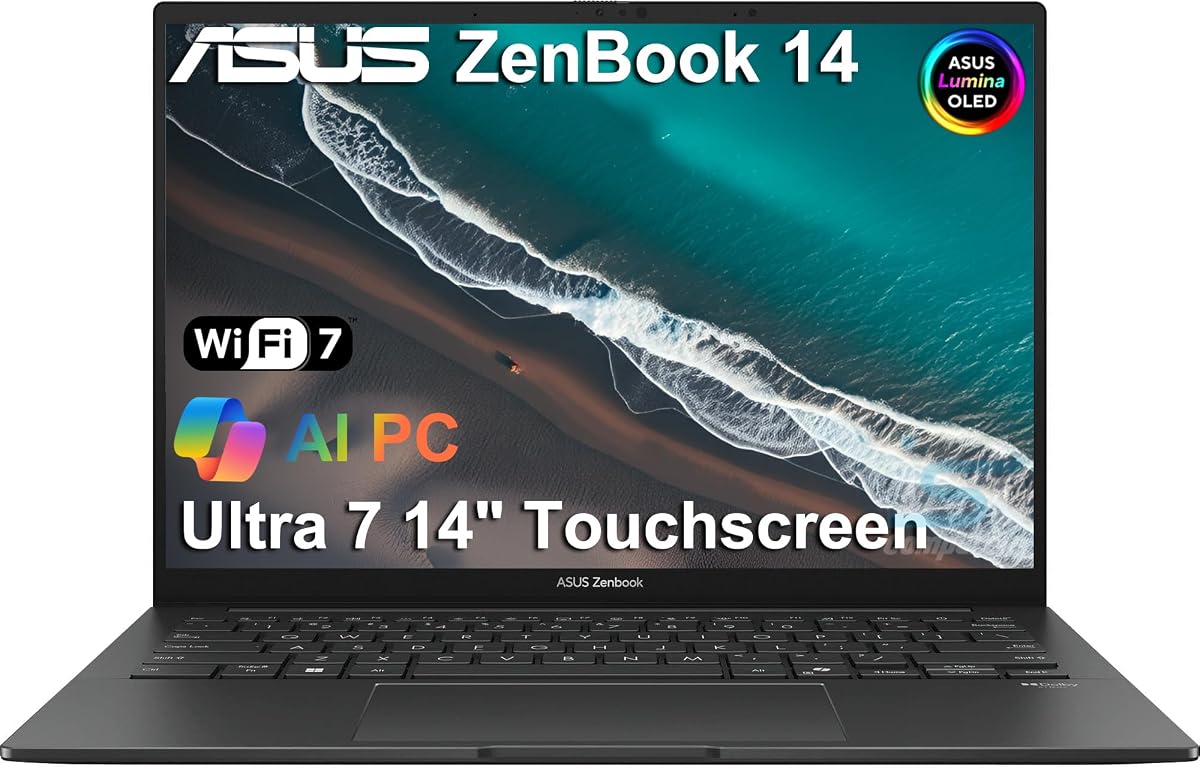
ASUS Vivobook S 14 OLED (Ryzen AI 9 365)
The ASUS Vivobook S 14 is the slim creator's pick, folding a gorgeous 14-inch 3K Lumina OLED with 600-nit HDR and 0.2ms response into a body just 0.63 inches thin. A Ryzen AI 9 365 with a 45-plus TOPS NPU accelerates AI-assisted creative tasks, and 24GB of RAM with a 1TB SSD keep projects flowing. The customizable RGB keyboard is a nice touch, though the soldered memory means buying enough up front.
- Display
- 14in 3K OLED 120Hz
- CPU
- Ryzen AI 9 365
- RAM
- 24GB
- Storage
- 1TB SSD
What we liked
- Superb 14in 3K Lumina OLED at 120Hz
- 45+ TOPS NPU in Ryzen AI 9 365
- Very slim 0.63in, 2.87 lb design
- Customizable RGB backlit keyboard
Worth noting
- 24GB RAM is not upgradeable
- Integrated graphics for gaming
ASUS Vivobook 14 (Intel Core 5 120U, FHD)
The odd one out here, this ASUS Vivobook 14 uses an FHD IPS rather than an OLED panel, so it is the budget alternative for anyone drawn to ASUS build quality but not committed to OLED. A 10-core Core 5 120U, 16GB of RAM and a 1TB SSD make it a capable everyday machine with a bundled 8-in-1 hub and a privacy shutter. If the OLED screen is the whole point of your purchase, though, one of the panels above is the better buy.
- Display
- 14in FHD IPS
- CPU
- Intel Core 5 120U
- RAM
- 16GB
- Storage
- 1TB SSD
What we liked
- 10-core Core 5 120U up to 5GHz
- 16GB RAM and roomy 1TB SSD
- Camera privacy shutter and WiFi 6
- 8-in-1 hub included in the box
Worth noting
- Non-OLED FHD IPS display
- Lowest owner rating on this list
How We Chose the Best OLED Laptops

An OLED laptop is a purchase driven by the screen, so that is where we started, but a beautiful panel bolted to weak hardware is a frustrating machine, and much of our judging went into how well each laptop lets its display do meaningful work. We began by assessing the OLED panels themselves: their resolution, refresh rate, brightness and, crucially, their colour accuracy and gamut coverage, since a wide, accurate colour space is what separates a screen that merely looks vivid from one you can trust for creative work. Every machine here uses OLED, with one deliberate exception noted for buyers weighing the alternative.
From there we weighed the hardware behind the glass. A stunning screen deserves a capable processor, generous memory and fast storage, so we looked for machines that pair their panels with strong CPUs and, where relevant, discrete graphics that can drive high-refresh gaming or accelerate creative apps. We considered portability and battery life too, because the best OLED laptop for a travelling designer is very different from the best for a desk-bound gamer. Finally we weighed value across a wide price range, from affordable creator ultrabooks to premium gaming rigs, so every kind of OLED buyer finds a fitting pick.
What Makes OLED Displays Special
The honest reason OLED has become so sought after is simple: every pixel makes its own light and can switch off completely, producing perfect blacks and a contrast ratio that backlit LCDs cannot touch. That single trait cascades into everything else. Dark scenes in films and games gain real depth instead of a grey wash, colours look richer against true black, and HDR content has genuine punch. Add the wide colour gamuts these panels reach, typically 100% of DCI-P3 on the models here, and you get a screen that is both gorgeous to look at and accurate enough to edit on.
OLED brings other perks too. Response times are extraordinarily fast, often around 0.2 milliseconds on panels like the ASUS Vivobook S 14's, which keeps motion crisp and suits high-refresh gaming. Viewing angles are excellent, and colours stay consistent off-axis. The trade-offs are worth knowing: glossy OLED surfaces can reflect in bright rooms, sustained full-brightness white content draws more power than LCD, and burn-in, though well mitigated on modern panels, rewards sensible habits. Understanding these strengths and caveats is the key to buying well, because the right OLED laptop turns everyday computing into something noticeably more pleasant to look at.
Matching the Laptop to Your Needs
For Photo and Video Editing
Creators need colour accuracy and resolution above all, and several picks here deliver both. The ASUS Vivobook S16 with its 3K 100% DCI-P3 OLED and Ryzen AI 7 350 is a superb value editor, while the HP OmniBook 7 backs its 2K OLED with 32GB of RAM for smooth multitasking across heavy projects. The slim ASUS Vivobook S 14, with a 3K Lumina OLED and a 45-plus TOPS NPU, is ideal for creators who edit on the move.
For High-Refresh Gaming
Gamers should prioritise a discrete GPU paired with a fast OLED panel. The Lenovo Legion 5i leads with a 165Hz PureSight OLED and an RTX 5070, and the Lenovo Legion 5 15IRX10 pushes further with a flagship Core i9-14900HX and RTX 5070 for demanding AAA titles. Both make OLED's deep blacks and quick response work in your favour, though they are heavy and power-hungry under load.
For Working on the Move
If you carry your laptop everywhere, weight and battery matter most. The GEEKOM GeekBook X14 Pro is the standout, weighing just 2.2 pounds in an all-metal body with up to 16 hours of battery and a 14-inch 2.8K OLED. The ASUS Vivobook S 14 is another slim, light option at 2.87 pounds, adding a sharper 3K panel for creators who want portability without giving up screen quality.
For the Best Value
Buyers who want maximum OLED for their money have strong choices. The ASUS Vivobook S16 with a Core Ultra 9 285H, 32GB of RAM and a 1TB SSD is the value champion, offering serious specs and a lovely 2.8K OLED for the lowest price here. For anyone drawn to ASUS but not set on OLED, the FHD Vivobook 14 is a capable budget alternative, though it forgoes the panel that defines this list.
Specifications That Matter Most
Beyond the OLED panel itself, two things shape an OLED laptop's usefulness: colour coverage and the processing power behind the screen. Look for 100% DCI-P3 coverage, which every OLED pick here provides, because it is what makes the display trustworthy for editing rather than just pretty for streaming. Resolution and refresh rate matter next: a 2.8K or 3K panel like those on the ASUS Vivobook models shows fine detail crisply, while a 120Hz or 165Hz refresh keeps scrolling and gaming fluid. Brightness is worth checking too, since a 600-nit HDR panel handles bright rooms and HDR content far better than a dimmer 450-nit screen.
The hardware behind the glass decides what you can actually do with that screen. For editing, favour ample memory and a fast SSD; the 32GB configurations on the HP OmniBook 7 and Vivobook S16 machines keep large projects smooth, and every pick here uses a quick 1TB drive. For gaming, a discrete GPU is essential, which is why the Lenovo Legion pair with their RTX 5070 graphics stand apart from the integrated-graphics creator machines. Do not overlook connectivity either: Thunderbolt 4 or USB4 ports, found across these models, let you drive external displays and fast storage, extending an OLED laptop's usefulness well beyond its own beautiful screen.
A Closer Look at the Top Picks
The HP OmniBook 7 earns the top spot because it surrounds its beautiful 16-inch 2K OLED touchscreen with everything that makes an OLED laptop a joy to own. A strong Intel Core 9 processor, 32GB of RAM and a 1TB SSD handle creative multitasking with ease, while an excellent 5MP AI webcam, WiFi 7 and a Copilot key make it as capable for calls and everyday work as it is for viewing. A flawless owner rating confirms what the spec sheet promises, and its balanced price makes it the OLED laptop we would recommend to most buyers.
Behind it, the ASUS Vivobook S16 with the Ryzen AI 7 350 is the creator's value pick, and its Core Ultra 9 siblings offer even more raw power at competitive prices. The Lenovo Legion 5i and Legion 5 15IRX10 are the gaming standouts, driving high-refresh OLED with RTX 5070 muscle, while the GEEKOM GeekBook X14 Pro and slim ASUS Vivobook S 14 cater to creators who travel light. The FHD Vivobook 14 rounds things out as a budget alternative for buyers weighing whether OLED is essential to their purchase.
Tips for Getting the Most From an OLED Laptop
A little care keeps an OLED laptop looking its best for years. Enable the panel's burn-in protections, which are usually on by default, and lean into habits that help: use a dark system theme, set the taskbar to hide automatically, and let the screen sleep when idle rather than displaying a static image for hours. These steps cost nothing and make the well-mitigated burn-in on modern panels a non-issue for typical use. For colour-critical work, calibrate the display or use the manufacturer's colour profiles so your edits look right everywhere.
Play to OLED's strengths, too. Watch HDR films and play games that use dark, atmospheric scenes, because that is where the technology's true blacks and contrast shine brightest. If battery life matters, remember that OLED sips less power on dark content, so a dark theme helps endurance as well as longevity on portable picks like the GEEKOM GeekBook X14 Pro. Finally, use the fast Thunderbolt 4 or USB4 ports on these machines to add an external monitor or speedy storage, and buy from listings with clear return protection, especially for less familiar brands, so any panel imperfection is easy to address. With sensible habits and the right pick, an OLED laptop rewards you every time you open the lid.
Final Recommendation
For most buyers, the HP OmniBook 7 is the best OLED laptop in 2026, combining a stunning 16-inch 2K OLED touchscreen with strong hardware, an excellent webcam and a perfect owner rating into a machine that excels at both creative work and everyday use. Creators chasing value should look to the ASUS Vivobook S16, and those wanting even more raw power to its Core Ultra 9 siblings. Gamers should choose the Lenovo Legion 5i or the more powerful Legion 5 15IRX10 for their RTX 5070 graphics and high-refresh panels, while travellers will love the featherlight GEEKOM GeekBook X14 Pro and slim ASUS Vivobook S 14. If OLED is not essential, the FHD Vivobook 14 is a capable budget alternative. Whichever you pick, match the hardware to how you will use that glorious screen, and OLED will transform your daily computing.
How we picked
We judged each laptop on OLED panel quality, colour accuracy and gamut coverage, contrast and brightness, resolution and refresh rate, and the processing and graphics power that let the display shine in real creative and gaming work. Because a stunning screen deserves capable hardware, we favoured machines that pair their OLED panels with strong CPUs, ample memory and fast storage, spanning slim creator ultrabooks and powerful gaming laptops to cover every kind of buyer.
Frequently asked questions
Is an OLED laptop screen worth the extra money?
For most people who care about how their screen looks, yes. OLED delivers true blacks, far higher contrast and richer, more accurate colour than typical LCD panels, which makes a real difference for photo and video editing, films and games. If you mainly write documents and browse, the benefit is smaller, but the picks here like the HP OmniBook 7 show how striking OLED can be.
Do OLED laptops suffer from burn-in?
Modern laptop OLED panels include burn-in mitigation such as pixel shifting and logo dimming, so for typical mixed use it is rarely a problem over a laptop's life. To be safe, hide the taskbar automatically, use a dark theme, and let the screen turn off when idle. With those habits the OLED screens on machines like the ASUS Vivobook S16 stay pristine for years.
Which OLED laptop is best for photo and video editing?
Look for high resolution and full DCI-P3 colour coverage. The ASUS Vivobook S16 with its 3K 100% DCI-P3 OLED and Ryzen AI 7 350 is an excellent value editor, while the HP OmniBook 7 pairs a 2K OLED with 32GB of RAM for smooth multitasking. Creators who want maximum GPU power for video should consider the Lenovo Legion machines with their RTX 5070 graphics.
Can OLED laptops handle gaming?
Absolutely, and OLED's deep blacks and fast response make games look superb. For serious gaming choose a model with a discrete GPU: the Lenovo Legion 5i and Legion 5 15IRX10 both use an RTX 5070 with high-refresh OLED panels. The creator-focused Vivobook models rely on integrated graphics, which suit lighter or older titles rather than demanding AAA games.
Does an OLED screen hurt battery life?
OLED can use more power than LCD when displaying bright, mostly white content, but it saves power on dark scenes and interfaces. In practice, efficient models like the ASUS Vivobook S16 still reach around 14 hours, and the GEEKOM GeekBook X14 Pro claims up to 16. Gaming laptops such as the Legion pair drain quickly under load, but that is down to their powerful GPUs, not the OLED panel.