Best Overall
Lenovo ThinkPad E16 Gen 3

- Intel Core Ultra 5 with AI Boost NPU for meetings and multitasking
- 32GB DDR5 and 1TB SSD sized for firm-level Excel and file libraries
- Thunderbolt 4, Ethernet, fingerprint power button, Windows 11 Pro
Expert Review & Guide
Accounting work punishes the wrong laptop. You are not just browsing mail—you are juggling Excel workbooks with dozens of sheets, QuickBooks or Xero in a browser, PDF binders from clients, and a video call that refuses to wait until month-end close is done. When RAM is short or the keyboard lacks a proper number pad, every journal entry takes longer and fatigue shows up before lunch.
This guide focuses on machines that actually help with that workflow: enough memory for heavy spreadsheets, screens wide enough for side-by-side documents, business-friendly security when you handle sensitive financials, and ports that connect scanners, docks, and external monitors without a suitcase of dongles. We evaluated ten current Amazon listings using the specs and feature claims in each product pack—not wishlist marketing.
You will see a mix of serious ThinkPad and HP business configs next to lighter student-oriented machines. That spread is intentional. Solo bookkeepers, firm associates, and students in accounting programs do not need the same chassis. Read the individual reviews for honest tradeoffs, especially where listings advertise huge RAM or storage numbers that conflict with the detailed bullet specs.


As an Amazon Associate we earn from qualifying purchases. We may earn a commission at no additional cost to you.
Use this table as a quick filter before the deep reviews. Specs below are pulled from each listing’s stated hardware—processor class, memory and storage claims, display size, and the security or port features that matter when you live in ledgers. Ratings reflect the pack scores at research time.
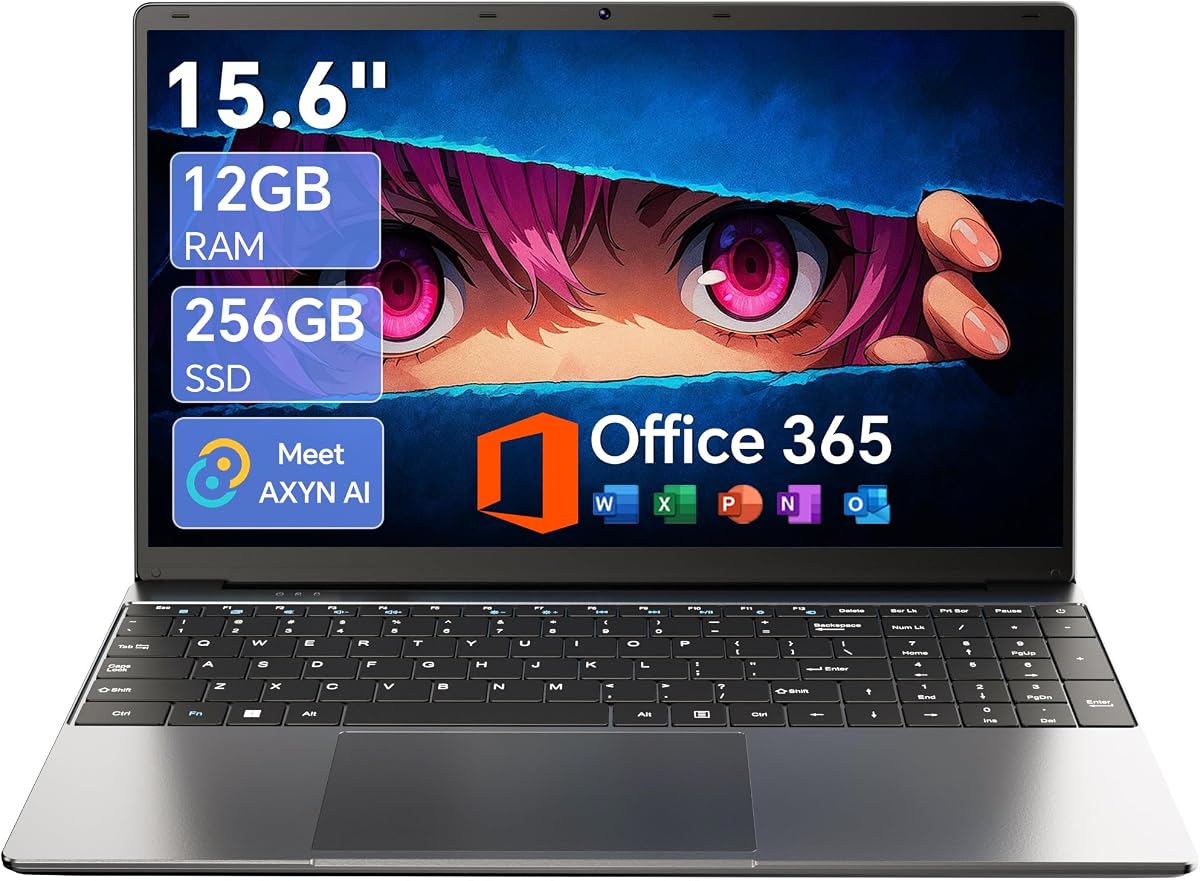
15.6'' AI Laptop with Office 365 12GB RAM 256GB SSD
If you are buying a first laptop for an accounting certificate program—or you need a spare machine for light QuickBooks Online and Google Sheets—this gray 15.6-inch Windows 11 model is one of the more honest budget options in the pack. The headline combination of 12GB DDR4 and a 256GB M.2 SSD matters more than the “AI laptop” branding. Extra memory keeps browser-based ledgers from thrashing when you also have email, a calculator window, and a PDF open. The IPS Full HD panel is a meaningful upgrade over the washed-out 1366×768 screens that still show up on ultra-cheap machines; column headers stay readable when you tilt the lid slightly during a shared review.
The Celeron J4105 is the limit you have to respect. It will handle coursework, bank CSV imports into Excel, and Zoom for a study group, but it will not feel athletic when a workbook balloons with volatile formulas, Power Query steps, or multiple desktop apps at once. Think of this as a portable terminal for cloud accounting and mid-size spreadsheets, not as a replacement for a firm workstation. Storage starts at 256GB, which fills up once you keep prior-year binders and training videos offline, though the listing’s claim of SSD expansion up to 2TB and TF expansion up to 1TB gives you an upgrade path if you are comfortable opening the chassis or using a card slot.
Battery marketing centers on a 7000mAh pack and “all-day” class or meeting use. In practice, expect solid unplugged time for lectures and lighter desk work rather than a full audit day of continuous Excel crunching. The 180-degree hinge is a small but real accounting-adjacent feature: laying the screen flat makes it easier to walk a client through a P&L without spinning the whole laptop around. Connectivity covers USB 3.2, Type-C, Mini HDMI, and a headphone jack, with Wi‑Fi listed as high-speed 5G Wi‑Fi in the marketing copy—interpret that as Wi‑Fi 5-class wireless rather than cellular 5G unless the seller clarifies otherwise.
Software-wise, Windows 11 plus an Office 365 subscription lowers friction for people who do not already own Microsoft 365 through an employer. Built-in AI assistance for writing and summarizing is a convenience for client emails and study notes; it will not reconcile accounts for you. The one-year warranty and 24/7 support claim are worth saving in your purchase records if you are buying without an IT department behind you.
Who should buy it: students, side-gig bookkeepers on a tight budget, and households that need a second PC for tax season forms. Who should skip it: CPAs living in large multi-entity workbooks, anyone who needs Windows 11 Pro management features, and travelers who want Thunderbolt docks and fingerprint login. Used within its lane, it is a practical starter rather than a false economy.
Cloud bookkeeping, homework in Excel Online or desktop Office, PDF viewing, and video lectures are the sweet spot. Pair it with an external USB number pad if you do heavy 10-key work—the chassis itself is not sold as a dedicated accounting keyboard machine.
Install your browser bookmarks for the IRS portal, state e-file sites, and your practice management tools on day one. Turn on Windows Update, create a local admin password you actually remember, and move client files into a clearly named folder structure so the modest SSD does not become a junk drawer by April.
We may earn a commission at no additional cost to you.
HP 2026 17.3" FHD Business Laptop
Accountants who live at a desk will understand this HP immediately: the point is screen geography and a real keyboard, not suitcase weight. The 17.3-inch Full HD anti-glare panel is sized for comparing a trial balance against a bank reconciliation without constant window shuffling. At roughly a 250-nit indoor brightness target, it is built for offices and home studies rather than sunny patios—exactly where most ledger work happens. The soft grey backlit keyboard with a dedicated numeric keypad is the feature that separates a true accounting daily driver from a generic “business” thin-and-light that forces you onto an external 10-key forever.
Read the listing carefully. The product title advertises extreme RAM and storage numbers, while the detailed bullets describe 16GB DDR4 and a 512GB PCIe NVMe SSD as the configuration meant for massive Excel sheets and many browser tabs. Treat the bullet specs as the working truth until the seller’s configuration picker confirms otherwise. Even at 16GB/512GB, this class of Intel Core i5-1334U machine is far more appropriate for professional multitasking than the Celeron and N-series options lower in this roundup—especially when Windows 11 Pro brings BitLocker-oriented workflows and Remote Desktop options firms already know.
Security and comfort details add up. A fingerprint reader makes unlocking between coffee refills painless when you step away from client data. Wi‑Fi 6 (Realtek 2x2) and Bluetooth 5.3 keep modern peripherals and mesh routers happier than older Wi‑Fi 5 gear. Ports include USB Type-C, two USB Type-A, and HDMI 1.4b—enough for a mouse, a scanner, and a second display in a typical bookkeeping office. The included Redragon accessory bundle is a practical onboarding gift if you are outfitting a new home office rather than replacing only the notebook.
Where this HP shines is month-end and tax-season desk work: large worksheets, Zoom with screen share, and long typing sessions. Where it is less ideal is constant travel between client sites; a 17.3-inch business laptop is something you plant on a desk or carry in a larger bag for overnight trips, not something you want on a crowded subway every day. If your firm standardizes on docking stations, confirm whether you prefer USB-C single-cable docks or a classic USB-A hub setup before you commit.
EPEAT Silver registration is a quiet plus for offices that track sustainability purchasing. Combined with the high pack rating, this unit earns our large-screen pick for accountants who prioritize visible rows and a proper number pad over featherweight portability. Just validate the exact memory and SSD size on the offer page—marketplace titles in this category sometimes overstate configuration headlines.
Staff accountants, controllers at small companies, and freelancers who work primarily from a home office with one external monitor. If you bill hours with your hands on a keypad all day, the keyboard layout alone can justify the larger chassis.
Because the title and the bullet memory/storage claims disagree, screenshot the configuration you checkout and keep the order confirmation. For firm purchases, ask the seller to confirm RAM and SSD in writing before you enroll the device in MDM.
Choose this HP when the bigger 17.3-inch sheet view and numpad matter more than Thunderbolt 4 and ThinkPad durability culture. Choose the ThinkPad when you need 32GB DDR5 certainty, Ethernet on the chassis, and a more modern Ultra processor story.
We may earn a commission at no additional cost to you.
The ThinkPad E16 Gen 3 is the clearest “buy once for accounting work” laptop in this pack. Lenovo’s listing explicitly calls out business office work, data processing, and accounting, and the hardware backs that positioning: an Intel Core Ultra 5 225H with an AI Boost NPU, 32GB of DDR5, and a 1TB SSD. That memory ceiling is what lets you keep last year’s workpapers, this year’s Excel models, a browser full of payroll portals, and Teams open without watching the disk light thrash. For anyone who has lost twenty minutes to a frozen pivot cache, the upgrade from 8GB class machines is not subtle.
Connectivity is where many pretty consumer laptops fail accountants. This E16 brings Thunderbolt 4, USB-A, HDMI, and Ethernet on board. Ethernet still matters in older firm offices and when Wi‑Fi is congested during busy season. Thunderbolt 4 means a single-cable path to a docking station with dual monitors—exactly how many senior accountants actually work once they leave the laptop open on a desk. Rapid USB-C charging with the included 65W adapter shortens the dead-battery panic between client meetings.
The 16-inch anti-glare screen is a compromise in the right direction: bigger than a 14-inch travel screen for worksheet density, smaller and more bag-friendly than the 17.3-inch HP desk anchors. Backlighting helps when you are finishing adjustments in a dim spare bedroom office. Layered security—fingerprint power button, physical camera shutter, and Windows 11 Pro—matches how financial data should be treated. You can shut the camera when you are not on a call and unlock quickly without typing a long password in a shared coworking space.
AI features here are practical rather than gimmicky. Noise suppression and meeting enhancements help when a client calls from a warehouse or a car. The NPU will not replace your judgment on revenue recognition, but it can make the communication layer of client work less exhausting. Performance for coding-light automation—Python scripts cleaning CSVs, or Power Automate experiments—is also more realistic on Ultra 5 than on the budget chips elsewhere in this guide.
Tradeoffs are mostly about budget and expectations. You are paying for a business platform, not a bargain Chromebook alternative. Graphics are integrated, so specialized visualization tools that expect a discrete GPU should stay on a workstation. If your entire job is QuickBooks Online in Chrome with light Excel, you can spend less. If you are the person everyone sends the “can you just look at this giant file” messages to, the E16 Gen 3 configuration in this pack is the one we would put on a firm purchase order.
In short: best overall for accounting because it balances modern CPU capability, memory headroom, storage longevity, dock-friendly ports, and security habits without forcing you into a screaming gaming chassis.
Public accounting associates, small-firm owners, fractional CFOs, and controllers who split time between a docked dual-monitor desk and laptop-open reviews in conference rooms.
Budget for a Thunderbolt or USB4 dock with dual DisplayPort/HDMI outputs and Ethernet passthrough. That setup preserves the E16’s port advantage and keeps your desk cable count sane during busy season.
The HPs win on sheer screen size and keypad comfort, but the ThinkPad’s confirmed 32GB DDR5, 1TB SSD, Ultra 5 platform, and Thunderbolt/Ethernet mix is the more complete professional package when you weigh travel, security, and longevity together.
We may earn a commission at no additional cost to you.

Lenovo’s 15.6-inch 2026 business edition is the pack’s answer when you need something that disappears into a backpack but still looks professional on a client table. At about 3.33 pounds and under an inch thick in Business Black, it is the machine you take to a coffee meeting, a classroom, or a satellite office without planning your day around laptop weight. The 15.6-inch 1920×1080 anti-glare panel at 250 nits is comfortable for documents and spreadsheets indoors, which is where almost all accounting actually happens.
Under the hood, the Intel N100 quad-core (up to 3.4GHz) with 8GB DDR5 and a 256GB PCIe 4.0 NVMe SSD targets snappy boots and everyday office apps rather than giant local databases. DDR5 helps efficiency, but eight gigabytes remains eight gigabytes: Chrome plus desktop Excel plus Slack will work; thirty worksheets with array formulas will remind you why firms buy 32GB ThinkPads. Use OneDrive or your practice’s cloud file system aggressively so the SSD stays a working drive, not a dumping ground.
Connectivity is the pleasant surprise. Wi‑Fi 6, Bluetooth 5.2, Gigabit Ethernet, two USB-A 3.2 ports, two USB-C ports with Power Delivery and DisplayPort, HDMI 1.4b, and an audio jack mean you can plug into a wired network closet, drive an external monitor, and charge without juggling a separate proprietary brick—depending on your PD charger. For a slim laptop, that is a thoughtful port map for small-business owners who still meet printers and projectors in the wild.
Security features punch above the price class: HD 720p webcam with a physical privacy shutter, firmware TPM 2.0, and a Kensington lock slot. Those details matter when you open payroll files in a shared coworking space. Copilot AI PC branding signals Windows AI features are part of the experience; treat them as writing and summarization helpers, not audit automation.
Buy this when portability and ports matter more than peak Excel horsepower—students, field bookkeepers, and owners who mostly live in cloud tools. Step up to the ThinkPad E16 or a 32GB HP when local workbooks and multitasking are the job.
A portable USB-C hub, a compact Bluetooth mouse, and cloud-first QuickBooks or Xero. If you type numbers all day, add a travel numeric keypad in the same pouch as your charger.
Confirm whether the unit ships in a restricted Windows mode on the offer you buy. Accounting apps sometimes need the full Win32 ecosystem; switch out of S Mode if your software installer requires it.
We may earn a commission at no additional cost to you.

HP 17 Inch Business Laptop Computer
This 2026 HP 17-inch business edition sits in a useful middle ground: more CPU ambition than the N100/Celeron crowd, a full 16GB of RAM, and a desk-friendly 17.3-inch IPS HD+ anti-glare screen. The processor story—Intel Core i5-class silicon with up to 5.0 GHz Turbo Boost, 10 cores, and 12 threads in the marketing bullets—is what you want when Excel recalculation and browser-based ERP tabs stack up. Compared with eleventh-generation i3 machines still circulating on marketplaces, the responsiveness gap in everyday multitasking is noticeable.
Sixteen gigabytes of memory is the threshold where accounting work stops feeling apologetic. You can leave a desktop workbook open, bounce into a web ledger, and join a Teams call without immediately hunting for tabs to close. The weak point is the 256GB SSD. It is fine if your firm’s documents live in SharePoint or Drive; it is stressful if you hoard prior-year folders on the C: drive. HP’s storage messaging about expanding up to 2TB-class capacity is encouraging—verify whether that means user-upgradable slots on the exact SKU you buy.
The display prioritizes size and anti-glare comfort over pixel density. HD+ on 17.3 inches stretches further than a crisp 1080p panel would; sit at a normal desk distance and it remains usable for numbers, but the ThinkPad’s sharper business panels (and the other HP’s FHD 17.3 listing) will look cleaner if you are picky. Brightness around 250 nits again signals indoor optimization.
Wireless is a bright spot: Wi‑Fi 6 and Bluetooth 5.4 are current enough for office mesh systems and modern mice. Ports include USB 3.0 Type-C, USB 3.0 Type-A, HDMI, and a combo audio jack. Office 365 for the web—sign-in at Office.com without necessarily buying a separate desktop subscription—helps freelancers who live in browser Excel anyway.
Choose this HP when you want a contemporary CPU and 16GB on a big screen without jumping to ThinkPad money. Plan external storage or cloud hygiene from day one so the 256GB drive does not become your busy-season bottleneck.
Increase Excel’s zoom to 120–150% on HD+ panels so decimals stay readable, and consider an inexpensive external FHD monitor if you review dense schedules daily.
This Core 5 / 16GB machine prioritizes newer CPU architecture; the older i3 configuration in this pack counters with 32GB RAM and 1TB SSD. Pick CPU freshness and screen IPS claims here, or memory/storage headroom there, depending on whether your pain point is recalculation speed or keeping everything open at once.
We may earn a commission at no additional cost to you.

Acer Aspire Go 15 AI Ready Laptop
Acer’s Aspire Go 15 is the AMD route for students and light-duty bookkeepers who want a cleaner display and a more modern CPU story than rock-bottom Celeron boxes. The Ryzen 3 7320U with Radeon 610M graphics, 8GB of LPDDR5, and a 128GB PCIe SSD aims at responsive everyday productivity and respectable battery life. For accounting, that translates to comfortable cloud apps and moderate Excel—not a local SQL server on your lap.
The 15.6-inch Full HD IPS panel with a narrow bezel is one of Acer’s better arguments. Numbers and charts look sharper than on HD-only pink and silver budget HPs in this same guide, and BluelightShield is a welcome toggle when you are staring at trial balances at 10 p.m. Copilot in Windows, launched from a dedicated Copilot key, helps with drafting client emails, summarizing meeting notes, and navigating Windows faster. It will not close the books, but it can shrink the administrative sludge around the books.
Pay attention to Windows 11 Home in S Mode. S Mode restricts you to Microsoft Store apps until you switch out. Many desktop accounting suites, printer utilities, and VPN clients expect the full Windows environment. Switching is usually free, but you should plan that step before busy season, not during it. Storage is the other hard limit: 128GB vanishes after Windows, Office, and a semester of downloads. Budget an external SSD for workpaper archives.
Dual full-function USB-C ports are excellent for charging and display output, and HDMI 2.1 is more future-friendly than the HDMI 1.4b ports on several HP models here. Wi‑Fi 6 keeps wireless usable. AcerSense gives quick access to battery and storage habits; Acer’s TNR and PurifiedVoice features target clearer video calls—useful when clients prefer face time over email chains.
Buy the Aspire Go 15 if you want AMD efficiency, a good IPS screen, and Copilot convenience for school or light freelance books. Skip it if you need 32GB memory, Windows 11 Pro management, or large local storage without accessories.
Before installing desktop QuickBooks, Drake, or similar tools, switch out of S Mode, run Windows Update, and only then install your practice suite. Keep the Store version of Office if it already meets your needs.
Enable BluelightShield in evening sessions and follow a 20-20-20 break rhythm during reconciliations. The panel helps; your habits finish the job.
We may earn a commission at no additional cost to you.
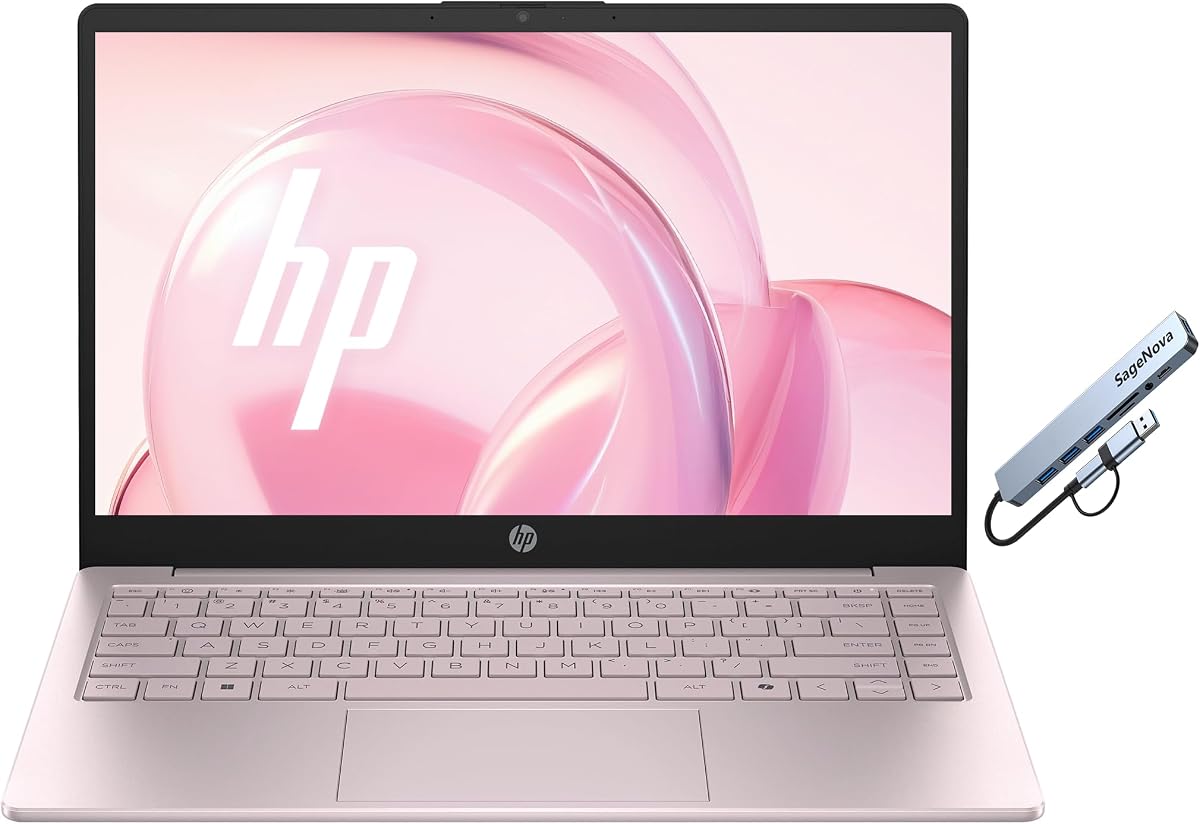
HP 14" Laptop for Home & Office
Honesty first: the Tranquil Pink HP 14-inch is not a primary CPA laptop. With 4GB of RAM, a 14-inch HD 1366×768 panel, and 128GB of UFS storage on an Intel N150, it is a secondary or student-light device. We still include it because the pack contains it—and because some readers specifically need a tiny, inexpensive Windows machine for portal logins, light Sheets work, and Microsoft 365 tasks while their main workstation stays at the office.
The N150 (4 cores, 4 threads, up to 3.6GHz, 6MB cache) is fine for boot-and-browse responsiveness in its class. What ruins heavy accounting is the 4GB memory ceiling. Modern browsers alone can consume that. If you attempt desktop Excel with multiple workbooks, you will spend more time waiting than working. Stick to one cloud app at a time, keep extensions minimal, and treat this as a travel companion for email and web ledgers only.
The display is sharp enough for text at HD resolution on a 14-inch panel, and anti-glare plus micro-edge styling keep it looking current. It is still a small canvas: freeze panes and strong zoom habits are mandatory. Ports—USB-C, two USB-A, HDMI, headphone jack—plus Wi‑Fi and Bluetooth cover classroom basics. A privacy shutter over the HD camera is the right hardware choice for any machine that might open bank portals in a dorm.
Windows 11 in S Mode territory (as commonly configured on this class) and Intel UHD Graphics 600 define the experience: multimedia and light creation are possible; professional analytics are not the mission. A one-year Microsoft Office 365 entitlement sweetens homework and invoice writing. The Copilot key keeps parity with Acer’s AI-ready messaging.
Recommend it only as a backpack secondary, a household shared PC, or a temporary bridge machine. If accounting pays your rent, put your budget toward the ThinkPad E16 or a 16GB/32GB HP instead and keep this pink chassis out of the primary role.
Checking client portals, signing e-documents, attending Zoom classes, and editing short Word docs. Not month-end closes for multi-entity clients.
Add a cheap USB-C hub and move files to cloud storage immediately. Close background apps ruthlessly. Consider it a terminal, not a workstation.
We may earn a commission at no additional cost to you.
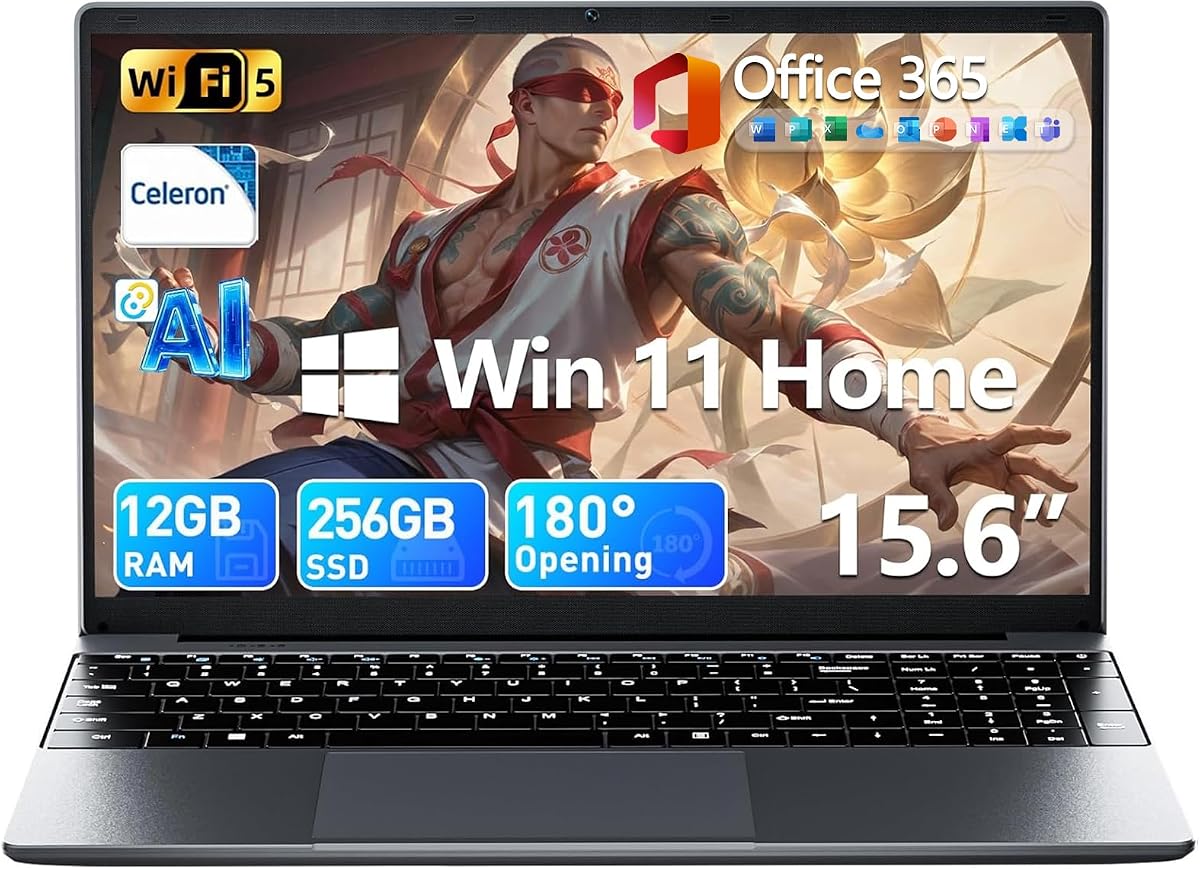
15.6'' AI Laptop with Office 365
This listing is the closely related twin to the gray 15.6-inch AI laptop earlier in the guide: Celeron J4105, 12GB DDR4, 256GB M.2 SSD, 15.6-inch FHD IPS, 7000mAh battery, 180° hinge, and Office 365. The higher 4.7 pack rating is the differentiator in the data we have, which may reflect seller experience, cosmetic variant, or review mix rather than a radically different motherboard. For buyers, the practical advice is to compare the live offer’s warranty wording, return window, and included subscription terms side by side with the gray ASIN before choosing.
As an accounting device, the same rules apply. Twelve gigabytes of RAM makes browser bookkeeping and homework realistic. The IPS Full HD panel is the right class of screen for reading numbers. The Celeron CPU remains the governor on performance—excellent for learning Excel functions and managing a sole-prop ledger, frustrating for large consolidations. AI writing and summarizing tools help with correspondence coursework more than with reconciliations.
The 180-degree hinge continues to be an underrated teaching and client feature. When an instructor or client needs to see your sheet, flattening the display beats swapping seats. Mini HDMI and Type-C cover classroom projectors and some monitors; confirm cable adapters if your classroom still expects full-size HDMI only.
Because two near-identical machines appear in this pack, do not overthink cosmetic differences. Obsess over the seller’s fulfillment method (ships from/sold by), whether Office 365 is a real redeemable entitlement, and whether you can return the unit easily if the keyboard feel disappoints. Budget laptops vary more in QC and support than in PDF spec sheets.
If you need a rated, inexpensive Windows 15.6-inch starter with Office included, this twin is easy to recommend inside that lane. If you need firm-grade RAM and ports, leave both Celeron twins behind and move to the ThinkPad or 32GB HP configurations.
Pick the offer with clearer warranty language, newer reviews mentioning Excel or Office activation success, and the color you will not mind seeing on video calls. Spec parity means support quality decides it.
Ideal for Principles of Accounting homework, Excel labs, and introductory QuickBooks courses. Supplement with cloud storage so group-project videos do not choke the SSD.
We may earn a commission at no additional cost to you.
This silver HP 17 business configuration is the memory-and-storage hammer in the pack. Thirty-two gigabytes of high-bandwidth RAM and a 1TB PCIe NVMe SSD are exactly what accountants ask for when they are tired of spinning-beachball multitasking. You can park large Excel files, a desktop accounting database, and a forest of Chrome tabs in memory while the 1TB drive keeps prior-year folders online without an external disk daisy chain. For desk-bound bookkeeping, that pairing can matter more than having the newest CPU marketing name.
The processor is an 11th Gen Intel Core i3-1125G4: four cores, eight threads, 8MB L3, base 2.0GHz and turbo up to 3.7GHz. It is competent and still widely deployed in offices, but it is not as modern as the Ultra 5 ThinkPad or the Core 5 120U HP also covered here. If your bottleneck has been RAM starvation rather than single-thread turbo, you will still feel a quality-of-life jump. If you recalculate enormous models all day, prioritize newer CPU generations even with less storage.
The 17.3-inch HD+ (1600×900) anti-glare panel at 250 nits and 60% NTSC is a classic business tradeoff: huge physical size, modest sharpness and color. For number grids it is workable at sensible zoom levels; for designers it would be a nonstarter. Accountants who care more about fitting columns on screen than about PPI often prefer this compromise, especially versus tiny 14-inch HD panels.
Windows 11 Pro is the right edition for many firms: device management, Group Policy, BitLocker-centric encryption workflows, Remote Desktop, and Active Directory/Azure AD friendliness show up in HP’s feature list. Ports include SuperSpeed USB-C, two USB-A, HDMI 1.4b, and a combo jack, plus Wi‑Fi and Bluetooth. It is a traditional office port map—not Thunderbolt-rich like the ThinkPad, but enough for a hub, mouse, and monitor.
We named it a top pick for RAM value because few machines in this peer set advertise a confirmed 32GB/1TB pairing at a business-pro software level. Accept the older i3 and softer resolution, and you get a desk workhorse that refuses to choke on parallel workbooks. Pair it with a good external keyboard if you want a better 10-key than the chassis offers, and you have a busy-season-ready station.
Choose this HP if you almost never leave your desk, want maximum RAM/SSD for the spend, and already own a dock/hub you like. Choose the ThinkPad if you need Thunderbolt, Ethernet onboard, and a newer Ultra platform for meetings and longevity.
Sit farther back than you would with a 14-inch ultrabook, bump Excel zoom, and consider a low-cost FHD secondary monitor if you review fine-print footnotes daily.
Enable BitLocker, use a unique sign-in PIN tied to your work account, and keep the webcam covered when idle. Pro features only help if you turn them on.
We may earn a commission at no additional cost to you.

Laptop Computer 15.6" Pentium Gold
This lightweight 15.6-inch machine earns its badge for a very specific reason accountants care about: a numeric keypad on a portable chassis. Most thin laptops delete the 10-key to save width, then quietly force you to buy an external pad that never stays in the bag. Here, budgeting, invoicing, and data-entry homework can happen at full speed without accessories. Combined with an FHD IPS anti-glare screen, that makes it a smarter school-and-small-business companion than raw CPU charts suggest.
Performance comes from a Pentium Gold 6500Y (up to 3.4GHz turbo) with 8GB of RAM and a 128GB SSD. The listing correctly markets 8GB as smoother than 4GB machines for Zoom, research tabs, and office apps. That is true—and still not the same as 16GB or 32GB professional configs. Keep workloads in the “student / solopreneur / cloud ledger” zone. The 128GB SSD demands discipline; offload lectures and archived returns to a TF card or external drive using the built-in card slot.
At roughly 3.4 pounds and 0.8 inches thin, it is travel-ready for campus, commute, or home. Wide viewing angles on the IPS panel help when a classmate needs to see your sheet. Ports are unusually complete for the weight class: dual USB 3.2, USB 2.0, full-function USB-C, charging USB-C, HDMI, TF card, and audio, plus Wi‑Fi 5 and Bluetooth 5.0. That map supports dual-monitor experiments and projectors without immediately buying a hub—though a hub still helps at a permanent desk.
The privacy shutter camera is a small adult feature on an otherwise student-priced device. Use it. Financial coursework and real client portals do not belong on an always-open lens in a dorm. The overall package feels aimed at school, work, and home versatility rather than enterprise IT imaging, so do not expect ThinkPad-style manageability.
With a perfect 5.0 pack rating, buyer sentiment looks strong for the intended audience. Our editorial stance: excellent keypad-equipped portable for learners and light freelancers; insufficient RAM/CPU headroom for seniors living in massive local Excel models. If the keypad is your must-have and you refuse to carry a 17-inch deck, this is the pack’s clever compromise.
Use the keypad for numeric strings and the top-row numbers for shortcuts you already muscle-memorized in Excel. Keep wrists straight; lightweight chassis sometimes invite couch posture that hurts by week three of semester.
Add a TF card for media, a USB SSD for client archives, and cloud sync for active workpapers. Those three steps postpone the need for a 1TB internal drive.
We may earn a commission at no additional cost to you.
Accountants hit RAM walls before they hit CPU walls. Browser ledgers, desktop Excel, PDF binders, and chat apps stack quickly. Eight gigabytes is survival for cloud-first students; sixteen gigabytes is the practical professional floor; thirty-two gigabytes is the comfort zone when you keep multiple heavy workbooks resident. Believe detailed spec bullets over flashy title banners when the two disagree.
If you key numbers for hours, a dedicated numeric keypad pays for itself in speed and accuracy. Large 17-inch business HPs and the lightweight Pentium model in this guide acknowledge that. Ultralights without a keypad are fine if you commit to a portable USB 10-key—just budget for one instead of discovering the annoyance in January.
A 17-inch HD+ panel shows more rows but fewer sharp pixels; a 15.6- or 16-inch Full HD IPS panel usually looks cleaner. Anti-glare coatings matter more than glossy “vivid” marketing for spreadsheet workers under office LEDs. If you can dock to an external monitor at home, the laptop screen becomes a secondary concern—but you will still use it in conference rooms.
Client financials deserve fingerprint login options, camera shutters, TPM, and ideally Windows 11 Pro when your firm uses BitLocker and directory management. Home editions work for students and sole props who rely on strong passwords and full-disk encryption habits, but Pro aligns better with multi-user policies.
Scanners, signature pads, external drives, and wired networks still appear in real offices. Ethernet on the ThinkPad, full USB-A retention on several HPs, and dual USB-C with DisplayPort on the slim Lenovo N100 model are the kinds of details that prevent dongle archaeology during a client visit.
A 1TB SSD is wonderful for local workpapers. A 128GB or 256GB drive can still work if you are disciplined with OneDrive, SharePoint, or Secure cloud storage and keep only active seasons online. Marketplace titles that claim fantastical capacities should be verified against the bullet specifications and the configuration picker.
For coursework and cloud ledgers, 8GB can function if you keep tabs under control. For professional desktop Excel with multiple sizable workbooks, start at 16GB. If you regularly open large multi-file models, Power Query caches, and a dozen portals at once, 32GB configurations like the ThinkPad E16 Gen 3 and the HP 17 with 32GB in this guide are the calmer choice. RAM upgrades are not always possible on modern slim laptops, so buy the floor you need up front.
Necessary depends on your keying volume. If you enter invoices, journal lines, or budget numbers for hours, a keypad is a quality-of-life feature that reduces errors and wrist contortions. Several 17-inch HPs and the lightweight Pentium 15.6-inch model include one. If you prefer a compact laptop, plan on a USB or Bluetooth number pad and keep it in the same pocket as your charger so it actually travels with you.
Solo freelancers can work happily on Home with strong passwords, disk encryption, and good backup hygiene. Firms that rely on BitLocker management, Remote Desktop norms, Group Policy, or Azure AD joining generally want Pro. The ThinkPad E16 Gen 3 and multiple HP business listings in this roundup ship with Pro for that reason. Match the edition to your IT policy rather than assuming Home is always enough.
Fifteen-point-six to sixteen inches of Full HD IPS is the balanced sweet spot for most people who still carry the laptop weekly. Seventeen-inch class machines shine when the laptop is your primary display and you hate horizontal scrolling. Resolution matters too: FHD looks sharper than HD+ on large panels. If you dock to a quality external monitor at home, you can prioritize keyboard and portability on the laptop itself.
QuickBooks Online and other cloud platforms run in the browser and are usually fine on efficient chips if RAM is adequate. QuickBooks Desktop and heavier local databases are more demanding; budget Celeron and N100/N150 systems in this guide are better as student or light-duty machines. Always check your exact software’s system requirements and leave headroom above the minimums.
Marketplace listings sometimes put peak configure-to-order marketing in the title while the bullets describe the SKU actually offered. Our HP 2026 17.3-inch example shows that tension. Always treat the detailed specifications and the variation dropdown as authoritative, and keep checkout screenshots for firm reimbursement records.
If you need confirmed 32GB DDR5, a 1TB SSD, Thunderbolt 4, Ethernet, and a modern Core Ultra 5 with business security features, yes—it is the most complete accounting-oriented package in this pack. If you never leave a desk and mostly want a giant screen plus a keypad, a 17-inch HP can be the more comfortable daily typer for less complexity. Worth is about workflow fit, not brand mystique.
If your office or home mesh already uses Wi-Fi 6/6E routers, a Wi-Fi 6 laptop reduces congestion pain when everyone is on video and syncing files during busy season. Older Wi-Fi 5 machines still work; they just share airtime less gracefully. Wired Ethernet—available on the ThinkPad E16 and the slim Lenovo N100 model—remains the reliability ace for desktop days.
Usually no. Students can prioritize Office inclusion, FHD screens, and fair battery life on midrange machines like the Acer Aspire Go 15 or the 12GB AI 15.6-inch models. Firm accountants should prioritize RAM, Pro security, ports, and durability. Buying a firm laptop for Accounting 101 overspends; buying a 4GB pink ultraportable for senior associate work underspends.
A vertical mouse or trackball for wrist comfort, a calibrated external monitor for long review days, a documented backup drive, and a quiet headset for client calls. If your laptop lacks a keypad, add one. If it lacks Ethernet, keep a USB-C Ethernet adapter in the bag. Accessories fix ergonomics; they cannot invent missing RAM.
For most working accountants in 2026, the Lenovo ThinkPad E16 Gen 3 is the pack’s most convincing primary machine: 32GB DDR5, 1TB storage, Core Ultra 5 intelligence features for meetings, and ports that respect docks and wired offices. If your world is a desk and a numeric keypad, the HP 17.3-inch business models—especially the high-memory 32GB/1TB configuration—make spreadsheet geography feel less claustrophobic.
Students and cloud-first freelancers can save money with the FHD 12GB AI laptops, the Acer Aspire Go 15, or the keypad-equipped Pentium portable, as long as they respect CPU and storage limits. Avoid treating 4GB-class ultraportables as primary firm devices.
Buy for the files you actually open in March, not the GPU you will never use. Verify configurations on the offer page, turn on encryption the afternoon the box arrives, and your next busy season will punish the software less—and the hardware almost not at all.