Best Balanced RTX Rig
ASUS ROG Strix G16 RTX 5060

- Intel Core i7-14650HX with GeForce RTX 5060 (Blackwell, DLSS 4)
- 16" FHD+ 165Hz/3ms panel with ACR anti-glare film
- 16GB DDR5-5600, 1TB Gen 4 SSD, Wi-Fi 7, vapor-chamber cooling
Expert Review & Guide
The under-1200 gaming laptop tier used to mean settling for last-gen GPUs and praying ray tracing stayed off. In 2026 that floor has moved: this pack includes Blackwell-class GeForce RTX 5050 and 5060 machines, a stretch ROG with RTX 5070 Ti, and a couple of AMD iGPU lids that still get marketed as gaming notebooks. The gap between those camps is the whole story—know which side of it you are shopping before the RGB and 165Hz badges blur your judgment.
We stick to ten Amazon pack products, in pack order, with no invented configs. On the discrete side you get the ASUS ROG Strix G16 with RTX 5060 and i7-14650HX, Acer’s Nitro V 16S pairing Ryzen 7 260 with RTX 5060 and 32GB DDR5, Lenovo’s Legion LOQ on RTX 5050, ASUS TUF F16 with a 115W-class RTX 5050, GIGABYTE’s Gaming A16, MSI’s Katana 15 HX with a rare QHD 165Hz panel, a second ROG Strix stacked with Ultra 9 275HX and RTX 5070 Ti, plus an older-leaning Acer Nitro V on RTX 4050 with only 8GB of RAM. On the integrated side: a Ryzen 7 H255 machine with Radeon 780M and 24GB memory, and a MALLRACE Ryzen 7 5825U 15.6-inch lid.
Buy discrete RTX when competitive shooters, DLSS, or creator CUDA work justify the heat and charger brick. Treat Radeon 780M / 5825U models as eSports-and-indie machines that travel lighter and sip power, not as Cyberpunk max-settings platforms. Prefer 16GB minimum for modern titles, 32GB when Chrome, Discord, and OBS never leave the tray. Prefer QHD or high-refresh WUXGA when you sit close; accept FHD+ when the GPU budget matters more than pixel density.


As an Amazon Associate we earn from qualifying purchases. We may earn a commission at no additional cost to you.
Start with GPU class—RTX 50-series discrete versus Radeon iGPU—then check RAM ceiling, panel refresh, and whether storage leaves room for a second SSD. Ratings reflect Amazon pack scores at capture time.
If you only remember one machine from this under-1200 roundup, make it the 2025 ROG Strix G16 on the i7-14650HX and GeForce RTX 5060. ASUS packed the configuration that actually maps to how most people play in 2026: a discrete Blackwell GPU with DLSS 4, a tall 16:10 FHD+ panel that refreshes at 165Hz with a 3ms claim, 16GB of DDR5-5600, and a full terabyte of Gen 4 SSD so your Steam library is not fighting the OS for space on day one. Windows 11 Home ships ready, and Wi-Fi 7 is a quiet flex that matters when you are the only one on a congested apartment router still stuck on older standards.
The cooling story is not brochure filler here. ROG calls out an end-to-end vapor chamber, tri-fan technology, and Conductonaut Extreme liquid metal on the chipset. In practice that stack is what lets a 16-inch chassis hold higher sustained clocks without sounding like a leaf blower the entire ranked session. Gaming laptops in this band often thermal-throttle after thirty minutes of open-world exploration; vapor-chamber designs tend to flatten that cliff so frame times stay readable instead of sawtoothing when the GPU finally warms the vapor loop.
Display-wise, FHD+ on a 16-inch 16:10 canvas is the pragmatic pick. You get more vertical HUD space than old 16:9 1080p lids, and 165Hz is enough headroom for competitive shooters once you drop settings that choke the 5060. The ACR film ASUS highlights is aimed at contrast and glare control—useful if your desk faces a window and you refuse to close the blinds for every evening raid. It will not match the pixel density of the Katana’s QHD panel or the Nebula 2.5K 240Hz sibling later in this list, but it also asks less of the GPU, which is the smarter trade when the GPU itself is the reason you bought the laptop.
Storage and multitasking land in the “good, not extravagant” zone. Sixteen gigabytes of DDR5-5600 is the current mainstream floor for AAA plus Discord plus a browser full of guides. It works. It is not the 32GB cushion on the Nitro V 16S or the higher-end Strix. The 1TB Gen 4 drive is the right size for a primary gaming SSD; if you archive 4K captures, plan an external or a second internal if the chassis allows later upgrades—verify the service manual before you buy assuming a free slot.
Cosmetically this is still ROG: a full-surround RGB light bar that syncs with the keyboard and ROG peripherals, plus Stealth Mode when you need the light show gone for a lecture hall or a client call. That duality matters more than marketing admits. Plenty of buyers in this budget use the same machine for classwork Monday and ranked Valorant Thursday. Being able to mute the RGB without diving into a third-party utility is a small quality-of-life win.
Who should skip it? Anyone who needs QHD sharpness as a non-negotiable, anyone already decided on AMD’s platform for Linux quirks or preference, and anyone who will immediately fill 16GB with Chrome tabs and OBS. For everyone else hunting a coherent RTX 5060 package under this keyword’s ceiling, the Strix G16 is the pack’s clearest “buy once, play modern titles” answer.
Competitive and mid-settings AAA players who want DLSS 4 on a trusted ROG cooling stack, plus students who need the same lid to look dull in Stealth Mode during daytime classes.
Install GPU drivers from NVIDIA before chasing Armoury Crate cosmetics. Set a manual fan or performance profile for long sessions, then drop to silent for browser work so the vapor chamber is not spinning up for Slack. Confirm Windows Game Mode and Hardware-accelerated GPU scheduling after the first reboot.
That sibling adds Ultra 9 275HX, RTX 5070 Ti, 32GB RAM, and a 2.5K 240Hz Nebula panel. It is the stretch halo. This 5060 model is the realistic under-1200 workhorse; chase the Ti only if listings still land in band and you will use the sharper panel.
We may earn a commission at no additional cost to you.

This Ryzen 7 H255 machine is what honest marketing should call an “iGPU gaming laptop,” not a discrete peer to the RTX 5060 boxes beside it. The AMD Radeon 780M, fed by a Zen 4 eight-core chip that boosts to 4.9GHz and a claimed 35–54W gaming power window, can push League, Valorant, Fortnite, and many indie titles at enjoyable 1080p-class settings. It will not replace a Blackwell 5060 for path-traced showcases. Buy it when battery life, thinner metal, and silence matter more than Cyberpunk max presets.
Memory is the secret weapon. Twenty-four gigabytes of dual-channel LPDDR5 at 6400MT/s is unusually healthy for an integrated-graphics notebook, because iGPUs carve framebuffers from system RAM. More fast memory means fewer stutters when Discord, Spotify, and a browser sit beside the game. The tradeoff is permanence: that LPDDR5 is onboard. You cannot drop in SODIMMs later the way you can on the Nitro V 16S or the 8GB Acer Nitro V that still has empty slots after an upgrade.
Storage starts at 512GB NVMe PCIe 3.0—fine for OS plus a handful of titles, tight if you collect multiplayer live-service games. The listing’s dual M.2 2280 story (each up to 2TB, 4TB combined) is the escape hatch. Budget a second SSD in your total ownership plan; otherwise you will be uninstalling to make room every patch Tuesday. Boot and load speeds still feel snappy versus spinning disks, but Gen 3 is not the Gen 4 speeds of the ROG and Nitro discrete models.
The 16-inch 1920×1200 IPS panel keeps the same taller 16:10 shape as many premium productivity lids, which helps for spreadsheets between matches and for seeing a bit more map vertically in strategy games. The all-metal A/D chassis and 180° flat hinge signal a travel-first design rather than a desk-bound RGB altar. Wi-Fi 6 and Bluetooth 5.2 cover campus and café networks; you lose Wi-Fi 7 bragging rights from the Strix units, which rarely matters outside bleeding-edge routers.
Ports are thoughtfully gamer-adjacent: dual full-function Type-C, HDMI 2.0, USB 3.2, TF slot, and a 3.5mm jack. That Type-C pair supports 20V/5A charging claims, so a single cable lifestyle is more realistic than on many thick RTX bricks. The 54.72Wh battery will not give desktop-replacement runtime under load, but for class notes and lighter play it beats most 115W discrete configs that barely survive YouTube unplugged.
Read the five-star pack rating with context—early or thin review pools can inflate scores. Judge the machine on category fit: strongest traveler and secondary laptop in this list, weak primary for GPU-bound AAA. If your library is mostly competitive multiplayer and creative apps that lean on the CPU, the H255 + 780M combo punches above its discrete-less status. If your wishlist is ray-traced single-player epics, keep scrolling to the RTX rows.
Aim for eSports titles, older AAA on medium, indie games, and light streaming. Use FSR where available. Leave path-traced showcases and heavy modded Skyrim lists to the discrete RTX machines.
Plan SSD expansion early. Memory is fixed at 24GB LPDDR5, so buy this SKU for the RAM it already has, not for a future stick. Keep a USB-C PD charger that matches the 20V/5A note if you travel light.
We may earn a commission at no additional cost to you.

MALLRACE’s LX15PRO-style Ryzen 7 5825U laptop is the pack’s reminder that “gaming laptop” on a product title does not guarantee a discrete GPU. The 5825U is a capable eight-core Zen 3 U-series chip that boosts to 4.5GHz and remains fine for browsing, Zoom, light editing, and older or well-optimized games. Its integrated Radeon graphics are a generation (and a philosophy) behind the Radeon 780M machine above and miles behind every RTX model here. Treat this as a versatile student notebook that can moonlight in lighter titles, not as a peer to the Strix or Nitro discrete configs.
Where MALLRACE spends the budget wisely is storage: a full 1TB M.2 NVMe SSD. That alone separates it from many bargain lids that ship 256GB and force cloud installs. Sixteen gigabytes of LPDDR4 is adequate for Windows 11 and a few Chrome profiles; it is slower fabric than the LPDDR5 on the H255 model, so multitasking feels a touch less elastic when games and browsers collide. The listing mentions dual-channel DDR4 upgrade language up to 64GB and SSD growth to 2TB—verify whether your exact unit uses soldered LPDDR4 or socketed modules before you count on that path, because marketing copy on white-label machines sometimes mixes chassis variants.
The 15.6-inch FHD panel is the standard shape for this price fantasy: serviceable, not a color-reference screen. Pair it with the numeric keyboard if you live in spreadsheets between matches. Ports include dual USB 3.2, HDMI, full-function Type-C, audio jack, TF slot, webcam, and a Type-C DC jack. Wi-Fi 6 is the right call for dorm congestion. None of that makes frames appear; it just means the laptop behaves like a normal modern PC when you are not gaming.
Battery capacity matches the H255 unit’s 54.72Wh class, with a claimed 2.5–3 hour full charge window. Unplugged gaming will drain it quickly if you push the APU, so plan for wall power during longer sessions. Thermals on slim generic chassis are usually quieter than ROG vapor-chamber towers but also less capable of sustaining high APU limits—expect fans to ramp, then clocks to settle into a mediocre but stable groove.
Brand expectations matter. ASUS, Lenovo, Acer, MSI, and GIGABYTE publish clearer BIOS update channels and longer driver histories. MALLRACE and similar house brands can be fine if the silicon inside is real and returns are easy through Amazon, but you should factor in thinner documentation and less polished control-center software. If after-sales calm is part of your purchase criteria, spend the discretionary dollars on a TUF or Nitro instead.
Buy the MALLRACE when you need a cheap-feeling (in a good way) do-everything 15.6-inch machine with a big SSD and will happily play Rocket League, Stardew, older RPGs, or cloud-streaming clients. Skip it when the keyword “gaming” in your head really means native ray tracing, DLSS frame generation, or high-refresh competitive shooters at high settings—those jobs belong to the RTX half of this list.
Secondary household PC, dorm generalist, or travel spare where a 1TB drive and Ryzen 7 CPU matter more than GPU pedigree. Keep expectations aligned with integrated graphics.
The H255 machine brings newer graphics (780M), faster LPDDR5, and 24GB memory. MALLRACE counters with a larger stock SSD and a classic 15.6-inch footprint. Prefer H255 for playable frame rates; prefer MALLRACE if storage-out-of-box is the bottleneck you feel today.
We may earn a commission at no additional cost to you.
Acer’s Nitro V 16S AI is the configuration I would hand to a streamer-in-training or a student who never closes tabs. Ryzen 7 260 up front, GeForce RTX 5060 with Blackwell features and a claimed 572 AI TOPS on the GPU side, and—critically—32GB of DDR5-5600 already installed. In a category where too many “gaming” SKUs still ship 8GB or stingy 16GB, that memory allotment changes how the machine feels during a three-hour session with OBS, a browser full of wikis, Spotify, and a Discord overlay all breathing at once.
The display is a strong match for the GPU. Sixteen inches of WUXGA (1920×1200) at 180Hz gives you the taller productivity-friendly aspect ratio plus refresh headroom beyond the common 144–165Hz band. Acer’s 100% sRGB claim matters if you grade thumbnails or edit short-form video between matches; it will not replace a factory-calibrated OLED, but it beats washed-out TN-era gaming panels that still haunt bargain bins. Pair 180Hz with DLSS 4’s Multi Frame Generation on supported titles and the Nitro stops feeling like a compromise laptop and starts feeling like a desk replacement.
Storage defaults to a 1TB PCIe Gen 4 SSD with a second M.2 slot free—exactly the layout power users want. Fill the first drive with OS and active games, park recordings or older libraries on the second. Note Acer’s memory footnote carefully: two DDR5 slots totaling a 32GB maximum, and this config already sits at that ceiling. You are buying finished RAM, not a starting point. That is fine if 32GB is your target; frustrating if you dreamed of 64GB later.
Platform flavor is AMD + NVIDIA, which is increasingly common and generally well supported in 2026. Acer leans on AI messaging for both the Ryzen 7 260’s overall TOPS story and the RTX 50-series neural rendering stack—DLSS Super Resolution, Ray Reconstruction, and Multi Frame Generation. For creators dabbling in local AI tools, the combination is more future-relevant than last year’s RTX 4050 Nitro further down this list. For pure esports, the extra RAM mostly just keeps background noise from hitching your frame time.
Wi-Fi 6 rather than Wi-Fi 7 is the connectivity concession versus ROG. Most home routers will never expose that difference. Wired Ethernet remains wise for ranked play regardless of brand—if your Nitro SKU’s port selection includes it on the chassis (check the live listing photos), use it. Thermals on Nitro V machines are typically loud-when-pushed rather than ROG-quiet-at-the-same-watts; use a firm surface, not a bedspread, and expect the fans to announce themselves in performance mode.
Choose the Nitro V 16S when memory headroom and a fast WUXGA panel matter as much as the GPU nameplate. Choose the ROG Strix 5060 when cooling pedigree, Wi-Fi 7, and brand ecosystem (Armoury Crate, ROG peripherals) matter more. Both are legitimate under-1200 discrete answers; they simply optimize different axes.
Thirty-two gigabytes of RAM plus RTX 5060 encoding/decoding blocks make dual-PC fantasies less necessary for 1080p streams. Keep the second M.2 for a dedicated capture/archive drive so game installs stay uncluttered.
Run competitive titles near native 1920×1200 with high refresh; use DLSS Quality or Balanced in heavy single-player games before you nuke shadows and reflections into oblivion.
That cheaper-feeling sibling is a generation behind on GPU and crippled by 8GB soldered starting RAM. The 16S AI is the Nitro worth prioritizing inside this pack if your budget can stretch to it.
We may earn a commission at no additional cost to you.
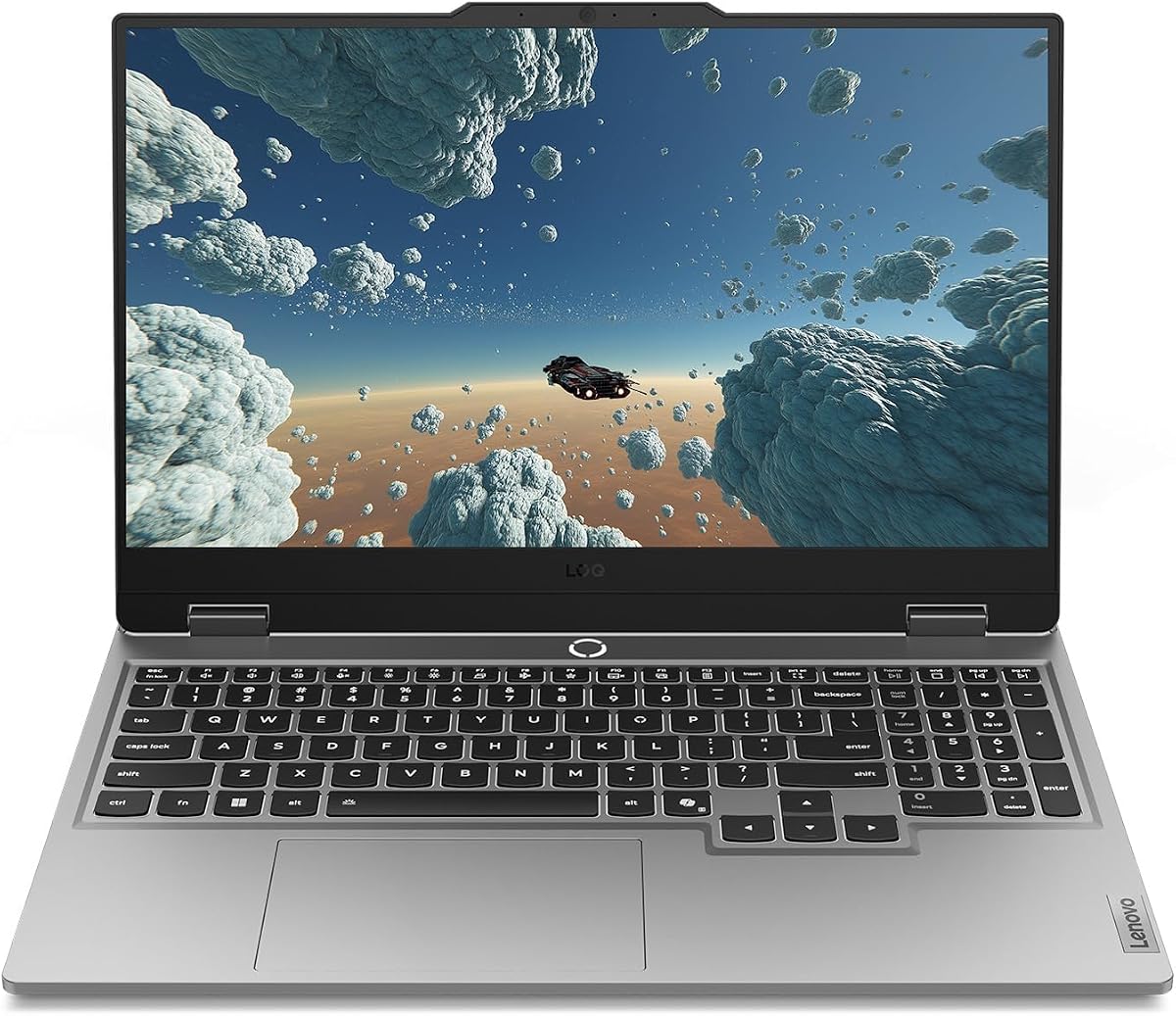
Lenovo positions the Legion LOQ as the on-ramp into “real” gaming—discrete NVIDIA silicon, Legion thermals, and AI Engine+ tuning without the full Legion Pro tax. This pack’s LOQ pairs an Intel Core i7-13650HX with a GeForce RTX 5050, 16GB of memory, and a 1TB drive behind a 15.6-inch FHD IPS panel that refreshes at 144Hz with G-Sync. That is a coherent mid-tier story: not the pack’s strongest GPU, but a legitimate Blackwell-era card in a chassis meant to leave the dorm desk.
G-Sync is the quiet hero. Many budget gaming laptops advertise high refresh rates yet tear under variable frame times. G-Sync ties the panel to the GPU’s output so motion stays smoother when you dip from 140 to 90 FPS in crowded fights. Combined with a straightforward FHD resolution, the RTX 5050 can hold more consistent rates than it would on the Katana’s QHD panel—different philosophy, still valid. If you sit further from the screen or care more about fluidity than pixel counting, LOQ’s display choice is rational.
Cooling uses Lenovo’s Hyperchamber language: turbo fans, copper heat pipes, vacuum-sealed thermal ideas, and AI Engine+ nudging CPU/GPU behavior. In the LOQ class that usually translates to “noticeably better than generic white-book thermals, still audible under load.” AI Engine+ also auto-tunes modes so less experienced buyers are not stuck in a silent profile wondering why Fortnite stutters. Power users can still override; beginners get a safety net.
The keyboard story is comfort-first: white backlight, full layout, soft-landing switches. It will not replace a mechanical desktop board, but for a 15.6-inch gaming laptop it is pleasant for both WASD sessions and essay nights. Luna Grey styling keeps the machine from screaming “RGB altar” in a lecture row—useful social camouflage the ROG light bar cannot match without Stealth Mode.
Battery features are unusually honest for the category. Smart Battery tech aims to reduce parasitic drain, and Rapid Charge Pro’s roughly 70% in under thirty minutes claim matters when you have a short café stop between classes. You still will not finish a AAA campaign unplugged—the RTX 5050 and HX CPU are wall-powered athletes—but the LOQ is friendlier about topping up than many thick 16-inch bricks.
Pick the LOQ when portability and a calmer design language beat raw 5060 horsepower. Pick a 5060 Nitro, Strix, Katana, or GIGABYTE when the game settings you care about are GPU-bound and you already have a desk home for a larger charger. The LOQ is the “carry four days a week” discrete pick in this set.
Use a slim sleeve, keep vents clear, and prefer performance mode only when plugged in. Lenovo’s charge-limiting options (where available in Vantage) help if the LOQ lives on AC at a dorm desk.
Excellent for esports and high settings at FHD in many titles; use DLSS and modest ray tracing in heavier games. Do not expect 5060/5070 Ti headroom for maxed native QHD.
We may earn a commission at no additional cost to you.

ASUS ROG Strix G16 RTX 5070 Ti
The second Strix G16 in this pack is the halo configuration: Intel Core Ultra 9 Processor 275HX, GeForce RTX 5070 Ti on Blackwell with DLSS 4 and Max-Q, 32GB of DDR5-5600, a 1TB Gen 4 SSD, and the ROG Nebula 16:10 2.5K panel running at 240Hz with a 3ms claim. If the 5060 Strix is the balanced recommendation, this is the “if the listing still qualifies, take it” upgrade path for players who notice pixel density and want headroom past the mid-stack GPUs.
That Nebula display changes the ownership feel. Jumping from FHD+ to 2.5K on a 16-inch canvas sharpens UI text, distant foliage, and competitive player models. The 240Hz ceiling is overkill for many GPU-bound story games and perfect for esports once you have the frames. ACR film again targets contrast and glare. Color enthusiasts and anyone editing on the same screen they game on will appreciate not needing an external monitor for casual creative work—though serious color work still deserves a calibrated external.
CPU and memory match the ambitions. Ultra 9 275HX is a high-thread HX-class chip aimed at both games and heavy background compiles or streaming. Thirty-two gigabytes of DDR5 means you are not playing RAM roulette when Premiere, Chrome, and a game client collide. The 1TB SSD is still the right minimum; creators should assume an external archive. Cooling repeats the ROG Intelligent story—vapor chamber, tri-fan, Conductonaut Extreme—so the higher TGP targets have a thermal budget that is at least designed in, not hoped for.
Connectivity and cosmetics mirror the 5060 Strix: Wi-Fi 7, full-surround RGB light bar, Stealth Mode for professional contexts. You are still buying a gamer-shaped object with a serious charger. Plan desk space and airflow; this is not the metal-slim H255 traveler.
Pricing reality belongs in the conversation even without quoting figures. RTX 5070 Ti + Ultra 9 + Nebula 240Hz configurations often climb out of bargain bins. This article’s keyword is under 1200—only pull the trigger when the live Amazon price still respects that ceiling, or consciously decide to stretch. A discounted 5070 Ti Strix can obsolete the need to upgrade for years; a full-price listing might make the 5060 Strix or Nitro V 16S the wiser money.
If you clear the budget gate, this is the pack’s performance ceiling: best GPU, best panel in the ROG pair, matched RAM. If you do not, fall back to the 5060 Strix or the 32GB Nitro without shame—those are the configurations this keyword was coined for.
You sit close to a 16-inch screen, care about 2.5K sharpness, play GPU-heavy singles, and find a deal that still fits the under-1200 brief. Otherwise the 5060 Strix captures most of the joy for less thermal and electrical drama.
Use 240Hz for Valorant-style titles. For cinematic games, cap refresh nearer to your average FPS or enable DLSS/frame gen so the Nebula is not showcasing stutter at half its rated Hertz.
We may earn a commission at no additional cost to you.
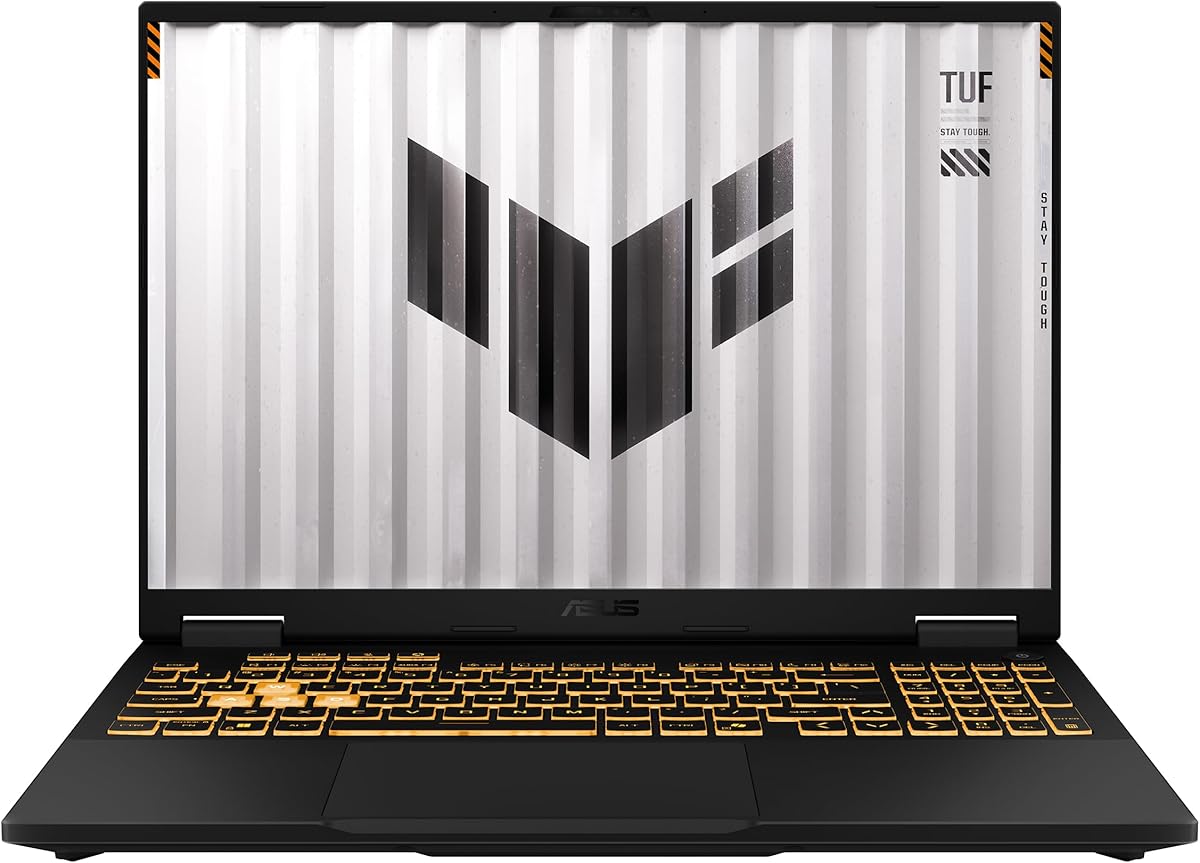
TUF exists so ROG can be flashy while someone still ships a durable discrete gaming laptop for people who throw backpacks into bus aisles. The 2025 TUF Gaming F16 in this pack runs an Intel Core i5-13450HX with a GeForce RTX 5050 listed at up to 115W Max TGP and NVIDIA Advanced Optimus. That TGP figure is the headline: not all RTX 5050 laptops are electrically equal, and a higher sustained wattage often matters more than a one-tier GPU name bump on paper.
Advanced Optimus helps the laptop switch between integrated and discrete paths for the internal display, which can improve battery behavior during light work and reduce some multiplexing inefficiencies. You still should not expect ultraportable runtime during gaming, but browser-and-docs days become less punishing than older MUX-forced-dGPU designs. Pair that with Wi-Fi 6E for cleaner 6GHz spectrum when your router supports it.
The 16-inch FHD+ 165Hz panel claiming 100% sRGB and Adaptive-Sync is a solid all-rounder. Adaptive-Sync covers the tearing problem G-Sync solves on the LOQ, via a slightly different badge. Color coverage at sRGB full is enough for hobby photo edits and YouTube. Competitive players get 165Hz headroom; single-player fans can lean on DLSS features in the RTX 50 stack where supported.
Durability marketing points at MIL-STD-810H testing. That does not make the laptop indestructible, but TUF’s reputation for reinforced hinges and less creaky lids is why students who actually commute prefer it over glass-fragile fashion notebooks. The embossed TUF logo cover stays visually quieter than ROG’s light bar circus—easier in offices that side-eye RGB.
Cooling uses 2nd Gen Arc Flow Fans with a full-width heatsink and vent. ASUS pitches efficiency without unnecessary noise; real-world results depend on surface and ambient temperature, yet the engineering intent is clear: keep the 115W-class GPU fed with air. Dust the vents a few times a year if you game daily.
The weak spots are predictable. The i5-13450HX is enough for gaming but not the pack’s CPU champion when you encode video while playing. The 512GB Gen 4 SSD needs an early upgrade plan or ruthless uninstall habits. Sixteen gigabytes of DDR5 matches the LOQ and 5060 Strix floor—fine, not lavish. If you want tougher plastics/metal attitude plus a hardworking 5050, TUF is the disciplined pick; if you want maximum GPU nameplate, look at the 5060 machines instead.
A 115W-class RTX 5050 can outpace a lower-watt 5050 in another slim chassis. When comparing listings, read the wattage notes, not only the GPU model string.
Assume you will add a second drive or migrate to a larger SSD within months if you collect modern multiplayer titles. Factor that tool time into the “out the door” ownership experience.
We may earn a commission at no additional cost to you.

GIGABYTE’s Gaming A16 tries to thread a needle: GeForce RTX 5060 performance inside a 19.45mm chassis that lays flat on a 180-degree hinge. On paper that is catnip for anyone who hates hauling a 30mm RGB fortress. The Intel Core i7-13620H, 16GB of DDR5, 1TB SSD, and 16-inch WUXGA 165Hz panel form a mainstream 2026 gaming spec that competes directly with thicker Nitro and ROG boxes on features—if thermals and power limits cooperate.
The hinge design is more than a gimmick. A 180° lay-flat mode helps share the screen on a coffee table, mount the laptop in awkward LAN-party geometries, or use the panel almost like a portable monitor when tethered to an external keyboard. Slimness helps backpackers. The engineering risk is always the same: thinner skins leave less room for vapor chambers and thick fin stacks, so sustained RTX 5060 wattage may land below chunkier peers even when the GPU name matches.
GiMATE is GIGABYTE’s AI-facing software pitch—an “intelligent interface” layer for control and personalization. Treat it as optional sugar. The gaming fundamentals still depend on NVIDIA drivers, Windows power plans, and whether the BIOS exposes useful thermal modes. If GiMATE helps you switch profiles painlessly, great; if it nags, uninstall and use manual controls.
The i7-13620H is a strong H-series chip for streaming-while-playing light loads, yet HX parts like the 14650HX in the Strix and Katana generally offer higher sustained CPU ceilings. For GPU-bound games the difference shrinks; for compilation-heavy or sim titles the HX machines pull ahead. Sixteen gigabytes of RAM is the recurring theme—workable, upgradable only if the board allows (confirm before purchase).
Rating context: a 3.9 pack score is the softest among the discrete options here. That can reflect QC variance, software rough edges, or a small sample. Do not auto-reject the A16, but do skim the most recent critical reviews for hinge flex, coil whine, or under-watt GPU reports. A slim 5060 is only a bargain if it actually holds 5060-like frame rates after twenty minutes.
Consider the A16 when the backpack profile and 16:10 165Hz screen matter and you are willing to research the specific CVHI3US894SH-class unit’s real TGP behavior. Prefer ROG or Nitro when you want safer community wisdom and louder cooling budgets.
Use a hard surface, undervolt or use manufacturer performance modes wisely, and monitor GPU watts with tools like NVIDIA overlay. If the laptop soft-limits hard, lower settings instead of chasing heat.
Buyers who want maximum sustained wattage, the highest CPU tier, or the most proven support forums in this pack should prioritize Strix, Nitro V 16S, or Katana instead.
We may earn a commission at no additional cost to you.
MSI’s Katana 15 HX (B14WFK-810US) is the pack’s answer to “I sit close and FHD looks soft.” A 15.6-inch QHD (1440p) panel at 165Hz with a claimed 100% DCI-P3 gamut is rare in under-1200 conversations that usually settle for 1080p. Backed by the same Core i7-14650HX and GeForce RTX 5060 class as the balanced Strix, the Katana shifts the budget toward pixels and color instead of a larger chassis or Wi-Fi 7.
Playing at QHD on a 5060 is a settings conversation, not a impossibility. Esports titles fly. Modern AAA looks excellent with DLSS 4 Quality/Balanced and selective ray tracing. Native QHD ultra without upscaling is where you negotiate shadows and foliage. That negotiation is worth it if crisp HUDs and wide-gamut color make you happier than a few extra FPS on a blurrier panel. Photographers who game will like the P3 pitch for casual grade-and-go work more than typical 45–60% NTSC budget screens.
Cooler Boost 5 with dual fans, multiple heat pipes, and a shared-pipe layout is MSI’s pitch for keeping both CPU and GPU in check. Katana as a sub-brand sits under Titan/Raider flagships, so expect competent rather than whisper-quiet thermals. Still, shared-pipe designs often stabilize frame times better than single-pipe budget coolers that roast the iGPU side while the dGPU starves.
The 4-zone RGB keyboard with highlighted WASD and a numpad covers gaming and spreadsheet dual use. MSI AI Engine and Copilot integration lean into the AI PC marketing wave—useful for mode switching and multitasking hints, ignore-able if you prefer manual control. Connectivity is a strong point: Wi-Fi 6E, RJ45 for wired tournaments, USB-C with DisplayPort and Power Delivery, and HDMI claiming up to 8K output for living-room hookups.
Sixteen gigabytes of DDR5 and a 1TB NVMe drive match the mainstream discrete kit. If you bought the Katana partly as a color-aware editor, remember RAM is the first wall you hit with Lightroom catalogs and Chrome. Check upgradeability on this board; many MSI 15-inch gaming units still allow SODIMM upgrades even when GPUs are soldered.
Pick the Katana when panel quality is your primary differentiator and you accept that a 5060 works harder at QHD than at FHD+. Pick the Nitro V 16S when you want more RAM and a taller 16-inch WUXGA canvas. Pick the 5060 Strix when Wi-Fi 7 and ROG cooling theater win. All three are sensible; the Katana is the sharpest 15.6-inch picture in the set.
Default to DLSS Quality in demanding titles, keep motion clarity features on, and only chase native QHD ultra in older or well-optimized games. Your eyes get the density either way.
Use the HDMI or USB-C DP output to a 1440p/4K external when home. Drive the sharp internal panel on the go, then park the laptop closed with an external keyboard if you want a mini desktop.
The 5070 Ti Strix Nebula jumps to 2.5K 240Hz with a stronger GPU. Katana is the affordable sharpness play that still fits the under-1200 brief more often.
We may earn a commission at no additional cost to you.

The Acer Nitro V 15 (ANV15-52-586Z class) is the pack’s entry discrete machine—and the one that most needs an asterisk. Intel Core i5-13420H and GeForce RTX 4050 can absolutely play current games at 1080p with DLSS 3.5 helping ray tracing and frame rates. The 15.6-inch FHD IPS 165Hz panel is the right shape for that mission. The problem is the 8GB DDR5 starting point in 2026: many titles plus Windows plus overlays chew that budget until stutters feel like a GPU problem when they are really a memory problem.
The hopeful detail is Acer’s dual-slot memory design with a 32GB maximum. Buying this laptop should almost always include a RAM upgrade plan on day one—populate both slots with a matched dual-channel kit for best behavior. Until then, close background apps religiously. The 512GB Gen 4 SSD should get the same honesty: either external storage or a second drive if the chassis exposes a bay.
Connectivity is a bright spot. Wi-Fi 6 covers wireless play, Killer Ethernet E2600 gives a low-latency wired path in café or dorm Ethernet drops, and Thunderbolt 4 brings dock, charge, and display flexibility rare on cheaper gaming bodies. If you want one cable to a home monitor-and-hub setup on weeknights, Thunderbolt is a sleeper feature the RGB brochures forget to emphasize.
Compared with the Nitro V 16S AI earlier, this model is older-leaning silicon (4050 vs 5060), smaller screen, and far less RAM. It exists for shoppers who find a deep discount and are willing to wrench in memory immediately. At similar asking prices to a 5050/5060 machine, skip it. The 4.5 pack rating shows many owners still have fun at 1080p—fun that gets better after the RAM ritual.
Thermals and noise on Nitro V 15 units are typical for the class: audible under load, fine on a desk, unhappy on soft bedding. Keep the backlit keyboard clean; the 82.64% screen-to-body claim is Acer’s way of saying the bezels are modern enough that the 15.6-inch panel feels immersive for its size.
Final sorting rule: treat this Nitro as a project laptop—great after upgrades, frustrating stock if you install ten launchers on 8GB. If you want open-box simplicity, the LOQ, TUF, Strix 5060, or Nitro 16S AI will waste less of your first weekend.
Order a dual-channel DDR5 kit toward the 32GB ceiling, clone or expand storage past 512GB, update NVIDIA drivers, then revisit in-game settings. The RTX 4050 deserves that foundation.
If you cannot open the machine or hate tinkering, do not buy this SKU. Choose any 16GB or 32GB discrete option above and pay for peace of mind.
We may earn a commission at no additional cost to you.

Decide your library before you decide your RGB color. GeForce RTX 4050/5050/5060/5070 Ti machines in this pack unlock DLSS, stronger ray tracing, and creator CUDA paths. Radeon 780M and older Radeon Graphics APUs unlock thinner chassis, quieter classrooms, and better unplugged manners for lighter titles. Mixing those categories in one keyword search is how buyers end up disappointed—filter mentally even when Amazon will not.
Sixteen gigabytes is the realistic minimum for discrete gaming with Discord and a browser alive. Thirty-two gigabytes, as on the Nitro V 16S and 5070 Ti Strix, is the comfort zone for streaming and heavy multitasking. Eight gigabytes, as on the entry Nitro V, is a temporary state you should plan to leave via upgrades. On LPDDR boards, what you buy is what you keep.
Refresh rate sells seats; resolution spends GPU cycles. 144–180Hz FHD or WUXGA keeps RTX 5050/5060 frames high. QHD 165Hz on the Katana looks sharper but asks for DLSS more often. The ROG Nebula 2.5K 240Hz panel is the visual flex when paired with RTX 5070 Ti. Prefer 16:10 shapes for taller HUDs and side study work; 16:9 15.6-inch panels remain fine for pure widescreen gaming.
Vapor-chamber ROG designs, Legion Hyperchamber, MSI Cooler Boost, and TUF Arc Flow each chase sustained clocks differently. Thinner 5060 laptops can share a GPU name with thicker ones yet deliver fewer watts. When two listings look identical, hunt for Max TGP or reviewer wattage notes. Also respect intake space—no bedspread gaming if you care about component longevity.
Wi-Fi 7 on the Strix units is forward-looking; Wi-Fi 6/6E remains plenty for most apartments. Wired Ethernet (Killer on the entry Nitro, RJ45 on the Katana) still wins tournaments. Thunderbolt 4 on the 4050 Nitro and full-function Type-C on several AMD lids change dock life. Weigh charger weight too: discrete HX machines punish shoulders; the metal H255 iGPU lid forgives them.
For 1080p-class and WUXGA panels, a GeForce RTX 5060 laptop GPU with DLSS 4 is a comfortable mainstream choice for most modern titles at high settings, with selective ray tracing. At QHD, plan to use DLSS or trim a few presets. It will not match a desktop 5060/5070 Ti at equal watts, but inside this under-1200 laptop band it is the workhorse tier represented by the ROG Strix G16, Acer Nitro V 16S, GIGABYTE A16, and MSI Katana.
Yes—if your library is eSports, indie, older AAA, or cloud streaming, and you value a lighter metal chassis and better unplugged manners. The Ryzen 7 H255 model in this pack, with 24GB LPDDR5, is the strongest integrated option here. No—if you expect native ray-traced showcases or high-refresh ultra presets. In that case every RTX discrete machine above it will feel transformative.
Aim for 16GB as a floor on discrete GPUs and treat 32GB as the sweet spot when you stream or keep dozens of tabs alive. Avoid living on 8GB. The entry Acer Nitro V can grow to 32GB via two DDR5 slots, but you should count that upgrade as part of the purchase. LPDDR designs (H255, MALLRACE) cannot be expanded the same way, so buy the capacity you need on day one.
One hundred forty-four hertz, as on the Legion LOQ, is still a large jump from 60Hz office panels and remains excellent with G-Sync. One hundred sixty-five to 180Hz on the Strix, TUF, Nitro V 16S, GIGABYTE, Katana, and entry Nitro adds a bit more motion clarity if your GPU can feed it. Two hundred forty hertz on the Nebula Strix is gravy for esports. Prioritize GPU tier and RAM before chasing Hertz bragging rights.
The first pairs an i7-14650HX with RTX 5060, 16GB DDR5, and a 165Hz FHD+ panel—our balanced pick. The second steps up to Ultra 9 275HX, RTX 5070 Ti, 32GB DDR5, and a 2.5K 240Hz Nebula display. Same family cooling ideas and Wi-Fi 7, very different performance ceilings and usually very different street prices. Only treat the 5070 Ti as an under-1200 contender when the live deal still qualifies.
Katana sits in MSI’s approachable gaming tier. This pack’s Katana 15 HX earns attention because of its QHD 165Hz 100% DCI-P3 screen plus a proper i7-14650HX and RTX 5060 pairing. Thermals use Cooler Boost 5 rather than ROG’s vapor-chamber headline. For many buyers the sharper panel outweighs brand hierarchy. Read recent reviews for coil whine or QC notes, as with any mid-tier MSI.
The 3.9 pack score is a caution flag, not an automatic disqualification. Slim RTX chassis sometimes trade sustained wattage or software polish for thickness wins. If you love the 19.45mm profile and 165Hz WUXGA screen, verify recent owner feedback on heat and real-world GPU power. If you want safer consensus picks, the Strix 5060, Nitro V 16S, or LOQ carry stronger rating clusters in this set.
Often, but not uniformly. Acer’s Nitro models document dual DDR5 slots (with stated maxima). Many MSI and ASUS gaming boards allow SSD swaps; some LPDDR AMD machines fix RAM permanently while still offering dual M.2 slots—as claimed on the H255 traveler. Always confirm the exact SKU’s service guide. Assume GPU silicon is soldered across this entire pack.
No. Wi-Fi 6 or 6E, as on most machines here, is enough when your router and interference environment cooperate. Wi-Fi 7 on the ROG Strix units is a welcome future-proofing feature, not a ranked-match requirement. For serious competitive play, wired Ethernet remains the gold standard whenever you can plug in.
Most discrete-focused shoppers should start with the ASUS ROG Strix G16 RTX 5060 for balanced performance and cooling, or the Acer Nitro V 16S AI when 32GB of RAM and a 180Hz WUXGA panel matter more. Choose the MSI Katana when QHD sharpness is the priority. Pick the Legion LOQ or TUF F16 when portability or durability outrank peak GPU naming. Consider the H255 Radeon 780M only with eyes open about iGPU limits, and treat the 8GB RTX 4050 Nitro as an upgrade project rather than a finished product.
Under 1200 in 2026 is no longer code for “weak GPU forever.” This pack shows a real fork: Blackwell RTX machines that can grow with your library, and AMD iGPU lids that win on travel and price of entry. The ASUS ROG Strix G16 with RTX 5060 remains the clearest all-rounder; the Acer Nitro V 16S AI is the multitasker’s discrete pick; the MSI Katana 15 HX is the sharp-screen specialist.
Be ruthless about RAM and storage footnotes. An 8GB or 512GB sticker price can erase a good GPU’s advantage before your first weekend is over. Equally, do not let a “gaming” label on a 5825U APU talk you into expecting RTX-class ray tracing.
Match the machine to the games you actually launch, re-check live listings against the under-1200 ceiling—especially on the 5070 Ti Strix—and spend your first hour on drivers and dual-channel memory checks. Do that, and any of the top discrete picks here can feel like a desk PC that still fits in a backpack.