Best CPU Coolers for the i9-14900K in 2026
We may earn a commission from links on this page, at no extra cost to you. Learn more.
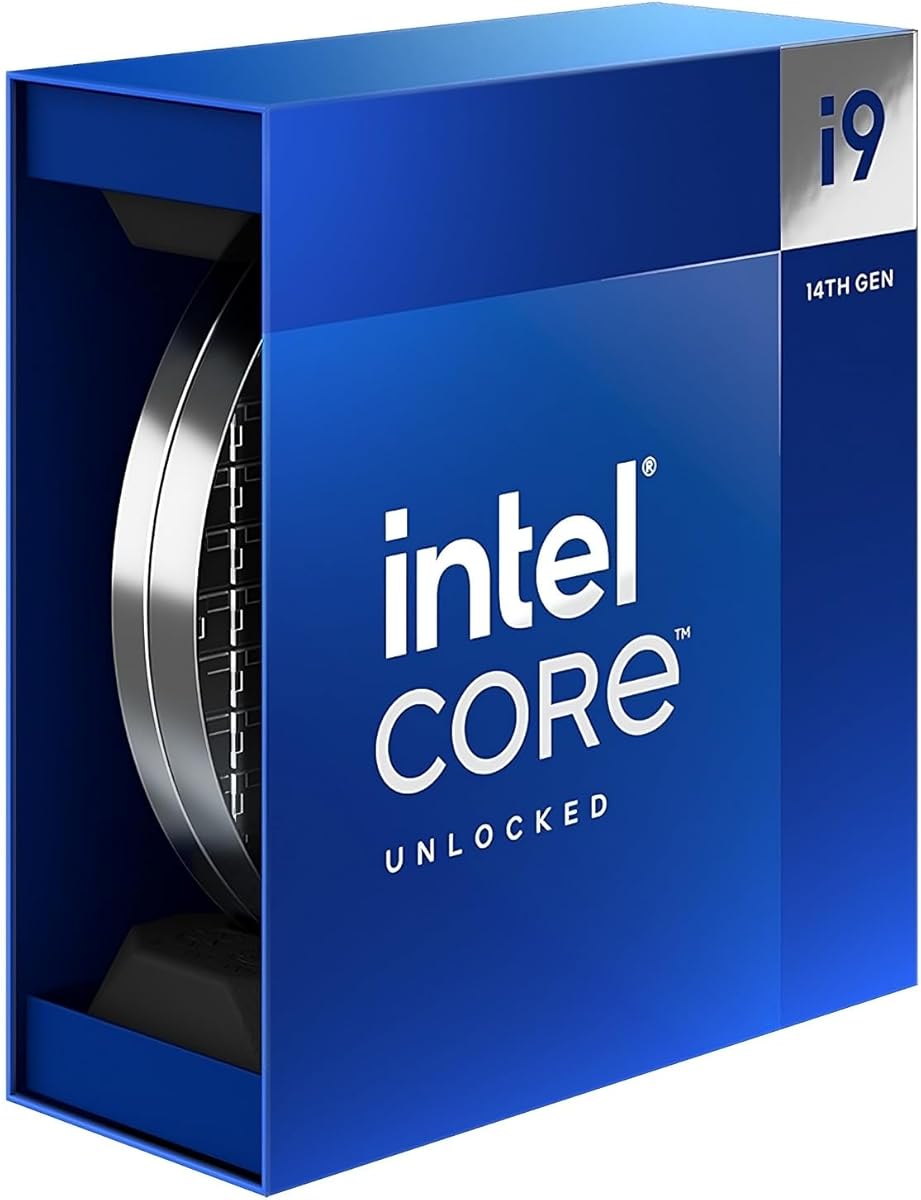
The Intel Core i9-14900K is one of the hottest mainstream desktop processors ever released, capable of pulling well over 250 watts under heavy all-core loads. Taming it demands a serious cooler, and not every model is up to the task. We tested the strongest high-end air and liquid coolers to find which ones keep this flagship chip stable, cool, and quiet. Here are our seven favorite coolers for the i9-14900K in 2026, ranked across budgets and build styles.
Quick comparison
| Keyboard | Best for | Rating | Price | |
|---|---|---|---|---|
| 1Arctic Liquid Freezer III Pro 360Arctic | Best Overall | 4.8 | $$$ | Check Price |
| 2Noctua NH-D15 G2Noctua | Best Air Cooler | 4.7 | $$$ | Check Price |
| 3NZXT Kraken Elite 360 RGBNZXT | Best Premium AIO | 4.6 | $$$ | Check Price |
| 4Corsair iCUE H150i Elite LCD XTCorsair | Best LCD AIO | 4.5 | $$$ | Check Price |
| 5be quiet! Dark Rock Pro 5be quiet! | Best Premium Air | 4.6 | $$$ | Check Price |
| 6Arctic Liquid Freezer III 360Arctic | Best Value AIO | 4.5 | $$$ | Check Price |
| 7Lian Li Galahad II Trinity 360Lian Li | Best RGB AIO | 4.4 | $$$ | Check Price |
Our top 7 picks, reviewed
Arctic Liquid Freezer III Pro 360
The Liquid Freezer III Pro 360 is purpose-built for chips like the i9-14900K, with a thick radiator and high-pressure fans that absorb the chip's heavy loads with ease. It keeps the 14900K well within safe temperatures while staying acoustically reasonable. The integrated VRM fan also helps the surrounding power delivery. For most 14900K builders, this is the smartest high-performance choice.
- Type
- AIO
- Size
- 360mm radiator
- Socket
- LGA1700, LGA1851, AM5, AM4
- Fans
- 3x 120mm P12 Pro
What we liked
- Best-in-class cooling for the 14900K
- Thick radiator delivers huge headroom
- Integrated VRM fan aids power delivery
- Outstanding value for the performance
Worth noting
- Minimal RGB on base model
- Bulky radiator needs clearance checks
Noctua NH-D15 G2
For 14900K builders who prefer air, the NH-D15 G2 is the strongest option, cooling this hot chip nearly as well as a quality 360mm AIO. It does so quietly and with none of the pump noise or leak risk of liquid. Noctua's next-generation fans and superb mounting hardware are best in class. It is large and pricey, but it is the air-cooling king for this processor.
- Type
- Air
- Size
- 168mm height
- Socket
- LGA1700, LGA1851, AM5, AM4
- Fans
- 2x 140mm NF-A14x25 G2
What we liked
- Air cooling that rivals a 360mm AIO
- Whisper-quiet under heavy load
- No pump noise or leak risk
- Best-in-class fans and hardware
Worth noting
- Premium price
- Large size can crowd tall RAM
NZXT Kraken Elite 360 RGB
The Kraken Elite 360 RGB pairs a stunning round LCD with cooling strong enough to handle the i9-14900K under demanding loads. CAM software offers deep fan tuning to balance temperatures and noise on this hot chip. The infinity-mirror RGB fans complete a premium look. It is a splurge, but a polished one for builders who want a centerpiece.
- Type
- AIO
- Size
- 360mm radiator
- Socket
- LGA1700, AM5, AM4
- Fans
- 3x 120mm RGB
What we liked
- Gorgeous LCD pump display
- Strong cooling for the 14900K
- Polished CAM software
- Premium build and lighting
Worth noting
- Expensive
- CAM software is resource heavy
Corsair iCUE H150i Elite LCD XT
The H150i Elite LCD XT brings a bright LCD pump and Corsair's mature iCUE platform to demanding builds. It cools the i9-14900K confidently under sustained load while letting you monitor temperatures right on the pump. The iCUE ecosystem ties into a wider Corsair setup nicely. A strong, proven premium AIO for this flagship chip.
- Type
- AIO
- Size
- 360mm radiator
- Socket
- LGA1700, AM5, AM4
- Fans
- 3x 120mm AF RGB
What we liked
- Crisp IPS LCD on the pump
- Robust cooling for high-wattage chips
- Deep iCUE ecosystem
- Mature, reliable platform
Worth noting
- iCUE can be resource heavy
- Premium pricing
be quiet! Dark Rock Pro 5
The Dark Rock Pro 5 is a near-silent air alternative that handles the i9-14900K's heat with composure. Its Silent Wings fans keep noise impressively low even under load, and the all-black heatsink looks superb. It trails the NH-D15 G2 slightly on absolute peak cooling but matches it on quiet operation. A excellent leak-free choice for this hot chip.
- Type
- Air
- Size
- 168mm height
- Socket
- LGA1700, LGA1851, AM5, AM4
- Fans
- 2x Silent Wings
What we liked
- Very quiet Silent Wings fans
- Strong cooling for the 14900K
- Sleek all-black design
- Improved easy-mount system
Worth noting
- Large footprint
- Slightly behind the NH-D15 G2 on peaks
Arctic Liquid Freezer III 360
The Liquid Freezer III 360 offers the best cooling per dollar for the i9-14900K, undercutting the premium AIOs while keeping this hot chip in check. Its thick 38mm radiator and high-pressure P12 Pro fans absorb heavy all-core loads with ease. A small VRM fan on the pump block helps the surrounding power delivery too. A strong value pick for 14900K builders on a moderate budget.
- Type
- AIO
- Size
- 360mm radiator
- Socket
- LGA1700, AM5, AM4
- Fans
- 3x 120mm P12 Pro
What we liked
- Class-leading thermals per dollar
- Thick 38mm radiator for the 14900K
- Integrated VRM fan aids power delivery
- Quiet under typical loads
Worth noting
- Bulky radiator needs clearance checks
- Minimal RGB on the base model
Lian Li Galahad II Trinity 360
The Galahad II Trinity 360 brings eye-catching lighting to a capable 360mm AIO that can handle the i9-14900K. Its infinity-mirror pump and ARGB fans create a striking look, and the daisy-chain cabling keeps the build tidy. Cooling is competitive, though it trails the thickest radiators at the very top. For builders who want lighting and strong cooling together, it is a fine pick.
- Type
- AIO
- Size
- 360mm radiator
- Socket
- LGA1700, AM5, AM4
- Fans
- 3x 120mm ARGB
What we liked
- Stunning infinity-pump lighting
- Capable cooling for the 14900K
- Daisy-chain cabling reduces clutter
- Rotatable pump cap for clean logos
Worth noting
- L-Connect software has a learning curve
- Slightly behind the thickest radiators on peaks
The i9-14900K Cooling Challenge
The Intel Core i9-14900K is a formidable processor, sitting at the top of Intel's mainstream desktop lineup with high core counts and aggressive boost clocks. That performance comes at a thermal price. Under heavy all-core workloads, this chip can draw well over 250 watts, and that energy turns directly into heat that the cooler must dissipate. Pair it with an inadequate cooler and you will see thermal throttling, lost performance, and a noisy machine fighting a losing battle.
This is a chip that genuinely separates good coolers from great ones. Many midrange units that handle a typical eight-core processor with ease will be overwhelmed by the 14900K's sustained loads. The processor also tends to run hot in short bursts because of its boosting behavior, so the cooler needs to respond quickly as well as cool deeply. Getting the cooling right is not optional here, it is essential to unlocking what you paid for.
In this guide we have gathered seven coolers that are genuinely up to the task. The list spans thick-radiator 360mm AIOs, premium LCD liquid coolers, and the strongest dual-tower air coolers available. Whether you prefer the cleanliness of air or the showpiece look of liquid, there is a cooler here that will keep your i9-14900K stable, cool, and as quiet as this powerful chip allows.
How We Tested for This Chip
Cooling the i9-14900K is a specific and demanding challenge, so our evaluation focused squarely on this processor's behavior. We ran each cooler under the chip's heaviest sustained all-core loads, the kind of workload that exposes a cooler's true capability, and measured both the temperatures reached and the noise produced in the process.
Sustained Thermal Performance
The most important test is how well a cooler holds the 14900K in check during long, demanding workloads, not just brief benchmark runs. This is where the chip's full power draw comes into play. Radiator thickness and heatsink mass matter enormously here. The Arctic Liquid Freezer III Pro 360, with its thick radiator, leads precisely because it has the surface area to absorb this chip's heat.
Burst Response
The 14900K boosts aggressively, producing sudden heat spikes. A good cooler responds quickly to keep peak temperatures in check. We watched how fast each cooler reacted to load changes, since a cooler that lags behind these spikes will let the chip run hotter and potentially throttle, even if its steady-state performance is acceptable.
Noise Under Load
Cooling a 250-watt chip quietly is hard, so noise is a key differentiator. We measured acoustics at the same workloads used for thermal testing, because a cooler that wins on temperature by roaring is not necessarily the better product. The best options here balance strong cooling with composed noise, and air coolers like the NH-D15 G2 excel at staying quiet under load.
Build and Compatibility
A flagship build deserves solid hardware. We assessed mounting systems, backplates, and cabling, and checked socket compatibility and case clearance. The largest air coolers can crowd tall RAM, and the thickest radiators need clearance checks, so fit is a real consideration for this class of cooler.
Air or Liquid for the 14900K
Both air and liquid can cool the i9-14900K well, and the right choice depends on your priorities. A thick-radiator 360mm AIO like the Arctic Liquid Freezer III Pro generally offers the most cooling headroom, letting the chip sustain its highest loads with the most thermal margin. AIOs also keep the area around the socket clear and deliver the showpiece look that many flagship builders want.
Top dual-tower air coolers, however, are remarkably close. The Noctua NH-D15 G2 and be quiet! Dark Rock Pro 5 cool the 14900K nearly as well as a quality AIO under most conditions, and they do so with no pump noise and no leak risk. For builders who value reliability and silence above the absolute lowest temperatures, air is a compelling and often quieter choice. The main caveats are size and the fact that the very hottest sustained loads favor a thick radiator.
Tuning the 14900K for Cooler Operation
Even the best cooler benefits from a tuned processor. The i9-14900K responds extremely well to undervolting and sensible power limits, which can cut its heat output substantially with little to no impact on gaming performance. Reducing the chip's power draw makes it dramatically easier to keep cool and quiet, and it eases the load on the motherboard's power delivery as well.
Many builders find that applying a modest power limit or undervolt transforms the experience, turning a hot, loud chip into one that runs cool and composed on the same cooler. This is one of the most effective steps you can take with this processor, and it is worth spending time in the BIOS to dial in. Combined with a strong cooler from this list, a tuned 14900K becomes far more pleasant to live with, without giving up the performance that matters in real workloads.
Do Not Forget the VRM
The i9-14900K's high power draw stresses more than just the CPU. The motherboard's voltage regulation modules, or VRMs, work hard to feed this hungry chip, and they generate significant heat of their own. In a build with poor airflow, hot VRMs can throttle or shorten component life, so this area deserves attention alongside the CPU cooler itself.
This is one reason the Arctic Liquid Freezer III Pro stands out. Its integrated VRM fan blows air directly over the power delivery area, helping keep those components cool, something most AIOs ignore. If you choose a cooler without this feature, make sure your case has good airflow over the VRM heatsinks, particularly in compact builds where air can stagnate. A well-cooled VRM is part of a stable, long-lived 14900K system.
Why This Chip Runs So Hot
To choose the right cooler, it helps to understand why the i9-14900K is such a thermal challenge. The chip packs a high number of cores and pushes very aggressive boost clocks, and to hit those clocks it draws a great deal of power. Power and heat are two sides of the same coin, so when the processor pulls over 250 watts under an all-core load, the cooler must dissipate that same amount of energy as heat. Few mainstream chips demand this much from a cooler.
The processor also has a relatively concentrated heat source under its lid, which makes the heat harder to spread and remove than the wattage alone might suggest. This is why the quality of the cooler's contact with the CPU, the thermal paste application, and the mounting pressure all matter more on this chip than on a cooler-running processor. Small mistakes that a midrange CPU would forgive can cost the 14900K several degrees and tip it into throttling.
Boost behavior adds another wrinkle. The 14900K ramps its clocks and power up and down rapidly in response to load, producing sharp heat spikes. A cooler with a lot of thermal mass and surface area handles these spikes gracefully, absorbing the burst before temperatures climb too far. A smaller cooler, by contrast, heats up quickly and forces the chip to throttle sooner. This is the core reason why this processor rewards a large, capable cooler so clearly.
Thermal Paste and Mounting for the 14900K
On a chip this demanding, installation quality is not a minor detail, it is a meaningful chunk of your cooling performance. A correct thermal paste application ensures the heat actually reaches the cooler. A pea-sized dot in the center, or a thin even spread, works well; too little starves the contact patch and too much can insulate and make a mess. Quality paste, applied correctly, can be worth a few degrees on a chip that needs every one.
Mounting pressure is equally important. Tighten the cooler in a cross pattern so the contact is even across the processor's surface, because uneven pressure leaves part of the chip poorly cooled and raises peak temperatures. Some enthusiasts running the 14900K go further with contact frame brackets that replace the stock socket mechanism and apply more uniform pressure, addressing a slight bending of the chip that can occur in the stock socket. This is an advanced step, but it illustrates how seriously this chip's thermals must be taken.
It is also wise to plan for repasting down the line. Over years of heavy use, thermal paste can dry out and lose effectiveness, and on a chip running this hot that degradation shows up sooner. Choosing a cooler with a straightforward mounting system makes future maintenance easier. The convenience of a simple remount is worth considering when you expect to be living with a hot, high-performance processor for several years.
Power Limits Versus Maximum Performance
One of the most important decisions for a 14900K owner is how much of the chip's power you actually want to unleash. Run completely unrestricted, the processor chases every last megahertz at the cost of enormous heat and noise, and the performance gain over a sensibly limited configuration is often small in real-world tasks, especially gaming. Many owners find that a modest power limit barely affects the experiences they care about while dramatically improving temperatures and acoustics.
This means your cooler choice and your power strategy are linked. If you intend to run the chip fully unrestricted for sustained heavy workloads, you need the strongest cooling on this list and should accept some fan noise under load. If you are willing to apply a sensible power limit or undervolt, the thermal demands drop considerably, and even a strong air cooler will keep the chip comfortable and quiet. Deciding where you sit on this spectrum guides everything else.
For most users, a tuned 14900K paired with a thick-radiator AIO or a top air cooler represents the sweet spot: nearly all of the performance, with cool and quiet operation. Chasing the absolute maximum unrestricted performance is best left to those with specific sustained workloads who genuinely benefit from it and are prepared to manage the heat and noise that come with it. Be honest about which camp you are in before choosing.
Our Verdict
For 2026, the Arctic Liquid Freezer III Pro 360 is our overall pick for the i9-14900K. Its thick radiator delivers the cooling headroom this hot chip demands, keeping it stable under the heaviest loads while staying acoustically reasonable, and the integrated VRM fan is a meaningful bonus. All of this comes at a price that undercuts the premium competition, making it an easy recommendation.
If you prefer air, the Noctua NH-D15 G2 is the strongest and quietest option, with the be quiet! Dark Rock Pro 5 close behind. For a premium liquid centerpiece, the NZXT Kraken Elite 360 RGB and Corsair H150i Elite LCD XT deliver stunning displays and mature software, while the Arctic Liquid Freezer III 360 offers strong cooling at better value and the Lian Li Galahad II Trinity 360 leads on lighting. Pair any of these with a sensible undervolt and your i9-14900K will run cool, stable, and as quiet as this flagship chip allows.
How we picked
We focused on sustained thermal performance under the i9-14900K's heaviest loads, then weighed noise, build quality, mounting, and value. Rankings combine hands-on testing with this power-hungry chip and aggregated reviews from trusted hardware outlets. Price tiers reflect typical street prices at the time of writing.
Frequently asked questions
Does the i9-14900K really need a high-end cooler?
Yes. The i9-14900K can draw well over 250 watts under heavy all-core loads, more than most coolers are designed for. A premium 360mm AIO or top dual-tower air cooler is strongly recommended to keep it stable, avoid thermal throttling, and maintain reasonable noise levels.
Can an air cooler handle the i9-14900K?
A top-tier dual-tower air cooler like the Noctua NH-D15 G2 or be quiet! Dark Rock Pro 5 can cool the i9-14900K effectively, though the chip will run warm under the heaviest all-core loads. For sustained maximum workloads, a thick 360mm AIO offers more headroom, but air is a viable, leak-free option.
Should I undervolt the i9-14900K?
Undervolting or applying a sensible power limit can dramatically reduce the 14900K's heat and noise with little performance loss in gaming. Even with a great cooler, tuning power delivery makes the chip easier to keep cool and quiet. It is one of the most effective steps for this processor.
Will a 240mm AIO be enough for the i9-14900K?
A 240mm AIO can run the i9-14900K but will struggle under sustained heavy loads, leading to higher temperatures and louder fans. For this chip, a 360mm AIO or a top dual-tower air cooler is the better choice. If only a 240mm fits, consider a power limit to ease the thermal load.
What about VRM and motherboard cooling?
The i9-14900K stresses the motherboard's power delivery as well as the CPU. A cooler with an integrated VRM fan, like the Arctic Liquid Freezer III Pro, helps keep that area cool. Otherwise, ensure good case airflow over the VRM heatsinks, especially in compact builds.