Best Overall Workspace
Dell 16 Touch 32GB Core 7

- Core 7 150U (10-core, up to 5.4GHz) with 32GB DDR5-5200
- 16" FHD+ 1920×1200 touch at 300 nits plus number pad
- 1TB SSD, fingerprint reader, Copilot key, Windows 11 Pro
Expert Review & Guide
Sixteen inches is where a laptop stops apologizing for being a portable monitor that also types. The best 16 inch laptops in 2026 lean on taller 16:10 panels, full-size keyboards with number pads, and enough desk presence that dual-monitor envy fades for everyday Office and coding layouts. You feel it the first time a spreadsheet shows more rows without scrolling, or a IDE and browser sit side by side without becoming postage stamps.
This roundup sticks to ten Amazon pack products—no fantasy configs. At the top end sit a Dell 16 with Core 7 150U, 32GB DDR5 and a 1TB SSD, ThinkPad L16 AI PCs with Ultra 5 225U, Thunderbolt 4, and MIL-STD language, plus an HP ProBook 465 G11 on Ryzen 7 7735U with Wi-Fi 6E and RJ-45. In the middle: a Dell 2K-touch Cloud Blue model, a Lenovo 2026 everyday i5 with 16GB DDR5, and generic Core i5 16:10 notebooks bundling Office. At the floor: AMD A9 and Pentium-class 8GB machines that prove a large panel alone does not make a workhorse.
Buy a 16-inch machine when vertical workspace and keypad comfort beat backpack minimalism. Prefer ThinkPad or ProBook DNA when you travel hard and need Ethernet or Thunderbolt. Prefer the 32GB Dell touch when memory headroom is the pain you are solving. Treat no-name A9/Pentium lids as secondary appliances. Reviews follow pack order with those tradeoffs spelled out in plain language.


As an Amazon Associate we earn from qualifying purchases. We may earn a commission at no additional cost to you.
Scan panel shape (16:9 vs 16:10), memory, and whether you are looking at a ThinkPad/ProBook-class tool or an entry A9/Pentium shell before diving into reviews.

A sixteen-inch FHD IPS panel on a student budget is the appeal—and the trap—of this gray AMD A9 notebook. The screen gives you movie-night scale and readable documents; the A9-9400 processor with boosts up to 3.2GHz and 8GB of RAM define a light Office-and-browser diet. Marketplace copy promises stutter-free productivity software; translate that as Word, slides, and streaming, not as Visual Studio solution builds or Premiere timelines.
Storage at 256GB SSD is adequate if cloud homework is the norm. The micro TF slot is a practical overflow valve for lecture recordings. Dual-band Wi-Fi 5 and Bluetooth 5.0 are a generation behind the ProBook’s Wi-Fi 6E but still fine for many home routers. Ports—dual USB 3.0, Type-C, HDMI, DC charge—cover the basics without Thunderbolt dreams.
Battery marketing around 9000mAh plus a cooling system suggests the vendor knows 16-inch students sit through long library days. Believe runtime directionally; pack the 12V charger anyway during finals. Anti-glare coating helps under fluorescent stacks of desks. Color and brightness will not match Dell’s 2K ComfortView Plus unit, but neither does the intent.
The perfect 5.0 pack rating likely reflects buyers who wanted a big cheap screen and got exactly that. It should not be read as parity with ThinkPad L16 keyboards or Dell 32GB multitasking. Warranty is listed as a one-year limited promise—keep proof of purchase.
Who it fits: a household secondary PC, a middle-schooler with light portals, or a dorm backup when the main machine dies. Who it fails: engineering majors, analysts opening heavy Excel models, and anyone comparing it blindly to the Core 7 Dell later in this guide.
Buy only with eyes on the silicon generation. A large panel is wonderful; an aging A9 inside it still ages. If your budget can stretch to the Lenovo everyday i5 or ProBook Ryzen 7, your future self will send fewer “why is this slow” texts.
Use one browser profile, prefer web Office, and keep a TF card for media so the SSD stays nimble. Close Slack when you are not on call.
If you already know you keep twenty tabs and a second monitor fantasy, skip straight to 16GB+ machines in this list. The A9 unit cannot invent memory it does not have.
We may earn a commission at no additional cost to you.

Cloud Blue paint and a 16-inch 2K 16:10 touchscreen make this Dell the looker of the pack. Pixel density jumps past plain FHD, and the taller aspect ratio shows more of your document before you scroll. Touch turns slide rehearsals and PDF markup into finger-friendly tasks on a surface large enough to be useful—not a phone-scaled gimmick.
Intel Core 7 150U with 16GB DDR5 and a 1TB SSD is the grown-up everyday configuration: responsive for multitasking, spacious for years of client folders, and paired with Intel graphics that handle video calls and light creative filters. Adaptive thermals that sense a stable desk surface are a quiet Dell nicety—boost when parked, behave when perched awkwardly.
ComfortView Plus targets blue-light comfort without turning the panel into a mustard filter. The up-to-FHD camera with WDR and temporal noise reduction is aimed at hybrid meetings in imperfect lighting—noticeably more ambitious than 720p checkboxes on budget gray laptops. Windows 11 Home fits personal and student buyers; IT-managed shops may prefer the Pro-equipped Dell 32GB model.
One year of basic onsite service is the support differentiator against generic 16-inch imports. When something fails, a brand path matters. That alone can justify choosing Dell over an anonymous A9 shell with a similar diagonal.
Compared with the 32GB Dell touch later, you trade memory headroom for a sharper 2K panel story (confirm exact resolution branding on the offer—2K on 16:10 is the headline here). Compared with ThinkPad L16, you trade MIL-STD Thunderbolt business armor for consumer color and that display pop.
Buy it when the screen is the reason you wanted sixteen inches—sharpness, touch, and comfort. Step to the 32GB Dell or ThinkPad when VMs, Pro OS, or docking via Thunderbolt dominate your week.
Enable ComfortView schedules if you write at night, and test the FHD camera once on Teams before a high-stakes interview. Lighting still matters more than megapixels.
Stay on Home for family and school. If BitLocker-centric device management is required, prioritize the Win 11 Pro Dell or ThinkPad configurations in this same guide.
We may earn a commission at no additional cost to you.

Lenovo’s 2026 Everyday branding is accurate: this is the 16-inch you buy when you need modern Intel cores, enough DDR5 to keep Chrome polite, and a half-terabyte SSD without paying for ThinkPad chrome. An 8-core 13th Gen Core i5 with 16GB DDR5 handles home-office multitasking, light content creation, and classwork with composure. It will not replace the Ultra 5 L16 for enterprise docking, but it will replace a tired 8GB laptop from 2019 with room to spare.
The 16-inch FHD+ panel is the lifestyle upgrade—more spreadsheet visible, more comfortable movie scaling, less squinting than 14-inch HD leftovers. Copilot in Windows 11 is present for drafting and summarization assist. “Beat heavy workloads” marketing should be read relative to N-series netbooks, not relative to HX workstations.
Families and freelancers who want a Lenovo-shaped known quantity without configuring Thunderbolt docks will land happily here. Confirm ports, webcam, and keyboard backlight on the live listing because everyday SKUs sometimes vary by seller bundle. 512GB is enough for Office and a photo library; archivists still want external drives.
Stack against the generic Core i5 Office Pro machine: Lenovo brand support and 13th Gen clarity versus a possible Office 2024 bundle and RJ-45 on the no-name. Stack against ThinkPad L16: fewer enterprise ports and durability claims, better “just buy it” simplicity for home.
Performance stays in the U/P mainstream lane—great for Word, Excel, browsers, light Adobe, Zoom. Persistent VMs and big compiles belong on higher-TDP machines. Thermals in a 16-inch chassis usually have more room to breathe than 13-inch ultraportables, which helps sustained i5 boosts feel less choked.
Recommend it as the default non-ThinkPad Lenovo for households upgrading to a big Windows screen in 2026. Skip up to L16 or Dell 32GB when your job title includes “analyst,” “admin,” or “I live on Ethernet.”
Excellent as the family shared PC that also covers parental remote work. Create separate accounts so school games and work files do not collide on the 512GB drive.
You get Copilot assistance inside Windows; you do not automatically get the highest-TOPS Copilot+ NPU story reserved for Ultra/Snapdragon AI PC SKUs. Still useful for drafting—just know the tier.
We may earn a commission at no additional cost to you.
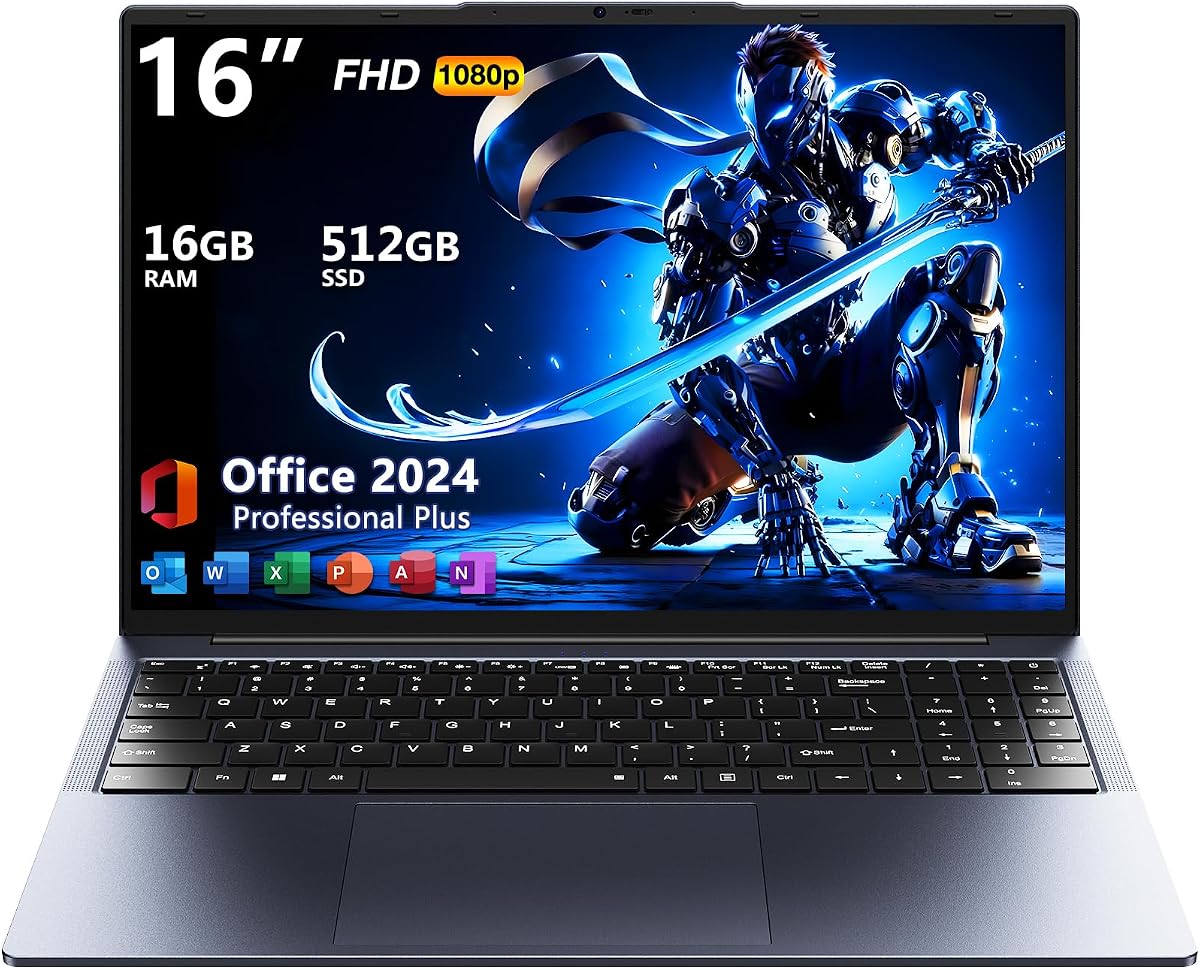
Space gray, 16:10, 1920×1200, 16GB RAM, 512GB SSD, Windows 11 Pro, Office 2024, RJ-45, triple USB-A, HDMI, backlit keyboard—this generic Core i5 notebook reads like a checklist printed by someone who actually uses Excel offline. For buyers allergic to Microsoft 365 subscriptions and flaky cafe Wi-Fi, that checklist matters. The vertical pixels alone make it feel more “workstation-lite” than a 16:9 movie slab.
The unspecified Core i5 generation is the fog. Some marketplace i5s are modern enough; others are older Y-series sippers. Judge the listing’s detailed CPU string carefully at checkout, and return quickly if the about text does not match the invoice unit. Sixteen gigabytes of RAM remains the best insurance regardless of exact i5 age.
Wired Ethernet is the feature enthusiasts forget until Zoom Week in a hotel. Triple USB-A means mouse, headset dongle, and flash drive without a hub. HDMI covers projectors. Backlighting saves eyes in dim lecture halls. Pro OS enables BitLocker-centered hygiene for freelancers carrying client data.
Why the middling rating? Generic 16-inch chassis quality varies—keyboards, hinges, and BIOS polish are not ThinkPad-grade by default. You are shopping value features, not heirloom build. Inspect hinge resistance and keyboard keycaps on arrival.
Against HP ProBook: fewer brand management tools and likely weaker AMD multi-thread muscle than Ryzen 7 7735U. Against ThinkPad L16: no Thunderbolt pair, no 400-nit Eyesafe storytelling. Against the A9 machine: vastly more serious for real work if the i5 is contemporary.
Buy it when Office 2024 + Ethernet + 16:10 in a Pro shell is the brief and you will validate the CPU generation. Prefer named Dell/HP/Lenovo business lines when support tickets must be boring.
Screenshot the CPU model, RAM, and SSD on the offer page. After delivery, confirm in Windows Settings → System → About before the return window shrinks.
Activate Office 2024 and create a local admin backup account. Offline licenses are wonderful until a single profile corrupts—redundancy is cheap insurance.
We may earn a commission at no additional cost to you.

This configuration is a puzzle box: a big modern-shaped 16:10 1920×1200 IPS panel wrapped around an Intel Core i5-8210Y, a low-power Y-series chip from an earlier generation with roughly 7W design intent. Sixteen gigabytes of RAM tries to paper over CPU age for tab multitasking, and it partially works—for browsing and documents. Ask it to export video or compile and the Y-series heritage shows.
Why does it exist? Vendors chase the 16-inch keyword with whatever boards they can kit with tall panels. Buyers win a comfortable screen and Pro/Office software story; they lose modern multi-core pep. The 256GB SSD is another constraint—use cloud archives from week one.
Thin-and-light messaging fits the low-power silicon: cooler palms, quieter fans, longer unplugged reading. That is genuinely nice for lecture note reviews. It is not nice when a professor assigns local VMs. Match the machine to reading-heavy courses, not to engineering toolchains.
Windows 11 Pro and an Office suite inclusion make it look business-ready on paper. Pair that with realistic performance expectations and it can serve as a traveling document terminal. Pair that with denial and you will be shopping again mid-semester.
Compared with the 13th Gen Lenovo everyday i5, this Y-series unit is the one to avoid for “beat heavy workloads” claims. Compared with Pentium/A9 8GB lids, the 16GB RAM and 16:10 panel are still nicer for text—just do not confuse nicer with faster at everything.
Consider it only if the panel shape and Pro/Office bundle are irresistible and your workload is gentle. Otherwise redirect to Core 7 Dell, Ryzen 7 ProBook, or Ultra 5 ThinkPad options that honor a 16-inch ambition with contemporary CPUs.
PDFs, web LMS, Word, light Excel, streaming lectures. Not: Android emulators, Docker, CAD, or long media exports.
Low wattage can make lap use more comfortable than H-series machines. Enjoy the quiet; do not invent horsepower that is not there.
We may earn a commission at no additional cost to you.
If the point of a 16-inch laptop is to become your desk, this Dell is the pack’s most complete consumer-pro answer. Intel Core 7 150U with ten cores and turbos up to 5.4GHz, 32GB of DDR5-5200, and a 1TB NVMe SSD erase the usual Amazon regrets. Financial analysts, project managers, and graduate researchers who keep “just one more” spreadsheet open will feel the memory ceiling disappear.
The 16-inch 1920×1200 touchscreen at 300 nits delivers that famous ~11% vertical gain over 16:9 FHD. Pinch-to-zoom through decks, scribble prioritization on PDFs, then drop back to the backlit keyboard with number pad when it is time to enter figures. ComfortView blue-light reduction targets marathon Excel evenings. Fingerprint login and a Copilot key keep the 2026 ritual fast.
Windows 11 Pro brings the encryption and remote tools freelancers grow into. Boot claims around ten seconds match NVMe expectations. The machine is marketed for VMs and large media files—plausible at 32GB—though a discrete GPU still wins for serious 3D. Intel graphics remain the ceiling for frames and CUDA dreams.
Versus the Cloud Blue 2K Dell: you trade some display sharpness for double the RAM and Pro OS in this configuration narrative. Versus ThinkPad L16: you trade Thunderbolt dual / MIL-STD storytelling for a very strong memory/storage punch and touchpad-driven consumer polish. Many home-office pros will still pick this Dell first.
Thermals on a 16-inch U-series Dell are generally civilized on a desk; use the adaptive-surface thinking Dell promotes on sibling models and give the vents space on soft bedding. Sustained exports will still warm the chassis—that is physics, not failure.
Best Overall Workspace because it aligns screen shape, touch, keypad, RAM, SSD, and Pro software without dragging you into workstation pricing. Choose ThinkPad when docks and durability certifications dominate; choose ProBook when you want Ryzen multi-thread and Wi-Fi 6E Ethernet pragmatism.
Consultants, analysts, grad students, and small-business owners who live in browsers + Office + light VMs and want one 16-inch machine to rule the dining table.
Enroll fingerprint, enable BitLocker, map Copilot, and calibrate touch once so accidental palm hits do not rewrite your budget sheet.
We may earn a commission at no additional cost to you.
ThinkPad L16 sits in the sweet band above E16/ThinkBook aspirations without T16 flagship stretch, and this touch configuration makes that pitch tangible. Intel Core Ultra 5 225U (12 cores, up to 4.8GHz) with AI PC features, 32GB DDR5, and a 1TB SSD is enterprise-practical horsepower. The 16-inch WUXGA touch panel at 400 nits with Eyesafe 2.0 anti-glare is built for offices that wash out dimmer screens.
Dual Thunderbolt 4 is the career port. One cable to a dock can mean power, displays, and Ethernet adapters in a bag that still only carries the laptop. HDMI supports additional external monitors—Lenovo cites expansion up to three externals depending on mix. IR webcam enables face login rituals that beat typing passwords in client lobbies. Numeric keypad keeps finance users loyal to ThinkPad layouts.
MIL-STD-810H testing language and rapid charging toward roughly 80% in an hour match consultant realities: airport carpet, rideshare seats, short gate-top-ups. Battery life claims land in the long-day category when loads stay reasonable. Windows 11 Pro is the correct edition for BitLocker and management.
AI capabilities on Ultra 5 support modern Copilot experiences without forcing Snapdragon app audits. Intel graphics handle business visuals; creators needing color-critical OLED or CUDA should look at creator/workstation roundups instead.
Versus Dell 32GB: ThinkPad usually wins keyboard feel, Thunderbolt dual, and durability narrative; Dell may win pure consumer touch exuberance depending on unit. Versus ProBook Ryzen 7: L16 pushes Thunderbolt/AI Ultra features; ProBook pushes RJ-45 simplicity and Radeon multi-thread value.
Buy the L16 when your 16-inch laptop is a business instrument—docks, travel, encryption, keypad—not a dorm movie slab. It is the tank badge for good reason.
Pick a Thunderbolt dock that matches your monitor count, and test it within the return window. Carry one USB-C Ethernet dongle as backup when hotel docks disappoint.
Use IR face login plus BitLocker. The best ThinkPad ports in the world cannot save an unencrypted drive left in a taxi.
We may earn a commission at no additional cost to you.

The surprising part of this listing is the claimed 1.5 kg chassis at 1.6 cm thin with a 16-inch FHD IPS panel—mobility numbers that beat many business 16-inch tanks. The unsurprising part is the Intel Pentium quad-core up to 2.64GHz with 8GB of RAM and a 256GB SSD. You are buying a big, light media and homework slab, not a Core 7 competitor. The 3.3 rating is a louder honesty signal than the marketing adjectives.
TF expansion toward 1TB helps the small SSD for movies and photos. Dual-band Wi-Fi and USB 3.0 cover basics. A 9000mWh battery claim fits the light CPU’s efficiency. Lifetime service language from some generic sellers can be comforting or hollow—read the terms.
Who might still buy it: travelers who prioritize weight above all and only need browsing, streaming, and light docs; households wanting a couch movie laptop that still runs Windows. Who should not: anyone comparing specs to the Dell 32GB or ThinkPad L16 and expecting similar snap.
Windows 11 on Pentium/8GB needs discipline—few extensions, few background apps. Prefer Linux only if you know what you are doing; the listing assumes Windows users.
Against the AMD A9 unit, choose based on whichever recent reviews look healthier and whichever CPU microcode seems less ancient—neither is the professional pick. Against ProBook/ThinkPad, there is no contest for work.
Treat as a cautionary budget option. If your shoulders demand 1.5 kg and your workload is gentle, fine. If your livelihood touches this laptop, spend attention on the business machines surrounding it in this guide.
A light 16-inch Pentium is still a Pentium. Weight does not upgrade silicon. Keep expectations at “portable Netflix and docs.”
Use a quality TF card for media only; keep Windows and apps on the internal SSD for fewer surprises.
We may earn a commission at no additional cost to you.

This second ThinkPad L16 listing is the configurator twin: same Ultra 5 225U AI PC foundation, dual Thunderbolt 4, 400-nit WUXGA anti-glare ambitions, MIL-STD-810H, rapid charge toward 80% in an hour, Windows 11 Pro—plus IST Computer customization across RAM and SSD steps from modest to 64GB / 2TB class. It exists for buyers who know they need 64GB for local VMs or 2TB for offline media and refuse to settle for a locked 16/512 SKU.
The critical disclosure: brand-new units may be resealed to install memory/SSD, with a one-year warranty path through Issaquash Highlands Tech (spelling as listed) on the upgrade relationship. That is common in Amazon-optimized ThinkPads; it is still mandatory reading. Photograph the packing slip configuration.
Why choose this over the fixed 32GB/1TB touch L16 above? Because you need a different memory or storage step, or the seller’s current option matches your budget better. Why choose the fixed SKU instead? Simpler mental model and clearer single-config reviews. Both are “real ThinkPad” lanes versus generic 16-inch imports.
Enterprise features—docking via Thunderbolt, manageability, keyboard excellence—remain the reason to pay ThinkPad attention. AI PC Ultra 5 silicon supports modern assistive features while staying in the x86 app comfort zone. Battery claims around ten hours assume professional mixed duty, not continuous rendering.
Be careful with long-lived ASINs that aggregate many configs; the option you click is the product you must receive. If the delivered RAM differs, use Amazon’s return path immediately rather than debating BIOS screenshots later.
Pick the configurable L16 when you are intentionally shopping a RAM/SSD step. Pick the fixed 32/1TB touch when you want a known-good pack configuration without matrices. Either beats A9/Pentium big screens for business.
Choose RAM first (32GB sweet spot, 64GB for heavy VMs), then SSD size, then confirm Thunderbolt dock compatibility. Do not chase 2TB if your files already live in the cloud.
Save order emails naming the upgraded components. Split warranties fail only when buyers cannot prove what was sold.
We may earn a commission at no additional cost to you.
HP’s ProBook 465 G11 is the AMD argument in a 16-inch business bay: Ryzen 7 7735U with eight cores and sixteen threads, Radeon integrated graphics, 16GB DDR5, 512GB SSD, and a 16.0-inch WUXGA panel wrapped in ProBook pragmatism. Fingerprint sensor, backlit keyboard, Wi-Fi 6E, Bluetooth 5.3, RJ-45, HDMI, and USB-C read like an IT checklist written by someone who still ports into conference room switches.
Multi-thread Ryzen performance often feels punchier than lighter U-series Intel chips on compress/export/light compile tasks at this tier. Sixteen gigabytes is enough for serious office multitasking; tab maximalists may still envy the 32GB Dell/ThinkPad. Half a terabyte of SSD is fine with external archives.
Wi-Fi 6E is a real differentiator in offices that invested in 6E access points—less contention than Wi-Fi 5 generics. RJ-45 remains the hotel hero. Windows 11 Pro anchors encryption and management. Webcam is business-standard; do not expect Surface Studio Effects marketing.
Versus ThinkPad L16: fewer Thunderbolt dual headlines, strong AMD value, classic HP business support channels. Versus Dell 32GB: less RAM, more Ethernet certainty in the listed feature set, excellent multi-thread CPU personality. Versus student A9/Pentium lids: another planet.
ProBook build aims at dependable hinges and spill-resistant keyboard philosophies typical of the line—verify exact generation features on HP’s specs if spill resistance is mandatory for your use case. For most SMB buyers, the daily win is simply Ryzen smoothness on a tall 16-inch workplace canvas.
Best AMD ProBook is the closing recommendation for teams standardized on HP and wired networking. If your desk is Thunderbolt-dock native, L16 may still fit better. If your brain is allergic to 16GB ceilings, Dell’s 32GB touch wins. For balanced AMD business 16-inch shopping in this pack, start here.
ProBook lines usually play nicely with HP Manageability tools—ask IT before mixing random generics into the same image library.
If your workload includes local browsers-as-IDEs and heavy Teams + Office + analytics, test with your real tab set. Upgrading paths vary; assume 16GB is what you own unless HP docs say otherwise.
We may earn a commission at no additional cost to you.

A 1920×1200 (or 2K 16:10) panel shows more rows of Excel and code than a 16:9 movie screen of the same diagonal. Creators watching widescreen footage may prefer 16:9; analysts rarely do. In this pack, Dell, ThinkPad, ProBook, and several generics lean 16:10 for good reason.
Thunderbolt 4 (ThinkPad), RJ-45 (ProBook and some generics), HDMI, and USB-A still decide meeting-room success. A fast chip that needs three dongles loses to a slightly slower chip that plugs into the room you actually booked.
Large displays encourage more visible windows, which encourages more RAM use. The Dell and ThinkPad 32GB configurations feel contemporary; 8GB A9/Pentium machines feel historical on the same desk.
Dell, HP ProBook, and ThinkPad bring serviceable keyboards, BIOS support, and clearer warranty paths. Generic A9/Pentium/Y-series boards can win on price and weight claims but lose on longevity and consistency. Read ratings with that lens.
Touch on a phone-sized convertible can feel gimmicky; touch on a 16-inch 16:10 panel is excellent for PDF review and slide rehearsal. If you never touch your screen, save money on matte non-touch business panels with higher nits instead.
Custom ThinkPad RAM/SSD upgrades are legitimate ways to hit 64GB or 2TB, provided you accept split warranties and verify the invoice. Do not assume the photo’s sticker matches the drop-down you selected—confirm every time.
It can be, if you walk long distances daily. For car/commuter-rail hybrid workers who sit at desks most of the day, sixteen inches is a feature. Check weight and bag sleeve size; ThinkPad/ProBook class machines prioritize durability over featherweight claims.
Because vertical pixels show more of documents and websites without scrolling. On productivity laptops, that reduces friction all day. Movie fans may still prefer wider 16:9 panels, but most 16-inch business buyers are buying workspace.
Sixteen gigabytes minimum for primary Windows 11 work. Thirty-two gigabytes if you juggle VMs, giant workbooks, or endless tabs. Eight gigabytes on A9/Pentium models is acceptable only for secondary use.
Pick 2K when display clarity and touch dazzle matter most and 16GB is enough. Pick the 32GB FHD+ Pro configuration when memory headroom and Pro OS matter more than pixel density. Both beat budget A9 shells.
If you use a single-cable dock with dual monitors, yes—ThinkPad L16’s dual Thunderbolt 4 is ideal. If you only ever use HDMI plus USB-A, ProBook RJ-45 pragmatism may serve you without Thunderbolt premiums.
Sometimes for strictly light duties when the panel and RAM look right and reviews are current. Rarely as a primary business machine when ThinkPad, ProBook, or Dell options fit the budget narrative. Factor your time spent troubleshooting.
It is a compromised buy: lovely 16:10 panel ideas wrapped around older low-power silicon. Fine for gentle document work if priced accordingly; poor if you believed “i5” always means modern performance. Prefer 13th Gen or Ultra/Ryzen 7 options when possible.
Choose ProBook for multi-thread value, Wi-Fi 6E, and RJ-45 simplicity on HP fleets. Choose ThinkPad for Thunderbolt docking, MIL-STD travel, and Ultra AI PC features. Both are serious; neither is a toy A9.
For Office, coding, and browsing, a good 16:10 16-inch panel can postpone a monitor purchase. For color-critical work or multi-app dashboards, an external display still wins. USB-C/Thunderbolt docks make hybrid setups easy.
U-series and Ryzen 7 U machines in this class often deliver a workday on mixed productivity with thoughtful brightness. 2K touch and 32GB configs may trade some stamina for performance. Budget chips with big 9000mAh claims can sip longer while doing less—believe tests over slogans when you can.
The best 16 inch laptop is a desk you can fold shut. In this pack, that idea peaks with the Dell Core 7 configuration that pairs a 16:10 touch panel, number pad, 32GB of DDR5, and a 1TB SSD under Windows 11 Pro—the fewest daily compromises for analysts and hybrid professionals. When travel durability and Thunderbolt docking define the job, the ThinkPad L16 with Ultra 5 and 32GB becomes the smarter instrument, while the HP ProBook 465 G11 brings Ryzen 7 muscle and RJ-45 honesty to HP-shaped fleets.
Large screens also tempt weak silicon. AMD A9, Pentium, and aging Y-series experiments prove that diagonal measurement is not a performance spec. Buy those only as secondary appliances. For everyone else, insist on modern cores, 16GB RAM at a floor, and the ports your meeting rooms still require.
Choose the 16-inch that matches your rows-of-Excel life—and let the movie-slab compromises go to someone who only streams.