Expert Review & Guide

Best CPU Coolers Under 50 in 2026 for Quiet Budget

Finding a CPU cooler that keeps modern Ryzen and Intel chips out of thermal throttling without blowing your build budget used to mean accepting loud stock fans or undersized single-tower heatsinks. In 2026, the sub-fifty category is surprisingly competitive: Thermalright dual towers with six or seven heat pipes, slim Assassin X towers for tight cases, ARGB variants for glass-panel builds, and even LCD-equipped showpiece coolers that still land in this bracket when deals align. The real work is not finding something cheap—it is matching tower height to your chassis, heat-pipe count to your CPU's boost behavior, and fan noise to how close you sit to the desk.

This roundup uses one product pack only—ten coolers spanning the Peerless Assassin and PS120SE dual towers, Assassin X slim singles, Cooler Master Hyper 212 Black, JONSBO's compact CR1400, AMD Wraith Stealth and Wraith Prism stock-style replacements, and the Vision MAX with its five-inch IPS display. Ratings reflect Amazon feedback at research time. We never list dollar prices because promotions move weekly; compare thermals, clearance, socket kits, and features first, then check the listing when you are ready to buy.

Start with the three top picks if you want a fast shortlist for raw cooling value, a classic dual-tower upgrade, or a slim tower for cramped cases. Use the comparison table to filter by height and heat pipes, then read each review for fit notes—AMD backplate requirements, RAM clearance, ARGB headers, and when a stock-style Wraith makes more sense than a full tower replacement.

Top CPU Cooler Picks Under 50 for Thermals, Fit, and Value

Best Overall Under 50

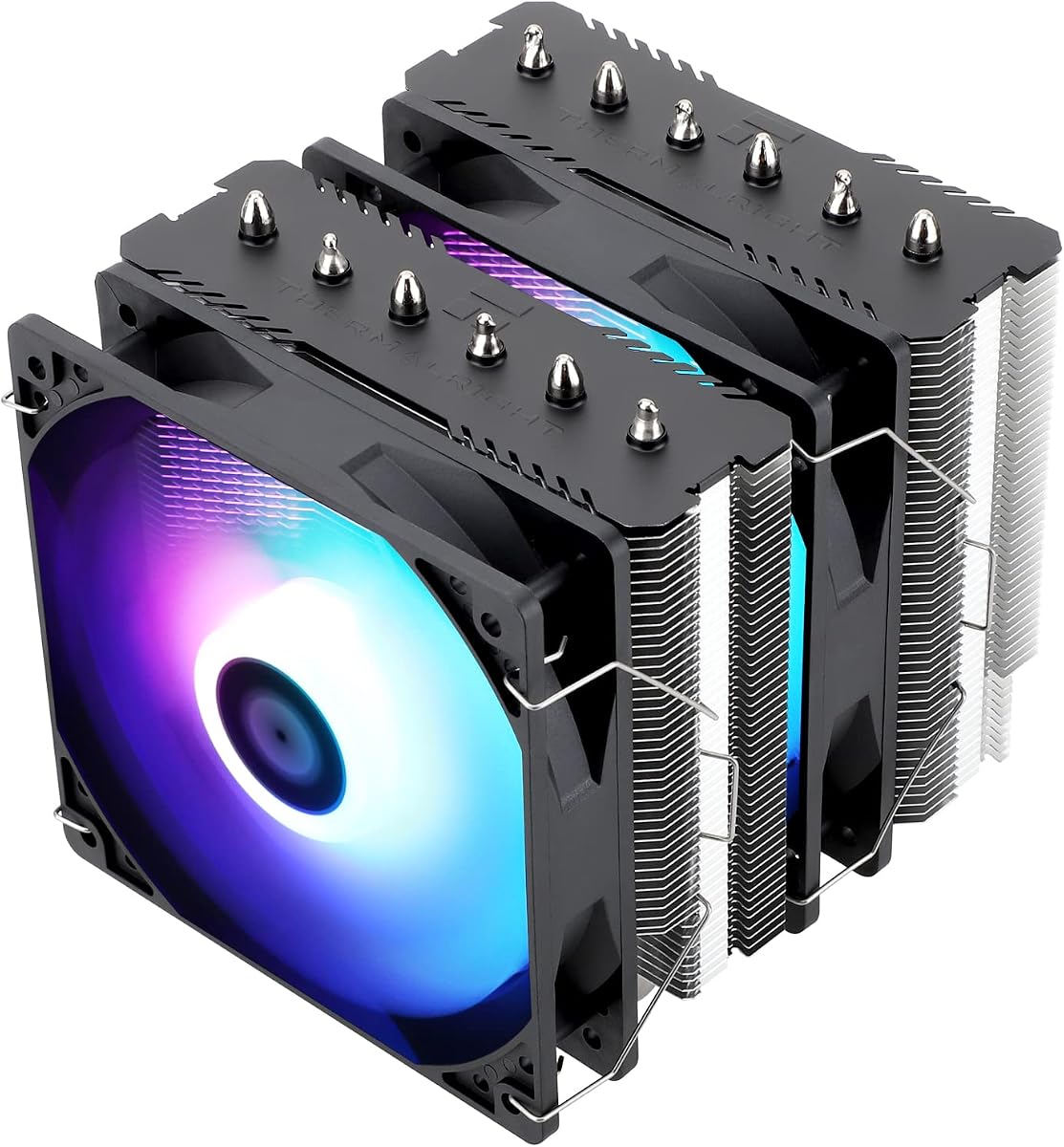
Thermalright PS120SE CPU Air Cooler

★★★★★9.6/10
Thermalright PS120SE CPU Air Cooler
  • Seven 6 mm AGHP 4.0 heat pipes and dual TL-C12B V2 PWM fans for high-boost chips
  • 154 mm dual-tower stack with RAM-friendly offset clears most ATX mid-tower builds
  • Black anodized finish and copper base deliver serious cooling without RGB complexity
Check Price →
Best Value Dual Tower

Thermalright Peerless Assassin 120 SE CPU Cooler

★★★★★9.4/10
Thermalright Peerless Assassin 120 SE CPU Cooler
  • Six AGHP heat pipes and twin TL-C12C 120 mm fans rated ≤25.6 dB(A)
  • 155 mm dual tower that replaces stock coolers on Ryzen and Intel gaming CPUs
  • Metal kits for AM4/AM5 and Intel 115x/1200/1700/1851 with room for many RAM kits
Check Price →

As an Amazon Associate we earn from qualifying purchases. We may earn a commission at no additional cost to you.

Sub-50 CPU Cooler Comparison: Heat Pipes, Height, and Socket Support

Compare tower style and height first, then heat-pipe count and fan speed. Specs skip prices so you can shortlist by clearance and cooling headroom before opening a product page.

#ProductSpecificationsScore
1
  • Slim single tower, 4×6 mm AGHP pipes
  • One TL-C12C 120 mm PWM, ≤25.6 dB(A)
  • 125×71×148 mm; AM4/AM5, LGA 1700/1851
9.4
2
  • Dual tower, 6×6 mm AGHP heat pipes
  • Twin TL-C12C 120 mm PWM, ≤25.6 dB(A)
  • 125×135×155 mm; AM4/AM5, LGA 1700/1851
9.4
3
  • Single tower, 4 heat pipes, copper base
  • SickleFlow 120 Edge PWM, 690–2500 RPM
  • 152 mm tall; AM5 and LGA 1851/1700 kits
9.4
4
  • Slim tower, 4×6 mm pipes, copper base
  • TL-C12C-L V2 RGB PWM fan at 1550 RPM
  • 120×71×148 mm; S-FDB bearings, AM5 ready
9.2
5
  • Stock-style aluminum heatsink, 90 mm fan
  • Direct AM4 screw mount, pre-applied paste
  • Slim profile for low-TDP Ryzen and SFF builds
9.2
6
  • White dual tower with 5-inch IPS LCD cover
  • Six heat pipes; twin 2150 RPM ARGB fans
  • 164 mm height; TRCC themes and system stats
9.6
7
  • Dual tower PA120 SE with ARGB TL-C12C-S fans
  • Six AGHP pipes; ~1500 RPM, ≤25.6 dB(A)
  • 125×135×155 mm; AM4/AM5 and Intel 1700/1851
9.4
8
  • Dual tower, 7×6 mm AGHP 4.0 heat pipes
  • Dual TL-C12B V2 1500 RPM PWM fans
  • 125×135×154 mm black anodized finish
9.6
9
  • Copper base, four 6 mm direct-contact heat pipes
  • 95 mm RGB PWM fan with L/H speed switch
  • AM4/AM5 and legacy AMD sockets; pre-applied paste
9.2
10
  • Compact tower, 4×6 mm copper heat pipes
  • 92 mm removable RGB PWM fan
  • Short height; LGA 1851/1700 and AM4/AM5
9.2

1. Thermalright Assassin X120 Refined SE - Best Slim Single

Thermalright Assassin X120 Refined SE CPU Air Cooler

Thermalright Assassin X120 Refined SE CPU Air Cooler

9.4/10★★★★★

The Thermalright Assassin X120 Refined SE is the cooler you reach for when a dual tower will not fit—or when tall RGB memory makes a wide heatsink a daily frustration. At 71 mm wide and 148 mm tall, it occupies a footprint closer to a stock cooler than a Peerless Assassin, yet four 6 mm heat pipes with AGHP technology move substantially more heat than the aluminum block AMD or Intel ships in the box. That combination makes it one of the most practical upgrades in this sub-fifty pack for mid-towers with average clearance and Ryzen 5 or Core i5 class CPUs that boost hard in games but do not need seven heat pipes to stay stable.

  • Four 6 mm AGHP heat pipes with aluminum fin stack
  • TL-C12C 120 mm PWM fan, 1550 RPM, ≤25.6 dB(A)
  • 125×71×148 mm; Intel 115x/1200/1700/1851 and AM4/AM5
Check Price →
✓ Pros
  • Narrow 71 mm width avoids most tall RAM conflicts
  • AGHP heat pipes handle vertical and horizontal case orientations
  • 148 mm height fits medium cases that reject dual towers
  • Quiet TL-C12C fan with S-FDB bearings for long service life
  • Metal mounting hardware for Intel and AMD platforms
✕ Cons
  • Single tower with four pipes cannot match dual-tower thermals on hot chips
  • One fan means less margin during sustained all-core loads
  • No RGB option in this non-V2 SKU for glass-panel builds

Detailed review

Thermalright's AGHP treatment addresses a real-world problem many spec sheets ignore: heat pipes behave differently when a case sits vertically on a desk versus horizontally in a living-room PC. By optimizing wick structure for inverse gravity effects, the Assassin X maintains more consistent performance across orientations than older budget towers. Paired with a pure copper base and aluminum fin stack, the result is a cooler that punches above its size in short bursts and holds reasonable temperatures during longer gaming sessions—as long as you keep expectations aligned with a single-tower design.

The bundled TL-C12C is a standard 120 mm PWM fan rated to about 1550 RPM with a claimed noise ceiling of 25.6 dB(A). In practice that means idle and light browsing stay unobtrusive, while heavier loads produce a smooth ramp rather than a sudden jet-engine moment—assuming your motherboard fan curve is sanely tuned. S-FDB bearings are specified for long life, which matters on budget builds where you might run the same cooler through a CPU upgrade rather than replacing the whole stack.

Installation follows Thermalright's familiar pattern: platform-specific brackets, metal fasteners, and clear enough documentation that a first-time builder can finish in under thirty minutes if the motherboard is already in the case. Intel LGA 1700 and newer 1851 sockets are covered alongside legacy 115x and 1200, and AMD AM4/AM5 kits ship in the box. On AMD, verify you still have the motherboard's original backplate accessible—Thermalright relies on it for several mounts, and discovering a missing plate mid-build is a common frustration.

Where the Assassin X Refined SE stops being the right answer is at the high end of heat output. A Ryzen 7 or Core i7 with aggressive PBO or power limits will eventually push a single 120 mm tower harder than it prefers, and you will hear the fan working harder than a dual-tower Peerless Assassin would under the same load. That is not a defect—it is physics. Choose this cooler when clearance and RAM compatibility matter more than winning synthetic stress tests by a few degrees.

Compared to the Assassin X 120R SE V2 in this same pack, the Refined SE skips RGB and uses the standard TL-C12C fan rather than the self-luminous V2 variant. For stealth builds under a solid side panel, that is a feature: one less cable and no 5V ARGB header requirement. If your case has glass and you want lighting without jumping to a dual tower, the V2 is the sibling to compare—but for raw fit-and-forget value in tight spaces, the Refined SE remains the cleaner pick.

Who should buy the Assassin X Refined SE

Choose it for compact mid-towers, ITX-adjacent builds with decent height clearance, and any system where the first PCI slot or tall DIMMs already make a 135 mm wide dual tower risky. It is also a smart second-PC upgrade when the goal is quieter operation than stock, not maximum overclock headroom.

Mounting and paste tips

Use a thin, even paste spread or dot pattern appropriate to your CPU size. Tighten mounting screws in a cross pattern until snug—over-torquing bends boards and hurts contact. After the first week, check temperatures under a known load; a small remount often fixes a hot spot from uneven pressure.

Assassin X versus Hyper 212 Black

Both are single-tower four-pipe coolers in similar height classes. The Assassin X is narrower, which helps RAM clearance; the Hyper 212 has a longer track record and includes paste in the box. Pick Assassin X for tight width; pick Hyper 212 when you want the most documented install path in the hobby.

Check Price on Amazon →

We may earn a commission at no additional cost to you.

2. Thermalright Peerless Assassin 120 SE - Best Value Dual

Thermalright Peerless Assassin 120 SE CPU Cooler

Thermalright Peerless Assassin 120 SE CPU Cooler

9.4/10★★★★★

The Peerless Assassin 120 SE is the cooler that reshaped what buyers expect from the sub-fifty aisle. Two aluminum towers, six 6 mm heat pipes, and a pair of TL-C12C PWM fans deliver thermal headroom that used to require spending noticeably more—or accepting the maintenance and failure modes of a liquid AIO. For Ryzen 7 and Core i7 gaming builds in a standard ATX mid-tower, it is often the first cooler serious builders recommend because it balances performance, noise, and compatibility without demanding RGB headers or USB software.

  • Dual tower, 6×6 mm AGHP heat pipes, copper base
  • Twin TL-C12C 120 mm PWM fans, ≤25.6 dB(A)
  • 125×135×155 mm; AM4/AM5, Intel 115x/1200/1700/1851
Check Price →
✓ Pros
  • Six heat pipes and dual towers rival coolers costing far more
  • Memory-friendly fan offset fits many tall RGB DIMM kits
  • Metal mounting kits for current AMD and Intel sockets
  • Dual PWM fans move air efficiently without extreme RPM
  • Proven 4.7 rating from a huge owner base
✕ Cons
  • 155 mm height excludes some compact and older cases
  • AMD install requires motherboard backplate—not in the box
  • No RGB in this base SE model for show builds

Detailed review

Thermalright positions the PA120 SE at 125 mm long, 135 mm wide, and 155 mm tall—dimensions that fit most modern cases rated for 160 mm or taller CPU coolers, but still fail in older compact chassis. The width is the RAM story: offset fan placement and tower spacing leave room for many tall heat spreaders, though extreme DIMM height can still require raising the front fan or choosing the rear fan as intake-only. Always dry-fit RAM before you assume clearance.

AGHP heat pipes again matter here because dual towers are heavy and often mounted in vertical cases where gravity works against fluid return. Six sintered copper pipes tied to a nickel-plated or electroplated copper base spread load across both fin stacks, so boost spikes during games dissipate quickly and sustained renders stay below throttle thresholds on sensible power limits. You are not buying a custom loop, but you are buying a heatsink architecture that respects how modern CPUs actually behave.

Fan noise is a common worry with dual-tower designs, yet the TL-C12C pair is tuned around 1550 RPM with a ≤25.6 dB(A) claim. Real-world noise depends on case airflow, fan curves, and how hard you push PBO or Intel power limits—but out of the box this is a quiet performance cooler, not a reference blower. Connect both fans to the CPU_FAN header via the included Y-splitter or use CPU_OPT for the second fan if your board provides it, then tune curves so idle stays near silent.

Installation is straightforward but not trivial: the dual-tower mass is awkward to maneuver inside a case with the motherboard already mounted. Many builders prefer mounting the backplate and brackets with the board on a table, then installing the cooler before sliding the board into the chassis. On AMD AM4 and AM5, you must use the motherboard's original backplate; Thermalright does not ship a replacement. Intel installs use included hardware for LGA 1700/1851 and older 115x/1200 patterns.

Against the PS120SE elsewhere in this pack, the PA120 SE gives up one heat pipe and a slightly refined AGHP generation but remains close in real gaming thermals for many chips. Against the ARGB variant, it is the same cooling story without 5V lighting cables. Choose PA120 SE when you want maximum dual-tower value with zero fluff—the cooler that proves budget does not have to mean stock-fan misery.

Ideal CPUs and workloads

Ryzen 5 7600/9600X through Ryzen 7 7800X3D-style chips and Intel Core i5/i7 gaming CPUs are the sweet spot. The PA120 SE handles long gaming sessions and moderate content creation. For sustained all-core AVX workloads on hot chips, consider PS120SE or accept louder fan curves.

Case and motherboard checklist

Confirm 155 mm clearance in the case manual. Check that no VRM heatsink or pipe interferes with the cooler's orientation. Verify two fan headers or plan a splitter. On AMD, locate the stock backplate before unboxing.

PA120 SE versus PA120 SE ARGB

Cooling hardware is essentially the same family; ARGB adds TL-C12C-S fans and a 5V header requirement. Buy ARGB if your build already uses synchronized lighting. Buy plain SE if you want one less cable and the same thermals.

Check Price on Amazon →

We may earn a commission at no additional cost to you.

3. Cooler Master Hyper 212 Black - Classic Single-Tower Upgrade

Cooler Master Hyper 212 Black CPU Air Cooler

Cooler Master Hyper 212 Black CPU Air Cooler

9.4/10★★★★★

The Cooler Master Hyper 212 Black is the budget cooler with name recognition—partly because it has existed across so many socket generations, and partly because it keeps getting bracket updates instead of being abandoned. Four heat pipes and a copper base target AMD Ryzen 7 and Intel Core i7 class CPUs in everyday gaming and creative workloads. You will not match a six-pipe Peerless Assassin on a thermally hungry chip, but you also avoid the 135 mm dual-tower footprint that fights tall RAM in smaller chassis.

  • Four heat pipes with copper base for R7/i7-class cooling
  • SickleFlow 120 Edge PWM fan, 690–2500 RPM
  • 152 mm height; redesigned AM5 and LGA 1851/1700 brackets
Check Price →
✓ Pros
  • Familiar, well-documented install path for first-time builders
  • 152 mm height fits a huge range of mid-tower cases
  • PWM SickleFlow fan covers quiet idle and higher load RPM
  • Thermal paste included for hassle-free first install
  • Black finish blends with most non-RGB budget builds
✕ Cons
  • Single tower with four pipes trails dual-tower models on hot chips
  • Peak 2500 RPM can become audible under sustained all-core loads
  • Less headroom than six- or seven-pipe coolers for aggressive PBO

Detailed review

Cooler Master's SickleFlow 120 Edge fan spans roughly 690 to 2500 RPM under PWM control. That wide range is genuinely useful: the fan can stay quiet at desktop idle, then ramp when a compile, export, or long gaming session raises package power. If your motherboard ships an aggressive default curve, spend five minutes in BIOS flattening the mid-range—many Hyper 212 noise complaints trace to curves, not the heatsink itself.

At 152 mm tall, the Hyper 212 fits a broad slice of mid-tower cases that reject 155 mm dual towers by a hair. Cooler Master also simplified brackets for AM5 and LGA 1851/1700, which matters in 2026 when many sub-fifty builds target current sockets rather than legacy platforms. Included thermal paste removes one shopping item for first builds, though enthusiasts may still prefer their own compound for remounts.

Thermally, the Hyper 212 Black sits in the middle of this pack: better than stock Wraith coolers and compact towers on moderate chips, behind PS120SE and Peerless Assassin on sustained high power. For a Ryzen 5 gaming PC with sane limits, it is plenty. For a Ryzen 9 or Core i9 pushed hard, you will hear the SickleFlow working and may see higher peaks than dual-tower owners report—that is the trade for a narrower, simpler stack.

Aesthetically, the blacked-out tower suits builds that avoid RGB entirely. There is no ARGB cable, no sync software, no LCD—just a matte tower that disappears behind a mesh panel. That simplicity is underrated in budget systems where every euro or dollar saved can go toward RAM or storage instead of lighting controllers.

Choose the Hyper 212 when predictability matters: documented installs, easy-to-find replacement brackets, and a cooler shape every forum thread has seen before. Choose Peerless Assassin or PS120SE when you know your CPU runs hot and your case clears a dual tower. Choose Assassin X when width and RAM clearance beat brand familiarity.

First-time builder notes

Read the bracket diagram for your exact socket before touching screws. Mount the backplate from behind the motherboard on Intel; on AMD AM5, follow the AM5-specific clip pattern Cooler Master includes. Apply paste as a small pea or line per Cooler Master's guide, then tighten evenly.

When the Hyper 212 is enough

Office PCs, esports titles on mid-range CPUs, and secondary machines benefit most. If you never exceed 90°C under your heaviest real workload, the Hyper 212 is doing its job—even if benchmarks show dual towers a few degrees cooler.

Hyper 212 versus Assassin X Refined SE

Similar height class, different width philosophy. Assassin X is narrower for RAM; Hyper 212 includes paste and decades of community guides. Performance is close on mid-range chips; decide on clearance and brand comfort.

Check Price on Amazon →

We may earn a commission at no additional cost to you.

4. Thermalright Assassin X 120R SE V2 - Best Slim RGB

Thermalright Assassin X 120R SE V2 CPU Cooler

Thermalright Assassin X 120R SE V2 CPU Cooler

9.2/10★★★★★

The Assassin X 120R SE V2 takes the narrow single-tower formula that made the Refined SE popular and adds the one thing glass-panel budget builds often miss: visible lighting without jumping to a bulky dual tower. The TL-C12C-L V2 fan combines PWM speed control and illumination through a shared interface, which reduces cable clutter compared to separate RGB and fan headers—helpful when you are already juggling front-panel USB and multiple case fans on a budget board.

  • Slim tower, 4×6 mm heat pipes, copper base
  • TL-C12C-L V2 RGB PWM fan at 1550 RPM
  • 120×71×148 mm; S-FDB bearings, AM5 ready
Check Price →
✓ Pros
  • Same slim footprint as Refined SE with added fan lighting
  • Self-luminous fan shares one connector for PWM and LEDs
  • S-FDB bearing tuned for quiet lifting-mode stability
  • 148 mm height fits medium cases with glass panels
  • Full Intel 115x through 1851 and AM4/AM5 support
✕ Cons
  • Lighting control depends on motherboard ARGB software quality
  • Still a single-tower four-pipe design with dual-tower limits
  • Slightly higher complexity than non-RGB Refined SE

Detailed review

Under the lighting, the thermal story mirrors its non-RGB sibling: four 6 mm heat pipes, copper base contact, aluminum fins, and 148 mm height in a 71 mm wide stack. AGHP pipe treatment and S-FDB bearings address orientation sensitivity and long-term fan stability, including the blade wobble issues some budget RGB fans show when mounted vertically. For Ryzen 5 and Core i5 chips in compact cases, that is enough metal to escape stock-cooler throttling without dominating the interior.

Noise behavior tracks the Refined SE closely because the fan speed band is similar—around 1550 RPM maximum with a ≤25.6 dB(A) rating. RGB effects do not inherently make fans louder, though some motherboard utilities accidentally link lighting demos to fixed high PWM. Disable those utilities for daily use and rely on BIOS fan curves instead.

Compatibility spans Intel LGA 1150 through 1851 and AMD AM4/AM5 with metal fasteners in the box. The V2 listing emphasizes installation videos and instructions, which matters when ARGB wiring tempts beginners to plug 5V headers into the wrong pins—always verify ARGB versus RGB before connecting.

Where the V2 earns its place in this pack is aesthetic value per millimeter of clearance. Peerless Assassin ARGB towers cool more aggressively but need 155 mm height and 135 mm width. JONSBO CR1400 is shorter still but uses a 92 mm fan with less absolute headroom. The V2 sits in the middle: full 120 mm fan, slim tower, modest RGB, and a footprint that survives tall RAM better than any dual tower here.

Skip the V2 if you run a closed case with no window—the Refined SE is simpler. Buy it when you want a coherent lighting accent on a mid-range CPU without financing a Vision MAX or dual-tower ARGB setup.

ARGB wiring without headaches

Use the motherboard 5V ARGB header, not 12V RGB. Route the shared fan cable so it does not touch the fan blades after install. If lighting flickers, update motherboard firmware and ARGB software before blaming the cooler.

Who the V2 fits best

Budget gaming builds with tempered glass, moderate CPUs, and tight width clearance. Also good for upgrading office PCs that sit on desks where a subtle glow is welcome but noise must stay low.

V2 versus JONSBO CR1400 RGB

CR1400 is shorter with a 92 mm fan—better for extreme height limits, weaker for hot chips. V2 keeps a 120 mm fan and better sustained thermals when case height allows 148 mm.

Check Price on Amazon →

We may earn a commission at no additional cost to you.

5. AMD Wraith Stealth - Stock AM4 Replacement

AMD Wraith Stealth Socket AM4 4-Pin Connector CPU Cooler with Aluminum Heatsink

AMD Wraith Stealth Socket AM4 4-Pin Connector CPU Cooler with Aluminum Heatsink

9.2/10★★★★★

The AMD Wraith Stealth is not trying to compete with Peerless Assassin on thermals—it is the cooler you buy when you need an official-style AM4 stock replacement, a slim heatsink for a low-power Ryzen in a small case, or a quick fix after a bent pin or broken mount ruined your original bundle cooler. The aluminum heatsink and roughly 90 mm fan are the same class of hardware AMD pairs with non-X Ryzen chips in many generations, which means predictable fitment and zero learning curve if you have mounted a Wraith before.

  • Aluminum heatsink with 90 mm PWM fan
  • Direct AM4 screw mounting, pre-applied paste
  • Slim profile for low-TDP Ryzen and SFF builds
Check Price →
✓ Pros
  • Direct screw mount to AM4 is fast and tool-light
  • Pre-applied paste simplifies emergency swaps
  • Very slim stack fits SFF and low-clearance cases
  • Quiet enough for office and HTPC workloads
  • Inexpensive way to replace a damaged stock cooler
✕ Cons
  • AM4 only—no Intel or AM5 support in this listing
  • Aluminum-only sink cannot match heat-pipe towers on gaming loads
  • Not suitable for high-boost Ryzen 7/9 or heavy all-core work

Detailed review

Pre-applied thermal paste on the base removes a step during emergency repairs—important when a PC must come back online for work or school before you research a bigger tower upgrade. The four-pin PWM connector lets the motherboard manage fan speed, though the small fan and modest fin area mean curves should stay conservative on anything beyond office tasks.

Noise under desktop loads is generally mild because the Stealth moves less air than a 120 mm tower. Push a Ryzen 7 with PBO enabled and the fan will scream while temperatures climb— that is the signal you bought the wrong cooler category, not that the Stealth failed. Treat it as adequate for 65 W class behavior, not as a gaming upgrade.

Compatibility is strictly AM4 socket motherboards with the standard screw mounting pattern. There is no Intel bracket, no AM5 kit, and no heat pipes to compensate for platform changes. If your next upgrade is AM5, plan a different cooler from this pack entirely.

Within a sub-fifty roundup, the Stealth occupies a niche: lowest cost, lowest clearance, lowest performance ceiling. It earns its place for HTPC rebuilds, corporate desktop refreshes, and spare-parts shelves—not for framerate-focused gaming PCs.

Pair the Stealth with realistic power limits in BIOS if you must use it on a hotter chip temporarily. Cap PPT and boost behavior until the proper tower arrives. That workaround is safer than letting a small aluminum sink fight a 105 W package indefinitely.

When the Stealth makes sense

Replacement of a broken stock cooler on AM4, ultra-low-clearance builds, and secondary machines that never see sustained CPU loads. Also useful as a known-good cooler for troubleshooting heat issues before blaming the CPU.

When to skip it

Any gaming build with Ryzen 7 or higher, AM5 platforms, Intel systems, or cases with room for a Hyper 212 or Assassin X. The few millimeters saved are not worth thermal throttling on modern games.

Stealth versus Wraith Prism in this pack

Prism adds copper heat pipes, RGB, and a larger 95 mm fan for AM4/AM5—still stock-style, but closer to a mild upgrade. Stealth is simpler, slimmer, and AM4-only. Choose Stealth for minimum size; choose Prism when RGB and slightly better dissipation matter.

Check Price on Amazon →

We may earn a commission at no additional cost to you.

6. Thermalright Peerless Assassin 120 Vision MAX - Best LCD Showpiece

Thermalright Peerless Assassin 120 Vision MAX ARGB White CPU Air Cooler

Thermalright Peerless Assassin 120 Vision MAX ARGB White CPU Air Cooler

9.6/10★★★★★

The Peerless Assassin 120 Vision MAX White is proof that sub-fifty cooling can still be a centerpiece—when you accept the height, USB wiring, and software that a five-inch IPS display demands. Thermalright magnetically tops the familiar dual-tower PA120 family with a 480×854 panel that shows temperatures, clocks, or custom themes through TRCC control software. Under that showpiece sits serious hardware: six pure copper heat pipes, nickel-plated base, twin 120 mm fans spinning to about 2150 RPM, and airflow rated around 69 CFM.

  • Dual tower, 6 heat pipes, nickel-plated copper base
  • 5-inch IPS LCD top + dual 2150 RPM ARGB fans
  • 125×135×164 mm; TRCC software via USB header
Check Price →
✓ Pros
  • 480×854 IPS display shows stats and custom themes
  • Six heat pipes and 2150 RPM fans deliver strong thermals
  • White finish suits snow builds and on-camera setups
  • TRCC software supports dynamic backgrounds and video
  • RAM-friendly dual-tower layout with tall spreader clearance
✕ Cons
  • 164 mm height excludes many compact cases
  • Requires USB 9-pin header for LCD data and power
  • Software setup adds steps plain air coolers skip

Detailed review

Cooling performance is not sacrificed for the screen. If anything, the faster fans give the Vision MAX more acoustic headroom than the 1550 RPM PA120 SE—though you should tune curves so the LCD does not tempt you into leaving fans at showcase speeds 24/7. The white ARGB fan frames and matte towers target builders planning coordinated white glass builds where the cooler is meant to be seen from across the room.

At 164 mm tall, clearance is the first gate. Many mid-towers officially support 165 mm, which leaves almost no margin once cables and side-panel bulge are considered. Measure twice. Width stays in the PA120 family footprint, so RAM clearance remains good relative to single-tower giants, but GPU length and the top panel LCD thickness still interact—dry-fit before final screw-down.

Installation order matters more here than on a plain tower. Mount the cooler, connect PWM and ARGB, route the USB cable to a internal 9-pin header, boot into Windows or your OS, verify baseline temperatures, then install TRCC from Thermalright's site. Skipping straight to custom themes before confirming mount pressure is how builders chase display bugs when the real issue is paste contact.

TRCC enables monitoring and personalization: static images, animated backgrounds, even video playback on the top cover. That flexibility is wonderful for streamers and desk setups where the PC is set dressing—but useless if you never install the software. Treat the LCD as a weekly-use feature, not a one-time unboxing gimmick.

Against PS120SE in this pack, Vision MAX trades one heat pipe and AGHP generation for display hardware and faster fans. Against PA120 SE ARGB, it adds an entire UI layer and 9 mm of height. Choose Vision MAX White when the build theme is white glass and you want stats on the cooler itself; choose PS120SE when thermals and simplicity win.

TRCC and USB setup

Connect the USB cable firmly before first boot. Install TRCC after confirming CPU temperatures look normal. Save a simple temperature theme before experimenting with video backgrounds that distract from fan tuning.

White Vision MAX build styling

Match white fan frames, light cables, and restrained ARGB so the LCD stays readable. Avoid rainbow everything—contrast makes the five-inch panel the hero.

Vision MAX versus PA120 SE ARGB

PA120 SE ARGB is shorter, simpler, and enough if soft fan lighting satisfies you. Vision MAX White is the upgrade when you want a full IPS widget and a cohesive white dual-tower centerpiece.

Check Price on Amazon →

We may earn a commission at no additional cost to you.

7. Thermalright Peerless Assassin 120 SE ARGB - Best RGB Dual

Thermalright Peerless Assassin 120 SE ARGB CPU Air Cooler

Thermalright Peerless Assassin 120 SE ARGB CPU Air Cooler

9.4/10★★★★★

The Peerless Assassin 120 SE ARGB is the glass-panel builder's version of the cooler that already defined budget dual-tower performance. Six AGHP heat pipes, dual aluminum towers, and TL-C12C-S PWM fans with addressable lighting deliver essentially the same thermal story as the non-RGB SE—plus the synchronized color effects that make a budget build look intentional through a tempered side panel.

  • Dual tower PA120 SE with ARGB TL-C12C-S fans
  • Six AGHP pipes; ~1500 RPM, ≤25.6 dB(A)
  • 125×135×155 mm; AM4/AM5 and Intel 1700/1851
Check Price →
✓ Pros
  • Same dual-tower six-pipe layout as plain PA120 SE
  • ARGB TL-C12C-S fans sync with major motherboard software
  • Memory-friendly spacing for many tall DIMM kits
  • Strong thermals without LCD or USB complexity
  • Metal mounts for AMD and Intel gaming sockets
✕ Cons
  • 155 mm height still blocks some compact cases
  • Requires 5V ARGB header or compatible hub
  • Slightly heavier than non-RGB SE due to fan housings

Detailed review

Thermalright rates the ARGB fans around 1500 RPM with the same ≤25.6 dB(A) noise class as the standard TL-C12C units. Lighting adds visual interest, not automatic loudness, though poorly configured ARGB utilities can lock fans at high PWM during demos. Use motherboard sync for color and BIOS for speed.

Dimensions remain 125×135×155 mm, which means all the clearance lessons from the plain PA120 SE apply: verify case height, dry-fit tall RAM, and locate the AMD backplate before you start. Intel LGA 1700/1851 and AM4/AM5 kits ship with metal fasteners; AMD installs still rely on the motherboard's original backplate.

Listing copy mentions TDP classes from 120 to 245 W—marketing language, not a guarantee. Real-world behavior depends on case airflow, paste quality, and how aggressively you enable boost. Still, six heat pipes and two 120 mm fans place this cooler firmly in gaming Ryzen 7 / Core i7 territory for sensible power limits.

Compared to Vision MAX White elsewhere in this pack, the PA120 SE ARGB skips the LCD, USB cable, TRCC software, and extra 9 mm of height. Compared to PS120SE, it trades one heat pipe for ARGB fans. If your build already has ARGB fans and strips, adding a matching CPU tower is cheaper than funding a full LCD upgrade.

Buy PA120 SE ARGB when you want dual-tower thermals and cohesive lighting without USB software. Buy plain SE when you want zero 5V headers. Buy PS120SE when maximum thermals matter more than any lighting.

ARGB integration tips

Connect to 5V ARGB, not 12V RGB. If strips and CPU fans desync, use motherboard profiles that group headers together. Update firmware if colors flicker at low PWM.

Thermal expectations

Expect similar gaming temperatures to plain PA120 SE within a few degrees—fan RPM and case airflow dominate differences. Stress tests may show slightly higher noise if RGB housings weigh a fraction more, but not enough to change purchase decisions.

PA120 SE ARGB versus Assassin X V2

Assassin X V2 is slimmer and single-tower—better for width clearance, weaker for hot chips. PA120 SE ARGB is the pick when case height allows 155 mm and CPU heat justifies dual towers.

Check Price on Amazon →

We may earn a commission at no additional cost to you.

8. Thermalright PS120SE - Best Overall Under 50

Thermalright PS120SE CPU Air Cooler

Thermalright PS120SE CPU Air Cooler

9.6/10★★★★★

The Thermalright PS120SE is the air cooler we would mount on most sub-fifty gaming builds that clear a 154 mm dual tower—full stop. Seven 6 mm heat pipes with AGHP 4.0 technology, dual TL-C12B V2 PWM fans, black anodized fin stacks, and a finely machined copper base combine into the highest thermal ceiling in this product pack without touching liquid cooling. If Peerless Assassin 120 SE redefined value dual towers, PS120SE is the incremental upgrade that matters when your CPU actually uses the extra headroom.

  • Dual tower, 7×6 mm AGHP 4.0 heat pipes
  • Dual TL-C12B V2 1500 RPM PWM fans
  • 125×135×154 mm black anodized finish
Check Price →
✓ Pros
  • Seven heat pipes beat every other air cooler in this pack
  • AGHP 4.0 addresses orientation and gravity effects
  • Black anodized towers and copper base look premium
  • Dual TL-C12B V2 fans stay quiet at ~1500 RPM
  • AM4/AM5 and Intel 1700/115x/1200/1851 metal kits
✕ Cons
  • 154 mm dual-tower mass still excludes compact cases
  • No RGB or LCD for show builds
  • AMD installs require motherboard backplate

Detailed review

Listing materials cite TDP bands from 105 W to 280 W—again marketing shorthand, not a promise. Translating that into builder language: PS120SE comfortably covers Ryzen 7 and Core i7 chips with boost enabled, handles long gaming sessions better than single-tower four-pipe coolers, and gives you fan-curve margin that prevents audible panic every time a game patch loads shaders. It will not replace a 360 mm AIO on a heavily overclocked flagship, but that is outside this roundup's budget lane anyway.

AGHP 4.0 specifically targets inverse gravity effects in vertical cases—exactly how most desks are set up. Combined with S-FDB bearings rated for long industrial service life, the PS120SE is designed as a multi-year component you might carry across a CPU upgrade rather than a disposable throwaway.

At 125×135×154 mm, PS120SE is actually one millimeter shorter than PA120 SE despite adding a heat pipe, which can matter in cases with exactly 155 mm limits. Width stays dual-tower standard, so RAM clearance follows the same dry-fit rules: tall heat spreaders usually fit, extreme DIMMs may need fan adjustment.

Aesthetics are deliberately stealth: black anodized top plates, no ARGB cables, no USB software. That saves budget for RAM or SSDs and avoids header exhaustion on micro-ATX boards with one ARGB port already claimed by case fans. For closed-panel builds, stealth is a feature.

Installation mirrors other Thermalright dual towers—backplate awareness on AMD, careful torque on Intel standoffs, Y-splitter or CPU_OPT for the second fan. The mass is real; mounting with the motherboard outside the case first is wise for first-timers.

When PS120SE is wrong for you: compact ITX cases, builders who require RGB sync, or CPUs that never exceed stock power. Everyone else with clearance should start here before downgrading to single towers or upgrading to Vision MAX complexity.

PS120SE versus Peerless Assassin 120 SE

One extra heat pipe and AGHP 4.0 give PS120SE a few degrees and more fan margin on hot chips. PA120 SE is still excellent when PS120SE is out of stock or a few millimeters too tall—functionally close on mid-range CPUs.

Fan curve starting point

Keep fans below 40% PWM until 60°C, ramp linearly to 100% by 85°C as a baseline, then adjust for noise preference. PS120SE's large surface area means you can often cap maximum PWM below 100% and remain stable.

Who should not buy PS120SE

SFF cases under 154 mm clearance, HTPCs, and office PCs with 65 W CPUs do not need seven pipes. Save complexity and money with Assassin X or Hyper 212 instead.

Check Price on Amazon →

We may earn a commission at no additional cost to you.

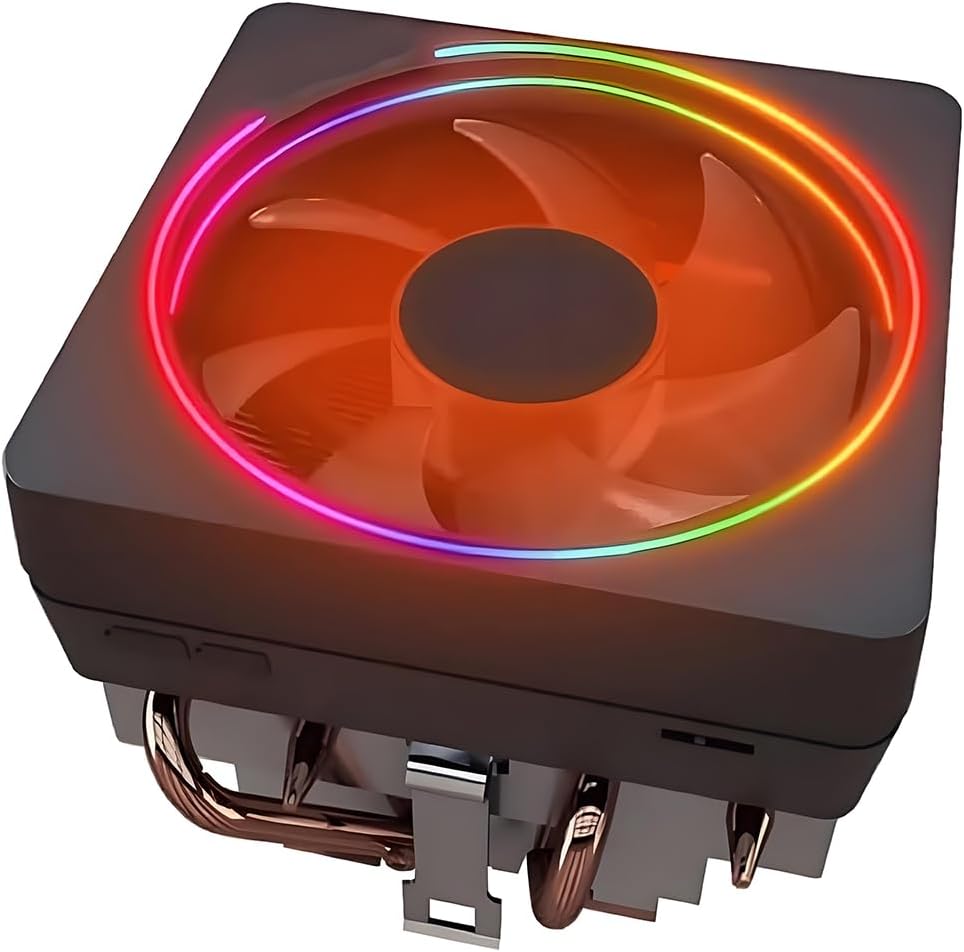
9. CPU Wraith Cooler Prism - RGB Stock-Style Upgrade

CPU Wraith Cooler Prism Aluminum Heat Sink Copper Core Base 4-Pin PWM 95mm Fan P

CPU Wraith Cooler Prism Aluminum Heat Sink Copper Core Base 4-Pin PWM 95mm Fan P

9.2/10★★★★★

The Wraith Prism-style cooler in this pack targets builders who want AMD's familiar stock aesthetic—RGB ring, translucent fan blades, compact footprint—without hunting OEM salvage parts. Four 6 mm direct-contact heat pipes and a copper core base step up from pure aluminum Stealth-class sinks, while pre-applied paste and bracket compatibility with AM4/AM5 (plus legacy AMD sockets listed) keep installation closer to a stock swap than a full tower retrofit.

  • Copper base with four 6 mm direct-contact heat pipes
  • 95 mm RGB PWM fan with L/H physical speed switch
  • AM4/AM5 and legacy AMD sockets; pre-applied paste
Check Price →
✓ Pros
  • Stock-like mount uses existing AMD motherboard brackets
  • RGB logo and ring sync via USB or motherboard software
  • L/H switch toggles quiet versus performance fan modes
  • Pre-applied paste simplifies quick installs
  • Copper pipes improve on pure aluminum Stealth-class sinks
✕ Cons
  • Not a tower upgrade—limited versus Peerless Assassin thermals
  • High-speed mode is loud for desk use
  • Compatibility depends on pre-installed AMD brackets

Detailed review

The 95 mm PWM fan includes a physical L/H switch toggling between a roughly 1000–2000 RPM quiet band and a high-speed mode up to about 2800 RPM with substantially more airflow—and noise. That switch is handy for quick stress tests, but leave it on low for daily use unless you enjoy jet-engine desk ambience.

RGB control splits between standard motherboard sync and an included USB header cable for Wraith Prism software, letting you tune logo and ring LEDs independently. That flexibility is nice for showcase builds; ignore it if your case has no window.

Thermally, this cooler sits above Wraith Stealth but below any 120 mm tower in the pack. Ryzen 7 listings in the title reflect compatibility more than recommendation—modern Ryzen 7 chips with PBO will outrun a 95 mm fan eventually. Treat Prism as adequate for moderate TDP, temporary use, or builders who refuse a taller heatsink for clearance reasons.

Because mounting relies on brackets pre-installed on many AMD boards, verify your motherboard layout before ordering. Boards without the expected clip hardware may need a different cooler entirely.

Choose Wraith Prism when RGB stock style matters and CPU heat stays modest. Choose Hyper 212 or Assassin X when you need real tower dissipation. Choose PS120SE when gaming thermals are non-negotiable.

Using the L/H switch wisely

Low for desktop, media, and most gaming. High only for brief stress tests or unusually hot ambient rooms. Document which position is which with a tiny label if the switch is hard to see inside the case.

RGB setup paths

Try motherboard ARGB sync first for simplicity. Use the USB cable and Prism software when you want independent logo and ring control. Avoid 12V RGB headers on 5V ARGB hardware.

Prism versus Hyper 212 Black

Hyper 212 is a taller 120 mm tower with broader compatibility including Intel. Prism stays stock-sized for AMD with RGB flair. Thermals favor Hyper 212; aesthetics and size favor Prism.

Check Price on Amazon →

We may earn a commission at no additional cost to you.

10. JONSBO CR1400 RGB - Best Compact Tower

JONSBO CR1400 RGB CPU Air Cooler

JONSBO CR1400 RGB CPU Air Cooler

9.2/10★★★★★

JONSBO's CR1400 RGB fills the gap between stock coolers and full 120 mm towers when case height is the limiting factor—not budget. Four 6 mm copper heat pipes penetrate a compact fin stack, a 92 mm PWM fan provides airflow, and removable metal fan clips make maintenance less painful in tight interiors where you cannot reach a top-mounted screw easily.

  • Compact tower with 4×6 mm copper heat pipes
  • 92 mm removable RGB PWM fan
  • Intel LGA 1851/1700/1200/115X and AM4/AM5
Check Price →
✓ Pros
  • Short stack fits cases that reject 148 mm+ towers
  • Removable fan fasteners simplify cleaning and swaps
  • Four copper pipes outperform pure aluminum stock sinks
  • Rainbow RGB adds flair without dual-tower bulk
  • Metal fasteners and penetrate-design fin stack
✕ Cons
  • 92 mm fan moves less air than 120 mm competitors
  • Not enough headroom for hot Ryzen 7/9 sustained loads
  • Rainbow RGB is fixed-style—not always motherboard sync

Detailed review

The CR1400 is explicitly a compact tower: shorter than Assassin X, far shorter than any dual tower here. That means it slides into budget ITX-ish builds, office conversions, and older cases with conservative cooler height ratings. The trade is absolute cooling capacity—a 92 mm fan simply moves less air than the TL-C12C units Thermalright bundles on larger towers.

RGB presentation leans rainbow-on-fan rather than fully addressable motherboard ecosystems. For some builders that is fine: plug in, get color, no software. For unified ARGB themes, PA120 SE ARGB or Assassin X V2 integrate cleaner.

Installation highlights metal fasteners and a penetrate-design fin layout JONSBO claims improves heat pipe to fin bonding. Follow the Intel versus AMD bracket diagrams carefully—1851 and AM5 support is listed, but compact coolers punish incorrect torque more visibly through hot spots.

Thermally, expect a meaningful upgrade over Wraith Stealth on the same chip, but do not expect PS120SE silence under identical load. The CR1400's job is fit first, cooling second within that constraint.

Pair the CR1400 with realistic CPU choices: Ryzen 5, Core i3/i5, office chips, and HTPC duties. Use Assassin X or Hyper 212 when height allows 120 mm fans. Use PS120SE when the case clears 154 mm and you game on hotter silicon.

Measuring height before ordering

Case manuals sometimes list cooler height excluding fan shrouds. Measure from board surface to side panel with the panel on. Compare against CR1400's published height including fan.

Cleaning and fan removal

Power down, unplug, release metal fan clips, dust the fin stack, remount fan ensuring cables clear blades. Annual cleaning keeps compact towers from slowly throttling.

CR1400 versus Assassin X Refined SE

Assassin X uses a 120 mm fan and 148 mm height—better thermals when it fits. CR1400 wins on shortest builds. Choose based on measured clearance, not spec-sheet optimism.

Check Price on Amazon →

We may earn a commission at no additional cost to you.

Best CPU Coolers Under 50 in 2026 for Quiet Budget

Sub-50 CPU Cooler Buying Guide: How to Choose Without Compromising Thermals

Start with case clearance, not marketing TDP

Measure your case's maximum CPU cooler height and compare it to the cooler's published height with a margin for cable bumps and side-panel tolerance. A 155 mm dual tower in a case rated for 160 mm can still scrape if rubber gaskets or cable covers steal space. Slim Assassin X models at 148 mm and the JONSBO CR1400 fit where dual towers cannot. For Vision MAX at 164 mm, confirm at least a few millimeters of headroom beyond the spec sheet number.

Match heat pipes and tower style to your CPU

Four-pipe single towers like the Hyper 212 Black, Assassin X models, and JONSBO CR1400 are enough for many Ryzen 5 and mainstream Intel chips. Six-pipe dual towers such as Peerless Assassin 120 SE cover hotter gaming CPUs comfortably. Seven-pipe PS120SE is the pack's air-cooling ceiling for sustained boost on a budget. Stock-style Wraith Stealth and Wraith Prism coolers suit low-TDP chips or emergency replacements—not high-boost gaming loads.

Noise is a system problem, not only a cooler problem

Socket kits, AMD backplates, and future upgrades

Every cooler in this pack covers modern AMD AM4/AM5 and Intel LGA 1700/1851-class sockets in some form, but details differ. Thermalright dual towers often require the motherboard's original AMD backplate. Keep that plate when you strip a stock cooler. Wraith Stealth is AM4-only. If you might jump platforms later, favor coolers with clearly documented multi-socket kits so you are not buying hardware twice.

ARGB, LCD, and when extras are worth it in this bracket

Plain PS120SE or Peerless Assassin SE models win when you want cooling and silence. PA120 SE ARGB and Assassin X V2 make sense for glass panels on a budget. Vision MAX is for builders who will actually use TRCC themes and stats—and who have a free USB 9-pin header. Buy the feature you will use weekly, not the feature that only looks good in a product photo.

Frequently Asked Questions

01

What is the best CPU cooler under 50 overall?

The Thermalright PS120SE is the strongest all-around pick in this pack because seven AGHP 4.0 heat pipes, dual TL-C12B V2 PWM fans, and a 154 mm dual-tower design deliver excellent thermals without RGB or LCD complexity. If your case cannot fit it, step down to the Peerless Assassin 120 SE or a slim Assassin X model.

02

Can a sub-fifty air cooler replace a stock AMD Wraith?

Yes—for gaming and sustained loads, any four-pipe tower here beats Wraith Stealth by a wide margin. PS120SE and Peerless Assassin 120 SE are the upgrades we'd choose for Ryzen 7 class chips. Wraith Stealth and Wraith Prism listings in this pack are better viewed as stock replacements or low-TDP solutions, not primary gaming upgrades.

03

Will these coolers fit AM5 and LGA 1700/1851 boards?

Most coolers in this pack include AMD AM4/AM5 and Intel LGA 1700/1851-class support with metal mounting kits. Wraith Stealth is AM4-only. Always verify the exact socket list on the product page and follow the correct bracket. Thermalright dual towers require the motherboard's original AMD backplate.

04

How important is cooler height in budget cases?

It is often the deciding spec. JONSBO CR1400 and Wraith Stealth fit the tightest spaces. Assassin X models sit around 148 mm. Dual towers range from 154–164 mm. Never assume a mid-tower clears every dual tower—check the case manual's CPU cooler clearance number and leave margin.

05

Do I need thermal paste, or is it included?

Cooler Master Hyper 212 Black and Wraith-style coolers often include paste for first installs. Thermalright towers may ship with paste depending on revision—keep a reputable tube on hand regardless. Clean old paste with isopropyl alcohol before remounting and apply a thin, even layer.

06

Are ARGB coolers worse at cooling?

Not inherently. Peerless Assassin 120 SE ARGB uses the same dual-tower approach as the non-RGB SE. Vision MAX adds faster fans and an LCD top, which can cool very well when tuned. Lighting does not reduce temperatures; heatsink area, heat pipes, and airflow do.

07

PS120SE versus Peerless Assassin 120 SE—which should I buy?

Buy PS120SE when you want maximum air-cooling headroom in this price bracket and your case clears 154 mm. Buy PA120 SE when PS120SE is unavailable or when you are on a slightly hotter mid-range CPU where both coolers behave similarly enough that either works. PA120 SE ARGB adds lighting with essentially the same tower layout.

08

Is the Vision MAX worth it under fifty?

Worth it when you will use the five-inch IPS display, have a USB 9-pin header free, and need 164 mm clearance in a white-themed glass build. Skip it when you want simplest performance—PS120SE cools excellently without software—or when your case height stops at 160 mm.

09

How should I set fan curves for quiet budget cooling?

Use PWM mode on the CPU_FAN header. Keep fans low through idle and light browsing, then ramp smoothly as temperatures approach your comfort threshold during games or renders. Avoid step curves that slam fans from silent to full speed. For Wraith Prism, leave the physical switch on low unless stress testing.

10

When is the Hyper 212 still the right choice?

When you want the most familiar install experience, included paste, and a proven single-tower shape that fits many cases without dual-tower width. It will not beat PS120SE on a hot chip, but for first builds and moderate CPUs it remains sensible—especially if forum guides matter to you.

Conclusion

CPU cooling under fifty in 2026 is a solved problem if you match clearance and heat-pipe count to your chip. Start with the Thermalright PS120SE when you want the best overall air cooler in this pack, the Peerless Assassin 120 SE when you want the classic value dual tower, and the Assassin X120 Refined SE when a slim single tower is the only thing that fits. The Hyper 212 Black remains the friendly classic, while ARGB and Vision MAX models serve builders who care as much about the view through the side panel as they do about boost clocks.

Stock-style Wraith Stealth and Wraith Prism coolers fill niche roles—emergency AM4 replacements, low-TDP office builds, and RGB stock aesthetics without a full tower swap. JONSBO CR1400 is the compact answer when even Assassin X feels too tall. Check height, RAM clearance, and motherboard headers before you buy, mount with even pressure, and spend a minute on a quiet PWM curve.

Use the comparison table to shortlist, then open the product pages for the latest kit details. Stay inside this pack's ten coolers and you will cover nearly every sensible budget desktop scenario without wandering into overpriced cooling for thermals you will never use.