Expert Review & Guide

Best Conference Room Speakers in 2026 for Clear Meetings

Conference calls still fail for the same unglamorous reasons: far-end voices sound thin, the person at the end of the table disappears, and laptop microphones turn a serious discussion into a tinny monologue. The best conference room speakers fix speech first. In 2026 that means USB and Bluetooth speakerphones with real echo cancellation, omnidirectional mic arrays, optional satellite mics, and—when video quality is part of the embarrassment—all-in-one bars that combine camera, beamforming mics, and a proper speaker.

This guide sticks to products from our conference-room speaker pack: portable Jabra Speak 510 units, several EMEET OfficeCore and Luna models, a daisy-chain expansion kit with a satellite mic, a wired USB speakerphone with a built-in hub, a Bose Professional VB-S video bar, and a compact AIRHUG dual-connect option. We are not inventing ceiling arrays or custom DSP installs. We are ranking tabletop and room-ready devices that a normal team can buy, place, and actually use with Zoom, Microsoft Teams, Google Meet, and the rest of the hybrid stack.

If you want the short list: choose the Jabra Speak 510 (2025 Edition) Portable when you need the safest everyday speakerphone; pick the EMEET Luna Plus Kit when the table is long and a satellite microphone matters; and take the EMEET M3 when meetings run all day and battery life cannot be a cliffhanger. Everything below expands those recommendations with side-by-side specs, full reviews, a buying guide, and FAQs so you can match coverage, connectivity, and room size without guessing from marketing bullets alone.

Our Top Conference Room Speaker Picks for 2026

Best Overall

Jabra Speak 510 (2025 Edition) Portable

★★★★★9.6/10
Jabra Speak 510 (2025 Edition) Portable
  • Portable USB or Bluetooth speakerphone with crystal-clear meeting audio
  • Simple setup for Microsoft Teams and other mainstream soft clients
  • Travel-ready puck design for huddle rooms and hybrid desks
Check Price →
Best for Larger Tables

EMEET Luna Plus Kit Conference Speaker

★★★★★9.2/10
EMEET Luna Plus Kit Conference Speaker
  • Eight-mic host unit plus a dedicated satellite microphone for wider coverage
  • VoiceIA noise reduction with full-duplex calling and echo control
  • Daisy-chain path for much larger attendee counts with a separate cable
Check Price →
Best Battery Life

EMEET M3 Bluetooth Conference Speaker

★★★★★9/10
EMEET M3 Bluetooth Conference Speaker
  • Up to eighteen hours of talk time after a full charge
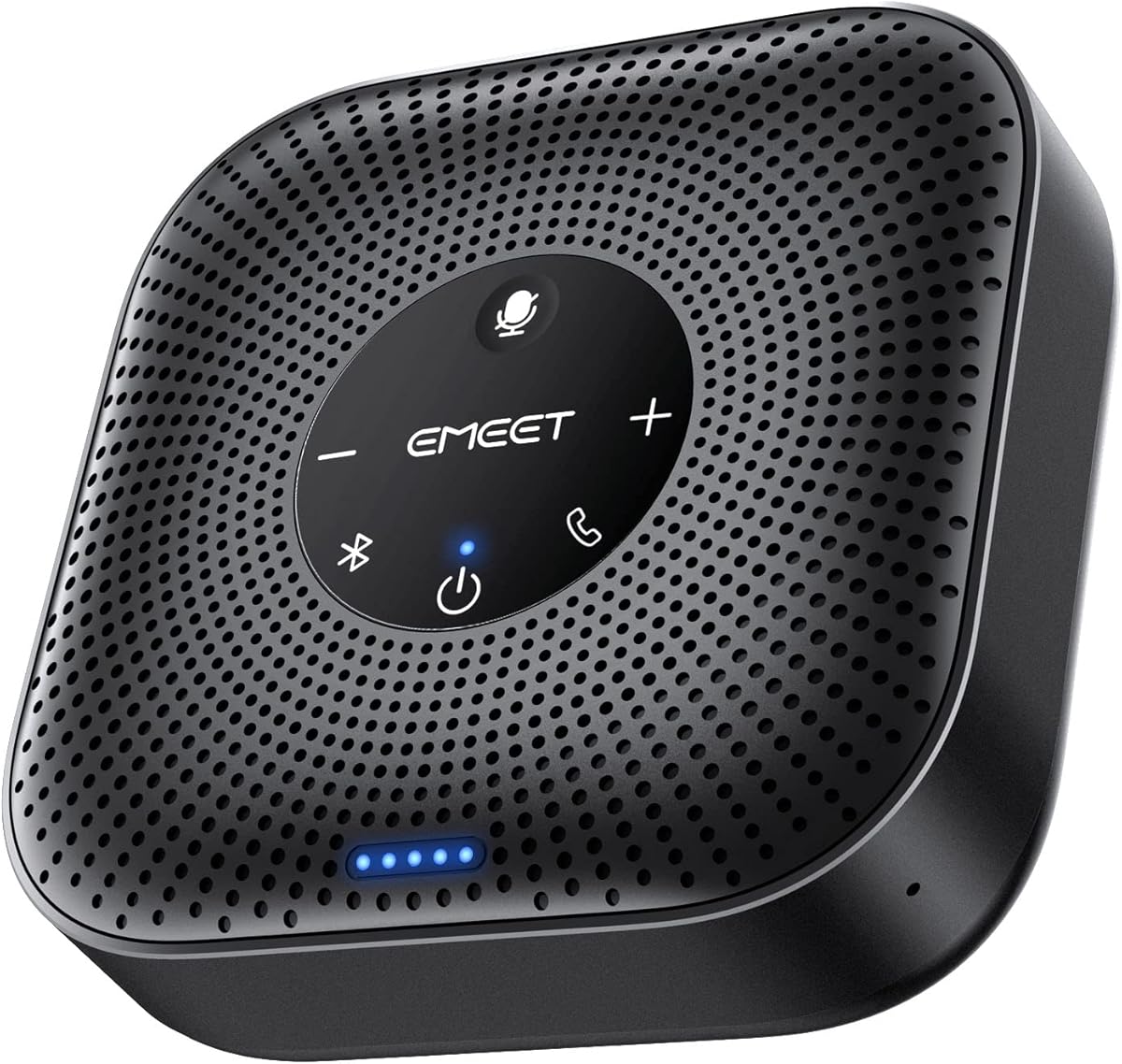
  • Zoom-recognized speakerphone with four AI omnidirectional mics
  • 5W speaker aimed at medium rooms and daisy-chain growth to about twenty people
Check Price →

As an Amazon Associate we earn from qualifying purchases. We may earn a commission at no additional cost to you.

Conference Room Speakers Compared Side by Side

Start here to match room size and connection style before reading the deeper reviews. Specs highlight mic coverage, expansion options, and platform fit—not retail pricing. Ratings reflect listed customer scores at the time of research.

#ProductSpecificationsScore
1
  • USB or Bluetooth portable speakerphone
  • Crystal-clear meeting and call audio
  • Works with Microsoft Teams and major platforms
9.6
2
  • 8-mic array plus dedicated satellite microphone
  • Covers up to 14 users; daisy-chain path for 25
  • USB, Bluetooth 5.3, and upgraded Dongle A350
9.2
3
  • Zoom-recognized conference speakerphone
  • Four AI mics with roughly 15 ft pickup guidance
  • Up to 18 hours talk time after a full charge
9
4
  • Portable USB and Bluetooth speakerphone
  • Quick setup for laptop or smartphone calls
  • Compatible with Teams, Google Meet, and Zoom
9.4
5
  • Bluetooth speakerphone with 1.8 m expansion mic
  • Includes wireless dongle and 3 m daisy-chain cable
  • DSP voice enhancement with AI noise cancellation
9.2
6
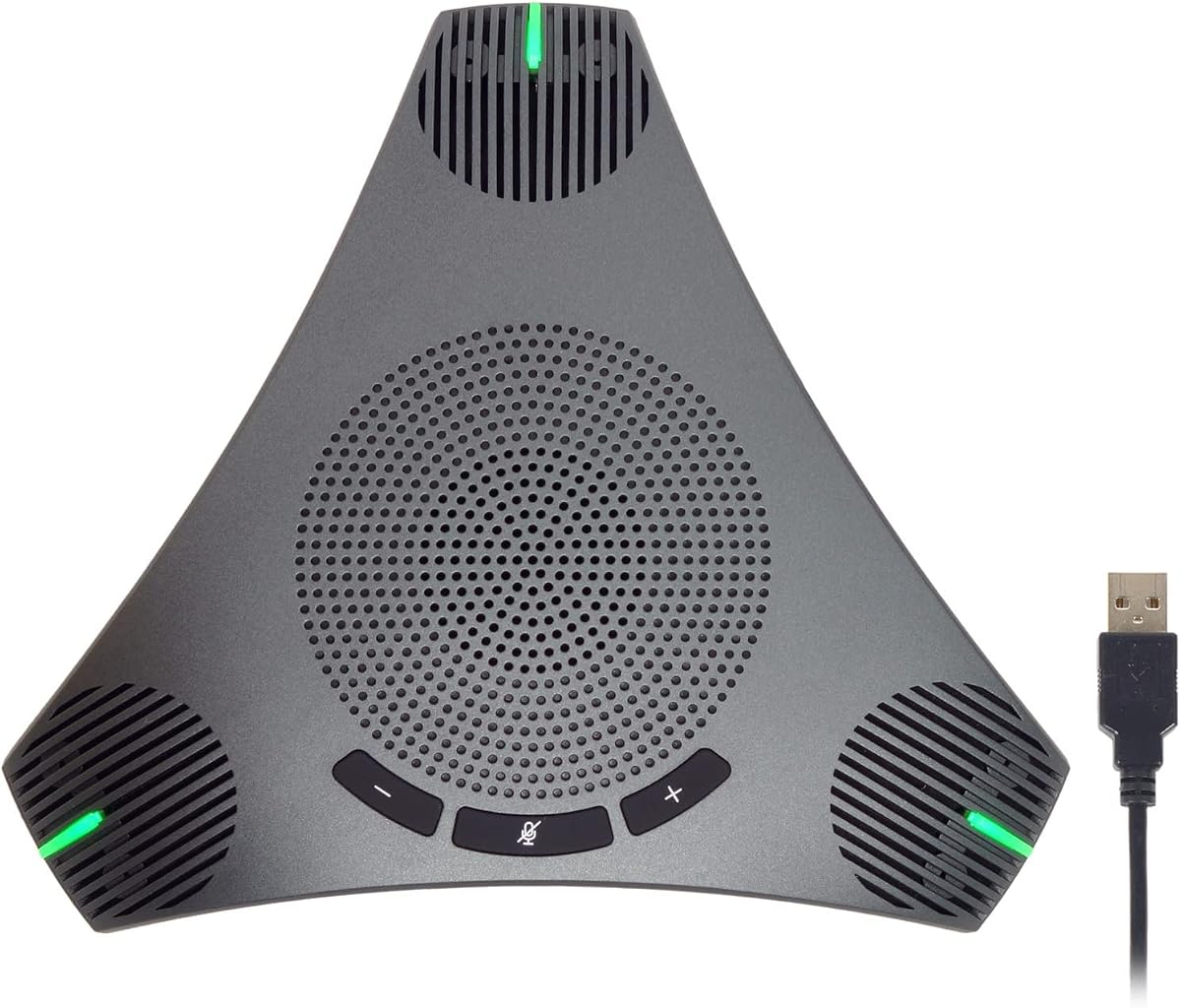
  • Three-mic array with 360° voice pickup
  • USB, Bluetooth, AUX, and dongle connectivity
  • Daisy-chain path for up to 16 attendees
8.8
7
  • 360° USB speakerphone with DSP AEC/ANS
  • Built-in USB hub for peripherals
  • About 3 m cable and roughly 3 m pickup radius
8.8
8
  • Four AI mics with 360° VoiceIA pickup
  • 3W speakerphone for roughly 8 people
  • USB-C and Bluetooth 5.0; daisy-chain for 16
8.6
9
  • 4K Ultra HD camera with 5x digital zoom
  • Four beamforming mics plus hi-fi Bluetooth speaker
  • Tabletop or wall mounting with remote PTZ controls
8.4
10
  • Bluetooth and USB-C can connect at once
  • 360° pickup suited to about 4–6 people
  • DSP echo cancellation and noise reduction
8

1. Jabra Speak 510 (2025 Edition) Portable - Best Overall

Jabra Speak 510 (2025 Edition) Portable

Jabra Speak 510 (2025 Edition) Portable

9.6/10★★★★★

The Jabra Speak 510 (2025 Edition) Portable earns Best Overall because it solves the problem most conference rooms actually have: getting intelligible speech onto and off the call without a technician in the room. Crystal-clear sound is the headline claim, and that matters more than bass thump when six people are trying to debate a timeline. The puck form factor stays on the table instead of hanging from a ceiling, so anyone can place it, connect, and start. For hybrid teams that rotate rooms, that simplicity is a feature, not a compromise.

  • USB or Bluetooth portable speakerphone
  • Crystal-clear meeting and call audio
  • Works with Microsoft Teams and major platforms
Check Price →
✓ Pros
  • Highest listed rating in this roundup with a polished portable form factor
  • USB and Bluetooth options keep laptop and phone workflows flexible
  • Setup is intentionally simple for rooms that need gear ready in seconds
  • Strong fit for Microsoft Teams-heavy offices and hybrid desks
  • Easy to carry between huddle rooms without a dedicated AV cart
✕ Cons
  • Single puck design is better for small tables than sprawling boardrooms
  • No daisy-chain expansion for very large attendee counts
  • Does not include a camera if you need a full video bar solution

Detailed review

Connectivity is the practical advantage. USB keeps the soft client honest when IT policies prefer a wired path, while Bluetooth covers phone dial-ins, spillover meetings, and the moments when a laptop dock misbehaves. The listing frames the Speak 510 as ready for Microsoft Teams and other online platforms, which matches how most offices actually schedule audio. You are not hunting for a rare driver package or a proprietary softphone. Plug in, select the device in Zoom or Teams, and confirm mute behavior before the client joins.

Portability is where this model separates itself from fixed room systems. Sales teams, consultants, and managers who bounce between a quiet office and a shared huddle space can toss the speakerphone in a bag and expect the same experience everywhere. That consistency reduces the bad habit of relying on laptop mics that flatten voices and invite echo. It also helps when a booked room has a broken ceiling mic and the meeting cannot wait for facilities.

Audio character for speakerphones should be judged on speech first. The Speak 510 positioning emphasizes professional, sharp call audio rather than living-room music playback. In a real conference room that means remote participants hear consonants, not just volume. Full-room music streaming is secondary; if your primary use case is Spotify between meetings, a different product category may fit better. If your primary use case is standing meetings that must sound credible, this is the right bias.

Room size still matters. A single portable speakerphone thrives on small to midsize tables where everyone sits within a sensible pickup radius. Push it into a long boardroom with people at both ends and you will hear the classic drop-off: the person closest to the puck sounds great, and the far-end contributor sounds like they are calling from the hallway. In those rooms, look at daisy-chain kits or satellite-mic systems later in this guide. For eight people around a standard table, the Speak 510 remains a strong default.

We also weighed the twin Speak 510 listing in this pack. Both share the same core idea and similar imagery, but this Portable SKU carries the strongest customer rating and a Teams-forward framing that fits office buyers. Treat the other Speak 510 entry as a close sibling for shoppers who want the Google Meet and Zoom callouts more explicit in the title. Either way, Jabra’s portable speakerphone formula is the safest all-around pick when you want one device that most people already know how to use.

Buy this if you want a no-drama speakerphone for recurring huddles, client calls, and hybrid standups. Skip it if you need video framing, ceiling-style coverage, or a kit that expands with a satellite microphone. In 2026, the best conference room speaker for most teams is still the one that gets used every day—and the Speak 510 Portable is built for that habit.

Who should buy the Speak 510 Portable

Choose this model for shared huddle rooms, managers who travel between sites, and small teams that refuse to schedule IT for every call. It is also a smart personal speakerphone for a home office that still needs to sound professional when two people sit on the same side of a desk.

Skip it for classrooms that need camera framing, or for boardrooms that regularly seat more than a dozen people at distance. Those scenarios want expansion mics or an all-in-one video bar instead of a single puck.

Setup notes that avoid awkward silence

Connect over USB first when you can. Wired paths reduce Bluetooth pairing surprises and make the Speak 510 the default mic and speaker in most soft clients. Then test mute locally and in the app so you know which indicator is authoritative.

Place the unit near the center of the table, not next to a laptop fan or HVAC vent. Keep papers and laptop lids from blocking the microphone paths. If someone must join from a phone, switch to Bluetooth intentionally rather than leaving two devices fighting for the same audio route.

How it compares inside this roundup

Against the EMEET Luna Plus Kit, the Speak 510 is simpler and more portable, but less expandable. Against the EMEET M3, it trades marathon battery claims for Jabra’s polished portable reputation and a slightly higher listed score. Against the Bose VB-S, it is audio-only and far easier to toss in a bag.

Check Price on Amazon →

We may earn a commission at no additional cost to you.

2. EMEET Luna Plus Kit Conference Speaker - Best for Larger

EMEET Luna Plus Kit Conference Speaker

EMEET Luna Plus Kit Conference Speaker

9.2/10★★★★★

The EMEET Luna Plus Kit is the pick when the table is the problem. Plenty of speakerphones sound fine until someone sits beyond the happy radius and becomes a ghost on the recording. Luna Plus attacks that with an eight-mic array on the host unit plus a dedicated satellite microphone, stretching coverage toward a fourteen-person conference layout. That architecture is why it lands as Best for Larger Tables rather than another generic portable.

  • 8-mic array plus dedicated satellite microphone
  • Covers up to 14 users; daisy-chain path for 25
  • USB, Bluetooth 5.3, and upgraded Dongle A350
Check Price →
✓ Pros
  • Satellite mic expands pickup beyond a single puck’s reach
  • Eight onboard mics already cover a busy midsize table
  • 5W speaker and roughly 10-hour call time suit long agendas
  • Daisy-chain path supports much larger attendee counts with a separate cable
  • Multiple connection modes including a low-latency dongle option
✕ Cons
  • Daisy-chain cable is sold separately if you need two kits linked
  • Kit footprint and accessories are heavier than a pocket speakerphone
  • Overkill for one-person desks and tiny phone booths

Detailed review

VoiceIA noise reduction is the software side of the story. The listing calls out dynamic suppression for air conditioning rumble and keyboard chatter, plus full-duplex behavior and echo cancellation so people can interrupt naturally. In practice, that matters during messy brainstorms where two people talk over each other and remote teammates still need to parse the decision. Clear speech with fewer repeats is the productivity win.

Speaker output is stronger than many compact pucks: a 5W driver with a claimed peak around 89 dB. Conference audio does not need club volume, but it does need enough headroom that people opposite the unit are not leaning in. Pair that with a 2600mAh battery and about ten hours of talk time, and the kit can survive a workshop day without hunting for an outlet mid-afternoon—though leaving it tethered during marathon sessions is still smart.

Expansion is the strategic feature. Daisy-chaining two Luna Plus kits via EMEET’s cable (not included) is positioned for up to twenty-five attendees. Wired linking is less glamorous than wireless mesh, but it is usually more predictable in offices full of access points and microwave noise. If your company books rooms that sometimes host a department all-hands and sometimes host a six-person sync, buying into an expandable family beats replacing the room system twice.

Setup stays approachable: USB 2.0, Bluetooth 5.3, and the Dongle A350 for a lightspeed-style wireless link. No driver install is the recurring EMEET theme, and compatibility spans Windows, macOS, iOS, Android, plus Zoom, Teams, Skype for Business, and similar platforms. That breadth is important for agencies and multi-tenant spaces where every guest laptop is a new variable.

The honest tradeoff is complexity versus a single Jabra puck. You get more boxes, a satellite mic to place thoughtfully, and a daisy-chain accessory purchase if you truly need the twenty-five-person path. For a tight huddle room, that is unnecessary. For a primary conference room that hosts client reviews and leadership meetings, the extra coverage is the difference between “we can hear you” and “please repeat that for the people on Zoom.”

Choose the Luna Plus Kit when voice pickup geometry is the failure mode you are trying to fix. It is one of the few pack options that treats a larger table as a first-class design target instead of an afterthought.

Placing the satellite microphone

Treat the host speakerphone as the center of the near group and put the satellite where distant seats cluster. Keep both units away from projectors and noisy air returns. If the room is rectangular, a host-plus-satellite line down the long axis usually beats stacking everything at one end.

During the first meeting, ask a remote teammate who sounds thin. Adjust satellite placement before you blame the soft client. Small moves often fix more than EQ settings.

When daisy chain is worth it

Buy the separate daisy-chain cable only if you regularly overflow a fourteen-person coverage plan. Occasional large meetings may be better served by splitting into two rooms or using a dedicated AV install. Frequent large rooms justify the cable and a second kit.

Check Price on Amazon →

We may earn a commission at no additional cost to you.

3. EMEET M3 Bluetooth Conference Speaker - Best Battery Life

EMEET M3 Bluetooth Conference Speaker

EMEET M3 Bluetooth Conference Speaker

9/10★★★★★

Battery anxiety is underrated in conference gear. The EMEET M3 answers with a claimed eighteen hours of talk time after about four hours of charging, which is why it takes Best Battery Life. That endurance matters for back-to-back interviews, training days, and shared devices that never return to a cradle between meetings. You can still plug in for reliability, but the M3 is built so a forgotten charge does not cancel the afternoon.

  • Zoom-recognized conference speakerphone
  • Four AI mics with roughly 15 ft pickup guidance
  • Up to 18 hours talk time after a full charge
Check Price →
✓ Pros
  • Standout battery claim for all-day and multi-session use
  • Zoom recognition adds confidence for Zoom-first organizations
  • Four omnidirectional mics with VoiceIA processing
  • 5W speaker aimed at medium and larger meeting rooms
  • Daisy-chain path for roughly twenty attendees with the right cable
✕ Cons
  • Best results need stable USB 2.0 or Bluetooth 5.0—avoid weak docks
  • Daisy-chain cable is an exclusive accessory purchase
  • Heavier-use rooms may still prefer a permanently powered setup

Detailed review

Zoom recognition is the trust signal. EMEET positions the OfficeCore M3 as a Zoom-compatible voice partner, which helps procurement conversations in companies standardized on Zoom rooms and Zoom desktop clients. It does not magically fix a bad room, but it does reduce the fear that a bargain speakerphone will fight the platform. Teams and other major apps remain in the compatibility story as well.

Pickup relies on four smart omnidirectional microphones and VoiceIA processing for noise and echo control. EMEET’s guidance points to a roughly fifteen-foot pickup range with the usual caveat: keep the environment reasonable. If a blender, open warehouse door, or roaring HVAC sits beside the table, no algorithm looks like magic. In a normal carpeted conference room, the four-mic array is meant to let people stay seated instead of leaning into a laptop.

Output uses a 5W high-performance speaker with automatic volume balancing so nearer and farther listeners are not stuck in a loudness tug-of-war. That feature is especially useful when a room mixes people at the table with someone standing at a whiteboard. The M3 is recommended in the listing for medium and larger rooms, which matches the stronger speaker and wider pickup claims compared with ultra-compact pucks.

Connection options are USB 2.0 and Bluetooth 5.0 across Windows, macOS, Android, and Linux in UVC-style scenarios. The listing specifically warns against flaky docking stations and low-power USB ports that cause cut-outs. That tip alone can save an hour of blame-the-speaker troubleshooting. Prefer a direct laptop port or a powered hub known to behave for audio devices.

Daisy chaining with EMEET’s exclusive cable extends the story toward twenty attendees. As with other EMEET models, the cable is a separate purchase and the ecosystem works best when you stay inside the brand’s linking accessories. If your room only rarely exceeds ten people, a single M3 is usually enough. If you are outfitting a flexible multi-room kit, buying two M3 units and the cable can be cleaner than mixing incompatible brands.

The M3 is the right call when meetings run long and the speakerphone has to travel or sit untethered. It is less ideal if you want a built-in camera or a satellite mic already in the box—that is Luna Plus territory. For Zoom-centric teams that value stamina and clear speech, it is one of the strongest balanced picks in the pack.

Battery habits that keep calls alive

Top up during lunch even if the meter looks fine. Shared devices get borrowed, and the next user may not check charge level. For mission-critical board meetings, start plugged in and treat battery as failover rather than the primary plan.

USB path hygiene

If audio stutters, move off the dock first. Many docking stations starve or interrupt isochronous USB audio. A direct port or a known-good powered hub is the fastest fix before you escalate to returns.

M3 versus Luna Plus

Pick M3 for endurance and Zoom-forward confidence in a single powerful puck. Pick Luna Plus when the satellite microphone and fourteen-person kit coverage matter more than the eighteen-hour battery story.

Check Price on Amazon →

We may earn a commission at no additional cost to you.

4. Jabra Speak 510 (2025 Edition) USB - Best Everyday Portable

Jabra Speak 510 (2025 Edition) USB Bluetooth

Jabra Speak 510 (2025 Edition) USB Bluetooth

9.4/10★★★★★

This Speak 510 (2025 Edition) listing is the Best Everyday Portable sibling to our overall pick. The hardware story is the same family: a portable Bluetooth and USB speakerphone tuned for sharp meeting audio, rapid setup, and cross-device flexibility. Where it earns its own slot is the title-level emphasis on Microsoft Teams, Google Meet, and Zoom together—useful for companies that refuse to standardize on one soft client.

  • Portable USB and Bluetooth speakerphone
  • Quick setup for laptop or smartphone calls
  • Compatible with Teams, Google Meet, and Zoom
Check Price →
✓ Pros
  • Very strong listed rating with familiar Jabra portable ergonomics
  • Explicit Google Meet and Zoom callouts for mixed-platform teams
  • USB or Bluetooth flexibility for desk phones and soft clients
  • Travel-friendly size for hot desks and client sites
  • Music streaming support when the room is not in a call
✕ Cons
  • Overlaps heavily with the other Speak 510 SKU in this guide
  • Still a single-unit design without satellite expansion
  • Not a replacement for installed room DSP in large auditoriums

Detailed review

Everyday portable is a specific job. You want something that survives a backpack, pairs without a ritual, and sounds credible when a customer is on the line. The Speak 510 formula has lived in that niche for years, and the 2025 Edition framing keeps the pitch current for buyers replacing aging units. Crystal-clear sound claims, hassle-free setup, and dual connection paths are the recurring themes in the listing, and they map to how field teams actually work.

Bluetooth covers the smartphone scramble: a delayed laptop update, a guest network that blocks the soft client, or a dial-in that has to happen from a mobile handset. USB covers the opposite case—IT-managed laptops that behave best with a wired speakerphone. Being able to choose without carrying two devices is the productivity feature. The listing also nods at desk phones and soft-phones, which matters in offices that still blend legacy telephony with modern meetings.

Because this pack includes two closely related Speak 510 products, shoppers should compare the exact Amazon title and included accessories at checkout rather than assuming they are identical in every fulfillment detail. Ratings differ slightly, and marketing emphasis differs, but both aim at the same portable conference use case. If your procurement system needs a single SKU, pick the higher-rated Portable entry above; if a purchasing link already points here and the feature set matches your checklist, you are not making a wild compromise.

Room expectations should stay honest. This is excellent for four to eight people around a table when everyone sits within a natural conversation distance. It is not a daisy-chain boardroom system and it will not auto-frame a classroom. Use it as a personal or huddle-room appliance. If your company is buying twenty units for traveling managers, that is a better fit than buying twenty different experimental brands.

Secondary use as a music speaker is available, but treat it as a bonus. Conference speakerphones optimize for voice intelligibility and duplex calling, not for cinematic bass. Between meetings, background playlists are fine; for critical listening, keep real desktop speakers on the desk.

Get this Speak 510 when you want Jabra portability with broad platform callouts and a rating that still sits near the top of the pack. Look elsewhere in this guide when your pain point is table length, satellite coverage, or integrated video.

Choosing between the two Speak 510 listings

Compare rating, exact title wording, and fulfillment details on the product page you are ready to buy. Functionally, both target portable USB/Bluetooth conference audio. Prefer the Best Overall SKU when you want the strongest score in this set; prefer this one when your internal docs already cite the Meet/Zoom-focused listing.

Travel kit pairing ideas

Carry a short USB cable you trust, a USB-C adapter if your laptop requires it, and a small pouch so the speakerphone does not collect pocket lint over the mic ports. Test Bluetooth pairing with your phone before you arrive at a client site.

Check Price on Amazon →

We may earn a commission at no additional cost to you.

5. RayBit POD4 Daisy-Chain Conference Kit - Best Expansion Kit

RayBit POD4 Daisy-Chain Conference Kit

RayBit POD4 Daisy-Chain Conference Kit

9.2/10★★★★★

The RayBit POD4-style conference kit earns Best Expansion Kit because the box already thinks like a room system. Instead of selling a lonely puck and hoping you invent the rest, the listing includes a Bluetooth speakerphone, a 1.8-meter expansion microphone, a wireless dongle, a three-meter daisy-chain cable, and the usual USB-C to A cable plus manual. For teams outfitting a real conference room—not just a kitchen table—that bundle density matters.

  • Bluetooth speakerphone with 1.8 m expansion mic
  • Includes wireless dongle and 3 m daisy-chain cable
  • DSP voice enhancement with AI noise cancellation
Check Price →
✓ Pros
  • Kit-oriented bundle includes expansion mic, dongle, and daisy-chain cable
  • Flexible coverage story for small rooms and larger chained setups
  • Bluetooth, USB, wireless dongle, and daisy-chain connection options
  • VoiceIA-style DSP claims covering echo cancellation and full duplex
  • Strong listed rating for a feature-dense meeting kit
✕ Cons
  • More accessories means more things to label and not lose in a shared room
  • Brand familiarity is lower than Jabra or Bose for some IT buyers
  • Large-room success still depends on thoughtful mic placement

Detailed review

DSP features read like a checklist of modern speakerphone expectations: echo cancellation, voice enhancement, full duplex, and deep-learning style isolation so background noise does not ride along with speech. Those claims should be validated in your actual room, especially if the space has reflective glass and a loud projector fan. Still, having the processing stack named is better than a bare analog USB mic with no AEC story.

The expansion microphone is the practical differentiator versus many compact units. At 1.8 meters, it can sit closer to a far side of the table while the host unit handles the near side and speaker playback. Both host and expansion paths are described with 360-degree pickup and noise reduction, with a pickup radius guidance in the three-to-five-meter conversation range. That is exactly the geometry problem midsize rooms hit.

Daisy chain support is positioned for scaling from small meetings to extra-large rooms by linking multiple speakerphones. Because a daisy-chain cable is included in this kit, you are not immediately sent on a scavenger hunt for a proprietary accessory—though you will still need additional speakerphone units if you want a multi-host chain. Think of the included cable as permission to expand rather than a complete twenty-person install by itself.

Connection variety is unusually broad: Bluetooth, USB, wireless dongle, and daisy chain. That helps in rooms where the PC is mounted behind a display and a clean USB run is awkward, or where guest presenters arrive with phones only. Compatibility claims cover Zoom, Teams, Skype, GoToMeeting, and similar mainstream tools. As always, set the soft client’s mic and speaker explicitly after connecting.

Operationally, label every accessory on day one. Shared rooms lose dongles. Put the expansion mic’s home position on a laminated room card so people do not coil it into a useless nest beside the host. If your culture cannot maintain small accessories, a simpler single-piece Jabra may create fewer support tickets even if it covers less table.

Buy this kit when you want satellite reach and daisy-chain readiness without assembling parts from three different orders. Choose a simpler portable if your meetings are mostly three people and a laptop. For dedicated conference rooms that change layout often, the expansion-first approach is the smarter default.

What is in the kit mindset

Inventory the box against the listing: speakerphone, expansion mic, dongle, daisy-chain cable, USB cable, manual. Photograph the complete kit for your asset record. Missing dongles are the most common reason a “wireless” room mysteriously becomes wired-only six months later.

Best room types

Ideal for rectangular conference rooms and training tables where one end always sounds worse on recordings. Less ideal for pure travel bags where every extra cable is friction.

Check Price on Amazon →

We may earn a commission at no additional cost to you.

6. EMEET Luna Conference Speaker - Best Classic EMEET Pick

EMEET Luna Conference Speaker

EMEET Luna Conference Speaker

8.8/10★★★★☆

EMEET Luna is the classic that still deserves a seat. It is the model many remote workers already recognize, helped by CNET recognition as one of the stronger speakerphones for working from home. In a conference-room context, that reputation translates to predictable USB and Bluetooth behavior, VoiceIA noise reduction, and a three-microphone array that covers a typical eight-person table without a satellite mic.

  • Three-mic array with 360° voice pickup
  • USB, Bluetooth, AUX, and dongle connectivity
  • Daisy-chain path for up to 16 attendees
Check Price →
✓ Pros
  • CNET recognition as a strong work-from-home speakerphone option
  • VoiceIA noise reduction for AC and keyboard noise
  • Full-duplex design for more natural interruptions
  • Multiple connection modes including AUX and dongle
  • Daisy-chain expansion path for larger meetings with a separate cable
✕ Cons
  • Daisy-chain cable sold separately
  • Maximum volume around 85 dB—fine for many rooms, not a PA system
  • Older classic in a lineup that now includes Luna Plus and M3

Detailed review

Speech enhancement features include auto vocal increase that tries to balance level based on distance, plus a maximum volume claim around 85 dB. That is enough for many enclosed meeting rooms when the unit sits centrally. If your room is half open to a lobby, you may want the louder Luna Plus or M3 instead. For standard drywall conference rooms, Luna remains credible.

Full-duplex calling is the conversational quality-of-life feature. Half-duplex systems that chop the local talker whenever the far end speaks create fake politeness and real frustration. Luna’s full-duplex framing aims at overlapping speech that still remains intelligible—important for fast product reviews and legal or finance discussions where people challenge assumptions in real time.

Connectivity is a quiet strength: USB, Bluetooth, AUX, and dongle. AUX is especially handy when a room PC or older codec offers a headphone jack but a fussy USB stack. Dongle mode helps when you want a packed wireless link without navigating Bluetooth menus on a locked-down PC. No-driver plug-and-play remains the onboarding story for Zoom, Skype for Business, WebEx, and similar tools.

Daisy chaining two Lunas with EMEET’s cable (sold separately, called out with its own ASIN in the listing) extends toward sixteen attendees. Wired linking stays more stable than casual wireless pairing in congested offices. Auto shutoff after an hour idle is a small battery-saving detail that shared rooms appreciate when the last meeting forgets to power down.

Design-wise, Luna’s sandblasted metal-like matte finish and portable dongle-slot concept make it feel like office equipment rather than a toy. That matters less to audio quality than to whether people leave it on the table instead of hiding it in a drawer. Visible, durable gear gets used; fragile novelty gear becomes a forgotten personal gadget.

Pick Luna when you want a proven EMEET speakerphone for up to roughly eight users without paying for a satellite kit you will not use. Move up to Luna Plus when far-seat coverage is already a known complaint, or to M3 when battery endurance and Zoom recognition are the procurement priorities.

Home office versus conference room

Luna shines in both, but the room acoustic changes the result. A carpeted home office is forgiving. A glass conference room is not. Add soft furnishings if remote listeners still hear slap echo even with VoiceIA enabled.

Accessory planning

If you anticipate growth to sixteen attendees, budget for the daisy-chain cable at purchase time so it arrives with the second unit. Waiting until the executive offsite week is how rooms end up with two unlinked pucks.

Check Price on Amazon →

We may earn a commission at no additional cost to you.

7. Q95mini USB Conference Speakerphone - Best Wired USB Hub

Q95mini USB Conference Speakerphone

Q95mini USB Conference Speakerphone

8.8/10★★★★☆

The Q95mini-style USB conference speakerphone is Best Wired USB Hub Option for rooms that value stability over wireless freedom. Plug-and-play USB with a roughly 3-meter cable means the host computer can live on a credenza while the speakerphone stays centered on the table. DSP features cover acoustic echo cancellation and automatic noise suppression, which are the minimum viable technologies for conference speech on a USB device.

  • 360° USB speakerphone with DSP AEC/ANS
  • Built-in USB hub for peripherals
  • About 3 m cable and roughly 3 m pickup radius
Check Price →
✓ Pros
  • Stable USB wired connection avoids Bluetooth pairing theater
  • Built-in USB hub adds ports for keyboard, mouse, or storage
  • Omnidirectional pickup aimed at eight to ten people
  • Physical mute button for fast local control
  • Long cable helps when the PC sits off the table
✕ Cons
  • Wired-only lifestyle is less flexible for phone-only joiners
  • No daisy-chain story for oversized rooms
  • Hub convenience can tempt messy cable nests if unmanaged

Detailed review

Omnidirectional coverage with a best pickup radius around three meters targets eight-to-ten-person business calls and home-office meetings. That is a sweet spot for many small conference rooms and classroom breakout tables. People still need to sit within the circle; the product is not claiming hallway coverage. Within that circle, the promise is that nobody has to shout toward a laptop mic.

The built-in USB hub is the unusual convenience. In huddle rooms with a single laptop up front, you can attach a mouse, keyboard, flash drive, or even another peripheral without hunting for a separate hub. That can declutter a rolling cart. It can also create a spaghetti drawer if every guest leaves a cable behind. Use the hub intentionally: label ports, and do not treat the speakerphone as general-purpose IT infrastructure.

Physical mute is correctly emphasized. Soft-client mute and hardware mute disagree often enough to cause leaked side chatter. Train the room to use the speakerphone mute for local privacy and to verify the client mute state for remote privacy. The listing’s note about muting the microphone rather than accidentally killing the wrong path is the kind of small detail that prevents embarrassing moments.

Compatibility spans Windows and macOS plus Zoom, Skype, Teams, WebEx, GoToMeeting, FaceTime, Google Voice, and eLearning tools. Because it is a class-compliant USB audio device in spirit, there is no elaborate driver dance for most modern systems. Still, select the Q95mini explicitly in each app the first time a new laptop visits the room.

The tradeoff is philosophical: wired reliability versus Bluetooth convenience. If executives join from phones in the hallway, a Bluetooth-capable unit is kinder. If your conference PC is a fixed Windows machine and guests present through that machine, wired USB is often the lowest-support option. Many IT teams actually prefer that constraint.

Choose the Q95mini path when you want a centered USB speakerphone with hub convenience and no wireless variables. Skip it when roaming phones are first-class meeting endpoints or when the table regularly exceeds a three-meter happy radius.

Cable routing tips

Route the long USB cable under a cable hatch or along the table seam so rolling chairs cannot snag it. A snagged cable yanks the speakerphone off center and suddenly half the table is off-mic.

Hub etiquette for shared rooms

Reserve hub ports for room-owned peripherals. Personal USB drives should be removed at meeting end. A monthly sweep prevents the speakerphone from becoming a lost-and-found dock.

Check Price on Amazon →

We may earn a commission at no additional cost to you.

8. EMEET M0 Plus Conference Speaker - Best Compact Daisy-Chain

EMEET M0 Plus Conference Speaker

EMEET M0 Plus Conference Speaker

8.6/10★★★★☆

EMEET M0 Plus is the compact daisy-chain option for teams that want upgrade paths without starting at a satellite kit. Four AI mics provide 360-degree pickup for about eight people, while VoiceIA filtering targets background noise and speaker echo. The 3W speaker is tuned for even room fill rather than maximum SPL, which is appropriate for small conference rooms and serious home offices.

  • Four AI mics with 360° VoiceIA pickup
  • 3W speakerphone for roughly 8 people
  • USB-C and Bluetooth 5.0; daisy-chain for 16
Check Price →
✓ Pros
  • Compact four-mic array with updated VoiceIA noise and echo control
  • USB-C plus Bluetooth 5.0 with a C-to-A adapter in the story
  • Daisy-chain expansion to roughly sixteen attendees with a second unit
  • Over ten hours of talk time for portable meeting days
  • Works with Zoom, Teams, Skype, Slack, Webex, and similar apps
✕ Cons
  • 3W speaker is milder than M3 or Luna Plus output claims
  • Best as an eight-person device unless you invest in a second unit
  • Not the top-rated EMEET in this set

Detailed review

Connection is intentionally easy: USB-C and Bluetooth 5.0, no driver package, and a C-to-A adapter narrative for older ports. That matters because conference rooms still hide a surprising number of USB-A-only PCs. Soft-client compatibility covers the usual enterprise set—Zoom, Microsoft Teams, Skype, Slack, Webex—and Bluetooth phones are not locked to a single brand.

Battery life over ten hours of talk time makes the M0 Plus viable for travel days and rooms without convenient outlets in the table. Charge discipline still matters for shared assets, but the endurance claim is in the same useful band as other modern speakerphones. For all-day booked rooms, leave it tethered; for road warriors, the battery is the feature.

Daisy chaining two EMEET speakerphones extends support toward sixteen attendees and can mix with other compatible EMEET models such as Meeting Capsule, M3, or another M0 Plus depending on EMEET’s linking guidance. That ecosystem flexibility is valuable if you already own one EMEET and want a second for a larger quarterly meeting without discarding the first.

Full-duplex audio is part of the natural conversation pitch. Combined with four-mic pickup, the M0 Plus aims to keep remote listeners from hearing only the person who happens to sit closest. It will not match Luna Plus’s satellite-assisted fourteen-person kit coverage, and it should not be marketed internally as a ballroom solution. Used within its eight-person lane, it is a clean, modern compact.

Compared with Jabra’s Speak 510, the M0 Plus trades some brand ubiquity for EMEET’s daisy-chain story and four-mic array. Compared with the M3, it offers a lighter speaker rating and a shorter battery claim but a lower-commitment compact form. Compared with the Q95mini, it adds Bluetooth and expansion potential while giving up the wired hub trick.

Buy the M0 Plus when you want a portable eight-person speakerphone that can grow with a second unit later. Choose Luna Plus or the RayBit kit when you need expansion hardware in the first box, and choose Jabra when brand familiarity for executives outweighs expandable mic counts.

Ideal first EMEET purchase

If you are standardizing on EMEET across small rooms, M0 Plus is a sensible entry SKU. Keep daisy-chain cables and a spare unit in the AV closet so rooms can be temporarily upgraded for larger workshops.

Bluetooth versus USB habits

Use USB-C for recurring room PCs and Bluetooth for visiting phones. Mixing both without a plan creates mysterious double-audio routes. Document the room standard on a card beside the device.

Check Price on Amazon →

We may earn a commission at no additional cost to you.

9. Bose Professional VB-S - Best All-in-One Video Bar

Bose Professional VB-S

Bose Professional VB-S

8.4/10★★★★☆

The Bose Professional VB-S is a different species from the pucks above, and that is why it earns Best All-in-One Video Bar. Instead of solving only the microphone and speaker problem, it bundles a 4K Ultra HD camera with 5x digital zoom, four beamforming microphones, and a hi-fidelity Bluetooth speaker into one low-profile unit for home offices, conference rooms, or classrooms. If your laptop webcam is the embarrassment on every client call, this is the category shift you need.

  • 4K Ultra HD camera with 5x digital zoom
  • Four beamforming mics plus hi-fi Bluetooth speaker
  • Tabletop or wall mounting with remote PTZ controls
Check Price →
✓ Pros
  • Combines camera, mics, and speaker so one device owns the room AV
  • 4K sensor with digital PTZ, auto-framing modes, and presets
  • Beamforming microphones focus on voices and cut unwanted noise
  • Bose sound reputation for clearer music and call playback
  • Works with Google Meet, Microsoft Teams, Zoom, and more
✕ Cons
  • Higher commitment install than a portable puck you can pocket
  • Listed rating trails several speakerphone-only options in this pack
  • Display mounting kit is sold separately if you need that path

Detailed review

Camera features include a wide field of view, digital pan-tilt-zoom, two auto-framing modes, remote control, and customizable presets. That means a standup at the whiteboard and a seated table discussion can be saved as different looks. Auto-framing helps when headcount changes meeting to meeting. It will not replace a full PTZ install with a hardware operator, but for small rooms it removes the worst laptop-angle cinematography.

Audio uses four beamforming mics to favor voices over ambient clutter, plus Bose’s speaker tuning for calls and Bluetooth music. In a speaker-focused roundup, the VB-S is the reminder that conference audio often fails because the camera and mic are afterthoughts on a laptop hinge. Integrating the stack reduces cable chaos and “which device is the mic” confusion in soft clients—provided you select the Bose endpoints consistently.

Mounting flexibility matters for permanent rooms. Tabletop and wall placement are included in the story, with a display mounting kit available separately. Wall or display mounting keeps the table clear and improves camera height compared with a puck sitting flat beside notebooks. Classroom and huddle-room installs benefit the most; pure travelers will still prefer a Speak 510 in a bag.

Platform compatibility covers Google Meet, Microsoft Teams, Zoom, and more. That aligns with how hybrid companies actually operate. The elegant low-profile design helps the device disappear visually so executives do not complain about a gadget-covered table. Sturdy build is part of the professional positioning—this is meant to live in a room, not commute daily.

Tradeoffs are real. The listed rating is solid but not the pack leader, and all-in-one bars ask you to accept Bose’s camera framing and mic geometry rather than mixing best-of-breed parts. If you already have a great room camera and only need better speech pickup, a dedicated speakerphone may be the sharper spend. If you currently join meetings with a thirteen-inch laptop camera pointed up your nose, the VB-S is transformative.

Choose the VB-S when the conference room problem is the whole AV experience, not only loudness. Choose a portable speakerphone when rooms change every hour and the camera on the laptop is good enough. In 2026 hybrid offices, many teams need one of each: a VB-S in the main room and a Jabra or EMEET puck for everywhere else.

Mounting and framing checklist

Mount high enough for natural eye line, enable the auto-framing mode that matches your meeting style, and save presets for table versus whiteboard. Test with the remote before the first executive review.

When a bar beats a puck

Pick the bar for permanent rooms with video-first culture. Pick a puck for audio-only bridges, phone-heavy workflows, or multi-room portability. Mixing both categories across a floor plan is normal.

Check Price on Amazon →

We may earn a commission at no additional cost to you.

10. AIRHUG Conference Speaker and Microphone - Best Budget Dual-Connect

AIRHUG Conference Speaker and Microphone

AIRHUG Conference Speaker and Microphone

8/10★★★★☆

AIRHUG’s conference speakerphone is Best Budget Dual-Connect for small rooms that need flexible routing without a premium brand tax. The standout behavior is simultaneous Bluetooth and USB-C linking, so a computer soft client and a phone path can stay attached in ways that reduce constant re-pairing. For home offices where personal and work devices collide, that dual-connect idea is the product.

  • Bluetooth and USB-C can connect at once
  • 360° pickup suited to about 4–6 people
  • DSP echo cancellation and noise reduction
Check Price →
✓ Pros
  • Simultaneous Bluetooth and USB-C connection flexibility
  • Acoustic prompts help confirm power and link state
  • DSP echo and noise algorithms aimed at clearer WFH calls
  • Compact portable design for small desks and travel
  • Works with Zoom, Teams, Webex, FaceTime, and similar apps
✕ Cons
  • Lowest listed rating in this ten-product set
  • Best for smaller groups rather than large boardrooms
  • Voice prompts may annoy some users until disabled

Detailed review

Pickup is absolute 360-degree framing with guidance around a six-foot voice range for roughly four to six participants. That is honest scoping. This is not the fourteen-person satellite kit. It is a compact speakerphone for a kitchen table stand-up, a manager’s office, or a tiny huddle room. Inside that envelope, a 48,000 samples-per-second claim aims at clear voice capture rather than muffled laptop audio.

DSP processing covers echo cancellation with a stated ability to handle longer echo tails, plus noise reduction across a wide frequency span and SNR improvements for conversation. Real rooms still win or lose based on placement and HVAC, but the algorithm stack is more complete than bare USB mics. Full-duplex digital microphone language signals an intent to keep conversations two-way.

Acoustic reminders chirp when you power on, connect Bluetooth, or link USB. Some users love the confirmation; others will hunt the listing tip that lets you hold the answer/end button to silence broadcasts when idle. Decide as a team whether audible status helps or distracts. In quiet recording sessions, silence the prompts.

Compatibility covers Windows 7 through 11, macOS, Android, Linux, and the usual meeting apps. Plug-and-play USB-C keeps onboarding short. Portability is pocketable compared with video bars and satellite kits, which makes AIRHUG a reasonable personal device even if it is not the room standard for a twelve-person boardroom.

The rating is the caution flag. At the low end of this pack’s scores, AIRHUG needs a more careful trial in your acoustic environment. Test with a remote friend on day one. If keyboard noise still leaks or duplex feels choppy, escalate to Jabra or EMEET rather than blaming the soft client forever.

Buy AIRHUG when you need an affordable small-group speakerphone with dual-connect flexibility and you accept a more mixed review profile. Skip it for executive boardrooms, daisy-chain expansion plans, or any space that already failed with compact budget pucks.

Small-room success pattern

Sit within the six-foot guidance, mute PC speakers to avoid loopback, and keep the unit off soft furnishings that block mic ports. Dual-connect only the devices you actively need that hour.

Expectation setting

Treat AIRHUG as a personal or micro-huddle tool. If your calendar shows weekly twelve-person reviews, start with Luna Plus, M3, or a Jabra and do not ask a compact puck to become a room system.

Check Price on Amazon →

We may earn a commission at no additional cost to you.

Best Conference Room Speakers in 2026 for Clear Meetings

How to Choose Conference Room Speakers in 2026

Count seats before you count features

A four-person huddle room and a fourteen-person boardroom are different products pretending to share a category name. If everyone sits within a couple of meters of a centered puck, a Speak 510, M0 Plus, Luna, or AIRHUG-class device can sound excellent. If people routinely sit beyond that radius, you need a satellite microphone, daisy-chained units, or an installed bar with beamforming mics. Buying oversized gear for a tiny room wastes budget; buying an undersized puck for a long table wastes meetings.

Write the real recurring headcount on a sticky note—not the theoretical maximum the room could hold if everyone stood. Purchase for the weekly pattern, then keep one expandable kit in the AV closet for quarterly overflows.

Speech intelligibility beats bass

Conference speakers are not desktop hi-fi. Prioritize echo cancellation, noise suppression, full-duplex behavior, and even voice pickup over thumpy low end. A unit that makes music fun but smears consonants will create more “sorry, can you repeat that?” loops than a flatter, speech-first speakerphone.

Listen with a remote teammate during evaluation. Local listeners are biased by what they hear in the room; remote listeners hear the codec plus the mic processing. Their opinion is the one that matters for client calls.

USB, Bluetooth, dongle, or all three

USB remains the most predictable path for a dedicated room PC. Bluetooth saves phone joiners and travel days. Dongles help when the computer is locked down or mounted behind a display. Kits that offer several modes reduce the number of “we can’t connect” tickets, but only if the room card explains which mode is standard.

Avoid mystery docks when USB audio stutters. Many docking stations are fine for keyboards and disasters for speakerphones. A direct port test should be step one in any support runbook.

Daisy chain and satellite mics

Daisy chain links multiple speakerphones for larger coverage; satellite mics extend pickup without a second full speaker. EMEET models and the RayBit-style kit in this roundup lean on those strategies. Budget for the proprietary cable if the listing says it is sold separately. An unlinked second puck sitting in a drawer does not create a larger array.

Place expansion mics where the quiet seats are, not where the cable is shortest. Coverage geometry beats tidy cabling every time.

When to step up to a video bar

If the laptop camera is part of the complaint, a Bose Professional VB-S-style all-in-one can replace three mediocre devices with one coherent system. You gain framing presets and beamforming mics, and you accept a more permanent install. Hybrid cultures that sell on face-to-face presence usually outgrow audio-only pucks in their primary room even if pucks remain perfect for overflow spaces.

Platform and certification cues

Zoom recognition, Teams-friendly marketing, and broad soft-client compatibility are useful signals, not magic. Always verify the mic and speaker selection inside the app after connecting. Certifications and compatibility badges reduce risk; they do not replace a five-minute room acceptance test with someone remote.

Frequently Asked Questions

01

How many people can one conference speakerphone really cover?

Trust the manufacturer’s seating guidance, then discount it slightly for reflective rooms. Compact pucks in this guide often target roughly four to eight people when everyone sits near the table center. Kits with satellite microphones or daisy-chain links stretch toward the mid-teens or beyond. If people stand along walls or gather in corners, coverage drops even when the brochure number looks fine. Validate with a recording from the far end before you standardize a model across a floor.

02

Is Bluetooth good enough for important client meetings?

Bluetooth is good enough when pairing is stable and the soft client is not fighting another audio route. Many teams still prefer USB for fixed room PCs because it removes pairing variables and can feel more consistent under load. The strongest products here offer both, so you can default to USB for the room machine and keep Bluetooth for phones and emergencies. For high-stakes calls, arrive early, confirm the selected devices, and avoid last-second wireless experiments.

03

Do I need a daisy-chain cable on day one?

Only if your weekly meetings already overflow a single unit’s coverage. Several EMEET models sell the daisy-chain cable separately, while the RayBit-style kit includes one in the box. Buying the cable “just in case” is cheap insurance if you already plan to own two compatible units. Buying the cable without a second speakerphone does nothing. Match the accessory to a real second device and a real larger-room scenario.

04

Speakerphone or video bar—which should a hybrid team buy first?

Buy a speakerphone first if audio complaints dominate and cameras are acceptable. Buy a video bar first if clients regularly comment on framing, lighting angles, or the awkward laptop webcam look. Many organizations eventually need both: a Bose-style bar in the flagship room and portable Jabra or EMEET units for everywhere else. Start with the failure mode you hear in post-meeting feedback, not with the flashiest demo video.

05

Why do remote people still hear echo after we bought a speakerphone?

Echo usually means the laptop speakers or another mic is still active, the unit sits too close to a reflective surface and loud speaker, or the soft client has selected the wrong devices. Mute PC speakers, place the speakerphone with clear space, and confirm only one mic path is live. DSP echo cancellation helps, but it cannot fix two devices playing and recording the same call. A quick device audit solves more echo tickets than a replacement purchase.

06

Can these conference speakers replace headsets entirely?

For shared-table meetings, yes—that is the point. For open offices, focus work, or highly confidential calls, headsets still win because they isolate both directions of audio. A speakerphone broadcasts the far end into the room; anyone nearby can hear the conversation. Use speakerphones for collaborative spaces and keep headsets for desks where privacy and concentration matter more than group pickup.

07

What is the difference between the two Jabra Speak 510 listings in this guide?

Both are 2025 Edition portable USB/Bluetooth speakerphones aimed at clear meeting audio and fast setup. They share the same product family and similar imagery, but the Amazon titles, platform callouts, and listed ratings differ slightly. Compare the live product page details when you purchase. Functionally they serve the same portable conference role; this guide ranks the higher-rated Portable SKU as Best Overall and treats the other as a close everyday alternative.

08

How important is battery life for a room that has power outlets?

If the device lives on a powered table forever, battery life is mostly convenience and cable reduction. If the speakerphone moves between rooms, rides in backpacks, or sits on tables without grommets, battery life becomes uptime. The EMEET M3’s long talk-time claim is compelling for mobile and shared use even when outlets exist, because people forget to plug in. For fixed installs, prioritize mounting, mic coverage, and connection reliability over marathon batteries.

09

Will noise reduction remove an open-office roar?

Noise reduction helps with steady sounds like HVAC and some keyboard chatter, but it is not a force field. An open office with constant speech competing around the table will still degrade intelligibility. Prefer enclosed rooms for important calls, or move closer to the mic array and reduce local side conversations. Algorithms improve the odds; room choice decides the ceiling.

10

What should we test during a ten-minute acceptance check?

Connect the intended way (USB or Bluetooth), select the device in Zoom or Teams, walk seats around the table while a remote person listens, toggle hardware mute, play a short far-end sample at meeting volume, and confirm nobody’s laptop mic is still live. If you have a satellite mic or second daisy-chained unit, repeat the walk for the far seats. Document the winning placement with a photo so the next meeting does not reinvent the layout.

Conclusion

The best conference room speaker in 2026 is the one that matches your table, not the one with the longest feature list. For most hybrid teams, the Jabra Speak 510 (2025 Edition) Portable remains the clearest all-around speakerphone: simple, credible, and easy to move. When the table grows and far seats vanish on the recording, the EMEET Luna Plus Kit’s satellite microphone and expansion path are the smarter upgrade. When the calendar is wall-to-wall and the device cannot die at 3 p.m., the EMEET M3’s battery story earns its recommendation.

The rest of the pack fills real niches. The second Speak 510 listing is a near twin for mixed-platform portability. The RayBit-style kit arrives ready to expand. Classic Luna and compact M0 Plus extend the EMEET ecosystem. The Q95mini-style USB hub unit favors wired certainty. The Bose Professional VB-S steps into full video-bar territory. AIRHUG covers small-budget dual-connect desks. Match the tool to the room failure you are actually trying to fix.

Place the mic where people sit, confirm the soft-client devices every time, and treat daisy-chain cables and dongles like inventory—not drawer clutter. Do that, and conference audio stops being the recurring villain in otherwise good meetings.