Expert Review & Guide

Best 360Hz Monitors 2026 for Competitive Gaming Clarity

A 360Hz monitor is not a casual upgrade from 144Hz—it is a motion-clarity tool for players who already push high frame rates and want the panel to keep up. At that refresh ceiling, crosshair tracking, spray control, and peripheral flick shots stop feeling “smooth enough” and start feeling locked to your aim. This 2026 roundup ranks every display in our best-360Hz-monitors pack with that competitive filter first: true high refresh delivery, response behavior, sync support, and whether the panel is Fast IPS glass or a QD-OLED that pairs 360Hz with near-instant pixel transitions.

Not every listing here is a pure 360Hz QHD all-rounder. The pack mixes 27-inch 1440p Fast IPS boards that hit 360Hz over DisplayPort, dual-mode panels that trade 4K for FHD 360Hz, 24.5-inch FHD screens that overclock past 360 into 400Hz territory, and flagship QD-OLED models from ASUS ROG and Alienware that make HDR and blacks feel as important as the Hertz number. We also include near-neighbors such as a 320Hz ROG Fast IPS with USB-C and a 310Hz TUF 24.5-inch panel, because shoppers searching for 360Hz often evaluate that whole high-refresh class before buying.

Ratings come from the Amazon listings at research time. Images, URLs, and core specs stay faithful to the pack—no invented ASINs and no dollar prices, since monitor deals swing week to week. Start with the three top picks if you want a default QD-OLED, a premium Alienware alternative, or a pure esports FHD speed demon. Then use the comparison table and full reviews to match GPU headroom, console ports, stand ergonomics, and burn-in awareness to your desk.

Top 360Hz picks for esports clarity and panel quality

Best Overall 360Hz OLED

ASUS ROG Strix 26.5” 1440P QD-OLED Gaming Monitor (XG27ACDNG)

★★★★★9/10
ASUS ROG Strix 26.5” 1440P QD-OLED Gaming Monitor (XG27ACDNG)
  • 26.5-inch QHD QD-OLED at 360Hz with a 0.03ms response claim for near-instant pixel flips
  • Custom heatsink, OLED Care+, and anti-flicker tech aimed at long competitive sessions
  • DisplayHDR 400 True Black, 99% DCI-P3, G-SYNC Compatible, and a 3-year warranty with burn-in coverage
Check Price →
Best Premium QD-OLED Rival

Alienware AW2725DF OLED Gaming Monitor

★★★★☆8.6/10
Alienware AW2725DF OLED Gaming Monitor
  • 26.7-inch quantum-dot WQHD OLED running 360Hz with a 0.03ms GtG minimum response
  • Infinite contrast and DisplayHDR True Black 400 for dark-map readability in competitive titles
  • FreeSync Premium Pro, AdaptiveSync, and a fully adjustable Alienware stand for ranked desks
Check Price →
Best Competitive FHD Speed

KTC 24.5 inch 400Hz 240Hz Gaming Monitor

★★★★★9.2/10
KTC 24.5 inch 400Hz 240Hz Gaming Monitor
  • 24.5-inch Fast IPS FHD panel that reaches 400Hz over DisplayPort—faster than classic 360Hz targets
  • HDR400 with 128% sRGB coverage and FreeSync Premium Pro for tear-free esports play
  • Dual HDMI plus dual DP connectivity sized for the traditional 24–25 inch competitive footprint
Check Price →

As an Amazon Associate we earn from qualifying purchases. We may earn a commission at no additional cost to you.

360Hz monitor comparison: panel, resolution, and sync tools

Line up every monitor in the pack by the three decisions that matter before you buy: panel and resolution class, how the refresh rate is delivered, and which sync or clarity features support high-FPS play. Ratings mirror the listings. Confirm cable type and GPU capability on the live product page—DisplayPort is still the usual path to the highest modes.

#ProductSpecificationsScore
1
  • 27" QHD Fast IPS, 360Hz, 0.5ms
  • HDR400, 120% sRGB, FreeSync + G-Sync
  • HDMI 2.1, DP 1.4, full ergonomic stand
8.6
2
  • Dual mode: 4K 180Hz or FHD 360Hz
  • IPS, 1.07B colors, 100% sRGB
  • 2x HDMI 2.1, 2x DP 1.4, Adaptive Sync
8.6
3
  • 26.5" QHD QD-OLED, 360Hz, 0.03ms
  • HDR True Black 400, 99% DCI-P3
  • OLED Care+, G-SYNC Compatible, 3yr ARR
9
4
  • 24.5" FHD Fast IPS up to 400Hz
  • HDR400, 128% sRGB, 1ms
  • 2x HDMI 2.0, 2x DP 1.4, FreeSync Premium Pro
9.2
5
  • 27" QHD IPS, 360Hz via DisplayPort
  • 120% sRGB, FreeSync, RGB lighting
  • Height/pivot stand, HDMI 2.1, speakers
8
6
  • 27" white QHD IPS, 360Hz on DP
  • 120% sRGB, FreeSync, blue light filter
  • RGB lighting, tilt stand, 75x75 VESA
8.6
7
  • 27" QHD IPS, 360Hz, 1ms
  • 100% sRGB, FreeSync, 1000:1 contrast
  • 2x DP 1.4, 2x HDMI 2.0, full ergo stand
9
8
  • 26.7" QD-OLED WQHD, 360Hz, 0.03ms
  • True Black 400, 99.3% DCI-P3
  • FreeSync Premium Pro, USB hub, ergo stand
8.6
9
  • 27" QHD Fast IPS, 320Hz OC, 0.3ms
  • ELMB Sync, G-SYNC Compatible
  • USB-C DP Alt Mode, DisplayWidget, tripod socket
9.4
10
  • 24.5" FHD Fast IPS, 310Hz OC, 0.3ms
  • DisplayHDR 400, 99% sRGB, ELMB Sync
  • FreeSync Premium, G-SYNC Compatible, ergo stand
9.2

1. 27" 360Hz QHD Fast IPS Gaming - Best Value QHD

27" 360Hz QHD Fast IPS Gaming Monitor

27" 360Hz QHD Fast IPS Gaming Monitor

8.6/10★★★★☆

This 27-inch QHD Fast IPS listing is the clearest “do the 360Hz thing without OLED money or OLED habits” pick in the pack. At 2560×1440, each frame carries more aiming information than a 24-inch 1080p esports box, yet the 360Hz ceiling and 0.5ms GtG claim still speak the language of competitive players who refuse to live at 165Hz again. If your GPU can feed the panel, tracking sprays and watching utility arcs feel tighter than on a slower QHD screen that only markets pretty HDR photos.

  • 27" QHD Fast IPS at 360Hz, 0.5ms GtG
  • HDR400, 120% sRGB, FreeSync + G-Sync Compatible
  • HDMI 2.1, DP 1.4, speakers, fully adjustable stand
Check Price →
✓ Pros
  • True QHD 360Hz Fast IPS target without jumping straight to OLED burn-in considerations
  • HDMI 2.1 plus DisplayPort 1.4 covers high-refresh PC and modern console hookups
  • Factory-facing color claims (120% sRGB, 90% DCI-P3, Delta E<2) suit mixed gaming and light creative work
  • Height, tilt, swivel, and pivot plus VESA 100×100 keep desk ergonomics flexible
  • ELMB SYNC with variable refresh aims to cut both tearing and motion blur in one stack
✕ Cons
  • Built-in stereo speakers remain convenience audio, not a substitute for a headset in ranked play
  • IPS contrast and blacks will not match the QD-OLED options later in this guide
  • Sustaining 360FPS at 1440p demands a strong GPU—refresh alone does not create frames

Detailed review

High refresh used to mean washed color. The listing pushes back with 120% sRGB, 90% DCI-P3 coverage, and Delta E<2 factory calibration language, plus HDR400 brightness for highlights that pop without pretending to be a reference cinema display. For most FPS and battle-royale desks, that balance matters: you want readable minimaps and skin tones that do not look radioactive, not a panel that only looks good in a dark-room unboxing video.

Sync coverage is broad. AMD FreeSync Premium and NVIDIA G-Sync Compatible support reduce tearing when your frame rate dips under the refresh ceiling—an honest reality even on strong cards when a map fight spikes GPU load. ELMB SYNC is the nicer trick on paper: extreme low motion blur working alongside variable refresh instead of forcing an either-or choice. In practice, try both with and without the blur-reduction mode; some players love the sharper motion, others dislike the brightness tradeoff.

Connectivity is unusually console-friendly for a speed-first monitor. HDMI 2.1 supporting QHD up to 360Hz, DisplayPort 1.4, and built-in speakers mean a PS5, Xbox, or Switch can share the desk without a separate TV mindset. Eye-care flicker-free and low blue light modes help when the same panel doubles as a Discord and VOD review screen after ranked. The fully adjustable stand—height, tilt, swivel, and 90° pivot—plus VESA 100×100 keeps cable management and posture from becoming afterthoughts.

A three-year warranty with US-based support is a confidence signal relative to no-name panels that disappear after a season. Still treat the speakers as temporary audio and plan a headset for callouts. Treat HDR as a highlight booster, not magic contrast. And be honest about GPU math: if you mostly play GPU-heavy story titles at ultra settings, a dual-mode 4K/FHD screen or a lower-refresh OLED may serve you better than chasing a 360Hz number you rarely fill.

Who should buy: PC players stepping up from 144–240Hz QHD who want Fast IPS color, console ports, and a real ergonomic stand. Who should skip: pure 24-inch tournament traditionalists who want maximum pixels-per-degree at arm’s length, and anyone already set on QD-OLED blacks for dark maps. For those shoppers, the ROG and Alienware OLED reviews below are the right lane.

Who this Fast IPS 27-inch fits

Buy it if you want one QHD panel for ranked shooters, occasional creative exports, and console nights without managing OLED pixel care. The adjustable stand and HDMI 2.1 make it a practical primary desk display rather than a pure LAN-party brick.

Skip it if you already know you want infinite contrast and are willing to manage static HUDs carefully—QD-OLED will spoil you on blacks in a way no Fast IPS HDR400 mode fully matches.

Cable and GPU setup notes

Use DisplayPort 1.4 from a capable GPU for the cleanest path to QHD 360Hz, then verify the Windows refresh menu and the monitor OSD both show 360. Enable FreeSync or G-Sync Compatible in the driver control panel, test ELMB SYNC in a deathmatch, and only then chase in-game frame-rate caps near the refresh ceiling.

Versus other QHD 360 IPS options here

Against the CRUA twins, this listing emphasizes FreeSync plus G-Sync Compatible language, ELMB SYNC, HDR400, and a more complete ergo stand story. Against the GT27 Hunter, you gain stronger HDR and eye-care framing in exchange for checking brand familiarity and long-term support preferences yourself.

Check Price on Amazon →

We may earn a commission at no additional cost to you.

2. Gawfolk 27 inch IPS Gaming Computer - Best Dual-Mode 4K/360

Gawfolk 27 inch IPS Gaming Computer Monitor

Gawfolk 27 inch IPS Gaming Computer Monitor

8.6/10★★★★☆

Gawfolk’s dual-mode pitch is the most flexible story in this pack if your week mixes cinematic single-player nights with ranked sessions that demand maximum refresh. Run UHD 3840×2160 at up to 180Hz when you want crisp environments and UI text, then flip into FHD 360Hz when the only metric that matters is how cleanly the crosshair follows a strafing target. That is a genuine two-personality monitor rather than a single compromised middle ground.

  • Dual mode: 4K UHD 180Hz or FHD 360Hz
  • IPS with 1.07 billion colors, 100% sRGB
  • 2x HDMI 2.1, 2x DP 1.4, Adaptive Sync, RGB rear light
Check Price →
✓ Pros
  • One panel can prioritize 4K detail at 180Hz or switch to FHD 360Hz for competitive motion
  • Dense port count with dual HDMI 2.1 and dual DisplayPort 1.4 simplifies multi-device desks
  • 10.7-billion-color IPS pipeline and 100% sRGB suit movies and light editing between matches
  • Height-adjustable stand, speakers, flicker-free and low blue light features cover daily comfort
✕ Cons
  • Dual-mode workflows mean learning which input resolution and timing unlock each refresh ceiling
  • FHD on a 27-inch screen looks softer than native QHD if you sit very close
  • After-sales window listed at 12 months is shorter than the three-year coverage on several ASUS units here

Detailed review

Color and connectivity support the all-rounder claim. An IPS panel with 1.07 billion colors and 100% sRGB coverage keeps gradients cleaner for photo review, Discord streaming overlays, and movie playback. Adaptive Sync reduces tearing when frame rates swing. Two HDMI 2.1 ports and two DisplayPort 1.4 connectors let a desktop GPU, a laptop dock, and a console coexist without constant cable swaps—valuable on a shared desk.

The competitive caveat is pixel density. FHD stretched across 27 inches is a known tradeoff: motion can look excellent while fine texture detail softens compared with a native 1440p 360Hz panel. Sit a bit farther back, sharpen carefully in the OSD, and decide whether the dual-mode convenience outweighs a dedicated QHD esports screen. Many hybrid players accept the softness for the privilege of keeping one monitor.

Ergonomics and atmosphere features are present without dominating the review. Height adjustment and rotation help posture. Built-in speakers cover YouTube and lobby music. Rear RGB ambient lighting is optional flair for a battlestation photo—not a competitive advantage. Flicker-free and low blue light modes matter more for the late-night VOD review after a loss streak.

Service expectations should be sober: the listing highlights twelve months of after-sales communication rather than the multi-year ARR packages on ROG and TUF models. Factor that into risk tolerance if you keep monitors for many seasons. For buyers who want one screen to do 4K immersion and FHD 360Hz ranked queues, Gawfolk still earns its dual-mode badge in this guide.

Who should buy: hybrid gamers and content watchers who refuse to own two monitors. Who should skip: LAN tournament purists standardized on 24.5-inch FHD, and OLED seekers who want True Black contrast more than resolution switching.

How to live with dual mode day to day

Create two Windows display profiles or at least two remembered OSD presets: one labeled 4K/180 for story games and editing, one labeled FHD/360 for competitive titles. Confirm the GPU control panel is not forcing an unexpected scaling mode when you switch, and reboot into a custom resolution only if the monitor’s documented dual-mode path requires it.

Who should choose Gawfolk over native QHD 360

Choose Gawfolk when 4K clarity for creative work or console-like single-player presentation is half your week. Choose a native QHD 360Hz Fast IPS or QD-OLED when ranked aim training is the primary job and you never want to downscale the desktop.

Ports and multi-device notes

With four high-bandwidth ports, label your cables. Keep the competitive PC on a DisplayPort known to unlock the 360Hz FHD mode, and park consoles on HDMI 2.1 where bandwidth and HDR handshakes are simplest.

Check Price on Amazon →

We may earn a commission at no additional cost to you.

3. ASUS ROG Strix 26.5” 1440P QD-OLED - Best Overall 360Hz

ASUS ROG Strix 26.5” 1440P QD-OLED Gaming Monitor (XG27ACDNG)

ASUS ROG Strix 26.5” 1440P QD-OLED Gaming Monitor (XG27ACDNG)

9/10★★★★★

The ASUS ROG Strix XG27ACDNG is our overall pick because it nails the modern 360Hz brief: QHD detail, OLED-class response, and enough brand-level care tooling that the panel feels like a long-term competitive investment rather than a risky flex purchase. At 26.5 inches, the size sits in the sweet spot between classic 24-inch esports density and larger immersive monitors that push your eyes farther across the glass during wide flicks.

  • 26.5" QHD QD-OLED, 360Hz, 0.03ms
  • Custom heatsink, OLED Care+, anti-flicker
  • True Black 400, 99% DCI-P3, G-SYNC Compatible
Check Price →
✓ Pros
  • QD-OLED contrast and color make dark-map peeking and HDR highlights feel in a different league from IPS
  • 360Hz plus a 0.03ms response claim delivers the motion clarity competitive players chase
  • ROG cooling, OLED Care+, and anti-flicker features show burn-in and comfort awareness
  • DisplayWidget Center makes care functions and picture modes easier than hunting cryptic OSD trees
  • Three-year warranty with ARR and burn-in coverage reduces the biggest OLED purchase anxiety
✕ Cons
  • OLED still rewards sensible brightness, screensavers, and varied content—static HUDs need awareness
  • Premium flagship positioning will not fit every budget-minded esports refresh upgrade
  • AI gaming extras are nice-to-have; the panel and refresh are the real reasons to buy

Detailed review

Motion is the headline. A 360Hz refresh rate paired with a 0.03ms response claim is why QD-OLED suddenly became the dream panel for players who already clear 300-plus frames in Valorant, CS, or aim trainers. Pixel transitions that were once the weak link on LCD almost disappear as a talking point; you spend more time talking about GPU frames, mouse feel, and network than about ghosting.

Image quality is the reason you may never go back to Fast IPS. VESA DisplayHDR 400 True Black compliance, 99% DCI-P3, true 10-bit color, and Delta E < 2 language describe a screen that can do ranked clarity and still look stunning in a story campaign the same night. Infinite-feeling blacks help spot enemies in shadows without the gray glow IPS often shows in a dark room.

ASUS leans hard into longevity messaging: a custom heatsink and airflow design, OLED Care+ functions, and ROG-exclusive anti-flicker behavior during refresh-rate fluctuations. Those features will not make physics irrelevant—static taskbars and bright HUDs still deserve sensible habits—but they show the product was engineered for gamers who leave Discord and browsers open beside a match client. DisplayWidget Center keeps those care tools mouse-accessible instead of buried.

G-SYNC Compatible support covers tear-free play when frames fluctuate. AI gaming features and optimization extras are secondary; treat them as optional assists after the panel is calibrated to your taste. The three-year warranty with advanced replacement and burn-in coverage is a decisive practical advantage versus shorter no-name warranties elsewhere in the pack.

Who should buy: competitive and hybrid players who want the best motion-plus-contrast package at QHD 360Hz and will follow basic OLED hygiene. Who should skip: buyers who need a bright daylight office panel above all else, or pure FHD 24.5-inch traditionalists who want maximum tournament-standard familiarity over OLED spectacle.

OLED care habits that actually matter

Enable the built-in pixel cleaning and screen-move features, hide static desktop icons when possible, and avoid leaving a bright paused HUD overnight. Vary brightness between daytime and nighttime sessions. Those habits, plus the included burn-in coverage, make QD-OLED ownership far less stressful than forum horror stories suggest.

ROG Strix versus Alienware AW2725DF

Both are 360Hz-class QD-OLED WQHD competitors. Choose ROG when you want ASUS DisplayWidget workflows, OLED Care+ branding, and the warranty packaging emphasized in this listing. Choose Alienware when you prefer the AW aesthetic, FreeSync Premium Pro labeling, and Dell ecosystem familiarity. Panel class is similar; software and brand extras decide the split.

GPU reality check for QHD 360 OLED

Fill as many frames as you can in your main competitive titles; OLED clarity makes low frame times feel even more obvious. Cap frames near refresh to reduce unnecessary heat, and use a high-quality DisplayPort cable from day one so you are not troubleshooting a 120Hz handshake while blaming the panel.

Check Price on Amazon →

We may earn a commission at no additional cost to you.

4. KTC 24.5 inch 400Hz 240Hz Gaming - Best Competitive FHD

KTC 24.5 inch 400Hz 240Hz Gaming Monitor

KTC 24.5 inch 400Hz 240Hz Gaming Monitor

9.2/10★★★★★

If your mental model of a competitive monitor is still “about 24–25 inches, 1080p, as many Hertz as possible,” the KTC H25X7-class listing is the blunt instrument in this guide. It does not dilute the brief with 4K modes or OLED poetry. It puts a Fast IPS FHD panel in the traditional esports footprint and advertises up to 400Hz—explicitly faster than 360Hz and 280Hz alternatives called out in the marketing copy.

  • 24.5" FHD Fast IPS, up to 400Hz on DP
  • HDR400, 128% sRGB, 1ms response
  • 2x HDMI 2.0 (240Hz), 2x DP 1.4 (400Hz)
Check Price →
✓ Pros
  • 400Hz ceiling overshoots the 360Hz search intent for players who want every extra refresh step
  • Classic 24.5-inch FHD esports size keeps aim geometry familiar from LAN and tournament setups
  • FreeSync Premium Pro and dual DP/HDMI layouts cover PC speed and flexible secondary devices
  • Strong Amazon rating signal in this pack for a pure competitive Fast IPS buy
✕ Cons
  • Stand adjustability is tilt-focused compared with fully articulating ROG and Alienware stands
  • HDMI paths top out lower than DisplayPort—plan cables carefully for maximum refresh
  • FHD will not satisfy shoppers who already decided 1440p detail is non-negotiable

Detailed review

That speed story only lands if you cable correctly. Dual DisplayPort 1.4 connections are the route to the 400Hz 1080p configuration, while the dual HDMI 2.0 ports are framed around 240Hz gaming. Competitive PC players should budget a known-good DP cable and verify 400Hz in both the OSD and Windows. Console or older GPU users can still enjoy high refresh on HDMI, just not the absolute ceiling.

Image quality extras are better than bare tournament slabs of the past. HDR400 and 128% sRGB coverage push color and highlight punch beyond the washed TN panels many veterans remember. A 1ms response claim and FreeSync Premium Pro target tear-free motion when frames bounce. You still will not get QD-OLED blacks, but you also will not manage pixel care routines between scrims.

Ergonomics are more modest: tilt adjustability and VESA compatibility matter more than a towering height column. Many serious players mount 24.5-inch panels on arms anyway, so VESA may be the real long-term plan. The silver-gray industrial look reads like a tool, which fits the audience.

In a pack titled around 360Hz, a 400Hz FHD screen earns its top-pick badge because it satisfies the same intent—maximum motion clarity for high-FPS shooters—while staying in the size class coaches and tournament organizers still treat as standard. If you can fill hundreds of frames at 1080p, the KTC is the least romantic and most focused answer here.

Who should buy: aim trainers, tactical FPS mains, and anyone standardized on 24.5-inch FHD. Who should skip: creators who edit on the same screen all day and want QHD sharpness, or HDR movie watchers better served by the dual-mode Gawfolk or an OLED.

Why 24.5-inch FHD still wins tournaments

The smaller canvas keeps targets larger in your field of view at typical desk distances and matches countless pro setups. Combined with 400Hz, it is a coherence play: muscle memory, resolution, and refresh all stay in the esports lane.

Setting 400Hz without frustration

Connect DP 1.4, select the highest timing in the OSD, set Windows to 400Hz, disable quirky GPU scaling, and confirm with an online refresh checker. If you only see 240Hz, you are likely on HDMI or a bandwidth-limited cable path.

KTC versus ASUS TUF 310Hz

The ASUS TUF VG259QMRL5A offers brand software, ELMB Sync, and a more polished warranty story at a 310Hz overclock. Choose KTC when the raw 400Hz number and dual DP layout matter more than ROG/TUF ecosystem polish.

Check Price on Amazon →

We may earn a commission at no additional cost to you.

5. CRUA 27 Inch 360Hz QHD IPS - Best Ergo QHD

CRUA 27 Inch 360Hz QHD IPS Gaming Monitor

CRUA 27 Inch 360Hz QHD IPS Gaming Monitor

8/10★★★★☆

CRUA’s height-adjustable 27-inch QHD model is the ergonomics-forward Fast IPS option for people who game hard and also live in long documents or IDE columns. The snap-on bracket story—up to 105 mm of height travel, tilt, ±45° swivel, and 90° pivot—matters if you hate buying a monitor arm on day one. Portrait mode for Discord, logs, or reference pages is a real workflow, not a novelty checkbox.

  • 27" QHD IPS, 360Hz on DisplayPort
  • 120% sRGB, FreeSync, RGB ambient light
  • 105mm height, pivot, swivel; HDMI 2.1 + DP 1.4
Check Price →
✓ Pros
  • Tool-free vertical-ready stand with serious height, swivel, and 90° pivot range for coding and esports
  • QHD 360Hz Fast-paced IPS recipe with FreeSync for tear-resistant competitive sessions
  • HDMI 2.1 and DP 1.4 plus speakers cover PC and console switching on one desk
  • RGB lighting and narrow-bezel energy suit streamer aesthetic setups
✕ Cons
  • Lower listing rating than several peers in this pack—read recent reviews for QC anecdotes
  • HDMI path is listed around QHD 144Hz while DP carries the 360Hz mode—cable choice is mandatory
  • Not an OLED; contrast stays in IPS territory despite the high refresh headline

Detailed review

On the competitive axis, 2560×1440 at 360Hz with AMD FreeSync is the correct headline. Motion stays in the same conversation as the other QHD 360 IPS panels here, and 120% sRGB with 8-bit color keeps the screen usable for light editing and vibrant game worlds. Low blue light mode is the late-night mercy setting after a five-stack loses the map.

Port reality deserves bold underlining: DisplayPort is the 360Hz highway; HDMI 2.1 is listed for up to QHD 144Hz in the product copy. That is fine if you understand it before unboxing—PC gamers should plan on DP from the GPU. Consoles and laptops can still plug in for entertainment or travel docking, just not necessarily at the esports ceiling.

RGB ambient lighting and built-in speakers make the package feel complete for a first “real” battlestation upgrade. They will not win a tournament, but they reduce the number of accessories you must buy the same week. VESA 75×75 support remains available if you later prefer an arm and want to reclaim the stand’s desk footprint.

The 4.0 rating is the honesty check. It does not automatically mean a bad panel, but it does mean you should skim recent owner comments for dead pixels, stand stiffness, or firmware quirks, and keep Amazon return windows in mind. If you want maximum brand warranty polish, ASUS and Alienware still lead. If you want QHD 360 with a stand that pivots for work, CRUA’s ergo model stays relevant.

Who should buy: hybrid work-and-ranked desks that value height and pivot as much as Hertz. Who should skip: rating-sensitive buyers who only purchase 4.5+ listings, and pure FHD 24.5-inch traditionalists.

Portrait mode beyond the gimmick

Pivot is most useful when you park chat, documentation, or a second client vertically beside a main landscape game on another screen—or when you temporarily rotate for reading long patch notes. For primary FPS play, stay landscape; the pivot is a productivity bonus, not a competitive stance.

DP versus HDMI expectations

Assume DisplayPort for ranked 360Hz QHD. Use HDMI for consoles, presentation laptops, or living-room mode. Label the cables so you never wonder why a “360Hz monitor” is stuck at 144Hz after a weekend of couch co-op.

Check Price on Amazon →

We may earn a commission at no additional cost to you.

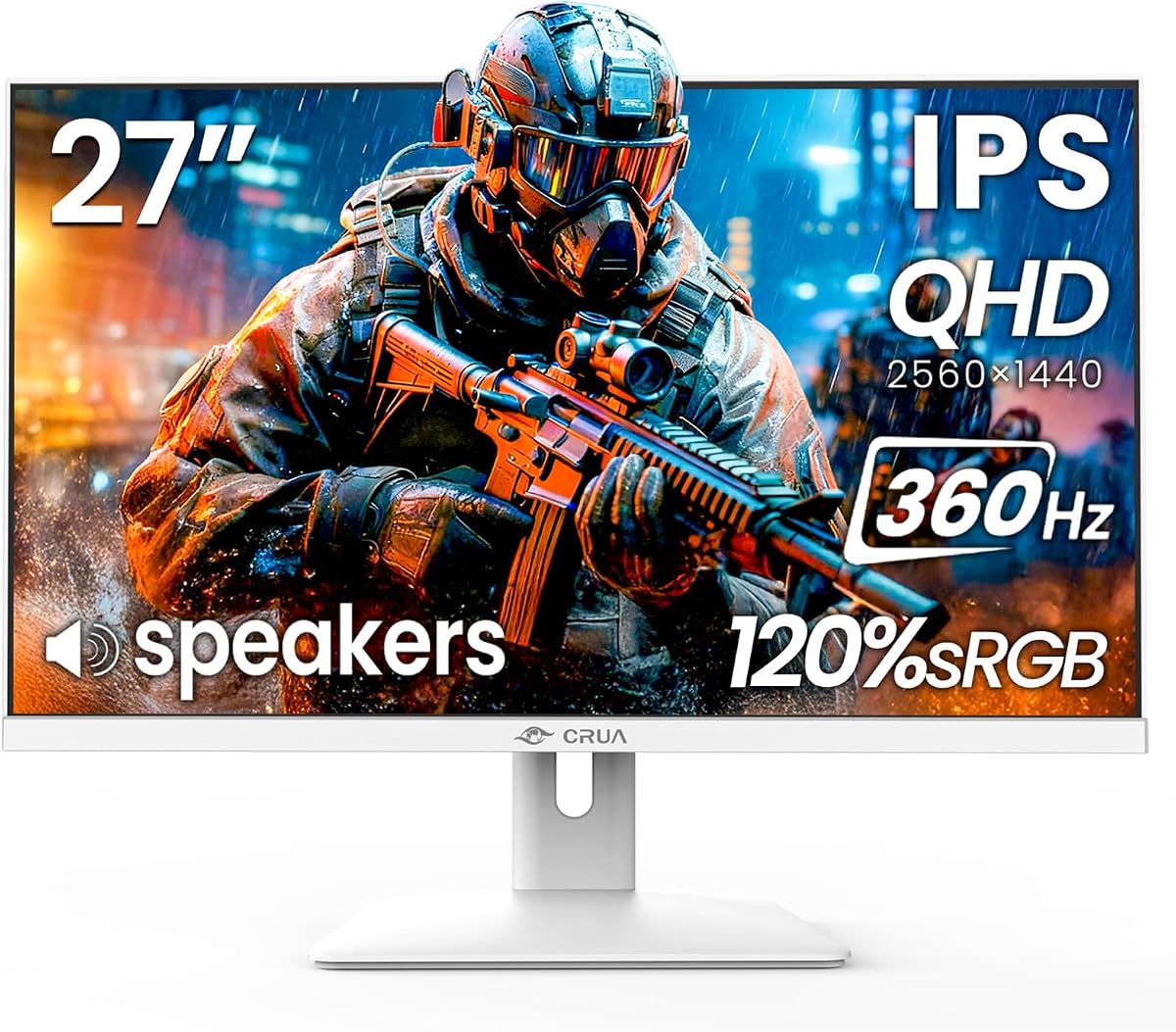
6. CRUA 27 Inch 360Hz QHD IPS - Best White Aesthetic

CRUA 27 Inch 360Hz QHD IPS Gaming Monitor (White)

CRUA 27 Inch 360Hz QHD IPS Gaming Monitor (White)

8.6/10★★★★☆

The white CRUA 27-inch QHD is the aesthetic twin of the brand’s 360Hz pitch: ultra-smooth motion for esports and FPS play, FreeSync for tear reduction, and an IPS panel that stays colorful for streaming and creative side work. If your desk already runs white keyboards, light wood, or a pale PC case, this is the panel that photographs like it belongs instead of looking like a black void bolted onto a bright setup.

  • 27" white QHD IPS, 360Hz via DP
  • 120% sRGB, FreeSync, blue light filter
  • RGB lighting, tilt stand, 75×75 VESA, speakers
Check Price →
✓ Pros
  • White chassis stands out in a sea of black esports monitors for clean or pastel battlestations
  • Same core QHD 360Hz FreeSync gaming brief as CRUA’s darker sibling for competitive motion
  • IPS color with 120% sRGB and solid contrast claims works for streaming overlays and light editing
  • Higher listing rating than the height-adjustable CRUA twin in this pack
✕ Cons
  • Stand story is tilt-and-VESA rather than the taller height/pivot package on the other CRUA
  • Again, DP carries 360Hz while HDMI is listed around QHD 144Hz
  • White plastics show dust and RGB bleed differently—aesthetic upkeep is part of ownership

Detailed review

Performance fundamentals mirror the family: 2560×1440, 360Hz over DisplayPort, FreeSync, built-in speakers, HDMI 2.1 for flexible devices, and RGB ambient lighting on a three-sided narrow-bezel face. Brightness around 300 cd/m² and a 1500:1 contrast claim in the listing describe a competent IPS image—vivid enough for daily use, not a True Black OLED rival.

Where this SKU diverges is ergonomics packaging. You get easy snap-on installation, tilt adjustment, and 75×75 VESA wall or arm mounting, but not the same tall height-and-pivot narrative as the other CRUA. Many buyers will put a white monitor on an arm anyway to complete the aesthetic, so VESA may be the more important checkbox.

Blue light filtering and FreeSync matter for the long session reality of ranked ladders and creative deadlines. Speakers cover voice chat emergencies when a headset battery dies. None of those features replace a proper audio stack, but they keep the white CRUA feeling like a complete product rather than a bare panel in a fashionable shell.

Choose this over the ergo CRUA when colorway and a cleaner rating matter more than maximum stand articulation out of the box. Choose it over OLED when you want QHD 360 without burn-in anxiety on a bright white desk that also hosts static spreadsheets during the workday.

Who should buy: streamers and setup builders matching a white theme who still want honest 360Hz QHD motion. Who should skip: buyers who need height/pivot immediately without an arm, or anyone chasing QD-OLED contrast.

Styling tips that do not hurt performance

Match RGB to a single accent color instead of rainbow chaos if you stream; viewers read the white bezel more cleanly. Keep the competitive picture mode relatively neutral so aim clarity stays consistent between home and practice settings.

White CRUA versus black ergo CRUA

Functionally both chase QHD 360 on DP with FreeSync and speakers. Pick white for theme and the stronger rating snapshot here; pick the height-adjustable unit when portrait coding and tall stand travel are the non-negotiables.

Mounting the white panel

A white VESA arm can finish the look better than the included tilt stand. Confirm 75×75 pattern compatibility and cable-route power plus DP behind the arm so the aesthetic does not collapse into a cable waterfall.

Check Price on Amazon →

We may earn a commission at no additional cost to you.

7. 27inch 360Hz Gaming Monitor (GT27 Hunter) - Best Balanced QHD

27inch 360Hz Gaming Monitor (GT27 Hunter)

27inch 360Hz Gaming Monitor (GT27 Hunter)

9/10★★★★★

The GT27 Hunter-style 27-inch listing is the no-drama QHD 360 workhorse: 2560×1440, 360Hz, 1ms response framing, FreeSync, and a fully adjustable vertical-ready stand. It exists for buyers who want the modern competitive resolution/refresh combo without paying the OLED premium or managing dual-mode switching. If your checklist is simply “2K, 360, IPS, ergo stand, enough ports,” this is that checklist in product form.

  • 27" QHD IPS, 360Hz, 1ms
  • 100% sRGB, FreeSync, 1000:1 contrast
  • Dual DP 1.4, dual HDMI 2.0, full ergo + VESA
Check Price →
✓ Pros
  • Straightforward QHD 360Hz IPS brief with a strong 4.5 rating signal in the pack
  • Fully adjustable stand covering height, pivot, swivel, and tilt for long sessions
  • Dual DisplayPort and dual HDMI simplify PC-plus-console or PC-plus-laptop desks
  • 100% sRGB and wide viewing angles keep the panel usable beyond pure ranked play
✕ Cons
  • Listing mentions a curved panel in places—confirm the exact curvature expectation before you buy if you want flat glass
  • HDMI 2.0 pair will not match HDMI 2.1 bandwidth stories on some competitors
  • Lacks the OLED care ecosystem and flagship HDR True Black credentials of ROG/Alienware

Detailed review

Color is honest rather than extravagant—100% sRGB coverage and a 1000:1 contrast ratio describe a solid gaming IPS, not a cinema reference. That is enough for vibrant esports titles, streaming, and everyday creative exports. Wide 178° viewing angles help when a teammate spectates from the side of the desk during a scrim review.

Connectivity is pragmatic: two DisplayPort 1.4 and two HDMI 2.0 inputs plus VESA 100×100. The dual-DP story is especially useful if you swap between a tower and a laptop that both prefer DisplayPort adapters. FreeSync remains the tear-free safety net when frame rates dip under the ceiling during GPU-heavy moments.

Read the marketing carefully around curvature language in the pack copy. Some lines emphasize a curved gaming monitor feel while the core pitch is still QHD IPS speed. If you are sensitive to curve—some aim trainers dislike it—verify the live listing photos and specifications so expectations match the glass you unbox.

At a 4.5 rating, this Hunter configuration is one of the stronger value-confidence signals among non-flagship brands in the pack. It will not dethrone QD-OLED for HDR spectacle, and it will not beat a 24.5-inch 400Hz panel for pure tournament geometry. It will, however, serve as a daily QHD 360 desk centerpiece for players who also write guides, edit clips, and sit for long coaching reviews.

Who should buy: all-rounder QHD competitive players who want ergo flexibility and dual ports without OLED cost. Who should skip: curve-averse buyers who need guaranteed flat panels, and HDMI 2.1 console enthusiasts who specifically need that bandwidth badge.

Stand and VESA strategy

Use the included height/pivot/swivel/tilt stand until your posture is dialed, then move to a VESA arm only if you need dual-monitor alignment. The 100×100 pattern is the common standard for serious arms.

Hunter versus ETiansu-style QHD 360

Both chase the same resolution and refresh class. Prefer Hunter when dual DP/HDMI and a strong rating matter; prefer the first Fast IPS listing when HDMI 2.1, ELMB SYNC, and G-Sync Compatible naming are higher on your personal checklist.

Competitive settings baseline

Set 360Hz, enable FreeSync, use a comfortable brightness for your room, and avoid oversharpening that creates halo edges around player models. Consistency beats flashy OSD gimmicks in ranked play.

Check Price on Amazon →

We may earn a commission at no additional cost to you.

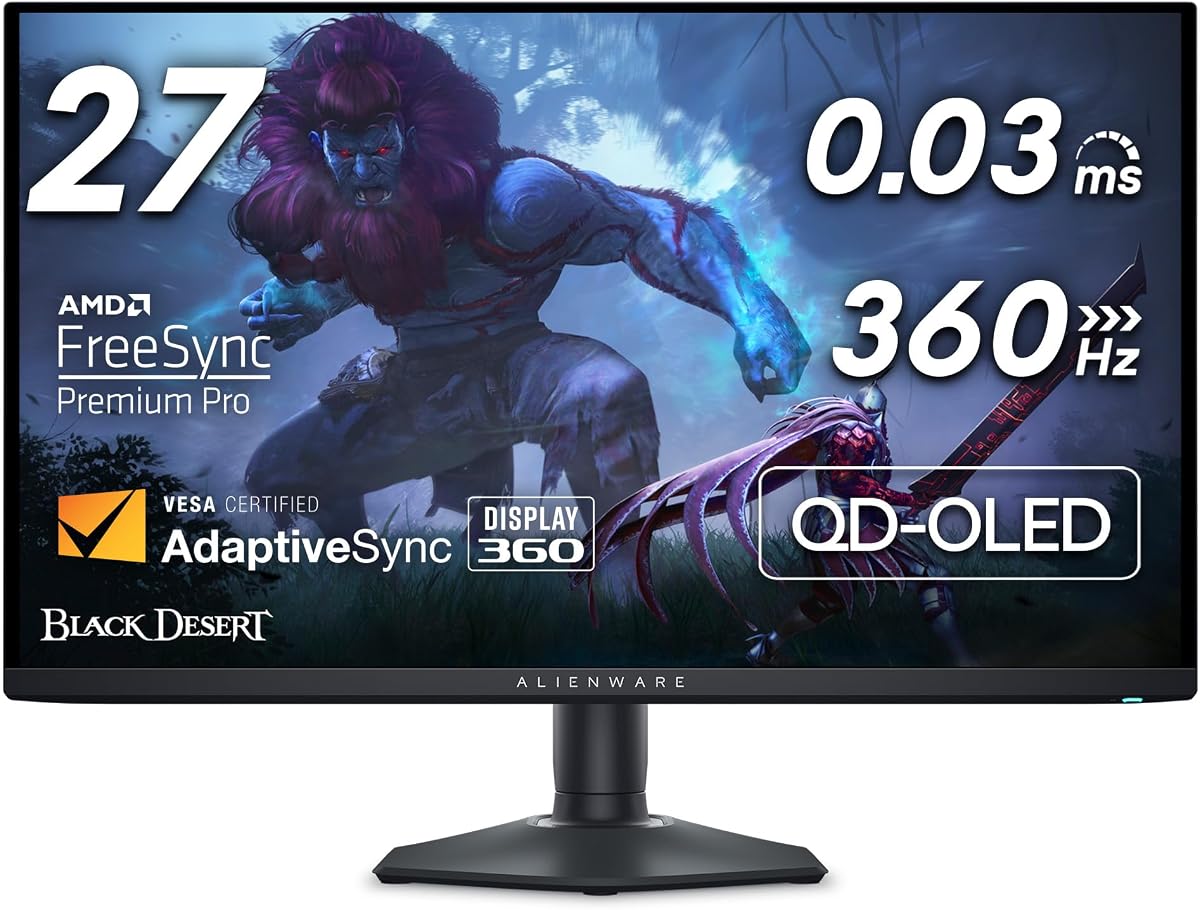
8. Alienware AW2725DF OLED Gaming Monitor - Best Premium QD-OLED

Alienware AW2725DF OLED Gaming Monitor

Alienware AW2725DF OLED Gaming Monitor

8.6/10★★★★☆

Alienware’s AW2725DF is the other half of the QD-OLED 360Hz conversation in this pack. A 26.7-inch quantum-dot WQHD panel running 360Hz with a 0.03ms gray-to-gray minimum response promise is aimed at players who want ROG-class motion clarity with Dell’s Alienware industrial design, ecosystem, and stand experience. If blacks, HDR specular highlights, and color volume matter as much as the refresh integer, this is a primary shortlist monitor.

  • 26.7" QD-OLED WQHD, 360Hz, 0.03ms
  • True Black 400, 99.3% DCI-P3, Delta E<2
  • FreeSync Premium Pro, USB 3.2 hub, full ergo
Check Price →
✓ Pros
  • Quantum-dot OLED color and infinite contrast make competitive dark scenes exceptionally readable
  • 360Hz with a 0.03ms minimum response claim matches the flagship motion brief
  • FreeSync Premium Pro and AdaptiveSync cover tear-free high-frame play
  • Height/tilt/swivel/pivot Alienware stand plus USB connectivity support a full desktop hub setup
✕ Cons
  • Premium OLED ownership still benefits from pixel care awareness for static UI elements
  • Brand styling is polarizing if you want a stealth non-gamer look
  • Shoppers chasing maximum Hertz-per-dollar at FHD may prefer the KTC 400Hz route

Detailed review

The image-quality stack is flagship-tier: infinite contrast framing, VESA DisplayHDR True Black 400, about 99.3% DCI-P3 coverage, and Delta E<2 accuracy claims. In practical gaming terms, that means shadow detail in corridors without lifting the whole image into a milky IPS fog, plus skin and ability effects that hold saturation without looking instantly overcooked.

Motion and sync features keep the competitive half honest. 360Hz refresh translates to superb motion clarity when your PC can feed it. AMD FreeSync Premium Pro and VESA AdaptiveSync target stutter-free visuals when frame delivery varies. The near-instant pixel response is why OLED converts often say they “can’t go back” after a week of aim training.

Desktop practicality is stronger than pure tournament bricks. A fully adjustable stand covers height, tilt, swivel, and pivot. HDMI, DisplayPort, and USB 3.2 Gen1 connectivity help the AW2725DF act like a desk hub rather than a dumb panel. That matters for streamers and hybrid workers who keep cameras, keys, and DAC devices tethered through the monitor.

Choose Alienware when the AW look, FreeSync Premium Pro labeling, and Dell purchase pathways feel right. Choose the ROG Strix XG27ACDNG when you want ASUS OLED Care+ and DisplayWidget packaging emphasized more heavily. Both belong in the premium 360Hz OLED tier; neither is the budget Fast IPS answer.

Who should buy: players building a long-term QHD OLED competitive desk with strong HDR tastes. Who should skip: daylight-heavy offices that need extreme sustained brightness above all, and FHD purists who refuse 27-class sizing.

Living with QD-OLED on a work-game desk

Use auto-hide taskbars, vary wallpapers, and run the monitor’s refresh/pixel maintenance prompts when scheduled. For spreadsheet-heavy days, consider a second IPS utility monitor so the OLED is not a static Excel canvas for eight hours.

Alienware stand and hub workflow

Dial height so the top of the panel sits near eye level, then use the USB ports for keyboard or headset DAC duty if your case ports are awkward to reach. Keep the main GPU feed on DisplayPort for the cleanest high-refresh path.

When to pick KTC instead

If your only titles are lightweight tactical shooters and you already think in 24.5-inch FHD geometry, the KTC 400Hz panel may be the more coherent competitive tool. Pick Alienware when visuals and OLED clarity are part of why you play.

Check Price on Amazon →

We may earn a commission at no additional cost to you.

9. ASUS ROG XG27ACMS 27 Inch 1440p - Best Near-360 Fast

ASUS ROG XG27ACMS 27 Inch 1440p 320Hz USB-C

ASUS ROG XG27ACMS 27 Inch 1440p 320Hz USB-C

9.4/10★★★★★

The ROG XG27ACMS earns a place in a 360Hz roundup because shoppers in this tier evaluate the entire high-refresh QHD Fast IPS neighborhood, and this is the most highly rated ASUS Fast IPS option in the pack. A 27-inch 2560×1440 panel with a 320Hz overclock and 0.3ms minimum response is still firmly in professional-gamer motion territory even if the badge is not literally 360.

  • 27" QHD Fast IPS, 320Hz OC, 0.3ms
  • ELMB Sync, G-SYNC Compatible, DisplayWidget
  • USB-C with DP Alt Mode, tripod socket, 3yr warranty
Check Price →
✓ Pros
  • Highest rating in this pack with a polished ROG Fast IPS feature set
  • USB-C DP Alt Mode simplifies laptop creator and travel-dock gaming setups
  • ELMB Sync plus variable refresh targets sharp motion without the usual exclusive tradeoff
  • Tripod socket and DisplayWidget Center add streamer and tuning convenience
✕ Cons
  • 320Hz overclock is near the 360Hz class but not a literal 360Hz panel
  • Fast IPS contrast still trails QD-OLED True Black alternatives
  • Buyers fixated on the number 360 may feel undersold despite excellent real-world speed

Detailed review

ELMB Sync is the clarity feature to test on day one. ASUS’s approach lets extreme low motion blur work with variable refresh, attacking ghosting and tearing together. Combined with G-SYNC Compatible support, the XG27ACMS feels like a tuned competitive instrument rather than a generic high-Hz IPS.

USB-C with DisplayPort Alt Mode is the differentiator versus several pure DP/HDMI speed boxes. Creators and students who dock a laptop to the same monitor they game on can reduce cable clutter dramatically. Add the tripod socket for cameras or lights and DisplayWidget Center for mouse-driven OSD control, and the peripheral story becomes unusually streamer-friendly.

Warranty and extras reinforce the ROG positioning: a three-year plan with advanced replacement and repair service, plus promotional creative cloud access called out in the listing window. Those extras do not change pixel response, but they change ownership confidence and unboxing value for mixed work-game users.

Be honest about the Hertz gap. If your GPU already pushes 350-plus frames at QHD and you specifically want every tick to 360, prefer the true 360Hz QHD IPS or OLED models. If you want ASUS software, USB-C convenience, and a 4.7-rated Fast IPS that is still vastly faster than 240Hz class panels, the XG27ACMS is an excellent near-360 choice.

Who should buy: hybrid laptop/desktop gamers and streamers who value USB-C and ROG tooling. Who should skip: literalists who will only accept a 360Hz EDID timing, and OLED converts already committed to True Black.

Is 320Hz close enough to 360Hz?

For many players stepping up from 144–240Hz, the jump to 320Hz is enormous, and the last step to 360Hz is smaller than marketing wars imply. Choose based on whether USB-C and ROG features outweigh a pure 360 badge on another panel.

USB-C docking tips

Confirm your laptop’s USB-C port supports DisplayPort Alt Mode and enough bandwidth for QHD high refresh. Some ports are charge-only or limited; the wrong port is the most common reason a “USB-C monitor” disappoints on first plug-in.

XG27ACMS versus XG27ACDNG OLED

Pick ACMS for Fast IPS brightness comfort, USB-C, and no OLED care routine. Pick ACDNG when contrast, HDR True Black, and literal 360Hz QD-OLED motion are the dream and you accept premium OLED ownership habits.

Check Price on Amazon →

We may earn a commission at no additional cost to you.

10. ASUS TUF Gaming VG259QMRL5A 24.5” 1080P - Best Compact ASUS

ASUS TUF Gaming VG259QMRL5A 24.5” 1080P

ASUS TUF Gaming VG259QMRL5A 24.5” 1080P

9.2/10★★★★★

The TUF Gaming VG259QMRL5A is the brand-confident compact pick for players who want a 24.5-inch FHD Fast IPS in the high-refresh class with better software and warranty comfort than generic speed monitors. A 310Hz overclock and 0.3ms GtG minimum response keep it adjacent to the 360Hz conversation even though the badge stops short of 360 or 400.

  • 24.5" FHD Fast IPS, 310Hz OC, 0.3ms
  • DisplayHDR 400, 99% sRGB, ELMB Sync
  • FreeSync Premium, G-SYNC Compatible, height stand
Check Price →
✓ Pros
  • Tournament-friendly 24.5-inch FHD size with ASUS Fast IPS tuning and ELMB Sync
  • FreeSync Premium and G-SYNC Compatible cover both major GPU camps
  • Height-adjustable stand and DisplayWidget Center beat bare-bones tilt-only budget stands
  • Strong rating plus three-year ASUS service framing for a compact competitive buy
✕ Cons
  • 310Hz overclock sits below literal 360/400Hz ceilings on other FHD options
  • FHD detail limits mixed creative work compared with QHD panels
  • Gaming AI extras are optional sauce—not a reason to pick TUF over KTC on Hertz alone

Detailed review

ASUS feature glue is the reason it appears in this pack beside literal 360Hz models. ELMB Sync, FreeSync Premium, G-SYNC Compatible support, DisplayHDR 400, and 99% sRGB coverage describe a tuned esports IPS rather than a bare panel. DisplayWidget Center and TUF Gaming A.I. extras give mouse-friendly control and optional assists once the basics are set.

Ergonomics matter more than people admit in compact competitive setups. A height-adjustable stand lets you match a laptop or secondary screen without an immediate arm purchase. For LAN travel, the 24.5-inch size remains easier to transport and place than 27-inch QHD OLEDs that feel luxurious at home but awkward on borrowed tables.

Against the KTC 400Hz monitor, you trade absolute refresh ceiling for ASUS ecosystem polish, ELMB Sync maturity, and warranty familiarity. Against QHD 360 panels, you trade resolution for traditional aim geometry and usually easier frame-rate targets on midrange GPUs. That triangle of choices is the real shopping decision inside this guide’s FHD lane.

Promotional Adobe Creative Cloud access for a limited window is a nice side note for hybrid buyers, not a competitive feature. Focus on whether 310Hz Fast IPS at 24.5 inches matches how you practice. If you already clear 400 frames and want the number to match, KTC remains the Hertz chase. If you want TUF reliability cues and a refined OSD experience, this VG259QMRL5A is easy to recommend.

Who should buy: ASUS-loyal competitive players standardized on 24.5-inch FHD. Who should skip: shoppers who will only accept 360Hz+ marketing integers, and anyone who needs QHD for daily creative work on the same screen.

Tuning ELMB Sync on TUF

Enable variable refresh first, then test ELMB Sync in a bot match. If brightness drops more than you like, leave ELMB off for ranked and keep it for aim training when clarity matters more than luminance.

TUF versus KTC for compact desks

Pick TUF for height adjustment, DisplayWidget, dual-ecosystem sync naming, and ASUS service expectations. Pick KTC when the 400Hz DisplayPort ceiling is the entire point of the upgrade.

Check Price on Amazon →

We may earn a commission at no additional cost to you.

Best 360Hz Monitors 2026 for Competitive Gaming Clarity

Buying Guide: How to Choose a 360Hz Monitor in 2026

Start with the frames you can actually feed

Refresh rate is a ceiling, not a performance upgrade by itself. A 360Hz panel shows smoother motion only when your game and GPU deliver frame rates that approach that ceiling. Lightweight tactical shooters on strong PCs are the natural fit. GPU-heavy cinematic titles at ultra settings may spend most of their time far below 360FPS even on excellent hardware.

Before you fall in love with OLED marketing, check your typical competitive titles in an FPS overlay. If you hover around 200FPS at QHD, you can still benefit from a 360Hz panel’s headroom and frame-time consistency, but a dual-mode FHD 360 path or a 24.5-inch FHD speed monitor may convert more of your frames into visible clarity.

QHD 360 versus FHD 360/400

QHD 360Hz (many 27-inch Fast IPS and QD-OLED models here) gives sharper world detail, better VOD review, and more desktop space for Discord and browsers beside the game. It demands more GPU power to fill. FHD 360–400Hz on 24.5-inch panels preserves classic esports geometry and is easier to drive at extreme frame rates.

Choose QHD if you hate soft textures and use the monitor for creative side work. Choose FHD if your identity is tournament standard aim training and maximum Hertz. Dual-mode panels try to offer both personalities on one chassis with setup overhead as the tax.

Fast IPS versus QD-OLED

Fast IPS remains the pragmatic high-refresh workhorse: bright enough for mixed lighting, no burn-in anxiety for static HUDs, and strong motion when response tuning is good. QD-OLED changes the emotional quality of the image—True Black contrast, vivid HDR highlights, and pixel response that makes ghosting debates feel outdated.

Ports, cables, and the 360Hz handshake

DisplayPort 1.4 is still the usual path to maximum PC refresh on these monitors. HDMI 2.1 helps on newer console-friendly QHD models, but several pack listings explicitly limit HDMI to lower QHD refresh than DisplayPort. Read that split before you assume every cable unlocks 360Hz.

After connecting, set the OSD timing, set Windows to the max refresh rate, and confirm with a refresh-rate checker. A surprising number of “my 360Hz monitor feels like 144” tickets are just wrong inputs, outdated cables, or GPU panels stuck on a lower mode.

Sync tech and motion clarity features

FreeSync, FreeSync Premium/Pro, G-SYNC Compatible, and Adaptive Sync all attack tearing and stutter when frames fluctuate. ELMB Sync-style features try to keep blur reduction active with variable refresh—worth testing, not mandatory. If blur reduction makes the image too dim or introduces artifacts for your eyes, leave it off; high refresh alone already helps.

Ergonomics, size, and desk reality

24.5-inch FHD keeps flick distances familiar. 26.5–27-inch QHD feels more immersive and better for multitasking. Height, tilt, swivel, and pivot become critical if you share the screen with coding or content work. VESA mounts rescue weak stands. Speakers are fine for temporary audio; ranked callouts still want a headset.

Frequently Asked Questions

01

Do I need a 360Hz monitor if I currently play on 144Hz or 165Hz?

You do not need one, but the upgrade can feel transformative if your PC already pushes high frame rates in competitive titles. Moving from 144Hz to 240Hz is often the biggest perceived jump; 360Hz refines that clarity further for tracking and micro-adjustments. If your GPU rarely breaks 180FPS at your settings, fix performance first or consider a 24.5-inch FHD high-refresh panel that is easier to saturate than QHD 360 OLED.

02

Is 360Hz worth it at 1440p, or should I stay at 1080p?

1440p at 360Hz is the modern sweet spot when you want sharper visuals and still care about esports motion—especially on 26.5–27-inch QD-OLED and Fast IPS panels in this guide. 1080p at 360–400Hz remains smarter if you prioritize tournament-standard sizing, maximum frame rate headroom on a midrange GPU, or LAN travel. Dual-mode monitors exist specifically for people who refuse to choose permanently.

03

What is the real difference between Fast IPS and QD-OLED at 360Hz?

Both can feel extremely responsive. QD-OLED typically wins contrast, HDR highlight pop, viewing-angle consistency, and pixel transition speed. Fast IPS typically wins sustained brightness comfort in bright rooms and freedom from burn-in worry during static desktop use. If you game in a dark room and love deep blacks, OLED is magical. If the monitor is also your all-day work screen with permanent sidebars, Fast IPS is the lower-anxiety tool.

04

Will a PlayStation 5 or Xbox Series console use 360Hz?

Consoles do not chase PC-style 360Hz esports modes in the same way. HDMI 2.1 on several monitors here still matters for 120Hz-class console gaming, VRR, and cleaner hookups. Buy 360Hz primarily for a gaming PC that can generate the frames. Treat console compatibility as a welcome secondary benefit, not the reason to pay for a 360Hz panel.

05

Why does my new monitor not show 360Hz in Windows?

Most often the cable or port is wrong, the OSD is on a lower timing, or the GPU control panel is limiting refresh. Use the DisplayPort path called out for max mode, select 360Hz (or 400Hz on the KTC) in both the monitor menu and Windows advanced display settings, update GPU drivers, and test another cable. Dual-mode panels may also require the FHD mode before 360Hz appears as an option.

06

Should I worry about OLED burn-in on a 360Hz QD-OLED?

You should be aware, not paralyzed. Modern QD-OLED gaming monitors ship with care features, pixel shifting, and—on models like the ROG Strix XG27ACDNG—warranty language that includes burn-in coverage for a multi-year window. Avoid static HUDs at maximum brightness for endless hours, run maintenance prompts, and diversify content. For many competitive players who also watch varied media, the image-quality upside outweighs the managed risk.

07

Is 320Hz or 310Hz close enough if I searched for 360Hz?

Often yes. The ASUS ROG XG27ACMS at 320Hz and TUF VG259QMRL5A at 310Hz still deliver high-refresh Fast IPS experiences far beyond mainstream 144–165Hz panels. Choose them when USB-C, ELMB Sync, brand warranty, or a 24.5-inch ASUS package matters more than matching the exact integer in your search query. Choose literal 360/400 models when the number itself is part of your upgrade goal.

08

Does FreeSync or G-SYNC Compatible matter if I can hit 360FPS locked?

Even strong systems dip during fights, utility spam, or background apps. Sync technologies reduce tearing and hitching in those dips, which is why FreeSync Premium/Pro and G-SYNC Compatible support still matter on a 360Hz screen. If you hard-cap frames a few below refresh and keep frame times stable, you may notice sync less—but it remains useful insurance.

09

What size is best for competitive play: 24.5 or 27 inch?

24.5-inch FHD remains the traditional competitive comfort zone for many tactical FPS players. 26.5–27-inch QHD is better when you want immersion, sharper content creation, and a modern all-rounder desk. Sit slightly farther back with 27-inch panels if flicks feel too wide at first. There is no universal correct size—only the size that matches your aim history and desk distance.

10

Can I use a 360Hz monitor for work and content creation?

Yes, especially QHD IPS models with strong sRGB coverage and ergonomic stands. They make excellent hybrid screens for coding, editing, and ranked play. QD-OLED models also look stunning for color work but deserve more care with static interfaces; a second utility monitor is a common pro setup. Avoid judging color-critical print work on an uncalibrated gaming preset—use a suitable picture mode for editing.

Conclusion

The best 360Hz monitor in 2026 is the one that matches your resolution target, panel tolerance, and GPU reality—not the one with the loudest Hertz in a product title. For most players who want the flagship experience, the ASUS ROG Strix XG27ACDNG QD-OLED delivers the clearest blend of 360Hz motion, True Black HDR impact, and ownership tooling. The Alienware AW2725DF sits right beside it as the premium QD-OLED rival with FreeSync Premium Pro and a full Alienware desk presence.

If your heart still belongs to compact esports geometry, take the KTC 24.5-inch 400Hz Fast IPS seriously—it overshoots the 360Hz brief with a tournament-friendly footprint. Hybrid creators should look hard at Gawfolk’s 4K/FHD dual-mode flexibility or CRUA’s QHD 360 options when stand aesthetics and desk ergonomics matter. ASUS’s 320Hz USB-C ROG and 310Hz TUF panels remain excellent near-360 Fast IPS alternatives when brand software and warranty comfort outweigh a literal 360 badge.

Pick your lane with the checklist, confirm the cable path that unlocks maximum refresh, and invest in the panel technology you will still enjoy after the novelty of the Hertz number fades. Motion clarity is the feature—resolution, contrast, and ergonomics are how you live with it every day.