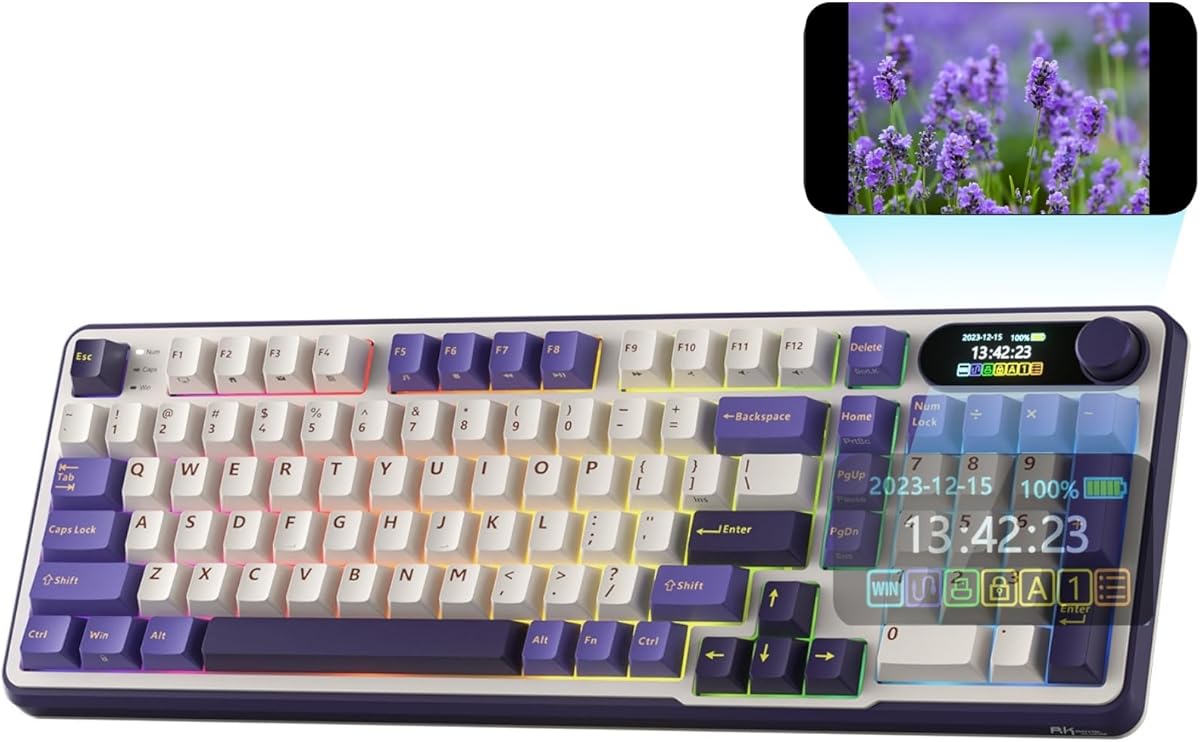
Detailed review
Layout-wise, the 98-key arrangement keeps the number pad, arrows, and most navigation keys while trimming the wasted plastic that makes a classic full-size board feel like a parking lot. That matters if your mousepad is already fighting a monitor arm. The R98 Pro still feels substantial under the hands, but the right edge of the board sits closer to a TKL footprint than a 104-key slab, so your mouse starts farther left without forcing you onto Fn layers for numbers.
Keycap and switch choices are enthusiast-adjacent rather than bare-bones office plastic. MDA profile sits taller and wraps the fingertips more than flat OEM sets, which some typists love immediately and others need a day to map. Double-shot PBT helps legends stay readable after months of WASD abuse. Because the PCB is hot-swappable, you can park the cream linears if you later want a tactile or heavier linear without soldering—or pull a few keys for experimental silent switches in a shared apartment.
The detachable CNC aluminum volume knob is the party trick. Twist for volume during a raid, and rely on the indicator cluster for Num Lock, Caps Lock, Win Lock, and Mac mode so you are not guessing OS state mid-meeting. RGB modes are plentiful for a desk that likes color, and the online driver is enough for remaps and macros without pretending to be a full QMK ecosystem. Compatibility covers Windows and macOS on a wired link, which is a fair trade if your desk never moves.
Buy the R98 Pro if creamy gasket typing and a real numpad are non-negotiable and you are fine with a cable. Skip it if you need tri-mode wireless for a laptop bag, or if you refuse linears and want a loud blue click on every press. As a daily driver for mixed work-and-play desks, it is one of the most complete wired 96% packages in this pack.
Who should buy the R98 Pro
Choose this board if you type long documents and still hop into games that need a numpad, if your apartment neighbors complain about hollow plastic ping, and if you want hot-swap headroom without paying flagship wireless premiums. It is especially strong for Windows/Mac hybrid desks that stay plugged in.
Setup notes for cream gasket boards
Seat the USB cable cleanly, enable Mac mode if needed via the indicators, and spend ten minutes in the RK online driver locking Win Lock for gaming and remapping any awkward media layer. If the stock cream linears feel too light after a week, hot-swap a heavier linear in modifiers first before changing the whole board.
R98 Pro versus wireless RK S98 models
Pick the R98 Pro when gasket softness and MDA keycaps matter more than a smart display or Bluetooth. Pick an S98 when you need tri-mode radios and on-board status glass. The R98 Pro wins pure wired typing feel in this pack; the S98 boards win desk mobility.