Best Proven Value Wired
Logitech G502 HERO

- HERO sensor up to 25,600 DPI with clean tracking claims
- 11 programmable buttons, hyper-fast scroll, and adjustable weights
- LIGHTSYNC RGB and G HUB support that still feels modern
Expert Review & Guide
A tight peripheral budget should buy aim, not apologies. The best gaming mouse under $40 class in 2026 can still deliver credible sensors, usable weight, optical switches that resist double-click death, and enough buttons for ranked utilities—especially if you shop proven shapes instead of mystery RGB bricks. Street prices swing with sales, so treat this pack as a value-tier shortlist rather than a promise every ASIN always sits in one cart total; the editorial focus is maximum competitive usefulness per dollar of kit money you refuse to waste.
Inside: Logitech G502 HERO’s weighted classic, DeathAdder Essential’s timeless right-hand curve, Basilisk V3’s HyperScroll macro machine when deals hit, compact G203 LIGHTSYNC, Redragon’s durable M602, Razer Cobra’s 58g optical-switch lightweight, plus aggressive value wireless options—G57 tri-mode, ATK VXE Dragonfly R1 SE+ at ~55g with PAW3395 SE, ATTACK SHARK MAMBASNAKE M2 Ultra around 41g carbon-fiber framing, and AULA SC580’s 12K DPI tri-mode.
You will get three top picks for different value philosophies, a full comparison, honest reviews about when lightweight wireless bargains beat brand comfort classics, and a checklist so you do not blow the budget twice.
Whatever you choose, give the mouse a fair week of aim trainers and real matches before judging. Value hardware often feels strange on day one and obvious on day seven—especially when you jump weight classes or finally cut a cable you have dragged for years.


As an Amazon Associate we earn from qualifying purchases. We may earn a commission at no additional cost to you.
Compare weight, wired versus tri-mode wireless, sensor class, and switch type. Value-tier shopping rewards clear priorities—comfort classics versus ultra-light aim tools—more than collecting every RGB mode. When two rows look similar, prefer the shape that matches your grip photos over the louder DPI number.
G502 HERO remains the value wired default for a reason: HERO tracking, eleven buttons, a hyper-fast wheel, and weights you can actually feel changing your flick timing. When it lands in a budget cart, you are not pretending—you are buying a long-proven control layout.
Ultra-light fans will call it chubby. Palm grippers and hybrid claw players often call it home. LIGHTSYNC keeps the desk cohesive if you already speak G HUB.
In a best gaming mouse under $40 style shortlist, HERO’s power is optionality. You can grow into macros and weight experiments instead of outgrowing a three-button toy in a month.
If your hand demands sub-50g, look at M2 Ultra or Cobra instead. If your hand wants a toolbox, start here.
Proven value still wins arguments.
Budget shoppers should also remember accessories: a mid-size cloth pad often improves a HERO more than another ten dollars of mystery RGB. Spend the remainder of a tight kit budget on the surface your sensor sees every flick.
Remove all weights for a week, then add pairs back. Free training data beats buying three mice.
Disable unused side buttons in software if they cause panic misclicks in ranked.
Treat this purchase as a season-long tool: clean skates occasionally, keep profiles backed up, and resist upgrading until your aim plateaus for reasons that are clearly hardware—not habits.
We may earn a commission at no additional cost to you.

DeathAdder Essential is value through geometry. If your hand already ‘knows’ this curve from friends’ PCs or LAN cafes, buying it can raise your skill ceiling faster than adapting to a radical ultra-light egg.
6400 DPI with on-the-fly steps covers 1080p/1440p sens norms. Five buttons keep FPS utilities clean. The ridged wheel is a small tactile gift during tense buy menus.
It will not win a weight weenie contest against M2 Ultra. It will win comfort contests for many right-hand palm/claw hybrids shopping the value tier.
Pick Essential for shape. Pick Cobra for optical switches and grams. Pick HERO for buttons and weights.
Classic value, zero gimmicks required.
Essential also works as a creative-day mouse for light photo culling when you are not queued. The ridged wheel and simple button map translate outside games, stretching value across your whole PC life—not only ranked weekends.
Fingertip players chasing sub-50g wireless, and anyone already burned out on DeathAdder height.
If primary clicks start double-firing after heavy years, that is switch wear—budget replacements are part of value ownership.
We may earn a commission at no additional cost to you.

Basilisk V3 is the pack’s reminder that value is dynamic. When it dips into budget territory, you suddenly own optical switches, HyperScroll, eleven buttons, and dense Chroma—features that used to define pricier tiers.
Grip-wise it supports palm and claw hybrids with a thumb rest. FPS snipers, MOBA players, and MMO tourists can all find binds. Optical Gen-2 switches chase crisp actuation without classic double-click anxiety.
If it is not in your budget today, Cobra or DeathAdder Essential may be the steadier everyday value. If it is, Basilisk can obsolete a whole upgrade wishlist.
Check the live listing, then decide. Editorial cannot freeze street prices—but it can tell you why this ASIN matters when the number looks friendly.
Feature gravity for deal hunters.
Watch bundle listings carefully; some carts try to pair Basilisk with pads you do not need. Buy the mouse you planned, then choose a pad on purpose. Forced bundles are how value budgets quietly evaporate.
Wishlist it and wait rather than stretching into regret. Value shopping rewards patience.
A cheap bungee multiplies Basilisk’s wired excellence on a low-sens pad.
We may earn a commission at no additional cost to you.
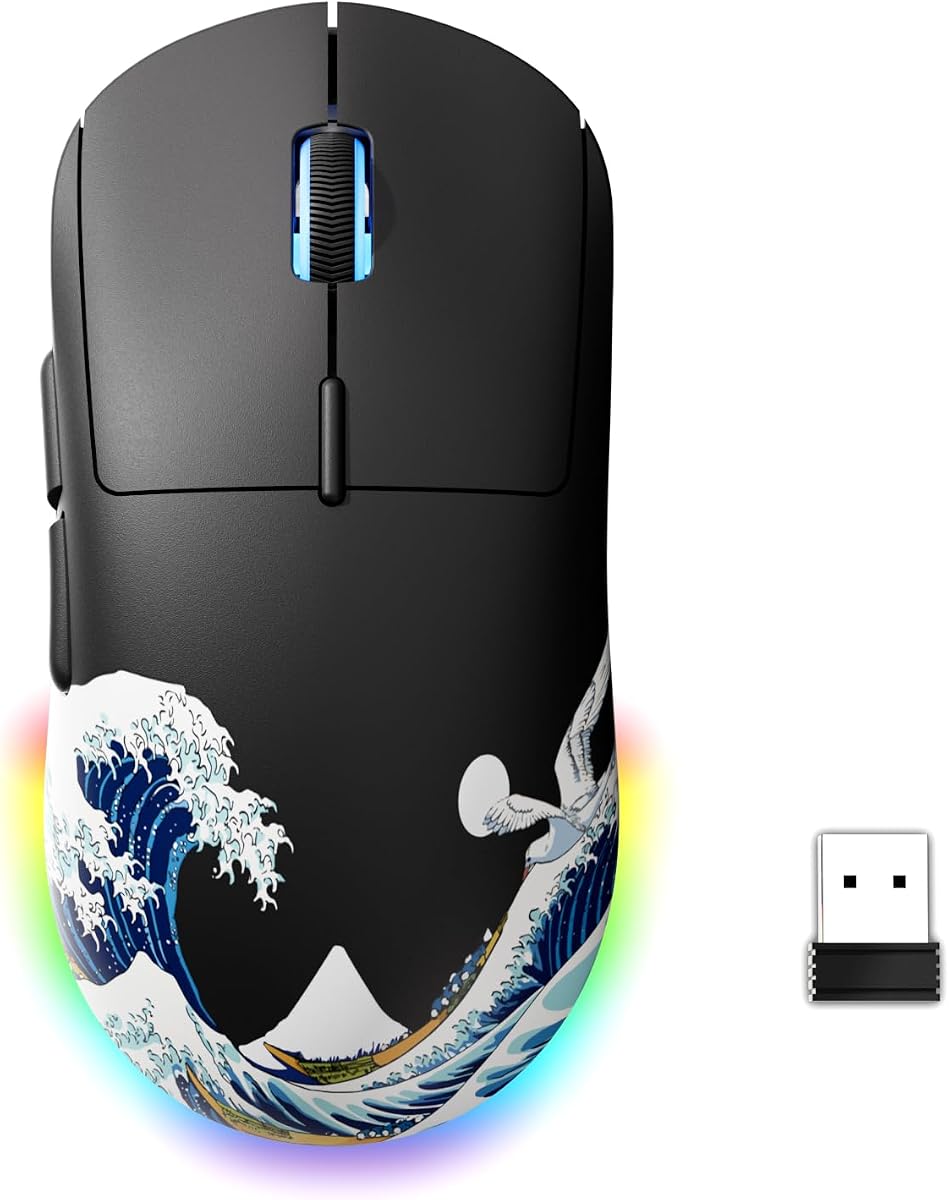
G57 aims at the middle: wireless tri-mode, mid weight around 80g, DPI to 8000 with friendly indicators, five buttons. For players leaving office mice behind, that is a gentle on-ramp into value wireless gaming.
It will not embarrass ultra-light duelists who live at 41g. It will delight someone who wants to cut the cable without learning a new sport called ‘featherweight adaptation.’
Use 2.4G for ranked, Bluetooth for couch Netflix cursor needs, USB-C when the battery lies.
Pick G57 for balanced wireless simplicity. Pick M2 Ultra/ATK when grams are the religion.
Friendly tri-mode value.
If your dorm shares one monitor across schoolwork and games, G57’s Bluetooth mode keeps you from unplugging a receiver every morning. That lifestyle convenience is a performance feature when it means you actually practice more often.
Write your stages on a sticky note matching the indicator colors until muscle memory sticks.
Avoid burying the dongle behind a metal PC case; a front USB or extender helps budget wireless shine.
We may earn a commission at no additional cost to you.

G203 is the compact value hero: eight thousand DPI, LIGHTSYNC flair, onboard memory, and a shell that does not swallow small hands. Fingertip and claw players often prefer it to G502’s bulk when shopping budget wired.
Save a profile to the mouse before school or LAN visits. Tensioned primaries keep clicks consistent. RGB can be subtle or silly—your call.
Choose G203 for compact brand trust. Choose Cobra if you want similar lightness with optical switches and Razer lighting. Choose HERO if you need eleven buttons.
A perennial best gaming mouse under $40 style recommendation for a reason.
Small shell, complete package.
G203’s onboard memory also helps household PCs where you lack permission to install G HUB permanently. Load the profile at home, carry the mouse, and keep DPI stages consistent on locked-down machines.
If your ring finger hangs awkwardly off G502, try G203 before abandoning Logitech entirely.
Compact mice love medium pads; you do not need an XL runway unless your sens demands it.
We may earn a commission at no additional cost to you.
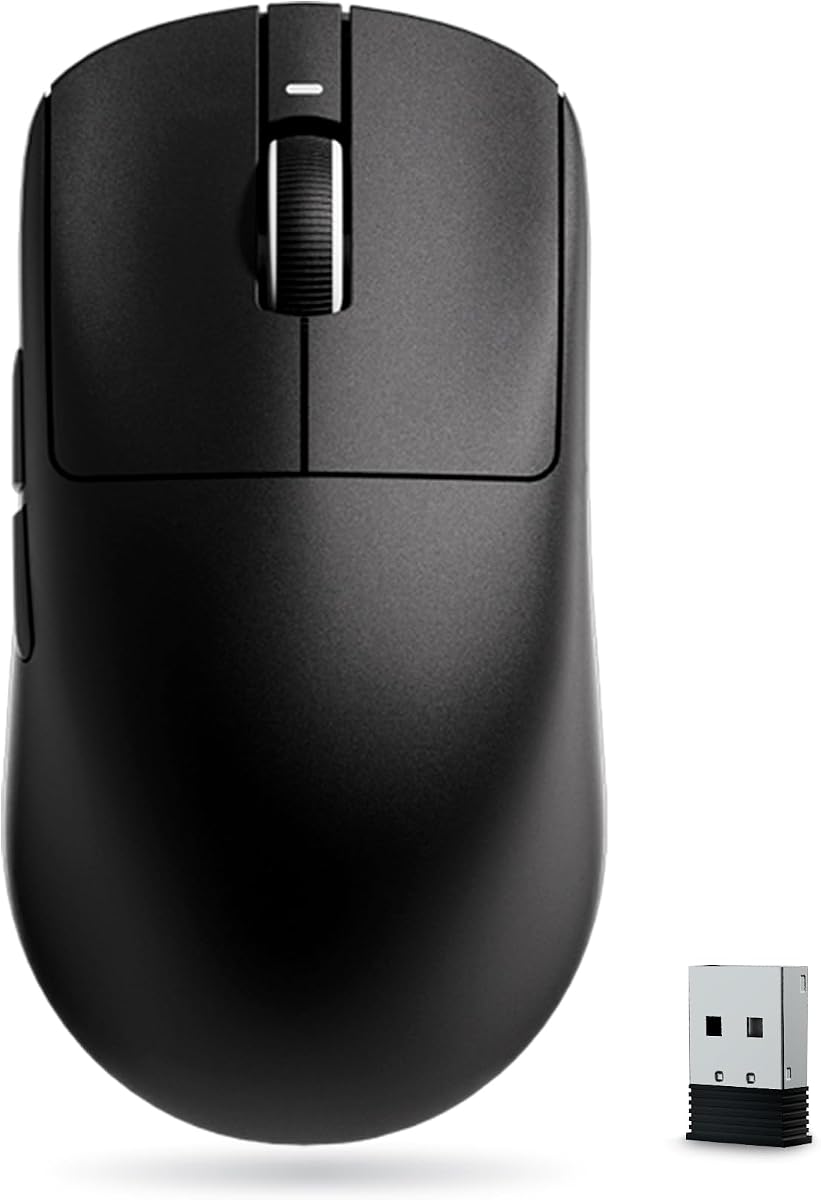
ATK’s Dragonfly-style R1 SE+ chases what value-seeking aimers want in 2026: ~55g, PAW3395 SE, tri-mode, PTFE feet, symmetrical lines. That is an enthusiast checklist formerly reserved for pricier carts.
Medium and small hands often lock in quickly. Large palm players should measure. Sensor fine-stepping lets you copy eDPI from guides without ugly rounding.
Wireless value always carries risk—test for spin-out and click feel immediately. When the unit is good, it embarrasses heavier ‘safe’ brands on flick speed alone.
Stack it against M2 Ultra’s 41g carbon story if you want even less mass. Stack against G57 if you want a safer mid-weight wireless.
Best 55g PAW-class value wireless in this pack.
ATK’s symmetrical lines reward claw players who rotate the mouse slightly; experiment with grip angle before declaring the shell too small. Many ‘too small’ complaints are actually untuned flare angles on day one.
Ambidextrous shaping helps some lefties, but side-button reaches still favor right thumbs—verify before committing.
Update only from official sources. Budget performance brands sometimes ship rapid firmware—read changelogs.
We may earn a commission at no additional cost to you.
ATTACK SHARK MAMBASNAKE M2 Ultra
M2 Ultra is the gram manifesto: roughly forty-one grams, PAW3395PRO-class tracking, tri-mode wireless, carbon-fiber-style resilience. In a value shortlist it is the ‘why is this so light for the money’ magnet—with a 4.8 rating that turns heads.
Fingertip and claw players who already like light mice will feel at home faster than palm bricks migrating down from G502. Expect an adaptation period either way; inertia lies.
Use 2.4G for ranked, keep USB-C as emergency leash, and charge on a schedule so the feather never dies mid-retake.
If 41g scares you, ATK’s 55g or Cobra’s 58g wired are softer landings. If 41g thrills you, stop shopping heavier compromises.
Best ultra-light wireless value pick here.
Carbon-fiber style shells can feel textured under fingertip skin—decide if you want grip tape before the first sweaty tournament weekend. A 41g mouse that slips is still a 41g liability.
Drop sens slightly when moving to ultra-light, then retune after three days—not after three deaths.
Light structures hate backpack crush. Use a hard pouch if you commute with it.
Treat this purchase as a season-long tool: clean skates occasionally, keep profiles backed up, and resist upgrading until your aim plateaus for reasons that are clearly hardware—not habits.
We may earn a commission at no additional cost to you.

SC580 plays the flexible wireless card: 2.4G for the game PC, two Bluetooth connections for laptop/tablet, USB-C when you must tether. DPI up to 12,000 and six programmable buttons keep it in gaming conversation without demanding ultra-light religion.
Students who game and study on different machines will appreciate dual BT more than a 5g weight delta. Macro software helps MOBA/MMO utility on a budget.
Aim purists still may prefer ATK/ATTACK SHARK. Comfort/feature generalists may prefer SC580’s connectivity map.
A practical tri-mode value pick with headroom.
Connectivity first, grams second.
AULA’s dual Bluetooth is particularly handy if you review VODs on a tablet while the PC downloads updates. Cursor continuity across devices keeps analysis friction low between matches.
Label BT1 as school laptop, BT2 as tablet, 2.4G as the gaming tower—future you will stop guessing.
You will not live at 12,000. Use the ladder; ignore the brag.
We may earn a commission at no additional cost to you.
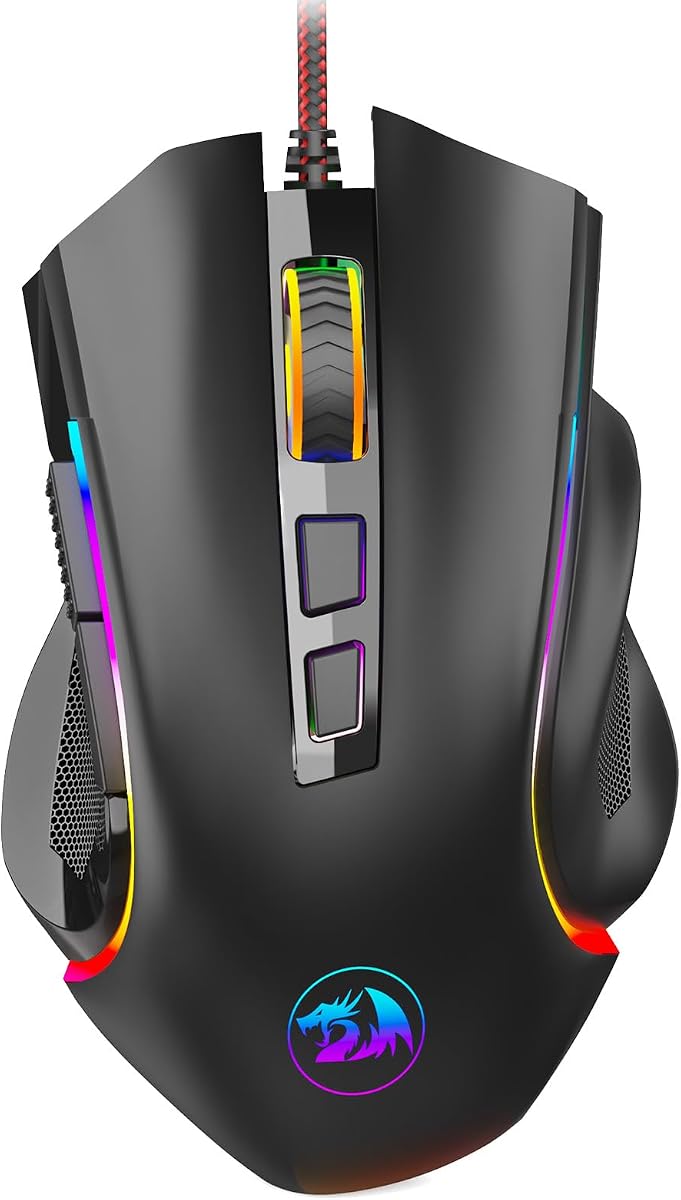
M602 is the durable Redragon narrative: launched long ago, still recommended because ergonomics, RGB modes, and nine programmable buttons hit a lasting value chord. DPI to 7200 remains enough for many 1080p heroes.
It will not reinvent your flick speed like a 41g wireless. It will give a comfortable right-hand home with macros and lights for years of after-school queues.
Choose M602 when you want wired RGB familiarity. Choose HERO when you want weights and a stronger sensor mythos. Choose Cobra when grams and optical switches matter more.
Classic value that refuses to die.
Reliable glowing workhorse.
M602’s longevity in the market means replacement parts knowledge and third-party skates are easier to find than for one-season wonders. That aftercare ecosystem is invisible value.
Download Redragon tools from official pages only—budget ecosystems attract sketchy mirrors.
A single static color looks more expensive than rainbow panic on camera.
We may earn a commission at no additional cost to you.
Cobra closes the value list as the lightweight brand wired answer: fifty-eight grams, Gen-3 optical switches with huge click-life claims, Chroma underglow, and a shape marketed across grip styles. It is what many players should buy before leaping into holey 41g mystery shells.
Optical switches matter in the value tier because replacements cost time and ranked sanity. Light weight matters because modern aim culture rewards it. Brand software/support matters when something flakes.
Compared with DeathAdder Essential, Cobra is the modernized light path. Compared with M2 Ultra, Cobra is the safer-feeling grams reduction with a cable.
As a best gaming mouse under $40 class pick when it lands in budget, Cobra punches cleanly—and earns a top-three badge for that balance.
Light, optical, sensible.
Cobra’s optical switches make it a smart ‘one mouse for two years’ pick when you refuse to babysit mechanical double-click decay. Longevity is a budget strategy, not only a luxury feature.
If your friends all use different grips, Cobra is a safer gift than an ultra-specific egg shape.
Match underglow to a single keyboard hue. Cohesion reads richer than stacking every effect.
Treat this purchase as a season-long tool: clean skates occasionally, keep profiles backed up, and resist upgrading until your aim plateaus for reasons that are clearly hardware—not habits.
We may earn a commission at no additional cost to you.

Ultra-light wireless (M2 Ultra, ATK) buys flick speed. Feature wired (G502, Basilisk) buys buttons, wheels, and tuning. Compact wired (G203, Cobra) buys brand light shells. Pick one philosophy so you do not envy three carts.
Double-click failures hurt budget buyers most. Basilisk V3 and Cobra optical stories matter when you cannot casually RMA every season.
Budget wireless shines with clear line-of-sight receivers and charged batteries. If you are chaotic, wired HERO/Cobra/Essential may save more games.
Return policies exist because lights cannot fix a hump under the wrong palm. Prioritize grip photos and hand measurements over spectrum modes.
This under-$40 class guide is a value shortlist. Confirm live pricing and seller quality. A perfect review cannot override a bad offer the day you click buy.
Value wins evaporate if you ignore early defects. Circle the sensor on a large desktop wallpaper, spam click tests, wiggle wireless range around your chassis, and confirm side buttons register. Niche ultra-lights deserve this ritual even more than famous logos. A fast return beats a slow regret mid-season.
For many players, yes—especially with modern PAW3395-class value wireless and proven wired sensors like HERO. Expensive mice still win on polish, wireless latency extremes, materials, and warranty experiences. Practice and shape fit beat logos.
There is no universal forever winner because deals move. Philosophically: G502 HERO for feature-rich wired value, ATTACK SHARK M2 Ultra for ultra-light wireless ambition, Razer Cobra for lightweight optical brand wired. Match philosophy to hand and genre.
Only if they are excited to adapt. Many beginners do better with DeathAdder Essential, G203, or G502 comfort first, then go light later. Sudden 41g jumps can temporarily destroy aim confidence.
Wired maximizes reliability per dollar and avoids battery drama. Wireless maximizes desk cleanliness and modern feel but needs charge habits and good receiver placement. Both appear strongly in this pack.
Less than shape, weight, and sensor consistency. Extremely high DPI ceilings are flexibility, not a target. Most competitive players still live at moderate DPI with low in-game sens.
They are popular value brands with large user bases. Buy from reputable sellers, install official software only, and use return windows. QC variance exists across all budget tiers—including famous logos on their cheapest SKUs.
For some yes, for many no. Plenty of players still frag on heavier mice. If you specifically want the modern light meta, choose Cobra, ATK, or M2 Ultra instead of forcing G502 weight culture.
They can. Avoiding double-click failures saves replacement spending and ranked tears. Cobra and Basilisk V3 emphasize optical designs worth prioritizing if your last mice died that way.
A decent cloth pad and, for wired mice, a cheap bungee. Skip RGB mouse bungee towers until the mouse itself is settled. Grip tape is optional if sides are slippery.
Measure your hand, pick a grip, choose wired vs wireless, set a weight target, and ignore RGB until those are locked. Most double purchases come from chasing lights or grams without a plan.
Sometimes a gently used higher-tier mouse beats a new mystery ultra-light—if you can verify click health, scroll feel, and seller reputation. New value mice win on warranty simplicity and known switch age. Inspect used units for skate wear, scroll grit, and double-clicks before celebrating the bargain. Also factor in whether you need a receiver already in your backpack; used wireless units sometimes ship incomplete.
Value-tier gaming mice in 2026 are shockingly capable when you shop with intent. G502 HERO still anchors feature-rich wired carts, ATTACK SHARK’s M2 Ultra and ATK’s Dragonfly chase ultra-light wireless dreams, Cobra and G203 bring light brand wired sense, DeathAdder Essential and M602 keep classic shapes alive, and G57/AULA cover flexible tri-mode lifestyles—while Basilisk V3 waits to ambush deal hunters with optical-switch excess.
The best gaming mouse under $40 class is the one that matches your grip and wire preference on the day the price is right—not the one with the loudest DPI banner. Confirm the live offer, test quickly, and spend leftover budget on a pad that makes the sensor honest.
Buy once with a philosophy. Aim forever with practice.
Finally, remember that value is a moving target measured in practice hours, not only checkout totals. The mouse you learn deeply will beat the mouse you replace monthly while chasing grams and glow. Pick a philosophy from this shortlist, confirm the live offer, and then stop shopping long enough to improve.