Best Competitive 49-Inch
Samsung 49" Odyssey G9

- 49" 1000R DQHD curve with 240Hz and 1ms GtG targeting
- VESA DisplayHDR 1000 and FreeSync Premium Pro
- CoreSync lighting and a height-adjustable immersion stand
Expert Review & Guide
A 49-inch 32:9 ultrawide is not a bigger 34—it is a different species of desk. Dual QHD (5120×1440) panels behave like two 27-inch monitors fused without a bezel, wrapping your peripheral vision for sims, trading floors, and timeline-heavy editing. The wrong buy, though, can overwhelm a shallow desk, starve a midrange GPU, or leave you with a 3840×1080 strip that looks wide but soft.
This guide reviews every product in the current pack, including a few nearby sizes Amazon’s keyword basket pulled in—34-inch, 39-inch, and 40-inch wide monitors that are useful alternatives if a true 49-inch chassis will not physically fit. True 49-inch heroes here include Samsung’s Odyssey G9 and business Dual QHD, LG’s 49-inch UltraGear, INNOCN’s 144Hz and QD-OLED options, and Deco Gear’s KVM-equipped DQHD.
Start with Samsung’s business 49-inch if you want USB-C docking calm, Odyssey G9 or LG UltraGear if 240Hz immersion is the point, and INNOCN’s QD-OLED if you want the deepest black levels on a super-ultrawide. Measure your desk depth before you fall in love with any curve.

As an Amazon Associate we earn from qualifying purchases. We may earn a commission at no additional cost to you.
True 49-inch 32:9 panels dominate the top of this list; smaller wide monitors appear later as space-saving alternatives from the same pack. Compare resolution carefully—3840×1080 is not the same sharpness class as 5120×1440.

INNOCN’s 49C1G is how many people should meet a 49-inch chassis for the first time: wide enough to feel absurd in a good way, connected enough to charge a laptop, and honest about being a double-FHD (3840×1080) panel rather than a DQHD monster. That resolution still delivers the 32:9 panorama for racing and multitasking, but pixels are larger—sit a sensible distance and boost OS scaling if text feels chunky.
Connectivity is the grown-up surprise. USB-C at 65W, DisplayPort 1.4, HDMI 2.1, USB-A ports, USB-B, RJ45 Ethernet, and a headphone jack mean a work laptop can land, get power, wired network, and peripherals through the monitor. Consoles appreciate HDMI 2.1 more than bargain ultrawides usually offer.
Picture claims include HDR400, 99% sRGB, 3000:1 contrast class VA behavior, and Adaptive-Sync up to 144Hz via DP. It will not out-HDR the Odyssey G9’s DisplayHDR 1000 story, but for immersive indie games and wide Excel boards it is already a lifestyle shift.
Buy 49C1G when you want the physical 49-inch experience and docking ports without paying OLED/DQHD flagship money. Upgrade to Dual QHD if sharp text and vertical pixels matter as much as width.
Once the panel is on your desk, spend ten minutes creating virtual desktops for “work left / play right” rather than littering the entire 32:9 span with overlapping windows. Super-ultrawides amplify organization as much as they amplify chaos.
Try 125–150% scaling on Windows or appropriate macOS HiDPI-adjacent arrangements. Ultrawide 1080p height is the limitation—width is the gift.
Measure width and depth. A 49-inch curve wants a deep desk; otherwise your face sits inside the screen and neck strain follows.
We may earn a commission at no additional cost to you.
Samsung’s business 49-inch Dual QHD is the pack’s best argument that super-ultrawides belong in offices, not only RGB caves. A 1000R 32:9 Dual QHD canvas lets you run a dual-monitor workflow without the bezel scar—IDE beside browser, deck beside notes, timeline beside preview—while 120Hz keeps dragging windows and reading PDFs feeling fluid.
The dock story is central: USB-C with 90W charging plus DisplayPort, dual HDMI, and USB turns the panel into the hub. One cable from a work laptop can mean display + power + peripherals, which is how you justify the chassis width to a facilities manager. DisplayHDR 400 supports richer media review without claiming cinema HDR1000.
Built-in speakers and eye-care positioning acknowledge eight-hour days. Height adjustment helps you keep the massive curve aligned with eye level so you are not nodding through the middle third of the screen all afternoon.
This is our business top pick: sharper and more dock-capable than the 1080p INNOCN entry, calmer than Odyssey G9’s gaming lighting theater, and still wide enough to feel like a promotion for your desk.
IT-managed laptops that throttle USB-C charging under heavy load may still want their OEM brick during exports, even at 90W—test a compile or video upload before you declare the brick retired forever. The Samsung dock feature set remains excellent for everyday office power draws.
Analysts, producers, stream producers, and developers who already fantasize about dual 27s but hate bezels—and who will use the 90W USB-C every day.
Business Dual QHD wins docking wattage and workplace vibe. Odyssey G9 wins 240Hz, HDR1000 peak drama, and lighting immersion. Same diagonal, different jobs.
We may earn a commission at no additional cost to you.

Deco Gear’s 49-inch DQHD monitor sells the two-monitors-in-one dream with the practical extras consultants actually need. 5120×1440 at R1500 gives a panoramic but slightly gentler wrap than Samsung’s 1000R extremes, while 120Hz and a 1ms MPRT claim keep motion snappy for edits and games.
KVM plus USB-C 65W is the workflow hook: power a laptop, share keyboard/mouse across hosts, and use PBP/PIP when you want both machines visible. HDR support, 3000:1 contrast messaging, and 100% sRGB-class color claims aim at lifelike multitasking visuals rather than OLED blacks.
Speakers and an ergonomic stand reduce day-one accessory shopping. The brand’s U.S. support emphasis is part of the pitch—useful when a 49-inch panel is a nerve-wracking purchase.
Choose Deco Gear when Dual QHD + KVM matters more than Odyssey lighting. If your laptop needs closer to 90–100W, prefer Samsung’s business 49-inch instead.
Because Deco Gear emphasizes U.S.-managed support, keep your serial number and purchase email in a notes app the day you unbox. Big panels are shipping-damage magnets; documentation speed matters more than RGB presets when something arrives imperfect.
Park the work laptop on USB-C, the desktop on DP/HDMI, and learn the KVM switch before Monday stand-up. Label cables; future-you will thank present-you.
Split a market feed and a research PC, or an edit bay and a communications machine, across the 32:9 span without bezels eating tickers.
We may earn a commission at no additional cost to you.
The Odyssey G9 remains the cultural definition of a 49-inch gaming ultrawide: Dual QHD wrapped at 1000R, 240Hz, 1ms GtG targeting, and VESA DisplayHDR 1000 energy. When Samsung says it enables full peripheral vision, that is not empty brochure talk—sit correctly and the chassis disappears into a cockpit.
HDR performance messaging around 1000-nit peak class brightness and huge contrast is aimed at games with bright explosions against dark environments. FreeSync Premium Pro keeps complex motion coherent. CoreSync projects on-screen colors into your room lighting for theatrical flair some love and some disable immediately.
This is not the subtle office dock. It is the monitor you buy when immersion is the product. Bring DisplayPort bandwidth, a strong GPU, and a desk that can host the curve without your keyboard falling off the front edge.
Our competitive 49-inch pick for players who will use 240Hz. Productivity buyers should still shortlist the business Dual QHD Samsung first.
Core lighting looks spectacular in marketing photos and distracting on work calls—learn the hotkey to mute the glow before standup. Immersion is a toggle, not a life sentence.
At 5120×1440, ultra presets in new AAA titles can humble even strong cards. Use upscaling tech, prioritize frame rate, and remember 240Hz is a ceiling—not a promise your GPU will hit.
Use the height stand so the vertical center aligns with your eyes. Super-ultrawides punish low mounts that force constant vertical glancing.
Both chase 240Hz DQHD HDR1000-class gaming. Choose based on stand/ecosystem preference, local pricing, and which OSD/lighting style you tolerate. Spec sheets rhyme; desk personality differs.
We may earn a commission at no additional cost to you.
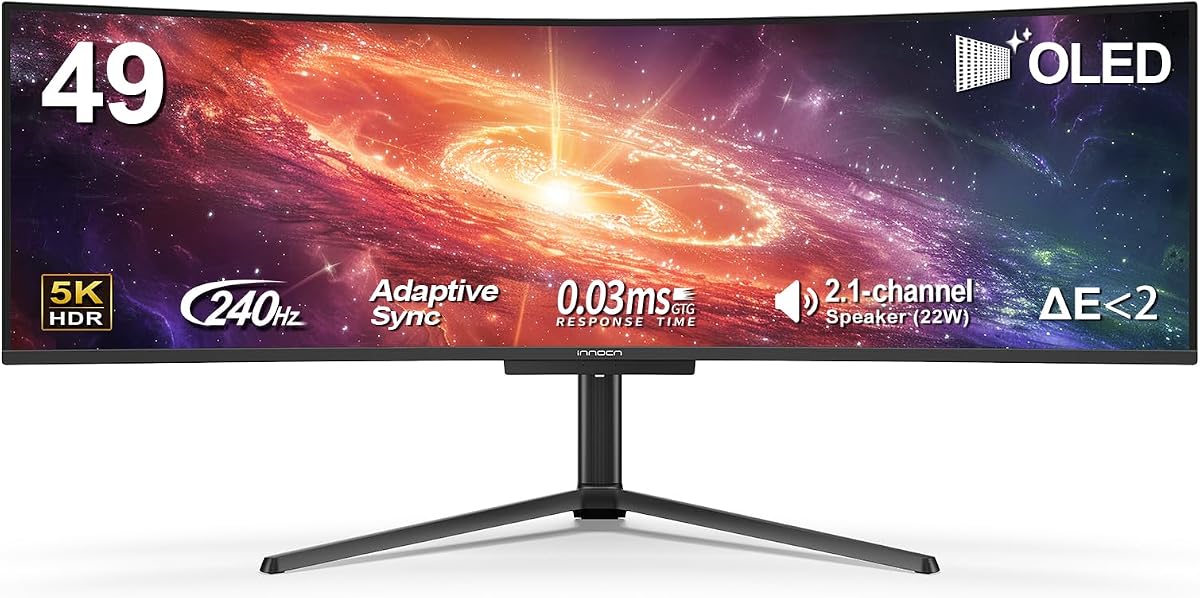
INNOCN’s 49Q1S is the pack’s OLED flex: 5120×1440 on a curved 49-inch QD-OLED driving up to 240Hz with a roughly 0.03ms response claim. Blacks extinguish, HUD glow pops, and once you game on OLED ultrawide it is hard to return to cloudy VA greys in dark rooms.
Despite the wow panel, INNOCN stuffed in practical ports—90W USB-C, dual DisplayPort, HDMI 2.1, USB hub, RJ45—so the same monitor can dock a creator laptop by day. Adaptive-Sync, surrounding speakers, and a height-adjustable stand complete a surprisingly complete lifestyle package.
Practice OLED hygiene: use pixel refresh routines the OSD offers, vary static taskbars when possible, and enable hiding UI elements in games when you AFK. For spreadsheet-only workers who keep identical chrome docked for twelve hours, a business LCD Samsung may be the safer long-term tool.
Buy 49Q1S when image magic and docking both matter. It is our QD-OLED super-ultrawide pick for enthusiasts ready to care for the panel.
If you write code on the OLED for long stretches, dark themes and auto-hiding taskbars are not aesthetics—they are panel longevity habits. The 49Q1S can absolutely do productivity; it just rewards OLED manners.
Hide the taskbar auto, dark-mode your IDE, and enable screen savers during long AFK. OLED can do office work; it just rewards slightly different habits than LCD.
HDMI 2.1 helps current consoles; verify ultrawide support per game. Many console titles still prefer 16:9—PC remains OLED ultrawide’s happiest home.
We may earn a commission at no additional cost to you.

LG’s 49-inch UltraGear speaks the same headline language as Odyssey G9: Dual QHD curve, 240Hz, 1ms GtG, DisplayHDR 1000, FreeSync Premium Pro. The 32:9 envelope is built to swallow HUD, map, and horizon at once. DCI-P3 coverage around 95% (typical) supports saturated game art direction.
HDMI 2.1 and DisplayPort cover modern sources; the 4-pole headphone out with DTS:X processing is a nice touch for late-night sessions when speakers would annoy the house. Ergonomic adjustments are essential at this size—use them.
The 3.8 pack rating is a caution flag relative to happier Samsung scores here. That does not automatically mean a bad panel; it means you should scrutinize recent reviews for QC, firmware, and stand stability notes before clicking buy.
Shortlist UltraGear when you prefer LG’s OSD/ecosystem or find a better deal than G9. Validate return windows aggressively on any 49-inch flagship.
Compare local return policies carefully; a 49-inch UltraGear is not a casual porch pickup if the curve arrives with transit stress. Inspect the stand clamp and panel for pressure marks before you recycle the box.
Try the DTS headphone mode for spatial cues in multiplayer, but disable processing if competitive footsteps feel artificially smeared.
Check LG’s support site after unboxing—ultrawide gaming monitors often gain stability tweaks post-launch.
We may earn a commission at no additional cost to you.

This Odyssey G5 appears in the 49-inch pack as a reality check alternative. It is a 34-inch 1000R WQHD VA gaming monitor—widely loved, widely available, and much easier to place on a 24-inch-deep desk. If your heart wants G9 but your furniture says no, G5 still delivers Samsung’s wrap philosophy at a humane size.
You get 165Hz, 1ms MPRT, FreeSync Premium, and HDR10 on a WQHD ultrawide that replaces dual monitors for many people without demanding dual-QHD rendering power. Eye-comfort features support long sessions.
Do not buy it thinking Amazon mistyped a 49-inch Odyssey. Buy it intentionally as the smaller immersion path. True 49-inch shoppers should stick to G9, business Dual QHD, LG 49, or INNOCN 49 models above.
We keep it in the guide because the pack includes it—and because recommending a 49-inch panel to every reader would be reckless interior design advice.
Think of the 34-inch Odyssey G5 as a proving ground: if 1000R immersion changes how you play for six months, you have earned the furniture upgrade a 49-inch DQHD demands. If you barely notice the curve, save your desk.
Shared apartments, shallow IKEA desks, and GPUs that already struggle at 1440p are perfect reasons to choose G5 over a 49-inch DQHD.
Live on 34-inch ultrawide for a year. If you constantly wish for another full monitor of width, then graduate to 49-inch Dual QHD with eyes open.
We may earn a commission at no additional cost to you.

LG’s 39-inch UltraGear OLED is the “wrong diagonal, right emotion” pick in a 49-inch shopping mission. An 800R curve on WQHD OLED with 240Hz and roughly 0.03ms response can feel more engulfing than a flatter-feeling super-ultrawide LCD, especially in story games. Peak brightness claims up to the 1300-nit class in LG’s marketing make highlights bite.
G-SYNC Compatible and FreeSync Premium cover both GPU camps. webOS24 brings Netflix-class apps and cloud gaming platforms to the display itself—useful in a bedroom battlestation. USB-C keeps laptop nights simple.
Choose this when OLED motion clarity and a tighter curve matter more than spreadsheet acreage. Choose a true 49-inch DQHD when your job is seeing four windows without stacking.
It is an outstanding monitor that simply answers a slightly different question than “best 49-inch.”
White OLED ultrawides also show fingerprints and cable clutter—route DisplayPort cleanly and consider a rear power strip so the cinematic front view stays clean. The 800R curve deserves a tidy stage.
Use webOS for wind-down streaming so your PC can sleep—just sign out of profiles on shared devices.
39 inches diagonal on 21:9 is still large, but the horizontal field is not dual-27 territory like 49-inch 32:9.
We may earn a commission at no additional cost to you.
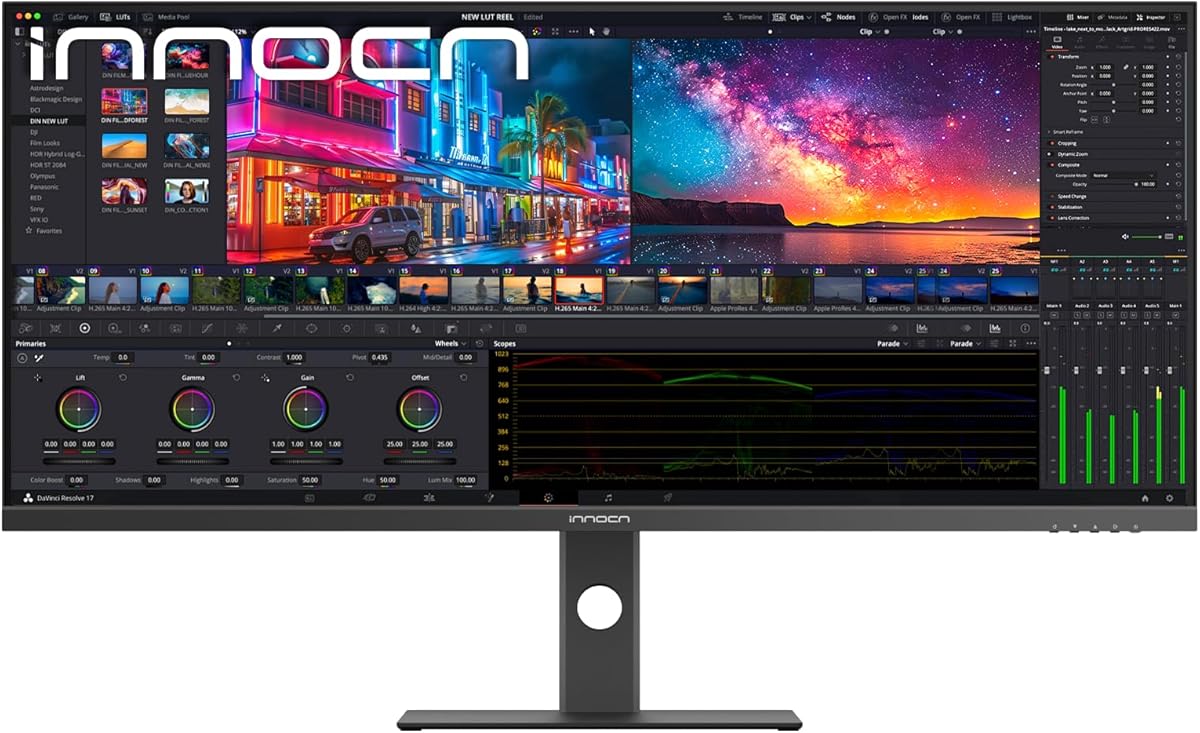
INNOCN’s 40C1U is what you buy when you wandered into 49-inch land but actually needed creator sharpness. A 21:9 5120×2160 IPS panel delivers dense pixels, claimed 135% sRGB / 106% DCI-P3 coverage, HDR-ready brightness around 350 nits, and factory calibration targeting Delta E under 2. That is a different virtue set than Odyssey immersion.
USB-C 65W, dual HDMI 2.1, DisplayPort, and USB ports support laptop-centered studios. Speakers and a height-adjustable, narrow-bezel design keep the desk elegant. FreeSync at 100Hz is about pleasant scrolling and light games, not esports crowns.
Compared with 49-inch 1080p-tall panels, you gain vertical resolution for toolbars and timelines. Compared with 49-inch DQHD, you trade some horizontal span for a more “tall ultrawide” creative canvas.
Pick 40C1U for design/productivity density. Pick 49-inch 32:9 for cockpit width.
Color-managed shops should still keep a hardware calibrator on the calendar quarterly; Delta E claims are a factory snapshot, not a forever covenant under bright windows and aging backlights.
5K-class wide monitors can be fantastic with Apple silicon via USB-C/DP adapters—verify timing and scaling. Many creators prefer this shape over extreme 32:9 for UI chrome.
Even with Delta E claims, profile the display in your OS and keep a consistent ambient light. Marketing calibration is a head start, not a forever guarantee.
We may earn a commission at no additional cost to you.

If you opened this guide, measured your desk, and whispered “absolutely not” at 49 inches, the LG 34U640B-B is the dignified retreat. You still get a curved WQHD ultrawide with 144Hz FreeSync Premium, HDR10, USB-C 65W charging, and a Dual Controller KVM—features that make daily work excellent without requiring a new furniture budget.
The Switch app and multitasking tools help the 21:9 canvas replace dual monitors for ordinary offices. It will not surround your peripheral vision like Odyssey G9, and that is the point of choosing it.
Keep it on your shortlist as the “I almost bought 49-inch” safety monitor. Many readers will be happier here than forcing a super-ultrawide into a cramped room.
True 49-inch seekers should treat this review as a boundary marker, not a competitor to G9.
If you buy the 34U640B-B after abandoning a 49-inch dream, invest the “saved desk depth” into a better chair and lamp. Comfort compounds more than diagonal inches when you work eight hours a day.
If you cannot center a 49-inch curve at roughly an arm’s length without hitting a wall or window, buy 34-inch. Geometry beats desire.
Master window management on 34-inch first. Super-ultrawide amplifies messy habits as much as it amplifies productivity.
We may earn a commission at no additional cost to you.
3840×1080 is wide and GPU-friendly but softer for text. 5120×1440 Dual QHD is the professional/gaming sweet spot for true 49-inch panels. Do not assume every 49-inch listing shares the same pixel grid.
Super-ultrawides need depth and width. If your desk is shallow, consider the 34- or 39-inch alternatives in this pack rather than living with a curve in your face.
90W USB-C business Samsungs and INNOCN OLED docking models serve laptop workers. 240Hz G9/UltraGear models serve high-frame gamers. Buying the wrong priority pair is the most expensive mistake in this category.
QD-OLED delivers unmatched dark-scene pop with care requirements. LCD VA/IPS DQHD models are often safer for static Excel chrome all day. Match panel tech to how static your UI is.
40-inch 5K and 39-inch OLED can outperform a forced 49-inch purchase for creators and immersive gamers with smaller rooms. Keyword intent is a starting point, not a prison.
Worth it if you hate center bezels and want curved immersion for sims or panoramic multitasking. Dual monitors still win for mixed portrait/landscape setups or when you need fully independent panels. Dual QHD 49-inch is the fairest dual-27 replacement; 3840×1080 is more of a ultrawide novelty for text work.
A current high-end or strong upper-mid GPU if you want high refresh in modern titles. Upscaling features help. Productivity-only users can drive Dual QHD with much less horsepower—integrated graphics may struggle with UI smoothness depending on the laptop.
They appear in this product pack and serve as practical off-ramps when furniture or budget blocks a true 49-inch. We label them clearly as alternate sizes so you are never misled.
Choose the business Dual QHD for 90W docking, calmer styling, and 120Hz workdays. Choose Odyssey G9 for 240Hz, HDR1000 punch, and lighting immersion. Hybrid users who game hard after work often still prefer G9 and accept a separate laptop charger.
Usable with habits: auto-hide taskbars, vary layouts, run maintenance cycles, and avoid static max-brightness HUDs for months. Heavy Excel/CAD chrome users may prefer LCD Dual QHD for peace of mind.
65–90W covers many MacBook Air/Pro scenarios, especially lighter loads. Verify your Mac’s wattage needs under load. Resolution/scaling on 32:9 can require arrangement tweaks in macOS Displays settings.
Lower numbers mean tighter curves. 1000R on 49-inch Samsung panels is very enveloping; 1500R (Deco Gear) is a bit gentler. Tighter is better for solo immersion; gentler can feel more natural for shared glances or text at the far edges.
Sometimes, with caveats. Many console games remain 16:9. HDMI 2.1 ports help with bandwidth, but game support varies. PC remains the best platform for 32:9 fidelity.
Often roughly an arm’s length to a bit more, centered on the curve. If you must scan by turning your head constantly, sit farther back or reconsider size. Ultrawide sweet spots are personal—use retailer return windows.
For most enthusiasts: Samsung Odyssey G9 for gaming spectacle or Samsung business Dual QHD for docked work. For OLED fans: INNOCN 49Q1S. For budget entry to the size class: INNOCN 49C1G, accepting 1080p height.
True 49-inch ultrawides reward people who have the desk, the GPU, and a clear use case—sim racing, panoramic productivity, or dramatic immersion. In this pack, Samsung’s Odyssey G9 and LG’s 49-inch UltraGear lead the 240Hz DQHD charge, Samsung’s business Dual QHD owns 90W docking professionalism, and INNOCN’s QD-OLED shows how deep black levels change night gaming.
INNOCN’s 1080p 49C1G and Deco Gear’s KVM DQHD offer more approachable on-ramps, while 34-, 39-, and 40-inch pack mates exist for readers who discover their furniture vetoes super-ultrawide life.
Measure twice, match resolution to your eyes and GPU, and pick docking wattage or refresh rate based on the hours you actually live—not the screenshot that looks coolest on a store page.