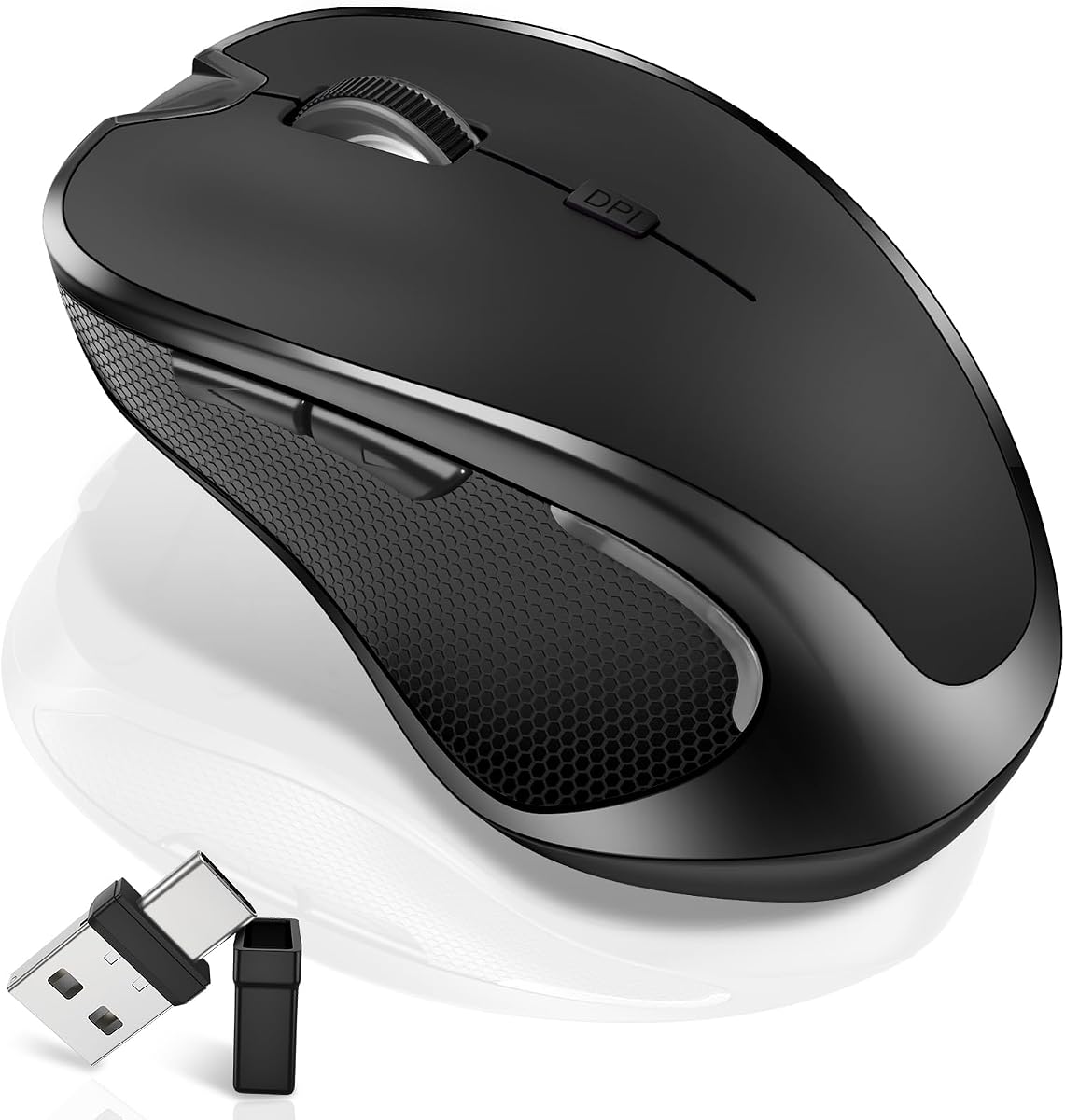

MacBook trackpads are excellent until you spend eight hours in spreadsheets, editors, or browser grids and want a real mouse again. This Normdecos wireless mouse targets that Mac-and-multi-device gap with Bluetooth 5.2 and 3.0 plus a dual-port 2.4GHz receiver that includes both USB-A and USB-C.
The listing also adds a jiggler mode, three DPI steps, silent clicks, side navigation buttons, and an 800mAh rechargeable battery. This review uses only those published details to judge fit for MacBook, iPad, and Windows laptop users.
Below we cover who should buy it, who should stick with Apple’s own mice, how dual-mode switching works day to day, and the setup habits that keep pairing stable.
This Normdecos mouse is built for cross-device reality: a MacBook on the couch, a Windows laptop at work, maybe an iPad on the side. The headline is connection flexibility—Bluetooth 5.2 and Bluetooth 3.0 alongside 2.4GHz wireless with a dual-port receiver that integrates USB-A and USB-C. That dual-port dongle alone solves the “my new laptop has no full-size USB” complaint.
Mode switching is meant to keep two devices in rotation with a simple switch workflow rather than constant re-pairing drama. In practice, label your mental map: Bluetooth for the MacBook when you want zero port usage, 2.4GHz when you need the lowest-friction USB link on a desktop or older notebook. Wider OS claims include Windows, macOS, Linux, and Android tablets, which matches how mixed households actually compute.
DPI control is straightforward. Short-press the DPI button to move among 800, 1200, and 1600 DPI optical tracking steps. Those levels are ideal for office precision and general browsing. Competitive gamers chasing five-figure DPI will not be the audience; accuracy and quiet operation matter more here than raw sensor bragging rights.
Jiggler mode is the unusual extra. Long-press the DPI control for about three seconds to enable or disable random pointer movement intended to prevent sleep during downloads, remote sessions, online classes, or long meetings. It is genuinely useful for specific workflows and potentially frowned upon in locked-down corporate environments—know your context before relying on it.
Comfort and acoustics target shared spaces. The contoured slim shape, ABS-and-rubber scroll wheel, and soft silent clicks aim for all-day office use without the loud clack that annoys call neighbors. Side forward and back buttons speed browser navigation, a small productivity win that Apple’s minimal mice sometimes omit.
Battery life claims are ambitious in a good way: an 800mAh lithium-polymer pack with roughly two to four hours to full charge, multi-week use based on about eight hours daily, and long standby. Auto sleep after roughly eight minutes of idle time helps conserve energy. Recharge with the included USB cable instead of stocking AAA cells.
Support framing includes a sixty-day money-back window and a twelve-month worry-free warranty according to the listing—useful reassurance on a commodity-category accessory. Still test pairing on your exact MacOS version and confirm the receiver seats firmly in USB-C ports that sometimes grip shallowly.
Buy this mouse when you need silent, rechargeable, multi-device pointing for MacBook and laptop life with a USB-C-ready dongle. Skip it if you want Apple gesture depth, vertical ergonomics, or a true gaming sensor. For everyday multi-device productivity, the feature mix is unusually complete at this category level.
On setup day, charge before first pairing, connect Bluetooth through system settings on the Mac, and keep the dual-port receiver on a spare keyring or laptop sleeve pocket so it does not vanish between bags. If the pointer feels jumpy, step DPI down to 800 or 1200 on glossy desks and use a simple mat for more consistent optical tracking.
Who it's for
MacBook, iPad, and mixed Windows users who want a silent rechargeable mouse with Bluetooth plus a USB-A/USB-C 2.4GHz receiver for desk hopping.
Who should skip it
Skip if you need advanced Apple gestures, a vertical ergonomic shape, or a high-DPI gaming sensor with onboard profiles.
Dual-mode daily use
Park Bluetooth on the MacBook for travel and use the dual-port receiver on desktops that prefer 2.4GHz stability.
Enable jiggler only when you intentionally need an awake screen; disable it for normal battery-friendly sessions.
Setup, tips & verdict
Fully charge, pair one mode at a time, set DPI for your desk surface, and store the tiny receiver intentionally.
Verdict: a practical multi-device Mac-friendly mouse when silence, rechargeability, and USB-C receiver flexibility matter most.
- Dual-port 2.4GHz receiver covers modern USB-C laptops and older USB-A ports
- Bluetooth modes help MacBook and iPad users who hate dongles
- Silent clicks are kinder in offices, libraries, and shared apartments
- Rechargeable 800mAh pack avoids disposable AAA battery waste
- Jiggler mode can keep systems awake during long downloads or remote sessions
- 1600 DPI max is fine for office work, not a high-sensitivity esports sensor
- Jiggler features may conflict with workplace IT policies—use thoughtfully
- Ergonomics are slim and general; users needing vertical mice should look elsewhere
FAQs
Does this mouse work with MacBook Pro and MacBook Air?
The listing targets MacBook and macOS compatibility via Bluetooth and 2.4GHz options. Pair through macOS Bluetooth settings for dongle-free use, or plug the receiver into a compatible USB-C hub or port when using 2.4GHz mode.
What is special about the dual-port receiver?
The 2.4GHz receiver integrates USB-A and USB-C plugs so you can connect to older full-size ports or newer USB-C laptops without carrying two dongles. That is the main travel convenience versus USB-A-only mice.
How do I turn on jiggler mode?
According to the listing, long-press the DPI button for about three seconds to turn random jiggler movement on or off. Short presses change DPI instead, so use a deliberate long press.
Is the click noise actually quiet?
It is marketed as a silent optical mouse with soft click response intended not to disturb others. Silence is relative, but these designs are generally much quieter than standard tactile office mice.
How long does the battery last?
Normdecos cites an 800mAh pack with multi-week use under about eight hours per day, long standby, and recharge in roughly two to four hours. Real results vary with Bluetooth versus 2.4GHz use and sleep habits.
What DPI settings are available?
Three optical steps are listed: 800, 1200, and 1600 DPI. That range suits office work and general browsing more than ultra-high-sensitivity gaming.
Will it work with iPad?
The product title and compatibility notes include iPad among supported devices. Use Bluetooth pairing on supported iPadOS versions, and confirm pointer support is enabled in iPad settings.
Does it need disposable batteries?
No. It uses a built-in rechargeable battery charged through the included USB cable, which is more convenient and less wasteful than swapping AAA cells.