Understand what USB-C audio actually means on your PC
Not every USB-C port on a laptop or monitor sends audio. Some ports are charge-only; some monitor USB hubs power accessories but cannot pass sound from the display. Before you buy, confirm that your target port supports USB audio class output or that the speaker you choose includes a fallback such as a 3.5 mm aux input. The products in this pack split into two camps: true single-cable USB audio designs like Creative Pebble V3, Cyber Acoustics CA-2110USB, Cirqon, and the Desktop soundbar; and hybrid units that use USB for power but still require a separate analog audio cable, such as LENRUE G11 and the standard LENRUE pair.
When single-cable USB audio works on your machine, the win is real: fewer adapters, less desk clutter, and often a cleaner digital path than a noisy motherboard headphone jack. When it does not, a hybrid speaker with an included USB-C to USB-A adapter may still be the pragmatic choice—you simply treat USB as power and keep using the aux output you already know works.
Form factor: stereo pair, soundbar, or clip-on bar
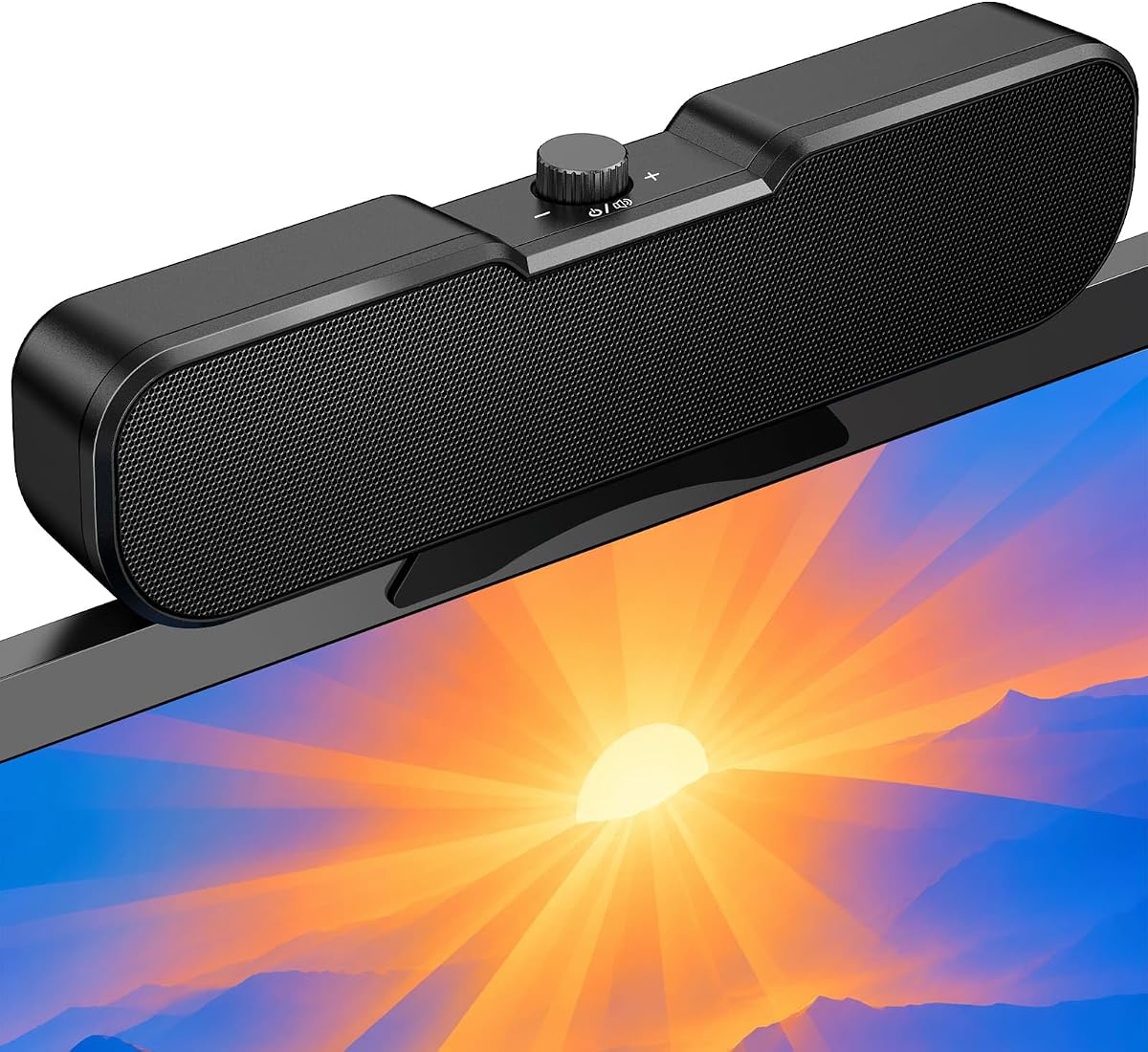
Left-right stereo pairs like Creative Pebble V3 and Cyber Acoustics preserve the widest imaging when you can space the cabinets even slightly beside the monitor. Under-monitor soundbars like the Desktop Computer Speakers and LENRUE G11 collapse stereo into one chassis, which saves width but narrows the stage. Clip-on bars such as OHAYO and Cirqon reclaim desk surface entirely by attaching to the monitor bezel—ideal when your keyboard tray already consumes every inch of mat space.
Choose the shape that fits your measured desk, not the shape that looks best in product photos. A clip-on bar that exceeds your monitor thickness spec will frustrate you; a wide stereo pair that blocks your drawer will get returned. Measure monitor thickness, free width under the stand, and how far your ears sit from the screen before committing.
Power delivery and loudness expectations
USB-C can deliver more consistent power on modern laptops than old USB-A ports, which matters for speakers with gain switches or higher RMS claims. Creative Pebble V3 and Pebble Pro both note that louder modes benefit from capable USB-C or USB-A ports. Pebble Pro goes further by advertising optional USB PD adapter headroom for substantially higher output—useful if you want headroom without leaving the Creative ecosystem.
Keep expectations grounded. Even 16W clip-on bars and 12W stereo pairs are near-field tools. They will dramatically improve Zoom clarity, YouTube dialogue, and casual gaming compared with laptop drivers, but they will not replace a powered bookshelf system or a 2.1 kit with a floor sub. Buy USB-C speakers for desk convenience and clarity, not for party volume.
Bluetooth, RGB, and extras that actually matter
Bluetooth on USB-powered speakers is almost always a secondary convenience layer—you still need USB connected for power. It shines when you want to stream from a phone without unplugging the PC session, or when you move the Creative Pebble V3 to a bedside table for a lazy playlist. For competitive gaming, prefer the wired USB or aux path to avoid latency variables. OHAYO’s Bluetooth 6.0 marketing emphasizes low latency for games and video; treat that as a plus when you will split time between PC and mobile, not as a replacement for wired esports rigor.
RGB lighting ranges from subtle touch toggles on LENRUE and Bluedee to full ring control on Pebble Pro and five-mode light shows on OHAYO. Buy lights only if you want to maintain them. More practically useful extras include headphone jacks on Bluedee and LENRUE, headset or mic ports on Pebble Pro, and OHAYO’s built-in microphone for quick calls without wearing a headset.
Compatibility traps to read before checkout
Several listings warn that monitor USB ports may not output audio. Cirqon explicitly notes incompatibility when the monitor USB port lacks audio output. LENRUE G11 states no Bluetooth, no headphone port, no mic, and no TV compatibility. Clip-on mounts including OHAYO and Cirqon specify maximum monitor thickness and caution against ultra-thin laptop screens that may tip under clamp weight.
Read those notes as seriously as the feature bullets. A speaker that is perfect on a desktop tower with rear USB ports may fail on a monitor hub you hoped would tidy cables. When in doubt, plan to connect directly to the PC or laptop USB port that you have verified supports audio.