Expert Review & Guide

Best Small Form Factor PC Cases in 2026 for Compact

Small form factor PC cases exist because desk space, living-room aesthetics, and travel all punish oversized towers. The challenge is not simply making a box smaller—it is preserving enough GPU length, radiator support, and cable routing room that your build does not become a thermal compromise wrapped in pretty panels. The best SFF chassis treat volume as a budget you spend deliberately: millimeters on motherboard support, fan placement, and PSU orientation all determine whether a compact machine runs cool or throttles under load.

This guide covers all ten products in our best-small-form-factor-pc-cases pack: the Lian Li A3-mATX-WD and A3-mATX, Cooler Master Q300L V1, Lian Li Vector V100 MINI, SSUPD Meshroom S V2, Fractal Design Terra Jade, JONSBO Z20 and D32 STD, HYTE Revolt 3, and Fractal Design Ridge. We evaluated each case on internal volume, motherboard compatibility, GPU and cooler clearance, airflow layout, build accessibility, and how honestly the manufacturer documents tradeoffs like riser cables, fan requirements, and PSU length limits.

Start with the three top picks if you want a fast shortlist, then work through the comparison table and individual reviews to match your motherboard format, cooling plan, and tolerance for mesh versus glass. You will not find dollar prices here—only dimensions, compatibility limits, and the assembly decisions that matter once you start routing cables in a chassis where every centimeter counts.

Top Small Form Factor PC Case Picks for 2026

Best Overall Compact mATX

Lian Li Vector V100 MINI

★★★★★9.6/10
Lian Li Vector V100 MINI
  • Four pre-installed ARGB PWM fans with side intake and rear exhaust layout
  • 270-degree tempered glass panels showcase mATX builds up to 415mm GPU length
  • Supports 360mm AIO coolers with dedicated cable routing channels and GPU anti-sag bracket
Check Price →
Best Airflow mATX Enthusiast

Lian Li A3-mATX-WD

★★★★★9.4/10
Lian Li A3-mATX-WD
  • 26.3L DAN Cases collaboration with walnut wood front and steel mesh side panels
  • Flexible ATX, SFX, or SFX-L PSU mounting with 360mm radiator support
  • Accommodates mATX and ITX boards with GPUs up to 415mm in length
Check Price →
Best Ultra-Compact Modular

SSUPD Meshroom S V2

★★★★★9.2/10
SSUPD Meshroom S V2
  • 15L footprint with repositionable tray supporting ITX, mATX, or ATX motherboards
  • Full mesh panels on every side with up to four-slot thick GPU clearance
  • Front 240mm or 280mm AIO support plus SFX, SFX-L, and ATX PSU compatibility
Check Price →

As an Amazon Associate we earn from qualifying purchases. We may earn a commission at no additional cost to you.

Small Form Factor PC Cases Compared

Volume, motherboard format, and GPU clearance are the three numbers that decide whether a compact case fits your parts list. The table below summarizes every product in this pack—specs only, no prices—so you can narrow the field before reading the full reviews.

#ProductSpecificationsScore
1
  • 26.3L volume; mATX/ITX; GPU to 415mm
  • 360mm radiator; up to 10x 120mm fans
  • Walnut wood front; ATX/SFX/SFX-L PSU
9.4
2
  • Micro-ATX/Mini-ITX; GPU to 360mm
  • 240mm AIO; CPU cooler to 159mm
  • Modular I/O panel; magnetic dust filters
9
3
  • mATX only; GPU to 415mm; 5 expansion slots
  • 4x 120mm ARGB PWM fans pre-installed
  • 360mm AIO; tempered glass front and side
9.6
4
  • 15L volume; ITX/mATX/ATX via modular tray
  • GPU up to 4-slot thick; 152mm standard length
  • 240/280mm front AIO; SFX/SFX-L/ATX PSU
9.2
5
  • 10.4L Mini-ITX; GPU to 322mm
  • Slidable central wall; 30mm internal adjustment
  • FSC walnut front; PCIe 4.0 riser included
9.4
6
  • ~20L mATX; detachable carrying handle
  • GPU to 363mm; 240mm top AIO
  • 164mm CPU cooler; ATX/SFX/SFX-L PSU
9.4
7
  • Standard-layout Mini-ITX only
  • 360-degree removable side panels
  • Built-in carrying handle; 3-year warranty
9.2
8
  • mATX/ITX; back-connect BTF motherboard support
  • GPU to 365mm; 240mm top AIO
  • ATX/SFX-L/SFX PSU; 164mm CPU cooler
9.4
9
  • 26.3L volume; mATX/ITX; GPU to 415mm
  • 360mm radiator; steel mesh side and top
  • Flexible ATX/SFX/SFX-L PSU orientation
9.2
10
  • Slim Mini-ITX; GPU to 335mm
  • 2x 140mm Aspect PWM fans included
  • PCIe 4.0 riser card included; Type-C front I/O
9.2

1. Lian Li A3-mATX-WD - Best Wood-Accent mATX

Lian Li A3-mATX-WD

Lian Li A3-mATX-WD

9.4/10★★★★★

The Lian Li A3-mATX-WD is what happens when Lian Li's manufacturing precision meets DAN Cases' obsession with efficient volume. At 26.3 liters, it sits in a sweet spot between true sandwich-style ITX enclosures and bloated mid-towers that happen to accept Micro-ATX boards. You get four expansion slots, mATX or ITX motherboard support, and GPU clearance stretching to 415mm—enough for essentially any current consumer graphics card if you plan PSU placement carefully.

  • 26.3L volume; mATX/ITX; GPU to 415mm
  • 360mm radiator; up to 10x 120mm fans
  • Walnut wood front; ATX/SFX/SFX-L PSU
Check Price →
✓ Pros
  • DAN Cases collaboration delivers enthusiast-grade mATX density without ITX motherboard limits
  • Steel mesh side and top panels provide excellent airflow for high-TDP GPUs
  • Flexible PSU mounting supports ATX, SFX, and SFX-L units in front or side orientation
  • Walnut wood front panel adds a premium living-room-friendly aesthetic
  • 415mm GPU clearance accommodates current flagship graphics cards
✕ Cons
  • No fans included—you must budget for intake and exhaust from day one
  • Compact 26.3L layout makes cable routing tight with full ATX power supplies
  • Wood front panel limits front radiator options compared to all-mesh designs

Detailed review

The walnut wood front panel is more than cosmetic. In a living-room or studio desk setup, natural materials help a gaming PC read as furniture rather than equipment. The tradeoff is airflow philosophy: Lian Li compensates with steel mesh on the sides and top, which is where this chassis expects most of your intake and exhaust to happen. That mesh-forward approach suits builders who prioritize GPU and CPU thermals over a fully sealed aesthetic face.

Cooling headroom is genuinely impressive for the footprint. A 360mm radiator fits, and the case can theoretically house up to ten 120mm fans if you treat fan placement as a puzzle. Lian Li includes radiator and fan diagrams in the product images—use them. SFF builds punish assumptions: a fan that fits physically but blocks a cable channel can turn a two-hour build into an afternoon of disassembly.

PSU flexibility is a standout feature. The A3-mATX-WD accepts ATX, SFX, and SFX-L units, with front or side mounting options that change how much room remains for GPU length and radiator thickness. Many builders choose SFX-L for the space savings, but ATX PSUs remain viable if you select a shorter model and route cables aggressively through the modular channels Lian Li provides.

What you do not get in the box are fans. That is honest but adds cost and decision fatigue. Plan at least two intake and one exhaust as a baseline, or a 240mm or 360mm AIO that replaces multiple case fans with a single tuned loop. Without stock fans, thermal behavior depends entirely on your choices— which is ideal for enthusiasts and less ideal for first-time SFF builders expecting a turnkey package.

Build quality reflects Lian Li's typical standards: precise panel fit, modular internal structure, and thoughtful cutouts for cable passthrough. The DAN collaboration shows in details like expansion slot spacing and the overall modularity that lets you reconfigure sections as hardware generations change. If you want a compact mATX chassis that looks as good on a walnut desk as it performs under gaming load, the A3-mATX-WD is a top-tier choice—provided you respect the no-fans-included reality and plan cooling before you order parts.

Who should choose the A3-mATX-WD

Pick this case if you want mATX motherboard flexibility in roughly 26 liters, care about premium materials, and already know which fans or AIO you plan to install. It suits builders upgrading from ITX who miss four RAM slots and additional PCIe lanes without returning to a full mid-tower footprint.

Cooling setup recommendations

Pair mesh side intake with top exhaust for a simple positive-pressure layout, or mount a 360mm AIO on the top or side depending on your GPU height. Use SFX-L PSUs when possible to preserve cable routing space behind the motherboard tray.

A3-mATX-WD vs standard A3-mATX

The wood-front WD variant trades the sleek solid front of the standard A3-mATX for natural materials and a slightly different visual character. Internally, clearance and volume are equivalent—choose based on whether your setup demands wood accents or prefers an all-black minimalist face.

Check Price on Amazon →

We may earn a commission at no additional cost to you.

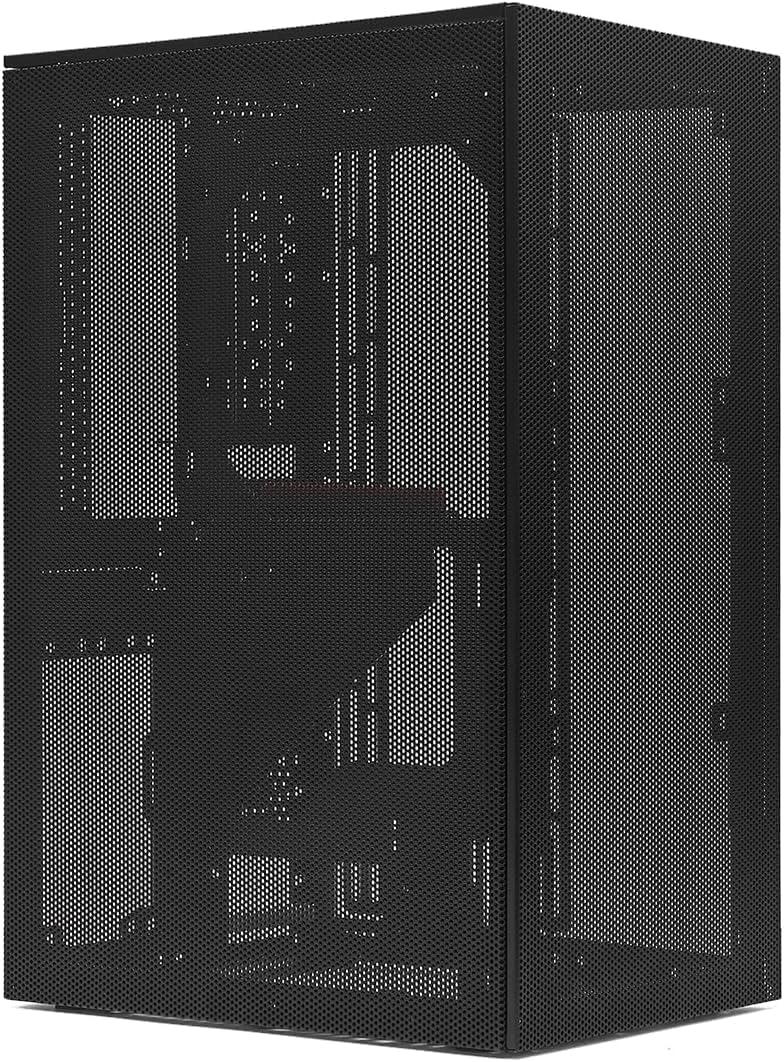
2. Cooler Master Q300L V1 - Best Budget Micro-ATX Starter

Cooler Master Q300L V1

Cooler Master Q300L V1

9/10★★★★★

Cooler Master's Q300L V1 is the veteran of this list—a compact Micro-ATX case that predates the current wave of 26-liter enthusiast chassis but still earns its place for builders who need function on a modest budget. The perforated design wraps the entire enclosure in ventilation holes, which is a straightforward approach to keeping GPUs and CPUs cool when you pair the case with sensible fan placement.

  • Micro-ATX/Mini-ITX; GPU to 360mm
  • 240mm AIO; CPU cooler to 159mm
  • Modular I/O panel; magnetic dust filters
Check Price →
✓ Pros
  • Perforated panels on all sides promote strong natural convection airflow
  • Modular I/O panel relocates to front, top, or bottom on either side
  • Acrylic side panel showcases builds without premium glass pricing
  • Magnetic dust filters simplify cleaning in dusty environments
  • 360mm GPU support in a genuinely compact Micro-ATX footprint
✕ Cons
  • 159mm CPU cooler limit rules out many large tower air coolers
  • Acrylic side panel scratches more easily than tempered glass
  • Older design lacks modern conveniences like native Type-C front I/O

Detailed review

Interior layout accepts Micro-ATX or Mini-ITX motherboards with room for graphics cards up to 360mm long. That covers most dual-fan and triple-fan designs, though always verify against your specific PSU shroud depth and front fan configuration. CPU air coolers max out at 159mm, which excludes bulky dual-tower units like the Deepcool Assassin or Noctua NH-D15—plan on a 240mm AIO or a compact single-tower cooler instead.

The modular I/O panel is a feature that remains genuinely useful years after launch. You can mount the front ports on the top, bottom, or front edge on either side of the case, which matters when the Q300L sits on a desk with limited clearance or tucked beside a monitor arm. For dorm desks and LAN-party tables, that flexibility prevents awkward cable bends that strain USB connectors over time.

Cooling support tops out at a 240mm AIO plus five 120mm fan positions. That is adequate for mid-range gaming builds but not the extreme headroom you get from newer mesh mATX designs supporting 360mm radiators. The Q300L's strength is simplicity: perforated panels reduce the static pressure fans need, so even budget PWM fans can maintain reasonable temperatures if curves are tuned properly.

Build accessibility is decent for the size class. The transparent acrylic side panel shows off your work, though it picks up scratches if you slide the case across rough surfaces. Magnetic dust filters on the perforated sections catch debris without screws—a maintenance win in apartments with pets or carpet that sheds fibers into intake paths.

Honest limitations keep the Q300L at the value end of this roundup. It is not the smallest, not the most refined, and not the best choice for flagship GPUs that demand 360mm AIO support. But as a first compact case or a secondary LAN build shell, it delivers the core SFF promise—smaller footprint, real Micro-ATX compatibility—without requiring riser cables, custom PSU extensions, or hours of forum research before you buy.

Ideal use cases

Choose the Q300L V1 for budget-conscious Micro-ATX builds, office PCs with discrete graphics, or a secondary machine you transport occasionally. It works best with efficient GPUs and compact cooling rather than flagship hardware pushed to thermal limits.

Build tips for the Q300L

Install the modular I/O panel before the motherboard tray goes in, route GPU power cables under the PSU shroud early, and add at least one front intake fan—the case ships without enough active airflow for hot GPUs in warm rooms.

Check Price on Amazon →

We may earn a commission at no additional cost to you.

3. Lian Li Vector V100 MINI - Best Overall Compact

Lian Li Vector V100 MINI

Lian Li Vector V100 MINI

9.6/10★★★★★

The Lian Li Vector V100 MINI earns the top rank in this guide because it solves the most common SFF frustration: buying a compact case and immediately spending another chunk on fans that may or may not fit optimally. Four 120mm ARGB PWM fans arrive pre-installed—three on the side as intake and one rear exhaust—establishing a sensible positive-pressure layout before you install a single component.

  • mATX only; GPU to 415mm; 5 expansion slots
  • 4x 120mm ARGB PWM fans pre-installed
  • 360mm AIO; tempered glass front and side
Check Price →
✓ Pros
  • Four pre-installed ARGB PWM fans deliver balanced airflow out of the box
  • 270-degree glass panels create a showcase chassis without sacrificing mATX support
  • 415mm GPU clearance and adjustable anti-sag bracket handle heavy graphics cards
  • Dedicated cable routing channels simplify builds in a tight internal volume
  • Highest-rated product in this pack at 4.8 stars from buyer feedback
✕ Cons
  • 280mm AIO coolers do not fit due to motherboard clearance conflicts
  • mATX only—no full ATX motherboard support despite the Vector family name
  • Dual-GPU setups are impractical with the five-slot limit

Detailed review

This is a Micro-ATX case, and Lian Li is explicit about that limitation. Full ATX boards do not fit, and dual-GPU configurations are discouraged given the five expansion slot ceiling. Within those boundaries, though, the V100 MINI behaves like a scaled-down enthusiast tower. GPU support reaches 415mm with an included anti-sag bracket featuring height adjustment, which matters when heavy triple-slot cards would otherwise stress the PCIe slot over years of use.

The panoramic tempered glass on the front and side creates a 270-degree viewing angle for RGB builds and custom loop hardline work. Glass always trades some thermal insulation for aesthetics, but the pre-installed fan array and support for up to nine total 120mm fans mean you have headroom to compensate. A 360mm AIO mounts cleanly, though note the documented incompatibility with 280mm AIO units due to motherboard clearance—a specific constraint worth checking against your exact board and cooler combo.

Cable management separates competent SFF cases from frustrating ones. The V100 MINI includes routing channels and multiple tie points routed through the PSU shroud, which keeps power cables away from side intake fans that would otherwise develop an audible whine when wires contact blades at high RPM. Back-connect motherboard support is not the headline feature here, but tidy routing still improves airflow around the CPU socket and VRM heatsinks.

Thermal behavior out of the box is strong for a glass-heavy mATX enclosure. The side-mounted intake fans feed cool air directly across the GPU chamber—a better default than bottom intake designs that fight dust and carpet obstruction. Builders upgrading from ITX will appreciate mATX RAM and PCIe flexibility while keeping a footprint that fits standard desk depths without towering over monitors.

The 4.8-star rating across buyer feedback reflects consistent satisfaction with fit, finish, and the completeness of the package. You still need to choose a PSU and verify radiator orientation against your GPU length, but the V100 MINI removes the guesswork from baseline airflow. For most builders seeking a compact mATX showcase case in 2026, this is the default recommendation unless you specifically need ITX volume or wood-accent aesthetics.

Who should choose the V100 MINI

Pick this chassis if you want a turnkey airflow setup for a Micro-ATX gaming or workstation build with a high-end GPU and optional 360mm AIO. It suits builders who value glass aesthetics and pre-installed fans over the absolute smallest possible volume.

V100 MINI vs full-size Vector V100

The MINI variant targets mATX builders who do not need ATX board support or dual-GPU clearance. If you require full ATX or a second graphics card, step up to the standard V100. For single-GPU mATX systems, the MINI delivers nearly identical GPU and radiator support in a smaller shell.

Fan and RGB management

Connect the pre-installed ARGB PWM fans to your motherboard's ARGB and fan headers, or route through a hub if headers are limited. Set a moderate fan curve in BIOS—the included fans move enough air that aggressive 100-percent curves are rarely necessary for gaming loads.

Check Price on Amazon →

We may earn a commission at no additional cost to you.

4. SSUPD Meshroom S V2 - Best Modular Ultra-SFF

SSUPD Meshroom S V2

SSUPD Meshroom S V2

9.2/10★★★★★

The SSUPD Meshroom S V2 represents a different philosophy from the mATX-focused Lian Li options: start absurdly small at 15 liters, then let a modular internal tray expand compatibility to motherboards and GPUs that should not physically fit in a case this size. The repositionable motherboard tray is the engineering centerpiece—shift it to accommodate ITX by default, mATX with a longer riser, or even ATX layouts for builders who prioritize board features over minimal volume.

  • 15L volume; ITX/mATX/ATX via modular tray
  • GPU up to 4-slot thick; 152mm standard length
  • 240/280mm front AIO; SFX/SFX-L/ATX PSU
Check Price →
✓ Pros
  • 15-liter footprint is among the smallest cases here while supporting ATX boards
  • Repositionable motherboard tray enables ITX, mATX, or ATX configurations
  • Full mesh construction on every panel maximizes airflow for high-TDP builds
  • Supports four-slot-thick GPUs suitable for flagship RTX 5090-class cards
  • Tool-free outer panels simplify maintenance and component upgrades
✕ Cons
  • mATX and ATX installations require a longer PCIe riser cable sold separately
  • CPU air cooler height limited to 74mm—essentially low-profile coolers only
  • Standard GPU length capped at 152mm unless optional taller feet extend clearance

Detailed review

Full mesh on every panel is not subtle styling—it is a thermal strategy. High-TDP GPUs and compact CPU coolers depend on unrestricted airflow when internal volume is this constrained. SSUPD builds the outer panels tool-free for a reason: you will open this case frequently to adjust fan curves, clear dust, and reroute cables as you iterate on a build that pushes thermal boundaries.

GPU support tells two stories depending on configuration. Standard layout handles cards up to 152mm long with clearance for four-slot thickness—critical for current flagship boards that occupy massive slot widths. Optional 30–50mm aluminum feet extend GPU length support to 353mm, opening the door to RTX 5090-class cards mentioned explicitly in SSUPD's marketing. Budget for those feet if your GPU exceeds the base length limit.

Liquid cooling options include front-mounted 240mm or 280mm AIO radiators, plus compatibility with custom loops using DDC pumps. The 74mm CPU air cooler maximum essentially mandates AIO or low-profile air solutions—plan cooling before committing to this chassis. A Noctua NH-L12 or similar low-profile unit works; a NH-D15 does not.

PSU flexibility mirrors the motherboard story: SFX, SFX-L, and ATX units fit with ATX models supporting up to 170mm length. Variant B front I/O includes USB 3.2 Gen 2 Type-C at 20Gbps alongside USB 3.0 Type-A—a modern port selection that older compact cases often lack. The riser cable omission for non-ITX configs is the main hidden cost: factor a quality PCIe 4.0 riser into your parts list if you move beyond ITX.

The Meshroom S V2 is not a beginner case. It rewards builders who read compatibility charts, accept low-profile CPU cooling limits, and treat mesh panels as functional necessities rather than aesthetic choices. Done correctly, it delivers flagship-GPU performance from a footprint that disappears beside a monitor stand—one of the most impressive volume-to-performance ratios in modern SFF design.

Configuration decision guide

Start with ITX if you want the smallest possible build and can accept riser-free assembly. Move to mATX or ATX only if you need extra PCIe slots or RAM capacity and are willing to buy the longer riser cable and optional feet for extended GPU length.

Cooling requirements

Treat 240mm or 280mm AIO cooling as the default recommendation. Low-profile air coolers work for office builds but struggle with gaming CPUs in a 15L mesh oven. Position intake fans to feed the GPU chamber directly when using the standard horizontal GPU layout.

Check Price on Amazon →

We may earn a commission at no additional cost to you.

5. Fractal Design Terra Jade - Best Premium Mini-ITX

Fractal Design Terra Jade

Fractal Design Terra Jade

9.4/10★★★★★

Fractal Design's Terra Jade targets builders who refuse to choose between a 10.4-liter footprint and a graphics card longer than 300mm. The Jade finish pairs anodized aluminum panels with an FSC-certified solid walnut front—a material choice that reads as intentional furniture design rather than gaming peripheral. In shared living spaces, that distinction matters as much as decibel levels.

  • 10.4L Mini-ITX; GPU to 322mm
  • Slidable central wall; 30mm internal adjustment
  • FSC walnut front; PCIe 4.0 riser included
Check Price →
✓ Pros
  • 10.4-liter volume achieves true SFF classification without sacrificing 322mm GPU support
  • FSC-certified solid walnut front panel elevates desk and living-room aesthetics
  • Stepless slidable central wall provides 30mm of internal layout adjustment
  • PCIe 4.0 riser cable included in the box—no separate purchase required
  • Anodized aluminum construction with 8mm-thick front panel feels genuinely premium
✕ Cons
  • Mini-ITX only—no Micro-ATX or ATX motherboard option
  • Aluminum panels and wood front limit passive airflow compared to full-mesh designs
  • Tight internal volume demands careful component selection and patient cable routing

Detailed review

The engineering feature that separates Terra from generic ITX boxes is the stepless slidable central wall. Thirty millimeters of internal adjustment sounds modest on paper, but in SFF builds it determines whether your chosen CPU cooler, PSU, and GPU coexist without forcing compromises. Slide the wall toward the GPU side for longer graphics cards, or toward the motherboard chamber for taller CPU coolers and SFX PSU cable routing—then lock the position once you find equilibrium.

A PCIe 4.0 riser ships in the box, which eliminates one of the most common hidden costs in sandwich-layout ITX cases. Fractal's inclusion signals confidence in the riser's quality and saves you from navigating third-party riser compatibility threads. GPU support reaches 322mm—enough for most high-end dual-slot and triple-slot designs when paired with sensible PSU selection.

Front I/O includes an aluminum power button and two USB ports with one USB Type-C at 20Gbps. For a 10.4L case, that is a complete port selection that supports modern peripherals without dongles. The aluminum front panel thickness at 8mm contributes to structural rigidity and acoustic damping compared to thin steel shells that resonate when fans ramp.

Thermal philosophy differs from the mesh-heavy cases in this guide. Terra relies on calculated airflow paths and component spacing rather than wrapping the entire chassis in perforations. That preserves the clean aluminum-and-wood aesthetic but demands thoughtful fan selection—builders should plan at least one intake and one exhaust matched to their GPU and CPU TDP rather than assuming mesh will forgive passive cooling mistakes.

Assembly in the Terra rewards patience. Cable routing channels exist but volume is unforgiving: measure PSU length, cooler height, and GPU thickness against Fractal's compatibility chart before ordering. The reward is a Mini-ITX system that looks at home on executive desks and media consoles while still accepting powerful single-GPU configurations—a niche Fractal owns better than most competitors.

Who should choose Terra Jade

Pick Terra if you need genuine Mini-ITX density with premium materials, plan a single powerful GPU build, and value adjustable internal layout over maximum mesh airflow. It suits living-room HTPC-gaming hybrids and design-conscious desk setups.

Balancing the slidable wall

Install your GPU and CPU cooler temporarily, then slide the central wall until no components contact panels under pressure. Lock the wall before final cable routing—moving it afterward requires disassembling half the build.

Terra Jade vs Ridge

Both are Fractal ITX designs, but Terra prioritizes premium materials and internal adjustability in a 10.4L cube, while Ridge targets slim console-style layouts with included 140mm fans. Choose Terra for desk centerpiece builds; choose Ridge for shelf or entertainment-unit placement.

Check Price on Amazon →

We may earn a commission at no additional cost to you.

6. JONSBO Z20 - Best Portable mATX

JONSBO Z20

JONSBO Z20

9.4/10★★★★★

JONSBO's Z20 addresses a practical question most SFF cases ignore: how do you actually move a compact PC to a friend's house or a LAN event without cradling it like a fragile appliance? The detachable carrying handle integrates into the top panel structure, providing a grab point that does not rely on suction-cup handles or nylon straps that scratch tempered glass.

  • ~20L mATX; detachable carrying handle
  • GPU to 363mm; 240mm top AIO
  • 164mm CPU cooler; ATX/SFX/SFX-L PSU
Check Price →
✓ Pros
  • Detachable carrying handle makes LAN transport practical without aftermarket solutions
  • 2mm bent steel panels with square vent pattern balance rigidity and airflow
  • 164mm CPU cooler clearance supports popular tower air coolers
  • Removable PCIe fixing piece simplifies installation of long graphics cards
  • Comprehensive magnetic dust filtration on top, bottom, and sides
✕ Cons
  • 363mm GPU limit is slightly below the 415mm offered by competing mATX SFF cases
  • ~20L volume is compact but not the smallest mATX option available
  • PSU placement requires consulting compatibility charts to avoid hardware conflicts

Detailed review

At roughly 20 liters, the Z20 sits between true ultra-SFF enclosures and the 26-liter Lian Li A3 class. Micro-ATX motherboards fit with four expansion slots, and GPU clearance reaches 363mm—enough for most current graphics cards though flagship triple-slot models deserve a quick length check against JONSBO's detailed compatibility image. A removable PCI-E fixing piece helps thread long cards into a tight chamber without fighting the rear bracket.

Build quality starts with 2mm integrated bent steel panels on the sides and top, complemented by a large area of square ventilation openings that JONSBO treats as both thermal and visual design elements. Magnetic dust filters cover the vented sections comprehensively—a maintenance advantage when the case lives on carpet or near window screens that admit pollen and dust.

Cooling support includes top-mounted 240mm AIO radiators up to 60mm thick, plus fan positions on top, bottom, and rear totaling multiple 120mm and 140mm options. CPU air coolers fit up to 164mm on Intel boards and 163mm on AMD— comfortably accommodating popular mid-tower air coolers that the Cooler Master Q300L excludes. That cooler headroom matters for builders who prefer air over AIO maintenance cycles.

PSU compatibility spans ATX, SFX, and SFX-L with adjustable mounting positions, though JONSBO explicitly warns that different hardware combinations interfere with each other. The sixth product image in their listing is essential reading—PSU length, GPU size, and radiator choice interact in ways that a simple spec table cannot capture. SFX side mounting remains an option when ATX units consume too much cable routing space.

Storage layout accepts two 2.5-inch SSDs plus one 3.5-inch HDD, or three 2.5-inch SSDs—a flexible arrangement for gaming libraries split between fast NVMe boot drives and bulk SATA storage. Front I/O includes USB 3.2 Gen 1 Type-A, USB 3.2 Gen 2 Type-C, and combined audio/mic jacks. For builders who attend LAN events or move between office and home desks regularly, the Z20 delivers mATX performance in a genuinely portable package.

LAN and transport tips

Remove the handle only when the PC sits stationary to avoid accidental snagging on backpack straps or door frames. Pack the system upright with the GPU side facing up, and consider removing large air coolers if shipping via courier rather than personal transport.

PSU selection guidance

Prefer modular SFX-L or short ATX units under 140mm when running a long GPU and top AIO simultaneously. Consult JONSBO's hardware interference diagram before purchasing a power supply.

Check Price on Amazon →

We may earn a commission at no additional cost to you.

7. HYTE Revolt 3 - Best ITX LAN Case

HYTE Revolt 3

HYTE Revolt 3

9.2/10★★★★★

HYTE designed the Revolt 3 around a simple insight: ITX LAN builds fail when you cannot reach a stuck cable or swap a drive without disassembling the entire chassis. Every external panel on all six sides removes without tools, giving true 360-degree access during assembly and maintenance. That accessibility philosophy matters more in compact builds than in mid-towers where your hand can usually reach around obstructions.

  • Standard-layout Mini-ITX only
  • 360-degree removable side panels
  • Built-in carrying handle; 3-year warranty
Check Price →
✓ Pros
  • All six external panels remove tool-free for unrestricted component access
  • Integrated carrying handle designed for frequent transport and LAN events
  • Standard ITX motherboard layout avoids riser cable complexity
  • Three-year case warranty exceeds most competitors in this category
  • Vertical tower orientation saves desk depth compared to horizontal SFF layouts
✕ Cons
  • Limited published clearance specs require community research for GPU and cooler fit
  • No fans included in the base package
  • Vertical layout may not suit all desk aesthetics or monitor placements

Detailed review

The integrated carrying handle is structural, not an afterthought bracket. HYTE targets builders who physically transport their PC regularly—college dorms, weekly LAN groups, or split time between office and home setups. The vertical tower format reduces desk depth compared to horizontal console-style ITX cases, though it adds height that may matter under low shelves.

Motherboard support covers standard-layout Mini-ITX boards without requiring a PCIe riser for the primary expansion slot orientation. Eliminating riser cables removes a failure point and bandwidth concern that sandwich-layout cases introduce, though it also constrains how large GPUs orient relative to the motherboard. Verify GPU length and cooler height against community build logs—HYTE's marketing emphasizes usability over exhaustive clearance spreadsheets.

Front I/O includes two USB 3.2 Gen 1 Type-A ports, a headset combo jack, and USB 3.2 Gen 2 Type-C. The port selection covers modern peripherals without adapter clutter. A three-year warranty on the case itself signals confidence in panel hinges and handle mounting hardware that cheaper LAN shells often fail at after repeated trips.

What the Revolt 3 does not provide is a turnkey cooling solution. No fans ship in the base package, and the open panel design assumes you will configure airflow based on your GPU and CPU choices. Plan intake and exhaust before building—mesh-less metal panels behave differently from the full-mesh cases elsewhere in this guide.

The Revolt 3 occupies a specific niche: portable ITX with maximum access and standard motherboard layout. It is not the smallest, not the most thermally aggressive, and not the best choice for living-room showcase builds. But for builders who prioritize tool-free maintenance and a built-in handle over premium materials or extreme volume reduction, HYTE's design remains one of the most user-friendly ITX transport cases available.

Who should choose the Revolt 3

Pick this case if you transport an ITX gaming PC regularly and value panel removal over minimal volume. It suits LAN enthusiasts, students, and anyone who opens their case frequently for upgrades without wanting riser cable headaches.

Cooling and fan planning

Install at least two fans—bottom or front intake and top exhaust—in the vertical orientation to establish convection. Because panels are solid metal rather than mesh, choose high-static-pressure fans and accept that thermals depend more on fan speed than passive mesh cases require.

Check Price on Amazon →

We may earn a commission at no additional cost to you.

8. JONSBO D32 STD - Best Value mATX Compact

JONSBO D32 STD

JONSBO D32 STD

9.4/10★★★★★

JONSBO positions the D32 STD as an unmatched price-to-performance Micro-ATX chassis—and the specification sheet supports that claim. Back-connect BTF motherboard compatibility, 365mm GPU clearance, 240mm top AIO support, and ATX PSU acceptance rarely converge in a case marketed as compact and economical. For builders watching component budgets closely, the D32 STD frees money for GPU or storage upgrades that premium SFF enclosures consume.

  • mATX/ITX; back-connect BTF motherboard support
  • GPU to 365mm; 240mm top AIO
  • ATX/SFX-L/SFX PSU; 164mm CPU cooler
Check Price →
✓ Pros
  • Back-connect BTF Micro-ATX support enables cleaner cable-free motherboard views
  • Strong hardware compatibility at an economical price point for the feature set
  • 365mm GPU clearance and 164mm CPU cooler height cover most mainstream parts
  • Multiple fan positions on top, bottom, and rear for flexible airflow tuning
  • Magnetic bottom dust filter protects intake paths on desk and floor placements
✕ Cons
  • 15.55-inch depth is larger than dedicated 26L SFF mATX competitors
  • 16A PSU plug compatibility exception requires checking specific power supply models
  • Visual design is functional rather than premium compared to wood-accent alternatives

Detailed review

Back-connect motherboard support is the headline feature for clean builds. ASUS BTF, MSI Project Zero, and similar layouts route power and data connectors behind the tray, eliminating the cable spaghetti that makes small cases look cluttered through glass panels. Even builders using standard motherboards benefit from generous routing channels designed around the back-connect philosophy.

Internal dimensions measure approximately 15.55 by 8.15 by 12.36 inches including feet—a desktop footprint JONSBO describes as dessert-grade mini size. It is not the absolute smallest mATX case here, but the extra volume translates directly into easier assembly and broader cooler compatibility. CPU air coolers up to 164mm fit, covering mainstream tower coolers that ultra-compact designs exclude.

Fan support includes top positions for two 120mm or 140mm fans, bottom mounts for three 120mm or two 140mm fans, and a rear 120mm exhaust. Combined with 240mm top AIO capability, the thermal toolkit matches builds ranging from efficient office machines to mid-high gaming rigs. The magnetic bottom dust filter protects floor-level intake—a practical detail for desks without elevated stands.

PSU compatibility accepts ATX units between 150mm and 200mm, plus SFX and SFX-L formats. JONSBO notes an exception for PSUs with 16A plugs, which can interfere with internal clearances depending on orientation. Check your specific power supply against JONSBO's documentation rather than assuming all ATX units fit identically.

Storage options include three 2.5-inch SSD mounts or two SSDs plus one 3.5-inch HDD—adequate for gaming libraries split across fast and bulk drives. Front I/O covers USB 3.2 Gen 1 Type-A, USB 3.2 Gen 2 Type-C, and a headphone/mic combo jack. The D32 STD will not turn heads with walnut accents, but it delivers the compatibility matrix most mATX builders actually need without the premium tax attached to collaboration-branded SFF designs.

Who should choose the D32 STD

Pick this case if you want maximum mATX hardware compatibility on a budget, especially with back-connect motherboards that simplify cable management. It suits first compact builds and value-oriented gaming rigs where function outweighs premium aesthetics.

D32 STD vs JONSBO Z20

Both are JONSBO mATX compact cases, but the Z20 emphasizes portability with its carrying handle while the D32 STD prioritizes back-connect support and slightly different internal proportions. Choose Z20 for LAN transport; choose D32 STD for desk builds with BTF motherboards.

Check Price on Amazon →

We may earn a commission at no additional cost to you.

9. Lian Li A3-mATX - Best Minimalist mATX Mesh

Lian Li A3-mATX

Lian Li A3-mATX

9.2/10★★★★★

The standard Lian Li A3-mATX is the black-aluminum sibling of the A3-mATX-WD reviewed earlier in this guide. Internally, the story is identical: 26.3 liters, mATX and ITX motherboard support, 415mm GPU clearance, 360mm radiator capability, and flexible ATX, SFX, or SFX-L PSU mounting developed through the DAN Cases collaboration. What changes is the front panel—a sleek black face rather than walnut wood—which shifts the visual character toward minimalist desk setups and all-black component themes.

  • 26.3L volume; mATX/ITX; GPU to 415mm
  • 360mm radiator; steel mesh side and top
  • Flexible ATX/SFX/SFX-L PSU orientation
Check Price →
✓ Pros
  • Identical internal capability to the wood-front A3-mATX-WD in a sleek all-black design
  • Steel mesh side and top panels optimize airflow for high-TDP components
  • 360mm radiator support and up to ten 120mm fan positions
  • DAN Cases collaboration modularity simplifies future hardware upgrades
  • 415mm GPU clearance handles current flagship graphics cards
✕ Cons
  • No fans included—identical to the WD variant's main assembly caveat
  • 4.6-star rating slightly trails the wood-front version's 4.7 in buyer feedback
  • Minimalist black aesthetic may feel plain compared to glass showcase alternatives

Detailed review

Steel mesh on the sides and top remains the primary airflow path, making this case a thermal tool rather than a sealed aesthetic object. Builders running high-TDP CPUs and GPUs should treat the mesh panels as functional necessities and populate them with quality intake and exhaust fans or a side-mounted radiator. The 360mm radiator support provides an alternative to populating every fan position individually.

Modularity defines the A3-mATX experience. Lian Li designed internal sections to reconfigure as hardware generations change—swap PSU orientation when moving from ATX to SFX-L, adjust radiator mounting when upgrading GPU thickness, and use the modular structure to avoid replacing the entire case with each major upgrade cycle. That longevity matters when SFF cases require more assembly time than mid-towers.

The no-fans-included policy persists here, which keeps upfront case pricing lower but shifts responsibility to the builder for thermal baseline. Budget for at least three quality PWM fans or a 240mm/360mm AIO before completing your parts list. The 4.6-star buyer rating sits slightly below the wood variant's 4.7—likely reflecting identical assembly challenges rather than structural differences.

Choose the standard A3-mATX over the WD when your setup demands an all-black cohesive look or when wood accents clash with existing desk materials. Choose the WD when natural materials and warm tones complement your space. Performance, clearance, and volume are equivalent—this is purely an aesthetic and desk-environment decision.

For builders already committed to the A3 platform's compatibility matrix but preferring stealth aesthetics over showcase materials, the black A3-mATX delivers the same enthusiast-grade mATX density without the premium wood panel. Pair it with a mesh-friendly fan curve strategy and a modular PSU, and it performs identically to its walnut-front counterpart under gaming and workstation loads.

Fan placement starting point

Mount two 120mm or 140mm fans as side intake feeding the GPU, one top exhaust, and optionally one rear exhaust for CPU cooler exhaust assist. A 360mm AIO on the top or side can replace multiple fan positions if radiator thickness fits alongside your GPU.

When to pick black over wood

All-black builds, RGB-heavy interiors that clash with wood tones, and corporate desk environments favor the standard A3-mATX. Living rooms and studio desks with natural materials favor the WD variant.

Check Price on Amazon →

We may earn a commission at no additional cost to you.

10. Fractal Design Ridge - Best Slim Console-Style ITX

Fractal Design Ridge

Fractal Design Ridge

9.2/10★★★★★

Fractal Design's Ridge evolves the slim ITX format for builders who want their PC to disappear into an entertainment unit rather than dominate a desk. The horizontal console-style layout mirrors game consoles and streaming boxes, making Ridge a natural choice for living-room gaming setups where spouses, roommates, or interior design constraints discourage towering RGB glass boxes.

  • Slim Mini-ITX; GPU to 335mm
  • 2x 140mm Aspect PWM fans included
  • PCIe 4.0 riser card included; Type-C front I/O
Check Price →
✓ Pros
  • Horizontal console-style layout integrates into entertainment centers and shelves
  • Two 140mm Aspect PWM fans included—rare completeness for slim ITX cases
  • PCIe 4.0 riser card ships in the box
  • All panels removable for maximum build accessibility
  • 335mm GPU support in a slimline footprint
✕ Cons
  • Slim height constrains CPU cooler options compared to tower ITX designs
  • Horizontal orientation may trap heat under enclosed shelves without ventilation gaps
  • Less desk-presence aesthetic than vertical tower or glass showcase cases

Detailed review

Two 140mm Aspect PWM fans arrive pre-installed—a meaningful advantage in a category where slim cases often ship bare and expect builders to solve airflow in millimeters of clearance. The 140mm diameter moves substantial air at lower RPM than 120mm alternatives, which helps acoustic behavior in shared spaces where fan whine travels farther than in a closed office.

A PCIe 4.0 riser card included in the box connects the GPU in the horizontal layout Ridge requires. Fractal's inclusion mirrors the Terra Jade approach and saves a separate purchase. GPU support reaches 335mm—adequate for most high-performance dual-slot and triple-slot cards when paired with a compatible SFX or SFX-L PSU selected for slim case height limits.

All panels remove for assembly access, which Fractal emphasizes as core to the Ridge experience. Slim cases punish builders who wire everything before discovering a cable blocks a fan blade—panel removal mitigates that frustration. Type-C USB front I/O adds modern connectivity for controllers, external storage, and VR headsets that living-room setups commonly use.

Thermal behavior depends heavily on placement. Ridge breathes best on an open shelf with clearance above and beside the chassis. Enclosed entertainment centers with backing panels can trap heat despite the included 140mm fans—leave ventilation gaps or add external airflow if the case sits inside a cabinet. CPU cooler height limits favor low-profile air solutions or AIO pumps with slim radiators positioned to align with the included fan airflow path.

Ridge competes with the Terra Jade for Fractal ITX mindshare but serves different spaces. Terra is a premium adjustable cube for desks; Ridge is a slim horizontal shell for shelves and media consoles. Builders choosing between them should decide based on placement environment first, then compare GPU length and cooler height against their parts list. For living-room gaming that must look intentional rather than improvised, Ridge remains one of the most polished slim ITX options available.

Living-room placement tips

Leave at least two inches of clearance above and on both sides of Ridge when placing it in an entertainment unit. If the shelf has a solid back panel, consider a small rear gap or a USB-powered desk fan directing air through the cabinet.

Ridge vs Revolt 3 for portability

Neither case optimizes for LAN transport—Ridge favors shelf aesthetics with included 140mm fans, while Revolt 3 favors tool-free access and a carrying handle. Choose Ridge for stationary living-room builds; choose Revolt 3 for portable ITX.

Check Price on Amazon →

We may earn a commission at no additional cost to you.

Best Small Form Factor PC Cases in 2026 for Compact

How to Choose the Right Small Form Factor PC Case

Start with volume and motherboard format

Small form factor is not a single size class—it spans roughly 10 liters for premium Mini-ITX cubes like the Fractal Terra Jade up to 26 liters for Micro-ATX chassis like the Lian Li A3 series. Your motherboard choice locks many decisions: Mini-ITX limits RAM slots and PCIe lanes but minimizes footprint, while Micro-ATX adds expansion at the cost of roughly six additional liters. Measure your desk depth and shelf height before falling in love with a case that physically does not fit.

Cases like the SSUPD Meshroom S V2 blur the lines with modular trays supporting ITX, mATX, or even ATX boards in 15 liters—but those configurations often require longer PCIe riser cables and accept significant cooling compromises. Treat modular compatibility as flexibility for future upgrades, not a promise that every configuration works equally well on day one.

GPU clearance is non-negotiable

Graphics card length and thickness are the most common SFF build failures. Flagship GPUs now exceed 300mm long and occupy three or four slots—verify both dimensions against case specifications and community build logs. The Lian Li A3 and V100 MINI lead this pack at 415mm length, while the SSUPD Meshroom S V2 prioritizes four-slot thickness over length unless optional feet extend support to 353mm.

Remember that GPU clearance interacts with PSU length, radiator placement, and cable routing. A card that fits on paper may conflict with a modular PSU cable bundle or front radiator in practice. Always check the manufacturer's compatibility diagrams—JONSBO and Lian Li publish detailed interference charts that generic spec tables omit.

Cooling strategy before purchase

Mesh-heavy cases like the SSUPD Meshroom S V2 and Lian Li A3 series assume you will populate intake and exhaust fans or mount substantial AIO radiators. Cases shipping without fans—the A3 variants and HYTE Revolt 3—require budgeting for cooling hardware at purchase time. Pre-installed fan cases like the Lian Li V100 MINI and Fractal Ridge reduce guesswork but still need curve tuning in BIOS.

CPU cooler height limits vary dramatically: the SSUPD Meshroom allows only 74mm air coolers, the Cooler Master Q300L caps at 159mm, and JONSBO D32 STD accepts 164mm towers. If you prefer large air coolers over AIO loops, eliminate cases with low height limits before comparing aesthetics.

PSU format and cable routing

SFX and SFX-L power supplies save space in tight layouts but cost more per watt than ATX units. Several cases here—including the Lian Li A3 series, JONSBO Z20, and D32 STD—accept ATX PSUs with adjustable mounting, which helps budget builds if you choose short modular models. Cable routing in SFF cases determines both thermal performance and assembly sanity: back-connect BTF motherboards, included on the JONSBO D32 STD, eliminate front-panel cable clutter that blocks airflow.

Plan cable lengths before building. SFX PSUs often need shorter PCIe and EPS cables, and extensions add bulk in cases where millimeters matter. Modular PSUs are effectively mandatory in SFF builds—non-modular cables create routing nightmares.

Aesthetics versus thermals

Wood and aluminum cases like the Fractal Terra Jade and Lian Li A3-mATX-WD prioritize desk aesthetics with controlled airflow paths. Full-mesh designs like the SSUPD Meshroom and Lian Li A3 mesh panels prioritize thermals with less visual warmth. Glass showcase cases like the Lian Li V100 MINI split the difference with pre-installed fans compensating for tempered panel insulation.

Living-room builders often accept slightly higher fan speeds on mesh cases hidden beside a monitor, while desk centerpiece builds may choose wood or glass knowing thermals require more deliberate fan selection. Neither approach is wrong—match the case to the environment where it will actually sit.

Portability and accessibility

If you LAN regularly, prioritize integrated carrying handles on the JONSBO Z20 and HYTE Revolt 3, or tool-free panel removal on the Revolt 3 and Fractal Ridge. Static desk builds benefit more from cable routing channels and back-connect support than from handles you will never use.

Riser cable quality matters in sandwich ITX layouts. Fractal includes PCIe 4.0 risers with Terra Jade and Ridge; SSUPD requires separate longer risers for mATX and ATX configs. Budget for certified risers rather than uncertified alternatives that risk bandwidth degradation or instability.

Frequently Asked Questions

01

What is considered small form factor for PC cases?

Small form factor generally describes cases under roughly 30 liters internal volume, though enthusiasts often reserve the term for designs under 20 liters. Mini-ITX cases like the Fractal Terra Jade at 10.4 liters represent the compact extreme, while Micro-ATX designs like the Lian Li A3 at 26.3 liters stretch SFF definitions but remain far smaller than typical mid-towers exceeding 40 liters. Volume alone does not tell the whole story—external footprint, height, and component compatibility all influence whether a case feels small on your desk.

02

Is Micro-ATX or Mini-ITX better for a compact gaming PC?

Mini-ITX minimizes volume and suits single-GPU gaming builds where two RAM sticks and one PCIe slot suffice. Micro-ATX adds a second PCIe slot and typically four RAM slots in roughly six more liters—a worthwhile trade for builders who want upgrade paths or dual-slot expansion without a full ATX tower. In this guide, the Lian Li V100 MINI and A3-mATX series represent the best mATX compact options, while Terra Jade and Ridge lead ITX choices. Choose ITX for minimum size; choose mATX for flexibility.

03

Do small form factor cases overheat more easily?

SFF cases do not inherently overheat, but they offer less margin for cooling mistakes. Restricted volume means hot air recirculates faster if intake and exhaust are unbalanced, and mesh-less panels require higher fan speeds to match mesh case thermals. Cases with full mesh panels, pre-installed fans, or 360mm AIO support—like the Lian Li A3 and V100 MINI—reduce overheating risk when configured properly. The SSUPD Meshroom S V2 pushes thermal limits furthest in the smallest volume, demanding deliberate cooling plans.

04

Why do some SFF cases not include fans?

Enthusiast SFF cases often omit fans because builders have strong preferences for specific fan models, RGB configurations, and airflow philosophies that stock fans would waste. Lian Li A3 variants and the HYTE Revolt 3 follow this approach, lowering base pricing while shifting cooling decisions to the buyer. Pre-installed fan cases like the Lian Li V100 MINI and Fractal Ridge cost more upfront but eliminate guesswork about baseline airflow. Budget for three quality PWM fans minimum if your case ships empty.

05

What GPU length fits in compact cases?

GPU clearance in this pack ranges from 152mm standard in the SSUPD Meshroom S V2 up to 415mm in the Lian Li A3 and V100 MINI. Most compact mATX cases target 360–415mm to accommodate current triple-fan designs. Always verify both length and slot thickness—modern flagship cards exceed three slots wide, and cases like the Meshroom explicitly support four-slot thickness. Optional feet or adjustable internal walls can extend effective clearance when cases offer those features.

06

Can I use a full ATX power supply in a small form factor case?

Several cases in this guide accept ATX PSUs despite compact dimensions, including the Lian Li A3 series, JONSBO Z20, D32 STD, and SSUPD Meshroom S V2. ATX units consume more internal volume and complicate cable routing compared to SFX or SFX-L alternatives, but they reduce PSU purchase cost for budget builds. Choose short modular ATX models—typically under 160mm—when the case spec lists ATX compatibility with length limits. SFX-L remains the SFF sweet spot for most builders.

07

Do I need a PCIe riser cable for SFF builds?

Riser cables are required when the GPU mounts in a separate chamber from the motherboard, common in sandwich ITX layouts and horizontal designs like the Fractal Ridge. Fractal includes PCIe 4.0 risers with Terra Jade and Ridge. Standard-layout cases like the HYTE Revolt 3 and most mATX designs avoid risers entirely. The SSUPD Meshroom S V2 ships without a riser for ITX but requires a longer cable for mATX and ATX tray positions—budget accordingly.

08

Are wood-front PC cases just for aesthetics?

Wood panels primarily serve aesthetic and environmental integration—helping PCs blend with desk and living-room materials. The Lian Li A3-mATX-WD and Fractal Terra Jade use wood fronts paired with mesh or aluminum elsewhere to maintain airflow. Wood itself does not improve thermals and can limit front radiator mounting compared to all-mesh faces. Choose wood when your setup benefits from natural materials; choose full mesh when maximum airflow is the priority.

09

How important is back-connect motherboard support?

Back-connect BTF motherboards route power and data connectors behind the tray, dramatically reducing visible cable clutter in compact cases with glass panels or tight routing channels. The JONSBO D32 STD explicitly supports back-connect mATX boards. Standard motherboards still build fine in these cases, but you lose the cleanest cable aesthetic. If you have not purchased a motherboard yet and plan a glass or showcase SFF build, BTF compatibility is worth prioritizing.

10

Which case in this guide is best for beginners?

Beginners should start with cases that include fans and avoid riser cable complexity. The Lian Li V100 MINI leads for mATX builders with four pre-installed fans and straightforward layout. The Cooler Master Q300L V1 offers the simplest budget entry with perforated airflow and modular I/O, though it lacks modern Type-C. Avoid the SSUPD Meshroom S V2 and ultra-compact ITX designs until you have completed at least one standard build—the compatibility constraints punish inexperience.

Conclusion

Small form factor PC cases have matured from niche hobbyist projects into a legitimate mainstream category where Micro-ATX boards fit in 26 liters, flagship GPUs breathe through full mesh panels, and wood-accent designs compete with mid-towers for desk presence. The ten products in this guide span the full range—from the 10.4-liter Fractal Terra Jade to the feature-packed Lian Li V100 MINI—giving builders honest choices based on volume, motherboard format, and cooling philosophy rather than marketing volume claims alone.

Our top recommendations remain the Lian Li Vector V100 MINI for builders who want a complete mATX airflow package, the Lian Li A3-mATX-WD for enthusiasts who prefer mesh thermals with premium materials, and the SSUPD Meshroom S V2 for experienced builders chasing minimum volume with modular motherboard support. Budget builders should examine the JONSBO D32 STD and Cooler Master Q300L V1; living-room integrators should compare Fractal Terra Jade and Ridge.

Measure your desk, verify GPU dimensions against manufacturer charts, and plan cooling before clicking buy on any SFF case. The assembly time investment is real, but the result—a powerful PC that respects your space—is worth the research this category demands.