Western Digital 8TB WD Red Plus NAS HDD
- CMR 8TB Red Plus with NASware firmware for systems up to eight bays
- 5640 RPM class with 256 MB cache balancing heat, noise, and throughput
- 180 TB/year workload rating for 24×7 home and small-business NAS duty
Expert Review & Guide
Network-attached storage lives or dies on the hard drives spinning inside it. A NAS enclosure is only a chassis, power supply, and network stack until you fill the bays with disks tuned for vibration, shared RAID rebuilds, and always-on workloads. In 2026 the best NAS hard drives are still mechanical 3.5-inch CMR drives with NAS-specific firmware—Western Digital Red Plus and Red Pro lines, plus Seagate IronWolf Pro for heavier duty cycles. This ReviewConsensus roundup covers every model in our NAS hard drive product pack only: ten drives from 3TB starter plates through 16TB pro-class spindles, plus one external Seagate One Touch we flag honestly because it is not an internal NAS candidate.
Shoppers searching for the best NAS hard drives usually want one of three outcomes. Homelab builders running Synology, QNAP, TrueNAS, Unraid, or ASUSTOR need matched CMR drives that will not stall a SHR or RAID rebuild because desktop firmware gave up on a bad sector. Small businesses want higher workload ratings, rotational vibration sensors, and recovery services when downtime has a payroll cost. Budget-conscious families just need a quiet, reliable four-bay mirror for photos and Time Machine targets without overbuying IronWolf Pro endurance they will never saturate.
Start with our three top picks for sensible defaults, scan the comparison table for capacity and RPM class, then read each review for firmware fit, acoustics, and which rival in this list is the smarter alternate. We omit dollar prices because capacity pricing shifts weekly; affiliate URLs keep the reviewconsens-20 placeholder. Match duty cycle and bay count before you chase the largest terabyte sticker on the box.
As an Amazon Associate we earn from qualifying purchases. We may earn a commission at no additional cost to you.
Every drive below comes from our NAS hard drive pack. Compare capacity, spindle speed, cache, workload rating, and whether the firmware is truly NAS-tuned or a desktop or external outlier we include for transparency. Check live listings for current pricing; we deliberately omit dollar figures.
The Seagate IronWolf Pro 12 TB is the pro-class answer when your NAS is doing real work—not just holding a Plex library you stream twice a week. Seagate built the entire IronWolf portfolio around all-CMR recording so rebuild windows stay predictable, and the Pro tier adds AgileArray features: rotational vibration sensors, time-limited error recovery tuned for RAID controllers, and dual-plane balancing that keeps adjacent spindles from fighting each other during parallel writes. In a four- or eight-bay Synology or QNAP, that firmware behavior matters more than an extra twenty megabytes per second on a spec sheet.
Twelve terabytes per bay is the sweet spot for homelabbers who want to shrink bay count without jumping to the largest, hottest plates on the market. Fill a four-bay unit with matched 12TB IronWolf Pro drives in SHR-2 or RAID 6 and you are looking at a serious vault for 4K masters, VM images, and business document shares—without the acoustic and thermal load of 16TB or 18TB monsters. The 256 MB cache and 7200 RPM spindle deliver stronger sequential throughput than 5400-class Red Plus disks when multiple clients pull large files concurrently.
Endurance is where Pro earns its name. Seagate rates IronWolf Pro up to 550 TB per year of transferred data and quotes a 2.5-million-hour MTBF class figure—numbers aimed at small businesses and power users who run surveillance ingest, nightly hypervisor backups, and collaborative video edits against the same volume. Home users rarely saturate that budget, but buying headroom means the drive is not the first component gasping when usage spikes during a migration weekend.
IronWolf Health Management is Seagate's bridge into NAS operating systems that surface drive telemetry. Depending on your platform, you may see prevention and intervention recommendations before SMART attributes turn scary—useful when the array is remote and you are not hearing the click of death in person. Pair that with the included Rescue Data Recovery Services window and the five-year warranty class, and the Pro story is as much about downtime cost as raw megabytes.
The 4.1-star rating is worth reading honestly. IronWolf Pro is not universally quieter or cooler than WD Red Pro alternatives, and occasional shipping damage or early failure reports show up in long review threads—exactly why we recommend burn-in before trusting production data. For a bedroom NAS, a 5640 RPM WD Red Plus 8TB may sleep more peacefully. For a rack-adjacent closet server serving five household users and a small business VPN, IronWolf Pro 12TB is the spindle we trust to stay in the array during a multi-hour rebuild.
Installation is standard 3.5-inch SATA: slide into hot-swap trays, attach data and power, let the NAS initialize, and run extended diagnostics before joining the pool. Match all four or eight disks to the same model and firmware where possible. If you are cross-shopping within this pack, choose IronWolf Pro over BarraCuda or One Touch externals without hesitation; against WD Red Plus 12TB, choose Pro when workload, recovery services, and warranty length justify the step up.
Choose this drive when your NAS runs 24×7 with multiple concurrent users, heavy backup jobs, or business documents you cannot re-download. It fits six- and eight-bay enclosures where vibration management and TLER behavior protect array stability. Skip it for a quiet two-bay photo mirror in a living room—WD Red Plus 4TB or 8TB is the gentler default there.
Both Pro lines target 550 TB/year workloads and unlimited bay counts. IronWolf Pro emphasizes Rescue services and IronWolf Health Management; WD Red Pro leans on NASware and broad vendor compatibility testing. At 12TB IronWolf versus 16TB Red Pro, capacity density favors WD; at 8TB the WD Red Pro 8TB competes directly on endurance. Pick the capacity that minimizes empty bays in your chassis.

We may earn a commission at no additional cost to you.
The Seagate BarraCuda 8 TB earns its 4.7 stars on desktops, not in NAS arrays—and we include it in this NAS roundup only because it appears in our product pack and shoppers constantly ask whether a cheap desktop disk can stand in for a Red or IronWolf. The honest answer is no for anything you care about in RAID. BarraCuda is tuned for single-drive PC duty: fast enough for Steam libraries and photo archives, quiet in the 5400 RPM class, and packaged bare for builders who already own cables and screws.
Technically the drive will spin in a NAS bay. Many homelabbers have done exactly that during a sale and lived to post about it on forums. The failure mode is subtle: when the drive encounters a weak sector, desktop firmware may spend far longer retrying than a RAID controller tolerates, leading to dropped disks and degraded arrays during rebuilds. Without rotational vibration sensors, adjacent spindles in a four-bay unit can also increase read/write errors under parallel load—exactly the scenario NAS firmware mitigates.
If your goal is an eight-terabyte single-disk USB adapter experiment or a one-bay NAS that never stripes data, BarraCuda can function. The moment you mirror family photos or stripe a media server, step to WD Red Plus 8TB or IronWolf Pro in this same guide. The terabyte-per-dollar temptation fades quickly when a rebuild weekend turns into a recovery invoice.
For desktop builders who landed here by mistake, BarraCuda remains a sensible secondary disk beside NVMe: initialize, assign a drive letter or APFS volume, and point downloads and cold libraries at the HDD. Sustained transfers around 190 MB/s on the outer tracks are adequate for 4K playback from local storage and large Lightroom catalogs stored off the OS SSD.
Packaging is frustration-free—often just an anti-static bag—so plan for a SATA data cable, power lead from the PSU, and tray screws. NAS installers should ignore this SKU entirely unless they are keeping a hot spare for a non-critical scratch volume outside RAID.
Compare live listings against WD Red Plus 8TB when building a proper NAS. The rating gap between 4.7 and 4.3 stars reflects desktop happiness, not RAID suitability. Buy BarraCuda for towers; buy Red Plus or IronWolf for enclosures with more than one bay and any data you cannot re-rip.
Single-bay personal clouds with no RAID, temporary scratch pools you can wipe, or a lab NAS where data is reproducible—these are the narrow exceptions. Even then, a 4TB Red Plus often costs modestly more for materially better firmware behavior. Treat BarraCuda as a desktop product that happens to fit a 3.5-inch NAS tray, not as a NAS hard drive recommendation.
We may earn a commission at no additional cost to you.
Western Digital 8TB WD Red Plus
Western Digital's 8TB WD Red Plus is the default NAS hard drive we recommend to friends who ask for one SKU to buy four of and forget about. It sits in the middle of capacity, spins at 5640 RPM—slightly faster than classic 5400 RPM power-saving classes without the heat and whine of 7200 RPM pro disks—and ships with NASware firmware tuned for small and medium business NAS systems running continuously. The 256 MB cache and CMR recording keep multi-bay SHR and RAID behavior predictable, which is the entire point of buying a Red Plus instead of a desktop Blue or BarraCuda.
Eight terabytes per bay is the 2026 homelab sweet spot for four-bay Synology DS423+ class units and QNAP TS-464 builds. A mirrored pair yields usable space in the mid-teens after filesystem overhead; a four-disk SHR-1 pool gives comfortable headroom for 4K Plex libraries, iPhone photo backups, and Time Machine targets for multiple Macs. The 180 TB per year workload rating is annualized transfer budget—not a cap you hit on Tuesday because someone watched a movie—but it signals WD expects this drive to live on 24×7 with routine reads and nightly backup jobs.
Acoustics matter because NAS boxes moved from garages to living rooms. The 5640 RPM Red Plus 8TB is noticeably gentler than 7200 RPM IronWolf Pro or Red Pro options in this pack when the enclosure sits on a wooden shelf near a couch. Throughput is still ample for multiple 4K transcodes reading from spinning rust, especially when you front the pool with SSD cache on platforms that support it.
Compatibility is boring in the best way. WD publishes extensive NAS vendor testing, and community forums are full of long-running WD80EFPX arrays. Initialize through your NAS wizard, enable notifications, and schedule scrubbing—behaviors NASware expects. Mixing this drive with older 5400 RPM 3TB Red Plus units from the same line in one pool is mechanically possible but we prefer matched capacities and RPM classes when buying fresh sets.
The 4.3-star consensus reflects normal shipping variance and the occasional SMR confusion elsewhere in WD's lineup—this SKU is CMR Red Plus, not SMR Red. Always confirm model numbers on the label if you receive transitional packaging. Against IronWolf Pro 12TB, Red Plus 8TB wins on noise and value for typical households; against BarraCuda, there is no contest for RAID.
Buy four or eight matched WD80EFPX drives, burn them in with extended SMART tests, then migrate your libraries. If you outgrow eight bays or saturate 180 TB/year routinely, revisit WD Red Pro 8TB or 16TB in this guide—but most readers never will.
Four-bay home units for Plex, photo backup, and document sync; six-bay prosumer enclosures under eight bays; small office file shares with nightly cloud sync. Pair with UPS protection and offsite backup. Avoid mixing with desktop drives pulled from old PCs.
Higher-capacity Red Plus siblings spin at 7200 RPM with 512 MB cache—better for heavy sequential writes and denser pools, louder in quiet rooms. Choose 8TB 5640 RPM when the NAS lives near people; choose 10TB or 12TB 7200 RPM when the box lives in a closet and you want fewer total spindles.
We may earn a commission at no additional cost to you.
Western Digital 4TB WD Red Plus
The Western Digital 4TB WD Red Plus is how many first NAS builds should start: two identical drives in mirror, notifications enabled, and a cloud sync for anything irreplaceable. Four terabytes per disk is enough for years of documents, RAW photography for a hobbyist, and a modest Plex library if you are not hoarding remuxes—while keeping the entry cost of a matched set reasonable compared with jumping straight to 8TB or 12TB plates.
This SKU uses 5400 RPM CMR platters with 128 MB cache and NASware firmware—the same philosophical tuning as larger Red Plus drives, scaled to a compact capacity point. In a two-bay Synology DS223 or ASUSTOR AS5202T, a mirrored pair delivers usable space in the high single-digit terabytes after overhead, which is perfect for couples consolidating laptops and phones without running a datacenter in the guest room.
The continuous-operation design shows up in how the drive handles idle time and error recovery compared with desktop disks. TLER-class behavior and vibration awareness are the reasons you buy Red Plus instead of reusing a 4TB BarraCuda from an old gaming PC. The rebuild story matters even on a two-disk mirror: when one drive fails, the survivor does all the work—exactly when desktop firmware gets impatient.
Plan capacity honestly. Phone cameras and 4K drones eat four terabytes faster than spreadsheets do. If you already own multiple terabytes of media, skip straight to Red Plus 8TB. If you are unsure whether NAS is for you, two 4TB drives let you learn SHR, snapshots, and VPN access without overcommitting bays you might want to upgrade later.
The 4.3-star rating aligns with the broader Red Plus family—generally reliable with the usual caveats about verifying CMR model numbers during WD's label transitions. Pair with a UPS, run badblock or vendor extended tests before loading family photos, and schedule monthly scrubbing once the pool is production.
When you outgrow four terabytes, migrate by adding matched larger drives if your NAS supports expansion, or build a fresh pool with 8TB units and rsync overnight. Against the 3TB Red Plus in this pack, the 4TB drive is the better default for new purchases unless you are refreshing an older matched 3TB array.
Mirroring two 4TB drives yields roughly 4TB usable—not 8TB. That surprises newcomers. RAID is redundancy, not capacity multiplication. For usable eight terabytes you need four 4TB drives in SHR-1 or a two-drive mirror of 8TB disks. Buy the capacity model that matches your usable target, not the sum of labels on the box.
We may earn a commission at no additional cost to you.
Western Digital 16TB WD Red Pro
Western Digital's 16TB WD Red Pro is the density play: one spindle, sixteen terabytes of CMR capacity, 7200 RPM performance, and firmware aimed at commercial NAS systems with unlimited bay counts and heavy concurrent access. If your enclosure lives in a network closet, your users treat the share like a local server, and you are tired of juggling six smaller disks, Red Pro 16TB shrinks complexity—fewer power supplies spinning, fewer failure points to track, simpler expansion math.
The 512 MB cache and 7200 RPM spindle matter when multiple clients hammer the same volume—think video editors reading 4K ProRes proxies, nightly Veeam targets, and surveillance ingest on the same pool. WD rates Red Pro at 550 TB per year workload, matching Seagate IronWolf Pro's pro tier intent. Rotational vibration sensors help when neighboring bays are also 7200 RPM pro disks working in parallel.
Sixteen terabytes also changes backup strategy. A single drive failure in RAID 6 still means rebuilding sixteen terabytes from parity—hours to days depending on enclosure CPU and load. That is acceptable when you have tested restores and a second offsite copy; it is terrifying when RAID was your only backup. We recommend Red Pro 16TB only when you already plan UPS protection, scrubbing, and cold storage sync.
Acoustics and thermals are the tradeoffs. This is not the drive for a two-bay NAS on a bookshelf next to a nursery. Enclosures need airflow, and you should expect audible seek chatter under load. Homelabbers with rackmount cases and Noctua fans will shrug; apartment dwellers should consider 5640 RPM Red Plus 8TB instead.
The 4.0-star average reflects that pro disks are judged harshly when they fail expensively— not that they fail more often than consumer tiers in properly cooled racks. Verify firmware updates through WD tools or your NAS vendor before joining arrays.
Cross-shop against IronWolf Pro 12TB in this pack: WD wins on raw capacity per bay; Seagate wins on bundled Rescue marketing and IronWolf Health dashboards. Both belong in pro closets, not in desktop PCs or single-bay experiments.
Video post houses mirroring project archives to a local NAS, small businesses consolidating file servers, and homelabbers with eight-bay racks who want maximum usable space per SHR-2 pool. Not couples storing phone backups on a DS223.
Ensure intake/exhaust paths are clear, replace thermal paste on aging NAS fans if temps creep up, and schedule rebuild windows when load is low. A 16TB rebuild is a stress test—burn in new spindles before they join production parity groups.
We may earn a commission at no additional cost to you.
Western Digital 10TB WD Red Plus
The Western Digital 10TB WD Red Plus occupies the middle ground between quiet 5640 RPM eight-terabyte disks and pro-class sixteen-terabyte monsters. It spins at 7200 RPM, carries 512 MB cache, and still uses Red Plus—not Red Pro—workload and bay-count limits: up to eight bays and 180 TB per year. For homelabbers whose NAS lives in a closet but who regularly ingest large video projects or Steam libraries over the network, this is often the best compromise between speed and cost.
Ten terabytes per bay lets a four-drive SHR-1 pool land in the high twenties of usable terabytes—enough for serious Plex collections, multiple Time Machine targets, and a virtualization ISO store without jumping to Pro endurance you will not use. Sequential performance beats 5400/5640 RPM Red Plus drives when several clients copy multi-gigabyte files simultaneously, which is the scenario 7200 RPM buys you.
NASware firmware keeps error recovery behaviors RAID-friendly, and CMR recording avoids SMR rebuild traps. WD explicitly positions this SKU for small and medium business NAS systems in continuous operation—language that matches Synology Plus series, QNAP SMB models, and TrueNAS builds on Mini-ITX boards in ventilated cabinets.
The acoustic tradeoff is real. Reviewers who rate this drive 4.0 instead of 4.3 often mention audible seek noise compared with 5640 RPM Red Plus 8TB. If your NAS sits in a home office where you take calls, weigh that against the throughput benefit. SSD read caches on supported platforms mitigate perceived slowness for hot files without forcing every spindle to 7200 RPM.
Match capacities within pools and prefer identical WD100EFGX units when buying fresh quartets. Mixing 10TB 7200 RPM with 4TB 5400 RPM works mechanically in some SHR layouts but complicates failure replacement and performance expectations.
Compare against 12TB Red Plus in this list: two more terabytes per bay for slightly higher power draw. Compare against Red Pro 16TB when you need unlimited bay validation and 550 TB/year—most home users do not.
Choose 10TB when the NAS is thermally and acoustically isolated, you move large files daily, and you want fewer disks for the same usable pool. Choose 8TB 5640 RPM when people sit near the enclosure and sequential speed is secondary to quiet operation.
We may earn a commission at no additional cost to you.
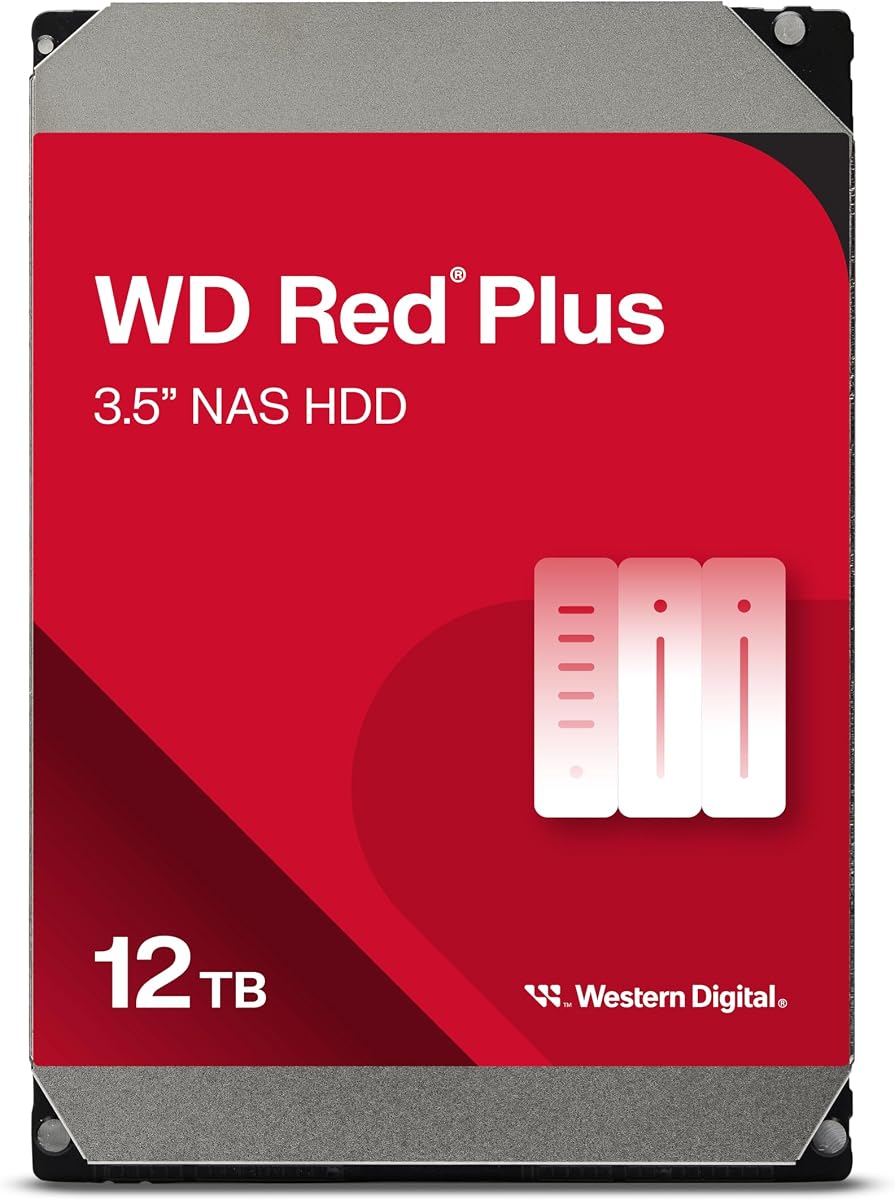
Western Digital 12TB WD Red Plus
Western Digital's 12TB WD Red Plus is the capacity-maximizing option within the Red Plus line before you jump to Red Pro economics. It mirrors the 10TB Red Plus formula—7200 RPM, 512 MB cache, NASware, CMR, up to eight bays—but packs two additional terabytes per spindle. Homelabbers building four-bay SHR-2 arrays often land here when they want pro-grade usable space without pro-grade per-drive endurance ratings.
Twelve terabytes changes how long a four-bay chassis stays relevant. Instead of planning a second NAS when libraries grow, you buy headroom upfront—useful for photographers archiving multi-year Lightroom catalogs and Plex users who collect remuxes. Sequential throughput aligns with other 7200 RPM Red Plus SKUs, so mixed pools of 10TB and 12TB drives of the same RPM class are less jarring than mixing 5400 RPM starters.
The same caveats apply: noise, heat, and long rebuild windows. Treat this drive like the 10TB 7200 RPM sibling—closet or rack placement, UPS on the circuit, scrubbing enabled, and offsite backup for anything sentimental. A twelve-terabyte rebuild is not a background task on entry-level ARM NAS CPUs; schedule maintenance windows.
Against Seagate IronWolf Pro 12TB in this pack, WD Red Plus 12TB trades 550 TB/year workload and Rescue bundling for NASware and often quieter community reports in mixed WD pools—Synology users especially favor sticking to one vendor for firmware quirks. Against Red Pro 16TB, you sacrifice four terabytes per bay but stay in Red Plus pricing and eight-bay validation.
Verify you receive WD120EFGX CMR hardware—WD's transitional labeling occasionally confuses shoppers. Run extended SMART through your NAS before deleting the old array.
If your enclosure sits on a desk in a studio apartment, downgrade to 8TB 5640 RPM. If your enclosure lives in a ventilated cabinet and you want maximum Red Plus density, WD120EFGX is the pick.
Four 12TB drives in SHR-2 yield roughly 24TB usable—double-drive failure protection with wide space for 4K libraries. Ensure your NAS supports 16GB RAM if you plan heavy Docker containers alongside large volumes; file services alone are fine on stock memory.
IronWolf Pro adds AgileArray marketing, higher workload rating, Rescue services, and five-year warranty class. Red Plus 12TB fits users who want twelve terabytes per bay without pro pricing. Both are CMR NAS drives—choose on warranty, noise reports, and ecosystem preference.
We may earn a commission at no additional cost to you.
The Seagate One Touch 8TB is not a NAS hard drive in the internal sense—and we keep it in this roundup because backup discipline is part of every sensible NAS story. The One Touch is a USB-C desktop external: bus-powered, eight terabytes in a plastic shell, tuned for plugging into a PC or Mac for scheduled backups—not for sliding into a Synology tray. Its 4.6-star rating reflects happiness in that role, not RAID compatibility.
Where it fits NAS workflows is offsite rotation. Build your proper Red Plus or IronWolf array internally, then clone critical shares to a One Touch you store at a friend's house or in a fire safe. USB-C means one cable on modern laptops; Rescue services add peace of mind when a kid knocks the enclosure off a desk. That is fundamentally different from asking the disk to survive 24×7 vibration in a four-bay chassis.
Forum lore about shucking externals to harvest internal drives is explicitly discouraged here. Seagate's USB bridge boards, firmware, and warranty terms differ from IronWolf or Red Plus SKUs. Even if the bare drive inside looks like a SATA disk, you lose NAS tuning guarantees and turn a reliable backup appliance into a gamble.
For households without a NAS yet, One Touch can hold Time Machine or File History targets while you research enclosures—but it should not replace CMR NAS drives once you buy a four-bay unit. Desktop users who only need a silent weekly backup and never intend to run Plex from a share should buy One Touch instead of internal NAS spindles.
Compare against internal Red Plus 8TB: internal for the pool, external for the second copy. The best NAS architecture uses both categories intentionally rather than treating them as interchangeable.
If your shopping list says NAS hard drives and you only buy One Touch, you will be disappointed the first time you open a hot-swap tray. Buy One Touch as backup armor; buy Red Plus or IronWolf for the bays.
Keep three copies of important data: two local on different devices plus one offsite. NAS RAID covers hardware failure, not ransomware or fire. Schedule rsync or vendor backup tools from the NAS to One Touch monthly, then store the external away from the NAS.
We may earn a commission at no additional cost to you.
Western Digital 8TB WD Red Pro
Western Digital's 8TB WD Red Pro delivers pro-tier firmware and endurance in a mid-capacity package. Where Red Plus 8TB tops out at eight-bay validation and 180 TB per year, Red Pro 8TB advertises unlimited bay counts and 550 TB per year—matching the endurance story of the 16TB Red Pro in this guide but with lower thermal and acoustic output per spindle because you are not packing the highest areal density platters.
This SKU fits commercial eight-bay towers and rackmount NAS units serving small offices: accounting shares, local Veeam repositories, surveillance retention, and creative teams reading large assets concurrently. The 7200 RPM spindle and 256 MB cache keep warm data responsive without forcing you to buy sixteen-terabyte disks when eight terabytes per bay matches your retention policy.
Homelabbers sometimes buy Red Pro 8TB when they want one vendor tier end-to-end in a U-NAS rack and expect to expand beyond eight bays someday. That is rational future-proofing; buying Red Pro for a two-bay DS223 is not. Compare total cost against four Red Plus 8TB drives—the Pro premium must map to measurable workload or bay-count requirements.
WD partners with NAS vendors for compatibility testing; treat WD8005FFBX like other Pro disks: ventilated case, UPS, matched sets, burn-in before production. The 4.0-star consensus is typical for pro disks judged under heavy expectations—focus on SMART trends and enclosure thermals rather than star averages alone.
Against Seagate IronWolf Pro 12TB, you trade four terabytes per bay for potentially lower power draw and noise in the same pool class. Against Red Plus 8TB 5640 RPM, you buy endurance and unlimited bay marketing—skip Pro if your NAS has four bays and streams Plex on evenings only.
Install like any 3.5-inch SATA NAS drive: hot-swap tray, pool creation, scrub schedule, offsite backup. Red Pro 8TB is a business-class tool that happens to fit homelab racks when usage justifies it.
Red Plus 5640 RPM wins quiet home installs and eight-bay-or-fewer SMB boxes with moderate transfer. Red Pro 8TB wins when vendor documentation requires Pro for warranty, bay count exceeds eight, or annualized workload approaches pro ratings. If neither applies, save the premium.
We may earn a commission at no additional cost to you.
Western Digital 3TB WD Red Plus
The Western Digital 3TB WD Red Plus WD30EFRX is the refresh SKU for aging arrays—not the drive we recommend for new 2026 NAS purchases unless you are matching an existing pool. Its 4.5-star rating reflects years of service in homelab forums as the CMR Red Plus drive that replaced confusing SMR Red labeling in WD's lineup. If your four-bay unit still runs four 3TB mirrors and one disk throws SMART warnings, buying another WD30EFRX is the correct surgical fix.
Three terabytes per bay feels quaint next to 12TB and 16TB options in this same guide, but ripping and replacing entire pools costs time and risks migration bugs. When usable space still satisfies your family and the enclosure has life left, swap the failed spindle, run a rebuild, and schedule a capacity upgrade project for next year—not an emergency weekend.
NASware firmware, 180 TB per year workload, and CMR recording match the rest of the Red Plus family philosophy. The 5400 RPM spindle and 64 MB cache are modest by 2026 standards yet adequate for document shares and music libraries that originally justified a 3TB build. Verify the label: WD shipped transition packaging where Red Plus hardware briefly wore Red branding—model number WD30EFRX confirms CMR Red Plus.
New buyers should default to 4TB or 8TB Red Plus unless they inherit a 3TB NAS from a friend. Photographers and Plex collectors will outgrow three terabytes quickly; the economics favor starting at four terabytes minimum in 2026.
When you do migrate off 3TB pools, migrate to matched higher-capacity sets and retire the old disks to offline cold storage or secure erase—not mixed SHR expansion with 12TB giants unless your NAS vendor explicitly recommends that path.
This drive earns its place in our NAS pack as honesty about the long tail of installed bases, not as a headline pick. Respect it for replacements; ignore it for greenfield builds.
WD30EFRX is the CMR Red Plus model called out in WD's own transition notes. If the label says Red but the model matches WD30EFRX, you have the correct CMR hardware. Never assume SMR Red is interchangeable in RAID—check model numbers before swap.
When ready, build a parallel pool with 8TB Red Plus drives, rsync shares overnight, retire the 3TB set after checksum verification, and update backup jobs. Try not to expand in place across vastly different capacities unless SHR documentation for your NAS blesses it.
We may earn a commission at no additional cost to you.

Desktop drives retry bad sectors aggressively; RAID controllers interpret long timeouts as disk failure and drop the member from the array. NAS drives implement time-limited error recovery and vibration compensation so rebuilds finish instead of cascading. That is why BarraCuda and shucked externals are poor NAS citizens even when they fit physically.
WD Red Plus covers most home and SMB NAS up to eight bays with 180 TB/year workload. WD Red Pro and Seagate IronWolf Pro target heavier 24×7 multi-user environments with 550 TB/year ratings and unlimited bay validation on the WD side. IronWolf Pro adds Seagate Rescue services and IronWolf Health Management integrations. Homelab Plex rarely needs Pro; accounting firms often do.
SMR drives can work for single-disk copies but stall parity rebuilds in NAS pools. Every internal NAS recommendation in this pack is CMR—verify model numbers on WD SKUs during label transitions. If a deal looks too good on a desktop drive, assume SMR or desktop firmware until proven otherwise.
5400 and 5640 RPM Red Plus drives suit living-room and bedroom NAS installs. 7200 RPM Red Plus 10TB/12TB and all Pro tiers favor ventilated closets and racks. SSD caches on Synology and QNAP can mask spindle latency for hot files without forcing every bay to 7200 RPM.
Buy matched capacities when creating pools. Plan two years of growth and leave fifteen percent free for snapshots and filesystem health. Fewer larger drives reduce power and failure points; smaller drives spread risk and cost less upfront. For four-bay SHR-2, 8–12TB Red Plus drives are the common 2026 default.
Mirrors and parity protect against single-disk hardware failure—not ransomware, fire, theft, or accidental deletion. Pair internal NAS pools with offsite copies on rotated USB externals like the Seagate One Touch 8TB in this pack, or cloud tiers. Test a restore quarterly; unverified backups are wishful thinking.
Install a UPS on the NAS circuit to prevent dirty shutdowns during storms. Burn in new disks with extended diagnostics before loading irreplaceable data. Enable email or push alerts for SMART thresholds, run scheduled scrubbing, and replace drives on warning—not on catastrophic click.
Physically yes, wisely no for RAID pools holding data you care about. Desktop drives like the Seagate BarraCuda 8TB in this pack lack NAS vibration tuning and TLER-class error recovery, which increases dropped-disk risk during rebuilds. Use WD Red Plus, Red Pro, or Seagate IronWolf Pro for multi-bay arrays; reserve desktop disks for single-drive PC storage.
Red Plus targets systems up to eight bays with roughly 180 TB per year workload—ideal for home and small office NAS. Red Pro adds 550 TB per year endurance, rotational vibration sensors tuned for dense racks, and unlimited bay count validation for commercial enclosures. Red Pro costs more; buy it when workload or bay count actually requires it.
Most Synology homelab users should buy matched WD Red Plus 8TB or 10TB drives and enable SSD cache if needed. IronWolf Pro 12TB fits when you want Seagate Rescue services, higher workload headroom, or five-year warranty class endurance for heavier multi-user shares. Both are CMR NAS drives—pick on ecosystem preference, acoustics, and capacity per bay.
Choose 5400/5640 RPM Red Plus when the NAS sits near people and sequential speed is secondary to quiet operation. Choose 7200 RPM Red Plus 10TB/12TB or Pro drives when the enclosure is in a closet or rack and you regularly move large files or serve many concurrent clients. Neither matches SSD random performance for applications.
Buy a matched set for your pool design: two identical drives for mirror, four for typical SHR-1 homelab builds, more for SHR-2 or RAID 6. Never mix random capacities unless your NAS platform documents safe expansion paths. Keep a cold spare only if you can afford it—otherwise budget fast replacement shipping.
No for internal bays—it is a USB-C external for desktop backup and offsite rotation. Use it as the second copy in a 3-2-1 strategy after you populate the NAS with Red Plus or IronWolf drives. Shucking voids warranty and is not a substitute for proper NAS firmware.
Western Digital annualizes how much data can transfer to and from the drive under their testing definition—roughly terabytes moved scaled by power-on hours. Home Plex and nightly phone backups rarely approach 180 TB per year. Heavier business backup targets might. Exceeding the rating does not instantly kill the disk, but signals you should have bought Pro tier.
Yes during transition shipments. Red Plus CMR drives like WD30EFRX may arrive with Red branding on the label; confirm the model number on the sticker matches the CMR SKU you ordered. Avoid SMR Red drives in RAID entirely. When in doubt, match the ASIN from this guide on your receipt.
Install drives, update firmware if available, run extended SMART tests from your NAS vendor or WD Drive Utilities/SeaTools, optionally full-surface reads, and monitor reallocated sector counts during the first heavy copy. Only add disks to production pools after burn-in completes—early failure is cheaper before you delete the old array.
Drive pricing swings with supply cycles, promotions, and regional sellers. Fixed prices in articles mislead shoppers within weeks. Compare live Amazon listings for the ASINs here, evaluate terabytes per dollar at purchase time, and weigh warranty, workload rating, and NAS firmware over chasing stale deal screenshots.
The best NAS hard drives in 2026 are CMR spindles with firmware that understands RAID—not the highest-star desktop disk on sale. For most four-bay home and small-office builds, matched Western Digital 8TB Red Plus drives remain the clearest default: NASware tuning, sensible 5640 RPM acoustics, and 180 TB per year workload headroom for Plex, backups, and document shares. Step up to Seagate IronWolf Pro 12TB or WD Red Pro when endurance, recovery services, or unlimited bay counts match real usage—not hypothetical worst cases.
Capacity specialists should compare WD Red Plus 10TB and 12TB 7200 RPM disks for dense closets, WD Red Pro 16TB when every bay must count in a rack, and WD Red Pro 8TB when pro endurance is required without sixteen-terabyte thermals. Starters belong on Red Plus 4TB mirrors; legacy 3TB pools should refresh with matched WD30EFRX replacements until a planned migration. Keep Seagate BarraCuda and One Touch externals in their lanes—desktop bulk and USB backup—not inside hot-swap trays.
Use the comparison table to shortlist by capacity and duty class, read individual reviews for acoustics and rebuild honesty, verify ASINs on live listings, and build the habit that actually protects photos and tax PDFs: RAID for uptime, offsite copies for survival, and a UPS so neither fails because the power flickered.