Expert Review & Guide

Best Mouse for Fortnite 2026: Ranked Picks for Builds and

Fortnite on keyboard and mouse asks more from a gaming mouse than a simple click-and-drag shooter. You are constantly placing builds, confirming edits, tracking shotgun peeks, and snapping back to mid-range spray—often in the same five-second exchange. The right mouse will not grant mechanics by itself, but the wrong weight, shape, or button layout can quietly tax your hand every time you practice. In 2026 the strongest Fortnite setups usually favor lighter shells, clean sensors, and trustworthy wireless or wired connections, with enough side buttons for the binds you actually hit under pressure.

This roundup uses only the ten mice in our Amazon pack for best mouse for Fortnite. We compare ultra-light esports wireless options, classic pro Superlight shapes, button-rich ergonomic wired mice for complex bind sheets, and simpler starter or casual wireless picks. Ratings come from the Amazon listings at the time of writing. We do not list dollar prices because deals shift constantly; use each product link for the live offer.

If you want a shortlist first, start with our three top picks: a 54 g wireless esports flagship for ranked grinders, a 60 g Superlight 2 for players who want a proven pro wireless shape, and a modular ambidextrous Lightspeed mouse for left-handed or custom side-button layouts. Then use the comparison table and full reviews to match grip style, bind needs, and battery preferences before you buy.

Our Top Fortnite Mouse Picks for 2026

Best Overall for Fortnite

Razer Viper V3 Pro Wireless Esports Gaming Mouse

★★★★★9.2/10
Razer Viper V3 Pro Wireless Esports Gaming Mouse
  • 54 g pro-tuned shell that keeps Fortnite flicks and edits feeling fast late into ranked sessions
  • Focus Pro 35K sensor with 1-DPI steps for dialing eDPI without soft acceleration
  • Up to 8000 Hz HyperPolling wireless plus long competitive battery for tournaments and scrims
Check Price →
Best Pro Wireless Classic

Logitech G PRO X Superlight 2 Wireless Gaming Mouse

★★★★★9.2/10
Logitech G PRO X Superlight 2 Wireless Gaming Mouse
  • 60 g championship shape that rewards claw and fingertip players who spam builds and edits
  • HERO 2 tracking up to 44K DPI with LIGHTFORCE hybrid click feel for consistent peeks
  • Up to 8 kHz polling, USB-C charging, and POWERPLAY support for desk-ready wireless uptime
Check Price →

As an Amazon Associate we earn from qualifying purchases. We may earn a commission at no additional cost to you.

Fortnite Mouse Comparison: Weight, Sensor, and Controls

Scan this table to separate ultra-light competitive wireless mice from heavier ergonomic and value options in the same Fortnite shopping set. Specs focus on the three details that change ranked play the most: shell weight or design intent, sensor class, and connection or battery reality. No prices are listed—check Amazon for the current deal.

#ProductSpecificationsScore
1
  • HERO sensor up to 25,600 DPI with zero smoothing
  • 11 programmable buttons and dual-mode hyper-fast scroll
  • Adjustable weight tray with up to five 3.6 g weights
9.2
2
  • 54 g ultra-lightweight wireless esports shell
  • Focus Pro 35K optical sensor, Gen-3 optical switches
  • Up to 8000 Hz HyperPolling, ~95 hr battery
9.2
3
  • 82 g mass-centralized wireless design
  • Focus Pro 30K optical sensor, AA battery power
  • HyperSpeed wireless with up to ~280 hr battery
9
4
  • Ergonomic shell with thumb rest and 11 buttons
  • Focus+ 26K DPI sensor, Gen-2 optical switches
  • HyperScroll tilt wheel and 11-zone Chroma RGB
9.2
5
  • 6,400 DPI optical sensor with on-the-fly DPI buttons
  • 5 programmable buttons and rubberized side grips
  • Durable mechanical switches rated to 10 million clicks
9
6
  • 49 g ultra-lightweight symmetrical shell
  • PAW3395 sensor up to 26K DPI, 650 IPS tracking
  • Tri-mode: 2.4G, Bluetooth 5.2, and wired; ~200 hr battery
9
7
  • 60 g symmetrical wireless pro shell
  • HERO 2 sensor up to 44,000 DPI, 888+ IPS
  • Up to 8 kHz polling, ~95 hr battery, POWERPLAY ready
9.2
8
  • Under 63 g ultra-lightweight wireless shell
  • HERO sensor up to 25,600 DPI, LIGHTSPEED wireless
  • 5 programmable buttons and large PTFE feet
9.2
9
  • Ambidextrous modular design with magnetic side buttons
  • HERO 2 sensor up to 44K DPI, LIGHTFORCE switches
  • LIGHTSPEED wireless, USB-C, up to ~95 hr battery
9.2
10
  • About 80 g rechargeable wireless shell
  • Six DPI steps from 800 to 8000 with color indicators
  • Tri-mode: 2.4G, Bluetooth, and USB-C wired
8.8

1. Logitech G502 Hero Wired Gaming Mouse - Best for Extra

Logitech G502 Hero Wired Gaming Mouse

Logitech G502 Hero Wired Gaming Mouse

9.2/10★★★★★

The Logitech G502 Hero remains one of the most common “I already own this” mice among Fortnite players who came from general PC gaming. It is not an ultra-light esports shell, and it does not pretend to be. What it offers instead is control density: eleven programmable buttons, a dual-mode scroll wheel, adjustable weights, and a HERO sensor that still tracks with the consistency you want when a fight turns into a messy piece-control scramble. If your bind layout outgrew a five-button mouse, this is the pack’s clearest answer.

  • HERO sensor up to 25,600 DPI with zero smoothing
  • 11 programmable buttons and dual-mode hyper-fast scroll
  • Adjustable weight tray with up to five 3.6 g weights
Check Price →
✓ Pros
  • Eleven programmable buttons make room for edit, crouch, inventory, and ping macros without crowding the keyboard
  • HERO sensor tracks cleanly for tracking shots and 90s when you keep Windows enhance pointer precision off
  • Adjustable weights let palm-grip builders tune inertia instead of forcing a featherweight shape
  • Dual-mode scroll wheel is handy for inventory and rare scroll binds
  • Wired connection removes battery anxiety during long Arena or Creative sessions
✕ Cons
  • Heavier and bulkier than modern ultra-light Fortnite mice, so arm fatigue can rise on low sens
  • Right-handed ergonomic shape is a poor fit for left-handed or strict fingertip grips
  • Cable management still matters if you play large pad sweeps and hate drag

Detailed review

In Fortnite, button real estate is more than a luxury. Players who map builds, edits, pickaxe, inventory, and utility across keyboard and mouse often want a dedicated mouse side cluster for the actions that must stay under the thumb. The G502’s side buttons and sniper-style thumb paddle give you room to keep edit confirm, crouch, or a secondary build piece off the keyboard’s busiest keys. That can reduce misclicks when you are already holding movement keys and trying to place a floor while tracking a shotgun peek.

Weight is the honest tradeoff. With the weight tray populated, the G502 feels substantially heavier than a 54–60 g wireless mouse. Some palm-grip players like that inertia because it dampens overflick when they turn for a 180 after a rotate. Low-sens claw and fingertip players usually do not. If you grind Creative edit courses for an hour, the extra mass shows up in forearm fatigue before your aim falls apart. Use fewer weights or empty the tray if you want the shape without the full ballast.

Sensor performance is still a strong reason the G502 stays relevant. HERO up to 25,600 DPI with zero smoothing, filtering, or acceleration means you can set a Fortnite eDPI that matches your monitor distance and keep the same feel across titles. Pair that with a stable 1000 Hz wired connection and you get a predictable baseline for practice. The RGB LIGHTSYNC lighting is optional flavor; competitive players can dim or disable it in Logitech software and keep the on-board memory profile for LAN or school PCs.

Click feel comes from Logitech’s metal spring tensioning and pivot hinges on the main buttons. It is crisp enough for shotgun timing and rapid edit confirms, though it is not an optical-switch mouse in the modern Razer or LIGHTFORCE sense. If you are sensitive to double-click aging after years of use, that is a long-term maintenance note rather than a day-one Fortnite flaw. For most players buying a fresh unit, the G502 is about binds and familiarity more than click technology.

Choose the G502 Hero when you want a wired workhorse that can carry a complex Fortnite bind map and you already know you prefer a larger right-handed shell. Skip it if your priority list starts with sub-60 g weight, left-hand support, or cable-free desk setup. In this roundup it is the feature mouse for builders who would rather remap than relearn a tiny ambidextrous shape.

Who should buy the G502 Hero for Fortnite

Palm-grip and hybrid players with larger hands who want side-button density for edits, crouch, inventory, and utility binds will get the most from this mouse. It also suits creators who hop between Fortnite, productivity, and other games on one wired peripheral without babysitting charge cycles.

Suggested Fortnite setup notes

Disable enhance pointer precision in Windows, set a single DPI step you will actually use in-game, and map only the side buttons you can hit under stress. Keep the dual-mode scroll in tactile mode if you use it for inventory or weapon slots so free-spin does not overshoot mid-fight.

How it compares in this pack

Against the Superlight line and Viper V3 Pro, the G502 trades lightness and modern wireless polling for buttons and adjustability. Against the Basilisk V3 it is a similar philosophy with a more classic Logitech ecosystem. It is not competing for the same “fastest ranked aim” crown; it is competing for players who refuse to give up thumb macros.

Check Price on Amazon →

We may earn a commission at no additional cost to you.

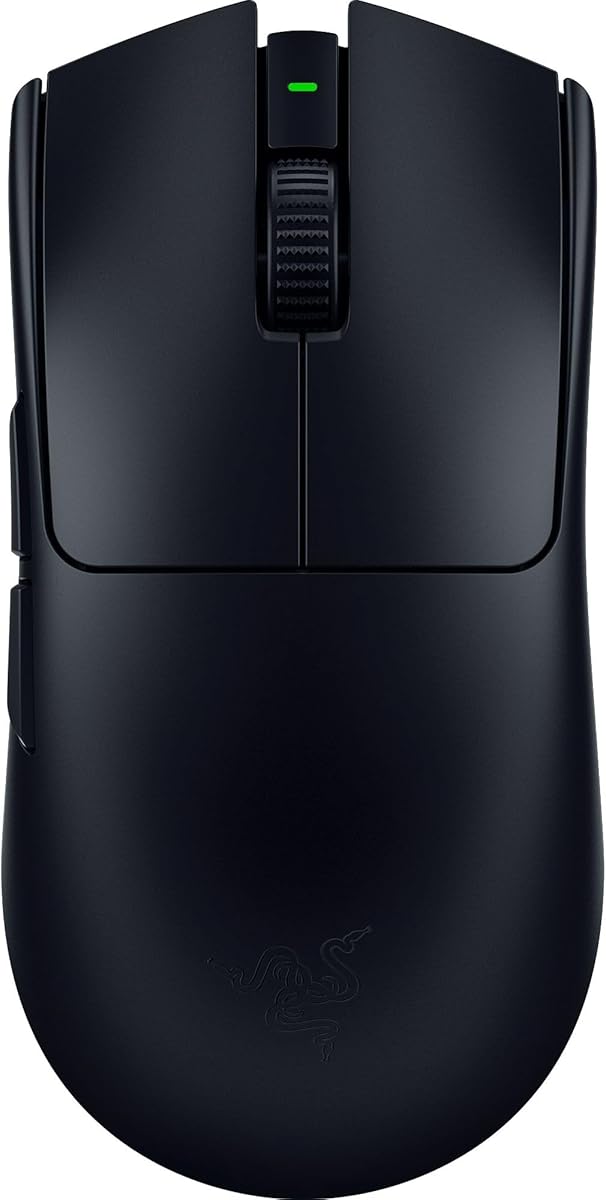
2. Razer Viper V3 Pro Wireless Esports - Best Overall for

Razer Viper V3 Pro Wireless Esports Gaming Mouse

Razer Viper V3 Pro Wireless Esports Gaming Mouse

9.2/10★★★★★

If this pack has a default answer for serious Fortnite on PC, it is the Razer Viper V3 Pro. The 54 g shell is the kind of weight that changes how often you reset your arm during a stacked endgame. Fortnite rewards constant micro-corrections: pre-aiming angles, correcting after a cone place, tracking a jump pad swing, then snapping back to edit. A lighter mouse does not aim for you, but it lowers the physical cost of those corrections so you can practice longer before form breaks down.

  • 54 g ultra-lightweight wireless esports shell
  • Focus Pro 35K optical sensor, Gen-3 optical switches
  • Up to 8000 Hz HyperPolling, ~95 hr battery
Check Price →
✓ Pros
  • 54 g balanced shell makes rapid edits, piece control, and tracking feel less fatiguing across long sessions
  • Focus Pro 35K sensor supports precise eDPI tuning and strong tracking on many pad and desk surfaces
  • Up to 8000 Hz HyperPolling wireless keeps click-to-screen feel tight for competitive PC play
  • Gen-3 optical switches aim for fast actuation without classic double-click failure modes
  • Up to about 95 hours of battery covers weeks of ranked play between charges for many players
✕ Cons
  • Premium wireless esports mice cost more than wired starters in the same shopping set
  • Symmetrical low-profile shape may feel too flat for players who prefer deep palm fills
  • Getting full high-polling benefit assumes a clean USB setup and a system that can use it

Detailed review

Razer’s Focus Pro 35K optical sensor is the tracking backbone. Intelligent functions and one-DPI-step adjustments matter when you are dialing sensitivity around your monitor size and preferred cm/360. Fortnite players often sit in medium-low eDPI ranges for consistent AR spray and still need enough speed for aggressive piece fights. Being able to nudge DPI without coarse jumps helps you land a sensitivity that feels the same in Creative warmups and real lobbies.

Wireless performance is the other half of the pitch. HyperSpeed plus up to 8000 Hz HyperPolling is aimed at tournament environments where 2.4 GHz noise is real and players refuse to accept a soft click delay. You still need a clean dongle placement—ideally on a short extender near the pad—and you should turn off Windows pointer acceleration. Done right, the Viper V3 Pro feels like a wired mouse that simply never snags on a cable during a panic rotate.

Gen-3 optical mouse switches target a short 0.2 ms actuation story and a long click lifecycle with fewer classic double-click complaints. In Fortnite that shows up as confidence when you spam edit confirms or fire shotgun peeks back-to-back. The eight programmable controls are enough for most competitive layouts without turning the shell into a macro brick. Side buttons stay available for edit, crouch, or inventory depending on how much you keep on the keyboard.

Battery life up to about 95 hours is realistic for high-performance competitive use according to Razer’s positioning, which means many players charge on a weekly rhythm rather than nightly. That matters if you queue after school or work and do not want a mid-session cable tether. The black esports aesthetic is quiet enough for stream overlays and LAN tables; Synapse can handle lighting disable if you want a darker look.

The shape is a modern ambidextrous esports mold: low, balanced, and tuned with pros who flick constantly. Claw and fingertip Fortnite players usually adapt quickly. Deep palm grippers who loved older DeathAdder curves may find less rear support and should try to confirm hand-size fit before committing. Software optimization tips on the listing—disabling enhance pointer precision and using Synapse for tuning—are not optional fluff for competitive play; they are part of getting the sensor to behave the way the marketing claims.

Buy the Viper V3 Pro when you want the strongest blend of weight, sensor, polling, and wireless reliability in this Fortnite pack. It is the mouse we would hand a ranked grinders who already know their sensitivity and want hardware that will not be the limiting factor. If you need eleven buttons, a filled palm rest, or the cheapest possible upgrade path, look at the G502, Basilisk, or Attack Shark instead.

Best Fortnite player profile

Controller converts on KBM, Creative warriors, and Arena grinders who play claw or fingertip on a large pad will feel the 54 g advantage most. It also fits tournament players who want high polling without hauling a cable across a shared table.

Settings that unlock the mouse

Use raw input in Fortnite, disable enhance pointer precision, place the dongle close to the mouse, and pick one DPI that matches your existing cm/360. Only raise polling to the maximum if your PC and USB topology stay stable; a clean 1000 Hz or 2000 Hz setup beats an unstable 8000 Hz experiment.

Versus Superlight 2 in Fortnite

Both are flagship lightweight wireless mice. The Viper V3 Pro leans slightly lighter with Razer’s optical-switch and HyperPolling stack. Superlight 2 counters with the HERO 2 sensor story, LIGHTFORCE hybrid click feel, and the familiar Logitech pro shape that many Fortnite players already trust. Shape preference usually decides the tie.

Check Price on Amazon →

We may earn a commission at no additional cost to you.

3. Razer Viper V3 HyperSpeed Wireless PC - Best Long-Battery Wireless

Razer Viper V3 HyperSpeed Wireless PC Gaming Mouse

Razer Viper V3 HyperSpeed Wireless PC Gaming Mouse

9/10★★★★★

The Razer Viper V3 HyperSpeed is the practical sibling of Razer’s lighter flagship. At 82 g with a mass-centralized layout, it sits in a middle ground: light enough to feel like a gaming mouse, heavy enough that ultra-light devotees will notice the difference the first time they return to edit courses. For Fortnite players who care more about uptime and wireless stability than chasing every missing gram, that middle ground can be the smarter daily driver.

  • 82 g mass-centralized wireless design
  • Focus Pro 30K optical sensor, AA battery power
  • HyperSpeed wireless with up to ~280 hr battery
Check Price →
✓ Pros
  • Mass-centralized 82 g wireless design keeps swipes feeling consistent despite AA power
  • Focus Pro 30K sensor tracks well across many surfaces, including trickier glass-style desks
  • Up to about 280 hours on a single AA battery means almost no charge anxiety
  • HyperSpeed wireless stays practical for noisy home Wi-Fi environments
  • On-mouse DPI button makes quick sensitivity toggles easy between Creative and ranked
✕ Cons
  • Heavier than the Viper V3 Pro and Superlight options preferred by many edit-heavy players
  • Mechanical Gen-2 switches are solid but not the same optical-switch story as the V3 Pro
  • AA battery convenience trades against the cleaner rechargeable routine some players prefer

Detailed review

Battery life is the headline. Up to roughly 280 hours on one AA battery means you can leave the mouse in 2.4 GHz mode through a long stretch of ranked nights, cups practice, and weekend sessions without planning around a USB-C cable. Travelers and dorm players also benefit because spare AAs are easier to find than a proprietary charging dock. The included battery gets you started; keep a spare in the desk drawer and you effectively remove wireless anxiety from the checklist.

Sensor placement and Focus Pro 30K performance are tuned for competitive consistency. Forward sensor placement can change how the cursor feels relative to your grip compared with older centered designs, so give yourself a day of Creative warmups before judging the shape. Once dialed, the sensor’s glass-surface tracking support and intelligent functions help if your desk setup is not a perfect cloth pad every time—useful for players who bounce between a main setup and a temporary table.

HyperSpeed wireless is the connectivity story, with multi-device support for a cleaner esports desk if you also use compatible Razer gear. Latency remains the priority over Bluetooth convenience here; treat this as a competitive 2.4 GHz mouse first. Six programmable buttons cover the essentials for Fortnite: primary click, secondary, scroll click, two side buttons, and DPI control that you can remap if you would rather have another in-game action than a sensitivity toggle.

Mechanical mouse switches Gen-2 with gold-plated contacts target crisp execution and a 60-million click rating. They feel familiar if you are coming from older DeathAdders or Vipers and do not need optical actuation. Fortnite shotgun timing and edit spam both benefit from a predictable break point more than from marketing numbers, so the real test is whether the click weight matches your finger strength after a long session.

Buy the Viper V3 HyperSpeed if you want Razer’s Viper-family wireless feel with marathon AA battery life and you can accept an 82 g shell. It is an especially good fit for players who hate rechargeable mice dying mid-session. Skip it if you are specifically shopping for a sub-60 g ranked weapon; the Viper V3 Pro and Superlight options in this pack are closer to that assignment.

Who it fits in Fortnite

Players who queue long sessions, share a PC, or travel with a simple AA-powered kit will appreciate the HyperSpeed most. It also works for claw players who like the Viper silhouette but do not want to pay the ultra-light flagship premium.

Battery and DPI workflow

Use the top DPI button to keep a Creative warmup stage and a ranked stage if you truly need both, but most competitive advice still favors one sensitivity everywhere. Swap the AA before a tournament day rather than waiting for the first drop in tracking feel.

Check Price on Amazon →

We may earn a commission at no additional cost to you.

4. Razer Basilisk V3 Customizable RGB Wired - Best Ergonomic Wired

Razer Basilisk V3 Customizable RGB Wired Ergonomic Gaming Mouse

Razer Basilisk V3 Customizable RGB Wired Ergonomic Gaming Mouse

9.2/10★★★★★

The Razer Basilisk V3 is the comfort-and-controls pick for Fortnite players who hate floating their palm on a flat ambidextrous shell. The iconic ergonomic design with a dedicated thumb rest gives your hand a place to settle during slower mid-game rotates, then still puts buttons under the thumb for the chaotic endgame. If your Fortnite sessions last two or three hours and your wrist complains on lightweight flats, this shape is worth serious consideration.

  • Ergonomic shell with thumb rest and 11 buttons
  • Focus+ 26K DPI sensor, Gen-2 optical switches
  • HyperScroll tilt wheel and 11-zone Chroma RGB
Check Price →
✓ Pros
  • Ergonomic thumb-rest shell supports longer Fortnite sessions for palm and hybrid grips
  • Eleven programmable buttons create space for complex build and edit bind layouts
  • Focus+ 26K sensor delivers clean tracking for spray and flick scenarios
  • Optical switches Gen-2 provide fast actuation with a crisp click for peeks and confirms
  • HyperScroll wheel is useful for inventory navigation and optional scroll binds
✕ Cons
  • Ergonomic right-handed shape excludes left-handed players and some fingertip grips
  • Heavier feature-focused shell is slower-feeling than ultra-light esports mice
  • RGB-heavy design is more personality than pure tournament minimalism

Detailed review

Eleven programmable buttons are the gameplay hook. Fortnite bind culture often pushes players toward unique edit keys, secondary build pieces, and utility actions. Mapping a few of those to the Basilisk’s side cluster can free the keyboard for movement and make piece-hand coordination cleaner. The HyperScroll tilt wheel adds another dimension: free-spin for fast inventory scrolling, tactile mode when you want deliberate weapon or slot changes without overshooting.

Focus+ 26K DPI optical sensing with zero smoothing keeps aim response honest when you disable Windows acceleration. That matters for AR tracking across open fields as much as it does for shotgun flicks inside a box. Optical mouse switches Gen-2 advertise 0.2 ms actuation and a long click life, which is the kind of reliability story you want if you spam edits in Creative every day. Misclick resistance is especially welcome when side buttons sit close to your thumb’s resting posture.

Chroma RGB with eleven lighting zones is optional theater. Some Fortnite streamers like the reactive look; ranked purists will turn it down in Synapse and forget it exists. Either way, the lighting does not define the mouse’s competitive value. The shell, sensor, and button count do. Compared with the G502 Hero, the Basilisk V3 feels more modern in switch tech and scroll behavior while chasing a similar “many buttons, right-handed comfort” buyer.

The tradeoff against Viper and Superlight mice is speed of hand movement. Extra plastic, a thumb rest, and a feature-rich chassis weigh more and create a larger contact patch. That can stabilize aim for some palm grippers and slow flick recovery for others. Fortnite’s build fights punish hesitation, so if your style is constant high-APM piece control, try to confirm that the Basilisk’s mass does not blunt your edit course times before you commit as a main mouse.

Pick the Basilisk V3 when comfort and bind capacity outrank gram-counting. It is an excellent wired Fortnite mouse for right-handed players who want optical switches and a thumb rest without jumping into wireless ecosystems. Skip it if you need ambidextrous symmetry, left-hand support, or the lightest possible ranked shell in this pack.

Ideal Fortnite grip and binds

Palm and relaxed claw grips benefit most from the thumb rest. Map high-frequency actions such as edit or crouch to the easiest side buttons and keep rare utilities on the harder-to-reach keys so you do not fat-finger them mid-fight.

Wired reliability for ranked

A wired mouse removes dongle placement variables on busy USB hubs. Route the cable with a bungee if you play wide arm swipes so the Basilisk’s comfort advantages are not canceled by cable drag during a rotate.

Versus G502 Hero

Both are button-rich right-handed mice. The Basilisk V3 emphasizes optical switches, HyperScroll, and Razer’s ergonomic thumb-rest identity. The G502 Hero emphasizes adjustable weights and the long-running Logitech HERO ecosystem. Choose by hand feel first, software preference second.

Check Price on Amazon →

We may earn a commission at no additional cost to you.

5. Razer DeathAdder Essential Ergonomic Wired Gaming - Best Budget Starter

Razer DeathAdder Essential Ergonomic Wired Gaming Mouse

Razer DeathAdder Essential Ergonomic Wired Gaming Mouse

9/10★★★★★

The Razer DeathAdder Essential is the on-ramp mouse in this Fortnite pack. It does not chase 50 g shells or 8000 Hz polling. It gives new KBM players a familiar right-handed ergonomic shape, a usable optical sensor, rubber side grips, and enough buttons to stop relying on an office mouse with mushy clicks. If someone asks what to buy for their first real Fortnite PC setup without overspending on pro gear they may outgrow in six months, this is the honest starter answer.

  • 6,400 DPI optical sensor with on-the-fly DPI buttons
  • 5 programmable buttons and rubberized side grips
  • Durable mechanical switches rated to 10 million clicks
Check Price →
✓ Pros
  • Simple ergonomic shape is easy for Fortnite beginners coming from office mice
  • 6,400 DPI optical sensor with on-the-fly DPI buttons covers casual and growing competitive needs
  • Five programmable buttons are enough for a clean starter bind layout
  • Rubberized side grips help control during sweaty late-game fights
  • Wired design keeps the upgrade path straightforward with no battery planning
✕ Cons
  • 6,400 DPI ceiling and older feature set trail modern esports sensors in this pack
  • Only five buttons limit complex thumb-bind layouts popular with advanced builders
  • Mechanical switches rated to 10 million clicks are modest next to optical flagship switches

Detailed review

Sensor-wise, 6,400 DPI with dedicated DPI buttons is plenty for Fortnite when you play at ordinary competitive sensitivities. Most players live far below that ceiling. What matters more is consistency and lift-off behavior on your pad. The Essential will not match Focus Pro or HERO 2 flagship refinement, but it can absolutely teach aim routines, edit timing, and camera control while you decide whether Fortnite on KBM is a long-term main.

Five programmable buttons keep the layout simple: left, right, scroll click, and two side buttons. That is enough for edit and crouch, or edit and inventory, depending on your keyboard map. Advanced piece-control players who want four thumb actions will feel constrained and should look at the G502 or Basilisk instead. For beginners, fewer buttons are often better because they reduce accidental presses while learning movement.

The ridged rubberized scroll wheel and rubber side grips are small quality-of-life details that show up in real matches. Fortnite lobbies get stressful; hands get slick. A bit of texture on the flanks helps you keep vertical control when you are spamming pulls and micro-adjusting after a pump shot. Mechanical switches with a 10-million click rating are entry-level durable rather than esports-mythical, which matches the mouse’s role.

Because it is wired, the DeathAdder Essential also simplifies shared or school setups where wireless dongles get lost. There is no Synapse dependency for basic play, though remapping still benefits from Razer software when you want custom binds. The black ergonomic silhouette is instantly recognizable and easy to recommend visually when coaching a friend through their first peripheral upgrade.

Buy this mouse if you need a budget-friendly, comfortable, wired Fortnite starter and you value a classic DeathAdder shape over ultra-light trends. Upgrade later to a Viper V3 Pro or Superlight 2 once your sensitivity, grip, and bind layout stabilize. Skip the Essential if you already know you want lightweight wireless performance; the Attack Shark X3 or a used-tier Superlight path will teach modern technique faster.

Beginner Fortnite checklist

Set a moderate DPI, turn off enhance pointer precision, learn one edit key that you can hit every time, and spend a week in Creative before buying another mouse. Hardware hopping too early hides whether your mechanics or your settings are the real bottleneck.

When to upgrade from the Essential

Upgrade when your edit course times plateau and you can feel the shell’s weight or sensor limits, or when you need more side buttons. Do not upgrade just because a pro uses a different logo on stream.

Check Price on Amazon →

We may earn a commission at no additional cost to you.

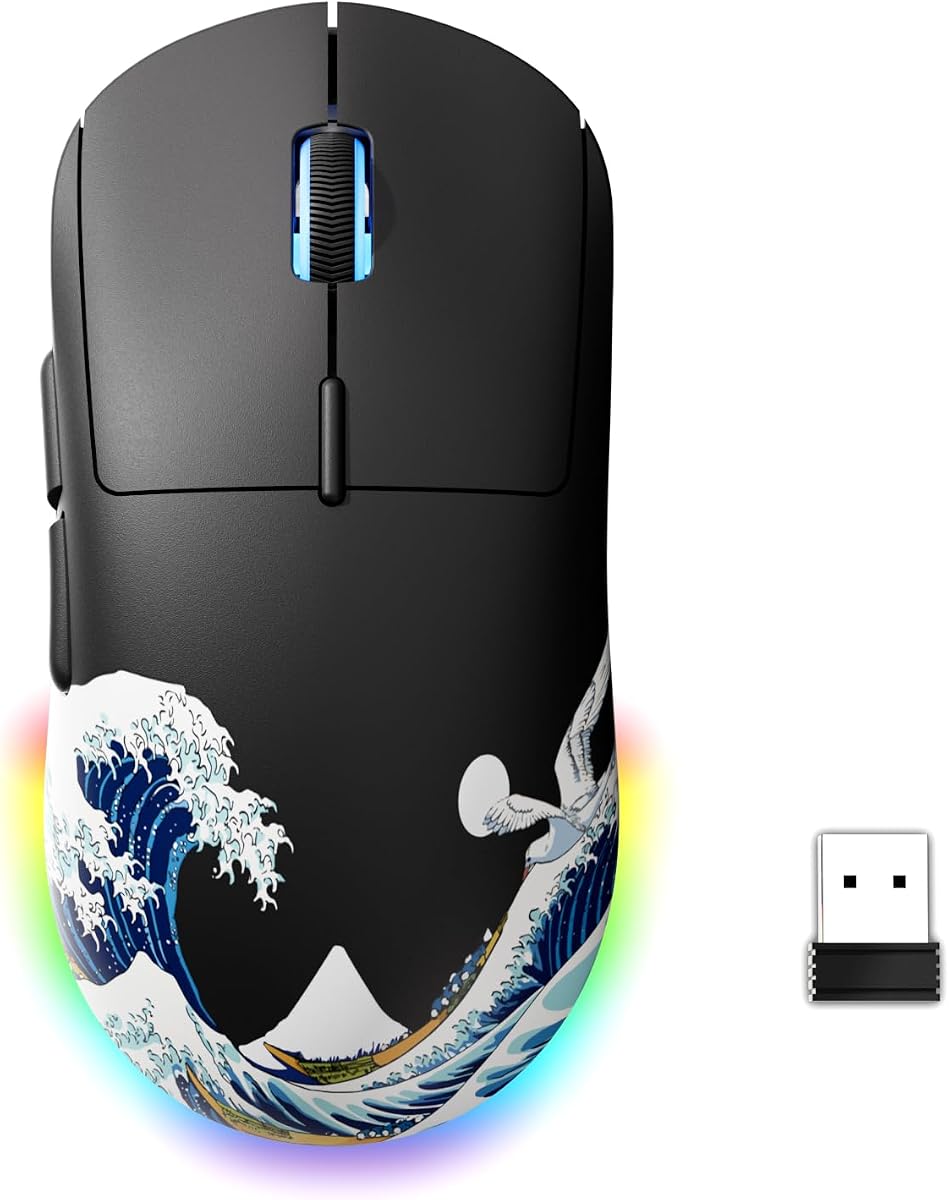
6. ATTACK SHARK X3 49g Ultra-Lightweight Wireless - Best Ultra-Light Value

ATTACK SHARK X3 49g Ultra-Lightweight Wireless Gaming Mouse

ATTACK SHARK X3 49g Ultra-Lightweight Wireless Gaming Mouse

9/10★★★★★

The ATTACK SHARK X3 is the disruptor in this Fortnite list: a 49 g ultra-light wireless mouse with a PAW3395 sensor, tri-mode connectivity, and a feature set that reads like a more expensive esports peripheral. For players who want the modern lightweight meta without immediately buying a flagship Razer or Logitech, it is the value conversation starter. Fortnite’s edit-heavy movement rewards exactly this kind of mass reduction.

  • 49 g ultra-lightweight symmetrical shell
  • PAW3395 sensor up to 26K DPI, 650 IPS tracking
  • Tri-mode: 2.4G, Bluetooth 5.2, and wired; ~200 hr battery
Check Price →
✓ Pros
  • 49 g shell is among the lightest in the pack for fast Fortnite edits and low fatigue
  • PAW3395 sensor up to 26K DPI brings flagship-class tracking to a value wireless mouse
  • Tri-mode connectivity covers 2.4G gaming, Bluetooth, and wired fallback
  • Long claimed battery life supports extended practice without constant charging
  • TTC wheel and Kailh GM8.0 switches aim at crisp FPS-oriented click and scroll feel
✕ Cons
  • Software and ecosystem polish may not match Logitech G HUB or Razer Synapse depth
  • Brand support and long-term spare-part reality differ from the biggest peripheral makers
  • White shell shows wear faster if you play with dirty hands or soft mousepads that shed

Detailed review

PAW3395 credentials matter. A sensor capable of 26,000 DPI, 650 IPS, and 50 g acceleration is the same class many competitive mice advertise, which means your practice time is less likely to be wasted on muddy tracking. At a 1000 Hz / 1 ms polling rate in the listing’s performance framing, it will not market the same 8000 Hz ceiling as the Viper V3 Pro or Superlight 2, but for the vast majority of Fortnite players a stable 1000 Hz wireless link is still the meaningful baseline.

Tri-mode flexibility is underrated for real life. Use 2.4 GHz for ranked Fortnite, Bluetooth when you jump to a laptop for schoolwork or VOD review, and wired when the battery is low mid-session. The roughly 200-hour maximum battery claim, if your usage matches the lighter end of power draw, can make the X3 feel closer to an install-and-forget mouse than a nightly charger. Still, treat wireless claims as usage-dependent and keep the cable nearby during tournament weeks.

Build details lean competitive: pure PTFE feet for glide, a symmetrical anti-sweat friendly shell, and Kailh GM8.0 switches rated to a very high click life with gold-plated contacts. The TTC encoder scroll is called out for crisp FPS weapon switching—relevant if you scroll slots or just want a wheel that does not feel mushy when you flick through inventory. Programmable buttons and LOD or macro options in the vendor software let you approximate a pro bind layout even if the ecosystem is less famous.

The risks are the usual value-brand tradeoffs. Firmware polish, customer support, and software UX vary more than with Logitech or Razer. Some units will feel perfect; some buyers will wish for more refined coating or clearer documentation. If you need a mouse that a coach can remotely troubleshoot with mainstream software screenshots, a Superlight or Viper may still be safer. If you are buying with your own hands and can return through Amazon if the shape mismatches, the X3 is a high-upside experiment.

Choose the Attack Shark X3 when weight and sensor class are your top Fortnite priorities and you want wireless without flagship pricing pressure. It is especially compelling for claw and fingertip players who already know they dislike heavy ergonomic mice. Pass if you require the most mature software ecosystem or a guaranteed long-term brand presence at every LAN you might attend.

Fortnite value buyer profile

Students, second-PC setups, and players upgrading from office mice who already watch ultra-light reviews will get the X3’s appeal immediately. It is also a smart “try the meta shape class” purchase before spending on a Superlight 2 or Viper V3 Pro.

Wireless setup tips

Prefer the 2.4 GHz dongle for ranked play, keep Bluetooth for productivity switching, and verify polling and DPI in the vendor software before judging aim. PTFE feet need a clean pad; dust will erase the lightness advantage faster than any sensor setting.

Versus Viper V3 Pro

The X3 can match the spirit of ultra-light play and undercuts flagship cost expectations, while the Viper V3 Pro answers with proven esports collaboration, higher polling options, and a more established competitive support story. Many players can learn on the X3 and only upgrade if they hit a real hardware ceiling.

Check Price on Amazon →

We may earn a commission at no additional cost to you.

7. Logitech G PRO X Superlight 2 - Best Pro Wireless

Logitech G PRO X Superlight 2 Wireless Gaming Mouse

Logitech G PRO X Superlight 2 Wireless Gaming Mouse

9.2/10★★★★★

The Logitech G PRO X Superlight 2 is the safe pro pick for Fortnite players who want a championship-proven wireless formula updated with higher polling, HERO 2 tracking, and USB-C convenience. At 60 g it is not the absolute lightest shell in this pack, but it is light in the way that still feels substantial enough for controlled stops after a wide flick. That balance is why so many competitive FPS players stayed in the Superlight family across seasons.

  • 60 g symmetrical wireless pro shell
  • HERO 2 sensor up to 44,000 DPI, 888+ IPS
  • Up to 8 kHz polling, ~95 hr battery, POWERPLAY ready
Check Price →
✓ Pros
  • 60 g symmetrical shell is a proven Fortnite and esports shape for claw and fingertip aim
  • HERO 2 sensor up to 44K DPI supports precise, high-speed tracking without soft filtering
  • Up to 8 kHz polling and LIGHTSPEED wireless deliver a premium competitive connection
  • LIGHTFORCE hybrid switches blend optical speed cues with satisfying mechanical click feel
  • USB-C charging, long battery life, and POWERPLAY support keep the desk cable-free
✕ Cons
  • Only five buttons total, so heavy macro bind users may want a G502 or Basilisk instead
  • Flagship pricing sits above value ultra-lights like the Attack Shark X3
  • Symmetrical low shell may feel small for very large palm-only grips

Detailed review

Fortnite specifically rewards the Superlight 2’s strengths: low fatigue during edit courses, clean tracking when you swing wide for information, and a click feel that stays trustworthy when you confirm an edit and shoot in the same motion. LIGHTFORCE hybrid switches are meant to give you optical-switch speed characteristics with a more tactile mechanical press. Players who disliked older optical clicks sometimes prefer this hybrid feedback for shotgun timing.

HERO 2’s up-to-44,000 DPI and 888+ IPS tracking story is more capability than most Fortnite players will use, which is fine. Headroom means the sensor is not the bottleneck when you crank a temporary high-sens experiment or play on a smaller pad. Zero smoothing, acceleration, or filtering remains the right philosophy for aiming consistency. Calibrate in G HUB if you want the sensor tuned to your pad, then leave the settings alone so muscle memory can form.

Wireless quality is classic LIGHTSPEED territory, now with up to 8 kHz polling when your system supports it and a roughly 95-hour battery claim for high-performance use. POWERPLAY compatibility matters if you already own Logitech’s charging pad ecosystem and never want to plug in. Everyone else can USB-C charge between sessions. Zero-additive PTFE feet keep glide smooth so the 60 g weight can actually express itself on cloth pads common in Fortnite setups.

The button count is intentionally minimal: five programmable inputs for a pure competitive layout. That is enough for primary fire, ADS or secondary, scroll interactions, and two side buttons—commonly edit and crouch, or edit and inventory. If your bind sheet looks like a spreadsheet, this is the wrong mouse family. If your bind sheet looks like a pro’s, the Superlight 2 gets out of the way.

We recommend the Superlight 2 as the best “known quantity” wireless Fortnite mouse in the pack for players who trust Logitech’s pro ecosystem and want a shape with a huge community of sensitivity references. It pairs especially well with players coming from the original Superlight who want USB-C, higher polling, and HERO 2 without relearning a totally different mold. Skip it only if you need more buttons or you are firmly committed to a deeper ergonomic palm shape.

Who should main the Superlight 2

Ranked Fortnite players on claw or fingertip, content creators who want a clean black pro aesthetic, and anyone upgrading from heavier Logitech mice while staying inside G HUB will feel at home. Left-handed players also benefit from the symmetrical shell.

Polling and POWERPLAY notes

Start at 1000 Hz, confirm stability, then explore higher polling if your PC frame time stays clean. POWERPLAY is optional convenience, not a requirement; USB-C already makes top-ups painless before a long cup day.

Versus original Superlight

The Superlight 2 is the clearer 2026 buy if you want the newer sensor, polling, and charging conveniences. The original Superlight remains a strong Fortnite mouse if you find a good deal and already like the first-gen feel. Performance overlap is real; the 2 is the refinement, not a different sport.

Check Price on Amazon →

We may earn a commission at no additional cost to you.

8. Logitech G PRO X Superlight Wireless - Best Proven Superlight

Logitech G PRO X Superlight Wireless Gaming Mouse

Logitech G PRO X Superlight Wireless Gaming Mouse

9.2/10★★★★★

The original Logitech G PRO X Superlight earned its reputation as a default competitive wireless mouse, and that reputation still matters for Fortnite in 2026. Under 63 g with a hyper-minimal redesign relative to earlier PRO wireless models, it cut weight without turning the shell into a fragile toy. If you find a strong listing and do not need the Superlight 2’s newer extras, this remains a legitimate ranked mouse rather than a nostalgia purchase.

  • Under 63 g ultra-lightweight wireless shell
  • HERO sensor up to 25,600 DPI, LIGHTSPEED wireless
  • 5 programmable buttons and large PTFE feet
Check Price →
✓ Pros
  • Sub-63 g wireless weight still feels excellent for Fortnite piece control and tracking
  • HERO sensor delivers clean competitive aiming with LIGHTSPEED wireless reliability
  • Large PTFE feet provide a smooth glide that helps micro-adjustments after builds
  • Five-button pro layout keeps binds simple and hard to misclick
  • Long-running community knowledge makes sensitivity and grip advice easy to find
✕ Cons
  • Older generation than Superlight 2 for polling, sensor ceiling, and USB-C conveniences
  • Still a premium wireless mouse versus value ultra-lights in the same pack
  • Minimal button count will not satisfy macro-heavy builders

Detailed review

LIGHTSPEED wireless and the HERO sensor combination is the core experience: low-latency connection, precise tracking, and a symmetrical shape that claw and fingertip Fortnite players already understand from years of VODs and pro setups. Large zero-additive PTFE feet help the mouse start and stop cleanly, which you feel when you place a cone, micro-adjust left, and re-center on a headshot angle without scraping inertia.

Five programmable buttons keep the philosophy pure. Fortnite pros often prefer fewer mouse-side actions so the thumb rests quietly until it is time to edit. That discipline can improve consistency even if content creators online show twenty-button monstrosities. Use G HUB to lock a profile, then stop tinkering. The Superlight rewards boring settings and lots of Creative reps.

Compared with the Superlight 2, you give up some headline specs: the newer HERO 2 ceiling, higher polling options, USB-C, and updated switch branding. For many players those differences are smaller than the difference between a bad sensitivity and a good one. If your budget or a sale makes the original Superlight the smarter purchase, take it and invest the leftover attention into a quality mousepad and monitoring your cm/360.

Battery life on the original Superlight family has always been one of the reasons players trusted it for long sessions. Exact hours vary with lighting and polling behavior, but the product identity is “charge occasionally,” not “plug in every night.” That suits Fortnite grinding better than lighter mice that look great on paper but nag you with charge lights mid-session.

Buy the original Superlight when you want the classic pro wireless Fortnite shape and find it at a more attractive offer than the Superlight 2. It is still lighter and more competition-focused than the G502 or Basilisk. Skip it if the Superlight 2 is within reach at a similar deal, or if you already know you want magnetic modular side buttons from the PRO 2 Lightspeed.

Should you still buy the first Superlight?

Yes, if the shape is what you want and the listing is clearly the better value. No, if you specifically want USB-C, higher polling, and HERO 2 and the Superlight 2 is available in the same shopping session for a small step up.

Fortnite practice advice on this shape

Because so many players use Superlight-class mice, you can copy sensitivity converters and grip guides with less translation error. Spend your first week matching your old cm/360 rather than inventing a new eDPI just because the shell is lighter.

Check Price on Amazon →

We may earn a commission at no additional cost to you.

9. Logitech G PRO 2 Lightspeed Ambidextrous - Best Ambidextrous Modular

Logitech G PRO 2 Lightspeed Ambidextrous Wireless Gaming Mouse

Logitech G PRO 2 Lightspeed Ambidextrous Wireless Gaming Mouse

9.2/10★★★★★

The Logitech G PRO 2 Lightspeed is the modular evolutions of Logitech’s pro ambidextrous idea, and it is unusually relevant to Fortnite because bind preferences vary wildly. Some players want two side buttons. Some want four. Some are left-handed and tired of being told to buy a right-handed ergonomic mouse “and just adapt.” Magnetic, switchable side buttons and a symmetrical shell make the PRO 2 a flexible answer inside one product.

  • Ambidextrous modular design with magnetic side buttons
  • HERO 2 sensor up to 44K DPI, LIGHTFORCE switches
  • LIGHTSPEED wireless, USB-C, up to ~95 hr battery
Check Price →
✓ Pros
  • Ambidextrous modular design with magnetic side buttons supports right- and left-handed layouts
  • HERO 2 sensor brings top-tier DPI and acceleration tracking for Fortnite camera work
  • LIGHTFORCE switches provide hybrid click feel tuned for competitive presses
  • LIGHTSPEED wireless with strong battery life and USB-C charging fits long grind days
  • Magnetic side buttons can be arranged to match edit-focused or minimal bind styles
✕ Cons
  • Modular extras add decisions some players would rather not make on day one
  • Highest polling features may need the separate PRO LIGHTSPEED receiver ecosystem note on the listing
  • Not the absolute lightest option if your only metric is grams

Detailed review

Champion-level precision language around HERO 2 is not empty for Fortnite. Tracking through shotgun wide-swings, stabilizing AR beams, and keeping your crosshair calm after a shockwave all depend on a sensor that does not invent smoothing. The PRO 2 pairs that sensor with LIGHTFORCE switches so click timing feels both fast and tactile when you confirm edits or take first-shot peeks.

LIGHTSPEED wireless remains the connection story, with listing notes about up to roughly 95-hour battery life, USB-C charging, and high polling capability with the PRO LIGHTSPEED receiver sold separately for certain advanced rate features. Read the product notes carefully if 8 kHz is a purchase requirement rather than a bonus. For most Fortnite players, a stable LIGHTSPEED link at conventional competitive polling already transforms aim confidence versus a cheap office wireless mouse.

The modular side-button system is the differentiator versus Superlight 2. If you are a right-handed player who wants a second pair of actions under the thumb for builds or inventory, you can configure that. If you are left-handed, you can mirror the layout instead of fighting a thumb rest on the wrong side. Fortnite’s accessibility for left-handed KBM players is still imperfect in the market; this mouse is one of the better mainstream attempts.

PowerPlay support and USB-C keep the lifestyle side clean. Competitive players will still place the receiver thoughtfully and disable OS acceleration. Creators may appreciate that the black symmetrical shell looks intentional on camera without loud RGB zones. The PRO 2 is less about spectacle and more about being ready for whatever bind sheet you bring into Chapter-season meta shifts.

Choose the PRO 2 Lightspeed when you want Superlight-family DNA with more layout flexibility, especially for left-handed play or experimental thumb binds. It is one of our top Fortnite picks in this pack for that reason. If you know you only want two side buttons and the classic Superlight silhouette, the Superlight 2 remains the simpler specialist.

Left-handed and modular bind advice

Set the magnetic buttons for your dominant thumb side first, map only the actions you hit in real fights, and avoid filling every possible control just because the hardware allows it. Empty positions can be a feature if they prevent misclicks.

Who should pick PRO 2 over Superlight 2

Pick PRO 2 if modular side buttons or left-hand readiness matter. Pick Superlight 2 if you want the most straightforward continuation of the classic five-button Superlight competitive identity with fewer configuration choices.

Tournament-day wireless habits

Charge via USB-C the night before, carry the receiver in a labeled pouch, and test the mouse on the event pad for five minutes of edit course work. Modular parts should be clicked in firmly before the first game, not adjusted between matches.

Check Price on Amazon →

We may earn a commission at no additional cost to you.

10. G57 Wireless Gaming Mouse - Best Casual Tri-Mode

G57 Wireless Gaming Mouse

G57 Wireless Gaming Mouse

8.8/10★★★★☆

The G57 Wireless Gaming Mouse is the casual and convenience pick in this Fortnite roundup. Tri-mode connectivity, rechargeable USB-C power, and simple DPI color indicators make it friendly for players who use one mouse for homework, YouTube, and then a couple of Fortnite sessions at night. It is not trying to beat the Viper V3 Pro on grams or polling. It is trying to be easy.

  • About 80 g rechargeable wireless shell
  • Six DPI steps from 800 to 8000 with color indicators
  • Tri-mode: 2.4G, Bluetooth, and USB-C wired
Check Price →
✓ Pros
  • Tri-mode 2.4G, Bluetooth, and USB-C wired connectivity adapts to mixed school and home setups
  • Six DPI steps from 800 to 8000 with color indicators make sensitivity changes easy for newer players
  • Rechargeable battery with visual charging cues reduces guesswork
  • Five programmable buttons cover a basic Fortnite layout without complexity
  • Cross-platform compatibility helps if you bounce between Windows and macOS machines
✕ Cons
  • About 80 g and an 8000 DPI ceiling place it behind true esports ultra-lights for high-APM Fortnite
  • Not in the same sensor or polling class as Viper V3 Pro or Superlight flagships
  • Better as a flexible everyday wireless mouse than as a pure competitive endgame

Detailed review

For Fortnite specifically, the G57 can absolutely run pubs, Bot lobbies for learning, and casual ranked as you build mechanics. Six DPI levels from 800 to 8000 give beginners a tactile way to explore sensitivity without opening software first. The right long-term move is still to pick one DPI and one in-game sens, but the colored steps help you learn what faster and slower actually feel like during that exploration week.

Connectivity is the G57’s best argument. 2.4 GHz wireless is the mode to prefer for games, Bluetooth covers tablets or a second machine, and wired USB-C saves you when the battery is low. Automatic sleep after short idle periods and deeper sleep after longer inactivity are practical for shared desks. Wake-by-click behavior means the mouse is ready when a queue pops, provided you remember it may need a moment after deep sleep.

Five programmable buttons and an 80 g-class weight put it near everyday gaming mice rather than esports feathers. If you are coming from a tiny travel mouse, it will feel like an upgrade. If you are coming from a Superlight, it will feel like a step sideways into convenience. PTFE-level glide and coating quality will vary more than on flagship mice, so a decent cloth pad becomes even more important to keep aiming predictable.

Software features mentioned around battery monitoring and charging prompts are welcome because wireless anxiety is how casual players accidentally play a match on a dying mouse. Visual red-to-green charging cues beat guessing. Still, for serious Fortnite improvement plans, we would rather see someone invest in a lighter sensor-strong mouse once they know they will stick with KBM.

Buy the G57 when you need a flexible rechargeable wireless mouse that can play Fortnite and everything else without ceremony. It is a reasonable household or dorm pick. Skip it if your explicit goal is the best competitive Fortnite aim hardware in this pack; the Attack Shark X3, Superlight options, and Viper V3 Pro are more aligned with that goal.

Casual Fortnite setup

Use 2.4 GHz for matches, set DPI to a single comfortable step near 800–1600 depending on your pad size, disable enhance pointer precision, and keep Bluetooth paired to a secondary device only if you actually switch machines.

When to move on

Move on when edit courses feel limited by weight or tracking, or when you start caring about pro-style polling and shell size. Until then, the G57’s job is to remove friction so you can learn the game.

Check Price on Amazon →

We may earn a commission at no additional cost to you.

Best Mouse for Fortnite 2026: Ranked Picks for Builds and

How to Choose the Best Mouse for Fortnite

Prioritize weight for edit-heavy play

Fortnite’s build and edit cadence creates more continuous hand motion than many tactical shooters. Lighter mice in the roughly 50–65 g class reduce the energy cost of repeating those motions across Creative routines and stacked endgames. Heavier mice can still work—especially for palm grippers who like inertia—but if your main complaint is fatigue or sluggish edit courses, weight should move to the top of your checklist before RGB or button count.

Do not chase grams blindly. A 49 g mouse with a shape that forces an unstable fingertip pinch can feel worse than a 60 g shell that locks into your hand. Use weight as a filter, then confirm shape with hand size and grip style. In this pack, the Attack Shark X3, Viper V3 Pro, and Superlight models are the clearest lightweight answers, while the G502 and Basilisk serve players who knowingly trade mass for controls and comfort.

Match shape to grip before you copy a pro

Claw and fingertip players usually prefer symmetrical low-profile shells like the Viper and Superlight families. Palm grippers often prefer filled right-handed shapes like the Basilisk or DeathAdder Essential. Hybrid grips can go either way depending on whether the thumb wants a rest or freedom to hover over side buttons.

Pro settings screenshots are useful for DPI math, not for forcing a shape that does not fit your hand. A mouse that fits poorly will create tension in the ring finger or wrist, and that tension shows up as inconsistent shotgun timing long before you notice it as “bad aim.” If you are between sizes, prioritize the shape that keeps your wrist neutral on your existing pad height and keyboard angle.

Sensor and eDPI reality for Fortnite

Modern optical sensors in this pack are all capable of Fortnite when Windows enhance pointer precision is disabled and in-game raw input behavior is respected. Flagship options such as Focus Pro and HERO 2 mainly buy you refinement, higher tracking ceilings, and better behavior on imperfect surfaces. A 6,400 DPI starter sensor is still enough if your technique is the bottleneck.

Pick a cm/360 you can repeat, then choose DPI as a convenient integer that lands near that distance. Many Fortnite KBM players land in medium-low eDPI bands so they can track spray and still flick when needed. Changing mouse brands is a bad reason to reinvent sensitivity; convert first, then micro-adjust after a few Creative sessions.

Buttons, binds, and why less can win fights

Side buttons are valuable when they host actions you press in almost every fight—commonly edit or crouch. They become harmful when they host rare utilities you fat-finger while rotating. Five-button pro mice exist because many competitive players want that discipline. Eleven-button mice exist because other players offload a full bind sheet from the keyboard.

Be honest about your current layout. If you already hit edits consistently on keyboard, you do not need to buy a G502 just because it has more buttons. If your keyboard is overcrowded and your thumb is idle, a Basilisk or G502 can unlock cleaner movement. The PRO 2’s magnetic side buttons are the middle path for people who want to experiment without buying two mice.

Wireless latency, polling, and desk hygiene

Good 2.4 GHz wireless from Razer HyperSpeed or Logitech LIGHTSPEED is more than good enough for Fortnite when the dongle sits close to the pad. High polling rates such as 4000–8000 Hz can feel snappier on high-refresh monitors, but only if your USB topology and CPU frame pacing stay clean. An unstable high-polling setup is worse than a stable 1000 Hz setup.

Cable mice still win on simplicity and cost. If you use a bungee and a flexible cable, wired options like the G502 Hero, Basilisk V3, and DeathAdder Essential remain competitively valid. Wireless wins when you hate cable drag during wide arm swipes or you play on temporary desks where cable routing is ugly.

Battery life and practice consistency

The hidden ranked killer is not a slightly older sensor. It is the night you play a cup on 5% battery with wireless power-saving quirks you never tested. Prefer mice with long competitive battery claims—Viper V3 Pro, Superlight 2, PRO 2, Viper V3 HyperSpeed’s AA approach, or the Attack Shark’s long runtime—and charge on a schedule.

AA-powered designs trade rechargeable elegance for swappable uptime. Rechargeable USB-C designs win for cable-drawer simplicity. Either philosophy is fine if you actually maintain it. Pair battery discipline with the same sensitivity, the same pad, and the same warm-up so your hand learns one system.
Frequently Asked Questions

01

What is the best mouse for Fortnite in 2026?

For most competitive PC players in this pack, the Razer Viper V3 Pro is the best overall Fortnite mouse because it combines a 54 g shell, a Focus Pro 35K sensor, high-polling wireless, and optical switches suited to constant edits and peeks. If you prefer Logitech’s pro shape and ecosystem, the G PRO X Superlight 2 is an equally sensible main. Players who need modular or left-handed side-button layouts should prioritize the G PRO 2 Lightspeed instead of forcing a right-handed ergonomic shell.

02

Do Fortnite players need a lightweight mouse?

You do not need a lightweight mouse to play Fortnite well, but many KBM players improve comfort and edit endurance after moving into the roughly 50–65 g range. Builds and edits create repetitive motion that exposes extra shell weight over long sessions. If you are a palm gripper who likes a planted feel, a heavier Basilisk or G502 can still be correct. Treat lightweight as a strong default for claw and fingertip grinders rather than a universal law.

03

Is wireless OK for competitive Fortnite?

Yes. Modern esports wireless such as Razer HyperSpeed and Logitech LIGHTSPEED is widely used in competitive FPS play when the receiver is placed near the mouse and the system is free of obvious 2.4 GHz congestion problems. Wired mice remain excellent and remove battery variables. The bigger mistakes are using Bluetooth for ranked fights, playing on a dying battery, or leaving Windows pointer acceleration enabled. Choose a reputable 2.4 GHz mode and set it up carefully.

04

How many buttons should a Fortnite mouse have?

Most competitive layouts work well with five total buttons: two main clicks, a scroll click, and two side buttons. That is enough for a dedicated edit key and one more high-frequency action such as crouch. More buttons help if your keyboard is overcrowded or you prefer thumb-driven utilities, which is why the G502 Hero and Basilisk V3 exist in this guide. Avoid mapping rarely used actions next to edit if you misclick under pressure.

05

What DPI should I use for Fortnite?

DPI is only half of eDPI; in-game sensitivity matters just as much. Many KBM players use a DPI between 400 and 1600 and then tune Fortnite sensitivity until their cm/360 matches a distance they can control on their pad. Higher maximum DPI on HERO 2 or Focus Pro sensors is headroom, not a target. After you pick a distance, leave it alone long enough for muscle memory to form, and convert carefully when you switch mice.

06

Should beginners buy a Superlight or Viper first?

Beginners can buy those mice if the budget is comfortable and the shape fits, but they are not mandatory for learning. The Razer DeathAdder Essential or even a value ultra-light like the Attack Shark X3 can teach movement, editing, and camera control while you discover your grip. The risk of starting with a flagship is not poor performance—it is spending heavily before you know whether you prefer symmetrical shells, ergonomic fills, or more side buttons. If you already know your grip, buying the right flagship early can also save a second purchase.

07

Are optical switches better for Fortnite edits?

Optical switches can offer very fast actuation and strong resistance to classic double-click failure modes, which is useful when you spam edit confirms. Hybrid designs like Logitech LIGHTFORCE aim to keep that speed while restoring a more tactile mechanical click feel. Mechanical switches in mice such as the Viper V3 HyperSpeed or DeathAdder Essential can still feel excellent. Prioritize a click weight you can repeat for an hour of Creative; theory specs will not save a switch feel you hate.

08

What mouse is best for left-handed Fortnite players?

Symmetrical mice are the clear answer in this pack. The Logitech G PRO X Superlight 2, original Superlight, G PRO 2 Lightspeed, Razer Viper V3 Pro, Viper V3 HyperSpeed, and Attack Shark X3 all make more sense than right-handed ergonomic designs like the Basilisk V3, G502 Hero, or DeathAdder Essential. The PRO 2 Lightspeed is especially interesting because magnetic side buttons can be arranged for left-hand thumb access instead of leaving you with empty contours on the wrong side.

09

Does polling rate above 1000 Hz matter in Fortnite?

It can matter on high-refresh monitors when the entire chain—mouse, USB path, CPU, and game—is stable, because higher polling updates cursor position more frequently. It does not replace good fundamentals, and it can introduce hassle if your PC hitching increases. Start at 1000 Hz, confirm your aim and frame time feel clean, then test higher rates on mice that support them such as the Viper V3 Pro or Superlight 2. Keep the setting that feels consistent rather than the highest number in the menu.

10

Should I buy the G502 Hero specifically for Fortnite building?

Buy the G502 Hero if you need many programmable buttons and like a larger right-handed shell. It is one of the best bind-density options in this pack and a strong wired choice for players with complex layouts. It is not the best pure aim or edit-fatigue mouse compared with the Viper V3 Pro or Superlight models because of its higher weight and bulk. If your builds are limited by keyboard congestion, the G502 can help. If your builds are limited by hand speed and stamina, choose a lighter mouse first.

Conclusion

The best mouse for Fortnite is the one that keeps your edits cheap, your tracking honest, and your binds reliable when a lobby speeds up. In this pack, the Razer Viper V3 Pro is the strongest overall competitive choice, the Logitech G PRO X Superlight 2 is the safest pro-wireless classic, and the Logitech G PRO 2 Lightspeed is the smart modular pick for left-handed players or custom side-button layouts. Value seekers should look hard at the Attack Shark X3, while bind-heavy palm grippers still have excellent wired answers in the G502 Hero and Basilisk V3.

If you are new to KBM, it is better to lock a sensitivity, disable OS acceleration, and practice on a merely good mouse than to chase specs weekly. When your grip and bind sheet stabilize, upgrading to a lighter high-polling wireless mouse becomes an intentional improvement instead of an expensive guess. Use the comparison table to filter weight and sensor class, then read the review that matches your hand before you commit.

Open the product links for live availability and current offers, set up your dongle or cable cleanly, and give any new mouse at least a few focused Creative sessions before judging it in ranked. Fortnite rewards consistency more than novelty—and the right mouse is the one you can forget about while you play.