Expert Review & Guide

Best Motherboards for RTX 4090 Builds in 2026

Pairing an NVIDIA GeForce RTX 4090 with the wrong motherboard is an expensive way to learn that PCIe lanes, power delivery, and physical clearance matter more than a flashy I/O cover. The Ada Lovelace flagship draws serious wattage through its power connector harness, occupies three or more expansion slots, and benefits from a primary x16 slot wired for PCIe 5.0 on modern platforms. Your board must also feed a high-core CPU without VRM throttling during gaming, rendering, or AI workloads that keep the GPU busy for hours. Socket choice splits the field: AMD AM5 for Ryzen 7000 through 9000, Intel LGA 1851 for Core Ultra Series 2, and LGA 1700 for 12th through 14th Gen Core if you are upgrading an existing tower.

This guide uses only products from our best-motherboards-for-rtx-4090 pack. That list includes three ATX motherboards we rank as the core recommendations—ASUS ROG Strix B850-F on AM5, ASUS ROG Strix Z890-E on LGA 1851, and GIGABYTE Z790 AORUS Elite AX on LGA 1700—plus seven RTX 4090 graphics card listings that belong in the same buyer journey when you assemble a complete high-end PC. We treat those GPUs honestly as companion picks and pairing references, not as motherboard replacements. When a listing is a graphics card, we explain which platform it expects, how thick the cooler runs, and whether a BTF-only card narrows your board choices.

You will not find dollar prices here; RTX 4090 and premium board pricing shifts too quickly to freeze in an article. Ratings reflect Amazon listing averages at writing time. Start with the three top picks for AM5, Intel Core Ultra, and proven Z790 paths. Scan the comparison table for PCIe, power, and networking at a glance, then read every review for clearance notes, BTF compatibility traps, and the tradeoffs that separate a stable 4090 host from a board that looks ready on paper but struggles once a flagship GPU lands in slot one.

Our Top Motherboard Picks for RTX 4090 Builds

Best AM5 Platform

ASUS ROG Strix B850-F Gaming WiFi

★★★★★9.4/10
ASUS ROG Strix B850-F Gaming WiFi
  • AM5 B850 ATX with 16+2+2 80A stages, DDR5 AEMP, and Ryzen 9000/8000/7000 support for long GPU upgrade paths
  • PCIe 5.0 x16, four M.2 slots, WiFi 7, 20Gbps Type-C, and AI Networking II for modern 4090 workstations
  • Highest pack rating at 4.7 with massive VRM heatsinks sized for high-core CPUs feeding a flagship Ada card
Check Price →
Best Intel Core Ultra Platform

ASUS ROG Strix Z890-E Gaming WiFi

★★★★☆8.8/10
ASUS ROG Strix Z890-E Gaming WiFi
  • LGA 1851 Z890 ATX ready for Intel Core Ultra Series 2 with Advanced AI PC features and NPU-friendly tuning
  • 18+2+1+2 power stages up to 110A, seven M.2 slots, Thunderbolt 4, and WiFi 7 for storage-heavy creator rigs
  • PCIe 5.0 graphics lane plus AI Overclocking and AI Cooling II to keep CPU and GPU sessions stable
Check Price →
Best LGA 1700 Z790

GIGABYTE Z790 AORUS Elite AX

★★★★☆8.8/10
GIGABYTE Z790 AORUS Elite AX
  • LGA 1700 Z790 ATX supporting 12th through 14th Gen Intel Core with DDR5 and 16+1+2 70A VRM
  • Four PCIe 4.0 M.2 slots, PCIe 5.0 graphics, WiFi 6E, 2.5GbE, and USB 3.2 Gen 2x2 Type-C
  • Mature platform with EZ-Latch, Q-Flash, and thermal guards when you already own a 4090-ready Intel CPU
Check Price →

As an Amazon Associate we earn from qualifying purchases. We may earn a commission at no additional cost to you.

RTX 4090 Platform and GPU Comparison

This table covers every product in the pack in listing order. Motherboard rows highlight socket, power delivery, and primary connectivity. Graphics rows note cooler class and compatibility notes such as BTF-only cards. Specs deliberately omit prices—open the live Amazon listing for current offers. Ratings come from the pack at writing time.

#ProductSpecificationsScore
1
  • 24GB GDDR6X, PCIe 4.0, BTF power finger
  • Requires ASUS BTF ATX motherboards only
  • OC boost to 2640 MHz in OC mode
9.2
2
  • 24GB GDDR6X, PCIe 4.0, HDMI 2.1a
  • Dual ball bearing Axial Tech fans
  • 2595 MHz OC / 2565 MHz gaming boost
8.8
3
  • TRI FROZR 3 triple-fan thermal design
  • 2595 MHz boost, 384-bit GDDR6X
  • 3x DP 1.4a, HDMI 2.1a, 4K/8K HDR
8.6
4
  • WINDFORCE triple-fan, Dual BIOS
  • 24GB GDDR6X, metal backplate, anti-sag
  • RGB Fusion, 4-year warranty with registration
9.2
5
  • 3.5-slot Axial-tech cooling, vapor chamber
  • 24GB GDDR6X, PCIe 4.0, 3-year warranty
  • 23% higher airflow vs prior Strix fans
9
6
  • AM5 B850 ATX, 16+2+2 80A power stages
  • PCIe 5.0, 4x M.2, WiFi 7, 20Gbps Type-C
  • Ryzen 9000/8000/7000, AI Advisor, AEMP
9.4
7
  • 2520 MHz boost, 16384 CUDA cores
  • 24GB GDDR6X 384-bit, PCIe 4.0
  • Triple-fan Verto cooler, DLSS 3
9
8
  • White shroud Strix, 3.5-slot design
  • Vapor chamber, 15K capacitors, GPU Tweak III
  • Same Ada core as standard Strix OC
9.2
9
  • LGA 1851 Z890 ATX, Core Ultra Series 2
  • 18+2+1+2 stages, 7x M.2, Thunderbolt 4
  • WiFi 7, AI Overclocking, DDR5 DIMM Flex
8.8
10
  • LGA 1700 Z790, 16+1+2 70A VRM
  • 4x M.2, PCIe 5.0 GPU, WiFi 6E, 2.5GbE
  • DDR5 XMP 3.0, EZ-Latch, Q-Flash
8.8

1. ASUS ROG Strix RTX 4090 BTF - BTF Ecosystem Pick

ASUS ROG Strix RTX 4090 BTF OC

ASUS ROG Strix RTX 4090 BTF OC

9.2/10★★★★★

The ASUS ROG Strix GeForce RTX 4090 BTF OC Edition opens this pack as a graphics card, not a motherboard. We still review it because shoppers hunting the best motherboard for an RTX 4090 often have the GPU tab open at the same time, and this SKU defines a hard compatibility boundary. BTF cards route high power through a gold finger that mates with specific ASUS BTF ATX motherboards on the rear of the tray. Without one of those boards, you cannot complete a normal build.

  • BTF high-power gold finger replaces front 16-pin cable
  • Compatible only with select ASUS BTF ATX boards
  • 2640 MHz OC mode boost on Ada Lovelace core
Check Price →
✓ Pros
  • Strix-class 4090 performance with hidden rear power on BTF boards
  • Cleaner airflow without front GPU power cable clutter
  • Strong 4.6 rating among specialized ecosystem buyers
  • Full DLSS 3 and ray tracing feature set
  • Useful when paired with TUF Z790-BTF or Maximus Hero BTF
✕ Cons
  • Not a motherboard and useless without a BTF board from ASUS short list
  • Excludes AM5 B850-F, Z890-E, and standard Z790 boards in this guide
  • BTF case and board lock-in reduces upgrade flexibility later

Detailed review

When the match is correct—ROG Maximus Z790 Hero BTF, TUF Gaming Z790-BTF WiFi, or TUF Gaming B760M-BTF WiFi per ASUS documentation—you gain cable cleanliness. Standard 4090 installs wrestle a thick power harness against side panels and sometimes contribute to GPU sag. BTF moves that connection to the motherboard back plane. Performance remains flagship Ada with 24GB GDDR6X, DLSS 3, and an OC boost up to 2640 MHz. None of the three motherboard top picks in this article appear on the BTF support list, so treat BTF as a parallel build path.

Platform planning still requires strong CPU VRMs, a reinforced primary x16 slot, and case clearance for a thick Strix cooler. BTF solves cable routing, not physics. Measure GPU length and slot width against your case before assuming hidden power equals a compact build. Your PSU must still deliver flagship wattage headroom for GPU plus CPU combined load, especially if the BTF board hosts a high-core Intel chip on Z790 or B760.

Buy this card if you already chose a BTF case and one of the supported BTF boards and want maximum 4090 performance without visible power cables. Skip it if you are leaning toward AM5 with ROG Strix B850-F, Core Ultra with Z890-E, or a standard Z790 AORUS Elite AX build. The 4.6 rating reflects satisfied buyers who understood the ecosystem lock-in.

For motherboard-first readers, treat this listing as a warning label: the best board for your 4090 is only BTF-compatible if you deliberately select that branch. Otherwise compare the standard TUF or Strix 4090 SKUs later in this pack and keep motherboard options open across AMD and Intel platforms.

Installation on a valid BTF board follows the same clearance rules as any 4090. Seat the card fully, secure the rear bracket, connect CPU and case fans, and validate GPU power through the BTF interface before closing the panel. Run stress tests on CPU and GPU separately first, then together, to confirm VRM and PSU stability under combined load.

Supported BTF motherboards

ASUS lists ROG Maximus Z790 Hero BTF, TUF Gaming Z790-BTF WiFi, and TUF Gaming B760M-BTF WiFi. Confirm revision and BIOS before purchase. None of our three top motherboard picks are BTF models.

Versus standard Strix 4090 OC

The standard ROG Strix RTX 4090 OC later in this pack fits conventional ATX boards including B850-F and Z890-E. Choose BTF only when the entire case and board plan is BTF-first.

Check Price on Amazon →

We may earn a commission at no additional cost to you.

2. ASUS TUF Gaming RTX 4090 OC - Best Durable GPU

ASUS TUF Gaming RTX 4090 OC

ASUS TUF Gaming RTX 4090 OC

8.8/10★★★★☆

ASUS TUF Gaming RTX 4090 OC is the workhorse flagship GPU for builders who want TUF reliability without ROG Strix premiums. It is not a motherboard, but it represents the card many buyers mount on GIGABYTE Z790 AORUS Elite AX or ASUS ROG Strix B850-F once platform decisions are settled. PCIe 4.0 x16 is sufficient for RTX 4090 gaming at 1440p and 4K today; PCIe 5.0 motherboard slots remain backward compatible.

  • Dual ball bearing Axial Tech fans on PCIe 4.0 x16
  • 2595 MHz OC and 2565 MHz gaming boost clocks
  • HDMI 2.1a plus DisplayPort 1.4a video outputs
Check Price →
✓ Pros
  • Pairs naturally with TUF and ROG boards without BTF lock-in
  • Axial Tech airflow claims suit long gaming and render sessions
  • Standard power connector works on all recommended motherboards
  • 4.4 pack rating with durable TUF fan bearing design
  • Less flashy than Strix while keeping OC headroom
✕ Cons
  • Triple-slot footprint still demands case and slot clearance checks
  • DisplayPort 1.4a may limit future ultra-high refresh display chains
  • Boost clocks trail ROG Strix White and BTF OC SKUs slightly

Detailed review

Cooling defines the TUF value. Dual ball bearing Axial Tech fans target longevity and airflow during sustained loads—think overnight renders, ray-traced open worlds, or simulation software that keeps the GPU near its power limit. Motherboard choice affects thermals indirectly: boards with cramped bottom M.2 layouts or thick chipset heatsinks can reduce intake under the GPU. Pick ATX trays with spacing and cases with unobstructed front fans.

Power flows through the GPU standard connector into a quality PSU. Any recommended motherboard here can host the card electrically. Physical fit is the gating factor. Confirm length against your case spec, especially with front radiators that shrink clearance under the primary slot. Combined CPU and GPU draw can exceed 700 watts transiently; plan PSU headroom and separate CPU EPS cables on high-core processors.

Boost clocks reach 2595 MHz in OC mode and 2565 MHz in gaming mode. DLSS 3 and third-gen RT cores cover modern titles and creator apps. Use your motherboard fastest M.2 slot for project storage and keep games on a secondary NVMe if that simplifies imaging backups.

Choose TUF 4090 for a durable standard ATX pairing on Z790, Z890, or B850. Skip if you need BTF hidden power or a white aesthetic. Match VRM strength to CPU choice: Z890-E for Core Ultra, B850-F for Ryzen 9000, Z790 Elite for existing Intel 13th or 14th Gen.

After mounting, update GPU drivers, enable Resizable BAR in BIOS if supported, and verify that the motherboard primary slot runs at x16 width. Many instability reports trace to partial seating or power cables that are not fully latched rather than to the board itself.

Motherboard pairing advice

All three motherboard top picks accept this card. Prefer boards with steel-reinforced PCIe slots and adequate gap between GPU and lower M.2 heatsinks.

Case and PSU checklist

Confirm GPU length, route power before installing air or liquid CPU coolers, and use anti-sag support if provided by the case or board vendor.

Check Price on Amazon →

We may earn a commission at no additional cost to you.

3. MSI RTX 4090 Gaming X Trio - Best MSI Cooling

MSI RTX 4090 Gaming X Trio 24G

MSI RTX 4090 Gaming X Trio 24G

8.6/10★★★★☆

MSI GeForce RTX 4090 Gaming X Trio 24G is another graphics companion in this motherboard-focused pack. Its TRI FROZR 3 design—with TORX FAN 5.0 blades, a copper baseplate, and precision heat pipes—targets the sustained heat dump a 4090 produces when your CPU motherboard VRM is also working hard. That matters because thermal interaction inside the case is shared: a cool GPU cannot compensate for a VRM zone starved of intake air.

  • TRI FROZR 3 with TORX FAN 5.0 linked blade design
  • Copper baseplate and Core Pipe heat spreader array
  • 2595 MHz boost, HDMI 2.1a and three DisplayPort 1.4a
Check Price →
✓ Pros
  • MSI thermal stack suits long sessions on any compatible ATX board
  • 2595 MHz boost aligns with other premium 4090 SKUs
  • Standard PCIe power works with B850-F, Z890-E, and Z790 Elite
  • Airflow Control fin design targets lower acoustic harmonics
  • 4K and 8K HDR output support for creator monitors
✕ Cons
  • 4.3 pack rating trails some ASUS and Gigabyte 4090 listings here
  • Large triple-fan footprint still blocks adjacent slots on many boards
  • No BTF or hidden-power option for cable-minimal builds

Detailed review

Electrical compatibility is straightforward. The card uses PCIe 4.0 and fits PCIe 5.0 x16 slots on ROG Strix B850-F and Z890-E with backward compatibility. GIGABYTE Z790 AORUS Elite AX likewise accepts Gen4 GPUs in its primary slot. MSI does not require a proprietary motherboard brand; choose the socket that matches your CPU and ensure BIOS settings enable Resizable BAR if you want the marginal latency improvements many builders expect.

Boost clock lands at 2595 MHz with 24GB GDDR6X on a 384-bit bus—spec-sheet parity with several competitors. HDMI 2.1a and three DisplayPort 1.4a outputs cover multi-monitor editing rigs. If your workflow uses Thunderbolt docks on an Z890-E board, remember that dock bandwidth is separate from the GPU outputs; plan display cabling accordingly.

The 4.3 rating is the lowest among 4090 listings here, which may reflect early Ada supply noise or buyer variance rather than a fundamental cooling flaw. Still, read recent owner feedback on coil whine and fan curves before purchase. Pair with a case that feeds the bottom intake directly toward the GPU fans rather than recycling PSU exhaust.

Pick Gaming X Trio when you want MSI TRI FROZR acoustics on an otherwise open motherboard choice. Pass if you need BTF, a white Strix aesthetic, or the absolute highest pack rating among GPUs in this list.

When installed on Z790 or B850 platforms, enable latest chipset drivers and keep motherboard BIOS current for PCIe stability. Gaming X Trio length can interfere with front-panel USB headers on compact ATX boards—verify header clearance before screwing down the card.

Who should pair it with which board

Ryzen builders on B850-F get PCIe 5.0 headroom; Intel Core Ultra on Z890-E get seven M.2 slots for libraries; Z790 Elite owners reuse existing LGA 1700 CPUs without a full platform swap.

Thermal setup tip

Use a bottom intake fan aligned with the GPU fans and leave at least one slot gap below if your case allows vertical GPU mounting alternatives.

Check Price on Amazon →

We may earn a commission at no additional cost to you.

4. GIGABYTE RTX 4090 AERO OC 24G - Best Gigabyte GPU

GIGABYTE RTX 4090 AERO OC 24G

GIGABYTE RTX 4090 AERO OC 24G

9.2/10★★★★★

GIGABYTE GeForce RTX 4090 AERO OC 24G pairs naturally with the GIGABYTE Z790 AORUS Elite AX motherboard elsewhere in this pack, even though mixing vendors is never required. Both carry AORUS design language, similar software ecosystems, and a creator-friendly tone compared with pure gaming Strix cards. If you want a unified Gigabyte desktop on LGA 1700, this GPU plus Z790 Elite AX is the clearest one-brand path in the list.

  • WINDFORCE triple-fan cooler with Dual BIOS switch
  • Metal backplate and included anti-sag bracket
  • 24GB GDDR6X, RGB Fusion, registered 4-year warranty
Check Price →
✓ Pros
  • 4.6 rating ties highest GPU scores in this pack
  • Aesthetic and brand alignment with Z790 AORUS Elite AX
  • Anti-sag bracket helps long cards on horizontal PCIe slots
  • Dual BIOS useful for troubleshooting display issues
  • Creator-leaning AERO styling without gaming-only RGB excess
✕ Cons
  • Large card still needs ATX clearance and strong PSU
  • RGB Fusion requires Gigabyte software if you tune lighting
  • AERO OC is not a silent low-profile card despite cleaner looks

Detailed review

WINDFORCE cooling uses three fans with a large fin stack, a metal backplate, and an anti-sag bracket in the box. Long 4090 cards twist PCIe slots over time; a bracket reduces strain on the Z790 Elite reinforced slot during transport or vertical case moves. Dual BIOS lets you fall back if a tuned BIOS profile misbehaves during driver experiments—handy on workstation rigs where downtime is costly.

Performance sits in the premium Ada tier with 24GB GDDR6X and fourth-gen Tensor cores for DLSS 3. The card uses standard PCIe power, so AM5 B850-F and Intel Z890-E remain valid motherboard hosts if you prefer AMD or Core Ultra instead of LGA 1700. Gigabyte registration extends warranty to four years according to the listing—worth doing after a successful POST.

Thermals and noise depend on case airflow as much as WINDFORCE hardware. On Z790 Elite builds, keep M.2 Thermal Guard III plates secured and ensure front intake is not blocked by thick cable bundles. The GPU bottom fan zone competes for air with lower M.2 slots on many ATX layouts.

Choose AERO OC when you want a high-rated Gigabyte 4090 with workstation styling and anti-sag support. Skip if you require BTF cabling or a white ROG build. Either way, confirm PSU quality before chasing boost clocks.

RGB Fusion integrates with other Gigabyte peripherals if you standardize lighting. For a stealth workstation on Z790 Elite, disable RGB in software and rely on AERO neutral shroud tones.

Natural motherboard pairing

Z790 AORUS Elite AX is the obvious LGA 1700 match, but B850-F and Z890-E remain compatible if you change CPU platform while keeping this GPU.

Warranty registration

Complete Gigabyte online registration after install to reach the advertised four-year coverage window.

Check Price on Amazon →

We may earn a commission at no additional cost to you.

5. ASUS ROG Strix RTX 4090 OC - Best ROG Performance

ASUS ROG Strix RTX 4090 OC

ASUS ROG Strix RTX 4090 OC

9/10★★★★★

ASUS ROG Strix GeForce RTX 4090 OC is the reference-grade flagship GPU many buyers want on a ROG Strix motherboard. Putting Strix GPU on Strix B850-F or Z890-E is not required for performance, but BIOS utilities, fan tuning, and Aura Sync integration simplify a one-vendor desk. electrically, any recommended board here works; physically, the 3.5-slot cooler dominates the expansion zone.

  • 3.5-slot Axial-tech fans with vapor chamber plate
  • Patented milled heat spreader for lower hotspot temps
  • PCIe 4.0 x16, 24GB GDDR6X, three-year warranty
Check Price →
✓ Pros
  • Flagship ROG cooling headroom for overclock experiments
  • Pairs aesthetically with ROG Strix B850-F and Z890-E boards
  • 23% higher airflow claim versus prior Strix fan generation
  • Strong 4.5 rating with mature GPU Tweak tuning software
  • Standard power connector preserves motherboard choice freedom
✕ Cons
  • 3.5-slot width blocks extra PCIe slots on many ATX boards
  • ROG premium over TUF and PNY alternatives in the same pack
  • Still DisplayPort 1.4a generation outputs on this SKU

Detailed review

Cooling hardware is the differentiator. Axial-tech fans scaled for higher airflow, a vapor chamber with milled heat spreader, and a massive fin array target lower hotspot temperatures during long boost periods. That helps when your motherboard hosts a high-core CPU drawing simultaneous power—both devices share case thermals. Use intake fans that feed the GPU directly and avoid sealing the glass panel with no bottom ventilation.

The card remains PCIe 4.0. On PCIe 5.0 motherboard slots, auto-negotiation drops to Gen4 speeds without penalty in most games. Creators moving huge assets may care more about M.2 Gen5 slots on Z890-E than about GPU Gen5. Allocate NVMe planning on the board side; allocate display and CUDA workloads on the GPU side.

Three-year warranty and GPU Tweak III provide tuning and monitoring familiar to ROG owners. If you already use AI Overclocking on Z890-E or AI Advisor on B850-F, adding Strix GPU tuning completes an ASUS-centric control story. None of that is mandatory for stable gaming.

Buy Strix OC when you want maximum ROG thermal headroom on an open motherboard choice. Consider TUF 4090 or PNY Verto if slot width or budget matters more than last-degree thermals.

Before closing the case, verify the GPU power connector latch and ensure Strix width does not crush front-panel USB or audio headers on compact ATX boards.

ROG platform synergy

B850-F and Z890-E share Aura and AI utilities with Strix GPUs, simplifying fan curves across CPU and GPU zones.

Slot planning

Expect to lose access to two adjacent PCIe slots on many ATX boards; plan capture cards or storage expansion accordingly.

Check Price on Amazon →

We may earn a commission at no additional cost to you.

6. ASUS ROG Strix B850-F Gaming WiFi - Best AM5 Platform

ASUS ROG Strix B850-F Gaming WiFi

ASUS ROG Strix B850-F Gaming WiFi

9.4/10★★★★★

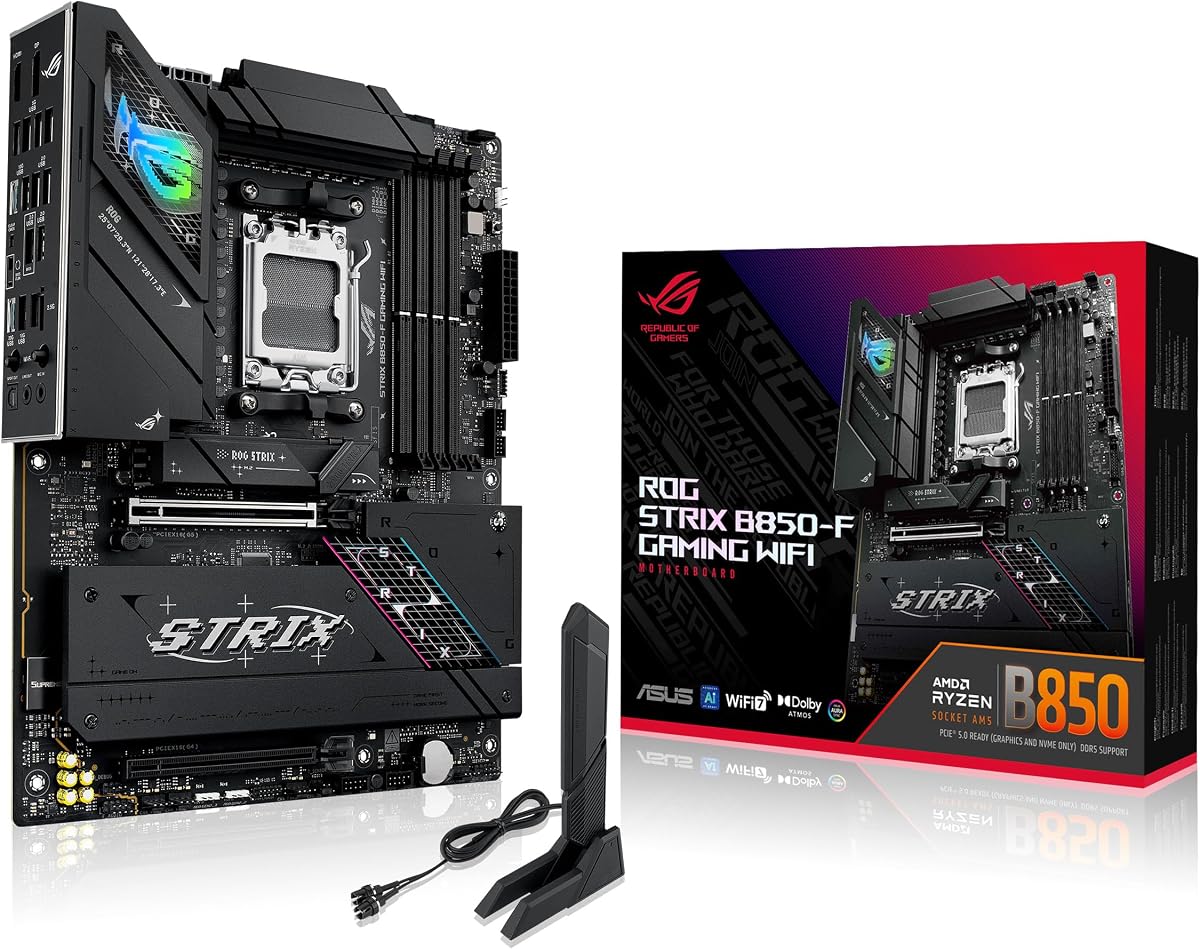
ASUS ROG Strix B850-F Gaming WiFi is our Best AM5 Platform pick for RTX 4090 builds and the highest-rated product in the entire pack at 4.7 stars. It is a true motherboard recommendation: AM5 socket, B850 chipset, and an ATX layout sized for thick graphics cards and high-core Ryzen processors. If you want a modern AMD desk that treats the 4090 as a long-term centerpiece, start here.

  • AM5 B850 ATX with 16+2+2 80A ProCool power stages
  • PCIe 5.0 x16 GPU slot and four M.2 including Gen5 paths
  • WiFi 7, 20Gbps Type-C, AI Advisor, and AEMP memory tuning
Check Price →
✓ Pros
  • Highest 4.7 pack rating with Ryzen 9000/8000/7000 support
  • Strong VRM heatsinks for CPUs that feed a 4090 without throttling
  • PCIe 5.0 graphics lane future-proofs flagship GPU placement
  • Four M.2 slots for games, projects, and scratch caches
  • AI Networking II helps wired and wireless transfer workflows
✕ Cons
  • AM5 platform requires DDR5 and a new CPU if migrating from Intel
  • B850 is not X870E flagship class for extreme overclock vanity
  • Large GPU plus four NVMe drives increases case thermal planning

Detailed review

Power delivery is the reason B850-F beats generic B650 boards for flagship GPU hosts. A 16+2+2 solution rated for 80A per stage with dual ProCool connectors, alloy chokes, and durable capacitors keeps voltage stable when Ryzen 9000 or 7900X3D-class chips spike during gaming streams, compiles, or GPU-accelerated workloads. The GPU does not reduce CPU power demand; weak VRMs still matter.

PCIe 5.0 on the primary x16 slot is the correct generation for a 4090 on a 2026 AMD build. The card negotiates Gen4 today, but Gen5 headroom matters if you later swap GPUs or reuse the board across upgrades. Four M.2 slots let you separate OS, game libraries, project assets, and scratch space without SATA clutter—important when 24GB VRAM textures spill into fast storage.

Connectivity matches creator and gaming desks: WiFi 7, 20Gbps Type-C, AI Networking II, and extensive USB support reduce dongle fatigue. AI Advisor and AEMP simplify memory training on DDR5 kits, which can otherwise waste weekend hours on a high-end build. Aura Sync optional RGB integrates with ROG Strix GPUs if you choose ASUS graphics from this pack.

Thermal design uses massive VRM heatsinks with an integrated I/O cover and high-conductivity pads—critical when a 4090 dumps heat upward toward the CPU socket zone. Pair with a case that has front intake across the motherboard lower edge and consider a quality AIO or dual-tower air cooler for Ryzen X3D or 9000 chips.

Choose B850-F when you want the strongest AM5 host in this pack for a 4090. Choose Z890-E instead if you are committed to Intel Core Ultra, or Z790 Elite if you already own LGA 1700 silicon.

BIOS hygiene: flash latest firmware for Ryzen 9000 if needed, enable EXPO or AEMP only after stable default POST, and turn on Resizable BAR before chasing game benchmarks.

Best GPU pairings from this pack

Any standard-power 4090—TUF, Strix, MSI Gaming X Trio, Gigabyte AERO, or PNY Verto—fits B850-F. Avoid the BTF Strix unless you switch to a BTF board outside this pack.

Who should buy B850-F

New AMD builds, upgraders leaving AM4, and gamers who want WiFi 7 plus four NVMe slots without paying X870E flagship tax.

Versus Z890-E

Z890-E wins for Core Ultra and seven M.2 slots; B850-F wins for Ryzen longevity and the highest pack rating.
Check Price on Amazon →

We may earn a commission at no additional cost to you.

7. PNY RTX 4090 Verto Triple Fan - Best Value Flagship

PNY RTX 4090 Verto Triple Fan

PNY RTX 4090 Verto Triple Fan

9/10★★★★★

PNY GeForce RTX 4090 Verto Triple Fan occupies the value-flagship GPU niche in a pack otherwise dominated by ASUS and Gigabyte board-partner cards. It is not a motherboard, yet it answers a real budget question: after spending on B850-F or Z890-E VRM quality, do you still need the most expensive Strix cooler to enjoy 4090 performance? Often no.

  • 2520 MHz boost, 16384 CUDA cores, DLSS 3
  • 24GB GDDR6X on 384-bit bus, PCIe 4.0
  • Triple-fan Verto cooler with GeForce Experience support
Check Price →
✓ Pros
  • Strong 4.5 rating for a non-ROG 4090 SKU
  • Standard power and PCIe fit all three motherboard picks
  • Workstation-friendly branding without gamer-only aesthetics
  • Same Ada feature set as premium board partners
  • Sensible pick when board budget consumed VRM headroom
✕ Cons
  • Boost clock below some ASUS OC SKUs in this pack
  • Verto cooler is capable but less famous than Strix or WINDFORCE
  • No bundled anti-sag bracket unlike Gigabyte AERO listing

Detailed review

Specs align with Ada expectations: 24GB GDDR6X, 16384 CUDA cores, PCIe 4.0, DLSS 3, and a 2520 MHz boost clock in the listing. Productivity apps care about VRAM capacity and driver stability more than marginal boost differences. Pair PNY with any recommended motherboard; socket choice remains independent.

Verto triple-fan cooling is straightforward. Ensure case intake feeds the fans and keep PSU headroom for combined CPU and GPU spikes. PNY lacks the anti-sag bracket Gigabyte bundles; use a universal GPU support if your case lacks a brace.

GeForce Experience covers driver updates and game profiles—useful on mixed-vendor builds like PNY plus Gigabyte Z790 Elite. Resizable BAR still depends on motherboard BIOS, not GPU brand.

Pick PNY when flagship performance matters more than ROG aesthetics. Skip if you want maximum OC bins or BTF cabling.

Validate power connector seating carefully; PNY cards still draw flagship wattage despite simpler shrouds.

Budget allocation tip

If motherboard VRM and WiFi 7 matter more to stability than GPU binning, PNY frees budget for PSU and case airflow upgrades.

Motherboard fit

Works on B850-F, Z890-E, and Z790 Elite without vendor lock-in.

Check Price on Amazon →

We may earn a commission at no additional cost to you.

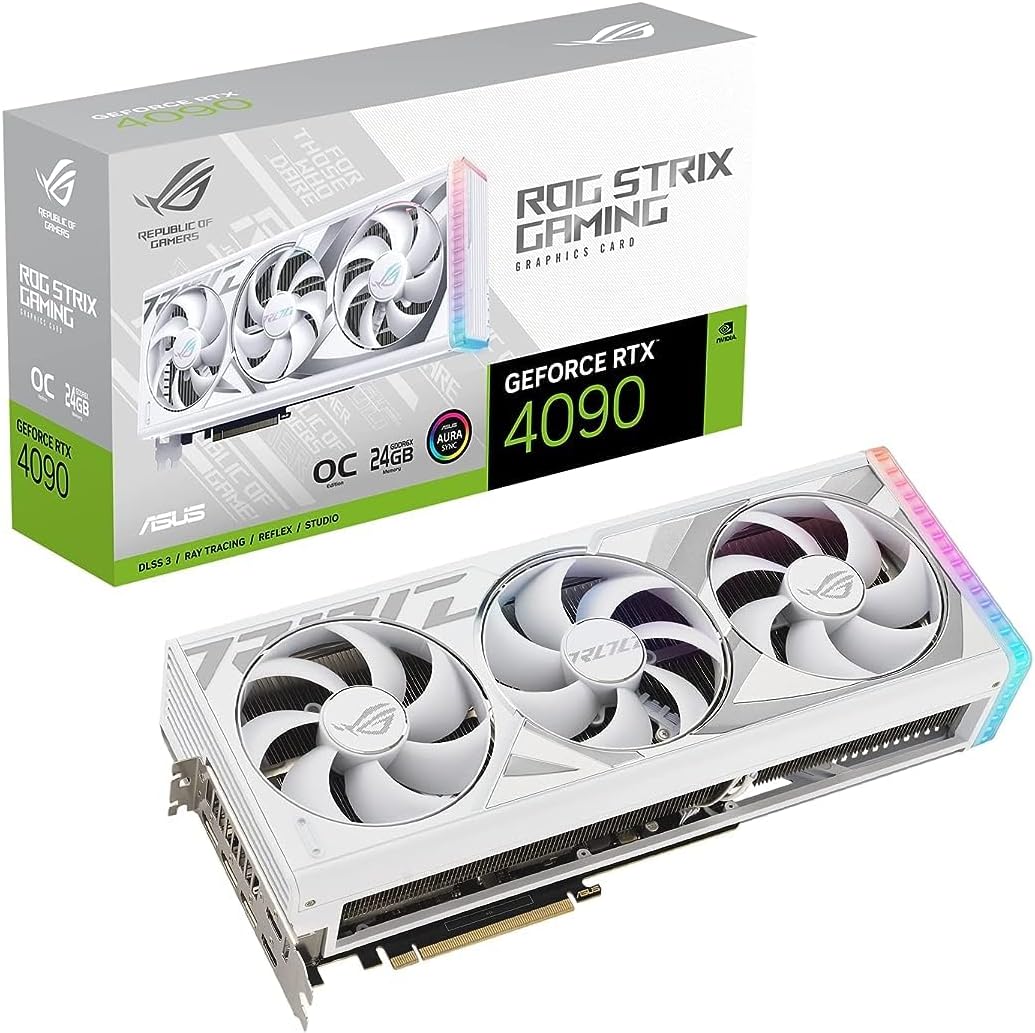
8. ASUS ROG Strix RTX 4090 White - Best White Aesthetic

ASUS ROG Strix RTX 4090 White OC

ASUS ROG Strix RTX 4090 White OC

9.2/10★★★★★

ASUS ROG Strix GeForce RTX 4090 White OC delivers Strix performance with a white shroud for builders coordinating ROG Strix B850-F or Z890-E white builds. Cosmetics do not change PCIe requirements: you still need a reinforced x16 slot, adequate clearance, and a PSU with flagship headroom.

  • White shroud 3.5-slot Strix with vapor chamber
  • 15K capacitors and digital power stages for OC stability
  • GPU Tweak III monitoring and Aura Sync lighting
Check Price →
✓ Pros
  • 4.6 rating with Strix-tier cooling in white finish
  • Matches white ROG cases and many Z890/B850 build themes
  • Same performance class as standard Strix OC with different cosmetics
  • Diecast shroud rigidity helps long-term slot stress
  • Standard PCIe power preserves motherboard flexibility
✕ Cons
  • Premium pricing over TUF and PNY for primarily cosmetic gain
  • White GPUs show dust and scuffs faster in open cases
  • 3.5-slot width still blocks adjacent slots on most ATX boards

Detailed review

Cooling mirrors standard Strix OC with Axial-tech fans, vapor chamber, milled spreader, and a 3.5-slot fin array. Digital power stages and 15K capacitors target stable boost behavior when you tune in GPU Tweak III. Thermals depend on case color less than case airflow—white panels still need intake fans.

Aura Sync ties into Strix motherboard lighting if you standardize on ASUS. Functionally identical to the black Strix OC for motherboard compatibility; choose white when the build plan demands it.

Install with anti-sag support if available. White finishes highlight cable management mistakes; route harnesses cleanly on any host board.

Buy White OC for aesthetic-led ROG platforms. Buy standard Strix or TUF if appearance is secondary.

Keep white surfaces dust-managed in filtered cases to preserve the visual reason you paid the premium.

Motherboard color pairings

ROG Strix boards often ship in black; white GPU still pops against dark PCB trays with coordinated RGB.

Versus standard Strix OC

Pick white for looks; pick black Strix or TUF if slot width and budget matter more.

Check Price on Amazon →

We may earn a commission at no additional cost to you.

9. ASUS ROG Strix Z890-E Gaming WiFi - Best Intel Core

ASUS ROG Strix Z890-E Gaming WiFi

ASUS ROG Strix Z890-E Gaming WiFi

8.8/10★★★★☆

ASUS ROG Strix Z890-E Gaming WiFi is our Best Intel Core Ultra Platform pick for RTX 4090 builds. LGA 1851 Z890 supports Intel Core Ultra Series 2 processors with an Advanced AI PC story that combines onboard NPU features and discrete GPU acceleration. If you are building fresh in 2026 on Intel rather than reusing a 13900K or 14900K, Z890-E is the forward-looking host in this pack.

  • LGA 1851 Z890 ATX for Intel Core Ultra Series 2
  • 18+2+1+2 power up to 110A with ProCool II connectors
  • Seven M.2 slots, Thunderbolt 4, WiFi 7, AI Overclocking
Check Price →
✓ Pros
  • Most M.2 expansion in the pack for huge project libraries
  • Advanced AI PC features align with GPU-accelerated workflows
  • PCIe 5.0 graphics slot ready for flagship Ada cards
  • Thunderbolt 4 supports docks and fast external storage
  • AI Cooling II helps balance CPU and GPU thermal zones
✕ Cons
  • Requires Core Ultra CPU—not compatible with LGA 1700 chips
  • Seven NVMe drives increase thermal and cabling complexity
  • Premium ROG pricing above B850-F and Z790 Elite AX

Detailed review

Power delivery is flagship-class: 18+2+1+2 stages with up to 110A ratings, ProCool II connectors, MicroFine chokes, and premium capacitors. That matters when Core Ultra chips spike during hybrid CPU-plus-GPU AI workloads while the 4090 draws hundreds of watts. Weak boards reboot; Z890-E targets stability.

Seven M.2 slots are the standout storage story. Local LLM weights, video projects, game libraries, and scratch disks can each get dedicated NVMe without SATA. Just remember thermals: populate heatsinks, stagger high-speed drives, and keep airflow across the lower motherboard zone where a 3.5-slot GPU inhale competes with SSD cooling.

PCIe 5.0 x16 accepts any 4090 in this pack. Thunderbolt 4 and WiFi 7 cover docks, NAS sync, and wireless fallback. AI Overclocking, AI Cooling II, DIMM Flex, and AEMP III reduce manual tuning time— helpful when you would rather benchmark games than dial fan curves for a week.

Choose Z890-E for new Intel Core Ultra desks with heavy storage and Thunderbolt needs. Choose Z790 Elite if you already own LGA 1700 CPUs. Choose B850-F for Ryzen.

Flash latest BIOS before pairing a new Core Ultra chip, enable XMP or AEMP after baseline POST, and confirm Resizable BAR before GPU benchmarking.

GPU recommendations

Standard-power Strix, TUF, MSI Trio, Gigabyte AERO, PNY Verto, or White Strix all fit. BTF Strix requires a different board family.

Storage planning with seven M.2

Use Gen5 slots for primary project volumes, Gen4 for games, and avoid stacking high-TDP drives without heatsinks.

Versus Z790 Elite AX

Elite AX wins for existing LGA 1700 owners; Z890-E wins for Core Ultra, WiFi 7, and M.2 count.

Check Price on Amazon →

We may earn a commission at no additional cost to you.

10. GIGABYTE Z790 AORUS Elite AX - Best LGA 1700

GIGABYTE Z790 AORUS Elite AX

GIGABYTE Z790 AORUS Elite AX

8.8/10★★★★☆

GIGABYTE Z790 AORUS Elite AX is our Best LGA 1700 Z790 pick for RTX 4090 owners who already have—or can buy at sensible cost—a 12th through 14th Gen Intel Core CPU. Z790 unlocks multiplier tuning on K-SKU chips and provides PCIe 5.0 on the primary graphics slot while keeping DDR5 and four M.2 slots accessible.

  • LGA 1700 Z790 with 16+1+2 70A digital VRM
  • PCIe 5.0 graphics and four PCIe 4.0 M.2 slots
  • WiFi 6E, 2.5GbE, USB 3.2 Gen 2x2 Type-C
Check Price →
✓ Pros
  • Proven Z790 path for 12th through 14th Gen Intel with 4090
  • Four M.2 with Thermal Guard III for game and project libraries
  • EZ-Latch and Q-Flash simplify GPU swaps and BIOS updates
  • WiFi 6E and 2.5GbE cover most home and studio networks
  • Strong value versus buying an entirely new Core Ultra platform
✕ Cons
  • Not compatible with AM5 Ryzen or LGA 1851 Core Ultra CPUs
  • WiFi 6E trails WiFi 7 on B850-F and Z890-E
  • Z790 VRM is strong but not the 110A class of Z890-E

Detailed review

The 16+1+2 twin digital VRM with 70A power stages and fully covered MOSFET heatsinks targets sustained loads from chips like the 14700K and 14900K that many 4090 builders still run in 2026. Those CPUs pull hard while the GPU renders; adequate VRM cooling is non-negotiable. Use case intake across the VRM zone and a capable CPU cooler.

Four PCIe 4.0 M.2 connectors with Thermal Guard III plates suit OS, games, and media caches. PCIe 5.0 on the top slot hosts any 4090 here with backward compatibility. Pair naturally with Gigabyte AERO OC for one-vendor styling or mix any standard GPU.

Connectivity includes WiFi 6E, 2.5GbE, USB 3.2 Gen 2x2 Type-C, Q-Flash, and EZ-Latch for easier M.2 and GPU service. RGB Fusion optional. Thunderbolt is not the headline here; choose Z890-E if TB4 is mandatory.

Buy Z790 Elite when LGA 1700 reuse makes financial sense and you want a balanced 4090 host without migrating to AM5 or Core Ultra. Skip if you need WiFi 7 or seven M.2 slots.

Update BIOS for 14th Gen support if needed, train DDR5 XMP profiles conservatively, and set sensible power limits on high-core CPUs before all-day GPU renders.

Who should stay on Z790

Upgraders with 13700K/14700K/14900K chips, DDR5 kits, and cases that already fit a 4090.

GPU pairing

Any standard 4090 in the pack; Gigabyte AERO OC is the aesthetic match; avoid BTF Strix unless you change boards.

When to choose Z890-E instead

New Intel builds with Core Ultra, need for Thunderbolt 4, or appetite for seven M.2 slots and WiFi 7.

Check Price on Amazon →

We may earn a commission at no additional cost to you.

Best Motherboards for RTX 4090 Builds in 2026

How to Choose a Motherboard for an RTX 4090

Socket first, RGB last

The RTX 4090 fits any modern ATX board with a primary x16 slot and adequate clearance, but the CPU socket determines your upgrade path. AM5 B850-F serves Ryzen 7000 through 9000. Z890-E serves Intel Core Ultra on LGA 1851. Z790 AORUS Elite AX serves 12th through 14th Gen on LGA 1700. Mixing socket and CPU is impossible; mixing GPU brand and motherboard brand is fine.

PCIe 5.0 versus 4.0 for graphics

Every 4090 in this pack is PCIe 4.0. Motherboards with PCIe 5.0 x16 slots run those cards at Gen4 speeds without meaningful gaming loss today. Gen5 matters more as future insurance and for Gen5 NVMe on B850-F and Z890-E. Do not buy a weak VRM board just to get Gen5 graphics; power delivery and clearance beat lane generation for stability.

VRMs, PSU, and GPU power are one system

A 4090 does not reduce CPU power draw. High-core processors plus a flagship GPU stress PSU, VRM, and case airflow together. Prefer boards with documented power stages, large heatsinks, and dual CPU power connectors when you run Ryzen 9 or Core i9/K Ultra class chips. Budget a quality PSU with headroom and proper 12VHPWR or adapter routing.

Clearance, slots, and M.2 layout

Thick 4090 coolers block adjacent PCIe slots and can interfere with bottom M.2 heatsinks. Read board manuals for slot spacing before buying capture cards or NICs. Four M.2 slots on B850-F and Z790 Elite suffice for most gamers; Z890-E seven slots suit libraries that span terabytes of NVMe.

BTF and specialty GPUs

ASUS BTF RTX 4090 requires BTF motherboards outside our three top picks. Standard TUF, Strix, MSI, Gigabyte, and PNY cards work on B850-F, Z890-E, and Z790 Elite. If cable cleanliness matters but you will not buy BTF boards, choose cases with rear-connect power routes and vertical GPU kits instead.

Frequently Asked Questions

01

What is the best motherboard for an RTX 4090 in this roundup?

It depends on your CPU. ASUS ROG Strix B850-F Gaming WiFi is our Best AM5 pick with the highest 4.7 pack rating, PCIe 5.0, four M.2 slots, and WiFi 7. ASUS ROG Strix Z890-E Gaming WiFi is the Best Intel Core Ultra platform with seven M.2 slots and Thunderbolt 4. GIGABYTE Z790 AORUS Elite AX is the Best LGA 1700 Z790 choice if you already run 12th through 14th Gen Intel. All three host any standard 4090 in this pack.

02

Does RTX 4090 need PCIe 5.0 on the motherboard?

No. All 4090 cards here are PCIe 4.0 and run fine in PCIe 5.0 or 4.0 x16 slots with negligible gaming impact today. PCIe 5.0 boards like B850-F and Z890-E mainly future-proof the slot and enable Gen5 NVMe on storage lanes. Buy the board for socket, VRM, and clearance—not Gen5 graphics alone.

03

Can I use the ASUS BTF RTX 4090 with B850-F or Z890-E?

No. The BTF Strix 4090 only works with specific ASUS BTF motherboards such as TUF Z790-BTF WiFi and Maximus Z790 Hero BTF. ROG Strix B850-F and Z890-E are standard ATX boards, not BTF hosts. Choose a standard TUF, Strix, MSI, Gigabyte, or PNY 4090 instead.

04

How important is VRM quality for a 4090 build?

Very important because the GPU does not lighten CPU load. Gaming, streaming, rendering, and AI workflows keep high-core processors near their power limits while the 4090 also draws hundreds of watts. Boards like B850-F and Z890-E use high-stage counts and large heatsinks to stay stable. Pair them with strong CPU cooling and case airflow.

05

Should I buy a motherboard and GPU from the same brand?

Optional. Gigabyte AERO OC pairs aesthetically with Z790 AORUS Elite AX, and ROG Strix GPUs integrate with ROG Strix boards via Aura and tuning software. Performance and compatibility do not require matching brands—any standard 4090 fits the three recommended motherboards if clearance and PSU requirements are met.

06

Is Z790 still viable for RTX 4090 builds in 2026?

Yes if you already own LGA 1700 CPUs and DDR5. Z790 AORUS Elite AX offers PCIe 5.0 graphics, four M.2 slots, WiFi 6E, and a 16+1+2 VRM suitable for high-core Intel chips. New builds without existing LGA 1700 parts should compare AM5 B850-F or Core Ultra Z890-E for longer upgrade paths and WiFi 7.

07

How many M.2 slots do I need with a 4090?

Most users are fine with four: one OS, one games, one projects, one scratch. Heavy creators who store local models or 8K media may prefer Z890-E seven M.2 slots. Remember that dense NVMe layouts need heatsinks and airflow, especially under a thick GPU.

08

What PSU should I plan for a 4090 motherboard build?

Use a high-quality PSU with enough wattage for CPU plus 4090 transient spikes, native 12VHPWR or a validated adapter, and fully seated CPU EPS cables on high-core processors. The motherboard cannot fix an undersized PSU; choose headroom before chasing RGB board upgrades.

09

Why are graphics cards included in a motherboard guide?

Our pack mixes three motherboards and seven RTX 4090 listings because many shoppers buy both together. We review GPUs as pairing references and flag compatibility traps like BTF-only cards. Top picks remain the three motherboards; GPU reviews help complete the build story honestly.

10

Do I need WiFi 7 on the motherboard?

Only if your router and environment benefit from it. B850-F and Z890-E include WiFi 7; Z790 Elite offers WiFi 6E, which remains adequate on many networks. Wired 2.5GbE is still the lowest-latency default when you can run Ethernet to the desk.

Conclusion

The best motherboard for an RTX 4090 in 2026 is the one that matches your CPU platform, feeds high-core processors without VRM drama, and physically fits a 3.5-slot flagship card. ASUS ROG Strix B850-F Gaming WiFi leads the pack for new AMD builds. ASUS ROG Strix Z890-E Gaming WiFi is the forward Intel Core Ultra choice with unmatched M.2 expansion. GIGABYTE Z790 AORUS Elite AX keeps proven LGA 1700 viable when you already own compatible Intel silicon.

Seven RTX 4090 listings in this pack—BTF Strix, TUF, MSI Gaming X Trio, Gigabyte AERO, Strix OC, PNY Verto, and Strix White—are companion GPUs, not motherboard substitutes. Avoid the BTF card unless you commit to ASUS BTF boards. Any other standard 4090 pairs cleanly with the three top motherboard picks when your case and PSU keep pace.

Lock socket and clearance first, size VRM and cooling second, and treat storage plus networking as the tiebreaker. Do that, and your motherboard will stay out of the way while the RTX 4090 does what you bought it to do.