Expert Review & Guide

Best Motherboard for Intel Core i9-14900K in 2026

The Intel Core i9-14900K remains one of the most demanding LGA 1700 chips you can put on a desktop board in 2026. With 24 cores, 32 threads, and boost behavior that can slam power delivery hard during gaming plus streaming or heavy content work, motherboard choice is not a cosmetic afterthought. You need a socket that actually fits the CPU, a voltage regulator that stays composed under sustained load, memory support that matches the kits you plan to buy, and cooling layout that keeps VRMs and M.2 drives from cooking in a closed mid-tower.

This guide uses only listings from our curated product pack: ASUS TUF and AYW Z790 boards, MSI PRO B760 and PRO/MAG Z790 options, a Gigabyte Z790 AORUS Elite AX, two i9-14900K CPU listings, a ready-made CPU plus board plus memory combo, and one ASUS ROG Strix Z890 board that we call out carefully because it targets LGA 1851 Core Ultra Series 2 silicon rather than the 14900K. That mix lets you compare real buyer paths instead of a fantasy shortlist of boards that are not in stock.

Start with three decisions before you fall for RGB. First, confirm LGA 1700 for the 14900K and treat any LGA 1851 board as a different platform. Second, choose DDR4 only if you already own strong kits and accept that B760 locks CPU overclocking; otherwise prefer Z790 with DDR5 for unlocked multiplier control and a cleaner modern memory path. Third, plan cooling and power supply before you chase the highest advertised phase count. The reviews below rank practical builds for creators, gamers, and anyone who wants the 14900K to run hard without random reboots.

Our Top Motherboard Picks for the i9-14900K

Best Overall

ASUS TUF Gaming Z790-Plus WiFi

★★★★★9.2/10
ASUS TUF Gaming Z790-Plus WiFi
  • 16+1 DrMOS power design with ProCool sockets for demanding 14th Gen loads
  • DDR5, PCIe 5.0, four M.2 slots, Wi-Fi 6, and 2.5Gb LAN on a durable ATX board
  • Thunderbolt 4 header plus front USB 3.2 Gen 2 Type-C for creator desks
Check Price →
Best Gaming Midrange

MSI MAG Z790 Tomahawk WiFi

★★★★☆8.2/10
MSI MAG Z790 Tomahawk WiFi
  • 16+1+1 Duet Rail power with dual 8-pin CPU connectors for high-core Intel chips
  • DDR5 up to high OC speeds, PCIe 5.0 graphics lane, and Wi-Fi 6E networking
  • Extended heatsinks and M.2 Shield Frozr aimed at marathon gaming sessions
Check Price →
Best Ready Bundle

i9-14900K + TUF Z790-Plus + 32GB DDR5 Combo

★★★★★9/10
i9-14900K + TUF Z790-Plus + 32GB DDR5 Combo
  • Pairs the 14900K with the TUF Z790-Plus WiFi board already recommended above
  • Includes Klevv 32GB DDR5 so memory generation mismatch is less likely
  • Simplifies first-time high-end Intel builds that need CPU, board, and RAM together
Check Price →

As an Amazon Associate we earn from qualifying purchases. We may earn a commission at no additional cost to you.

i9-14900K Platform Comparison

Use this table to separate true LGA 1700 Z790 and B760 boards from CPU listings and the LGA 1851 Z890 outlier. Specs focus on socket, memory, power delivery, and networking rather than marketing slogans. Ratings come from the pack listings and should be read alongside platform fit for the 14900K.

#ProductSpecificationsScore
1
  • LGA 1700 Z790 ATX, DDR5, 16+1 DrMOS
  • Wi-Fi 6, 2.5Gb LAN, four M.2 slots
  • PCIe 5.0 + Thunderbolt 4 header
9.2
2
  • LGA 1700 B760 ATX, DDR4 only
  • 12+1 Duet Rail, Wi-Fi 6E, 2.5Gb LAN
  • No CPU multiplier overclocking
9.2
3
  • LGA 1851 Z890 ATX — not for 14900K
  • 18+2+1+2 stages, DDR5, Wi-Fi 7
  • Built for Intel Core Ultra Series 2
8.8
4
  • LGA 1700 Z790, DDR5, 16+1+2 VRM
  • Four M.2, Wi-Fi 6E, 2.5GbE
  • PCIe 5.0, EZ-Latch, Q-Flash
8.8
5
  • 24 cores / 32 threads, up to 6.0 GHz
  • Needs 600/700-series LGA 1700 board
  • Supports DDR4 or DDR5 platforms
8.4
6
  • LGA 1700 Z790 ATX, DDR5 OC focus
  • 16+1+1 VRM, dual 8-pin CPU power
  • Wi-Fi 6E, PCIe 5.0, Shield Frozr
8.2
7
  • LGA 1700 Z790 ATX, DDR5, 12+1 DrMOS
  • Wi-Fi 6, 2.5Gb LAN, three M.2
  • Thunderbolt/USB4 header support
8.8
8
  • Same 14900K silicon family listing
  • 125 W base power, unlocked K-SKU
  • Pairs with 600/700-series boards
8.4
9
  • LGA 1700 Z790 ATX, DDR5, 14+1+1
  • Wi-Fi 6E, BT 5.3, 2.5Gbps LAN
  • ProSeries focus, dual 8-pin CPU
9
10
  • CPU + ASUS TUF Z790-Plus WiFi
  • Includes Klevv 32GB DDR5 kit
  • One-cart path for a full platform
9

1. ASUS TUF Gaming Z790-Plus WiFi - Best Overall

ASUS TUF Gaming Z790-Plus WiFi

ASUS TUF Gaming Z790-Plus WiFi

9.2/10★★★★★

ASUS TUF Gaming Z790-Plus WiFi is the board we would buy first for a Core i9-14900K that needs to work as hard as it plays. The LGA 1700 socket is ready for 12th, 13th, and 14th Gen Intel Core processors, and the Z790 chipset unlocks the multiplier control enthusiasts expect from a K-SKU. Out of the box Windows 11 readiness, DDR5 support, and PCIe 5.0 give you a modern platform without forcing you into the newer LGA 1851 ecosystem that does not accept the 14900K at all.

  • 16+1 DrMOS with Digi+ VRM for 14th Gen Intel
  • DDR5, PCIe 5.0, four M.2 slots with heatsinks
  • Wi-Fi 6, 2.5Gb LAN, Thunderbolt 4 header
Check Price →
✓ Pros
  • Proven LGA 1700 Z790 fit for unlocked 12th through 14th Gen Core CPUs including the 14900K
  • 16+1 DrMOS and military-grade TUF components target durability under heavy loads
  • Four M.2 slots plus PCIe 5.0 keep storage and graphics upgrade paths open
  • Front USB 3.2 Gen 2 Type-C and Thunderbolt 4 header suit creator desks
  • Strong 4.6 pack rating with Fan Xpert 4 and comprehensive VRM/PCH cooling
✕ Cons
  • Wireless is Wi-Fi 6 rather than Wi-Fi 6E or Wi-Fi 7
  • TUF styling is utilitarian compared with flashier ROG boards
  • Serious 14900K tuning still needs a strong cooler and quality PSU

Detailed review

Power delivery is the reason this board earns Best Overall status for this CPU. A 16+1 DrMOS design with ProCool sockets, Digi+ VRM control, and TUF-grade components is aimed at keeping voltage delivery stable when the 14900K spikes across P-cores and E-cores during compiles, exports, or open-world gaming with background apps. The 14900K is famous for asking a lot from motherboards and coolers; under-specced VRMs and skimpy heatsinks are how builds end up thermally throttling or behaving inconsistently. TUF's approach is less about shiny phase marketing and more about durable, serviceable power hardware.

Cooling coverage matches that power story. You get a VRM heatsink, a fanless PCH heatsink, M.2 heatsinks, hybrid fan headers, and Fan Xpert 4 for curve tuning. That combination matters because a 14900K system often stacks heat from the CPU socket, a thick GPU, and multiple NVMe drives in the same ATX tray. If your case has front intake and a clear exhaust path, this board stays composed. If you bury it in a low-airflow glass box with a thick radiator blocking the motherboard, no heatsink sticker will save the VRM zone.

Connectivity is creator-friendly without jumping into flagship ROG pricing. Four M.2 slots cover a boot drive, a game library, and project storage. 2.5Gb LAN and Wi-Fi 6 handle wired NAS desks and apartment wireless. The front-panel USB 3.2 Gen 2 Type-C header, rear USB Gen 2x2 Type-C, and Thunderbolt 4 (USB4) header support docks, external SSDs, and capture workflows that cheap boards often ignore. Aura RGB is available if you want lighting, but you can leave it muted for a stealth workstation look.

For memory, stick with a quality dual-channel DDR5 kit and enable a validated profile only after a clean default POST. The 14900K can be memory-sensitive when you chase extreme frequencies and dense four-DIMM layouts. Two matched sticks are the stability-friendly path for most builders. Pair the board with a high-wattage ATX power supply that has solid EPS cables for the CPU sockets, and do not cheap out on the cooler: a strong 360 mm AIO or a high-end dual-tower air cooler is the minimum serious plan for all-core work.

BIOS discipline still matters. Flash the latest firmware before installing a fresh 14900K if your board stock is older, then set a sane power limit and cooling strategy before you chase every megahertz. Intel's high-core 14th Gen chips reward builders who prioritize thermals and stability over screenshot clocks. TUF's UEFI is mature enough that Fan Xpert, AI-assisted cooling helpers, and manual fan curves are all usable without spending a weekend learning a brand-new board family.

Choose the TUF Z790-Plus WiFi when you want one board that covers gaming, streaming, and productivity on the 14900K without paying for ROG excess. Choose something else if you need Wi-Fi 6E specifically, prefer MSI's software stack, or want a pre-bundled CPU and memory kit. Otherwise this is the default recommendation in the pack for a durable unlocked Intel platform.

Best fit for this board

Gamers and creators building a new DDR5 LGA 1700 tower around the i9-14900K who want strong VRM headroom, four M.2 slots, and Thunderbolt header flexibility without jumping to a flagship ROG Strix board.

Cooling and PSU checklist

Plan a capable 360 mm AIO or elite air cooler, case intake across the VRM zone, and a quality PSU with reliable CPU power cables. The motherboard can deliver power; your cooler and airflow decide whether the chip sustains it.

Versus MSI MAG Z790 Tomahawk

Tomahawk adds Wi-Fi 6E and dual 8-pin CPU power emphasis with a more gamer-facing MAG look. TUF answers with a higher pack rating, four M.2 slots, Thunderbolt header support, and TUF durability messaging that many long-session builders prefer.

Check Price on Amazon →

We may earn a commission at no additional cost to you.

2. MSI PRO B760-P WiFi DDR4 - Best DDR4 Budget

MSI PRO B760-P WiFi DDR4

MSI PRO B760-P WiFi DDR4

9.2/10★★★★★

MSI PRO B760-P WiFi DDR4 is the honest budget answer when you already own strong DDR4 memory and still want to run an i9-14900K on LGA 1700. It will boot and run the chip, and the ProSeries networking package is better than many cheaper boards: Wi-Fi 6E, Bluetooth 5.3, and 2.5Gbps LAN. The critical caveat is chipset class. B760 does not give you CPU multiplier overclocking, so you are buying a high-core Intel processor and then leaving its unlocked K advantage mostly on the table aside from memory and secondary tuning.

  • B760 LGA 1700 ATX with DDR4 support
  • 12+1 Duet Rail power, Wi-Fi 6E, 2.5Gb LAN
  • Locked CPU multipliers; memory OC still possible
Check Price →
✓ Pros
  • Excellent 4.6 rating and complete Wi-Fi 6E plus 2.5Gb networking
  • DDR4 support lets existing fast kits keep working with a 14900K
  • 12+1 Duet Rail design and extended heatsinks are serious for a ProSeries board
  • HDMI and DisplayPort simplify troubleshooting before a discrete GPU arrives
  • Six-layer thickened-copper PCB targets cleaner power under multi-core loads
✕ Cons
  • B760 cannot unlock CPU multiplier overclocking on the 14900K
  • DDR4 path is a compromise if you wanted a fully modern DDR5 platform
  • PCIe story is Gen4-focused versus Z790 PCIe 5.0 graphics boards

Detailed review

Why include it in a 14900K motherboard guide at all? Because real buyers reuse parts. A creator who already has a proven 3600 or 4000-class DDR4 kit, a solid cooler, and a mid-tower case may save meaningful budget by staying on DDR4 B760 and spending more on GPU or storage. The 14900K officially supports DDR4 and DDR5 platforms depending on the board, and this MSI listing is the pack's clearest DDR4 ATX option with Wi-Fi already onboard.

Power design is a 12+1 Duet Rail system with P-PAK components, Core Boost, Memory Boost, and 8-pin plus 4-pin CPU power connectors. That is more reassuring than entry boards that look similar in photos but skimp on heatsinks and phases. Still, the 14900K is a thermal and electrical bully. On B760 you should set conservative power limits in BIOS, use an excellent cooler, and accept that all-core workloads may need more restraint than on a strong Z790 board. Treat this as a high-performance stock platform, not an overclocking playground.

Thermal hardware includes extended heatsinks, high-conductivity MOSFET pads, choke pads, and M.2 Shield Frozr. Those features help during long renders and gaming sessions, especially if your case airflow is only average. Keep the primary SSD under the shield, give the VRM zone intake air, and avoid sandwiching the board against a front-mounted radiator with almost no gap. B760 efficiency gains disappear if the whole tray becomes an oven.

Feature-wise, HDMI and DisplayPort are underrated. They let you POST and install Windows using Intel UHD Graphics 770 before the discrete GPU arrives, and they remain useful for troubleshooting. USB 3.2 Gen2 keeps external drives happier than older USB 3.0 boards. The ATX form factor leaves room for a thick cooler and a modern graphics card, which matters more on a 14900K build than microATX compactness usually does.

Choose PRO B760-P WiFi DDR4 when DDR4 reuse is the entire point of the build and you do not need CPU overclocking. Choose a Z790 board from this same roundup if you bought a K-SKU specifically to tune clocks, want DDR5 from day one, or plan to keep the platform as your primary high-end Intel desk for years. The 4.6 rating says owners like the board; platform limits, not build quality, are the reason it is not our overall pick for the 14900K.

Setup advice is simple. Update BIOS for 14th Gen support if needed, install memory in the recommended dual-channel slots, enable XMP only after a stable baseline, and configure a sensible PL1/PL2 strategy that matches your cooler. Many 14900K owners on B760 are happiest when they prioritize silence and stability over maximum short-burst scores. That is a valid build philosophy if you entered knowing the chipset tradeoff.

Who should buy it

Builders sitting on quality DDR4 who want Wi-Fi 6E and a sane ATX tray for a stock or power-limited 14900K without paying for Z790 overclocking features they will never use.

When to step up to Z790

Move to TUF Z790-Plus, MSI PRO Z790-P, Tomahawk, AORUS Elite AX, or AYW WiFi W II if unlocked CPU tuning, DDR5, or PCIe 5.0 graphics emphasis is part of why you chose the 14900K.

Check Price on Amazon →

We may earn a commission at no additional cost to you.

3. ASUS ROG Strix Z890-E Gaming WiFi - Wrong Socket Warning

ASUS ROG Strix Z890-E Gaming WiFi

ASUS ROG Strix Z890-E Gaming WiFi

8.8/10★★★★☆

ASUS ROG Strix Z890-E Gaming WiFi is an impressive motherboard for the wrong CPU if your shopping list says Intel Core i9-14900K. It uses the Intel LGA 1851 socket and is ready for Intel Core Ultra processors Series 2, not Raptor Lake Refresh on LGA 1700. No BIOS update bridges that gap. If you only remember one warning from this entire roundup, remember this: socket mismatch is a hard stop, not a firmware inconvenience.

  • Intel LGA 1851 socket for Core Ultra Series 2
  • 18+2+1+2 power stages, DDR5, Wi-Fi 7
  • Not compatible with Core i9-14900K
Check Price →
✓ Pros
  • Flagship-class ROG feature set for next-generation Intel desktops
  • Massive power stage count and AI-assisted tuning tools
  • Wi-Fi 7, Thunderbolt 4, and seven M.2 slots for future builds
  • DIMM Fit / Flex and AEMP III simplify modern DDR5 setup
  • Excellent board if you are buying Core Ultra Series 2 instead
✕ Cons
  • LGA 1851 will not accept an i9-14900K no matter the BIOS
  • Buying this for a 14900K build is a wasted cart and a return headache
  • Premium ROG positioning is overkill if you only needed Z790 basics

Detailed review

We still review it here because the pack includes it and shoppers comparing Amazon results often blur Z790 and Z890 naming. The board itself is loaded: Advanced AI PC positioning, NPU Boost and ASUS AI Advisor features, AI Overclocking, AI Cooling II, AI Networking II, DIMM Fit, DIMM Flex, AEMP III, Wi-Fi 7, Thunderbolt 4, USB Type-C, and a robust 18(110A)+2(90A)+1(90A)+2(80A) power stage design with ProCool II connectors. For a Core Ultra Series 2 gaming or creator PC, that is a serious foundation.

None of those strengths help a 14900K. The CPU will not install. Forcing the wrong socket damages pins, voids the fun of a build day, and delays your project. If your goal is specifically the 14900K's 24-core layout and up-to-6.0 GHz boost story on the established LGA 1700 platform, stay with the Z790 and B760 boards in this guide. If you are open to changing CPUs entirely, then Strix Z890-E becomes a future-facing ROG pick rather than a mistake.

Think of this entry as a platform fork in the road. Path A is finish a 14900K LGA 1700 system with TUF Z790-Plus, MSI PRO Z790-P, Tomahawk, AORUS Elite AX, or AYW WiFi W II. Path B is abandon the 14900K plan and build around Core Ultra Series 2 on Z890 with this Strix board. Mixing the paths is how returns happen. Retail photos and similar ROG styling make the confusion easy; the socket label on the box is the truth.

Feature density on Z890-E also shows where Intel desktop platforms are heading: more M.2 slots, Wi-Fi 7, deeper AI helper software, and memory technologies meant to reduce training frustration. That context is useful even for 14900K buyers because it clarifies what you are not getting on mature Z790 boards. You are not missing a magic 14900K unlock on Z890; you are looking at the next socket generation.

If you landed on this page after searching best motherboard for i9 14900k and this ROG listing appeared in related products, use it as a filter lesson. Sort by socket first, chipset second, aesthetics last. A beautiful Strix board on the wrong socket is still the wrong board. Keep Z890-E on your shortlist only when the CPU in the cart is a compatible Core Ultra Series 2 chip.

Our recommendation is blunt. Do not buy ASUS ROG Strix Z890-E for an i9-14900K. Buy it only for an LGA 1851 build. For the CPU named in this article's title, return to the TUF Z790-Plus or another LGA 1700 option below and continue your parts list from there.

Compatibility reality check

LGA 1700 CPUs such as the i9-14900K require 600-series or 700-series boards. LGA 1851 boards such as this Z890-E require Core Ultra Series 2 processors. The names sound adjacent; the sockets are not interchangeable.

When this board makes sense

Choose Strix Z890-E when you intentionally pivoted to a Core Ultra Series 2 AI-ready desktop and want ROG-level power stages, Wi-Fi 7, and expansive M.2 capacity.

14900K alternative in this pack

ASUS TUF Gaming Z790-Plus WiFi is the ASUS-shaped answer that actually fits the 14900K, with durable TUF power delivery and four M.2 slots on LGA 1700.

Check Price on Amazon →

We may earn a commission at no additional cost to you.

4. GIGABYTE Z790 AORUS Elite AX - Best AORUS Feature

GIGABYTE Z790 AORUS Elite AX

GIGABYTE Z790 AORUS Elite AX

8.8/10★★★★☆

GIGABYTE Z790 AORUS Elite AX is the feature-balanced Z790 pick for builders who like Gigabyte's BIOS habits, EZ-Latch hardware conveniences, and Wi-Fi 6E without jumping into MSI MAG or ASUS TUF branding. Socket support covers Intel Core 14th, 13th, and 12th Gen on LGA 1700, so the 14900K belongs here. DDR5 with XMP 3.0 support, PCIe 5.0, and four M.2 slots make it a complete modern tray for gaming and content work.

  • Twin 16+1+2 digital VRM with 70A stages
  • DDR5 XMP 3.0, four M.2, PCIe 5.0
  • Wi-Fi 6E, 2.5GbE, Q-Flash, EZ-Latch
Check Price →
✓ Pros
  • True LGA 1700 Z790 support for 12th through 14th Gen including 14900K
  • 16+1+2 power phase design with covered MOSFET heatsinks
  • Four M.2 slots and Wi-Fi 6E cover storage and modern wireless needs
  • Q-Flash and EZ-Latch reduce BIOS update and hardware install friction
  • PCIe Ultra Durable Armor and six-layer PCB target long-term durability
✕ Cons
  • Pack rating sits a notch below the top ASUS TUF and MSI PRO scores
  • AORUS RGB Fusion look may be more than a quiet office build wants
  • As with all 14900K boards, thermals depend heavily on case airflow

Detailed review

The commanding power design is a twin 16+1+2 phase digital VRM solution with 70A power stages. On paper that is exactly the kind of electrical backbone a 14900K appreciates when all-core loads arrive. Fully covered MOSFET heatsinks, M.2 Thermal Guard III, PCIe Ultra Durable Armor, and a six-layer PCB round out the durability story. Elite AX is not a stripped bargain board with a gaming sticker; it is meant to host high-core Intel chips for years of mid-tower duty.

Connectivity is competitive with the TUF board while winning on wireless generation. Wi-Fi 6E and 2.5GbE matter in congested apartments and multi-gig home labs. USB-C 3.2 support keeps docks and external drives responsive. Four PCIe 4.0 x4 M.2 slots give you room for a boot drive plus media libraries, though you should still read lane-sharing notes in the manual before filling every slot with the fastest drives and a heavy GPU configuration.

Quality-of-life features are a quiet Gigabyte strength. Q-Flash style BIOS update pathways help when you need firmware before a new CPU posts cleanly. EZ-Latch hardware reduces the finger-contorting dance of PCIe slot releases behind thick graphics cards. RGB Fusion is there if you want synchronized lighting; turn it down if you are building a calm editing machine. Those practical touches are why Elite AX shows up on so many parts lists even when reviewers argue about brand preference.

For 14900K tuning, start with updated BIOS, a strong cooler, and validated DDR5 kits in dual-channel. Enable XMP after baseline stability. Then decide whether you want aggressive power limits for benchmark bragging or restrained limits for quieter daily thermals. Elite AX can feed the chip; your cooling loop and case fans decide whether that feed stays useful during hour-long exports.

Compared with ASUS TUF Z790-Plus, AORUS Elite AX trades some TUF durability marketing and Thunderbolt header emphasis for Wi-Fi 6E and Gigabyte's latch/Q-Flash conveniences. Compared with MSI PRO Z790-P, it feels more AORUS-gamer than ProSeries-office, with a similar mission: unlocked Z790 DDR5 for serious Intel builds. Compared with Tomahawk, it often reads as the more storage-forward Elite package depending on current listing details and your preference for Gigabyte versus MSI software.

Buy Elite AX when you want a well-equipped Z790 board with Wi-Fi 6E, four M.2 slots, and Gigabyte serviceability features under a 14900K. Skip it if you are married to ASUS Armoury Crate or MSI Center ecosystems, or if you need the pre-bundled CPU and memory simplicity of the combo kit later in this guide.

Who it is for

Builders who prefer Gigabyte UEFI habits and want Wi-Fi 6E plus four M.2 slots on a Z790 board that can host an unlocked 14900K.

Install tips

Use EZ-Latch to your advantage when swapping GPUs, update BIOS with Q-Flash workflows if your CPU needs newer microcode support, and mount M.2 Thermal Guard coverage on the hottest drives first.

Versus TUF Z790-Plus

Pick TUF for Thunderbolt header focus and the higher pack rating. Pick AORUS Elite AX for Wi-Fi 6E and Gigabyte convenience hardware on a similarly serious VRM foundation.

Check Price on Amazon →

We may earn a commission at no additional cost to you.

5. Intel Core i9-14900K - The CPU Itself

Intel Core i9-14900K

Intel Core i9-14900K

8.4/10★★★★☆

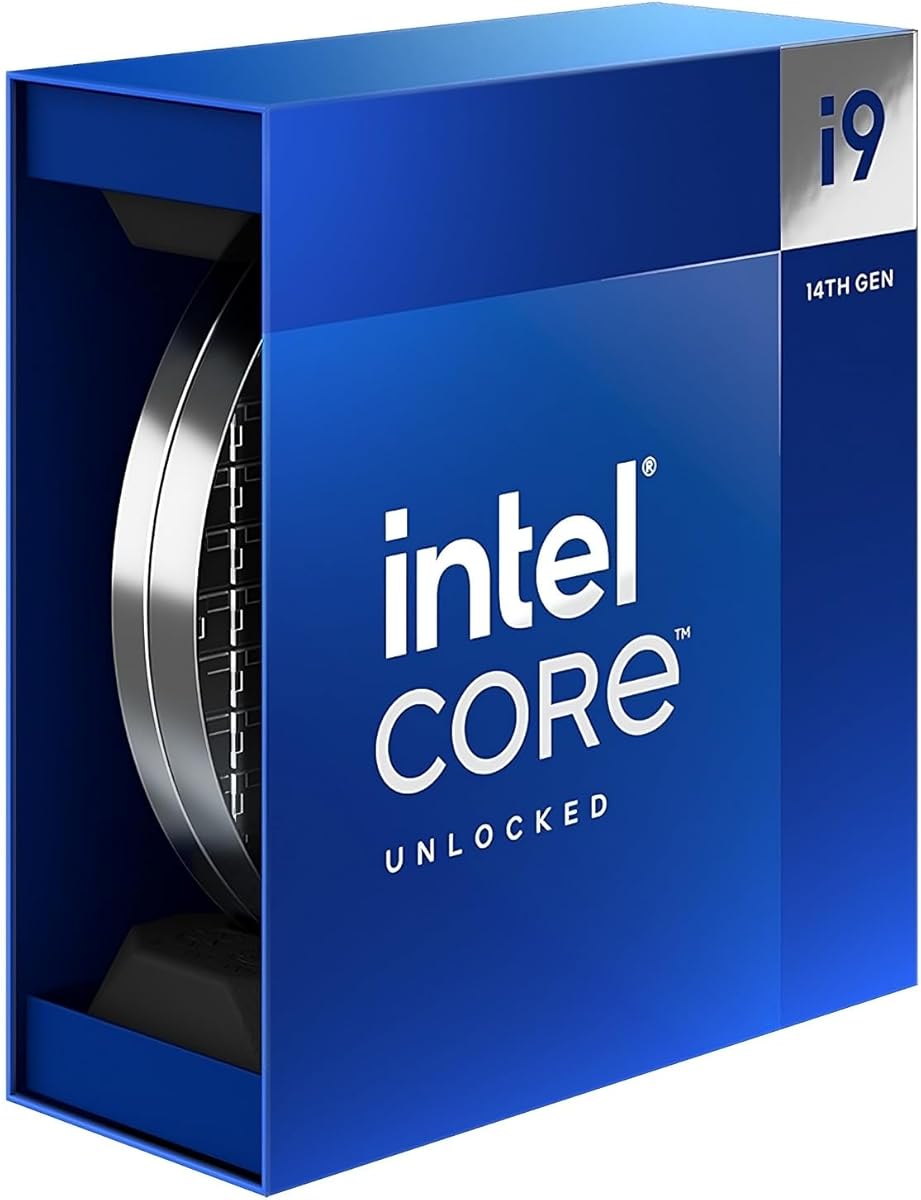
Intel Core i9-14900K is the reason this motherboard article exists, and the pack includes the CPU listing so buyers can align board choice with the actual silicon. You get 24 cores split as 8 performance cores plus 16 efficiency cores, 32 threads, and a leading max clock story up to 6.0 GHz for responsive gaming and heavy creative apps. Integrated Intel UHD Graphics 770 is included, which is invaluable when you need to install drivers before a discrete GPU is mounted.

  • 24 cores (8P+16E) and 32 threads
  • Boost up to 6.0 GHz with UHD Graphics 770
  • Needs Intel 600/700-series LGA 1700 board
Check Price →
✓ Pros
  • Flagship-class 14th Gen desktop performance for gaming and creation
  • Unlocked K-SKU behavior on compatible Z790 boards
  • Works with DDR4 or DDR5 motherboards depending on board design
  • Integrated UHD 770 graphics help with setup and troubleshooting
  • Still a relevant high-thread Intel option for LGA 1700 platforms in 2026
✕ Cons
  • This listing is the processor, not a motherboard
  • Demands excellent cooling and a capable VRM board to behave well
  • Power and heat mean PSU and case airflow cannot be afterthoughts

Detailed review

Compatibility is straightforward if you ignore wrong-generation boards. The 14900K works with Intel 700-series chipset boards and many 600-series boards with a BIOS update. It does not work with LGA 1851 Z890 boards. Inside this pack, that means TUF Z790-Plus, MSI PRO Z790-P, MAG Tomahawk, Gigabyte AORUS Elite AX, ASUS Z790-AYW WiFi W II, and even the B760 DDR4 board are valid hosts, while ROG Strix Z890-E is not.

Performance character is dual-natured. In games, high clocks and strong single-thread behavior keep frame rates snappy, especially at 1080p and 1440p where CPU overhead still matters. In content creation, the E-core count helps exports, compiles, and multitasking. The catch is heat and power. A cheap cooler or underbuilt board turns that theoretical performance into thermal throttling and noisy fans. Motherboard choice is part of unlocking the CPU you paid for.

Memory flexibility is a hidden strategic advantage. Because 14th Gen Intel supports DDR4 and DDR5 depending on the motherboard, you can build a reuse-friendly DDR4 system on B760 or a forward-looking DDR5 system on Z790. That is why this roundup refuses to pretend every buyer should buy the same memory generation. Match the CPU listing to the board's memory type before you click buy on kits.

Practical ownership advice starts with expectations. Update motherboard BIOS first. Mount the best cooler your case can take. Use a quality thermal paste application. Set fan curves that prioritize sustained thermals over silent idle bragging if you render for hours. On Z790, explore mild tuning only after stock stability. On B760, focus on power limits and memory profiles rather than CPU multiplier dreams.

Compared with older i9 generations, the 14900K still makes sense when you need LGA 1700 continuity, existing cooler compatibility, or a specific software stack validated on Raptor Lake Refresh. Compared with jumping to Core Ultra on LGA 1851, it is the stay-the-course option. This Amazon listing is how many buyers purchase the chip separately from the board; just do not confuse the CPU box for motherboard I/O.

If you are assembling a cart from scratch, consider whether the three-in-one combo later in this guide saves hassle by pairing this class of CPU with TUF Z790-Plus and DDR5 memory. If you already own a cooler and PSU, buying the CPU and board separately can still be cleaner for part control. Either way, treat the 14900K as a system-level purchase: board, cooler, and case airflow are co-equal partners.

Board pairing quick picks

Best overall host in this pack: ASUS TUF Gaming Z790-Plus WiFi. Best Wi-Fi 6E Z790 value: MSI PRO Z790-P WiFi. Best DDR4 reuse host: MSI PRO B760-P WiFi DDR4 with tempered power limits.

Cooler reality

Plan for a strong 360 mm AIO or elite dual-tower air cooler. The 14900K can run on less, but sustained creative workloads expose weak cooling quickly.

Check Price on Amazon →

We may earn a commission at no additional cost to you.

6. MSI MAG Z790 Tomahawk WiFi - Best Gaming Midrange

MSI MAG Z790 Tomahawk WiFi

MSI MAG Z790 Tomahawk WiFi

8.2/10★★★★☆

MSI MAG Z790 Tomahawk WiFi is the gamer-leaning midrange Z790 board we recommend when you want dual 8-pin CPU power, Wi-Fi 6E, and DDR5 headroom under a 14900K without jumping to flagship ROG money. Official support covers 12th through 14th Gen Intel processors on LGA 1700. The MAG identity is straightforward: look the part in a tempered-glass tower, feed the CPU cleanly, and keep networking current.

  • 16+1+1 Duet Rail VRM with dual 8-pin CPU power
  • DDR5 with high OC headroom, PCIe 5.0 slot
  • Wi-Fi 6E, 2.5Gb LAN, M.2 Shield Frozr
Check Price →
✓ Pros
  • Dual 8-pin CPU power connectors reassure high-core 14900K builders
  • DDR5 OC headroom and PCIe 5.0 suit modern gaming towers
  • Wi-Fi 6E and Bluetooth 5.3 beat older Wi-Fi 6-only boards
  • Extended heatsinks and Shield Frozr target long gaming sessions
  • MAG styling fits RGB mid-towers without full ROG cost
✕ Cons
  • Pack rating of 4.1 trails several Z790 alternatives here
  • Less Thunderbolt/header emphasis than ASUS TUF in this pack
  • Gaming aesthetic may be louder than ProSeries boards for offices

Detailed review

Enhanced power design is a 16+1+1 Duet Rail system with dual 8-pin CPU connectors, Core Boost, and Memory Boost. That dual EPS emphasis is psychologically and electrically comforting on a chip known for sharp power spikes. Pair it with a quality PSU that actually includes two CPU cables rather than daisy-chained compromises. Tomahawk's job is to deliver; your PSU must meet it halfway.

Memory support advertises high DDR5 OC potential, which attracts tuners who bought a K-SKU for more than stock behavior. Still, chase validated kit speeds before fantasy frequencies. Two-DIMM kits usually train more happily than four-DIMM stacks at the edge. Enable profiles after a clean POST, then stress-test before you trust overnight renders. Tomahawk can be a tuning board; it is not a substitute for patient memory validation.

The lightning-fast game experience pitch centers on a PCIe 5.0 slot, Lightning Gen 4 x4 M.2, and USB 3.2 Gen 2x2 connectivity. In real 2026 gaming, GPU silicon and settings still dominate frame time more than PCIe 5.0 versus 4.0, but the Gen5 slot is future-facing insurance. Storage remains Gen4-fast in the listing details, which is plenty for game libraries and scratch disks when heatsinks are in place.

Premium thermal solution language from MSI means extended heatsinks and M.2 Shield Frozr for nonstop work. That matches 14900K ownership patterns: long sessions, hot GPUs, and cases that sometimes prioritize looks over airflow. Put intake fans where the VRM can breathe. Do not assume the heatsink alone invents cold MOSFET temperatures in a sealed fishbowl.

Why is the pack rating lower than TUF or PRO Z790-P? Ratings aggregate many buyer experiences and can reflect BIOS expectations, bundle comparisons, or sample variance as much as raw capability. We still place Tomahawk as Best Gaming Midrange because the feature mix maps cleanly to 14900K gaming towers: unlocked chipset, strong CPU power connectors, Wi-Fi 6E, and MAG aesthetics. Read recent owner notes for your BIOS revision and cool the chip properly.

Pick Tomahawk when your build is explicitly a gaming mid-tower and you like MSI Center plus MAG visuals. Pick PRO Z790-P if you want a calmer ProSeries look with a higher pack rating. Pick TUF if Thunderbolt headers and ASUS durability messaging matter more than Wi-Fi 6E. All three are valid 14900K hosts; Tomahawk is the one that feels most like a dedicated gaming weapon.

Best fit

RGB gaming PCs around an i9-14900K that need Wi-Fi 6E, dual 8-pin CPU power, and a Z790 unlocked platform without ROG pricing.

Setup notes

Connect both CPU power plugs, update BIOS, mount Shield Frozr on the boot SSD, and validate DDR5 profiles before enabling aggressive CPU tuning.

Versus PRO Z790-P

PRO Z790-P is the calmer, higher-rated ProSeries sibling. Tomahawk is the MAG gaming face with similar platform goals and a more aggressive visual identity.

Check Price on Amazon →

We may earn a commission at no additional cost to you.

7. ASUS Z790-AYW WiFi W II - Best Lean Z790

ASUS Z790-AYW WiFi W II

ASUS Z790-AYW WiFi W II

8.8/10★★★★☆

ASUS Z790-AYW WiFi W II is the leaner ASUS Z790 option in this pack for builders who want unlocked 14900K support, DDR5, and Thunderbolt header flexibility without every TUF durability badge. The LGA 1700 socket covers 14th and 13th Gen Core processors plus 12th Gen and entry Pentium Gold or Celeron chips. That breadth helps if this board might later host a less expensive CPU in a hand-me-down tower.

  • 12+1 DrMOS on six-layer PCB with ProCool
  • DDR5, PCIe 5.0 x16, three M.2 slots
  • Wi-Fi 6, 2.5Gb LAN, Thunderbolt/USB4 header
Check Price →
✓ Pros
  • Unlocked Z790 LGA 1700 path for 12th through 14th Gen Intel CPUs
  • Thunderbolt/USB4 header support at a leaner power-stage count than TUF
  • AEMP II and OptiMem II help DDR5 setup and signal integrity
  • Large VRM heatsinks plus AI Cooling II friendly fan control
  • USB 10Gbps Type-C front and rear keep modern peripherals happy
✕ Cons
  • 12+1 DrMOS is lighter than the 16-phase-class boards above it
  • Only three M.2 slots versus four on TUF and AORUS Elite AX
  • Wi-Fi 6 rather than Wi-Fi 6E found on several MSI and Gigabyte options

Detailed review

The enhanced power solution is 12+1 DrMOS on a six-layer PCB with ProCool connectors, alloy chokes, and durable capacitors. For many 14900K owners who run sensible power limits and strong coolers, that is workable. For builders who want maximum electrical headroom and all-day all-core hammering at elevated limits, the TUF 16+1 design or MSI's dual 8-pin Tomahawk and PRO Z790-P boards are safer emotional comfort. Match ambition to VRM class.

Next-gen connectivity is the AYW strength. DDR5 memory, Wi-Fi 6, a PCIe 5.0 x16 slot, PCIe 4.0 M.2 slots, rear USB 10Gbps Type-C and Type-A, front-panel USB 10Gbps Type-C, and Thunderbolt (USB4) header support cover docks and creator I/O. Three M.2 slots are enough for boot, games, and a project drive. If you already know you need four onboard NVMe slots, TUF or AORUS Elite AX fit better.

ASUS Enhanced Memory Profile II and OptiMem II are practical rather than flashy. They exist to make DDR5 training and stability less painful, which matters on Intel platforms where memory quirks can waste an evening. Start with a reputable kit, use the recommended slots, and only then explore higher profiles. Aura Sync remains optional chrome for themed cases.

Cooling hardware includes large VRM heatsinks, M.2 heatsinks, a PCH heatsink, hybrid fan headers, and Fan Xpert 4 with AI Cooling II support. Use those tools. A leaner VRM benefits even more from deliberate airflow than a heavily overbuilt phase array. Keep cables off heatsink fins and give the socket area a clear intake-to-exhaust lane.

In a 14900K shopping comparison, AYW WiFi W II sits between bargain B760 realism and fully loaded TUF or AORUS boards. You still get Z790 unlocking and Thunderbolt header potential, but you accept fewer M.2 slots and a lighter power stage count. That can be the correct compromise when GPU and cooler consume most of the budget and you refuse to live on locked B760.

Buy it when you want an ASUS Z790 board with modern USB and Thunderbolt header support at a less maximalist VRM story than TUF. Skip it if your plan is aggressive all-core overclocking, four onboard NVMe drives, or Wi-Fi 6E specifically. For those needs, the higher-spec boards in this same pack are the clearer spend.

Who should buy it

ASUS-loyal builders who need Z790 for a 14900K, care about Thunderbolt/USB4 headers, and are willing to run sane power limits on a 12+1 DrMOS design.

Versus TUF Z790-Plus

TUF adds a stronger 16+1 power story and a fourth M.2 slot. AYW is the leaner connectivity-focused sibling when budget allocation favors GPU and cooling instead.

Check Price on Amazon →

We may earn a commission at no additional cost to you.

8. Intel Core i9-14900K 24-Core - Alternate CPU Listing

Intel Core i9-14900K 24-Core

Intel Core i9-14900K 24-Core

8.4/10★★★★☆

This second Intel Core i9-14900K listing in the pack is functionally the same class of desktop processor: 24 cores with 8 P-cores and 16 E-cores, high boost clocks, and an overclockable K-SKU personality for demanding gamers and professional creators. The listing text emphasizes Thermal Velocity Boost, Turbo Boost Max Technology 3.0, PCIe 5.0 and 4.0 support, and DDR5 plus DDR4 platform support depending on the motherboard. Processor base power is called out at 125 W, which is the marketing base rather than the whole thermal story under load.

  • 24 cores / 32 threads, up to 6.0 GHz
  • 125 W processor base power class
  • Compatible with 700 and 600-series boards
Check Price →
✓ Pros
  • Same high-core 14900K performance story for gaming and creators
  • Unlocked overclockable K-SKU on supporting Z series boards
  • PCIe 5.0/4.0 and DDR4/DDR5 platform flexibility via motherboard choice
  • Clear listing language around base power and chipset families
  • Useful second pack entry if the primary CPU ASIN is unavailable
✕ Cons
  • Still not a motherboard; you must buy a compatible LGA 1700 board separately
  • Thermal Velocity Boost and turbo behavior need serious cooling
  • Duplicate CPU entries can confuse carts if you add both by accident

Detailed review

Why does a motherboard roundup include two CPU ASINs? Because shoppers searching for the best motherboard for i9 14900k often compare complete carts, and pack curation sometimes surfaces multiple seller entries for the same silicon. Your job is to buy one CPU and one compatible board, not two CPUs. Check seller condition, fulfillment, and return terms, then focus energy on board socket and VRM quality.

Chipset compatibility remains 700-series and 600-series motherboards. That again excludes the Z890 LGA 1851 board earlier in this guide. Prefer Z790 when you want unlocked CPU tuning. Prefer B760 only when you knowingly accept locked multipliers in exchange for DDR4 reuse or lower board spend. The CPU does not magically unlock B760; the chipset rules still apply.

Creator and gaming optimization language in the listing is fair if the supporting cast is ready. A 14900K on a weak cooler behind a sealed panel will not feel optimized. A 14900K on TUF Z790-Plus or PRO Z790-P with a 360 mm AIO and decent intake will. Motherboard articles exist because the chip's ceiling is system-limited more often than silicon-limited in messy real builds.

If this ASIN is easier to purchase than the other 14900K entry, treat performance expectations as equivalent for planning purposes and spend your comparison time on motherboards, coolers, and memory. Do not assume a different listing photo means a different core configuration. Read the core and thread counts; both pack entries describe the 14900K formula.

Bundle strategy still matters. The combo kit later pairs a 14900K-class CPU with ASUS TUF Z790-Plus WiFi and Klevv DDR5. That can beat piecing three SKUs when stock is messy. Separate purchases win when you already own memory or want a different board brand. This alternate CPU listing simply keeps a spare doorway open to the same processor family.

Bottom line: use this page to remember the CPU's requirements, then jump back to LGA 1700 Z790 recommendations for the actual motherboard decision. The processor is the engine. The board, cooler, and PSU are the rest of the drivetrain.

Cart hygiene

Add only one 14900K listing. Then add exactly one LGA 1700 board from the Z790 shortlist unless you intentionally chose the B760 DDR4 compromise.

Power interpretation

The 125 W base figure is not a promise that a low-end cooler is enough. Plan thermals around sustained turbo behavior and your workload mix.

Check Price on Amazon →

We may earn a commission at no additional cost to you.

9. MSI PRO Z790-P WiFi - Best ProSeries Z790

MSI PRO Z790-P WiFi

MSI PRO Z790-P WiFi

9/10★★★★★

MSI PRO Z790-P WiFi is the clean professional-facing Z790 board in this pack and one of the smartest 14900K hosts if you want unlocked tuning without a screaming gaming shroud. It supports 12th through 14th Gen Intel processors on LGA 1700, DDR5 memory with high OC potential, PCIe 5.0, Wi-Fi 6E, Bluetooth 5.3, and 2.5Gbps LAN. The ProSeries brief is stability and completeness rather than RGB theater.

  • 14+1+1 DRPS with 55A DrMOS, dual 8-pin CPU
  • DDR5 up to high OC speeds, PCIe 5.0
  • Wi-Fi 6E, BT 5.3, 2.5Gbps LAN, Shield Frozr
Check Price →
✓ Pros
  • Strong 4.5 rating with unlocked Z790 support for the 14900K
  • Dual 8-pin CPU power and 14+1+1 DrMOS design for high-core loads
  • Wi-Fi 6E and 2.5G networking without a gaming-loud aesthetic
  • Extended heatsinks and M.2 Shield Frozr for sustained work
  • ProSeries look fits offices and calm creator studios better than MAG RGB
✕ Cons
  • Less flashy than Tomahawk or AORUS if RGB identity matters
  • Storage and I/O polish may trail TUF's four-M.2 Thunderbolt package
  • Still requires a serious cooler; ProSeries does not reduce CPU heat

Detailed review

Enhanced power design uses a 14+1+1 DRPS with 55A DrMOS, dual 8-pin CPU power connectors, Core Boost, and Memory Boost. That combination is squarely aimed at multi-core Intel chips that spike hard. For a 14900K used in coding, virtualization, streaming, and gaming, dual EPS connectors and a reinforced DrMOS array are the right conversation. Pair with a PSU that can feed both CPU plugs independently.

Thermal solution details mirror MSI's better boards: extended heatsinks, high-conductivity MOSFET pads, choke pads, and M.2 Shield Frozr. The six-layer PCB with thickened copper and server-grade material language is there to keep power delivery cleaner under load. In a workstation case with good airflow, PRO Z790-P feels like a board that can disappear into the background while the CPU does the loud work.

Networking is excellent for the segment. Wi-Fi 6E helps in dense apartment spectra, Bluetooth 5.3 covers peripherals, and 2.5G LAN is ready for NAS or low-latency wired play. HDMI and DisplayPort remain available for iGPU setup. USB 3.2 Gen2 supports modern external storage. None of that is exotic in 2026, but having all of it onboard beats hunting for adapters after first boot.

Versus MAG Tomahawk, PRO Z790-P is the higher-rated, visually calmer sibling with a similar dual 8-pin philosophy. Versus TUF Z790-Plus, it trades some ASUS-specific Thunderbolt header emphasis and four-M.2 density for Wi-Fi 6E and MSI ProSeries restraint. Versus AORUS Elite AX, choose based on BIOS comfort and whether you prefer MSI or Gigabyte ecosystems. All are credible; PRO Z790-P is the one we would put in a black studio tower without apology.

Tuning guidance matches other Z790 boards. Update BIOS, validate DDR5, set cooling first, then explore CPU limits. ProSeries buyers often want predictable renders more than leaderboard clocks, and this board supports that mindset well. If you later decide to push harder, the unlocked chipset is already waiting.

Buy PRO Z790-P WiFi when your 14900K build is a daily driver workstation that also games. Skip it only if you specifically want TUF's M.2 and Thunderbolt package, Tomahawk's MAG look, or the all-in-one combo's preselected memory kit. As a standalone board recommendation for serious Intel users, it belongs near the top of this list.

Best fit for this board

Creators, developers, and hybrid gaming workstations that want Z790 unlocks, Wi-Fi 6E, and a restrained ProSeries aesthetic under an i9-14900K.

Versus TUF Gaming Z790-Plus

TUF wins our overall badge on durability messaging, four M.2 slots, and pack rating. PRO Z790-P wins on Wi-Fi 6E and a calmer visual fit for non-RGB rooms.

Build tip

Use both CPU power connectors, install the boot drive under Shield Frozr, and set a workstation-friendly fan curve before chasing peak boost aesthetics.

Check Price on Amazon →

We may earn a commission at no additional cost to you.

10. i9-14900K + TUF Z790 + 32GB - Best Ready Bundle

i9-14900K + TUF Z790 + 32GB Combo

i9-14900K + TUF Z790 + 32GB Combo

9/10★★★★★

The three-in-one combo packing an Intel Core i9-14900K, ASUS TUF Gaming Z790-Plus WiFi, and Klevv 32GB DDR5 is the pragmatic cart for builders who want the platform decision mostly made. Instead of gambling that a random DDR5 kit will train cleanly on a random Z790 board, you get a matched set around the board we already trust for this CPU. That is valuable when you are new to high-core Intel builds or simply tired of juggling three product pages.

  • i9-14900K 24-core CPU included
  • ASUS TUF Gaming Z790-Plus WiFi board included
  • Klevv 32GB DDR5 kit included for matched platform
Check Price →
✓ Pros
  • Removes CPU, board, and memory mismatch risk for first-time high-end builds
  • Centers on the same TUF Z790-Plus board we named Best Overall
  • 32GB DDR5 is a sensible capacity baseline for gaming plus creation
  • Strong 4.5 pack rating for a multi-component bundle listing
  • Faster path to a working platform when separate SKUs are in flux
✕ Cons
  • Less flexible than buying each part separately if you already own DDR5
  • Bundle listings can complicate returns if only one component is defective
  • You still must supply cooler, PSU, storage, case, and GPU yourself

Detailed review

The CPU side is the familiar Raptor Lake Refresh flagship story: 24 cores with 8 P-cores and 16 E-cores, 32 threads, integrated UHD Graphics 770, and boost behavior up to 6.0 GHz class responsiveness for gaming and creation. The listing frames it as a chip for people who play hard and work smart, which matches how most 14900K owners actually live with the processor across Discord, browsers, games, and export queues.

The motherboard side is ASUS TUF Gaming Z790-Plus WiFi with the same durability and connectivity themes covered in our Best Overall review: military-grade TUF components, 16+1 DrMOS, Digi+ VRM, VRM and M.2 heatsinks, Fan Xpert 4, four M.2 slots, and Thunderbolt 4 header support. Buying the combo does not change those strengths; it simply attaches the CPU and memory so you are less likely to create a DDR4/DDR5 or socket mistake at checkout.

Memory is Klevv 32GB DDR5 with high-performance branding in the listing, including discussion of very high MT/s potential and RGB on the CRAS V style kit messaging. Treat advertised extreme speeds as a ceiling to validate, not a guarantee on day one. Start with a stable profile, confirm POST and memory tests, then explore higher bins if your cooling and board training cooperate. Thirty-two gigabytes remains a sweet spot for gaming plus Chrome-laden creation workflows.

What the combo does not include is everything else that makes a 14900K system survive contact with reality. You still need a strong cooler, a quality PSU, an SSD, a case with airflow, and usually a discrete GPU. The bundle solves the compatibility triangle of CPU plus board plus memory; it does not solve thermals. Budget those remaining parts as carefully as the combo itself.

Return logistics are the main bundle caveat. If one component arrives DOA, follow the seller's bundle return process rather than assuming you can keep two parts and swap one through a different channel. Read the listing terms. If you are the kind of builder who stress-tests and RMA-swaps aggressively, separate SKUs can be cleaner. If you want speed to first boot, the combo's convenience often wins.

Choose this bundle when you are starting from zero on CPU, board, and RAM and you already agree that TUF Z790-Plus is the right motherboard. Choose separate parts when you own memory already, want MSI or Gigabyte instead, or need a B760 DDR4 path. As a one-click platform starter aligned with our top board pick, this combo is the most efficient listing in the pack.

Who should buy the combo

First-time 14900K builders and upgrade shoppers who need CPU, Z790 board, and DDR5 in one decision without comparing ten memory kit reviews.

What to buy next

Prioritize a 360 mm AIO or elite air cooler, a high-quality PSU with dual CPU cables, a PCIe 4.0 SSD, and a case with front intake before spending on RGB accessories.

Versus buying TUF alone

Buying TUF alone is better if you already have DDR5 or want a different CPU purchase channel. The combo is better when all three components are open purchases and convenience matters.

Check Price on Amazon →

We may earn a commission at no additional cost to you.

Best Motherboard for Intel Core i9-14900K in 2026

How to Choose a Motherboard for the i9-14900K

Socket and chipset come before aesthetics

The i9-14900K uses LGA 1700. Compatible chipsets are Intel 700-series boards such as Z790 and B760, plus many 600-series boards with BIOS updates. Z890 on LGA 1851 is a different platform for Core Ultra Series 2 CPUs. If a listing looks perfect but the socket is wrong, it is not a candidate. In this pack, that rule immediately removes ROG Strix Z890-E from 14900K consideration no matter how strong its power stages or Wi-Fi 7 feature list appear.

Z790 versus B760 for a K-SKU

Z790 unlocks CPU multiplier overclocking and generally offers richer PCIe and storage feature sets on higher boards. B760 can run the 14900K but locks CPU multipliers. If you bought a K processor specifically to tune, B760 fights that goal. If you bought the 14900K for core count and stock turbo behavior while reusing DDR4, B760 can still be rational. Be intentional rather than accidental about that tradeoff.

VRM, coolers, and power limits are one system

Phase counts on the box are marketing shorthand. What matters is whether the board has robust power stages, strong heatsinks, sensible CPU power connectors, and a PCB that stays calm under load. Equally important is your cooler and case airflow. A great Z790 board with a weak cooler still throttles. A mid Z790 board with a 360 mm AIO and intake fans can feel excellent. Set PL1/PL2 to match your cooling instead of chasing maximum short-burst scores that melt into noise.

DDR4 versus DDR5 decisions

DDR5 is the cleaner long-term story on Z790 boards in this pack and pairs naturally with new builds. DDR4 remains viable on boards like MSI PRO B760-P WiFi DDR4 when you already own fast kits and want to redirect budget to GPU or storage. Do not mix memory generations; the board accepts one or the other. Two matched sticks are usually more stable than four when you push profiles.

Networking and creator I/O

Wi-Fi 6 is adequate for many homes; Wi-Fi 6E helps when your router and environment can use 6 GHz. 2.5Gb LAN is worth having for NAS and low-friction wired play. Thunderbolt or USB4 headers matter if you use docks, capture workflows, or fast external storage. Four M.2 slots help media libraries; three can be enough if you also use a SATA array. Rank these features after socket and power delivery, not before.

Frequently Asked Questions

01

What is the best motherboard for an i9-14900K in this roundup?

ASUS TUF Gaming Z790-Plus WiFi is our Best Overall pick because it combines true LGA 1700 Z790 support, a 16+1 DrMOS power design, four M.2 slots, creator-friendly USB and Thunderbolt header options, and a strong pack rating. It is the most complete default host here for builders who want the 14900K to stay durable under mixed gaming and productivity loads.

02

Can the i9-14900K work on a B760 motherboard?

Yes, with caveats. Boards like MSI PRO B760-P WiFi DDR4 can host 12th through 14th Gen Intel CPUs on LGA 1700, so the 14900K can run. You will not get CPU multiplier overclocking on B760, and you should use a strong cooler plus conservative power limits. B760 makes the most sense when DDR4 reuse or board savings matter more than unlocked tuning.

03

Will an ASUS ROG Strix Z890 board support the 14900K?

No. The ASUS ROG Strix Z890-E Gaming WiFi in this pack uses LGA 1851 for Intel Core Ultra Series 2 processors. The i9-14900K needs LGA 1700. A BIOS update cannot change the physical socket. If you want that ROG board, you must also change CPU generations; if you want the 14900K, choose a Z790 or compatible 600/700-series LGA 1700 board instead.

04

Is DDR5 required for the i9-14900K?

No. The processor supports DDR4 or DDR5 depending on the motherboard. Most Z790 boards in this guide are DDR5, while MSI PRO B760-P WiFi DDR4 is the pack's DDR4 path. Choose DDR5 for a new modern platform. Choose DDR4 when you already own strong kits and accept the rest of that board's tradeoffs.

05

How important is VRM quality for this CPU?

Very important if you expect sustained multi-core work. The 14900K can draw hard during exports, compiles, and busy gaming sessions with background apps. Boards with stronger phase designs, dual CPU power connectors, and real heatsinks stay more consistent than barebones options. Still, VRM quality cannot replace a capable CPU cooler and case airflow; treat them as one thermal-power system.

06

Should I buy the CPU, board, and memory as a combo?

The i9-14900K plus ASUS TUF Z790-Plus WiFi plus Klevv 32GB DDR5 combo is ideal when you need all three parts and want fewer compatibility mistakes. Buy separately if you already own DDR5, prefer MSI or Gigabyte boards, or want tighter control over each SKU's return path. Either approach still requires you to purchase cooler, PSU, storage, and case on your own.

07

What cooler should I pair with a 14900K motherboard build?

Plan for a high-end 360 mm AIO or a top-tier dual-tower air cooler with strong case intake. Many owners can boot on less, but sustained creative workloads and summer ambient temperatures expose weak cooling quickly. Set fan curves and power limits that match your noise tolerance. Motherboard heatsinks help VRMs and SSDs; they do not cool the CPU die.

08

Do I need Wi-Fi 6E on my 14900K board?

Only if your router and environment benefit from the 6 GHz band. MSI PRO Z790-P, MAG Tomahawk, Gigabyte AORUS Elite AX, and MSI PRO B760-P include Wi-Fi 6E in this pack, while ASUS TUF Z790-Plus and AYW WiFi W II use Wi-Fi 6. Wired 2.5Gb Ethernet remains the lowest-friction option for latency-sensitive desks when a cable run is possible.

09

Is PCIe 5.0 mandatory for a 14900K gaming PC?

No. Current graphics cards are rarely limited by PCIe 4.0 versus 5.0 in real games at 1440p and 4K. PCIe 5.0 is useful future insurance and appears on the stronger Z790 boards here. Prioritize socket fit, power delivery, cooling, and GPU choice first. Buy Gen5 slots when the board already meets those fundamentals, not as a substitute for them.

10

How should I update BIOS for a new 14900K?

Check the motherboard maker's CPU support list for your exact board revision. If needed, update BIOS before or during first boot using the vendor's recommended method, such as a USB BIOS flash feature when available. After updating, clear to optimized defaults, confirm POST with memory at JEDEC defaults, then enable a validated XMP or AEMP-style profile. Only after that baseline should you experiment with CPU limits or overclocking on Z790.

Conclusion

For most builders hunting the best motherboard for an i9-14900K in 2026, ASUS TUF Gaming Z790-Plus WiFi is the pack's clearest all-around answer: correct socket, unlocked Z790 chipset, durable power design, and storage plus I/O that suit gaming and creation. MSI PRO Z790-P WiFi and MAG Z790 Tomahawk WiFi are the strongest MSI alternatives depending on whether you want ProSeries calm or MAG gaming style, while Gigabyte Z790 AORUS Elite AX is the Wi-Fi 6E AORUS route with excellent convenience features.

Avoid socket traps and mismatched expectations. ROG Strix Z890-E is a powerful board for Core Ultra Series 2, not for the 14900K. MSI PRO B760-P WiFi DDR4 can host the chip for DDR4 reuse but will not unlock CPU multipliers. The two CPU listings and the TUF combo exist to help you assemble a complete platform, not to replace careful cooler and PSU planning.

Lock socket and chipset first, match memory generation second, and spend real budget on cooling and airflow third. Do that, and any of the proper LGA 1700 Z790 boards in this guide can make the i9-14900K feel like the high-core desktop chip you wanted rather than a heat generator fighting an underbuilt tray.