Samsung 25" Odyssey G4 300Hz
- 25-inch Fast IPS at 300Hz with G-Sync Compatible and FreeSync Premium
- HDR10, Black Equalizer, and Virtual Aim Point for competitive visibility
- Full ergonomic stand with height, pivot, swivel, and tilt adjustments
Expert Review & Guide
Finding a capable monitor without crossing the three-hundred mark used to mean accepting 75Hz office panels with washed-out colors and wobbly stands. That landscape shifted dramatically: today's budget tier includes 300Hz gaming refresh rates, IPS panels with wide color gamuts, curved 27-inch immersion screens, and even 1440p WQHD resolution on name-brand hardware. Whether you split time between spreadsheets and shooters or need a single display for a console and a laptop, the under-three-hundred category now offers legitimate choices instead of compromises you regret in month two.
The challenge is not scarcity—it is sorting marketing claims from desk reality. A listing that advertises 300Hz may only reach that figure over DisplayPort while HDMI stops at 120 or 240. VA panels deliver stunning contrast on curved models but behave differently from Fast IPS in fast motion. Built-in speakers save desk space but rarely replace headphones. This guide evaluates ten monitors from a fixed product pack, using pack ratings, images, and Amazon URLs exactly as provided, while editorial judgment focuses on who each screen actually serves.
We rank Samsung's Odyssey G4 as the most complete package for mixed gaming and daily computing, highlight KTC's H25Y7 line for esports-minded buyers who want ergonomic adjustability, and call out Acer's Nitro XV272U when sharper 1440p text matters as much as frame rate. Read the top picks for a fast shortlist, scan the comparison table for port-level refresh details, and dive into individual reviews when you need panel-specific nuance. The buying guide and FAQ sections explain refresh-rate math, adaptive sync across GPU brands, and the setup checks that prevent costly return-window surprises.
As an Amazon Associate we earn from qualifying purchases. We may earn a commission at no additional cost to you.
All ten models below come from the same curated product pack and sit in the sub-three-hundred segment. Specs emphasize size and resolution, realistic refresh paths over DisplayPort versus HDMI, and adaptive-sync or color-gamut highlights. Peak refresh always depends on your cable, port, and source device—verify the handshake you plan to use before assuming the headline number applies everywhere.
Gawfolk 24.5 Inch PC 300Hz Gaming Monitor
Gawfolk's 24.5-inch entry sits at the intersection of esports refresh and dorm-desk practicality. At 1920×1080 on a compact footprint, it keeps pixel density comfortable for aim-focused titles while leaving room for a keyboard and mouse pad on shallow desks. The VA panel trades a little motion purity for contrast and viewing-angle stability that many budget IPS panels struggle to match at this tier, and the built-in dual speakers are a genuine differentiator when you want quick YouTube checks without hunting for headphones.
The headline 300Hz figure applies over DisplayPort, with HDMI reaching up to 120Hz according to manufacturer specs—a split that matters if you plan to plug a console into the secondary port and expect PC-grade refresh everywhere. Combined with one-millisecond GTG response and Adaptive Sync, the panel keeps motion legible in fast shooters when your GPU can feed high frame rates. That is the realistic sweet spot for this monitor: competitive titles at lowered settings on a midrange card, not cinematic AAA at max fidelity.
Eye comfort features are more thoughtful than many anonymous budget listings. DC global dimming aims for flicker-free operation at high refresh, while an optional low blue light mode filters short-wave blue for late-night sessions. Neither replaces good lighting and breaks, but they signal an attempt at all-day usability beyond pure gaming bragging rights.
Color reproduction at 98% sRGB and 8-bit depth is sufficient for streaming overlays, school documents, and casual photo editing—not factory-calibrated pro work, but noticeably better than older TN budget panels. The near-bezel-less front and 178-degree viewing angles help when a roommate watches from an angle or you tilt the screen during a long spreadsheet session.
Connectivity is straightforward: HDMI and DisplayPort cover PC and console paths, and 75×75mm VESA support allows wall mounting in tight bedrooms. The twelve-month after-sales window is shorter than KTC's three-year pitch, so inspect for dead pixels and backlight bleed immediately on arrival. For buyers who want 300Hz, speakers, and a small footprint without paying brand premiums, Gawfolk earns its place in the pack.
Compared with ArcticPro and Z-Edge IPS alternatives, Gawfolk wins convenience and contrast while surrendering some esports motion consistency. Compared with Samsung's Odyssey G4, it lacks validated G-Sync branding and premium OSD tools—but it also avoids the brand tax that pushes some buyers over budget. Treat it as a starter competitive panel or secondary monitor, not the last display you will ever buy.
Choose this model when desk space is limited, built-in audio matters, and you primarily play fast titles at 1080p. Skip it if you need height-adjustable ergonomics out of the box or plan to mount on a 100×100 arm without an adapter.
Use DisplayPort from your PC for 300Hz, enable Adaptive Sync in the OSD, and confirm the reported refresh in your operating system display settings. Test HDMI separately if a console shares the desk so you know its real cap before return windows close.
We may earn a commission at no additional cost to you.
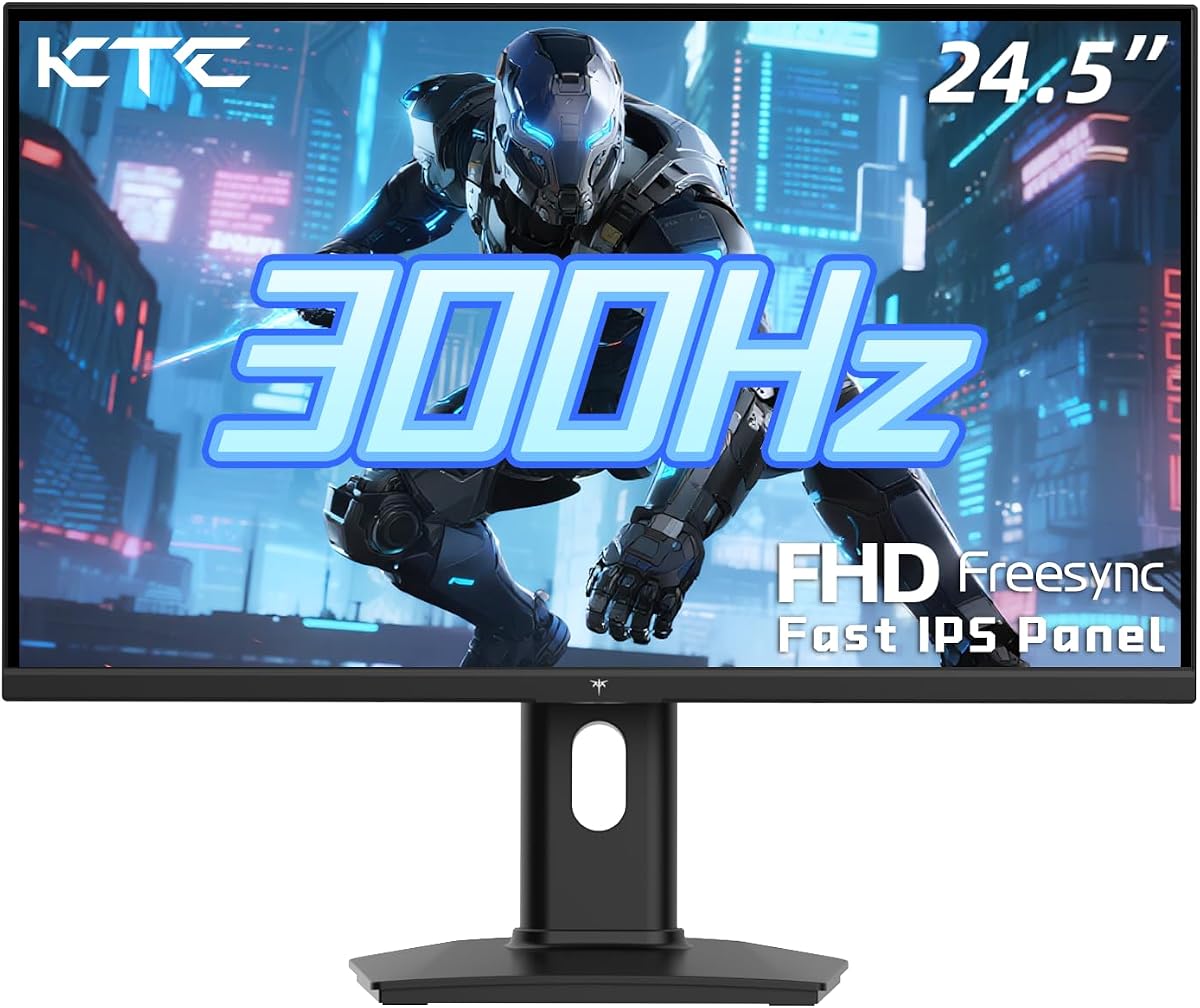
KTC 24.5 Inch FHD 300Hz Fast IPS Gaming Monitor
KTC's H25Y7 platform appears twice in this pack because Amazon listings split bundle and port marketing, not because two different monitors exist. This variant emphasizes FreeSync branding, HDR support, and a USB 2.0 downstream port alongside the same 24.5-inch Fast IPS recipe: 1920×1080, 300Hz over DisplayPort 1.4, and 240Hz over dual HDMI 2.0 inputs. If you want the ergonomic stand and wide gamut without hunting for a separate hub, this listing is the one to open first.
Fast IPS matters when your desk doubles as a work surface. Colors stay consistent across 178-degree viewing angles, which helps when you slide sideways during video calls or share the screen with someone beside you. One-millisecond response and Adaptive Sync keep strafing and tracking smooth in Valorant, Apex, and Rocket League when your GPU delivers the frames—exactly the use case 300Hz panels were built for.
The stand is a quiet hero. Tilt from negative five to positive twenty degrees, pivot ninety degrees, and roughly 110 millimeters of height travel let you align the top bezel near eye level without stacking books under the base. That ergonomics package is uncommon at this tier and separates KTC from fixed-base curved rivals that look dramatic but fight your neck after hour three.
119% sRGB coverage produces punchy hues in games and acceptable color for casual photo edits or presentation work. HDR is present but not transformative—expect a brightness boost in supported content rather than true highlight roll-off like premium HDR400 panels. Still, toggling HDR in compatible titles can add depth without leaving the sub-three-hundred bracket.
Connectivity planning is simple: PC gamers should default to DisplayPort for 300Hz; console or streaming-box users should test HDMI 240Hz paths and enable Game Mode in the OSD. The USB port is best for receivers or phone cables, not SSD transfers. VESA 100×100 mounting remains available if you prefer an arm over the included stand.
Versus Samsung's Odyssey G4, KTC wins on adjustability per feature and often lands lower in street pricing, while Samsung counters with G-Sync Compatible validation, Black Equalizer, and Virtual Aim Point tooling. Versus Gawfolk, KTC trades built-in speakers for IPS motion behavior and better ergonomics. Pick this listing when you want one monitor for ranked queues and daytime productivity without a second guess about stand quality.
Both KTC entries share H25Y7 DNA. Compare included cables, warranty language, and recent buyer feedback rather than hunting for a secret performance gap. Most desks need only one.
Best for arm's-length viewing on a 24.5-inch canvas, mixed FPS and productivity, and buyers who will use height adjustment daily. Less ideal if you need built-in speakers or a curved immersive wrap.
We may earn a commission at no additional cost to you.
Z-Edge 27 inch Curved Gaming Monitor
Z-Edge's UG27S targets players who want a bigger canvas and cinematic wrap without leaving the sub-three-hundred bracket. The 1500R curve pulls corners of the screen into your peripheral vision, which helps racing sims, RPG exploration, and third-person action feel more present than a flat 27-inch panel at the same resolution. It is a mood choice as much as a spec choice—and at 4.6 stars in the pack, buyers clearly respond to the immersion per feature.
Performance numbers align with modern budget gaming expectations: 300Hz over DisplayPort, 240Hz caps on HDMI, one-millisecond response, and FreeSync to smooth frame-time swings. The 4000:1 contrast ratio is the standout VA advantage—night scenes and horror titles gain depth that flat IPS panels in this pack rarely match without sacrificing black levels. That contrast comes with the usual VA caveat: fast lateral motion in high-contrast FPS scenes can show more ghosting than Fast IPS if overdrive is pushed too aggressively.
Office use is workable but not optimal. Full HD at 27 inches reduces pixel density versus 24.5-inch alternatives, so small fonts and fine UI elements look slightly softer unless you scale operating system text. If your day job is spreadsheets eight hours a day with gaming evenings, consider Acer's WQHD Nitro instead. If gaming dominates and you sit farther back, the size-plus-curve combo feels natural.
Connectivity is generous for a budget curved panel: two DisplayPort and two HDMI ports simplify switching between a gaming PC and a work laptop without constant cable swaps. VESA 100×100 support fits standard arms, and the three-sided borderless design eases multi-monitor setups where a second flat panel handles chat and streams.
Build presentation skews gaming-first with a metal stand and aggressive bezels marketing, but the low blue light and flicker-free claims address real fatigue during marathon sessions. Unbox, run solid-color tests for backlight bleed common to curved VA, and confirm which port reports 300Hz before mounting permanently.
Against the frameless UG27H sibling in this pack, UG27S leans on higher contrast and a metal stand aesthetic; UG27H chases slimmer bezels and a slightly different contrast rating. Against flat esports panels, Z-Edge wins wrap and contrast while surrendering pixel density and absolute motion purity. Buy the curve when your library is story-rich and your GPU can feed high refresh at 1080p.
Ideal for immersive genres, couch-adjacent seating, and desks where size matters more than text sharpness. Less ideal for competitive pixel peeping or coding marathons without OS scaling.
Use DisplayPort from your gaming PC on the port you label primary. Keep HDMI for consoles and verify 240Hz caps separately—do not assume 300Hz on every input.
We may earn a commission at no additional cost to you.
ArcticPro 27 Inch Gmaing Monitor
ArcticPro's 27-inch panel occupies a middle ground: bigger than esports-standard 24.5-inch screens, still anchored at 1080p, but dressed in frameless IPS clothing with unusually wide color gamut claims for the tier. One hundred twenty-five percent sRGB and ninety percent NTSC suggest more vivid reds and greens in games and streaming content, which helps when you edit thumbnails or grade casual photos between matches.
Refresh performance mirrors other 300Hz pack members: dual DisplayPort 1.4 paths up to 300Hz, dual HDMI 2.0 up to 240Hz, one-millisecond MPRT, and Adaptive Sync for tear reduction. Motion is IPS-typical—generally cleaner than VA in fast strafing—while the larger canvas makes tracking targets at center screen feel relaxed. Competitive purists may still prefer 24.5-inch density, but open-world players often appreciate the extra inches.
The ultra-slim bezel marketing is not just aesthetics. Thin sides simplify dual-monitor configurations where a secondary vertical panel holds chat, music, or reference docs. VESA 100×100 mounting is standard; because tilt-only stands can frustrate tall users, budget for an arm if ergonomics matter.
Included DisplayPort cable is a small but meaningful bundle item—cheap cables cause link failures that look like defective panels. On setup day, enable Adaptive Sync, confirm 300Hz in Windows or macOS display settings, and run a few solid-color fullscreen tests to catch backlight bleed early.
Relative to Z-Edge curved models, ArcticPro trades immersion for color volume and IPS motion habits. Relative to the 24.5-inch ArcticPro sibling, this model adds size and gamut while keeping the same connectivity story. Relative to Acer's WQHD Nitro, ArcticPro stays FHD—choose ArcticPro when you prioritize frame rate headroom and vivid color over sharper text.
Buyer expectations should stay grounded: this is not a factory-calibrated prosumer display, and the typo-laden listing title signals budget-brand marketing polish. What you get is a large, fast, colorful panel for mixed entertainment desks that do not want curvature or QHD GPU load.
Wide gamut out of the box looks lively for games and streams. For client-facing design work, plan on a calibration puck or step up to Acer's 99% sRGB WQHD story.
Run a gaming tower on one DP input and a work mini PC on the other, switching via OSD rather than reaching behind the desk. Label cables the day you mount.
We may earn a commission at no additional cost to you.
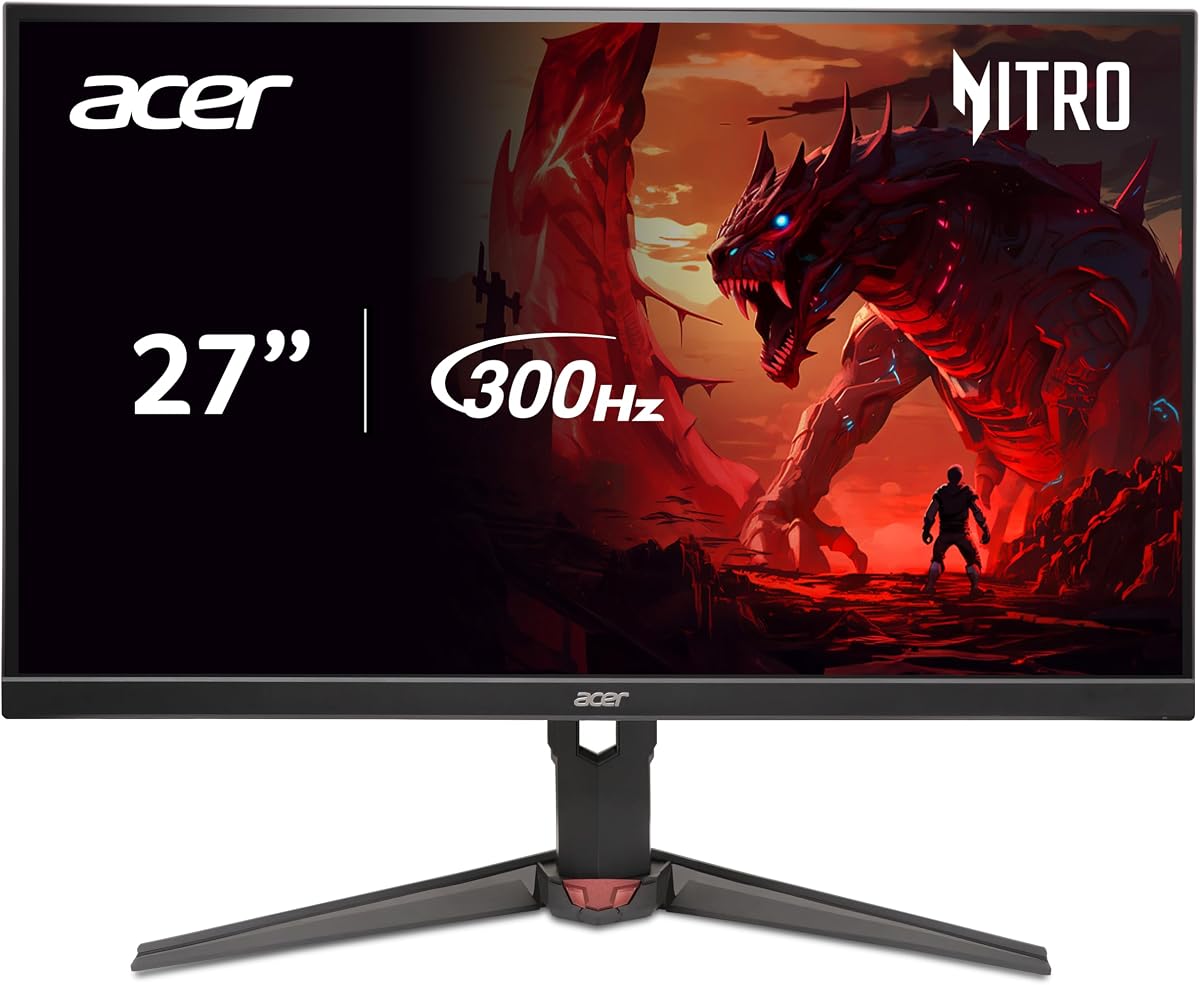
acer Nitro 27" WQHD 2560x1440 IPS PC Gaming AMD FreeSync Premium | 300Hz | Up to
Acer's Nitro XV272U F3 is the resolution outlier in a pack obsessed with 1080p speed. At 2560×1440 on a 27-inch IPS panel, windows, code, and spreadsheets look materially sharper than any Full HD model here while still advertising a 300Hz refresh ceiling for times your GPU can push high frame rates at QHD. That dual personality—productivity clarity plus gaming headroom—is why we badge it Best for Mixed Work & Play even though its 4.1 rating trails some faster FHD rivals.
Motion specs remain serious: up to 0.5ms GTG response and FreeSync Premium certification mean adaptive sync behaves predictably when frame rates bounce during open-world titles or compilation workloads in the background. You will not always sit at 300Hz in modern AAA games at 1440p, but competitive titles on capable hardware can still approach triple-digit refresh with settings tuned—a sweet spot for players who refuse to choose between sharpness and speed.
Color story aligns with creator-adjacent homework: ninety-nine percent sRGB is the film-industry baseline reference in marketing copy, and while factory calibration varies, the IPS panel type keeps hues stable across viewing angles for review sessions with a client or classmate. DisplayHDR 400 adds validated brightness peaks for HDR media; manage expectations because edge-lit IPS HDR is not OLED, yet it beats SDR-only budget panels for compatible streams and games.
ZeroFrame bezels reduce visual clutter when pairing a second monitor for chat or timelines, and the ErgoStand covers tilt with VESA mounting as an alternative. Dual HDMI 2.1 ports invite modern console bandwidth conversations—always verify platform-specific 1440p high-refresh support rather than assuming PC parity.
Tradeoffs are honest. This monitor asks more of your graphics card than FHD alternatives, and the pack rating signals you should inspect for backlight bleed and dead pixels promptly. If your GPU is several generations old, you may spend more time between 60 and 120 frames than you would on a 24.5-inch 1080p 300Hz panel—and that is okay if sharper text is the daily win.
Choose Acer when one display must handle Google Docs by day and Apex by night without looking fuzzy. Choose KTC or Samsung FHD when esports frame rate is the only metric that matters. Choose Z-Edge curved when immersion beats pixel density. The Nitro is the balanced diploma-and-headset monitor in this roundup.
Pair with upper-midrange or better modern GPUs if you want high refresh at 1440p in AAA titles. Esports at competitive settings are more forgiving and showcase the 300Hz ceiling more often.
HDMI 2.1 opens bandwidth for console experiments, but platform firmware dictates real modes. Test your exact console on the port you plan to use before mounting.
We may earn a commission at no additional cost to you.
The 24.5-inch ArcticPro is the compact counterpart to the 27-inch wide-color model earlier in this guide—same connectivity philosophy, tighter pixel pitch, and the esports-friendly footprint tournament players prefer. If you measure desk depth in inches and want triple-digit refresh without curvature, this is ArcticPro's strongest pitch.
IPS panel behavior keeps colors consistent when you lean sideways during calls or co-op couch viewing. One hundred twenty percent sRGB marketing suggests slightly punchier greens and reds than baseline 100% panels, which shows up in saturated game art and thumbnail edits even if you never calibrate. One-millisecond MPRT and Adaptive Sync handle the motion side when your GPU feeds high frame rates in shooters and MOBAs.
Connectivity duplicates the 27-inch sibling: two DisplayPort 1.4 inputs for 300Hz, two HDMI 2.0 inputs for 240Hz, and VESA 100×100 for arms. The included DisplayPort cable removes one checkout-line upsell—use it on day one and keep a spare certified cable in reserve because link training issues masquerade as panel defects.
Ultra-slim bezels matter when you mount a second monitor vertically for Discord or OBS. The aesthetic is modern without the curve tax, and the 24.5-inch width leaves keyboard space on student desks. Low blue light modes and flicker-free claims align with longer homework-plus-gaming schedules.
Versus KTC H25Y7 listings, ArcticPro trades ergonomic height adjustment for frameless styling and slightly different gamut marketing. Versus Z-Edge UG25S, ArcticPro matches size and refresh but skips FPS preset modes in exchange for wider gamut claims. Versus Gawfolk, ArcticPro drops speakers for IPS motion habits.
Rating at 4.3 is respectable but not class-leading—treat unboxing as a lottery check like any aggressive-tier monitor. If the panel passes pixel and bleed tests, you end up with a fast, handsome FHD display that punches above old 144Hz office monitors without dominating the budget.
Mount on a 100×100 arm to reclaim depth, route cables through the arm channel, and pair with a compact keyboard. The 24.5-inch width is the easiest size in this pack for shallow IKEA desks.
Upgrade to the 27-inch sibling if you sit farther back and want a larger canvas with 125% sRGB. Stay on 24.5 if aim clarity and frame rate trump screen real estate.
We may earn a commission at no additional cost to you.
Z-Edge 27 inch Curved Gaming Monitor
Z-Edge's UG27H is the design-forward sibling to the UG27S curved model—same 1500R wrap and 300Hz ambition, but with stronger frameless marketing and a 3000:1 contrast rating instead of 4000:1. In practice both deliver curved VA immersion; UG27H wins buyers who care about thin bezels and multi-monitor symmetry while UG27S emphasizes contrast and a metal stand presentation.
Gameplay feel follows the curved FHD formula: DisplayPort unlocks 300Hz, HDMI lands at 240Hz, one-millisecond MPRT targets blur reduction, and FreeSync smooths frame pacing when your GPU cannot hold peak refresh. Racing titles, soul-likes, and cinematic third-person games benefit most; tactical FPS players who scrutinize pixel edges may prefer flat 24.5-inch IPS alternatives in this pack.
The triple-side frameless look pairs well with a flat secondary monitor for streams or work—matching thin bezels at the inner edge reduces the visual seam when colors align. Mounting via 100×100 VESA frees desk space for wide mouse pads, a choice many curved buyers appreciate once they stop using the included base.
Sixteen-point-seven-million-color marketing is standard VA fare, meaning adequate gradations for gaming and movies without pro calibration promises. Low blue light and flicker-free language address fatigue, though good desk lighting still matters during late raids.
Setup diligence mirrors other Z-Edge entries: test both DP ports, label your 300Hz cable, inspect backlight uniformity on dark fullscreen scenes, and enable FreeSync in OSD plus GPU software. Curved VA can show edge glow—know your return policy before arm-mounting permanently.
Compared with ArcticPro 27 flat IPS, Z-Edge wins wrap and contrast while losing text sharpness and IPS motion habits. Compared with Acer QHD, Z-Edge stays lighter on GPU and heavier on immersion. UG27H is the pick when your battlestation photo matters as much as frame rate.
Choose UG27H for frameless aesthetics and slightly lower contrast rating on paper. Choose UG27S if metal stand presentation and 4000:1 marketing matter more. Gameplay class is similar—do not overthink beyond desk look and current availability.
Pair with a flat 24.5-inch IPS side panel for chat and maps. Align inner bezels at equal height using a VESA arm on the curved primary to avoid neck twist.
We may earn a commission at no additional cost to you.
KTC 24.5 Inch 300Hz Gaming Monitor - FHD 1080P Fast IPS PC Monitor Gaming 1ms
KTC's H25Y7 listing with bundled DisplayPort cable and three-year warranty is our Best Value pick because it stacks esports-grade refresh, Fast IPS color, and real ergonomic adjustability at a rating that trails only Samsung in this pack. For buyers who want 300Hz without Odyssey pricing, this is the first link to click after reading the top picks.
At 24.5 inches and 1080p, pixel density hits the competitive sweet spot: large enough for minimap awareness, compact enough that aim adjustments feel precise. DisplayPort 1.4 unlocks 300Hz; dual HDMI 2.0 reaches 240Hz for secondary devices. One-millisecond MPRT and Adaptive Sync cooperate so flick shots, tracking, and quick turns stay visually coherent when frame times are stable.
The stand is not an afterthought. Height travel near 110 millimeters, pivot to vertical for coding or chat, and tilt range cover most desk heights without third-party risers. That matters when this monitor replaces an old office panel you previously propped on books. VESA 100×100 remains available if you prefer an arm.
119% sRGB wide gamut keeps colors lively in Fortnite, Overwatch, and indie titles with bold art direction. HDR support adds optional punch but do not expect OLED-style highlights—think of it as a bonus toggle, not the reason to buy. Low blue light, anti-glare, and flicker-free tech support longer sessions when homework runs into ranked queues.
Ownership details tilt positive: included DP cable, responsive support claims, and warranty language longer than Gawfolk's twelve months. Unbox, confirm 300Hz in OS settings, enable Adaptive Sync on NVIDIA or AMD, and run pixel tests inside the return window.
Samsung's Odyssey G4 still wins on validated G-Sync Compatible plus FreeSync Premium, Black Equalizer, Virtual Aim Point, and the highest pack rating. KTC wins when those extras are nice-to-have and your budget needs maximum adjustability per feature. Against Z-Edge curves, KTC wins esports clarity; against Acer QHD, KTC wins frame-rate headroom at 1080p.
Enable Adaptive Sync in OSD, set 300Hz in Windows display advanced settings, cap frames slightly below peak if flicker appears, and store the box until pixel tests pass.
This variant highlights bundled DP cable and three-year warranty; the other adds USB downstream. Performance class is the same H25Y7 hardware—buy whichever bundle matches your desk.
We may earn a commission at no additional cost to you.
Samsung 25" Odyssey G4 (G40H) Series FHD Gaming Monitor | 300Hz
Samsung's Odyssey G4 G40H earns Best Overall because it combines the pack's top buyer rating with validated adaptive sync for both NVIDIA and AMD, competitive gaming tools that actually matter in ranked play, and a fully adjustable stand rarely seen on generic budget panels. At 25 inches and 1080p Fast IPS, it targets the same esports density as 24.5-inch rivals while benefiting from Samsung's color tuning and OSD polish.
Three hundred hertz and one-millisecond response keep motion crisp when your GPU delivers high frame rates in CS2, Valorant, and Rocket League. G-Sync Compatible and FreeSync Premium certifications mean adaptive sync is not a guesswork toggle—you enable it once in OSD and driver settings and expect tear reduction across a wide frame-rate band. That dual validation is especially valuable if you might swap GPU brands during the monitor's lifespan.
Black Equalizer lifts shadow detail without blowing highlights—a practical advantage in competitive titles where campers hide in dim corners. Virtual Aim Point overlays help training routines or casual aim practice without third-party software. Neither feature replaces skill, but both show Samsung designing for players, not just spec sheets.
HDR10 support adds contrast headroom in compatible content; manage expectations because edge-lit IPS HDR is not OLED, yet it beats SDR-only alternatives for HDR-enabled streams and select games. Fast IPS viewing angles keep hues stable during shared viewing or ultrawide seating adjustments.
Ergonomics are class-leading in this pack: tilt, pivot, swivel, and height adjustment let you align the panel with minimal neck strain during workdays that bleed into evening queues. VESA mounting remains available if you prefer an arm, though many buyers will not need one given the stock stand quality.
Tradeoffs are mostly about budget and resolution ambition. If you need 1440p text daily, Acer's Nitro is the better academic partner. If every feature dollar must stretch, KTC H25Y7 delivers similar refresh with slightly fewer competitive tools. When you want the safest blend of polish, support reputation, and 300Hz Fast IPS under three hundred, Odyssey G4 is the default recommendation.
On NVIDIA, enable G-Sync for fullscreen and windowed in Control Panel after activating Adaptive Sync in the monitor OSD. On AMD, use FreeSync Premium. Cap frames one or two ticks below 300 if you notice flicker at the ceiling.
Skip if you prioritize 27-inch 1440p productivity or curved immersion over validated esports tooling. Also skip if street pricing spikes above your hard cap—KTC is the logical fallback without shame.
We may earn a commission at no additional cost to you.
Z-Edge 24.5 inch 300Hz 280Hz 240Hz Gaming Monitor
Z-Edge's UG25S closes the pack with a flat 24.5-inch IPS answer to KTC and Samsung esports panels—same size class, same 300Hz marketing ceiling, but differentiated by FPS and RTS preset modes that tweak display response for genre flavor. At 4.6 stars it shares top-tier buyer confidence with KTC's value listing, making it a credible alternative when stock or bundle preferences shift.
IPS panel behavior favors competitive clarity: consistent colors across viewing angles, predictable motion handling in high-contrast strafing, and less ghosting worry than curved VA siblings when you live in tactical shooters. One-millisecond MPRT and Adaptive Sync keep pans readable; dual DisplayPort inputs both support 300Hz for flexible cable routing between PC and capture setups.
Preset game modes are not magic, but they save fiddling when you swap from a saturated RPG to a neutral FPS profile. Enhanced contrast modes can make enemies pop at the cost of accuracy in creative work—toggle back to standard mode for homework and video calls.
Connectivity mirrors other esports entries: DisplayPort for PC 300Hz, HDMI up to 240Hz for consoles or streaming sticks, and flicker-free plus low blue light for endurance sessions. The three-sided borderless frame helps dual-monitor layouts with a vertical chat panel.
VESA 75×75 is the main ergonomic caveat—many arms assume 100×100, so verify plate compatibility or budget for an adapter. If you need height adjustment beyond tilt, plan an arm purchase up front rather than improvising risers.
Versus KTC H25Y7, Z-Edge trades ergonomic stand travel for preset modes and slightly different VESA sizing. Versus Samsung Odyssey G4, Z-Edge skips validated G-Sync branding and Black Equalizer but often lands gentler on wallet. UG25S is the flat IPS esports pick when you want Z-Edge styling without 27-inch curvature.
Use FPS mode for ranked nights, RTS mode for strategy sessions, and standard mode for documents and video calls to avoid oversaturated whites.
Confirm your arm includes 75×75 holes or a compatible adapter plate before checkout. Mis-sized plates strip screws and wobble dangerously.
We may earn a commission at no additional cost to you.

Monitors in this pack span esports flats, curved immersion screens, and a lone 1440p productivity-gaming hybrid. Before comparing hertz numbers, write down what you do most: ranked competitive games, story-driven AAA, mixed office work, console desk duty, or streaming with a second panel. Esports-first buyers should prioritize 24.5-inch FHD Fast IPS models like Samsung Odyssey G4, KTC H25Y7, and Z-Edge UG25S. Immersion seekers should audition 27-inch curved Z-Edge options. Mixed work-and-play desks should shortlist Acer's Nitro WQHD first.
Your use case dictates acceptable tradeoffs. A curved 1080p 27-inch screen is wrong for tiny-text coding but right for racing sims. A 1440p IPS panel is wrong for a weak GPU but right when spreadsheets share the panel with Apex. Honest self-assessment saves returns.
Three-hundred hertz is meaningful when your system sustains high frame rates at your chosen resolution. At 1080p, midrange and upper-midrange modern GPUs often exceed 200 frames in competitive titles, letting 300Hz panels shine. At 1440p on Acer's Nitro, expect lower peaks in AAA games—FreeSync still helps, but you may live between 100 and 180 frames more often than pegging 300.
Buy 300Hz when you play fast titles on capable hardware and care about motion separation during flicks. Accept that HDMI paths frequently cap below DisplayPort peaks—consoles and laptops may not see 300Hz even when the box advertises it. Always match refresh expectations to the port and cable you will actually use.
Fast IPS dominates esports picks here: Samsung, KTC, ArcticPro, and Z-Edge UG25S deliver consistent colors and cleaner motion in high-contrast FPS scenes. VA panels on Gawfolk and curved Z-Edge models offer higher contrast and deeper blacks—fantastic for atmospheric single-player games—but may show more ghosting when overdrive is maxed.
Neither panel wins every scenario. Test VA if you love contrast and accept occasional motion compromise; default to IPS if ranked shooters are nightly ritual.
1080p at 24.5 to 25 inches is the competitive density sweet spot. 1080p at 27 inches trades sharpness for size—fine for relaxed viewing, softer for small text. 1440p at 27 inches on Acer's Nitro sharpens UI and creative tools while still gaming well when your GPU cooperates.
Match size to viewing distance. Arm's length favors 24.5-inch FHD or 27-inch QHD. Farther seating makes curved 27-inch FHD feel natural. Do not buy QHD because it sounds premium if your GPU will lock you to low settings in every title you care about.
Adaptive Sync reduces tearing when frame rates fluctuate. AMD FreeSync, FreeSync Premium, and NVIDIA G-Sync Compatible are branding layers on the same practical idea. Samsung's Odyssey G4 carries both G-Sync Compatible and FreeSync Premium—a useful dual stamp when GPU brands might change.
Enable adaptive sync in monitor OSD and GPU control panel. Cap frames slightly below max refresh if flicker appears at the ceiling. Console users must verify whether their platform exposes VRR on external monitors for the HDMI port they plan to use.
Stand quality varies sharply: KTC and Samsung offer height and pivot adjustments; many curved models tilt only unless you mount an arm. Check VESA patterns before buying arms—100×100 is common on larger panels, 75×75 appears on Gawfolk and Z-Edge UG25S.
Warranty language spans KTC's three-year pitch, Gawfolk's twelve months, and Samsung's mainstream brand expectations. Inspect backlight bleed and dead pixels immediately regardless of brand. Aggressive tiers always benefit from early testing inside return windows.
Samsung's Odyssey G4 leads the pack with a 4.8 rating, Fast IPS 300Hz, G-Sync Compatible and FreeSync Premium validation, HDR10, Black Equalizer, Virtual Aim Point, and a fully adjustable ergonomic stand. If pricing stretches your cap, KTC's H25Y7 listing is the value fallback with similar refresh, strong ergonomics, and a three-year warranty pitch. Choose Samsung for polish and competitive tools; choose KTC when maximizing adjustability per feature at 1080p.
It can be when your GPU and games cooperate at 1080p. Competitive titles on capable hardware frequently exceed 240 frames, and 300Hz panels show smoother motion during fast tracking. If you mostly play AAA games at max settings where frame rates sit near 60–120, high refresh still helps with FreeSync, but you will not fully use 300Hz every session. In this pack, 300Hz models make sense for esports-first desks; Acer's QHD option trades some absolute frame rate for sharper pixels.
Choose 1080p when your GPU is midrange or you prioritize maximum frame rate in shooters and battle royales—the KTC, Samsung, Z-Edge 24.5, Gawfolk, and ArcticPro 24.5 models optimize that path. Choose 1440p when you sit close for work and play on the same screen and want sharper text and UI—Acer's Nitro XV272U is the QHD anchor here. Remember that 1440p demands more GPU; smooth 1080p often feels better than stuttering QHD.
Curved 27-inch Z-Edge models excel in immersive gaming and media consumption, wrapping peripheral vision and boosting contrast on VA panels. For text-heavy office work at arm's length, flat 1440p or 24.5-inch FHD IPS panels usually look sharper. Curvature is a preference and genre decision—excellent for racing and RPGs, less critical for spreadsheets unless you simply enjoy the aesthetic.
Both listings target the same H25Y7 class hardware with minor bundle and port differences—one emphasizes a bundled DisplayPort cable and three-year warranty, the other adds USB downstream and FreeSync-forward marketing. Compare current availability, included accessories, and recent buyer feedback rather than hunting for a large performance gap. Most desks need only one KTC.
Many models include HDMI with adaptive sync support, but console refresh caps differ by port and firmware. HDMI 2.0 inputs commonly reach 240Hz at 1080p on several pack models; some paths cap lower. Acer's HDMI 2.1 ports invite higher-bandwidth testing with modern consoles—always verify your console's supported external monitor modes for 1080p or 1440p high refresh and VRR. Use Game Mode on the monitor and quality HDMI cables.
Only Gawfolk in this pack includes built-in dual speakers—a convenience for quick videos, school calls, or console setups without desk speakers. Gaming and media quality will still trail headphones or dedicated speakers. If audio matters, budget separately; if desk clutter matters more, Gawfolk's integration saves space.
Run fullscreen solid-color tests for dead or stuck pixels, inspect backlight bleed in a dark room, listen for coil whine at high refresh, and confirm the OSD reports expected Hz on each port. Test DisplayPort and HDMI separately, enable adaptive sync, update firmware if available, and complete these steps inside the return window so defects are negotiable.
They can handle casual creative tasks—ArcticPro's wide gamut models and Acer's 99% sRGB QHD panel are the strongest pack choices for color-sensitive side projects. High-refresh gaming monitors prioritize motion over factory calibration. For client-critical color, plan on calibration or treat the monitor as a secondary preview screen.
UG27S emphasizes 4000:1 contrast and a metal stand presentation; UG27H pushes frameless triple-side bezels with 3000:1 contrast marketing. Both are 1500R 27-inch FHD 300Hz curved VA panels with dual DP and HDMI. Choose based on aesthetics, stand preference, and current availability rather than expecting vastly different gameplay.
The under-three-hundred monitor category in 2026 rewards buyers who match specs to desk reality instead of chasing the highest headline number. Samsung's Odyssey G4 remains the most polished all-rounder for Fast IPS 300Hz with dual adaptive-sync validation and genuinely useful competitive tools. KTC's H25Y7 listings dominate the value conversation with ergonomic stands and honest DisplayPort refresh paths, while Acer's Nitro brings 1440p into the same budget for mixed work-and-play setups.
Curved Z-Edge models serve immersion seekers who accept 1080p at 27 inches, Gawfolk undercuts with VA contrast and built-in speakers, and ArcticPro fills the frameless wide-color middle ground at both 24.5 and 27 inches. None of these monitors is perfect for every desk, which is why the comparison table and long-form reviews matter: align refresh with GPU capability, resolution with viewing distance, and panel type with the games and apps you launch every week.
Buy the panel that fits your physical setup first, then optimize cables and adaptive sync on day one. If motion still feels wrong after setup, suspect the port or cable before blaming the GPU. Used thoughtfully, any monitor in this pack can replace an aging 60Hz office screen with a desk you actually enjoy—just resist paying for 300Hz if your hardware and library never feed it.