Expert Review & Guide

Best microSD Cards for GoPro in 2026 for 4K and

A GoPro is only as reliable as the microSD card catching the bits while you are upside down, airborne, or underwater. In 2026 the cameras themselves—HERO-class flagships, Max-style 360 bodies, and compact lit variants—push 4K, 5.3K, high frame rates, and aggressive stabilization that punish slow or inconsistent media. This roundup ranks ten microSD cards from our product pack only: SanDisk Extreme and Extreme PRO options, Gigastone 4K Camera Pro capacities from 128GB to 1TB, SanDisk Ultra for lighter duty, and Amazon Basics 512GB for high-capacity everyday shooting. We focus on video speed class, real capacity planning, durability claims, and honest tradeoffs—not dollar prices.

The single most important buying filter is still V30 with UHS Speed Class 3 (U3) for serious 4K and higher action recording. Peak megabytes-per-second numbers look impressive on retail pages, but sustained write performance and camera-vendor recommendations decide whether a clip ends cleanly or truncates mid-trick. Capacity is the second filter: 128GB favors multi-card rotation, 256GB fits most full days, and 512GB–1TB reduces swaps on expeditions while concentrating loss risk if you skip backups. We call out Ultra’s U1 positioning so Full HD casual users are not pushed into the wrong Extreme tier—and so 5.3K shooters do not trust Ultra as their only card.

Start with the three top picks if you want a clear default Extreme 256GB, a GoPro-oriented Extreme PRO bundle with reader, or a rugged 512GB high-capacity everyday card. Use the comparison table to scan speed class and size, then read each review for setup habits, who should buy, and how each option fits next to the others in a real kit.

Top microSD Picks for GoPro Shooters

Best Overall

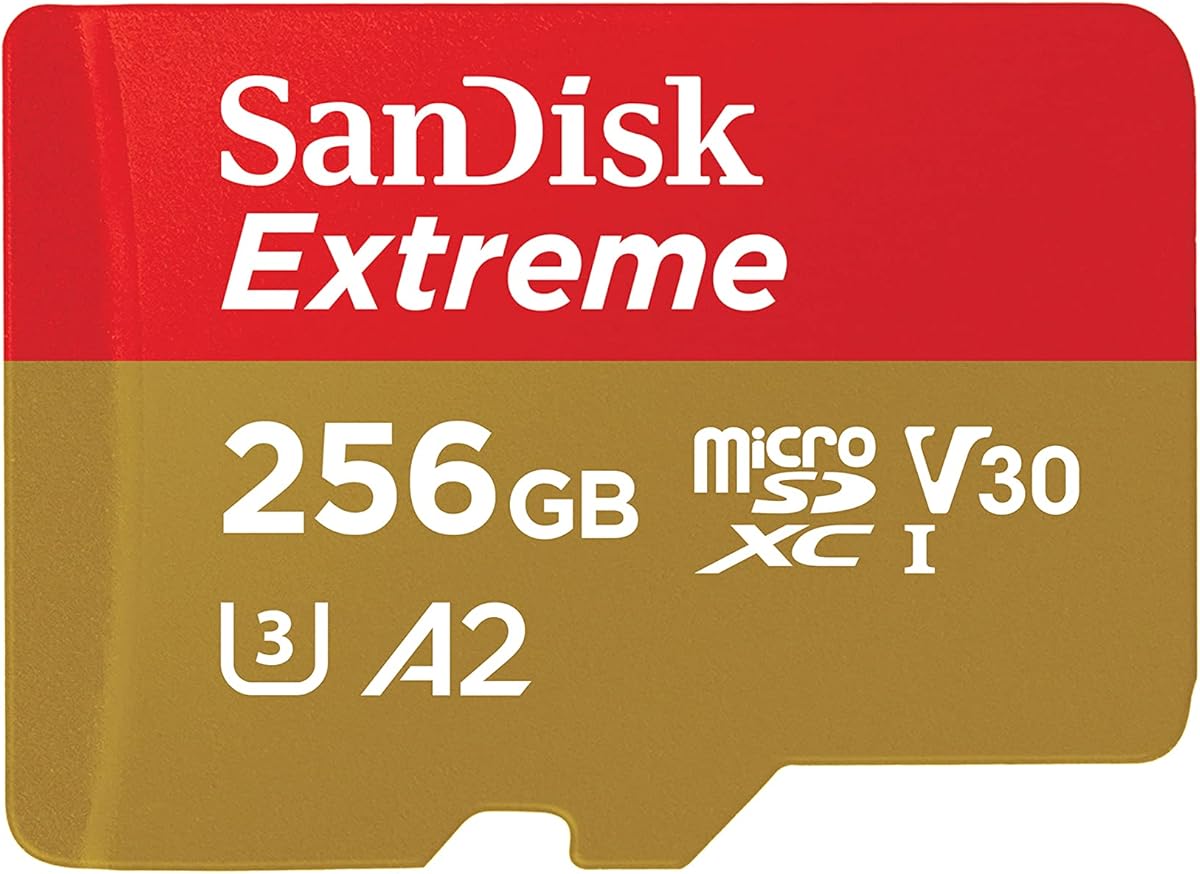
SanDisk 256GB Extreme microSD UHS-I (SDSQXH9)

★★★★★9.6/10
SanDisk 256GB Extreme microSD UHS-I (SDSQXH9)
  • Flagship Extreme speeds with up to 245 MB/s read and 170 MB/s write on this 256GB card
  • U3 and V30 ratings aimed at 4K and 5.3K point-of-view recording in modern GoPros
  • Temperature, humidity, water, shock, and drop resistance suited to action sports
Check Price →
Best GoPro Bundle

SanDisk 128GB Extreme PRO + Reader Bundle

★★★★★10/10
SanDisk 128GB Extreme PRO + Reader Bundle
  • Extreme PRO card explicitly positioned for GoPro Max 2 and HERO13
  • V30 A2 performance for 4K UHD video and fast in-app style workloads
  • Bundled microSD and SD reader for immediate laptop offloads
Check Price →
Best High Capacity

Amazon Basics 512GB microSDXC

★★★★★9.6/10
Amazon Basics 512GB microSDXC
  • 512GB capacity for long GoPro days with fewer mid-ride swaps
  • Up to 200 MB/s read and 150 MB/s write with U3 and A2 classes
  • Rugged claims including IPX6 waterproofing and wide temperature range
Check Price →

As an Amazon Associate we earn from qualifying purchases. We may earn a commission at no additional cost to you.

GoPro microSD Comparison: Capacity, Speed Class, and Use Case

Scan every card in the pack by capacity tier, rated speed class, and the job it fits best—primary 4K/5.3K media, high-capacity travel, budget spare, or Full HD everyday use. No dollar prices appear here; check the live Amazon listing for the current offer before you buy.

#ProductSpecificationsScore
1
  • 256GB; up to 245 MB/s read, 170 MB/s write
  • U3 / V30 for 4K and 5.3K action video
  • Rugged Extreme build for action cams and drones
9.6
2
  • 128GB; up to 100/50 MB/s read/write
  • UHS-I U3 A2 V30 Class 10
  • 5-year warranty with free data recovery
9.2
3
  • 512GB; up to 150/120 MB/s read/write
  • A2 V30 UHS-I U3 Class 10 with adapter
  • 5-year warranty including free data recovery
9.2
4
  • 256GB Ultra; up to 150 MB/s read
  • C10, U1, A1 with adapter included
  • 10-year limited warranty; Full HD oriented
9.4
5
  • 512GB; up to 200 MB/s read, 150 MB/s write
  • UHS-I U3 Class 10 A2 for phones and action cams
  • Shockproof, IPX6 waterproof, temperature-proof build
9.6
6
  • 256GB; up to 100/60 MB/s read/write
  • A2 V30 UHS-I U3 Class 10 with adapter
  • 5-year warranty with free data recovery
9.4
7
  • 256GB Extreme; up to 190 MB/s read, 130 MB/s write
  • U3 V30 A2 for 4K and 5K UHD-ready capture
  • Adapter included; QuickFlow-oriented offloads
9.6
8
  • 128GB; up to 245 MB/s read, 120 MB/s write
  • U3 / V30 for 4K and 5.3K action video
  • Extreme durability for cams, drones, and phones
9.6
9
  • 128GB Extreme PRO; up to 190 MB/s class speeds
  • V30 A2; marketed for Max 2, HERO13, Lit Hero
  • Includes Everything But Stromboli microSD & SD reader
10
10
  • 1TB; up to 150/130 MB/s read/write
  • UHS-I U3 A2 V30 for 4K video
  • Adapter included; 5-year data recovery warranty
9.2

1. SanDisk 256GB Extreme microSD UHS-I (SDSQXH9) - Best Overall for

SanDisk 256GB Extreme microSD UHS-I (SDSQXH9)

SanDisk 256GB Extreme microSD UHS-I (SDSQXH9)

9.6/10★★★★★

The SanDisk 256GB Extreme microSD UHS-I card in the SDSQXH9 family is the clearest default pick in this roundup for modern GoPro shooters who want headroom beyond basic Full HD. Listed read speeds up to 245 MB/s and write speeds up to 170 MB/s put it at the sharp end of consumer UHS-I microSD performance, which matters when you are dumping a day’s worth of HyperSmooth footage to a laptop between sessions. Equally important for action cameras are the U3 and V30 video speed class ratings: those designations are about sustained write floors, not just burst peaks, and they are the language GoPro manuals and card compatibility charts still speak.

  • 256GB; up to 245 MB/s read, 170 MB/s write
  • U3 / V30 for 4K and 5.3K action video
  • Rugged Extreme build for action cams and drones
Check Price →
✓ Pros
  • Very high read and write speeds for fast offloads and demanding video modes
  • V30 and U3 ratings match GoPro 4K and higher-resolution workflows
  • 256GB capacity balances shoot day length with manageable file batches
  • Extreme durability claims fit wet, dusty, and high-vibration mounts
  • Strong brand ecosystem with Memory Zone backup tools
✕ Cons
  • Higher-tier Extreme cards cost more than Ultra or value brands
  • Peak speeds need a capable UHS-I reader and host to fully realize
  • Overkill if you only shoot short Full HD clips occasionally

Detailed review

Capacity at 256GB is the practical sweet spot for most HERO-class users. It is large enough for a full ski day, a multi-location travel montage, or a long mountain bike stage without constant swaps, yet small enough that a single lost or corrupted card does not erase an entire expedition. If you shoot primarily in 4K at moderate bitrates, one carefully managed 256GB Extreme often covers a shoot day with room for stills and short looping clips. If you live in 5.3K, high frame rates, or dual-camera setups, treat this as your primary card and carry a second Extreme or Extreme PRO as rotation media.

Durability is where Extreme branding earns its keep on a helmet, chest, or surf mount. SanDisk’s environmental claims for this line cover temperature, humidity, water, shock, drop, magnet, X-ray, and wear-out resistance—exactly the abuse profile of action sports and travel. That does not mean you should skip a waterproof housing or ignore saltwater rinses, but it does mean the media itself is engineered for the same environments your camera sees. Pair the card with in-camera formatting before critical shoots and periodic health checks if the camera reports write errors.

Offload speed is a quiet productivity win. High read ratings shorten the awkward window when the camera is out of service because the card is in a reader. For editors and creators who shoot, cut, and publish the same day, those minutes add up. Use a quality UHS-I USB reader rather than relying solely on Wi-Fi transfers from the GoPro app when you have large libraries; wireless is convenient for selects, but wired offloads remain faster and more reliable for full dumps. SanDisk’s Memory Zone apps can help organize and back up once files hit a phone or desktop.

Who should buy this card: anyone running a recent GoPro who wants a no-drama primary media choice with strong speed class credentials and a capacity that matches real weekend and travel workloads. Who should look elsewhere: casual Full HD shooters who can save money with Ultra, or expedition filmmakers who need 512GB or 1TB to minimize swaps. Also compare the SDSQXAV Extreme 256GB in this same pack if you find a better live offer on that slightly older Extreme SKU with still-excellent 190/130 class numbers.

Our verdict is straightforward. Among pack products, this Extreme 256GB balances speed, durability messaging, and capacity better than value V30 cards and better than tiny 128GB kits for primary duty. Keep an Extreme PRO bundle in the bag if you want a reader included, but for the card alone as your workhorse, SDSQXH9 256GB is the pick we would load first.

Who should buy the Extreme 256GB SDSQXH9

Buy this if your GoPro is a primary creative tool and you regularly shoot 4K or 5.3K with HyperSmooth enabled. It is also the right call when you want one trusted card for both the camera and occasional drone duty. Skip it only if you need a bundled reader on day one or you are strictly a Full HD casual shooter.

For multi-cam kits, standardize on this Extreme 256GB across bodies so every spare is interchangeable. Label cards and retire any unit that shows repeated write warnings even after a fresh in-camera format.

Setup tips for reliable GoPro recording

Insert the card, power on, and format in the GoPro menus before critical shoots. Update camera firmware so capacity and bitrate support match current recommendations. Prefer a powered USB reader for offloads after long days rather than relying only on wireless transfers.

Carry a second V30 card even if 256GB usually lasts your day. Weather, bonus takes, and higher frame rates erase margins quickly.

Extreme SDSQXH9 vs Extreme SDSQXAV

Both are 256GB Extremes with U3/V30 credibility. Choose SDSQXH9 when you want the higher listed 245/170 class speeds. Choose SDSQXAV when it is the card in stock or on a stronger live offer—real-world GoPro recording will be excellent on either for most users.

Check Price on Amazon →

We may earn a commission at no additional cost to you.

2. Gigastone 128GB 4K Micro SD (A2 - Best Budget Starter

Gigastone 128GB 4K Micro SD (A2 V30)

Gigastone 128GB 4K Micro SD (A2 V30)

9.2/10★★★★★

Gigastone’s 128GB microSD with A2, V30, U3, and Class 10 ratings is the budget-friendly on-ramp for new GoPro owners who need real 4K capability without jumping straight to flagship Extreme pricing. The listing calls out read and write speeds up to 100 and 50 MB/s respectively—enough for many 4K action-cam modes when the camera and bitrate cooperate, though not the same headroom you get from SanDisk Extreme write figures in the 120–170 MB/s range. For a first card, a spare, or a kids’ camera kit, that tradeoff is often acceptable.

  • 128GB; up to 100/50 MB/s read/write
  • UHS-I U3 A2 V30 Class 10
  • 5-year warranty with free data recovery
Check Price →
✓ Pros
  • Approachable capacity for weekend riders and first GoPro kits
  • V30 and U3 ratings support 4K recording in supported cameras
  • A2 rating helps if you also use the card in a phone or tablet
  • Includes data-recovery support under the five-year warranty path
  • Listed compatibility covers GoPro, drones, and Nintendo Switch
✕ Cons
  • Write speed ceiling is lower than newer Extreme and Extreme PRO cards
  • 128GB fills faster in high-bitrate 5.3K or long HyperSmooth sessions
  • Not the fastest option for rapid multi-card offload days

Detailed review

The five-year limited warranty with free data recovery is Gigastone’s differentiator across this pack. Action cameras fail in messy ways—sudden power loss mid-clip, ejected cards in mud, accidental deletes after a big day. Recovery support is not a substitute for the 3-2-1 backup habit, but it is meaningful insurance when a once-in-a-season run exists only on that microSD. Read the recovery terms for your specific series so you know what is covered and when the support window started for that product line.

At 128GB you will learn card discipline quickly. High frame rate 4K, extended Timelapse, and long continuous recording fill media faster than casual users expect. Build a habit of offloading every evening, formatting in the GoPro after a successful backup, and carrying a second card if your day includes multiple sessions. Many creators actually prefer a pair of 128GB cards over one larger stick because a failure or loss only costs half the day’s footage.

Compatibility notes in the listing span GoPro, DJI drones, Nintendo Switch, phones, and general cameras. That versatility makes this a useful household card: film the trail on a HERO, then expand a phone’s storage for offline maps or music. A2 ratings are aimed at application performance on mobile devices more than pure video write floors, so treat V30 as your GoPro decision metric and A2 as a nice bonus for phone use.

Limitations are honest. Sustained write at the listed ceiling may struggle with the most demanding bitrates on the newest GoPros, especially if you push ProRes-class or very high resolution modes where GoPro’s own recommended card lists favor faster Extremes. Always cross-check your camera’s official recommended media list before a paid shoot. If your model insists on higher-performance cards for certain modes, step up within this pack to Extreme, Extreme PRO, or the faster Gigastone 512GB and 1TB Camera Pro cards.

Buy this when you need an affordable V30 starter or a labeled spare. Skip it as your only card for professional 5.3K deliverables. As a value-oriented 128GB option with recovery support, it earns a place in the comparison for budget kits and secondary cameras.

Best uses for the Gigastone 128GB

Ideal as a first card for a new GoPro, a spare in a jacket pocket, or media for a child’s camera where loss risk is higher. Also sensible for short sessions where you offload every evening without fail.

Less ideal as the only card on a week-long trip with heavy 5.3K shooting—step up in capacity or carry multiples.

Getting value from the data recovery warranty

Keep your order confirmation and register the product if Gigastone provides a portal. Do not overwrite a failing card if you intend to request recovery—stop writing immediately and follow the brand’s recovery instructions for your series.

Check Price on Amazon →

We may earn a commission at no additional cost to you.

3. Gigastone 512GB 4K Camera Pro Micro - Best Mid-Capacity Value

Gigastone 512GB 4K Camera Pro Micro SD

Gigastone 512GB 4K Camera Pro Micro SD

9.2/10★★★★★

The Gigastone 512GB 4K Camera Pro card is for shooters who hate mid-adventure swaps. Half a terabyte of microSDXC storage changes how you plan a festival, a multi-day bike tour, or a family vacation where the GoPro lives on a backpack all day. Listed speeds up to 150 MB/s read and 120 MB/s write, plus V30 and U3 ratings, put this card in a more serious performance band than the entry 128GB Gigastone while keeping the same five-year warranty and data recovery pitch.

  • 512GB; up to 150/120 MB/s read/write
  • A2 V30 UHS-I U3 Class 10 with adapter
  • 5-year warranty including free data recovery
Check Price →
✓ Pros
  • Half-terabyte capacity for long travel days without constant card swaps
  • Up to 120 MB/s write is stronger than many entry V30 cards
  • Adapter included for laptop SD slots and desktop readers
  • Data recovery support adds a safety net for creators
  • Explicit GoPro and action-cam positioning in the listing
✕ Cons
  • Brand recognition trails SanDisk among some rental houses
  • Always verify your specific GoPro model’s max supported capacity
  • Large single cards increase loss risk if you skip backups

Detailed review

Write performance near 120 MB/s is meaningful for action video. Sustained write is what prevents the dreaded recording stop when the camera’s buffer cannot flush footage fast enough. V30 guarantees a minimum 30 MB/s for video class purposes, but real-world higher write ceilings give more margin when bitrates spike. Still, match the card to your GoPro’s recommended list for 5.3K and high-fps modes rather than assuming every V30 card unlocks every menu option.

The included adapter matters more than people admit. Many creators dump cards through a laptop’s full-size SD slot or a dual-slot USB reader; an adapter in the box means fewer forgotten accessories on travel mornings. Format in the camera after major offloads, and avoid mixing adapters of unknown quality if you start collecting multiple cards—bent pins and loose fits cause intermittent mount errors that look like card failures.

Large capacity introduces a workflow risk: one physical failure loses more content. Mitigate that by shooting to dual cameras when possible, offloading midday on big events, and keeping a lightweight SSD in the bag for temporary backups. Gigastone’s recovery offering is a backstop, not a license to fly without backups. For expedition use, some teams still prefer two 256GB cards so they can ship one home mid-trip while continuing to shoot on the other.

Who it is for: travel vloggers, drone-plus-GoPro kits, and anyone who previously filled 128GB before lunch. Who should pause: users whose specific GoPro firmware or model has a lower official max capacity—always verify—and professionals who standardize on SanDisk Extreme PRO for rental consistency. The A2 rating also makes this a strong Android expansion card between trips.

In this pack, the 512GB Gigastone sits between Amazon Basics 512GB and the 1TB Gigastone as a capacity-forward value pick with competitive write claims. If you want brand familiarity above all else, choose SanDisk Extreme 256GB and rotate; if you want fewer swaps on a budget-minded kit, this 512GB Camera Pro is the smarter single-card buy.

Travel workflow with a 512GB card

Start each travel day with a freshly formatted card after confirming yesterday’s backup hash or at least a successful copy. Midday, if you shoot aggressively, offload highlights to a phone or SSD even if free space remains—corruption rarely warns you politely.

Use the included adapter with a trusted reader; avoid mystery adapters from old camera bags.

When to choose 512GB over 256GB Extreme

Choose Gigastone 512GB when uninterrupted hours matter more than peak brand prestige. Choose SanDisk Extreme 256GB when you want maximum speed class confidence and are willing to swap or carry a second card.

Check Price on Amazon →

We may earn a commission at no additional cost to you.

4. SanDisk 256GB Ultra microSDXC - Best for Full HD

SanDisk 256GB Ultra microSDXC

SanDisk 256GB Ultra microSDXC

9.4/10★★★★★

SanDisk’s 256GB Ultra microSDXC is a familiar, highly rated card—and it is also the one product in this GoPro-focused pack that you should treat with the most caution for serious 4K and 5.3K work. The Ultra line is engineered around Class 10, U1, and A1 ratings with read speeds up to 150 MB/s, which is excellent for Full HD video libraries, phone storage expansion, and general media. U1, however, is a lower video speed class than the U3 and V30 ratings GoPro high-resolution modes typically want.

  • 256GB Ultra; up to 150 MB/s read
  • C10, U1, A1 with adapter included
  • 10-year limited warranty; Full HD oriented
Check Price →
✓ Pros
  • Solid everyday capacity with a well-known Ultra lineup
  • Fast enough reads for quick transfers of Full HD libraries
  • Adapter and Memory Zone app support simplify organization
  • Long 10-year limited warranty on the Ultra card family
  • Works well as a secondary card for phones and Chromebooks
✕ Cons
  • U1 rating is below the U3/V30 class preferred for 4K GoPro work
  • Not the ideal primary card for high-bitrate 5.3K or ProRes modes
  • Write performance is not specified at Extreme levels

Detailed review

That does not make Ultra useless in a GoPro bag. Many users successfully record Full HD and lighter 4K settings on Ultra cards, especially on older HERO models or when bitrate is constrained. If your creative output is mostly short clips, social verticals, and casual travel diaries, Ultra can be a cost-effective 256GB option with a long 10-year limited warranty and Memory Zone software support. The problem appears when you enable the camera’s heaviest modes and start seeing truncated clips or recording warnings.

Think of Ultra as a secondary or phone-first card that can moonlight in a GoPro for lighter duty. Keep an Extreme or Extreme PRO as the primary media for paid client days, race coverage, or any shoot you cannot reshoot. Using Ultra as a backup slot card for overflow Full HD is a reasonable strategy; using it as your only card for a wedding-weekend adventure film is asking for stress.

The listing also notes Nintendo Switch compatibility while excluding Switch 2—useful if your household shares media across devices, less relevant for pure action-cam buyers. The included adapter and strong brand availability make Ultra easy to replace on the road. Transfer speeds up to 150 MB/s help when you do use a proper reader, though write performance is not marketed at Extreme levels.

Prospective buyers should read GoPro’s recommended card charts for their exact model and firmware. Those charts exist because not all microSD cards behave the same under sustained recording heat and bitrate. Community forums are full of mixed Ultra results precisely because workloads differ. Our editorial stance for this roundup is clear: Ultra earns a comparison slot for Full HD-oriented users, but it is not our 4K/5.3K recommendation.

Choose SanDisk Ultra 256GB when you need reputable everyday storage and already own faster cards for demanding modes. Skip it as the hero media for a new HERO13 or Max 2 kit—look instead at the Extreme, Extreme PRO bundle, or higher-rated V30 options elsewhere in this list.

Where SanDisk Ultra still makes sense

Phone storage expansion, Full HD GoPro clips, dash-style casual capture, and as a cheap overflow card when your Extreme is full. The 10-year limited warranty and Memory Zone support are genuine Ultra strengths.

Do not standardize Ultra for client deliverables that depend on high-bitrate 4K or 5.3K stability.

Upgrade path if Ultra starts limiting modes

If your GoPro greys out modes or stops recording unexpectedly, move to a V30 U3 Extreme or Extreme PRO from this list and retest. Keep the Ultra for phones or light B-roll only.

Check Price on Amazon →

We may earn a commission at no additional cost to you.

5. Amazon Basics 512GB microSDXC - Best High-Capacity Everyday

Amazon Basics 512GB microSDXC

Amazon Basics 512GB microSDXC

9.6/10★★★★★

Amazon Basics 512GB microSDXC punches above its house-brand reputation on paper: read speeds up to 200 MB/s, write speeds up to 150 MB/s, plus UHS-I, U3, Class 10, and A2 classes, with explicit callouts for GoPro and action cameras. For buyers who want high capacity without stepping into Gigastone’s 1TB territory or paying Extreme flagship premiums, this card is one of the most practical everyday high-capacity options in the pack.

  • 512GB; up to 200 MB/s read, 150 MB/s write
  • UHS-I U3 Class 10 A2 for phones and action cams
  • Shockproof, IPX6 waterproof, temperature-proof build
Check Price →
✓ Pros
  • Large 512GB footprint for travel, festivals, and multi-activity days
  • Competitive read and write numbers for a value-oriented brand
  • U3 and A2 ratings suit action cameras and Android expansion
  • Includes microSD adapter in the box
  • Environmental durability claims match outdoor mounting
✕ Cons
  • Peak 200 MB/s reads may need a compatible USB-C reader sold separately
  • Not compatible with Nintendo Switch 2 per the listing
  • Usable capacity reports below the labeled 512GB due to formatting

Detailed review

U3 and a 150 MB/s write claim are the right ingredients for modern action video. Combined with 512GB of space, you can cover long travel days, multi-camera family events, or drone-plus-helmet kits with fewer interruptions. The listing also claims suitability for Full HD, 4K, and even 5K video classes of content—always validate against your camera’s official list, but the marketing intent is clearly action-cam first, not phone-only.

Ruggedization details are unusually specific for a Basics product: shockproof, IPX6 waterproof, temperature-proof from roughly freezing-adjacent to hot mount environments, plus X-ray and magnetic resistance claims. That aligns with GoPro reality—rain, river spray, dusty trails, and checked luggage scanners. IPX6 is water-resistant against powerful jets, not a promise you can free-dive the bare card; keep using proper housings and dry the camera compartment after wet sessions.

Two caveats deserve attention. First, the listing notes that achieving the full 200 MB/s read class may require Amazon Basics’ own USB-C 3.0 microSD reader sold separately; without a capable reader, you will still transfer fine, just not at the marketing peak. Second, usable capacity after formatting will show lower than 512GB—typical for all flash media—and very large cards can confuse older hosts that only understand smaller maximums. Confirm your GoPro generation supports 512GB before you rely on it for a trip.

Nintendo Switch 2 incompatibility is called out explicitly; Switch owners on the newer console should not assume cross-use. For pure GoPro and phone buyers, that limitation is irrelevant. The package includes the card, adapter, and a quick setup guide—enough to start shooting the same afternoon.

We rank this among the top capacity-forward picks for most users who want one big reliable card. Prefer SanDisk Extreme 256GB if you prioritize peak brand-trusted speed in a smaller footprint, or Gigastone 1TB if you truly need expedition-scale storage. For a balanced high-capacity GoPro card with strong speed classes, Amazon Basics 512GB is easy to recommend.

Who should pick Amazon Basics 512GB

Travelers, festival shooters, and families who leave the GoPro recording for long stretches. Also a strong pick if you want U3/A2 classes and rugged claims without paying for Extreme branding.

Verify 512GB support on your exact GoPro model and consider a separate USB-C reader if you care about peak read speeds.

Capacity vs risk

Big cards reduce swaps but concentrate risk. Budget time for nightly backups to an SSD. If you are accident-prone with gear, two 256GB cards can be safer than one 512GB.

Versus Gigastone 512GB

Amazon Basics leads on listed read speed and a very strong rating in this pack. Gigastone counters with its data recovery warranty story. Either 512GB option beats tiny cards for long days—pick based on whether recovery support or peak read marketing matters more to you.

Check Price on Amazon →

We may earn a commission at no additional cost to you.

6. Gigastone 256GB 4K Camera Pro Micro - Best Balanced Gigastone

Gigastone 256GB 4K Camera Pro Micro SD

Gigastone 256GB 4K Camera Pro Micro SD

9.4/10★★★★★

Gigastone’s 256GB 4K Camera Pro microSD occupies the middle of the brand’s capacity ladder in this pack—and for many GoPro owners, the middle is where you should live. You get V30, U3, A2, and Class 10 ratings, read speeds up to 100 MB/s, write speeds up to 60 MB/s, an adapter, and the same five-year warranty with data recovery messaging that defines Gigastone’s value proposition. It is not the fastest card here, but it is a coherent all-rounder for 4K-focused shooters who want more room than 128GB without jumping to 512GB.

  • 256GB; up to 100/60 MB/s read/write
  • A2 V30 UHS-I U3 Class 10 with adapter
  • 5-year warranty with free data recovery
Check Price →
✓ Pros
  • Sweet-spot 256GB size for most GoPro shooters
  • V30 rating targets sustained 4K UHD recording
  • A2 performance helps dual-use with phones and tablets
  • Data recovery included in the warranty story
  • Adapter makes desktop offloads straightforward
✕ Cons
  • Write ceiling trails SanDisk Extreme and Extreme PRO options
  • Faster siblings in the Gigastone line exist at higher capacities
  • Confirm Switch and GoPro firmware support for your exact model

Detailed review

Write speeds up to 60 MB/s provide more margin than the 50 MB/s 128GB sibling while staying below the Extreme and Amazon Basics peaks. For standard 4K30/4K60 action recording on many HERO models, that can be perfectly adequate. For the newest high-bitrate modes, treat it as a maybe: test your exact resolution, fps, and Hypersmooth combination on a short controlled clip before the trip that matters. Five minutes of testing prevents five hours of heartbreak.

The 256GB size is psychologically and practically comfortable. It is large enough that you are not constantly anxious about space, yet small enough that nightly backups remain manageable on a travel laptop. Editors who like clean project organization often prefer discrete cards per day or per location; 256GB supports that habit better than a single 1TB dump that becomes an unsearchable blob.

Dual-use value is real. A2 performance helps if the card spends winters in an Android phone and summers in a GoPro. Nintendo Switch compatibility is listed for the broader Gigastone Camera Pro family, which is handy for households that share media—just remember console and camera formatting needs differ, so do not casually bounce a card between devices mid-project without backing up.

Compared with SanDisk Extreme 256GB, you trade peak speed and brand prestige for recovery-warranty storytelling and typically sharper value. Compared with Gigastone 512GB, you trade space for slightly simpler risk management and often a lower outlay. Neither trade is wrong; it depends on whether your pain point is bitrate headroom or hours of continuous capture.

Recommend this card for balanced 4K GoPro kits, secondary cameras, and buyers who want Gigastone’s recovery safety net at a sensible capacity. Step up to Extreme or Extreme PRO when your camera’s recommended list or your bitrate habits demand more write headroom.

Everyday 4K kit recommendations

Format in camera, enable your preferred 4K mode, and shoot a ten-minute stress test including HyperSmooth and a few rapid start/stop cycles. If the card never stutters, it is ready for your weekend rotation.

Pair with a second 128GB or 256GB card so you can keep shooting while one card offloads.

Gigastone 256GB vs SanDisk Extreme 256GB

Extreme wins on peak speed and ecosystem familiarity. Gigastone 256GB wins when you want recovery warranty value and solid V30 credentials without flagship spend. Many households happily run Extreme in the main GoPro and Gigastone in a backup cam.

Check Price on Amazon →

We may earn a commission at no additional cost to you.

7. SanDisk 256GB Extreme microSDXC (SDSQXAV) - Best Proven Extreme

SanDisk 256GB Extreme microSDXC (SDSQXAV)

SanDisk 256GB Extreme microSDXC (SDSQXAV)

9.6/10★★★★★

The SanDisk 256GB Extreme microSDXC SDSQXAV is the proven workhorse many GoPro shooters already know. With up to 190 MB/s read and 130 MB/s write, plus C10, U3, V30, and A2 ratings, it remains a fully credible primary card for 4K and 5K-oriented action work even as newer SDSQXH9 Extremes advertise higher peak numbers. If you find this SKU at a compelling live offer, you are not settling for outdated media—you are buying a mature Extreme generation with a long track record.

  • 256GB Extreme; up to 190 MB/s read, 130 MB/s write
  • U3 V30 A2 for 4K and 5K UHD-ready capture
  • Adapter included; QuickFlow-oriented offloads
Check Price →
✓ Pros
  • Widely trusted Extreme series for action cameras
  • U3 V30 A2 stack covers video and app performance classes
  • Up to 190 MB/s reads speed up end-of-day transfers
  • Adapter included for SD-slot computers
  • Strong rating history among GoPro and drone users
✕ Cons
  • Newer SDSQXH9 Extreme SKUs advertise higher peak speeds
  • Maximum QuickFlow performance needs a capable reader
  • Not Switch 2 compatible per listing notes on related Extreme cards

Detailed review

U3 and V30 are the compatibility keywords that keep this card relevant. They signal the sustained performance class action cameras expect for real-time video recording. A2 adds application performance for phone and tablet use, so the same card can expand a device between trips. SanDisk’s QuickFlow-oriented read claims reward creators who pair the card with a capable reader—especially SanDisk Professional PRO-READER hardware if you want to chase maximum offload throughput.

In practical GoPro workflows, 130 MB/s class writes give comfortable margin for high-quality 4K and many 5K scenarios when the host supports them. Heat, bitrate, and file system overhead still matter: format in camera, avoid filling the card to absolute capacity, and retire cards that start throwing intermittent errors rather than reformatting forever and hoping. Extreme cards are tough, not immortal.

The included adapter keeps laptop transfers simple. Compatibility notes on related Extreme listings often exclude Nintendo Switch 2 while supporting the original Switch—fine for camera-first buyers. Rating strength at 4.8 across a huge review base is itself a buying signal in a category plagued by counterfeit risk; buy from reputable sellers and inspect packaging if a deal looks unrealistic.

How does it compare to the newer SDSQXH9 Extreme 256GB in this pack? The newer card’s 245/170 class numbers win on paper for peak performance. The SDSQXAV wins when availability, bundle pricing, or on-hand stock makes it the card you can actually load tomorrow. For most HERO users, either Extreme 256GB is an excellent primary; we give the editorial overall nod to the newer speed ratings while keeping SDSQXAV as the proven alternative.

Buy SDSQXAV when you want trusted Extreme performance at 256GB with QuickFlow-era reads. Skip only if you specifically need the bundled reader from the Extreme PRO kit or truly need 512GB-plus capacity for uninterrupted multi-day capture.

Why this Extreme remains a safe buy

Mature SKU, clear U3/V30/A2 stack, strong read speeds for offload, and massive market familiarity that reduces counterfeit confusion when you buy from reputable storefronts. It is still a thoroughly modern action-cam card.

If both Extremes are similarly priced, prefer the newer SDSQXH9 numbers; otherwise SDSQXAV is an easy yes.

Reader pairings

To approach QuickFlow-class reads, use a quality UHS-I USB 3 reader. Camera USB connections can work but often bottleneck. Keep the included SD adapter for laptops with full-size slots.

Check Price on Amazon →

We may earn a commission at no additional cost to you.

8. SanDisk 128GB Extreme microSD UHS-I (SDSQXH9) - Best Compact High-Speed

SanDisk 128GB Extreme microSD UHS-I (SDSQXH9)

SanDisk 128GB Extreme microSD UHS-I (SDSQXH9)

9.6/10★★★★★

SanDisk’s 128GB Extreme SDSQXH9 is the compact sibling of our overall pick, sharing the modern Extreme positioning for 5.3K and 4K UHD action cams with U3 and V30 ratings. Listed performance reaches up to 245 MB/s read and 120 MB/s write on this capacity—note that write is specified lower than the 170 MB/s figure called out for larger Extreme capacities in SanDisk’s family messaging. For many GoPro modes, 120 MB/s class writes remain strong; just do not assume every capacity tier is identical.

  • 128GB; up to 245 MB/s read, 120 MB/s write
  • U3 / V30 for 4K and 5.3K action video
  • Extreme durability for cams, drones, and phones
Check Price →
✓ Pros
  • Same modern Extreme speed class in a smaller capacity
  • Easier to rotate multiple 128GB cards than one huge stick
  • Ideal spare card for second GoPro or drone
  • Rugged Extreme environmental resistance
  • Pairs well with a multi-card shooting workflow
✕ Cons
  • Fills faster than 256GB or 512GB options in 5.3K
  • Write rating on this capacity is listed below the 256GB sibling
  • You may want two cards for full-day events

Detailed review

Why choose 128GB on purpose? Rotation. Professional and semi-pro action shooters often run multiple smaller cards: Card A for morning, Card B for afternoon, Card C as cold spare. If one card fails or is lost in powder, you lose a segment rather than everything. 128GB Extremes are ideal for that discipline, and they make excellent second-camera media when you run a HERO on the helmet and another on the bars.

Durability claims match the Extreme line: temperature, humidity, water, shock, drop, magnet, X-ray, and wear-out resistance messaging. That matters when cards live in damp housing compartments and get swapped with gloves on. Label your cards with tiny colored dots or a paint pen so you always know which one is offloading versus shooting—mix-ups cause accidental formats.

This card is also a smart upgrade path for someone currently on Ultra or generic Class 10 media. You keep a manageable capacity while stepping into proper Extreme video speed classes. Pair it with a fast reader and you will feel the difference at the end of the day even if in-camera recording felt similar, because offloads stop being the bottleneck.

Limitations are mostly about space. A heavy 5.3K day, 360 capture on Max-class cameras, or looping security-style recording will consume 128GB quickly. If you hate swapping, buy the 256GB Extreme instead. If you love modular risk management, buy two of these 128GB Extremes and sleep better.

We see the 128GB Extreme SDSQXH9 as the best compact high-speed card in the pack—perfect spare, perfect second body, and a legitimate primary for shorter shoots. For most single-card owners, though, step to 256GB Extreme unless you specifically want the multi-card workflow.

Multi-card shooting discipline

Assign cards by session: morning, afternoon, spare. Photograph the card label on your phone when you pull it so you know which clip bin belongs where. Never format a card until backups are verified.

This 128GB Extreme shines in that disciplined workflow more than as a lone all-day card.

Drone and phone crossover

Extreme durability and video classes make this a fine shared card for a light drone kit, with the usual caveat: format for the device you are about to use and do not expect identical bitrate limits across brands.

Check Price on Amazon →

We may earn a commission at no additional cost to you.

9. SanDisk 128GB Extreme PRO + Reader - Best GoPro-Ready Bundle

SanDisk 128GB Extreme PRO + Reader Bundle

SanDisk 128GB Extreme PRO + Reader Bundle

10/10★★★★★

This SanDisk 128GB Extreme PRO bundle is the most GoPro-specific kit in the pack: the listing calls out compatibility with GoPro Max 2, HERO13, and Lit Hero, and it includes an Everything But Stromboli microSD and SD reader so you can start transferring files without a separate accessory order. For someone unboxing a new flagship GoPro, that combination removes friction. Extreme PRO branding also signals the higher-performance tier above standard Extreme for demanding video and photo workloads.

  • 128GB Extreme PRO; up to 190 MB/s class speeds
  • V30 A2; marketed for Max 2, HERO13, Lit Hero
  • Includes Everything But Stromboli microSD & SD reader
Check Price →
✓ Pros
  • Bundle includes a reader so you can offload without hunting accessories
  • Extreme PRO branding targets high-performance action and 360 cameras
  • Clear compatibility messaging for current GoPro flagships
  • Perfect grab-and-go kit for new HERO13 or Max 2 owners
  • Top community rating in this pack
✕ Cons
  • 128GB may feel small for all-day 5.3K or dual-lens 360 recording
  • Bundle convenience can cost more than card-only Extreme PRO SKUs
  • Reader brand is third-party; quality varies by unit batch

Detailed review

Performance is described around fast read and write speeds up to the 190 MB/s class with V30 and A2 ratings—appropriate for 4K UHD capture and high-resolution stills when the host supports those modes. Max-class 360 cameras and HERO13 high-end settings are exactly where card quality shows up as recording stability rather than as a marketing checkbox. Still follow GoPro’s official recommended media guidance for your firmware; bundles are convenient, not magical.

The included reader is the practical star of the bundle. Phone app transfers are fine for social clips; full day dumps belong on a USB reader into a laptop or desktop. Having microSD and full-size SD support in one accessory also helps mixed kits—action cam plus a hybrid mirrorless body that uses SD adapters. Third-party readers vary, so treat the included unit as a convenience starter and upgrade later if you need rack-mount or bus-powered pro readers.

Capacity remains the honest limitation. 128GB on a Max 2 or HERO13 shooting rich modes can vanish across a long travel day. Use this bundle as your premium starter card plus reader, then add a 256GB Extreme or 512GB high-capacity card for overflow. Many creators keep the Extreme PRO in the camera for hero shots and park bulk B-roll on a larger V30 card.

At a perfect 5.0 rating in the pack data, this listing clearly resonates with buyers who wanted a matched accessory kit. Ratings can shift over time, but the product concept—camera-ready Extreme PRO plus immediate offload path—is sound. Watch for seller authenticity and packaging integrity as you would with any popular SanDisk SKU.

Choose this bundle when you are building or refreshing a HERO13 or Max 2 kit and want one Amazon order to cover media and transfers. Choose a larger Extreme or Amazon Basics 512GB instead if capacity is your primary pain and you already own a good reader.

Unboxing a HERO13 or Max 2 kit

Charge batteries, insert the Extreme PRO, format in camera, and run a short 4K test clip immediately. Then connect the bundled reader and confirm your computer mounts the card before you leave for the first real shoot.

Add a larger V30 card to the order if your first week includes travel days longer than a few hours of recording.

Bundle vs card-only shopping

Bundles cost convenience. If you already own a fast reader, a card-only Extreme or Extreme PRO may be better value. If you own nothing, this listing’s reader inclusion is genuinely useful and reduces same-week accessory hunting.

Check Price on Amazon →

We may earn a commission at no additional cost to you.

10. Gigastone 1TB 4K Camera Pro Micro - Best Massive Capacity

Gigastone 1TB 4K Camera Pro Micro SD

Gigastone 1TB 4K Camera Pro Micro SD

9.2/10★★★★★

Gigastone’s 1TB 4K Camera Pro microSD is the expedition card: enough space to treat the GoPro like an always-on diary across flights, trail days, and night markets without playing hot-potato with media. Listed speeds up to 150 MB/s read and 130 MB/s write with U3, A2, and V30 ratings make it more than a dumb archive brick—it is positioned as a legitimate 4K recording card for GoPro, DJI, and drone kits, with an adapter and five-year warranty including free data recovery.

  • 1TB; up to 150/130 MB/s read/write
  • UHS-I U3 A2 V30 for 4K video
  • Adapter included; 5-year data recovery warranty
Check Price →
✓ Pros
  • Terabyte capacity for expeditions and multi-day festivals
  • Strong write claim up to 130 MB/s for a high-capacity V30 card
  • A2 rating keeps the card useful in phones between trips
  • Data recovery support reduces anxiety on once-in-a-lifetime shoots
  • Adapter included for SD-host transfers
✕ Cons
  • Confirm your GoPro generation officially supports 1TB cards
  • Losing one huge card loses more footage if backups lag
  • Formatting and first-use checks take longer on large media

Detailed review

Before you celebrate terabyte freedom, confirm host support. Not every GoPro generation or firmware revision handles 1TB identically. Check the official compatibility notes for your model, update firmware, and format the card in camera. First-time formatting of huge cards can take a while; do it at home, not in the airport security line.

High write claims up to 130 MB/s are competitive with several mid-fast cards in this roundup and well above entry V30 floors. That helps when you record long continuous segments. Even so, thermal throttling, bitrate spikes, and file system fragmentation can interrupt recording on any brand; leave free space rather than filling the card to the last gigabyte, and periodically offload even if you technically still have room.

Risk management scales with capacity. A lost 1TB card is a lost season. Use redundant capture when the shot matters, mirror to a pocket SSD each night, and consider shipping a backup drive home mid-trip on long expeditions. Gigastone’s data recovery promise is valuable precisely because the blast radius of failure is huge—register products and keep purchase proof accessible.

Who should buy: documentary-style travelers, festival filmmakers, multi-drone operators, and anyone tired of carrying a stack of smaller cards. Who should avoid: users on cameras with lower max capacity limits, and teams that prefer daily card rotation for editorial organization. Also remember that huge single filesystems can slow some older computers during file browser scans; a dedicated offload SSD workflow helps.

Among pack options, this is the capacity king. Amazon Basics 512GB is the more moderate high-capacity alternative; SanDisk Extreme 256GB remains the speed-and-trust default. Pick the 1TB Gigastone when uninterrupted capture time is the feature you will actually use.

Expedition checklist for 1TB media

Confirm 1TB support, format in camera, label the card, and bring a pocket SSD plus cables. Schedule a backup alarm each evening. Consider uploading selects to cloud storage when hotel Wi-Fi allows so not every pixel lives in one jacket pocket.

If your camera does not officially support 1TB, stop and buy the Amazon Basics or Gigastone 512GB instead.

Organization tips for huge libraries

Create dated folders as you offload rather than dumping everything into one directory. Huge unsorted folders slow editors and increase the chance of accidental deletes. The 1TB card enables long capture; your file hygiene still decides whether footage stays findable.

Check Price on Amazon →

We may earn a commission at no additional cost to you.

Best microSD Cards for GoPro in 2026 for 4K and

How to Choose a microSD Card for GoPro

Prioritize V30 and U3 for 4K and beyond

GoPro high-resolution modes need sustained write performance. Video Speed Class 30 (V30) and UHS Speed Class 3 (U3) are the practical minimum for modern 4K recording confidence. Cards that only advertise Class 10 or U1 may work for Full HD or lighter settings but are the wrong foundation for a new HERO13-style kit.

Treat marketing peak read speeds as offload features. They matter at the laptop, not as proof the card can sustain your bitrate on a hot chest mount in direct sun.

Match capacity to your shoot length and risk tolerance

128GB cards encourage healthy rotation and limit blast radius when a card is lost. 256GB is the default full-day size for many 4K shooters. 512GB and 1TB shine for travel and events but demand stricter backup discipline because more footage lives on one piece of flash.

Always verify your exact GoPro model’s maximum supported capacity and recommended brands before relying on a huge card for a once-in-a-lifetime trip.

Respect official recommended card lists

GoPro publishes recommended media lists that change with firmware and camera generation. Those lists exist because not every V30 card behaves identically under heat and high bitrate. If a mode is greyed out or recording stops early, the card is a prime suspect even when the label looks correct.

When in doubt, choose widely used SanDisk Extreme or Extreme PRO cards from reputable sellers to reduce counterfeit risk and compatibility surprises.

Durability claims vs real-world housing use

Waterproof, temperature-proof, and shockproof card claims are valuable, but they do not replace proper GoPro housings, door seals, and post-saltwater care. Cards still live in humid compartments and get swapped with sandy gloves.

Rinse housings as directed, dry the card slot area, and never force a gritty card into the camera.

Plan the offload path before the shoot

A fast card without a fast reader becomes a slow workflow. USB 3 UHS-I readers, including bundle readers like the one in the Extreme PRO kit, turn end-of-day dumps into minutes instead of an hour of Wi-Fi babysitting.

Budget for a small SSD backup drive if you travel. Cards fail; redundant copies keep trips worth the plane ticket.

Warranty and recovery as secondary insurance

Gigastone’s multi-year warranty with data recovery support is a meaningful differentiator for value cards. SanDisk Ultra’s long limited warranty and Extreme brand support are strengths on the other side of the aisle.

Neither warranty replaces the habit of offloading and formatting on a known-good schedule. Recovery is for disasters, not daily workflow.

Frequently Asked Questions

01

What speed class do I need for a GoPro in 2026?

For modern 4K and 5.3K recording, prioritize microSD cards rated V30 and U3. Those classes indicate sustained write performance suitable for real-time video, which matters more than a giant peak read number on the retail box. Full HD and lighter casual shooting can work on U1 cards such as SanDisk Ultra, but if you are buying one primary card for a new HERO-class camera, start with Extreme, Extreme PRO, or another strong V30 option from this roundup. Always cross-check GoPro’s recommended list for your exact model and firmware because some high-bitrate modes are pickier than the marketing labels suggest.

02

Is 128GB enough for a GoPro, or should I get 256GB or larger?

128GB is enough for shorter sessions, multi-card workflows, and shooters who offload every evening. It fills quickly in 5.3K, high frame rates, or 360 capture, so many people prefer 256GB as the everyday default. Choose 512GB or 1TB when you truly need long uninterrupted recording and you are disciplined about backups. Larger is not automatically better: a lost or corrupted 1TB card loses more than a lost 128GB card. Match capacity to your longest realistic shoot day and your willingness to swap media.

03

Can I use a SanDisk Ultra card in a GoPro?

Often yes for Full HD and some lighter 4K settings, and many people do. Ultra cards in this pack are Class 10/U1/A1 oriented rather than U3/V30 Extreme cards, so they are not our recommendation as the only media for demanding 4K/5.3K work on the newest cameras. If your GoPro warns about the card, stops recording early, or greys out modes, upgrade to a V30 U3 Extreme or Extreme PRO. Keeping Ultra for phones and Extreme for the GoPro is a common, sensible split.

04

Do I need to format the microSD card in the GoPro?

Yes—format in the camera before important shoots and again after successful backups when you want a clean filesystem. In-camera formatting aligns the card with the camera’s expected file structure and reduces odd compatibility quirks that appear when a card was previously used in a phone, drone, or computer. Never format until you are sure your files are copied. If a card develops repeated errors, replacement is safer than endless reformat cycles.

05

Are Amazon Basics and Gigastone cards safe for GoPro compared with SanDisk?

Both Amazon Basics and Gigastone options in this pack carry V30/U3-class positioning and explicit action-camera marketing, and both show strong customer ratings. SanDisk Extreme and Extreme PRO remain the safest default for many professionals because of ecosystem familiarity, recommended-list presence, and broad field history. Value brands can be excellent when listings show the right speed classes and you verify performance with a stress test. Buy from reputable sellers, test before critical work, and keep backups regardless of logo.

06

Why does my GoPro say the SD card is not recommended?

The camera is telling you that the inserted media is missing from—or failing checks against—GoPro’s recommended performance profile for the current mode. Causes include a card that is too slow (for example U1 when the mode wants U3/V30), a counterfeit card, a damaged card, an unsupported capacity, or a need for firmware updates. Switch to a known-good Extreme or Extreme PRO, format in camera, update firmware, and retest. If warnings persist across multiple genuine cards, inspect the card slot and door for damage or debris.

07

Should I buy a microSD bundle that includes a card reader?

Yes if you do not already own a reliable USB 3 UHS-I reader. The SanDisk Extreme PRO bundle in this roundup is aimed at new GoPro Max 2 and HERO13 owners who need media and an offload path in one purchase. If you already have a good reader, a card-only Extreme or high-capacity V30 card may be the better spend. Wireless app transfers are convenient for selects but remain a poor primary pipeline for full high-bitrate days.

08

How many GoPro cards should I carry?

Carry at least two V30 cards for any shoot you care about: one recording, one spare or offloading. Event and travel shooters often carry three so a card can be uploading or copying while another is in the camera and a third stays sealed as emergency media. Multiple smaller cards can be safer than one huge card because failures and losses take less footage with them. Label everything and keep a simple written or phone-note inventory of which card holds which part of the day.

09

What is the difference between SanDisk Extreme and Extreme PRO for GoPro?

Both lines target high-performance video with U3/V30-class credentials; Extreme PRO is the higher tier aimed at the most demanding recording and faster workflows, while Extreme is the mainstream action-cam workhorse. In this pack, the Extreme PRO option appears as a 128GB bundle with a reader and explicit Max 2/HERO13 messaging, while Extreme cards appear at 128GB and 256GB with very high listed speeds. For most HERO users, a current Extreme 256GB is enough. Choose Extreme PRO when you want the higher-tier card and bundle convenience for a flagship kit.

10

Can the same microSD card work in a GoPro, drone, and phone?

Often yes if the card’s capacity and speed class meet each device’s requirements, and A2-rated cards are especially handy for phone app performance. The critical rule is to format in the device you are about to use and never assume file systems and bitrate limits are identical across brands. Do not bounce a card between devices mid-project without backing up first. Also watch console caveats—several listings note Nintendo Switch compatibility while excluding Switch 2.

Conclusion

The best microSD card for your GoPro is the one that matches your bitrate, your longest shoot day, and your backup habits. In this pack, the SanDisk 256GB Extreme SDSQXH9 is the most balanced primary card for 4K and 5.3K action work, the Extreme PRO bundle is the smartest grab-and-go kit for new HERO13 or Max 2 owners who still need a reader, and Amazon Basics 512GB is the high-capacity everyday pick when you want fewer swaps without jumping to a full terabyte.

Gigastone’s 128GB through 1TB Camera Pro options fill the value and capacity ladder with V30 credentials and data recovery warranty support, while the older Extreme SDSQXAV remains a proven alternative when it is the card you can get immediately. Leave SanDisk Ultra for Full HD and phone duty rather than as your only high-bitrate media.

Format in camera, verify your model’s recommended list, offload to a real backup target, and keep a spare V30 card in the bag. Do that, and any of the top cards in this roundup will serve adventure footage far better than a bargain mystery stick that fails on the one take you cannot repeat.