Expert Review & Guide

Best MicroSD Cards for Dash Cam in 2026

A dash cam is only as reliable as the card doing the rewriting. Loop recording constantly deletes old footage and writes new clips, which is a much harsher workload than occasionally dumping vacation photos onto a phone card. Pick the wrong microSD and you get corrupted files, dropped frames right when an incident happens, or a card that dies months earlier than it should in a hot windshield mount.

This roundup focuses on cards that make sense for continuous car video: high-endurance models built for dash cams and security cameras, plus a few high-speed and value options when capacity, backups, or budget matter more. We stuck strictly to the products in our pack, weighed endurance claims against real dash-cam use, and called out where a fast general-purpose card is fine versus when you should insist on an endurance-rated part.

Below you will find three top picks, a full comparison of all ten cards, detailed reviews, and a buying guide covering capacity, V30 versus U1, heat, formatting, and how often to replace a card that lives behind a dashboard.

Our Top MicroSD Picks for Dash Cams

Best Overall Endurance

Samsung PRO Endurance 128GB

★★★★★9.4/10
Samsung PRO Endurance 128GB
  • Built for dash cams, body cams, and security cameras with long rewrite life
  • Rated for up to 140K hours of recording in the PRO Endurance line
  • FHD and 4K support with read/write speeds suited to continuous loop video
Check Price →
Best High Capacity

SanDisk 512GB High Endurance

★★★★★9.4/10
SanDisk 512GB High Endurance
  • 512GB capacity for longer retention before loop overwrite
  • High Endurance design aimed at dash cams and home monitoring
  • U3 and V30 ratings for Full HD and 4K UHD recording
Check Price →
Best Dash Cam Value

Gigastone 256GB High Endurance Pro

★★★★★9.4/10
Gigastone 256GB High Endurance Pro
  • Marketed for popular dash cam brands with TLC high-endurance NAND
  • Up to 100MB/s read and V30 U3 performance for 4K video
  • Includes adapter, mini case, and a multi-year warranty with data-recovery messaging
Check Price →

As an Amazon Associate we earn from qualifying purchases. We may earn a commission at no additional cost to you.

Dash Cam MicroSD Card Comparison

Use this table to scan capacity, endurance focus, and speed class before diving into the full reviews. Specs emphasize what matters for loop recording, not phone storage marketing.

#ProductSpecificationsScore
1
  • 128GB microSDXC with adapter
  • Class 10, U1, V10 endurance card
  • Designed for dash cam and CCTV rewrite cycles
9.4
2
  • 512GB High Endurance microSDXC
  • C10, U3, V30, 4K UHD ready
  • Built for dash cams and monitoring systems
9.4
3
  • 256GB TLC High Endurance Pro
  • Up to 100/60 MB/s read/write
  • UHS-I A1 V30 U3 with adapter and case
9.4
4
  • 128GB High Endurance Video card
  • C10, U3, V30 for 4K UHD
  • Harsh-condition testing for car and home video
9.4
5
  • Up to 245MB/s read, 170MB/s write
  • U3 and V30 for 4K and 5.3K video
  • High-performance card for cams and drones
9.6
6
  • 256GB Ultra microSDXC UHS-I
  • Up to 150MB/s read, C10 U1 A1
  • Better for phones than 24/7 dash cam duty
9.4
7
  • Two 128GB A1 V30 cards
  • Up to 95/40 MB/s read/write
  • Handy spare for dash cam rotation
9.2
8
  • 128GB with full-size SD adapter
  • A2, U3, up to 100MB/s read
  • Shock and temperature resistant for travel use
9.4
9
  • 128GB card positioned for dash cams
  • Up to 90MB/s read, U1 A1
  • Supports HD 1080p loop recording
8.8
10
  • 64GB U3 V30 A1 Class 10 card
  • Includes USB-A 3.0 reader and SD adapter
  • Compact kit for 1080p cams and phones
8.6

1. Samsung PRO Endurance 128GB - Best Overall Endurance

Samsung PRO Endurance 128GB

Samsung PRO Endurance 128GB

9.4/10★★★★★

If you want one card that is clearly designed for the job a dash cam actually does, the Samsung PRO Endurance 128GB is the safest starting point in this pack. General-purpose Ultra and Extreme cards can work for a while, but they are optimized for phones, drones, and short high-bitrate clips. Endurance cards are built around the write-erase cycle that never really stops when parking mode or loop recording is enabled. Samsung positions this PRO Endurance model specifically for dash cams, body cams, and security cameras, which matches how most drivers use storage in a car.

  • 128GB microSDXC with adapter included
  • Class 10, U1, V10 for continuous monitoring video
  • Engineered for dash cams, body cams, and CCTV rewrite cycles
Check Price →
✓ Pros
  • Purpose-built endurance branding for 24/7 recording devices
  • Long claimed recording and rewrite life for monitoring workloads
  • Solid temperature and durability testing claims for harsh installs
  • Adapter in the box for laptop or desktop recovery
  • Trusted flash brand with in-house NAND heritage
✕ Cons
  • 128GB fills faster than 256GB or 512GB on dual-channel 4K cams
  • V10 rating is enough for many cams but not the highest video class here
  • Not the fastest card if you also want action-cam burst performance

Detailed review

Capacity at 128GB is the practical sweet spot for many single-lens Full HD and entry 4K cams. You get enough retention that overnight parking events and a couple of days of commuting do not immediately overwrite the clip you need, yet the card stays within the supported range of older units that choke on 512GB media. If your camera manual lists 128GB as a validated size, this card is often easier to trust than jumping straight to the largest stick you can buy. Always format in the camera before first use so the file system matches what the firmware expects.

Speed-wise, Class 10 with U1 and V10 is more modest than the U3 V30 endurance cards also in this guide. That is not automatically a deal-breaker. Plenty of popular dash cams record at bitrates that never approach V30 limits, especially at 1080p or efficient 1440p settings. Where V10 can matter is high-bitrate 4K, dual-channel recording, or cams that write event clips and continuous loops at the same time. If your camera maker explicitly asks for V30, prefer the SanDisk High Endurance or Gigastone High Endurance Pro options below. If your manual only asks for Class 10 and a reputable endurance card, Samsung remains an excellent fit.

Heat and vibration are the quiet killers of cheap microSD media. A card sitting under a windshield in summer can see temperatures that would worry a laptop SSD. Samsung calls out operating ranges and resistance to water, magnets, X-rays, drops, and wear-out after testing. You should still avoid leaving the card as the only copy of an important incident—pull footage promptly after a crash or near-miss—but the durability story is aligned with automotive use rather than living-room photography.

The included adapter is more useful than it sounds. After an incident, many people want to plug the card into a laptop without hunting for a USB reader. The adapter lets you do that on machines with full-size SD slots. Pair that with Samsung’s warranty messaging for the PRO Endurance line and you get a card that feels like infrastructure, not a disposable accessory. For most drivers who record every trip and leave parking mode on overnight, that mindset is exactly right.

We ranked it Best Overall Endurance because it balances brand trust, monitoring-focused design, and a capacity that works in a wide range of cameras. Step up to SanDisk’s 512GB High Endurance if you need longer clip retention, or choose Gigastone’s 256GB High Endurance Pro if you want more space and V30 headroom without jumping to half a terabyte. For a first serious dash-cam card, though, the Samsung PRO Endurance 128GB is the recommendation we would install in our own commute car.

Who should buy the Samsung PRO Endurance 128GB

Choose this card if your dash cam is primarily Full HD or moderate-bitrate 4K, your manual supports 128GB microSDXC, and you care more about rewrite longevity than peak transfer speed. It is also a strong pick for body cams and home cameras that share the same endurance requirements.

Skip it if you already know your dual 4K camera fills 128GB too quickly, or if the manufacturer insists on V30 for stable recording. In those cases, move to a larger High Endurance SanDisk or the Gigastone 256GB Pro.

Setup tips for first install

Format the card inside the dash cam menu, not only on a computer. Enable loop recording, set a sensible clip length, and confirm parking mode still writes without errors after a heat-soak park in the sun.

Label the card with the install month. Endurance helps, but scheduled replacement every couple of years is cheap insurance compared with a blank card after a claim.

How it compares in this roundup

Against SanDisk High Endurance 128GB, Samsung leans harder into monitoring longevity messaging and brand vertical integration. Against SanDisk Extreme 256GB, Samsung is slower on paper but better matched to endless rewrite cycles. Against Gigastone’s dash-cam-branded 256GB, Samsung trades capacity for a more conservative, widely trusted endurance reputation.

Check Price on Amazon →

We may earn a commission at no additional cost to you.

2. SanDisk 512GB High Endurance - Best High Capacity

SanDisk 512GB High Endurance

SanDisk 512GB High Endurance

9.4/10★★★★★

Dual-channel 4K dash cams can chew through smaller cards startlingly fast, especially with high bitrates, HDR, and parking mode that never sleeps. The SanDisk 512GB High Endurance card exists for that problem. It sits in SanDisk’s video monitoring family rather than the phone-oriented Ultra line, and the capacity alone can turn a camera that retained a few hours of footage into one that keeps days of commute and overnight events before loop overwrite takes the oldest files.

  • 512GB High Endurance microSDXC with adapter
  • C10, U3, V30 for Full HD and 4K UHD recording
  • Aimed at dash cams and home monitoring systems
Check Price →
✓ Pros
  • Large 512GB capacity keeps more history before overwrite
  • True High Endurance line meant for continuous video
  • U3 and V30 ratings suit higher-bitrate 4K cams
  • SanDisk durability claims cover heat, water, shock, and magnets
  • Adapter included for quick desktop offload
✕ Cons
  • Not every older dash cam officially supports 512GB cards
  • Overkill if you only need a day or two of Full HD retention
  • Costs more attention to compatibility checks before buying

Detailed review

SanDisk rates the High Endurance design for very long recording hours in Full HD terms, with the usual caveat that 4K uses the card faster and shortens the headline hour count. What matters for buyers is the intent: this is NAND and firmware tuned for write amplification from constant looping, not for occasional media transfer. Pair that with U3 and V30 ratings and you get a card that can keep up with 4K UHD streams that would stutter or fragment on weaker Class 10 U1 media.

Compatibility is the main homework item. Many modern cams from brands that Gigastone lists in its own marketing—and plenty of SanDisk-friendly firmwares—handle 512GB without drama after an in-camera format. Older units, bargain cams, or models that only validate up to 128GB or 256GB may refuse the card, misreport free space, or become unstable. Always read your camera’s max capacity note before committing. If the manual stops at 256GB, buy the matching SanDisk 128GB High Endurance or Gigastone 256GB Pro instead of forcing a half-terabyte stick.

In the car, larger capacity changes behavior in useful ways. You can leave higher quality settings enabled without fear that a long weekend trip will wipe Monday’s parking scrape. Fleet managers and rideshare drivers who need a longer evidence window also benefit. The tradeoff is psychological: a huge card can tempt people to never pull footage, and cards still fail eventually. Schedule periodic health checks, format monthly if your camera allows, and archive important clips to a computer or cloud rather than trusting infinite loop history forever.

Physical resilience matches the rest of the High Endurance story. SanDisk cites temperature, water, shock, humidity, and magnet resistance for the card itself. That matters when the mount sits in direct sun or when you occasionally remove the card with sweaty hands in a roadside emergency. The included adapter helps when you need to hand evidence to an insurer or copy files on a machine without a microSD slot.

We named this Best High Capacity because nothing else in the pack combines monitoring-focused endurance branding with 512GB of space and V30-class video ratings. If your camera supports it and you record dual lenses or lots of parking events, this is the upgrade that actually changes day-to-day usefulness. If you are on a simple 1080p single-lens cam, the Samsung PRO Endurance 128GB or SanDisk’s own 128GB High Endurance will usually be the wiser, more compatible spend.

Best for dual-lens and high-bitrate setups

Front-and-cabin or front-and-rear systems write two streams at once. At 4K, 512GB is less luxury and more necessity if you want more than a thin slice of history. Confirm your bitrate settings after install; some cameras let you lower quality slightly and multiply retention without changing cards.

Compatibility checklist

Verify max supported capacity in the manual, format in-camera, then record a long test drive and a parking session. Play back the oldest and newest clips. If the camera shows errors, try a smaller High Endurance card before blaming the mount or cable.

Versus the 128GB SanDisk High Endurance

Same family and similar speed class, different retention window. Pick 128GB for validated older cameras and lighter duty. Pick 512GB when the camera supports it and you routinely lose footage you still needed on smaller cards.

Check Price on Amazon →

We may earn a commission at no additional cost to you.

3. Gigastone 256GB High Endurance Pro - Best Dash Cam

Gigastone 256GB High Endurance Pro

Gigastone 256GB High Endurance Pro

9.4/10★★★★★

Gigastone’s 256GB High Endurance Pro card is one of the more honestly targeted products in this pack. The listing calls out dash cam use and names familiar brands many drivers already own. That does not guarantee every firmware revision will behave perfectly, but it signals the product managers were thinking about loop recording rather than only smartphone expansion. For a 256GB V30 card with endurance messaging, that focus is exactly what this roundup rewards.

  • 256GB TLC High Endurance Pro microSDXC
  • Up to 100MB/s read and 60MB/s write with V30 U3
  • Includes adapter, mini case, and multi-year support messaging
Check Price →
✓ Pros
  • Explicitly marketed for popular consumer dash cam brands
  • 256GB hits a useful middle ground for 4K loop retention
  • V30 U3 performance for smoother high-resolution recording
  • TLC high-endurance positioning for continuous rewrite
  • Bundle includes adapter and case for safer handling
✕ Cons
  • Brand recognition trails Samsung and SanDisk for some buyers
  • Always verify your exact camera model still likes 256GB cards
  • Data-recovery offers are helpful but not a substitute for backups

Detailed review

Performance claims land at up to 100MB/s read and 60MB/s write, with UHS-I A1, V30, and U3 ratings. In dash cam terms, sustained write capability and video speed class matter more than flashy peak reads. V30 is the rating many 4K camera makers point to when they want fewer dropped frames under heat. A1 is a nice extra if you later move the card to a phone or tablet, but it is secondary in the car. What you want on a summer commute is stable continuous recording, and this card’s spec sheet is aimed there.

Capacity at 256GB is the compromise sweet spot between the Samsung 128GB endurance pick and SanDisk’s 512GB High Endurance. Single-lens 4K and many dual 1440p systems feel less cramped here without forcing you to validate half-terabyte support. If you are upgrading from a failing 64GB or 128GB phone card that was never meant for a dash cam, 256GB also buys a noticeably longer evidence window overnight.

The kit details are practical. You get a microSD-to-SD adapter, a mini case, and warranty language that includes multi-year coverage plus prominent data-recovery messaging on the listing. Treat recovery services as a last resort after an incident, not as a reason to skip copying important clips. Still, for a category where cards do die, having a vendor that talks about recovery and warranty up front is preferable to mystery no-name sticks with zero support story.

Environmental resistance claims cover waterproof, shockproof, temperature-proof, and X-ray-proof scenarios. That is table stakes language in this category, but it matters when the card lives in a vibrating mount above a hot dashboard. Format in the camera, avoid yanking the card during writes, and consider a spare from Gigastone’s 128GB 2-pack if you want a rotation strategy for long road trips.

We gave this Best Dash Cam Value because it packages the right capacity, the right video class, and dash-cam-first marketing without jumping to the largest SanDisk High Endurance card. It is the pick we suggest when Samsung’s 128GB feels small, Extreme-class speed is unnecessary, and you want a card that looks like it was chosen for the windshield rather than leftover from a phone upgrade.

Who gets the most from this Gigastone

Drivers with REDTIGER, Rove, VIOFO, Vantrue, and similar consumer cams that officially support 256GB V30 cards will feel the most confident. It is also a smart spare for households running both a car camera and a doorbell or indoor cam that accepts microSDXC.

Value versus brand-name endurance cards

Samsung and SanDisk still win on legacy trust for some buyers. Gigastone counters with capacity, V30, and a dash-cam-specific pitch. If your priority is matching the camera maker’s recommended speed class at 256GB, this card is easy to justify.

Check Price on Amazon →

We may earn a commission at no additional cost to you.

4. SanDisk 128GB High Endurance - Best Compact Endurance

SanDisk 128GB High Endurance

SanDisk 128GB High Endurance

9.4/10★★★★★

The SanDisk 128GB High Endurance card is the smaller sibling of our high-capacity pick, and for many cars it is the more sensible one. A huge number of dash cams were validated around 128GB when they shipped. Staying inside that envelope reduces the chance of cryptic format failures or intermittent recording stops that owners wrongly blame on power cables. You still get the High Endurance product intent—continuous video for dash cams and home monitoring—plus U3 and V30 ratings that outclass ordinary Ultra U1 cards for higher-bitrate work.

  • 128GB High Endurance Video microSDXC
  • C10, U3, V30 for Full HD and 4K UHD
  • Designed for dash cams and home monitoring
Check Price →
✓ Pros
  • Same High Endurance family as the larger SanDisk monitoring cards
  • V30 and U3 for stronger 4K readiness than many U1 cards
  • 128GB maximizes compatibility with older camera firmware
  • Harsh-condition durability claims suited to cars
  • Adapter included for easy offload
✕ Cons
  • Less retention than 256GB or 512GB siblings
  • Overwritten sooner on dual 4K systems
  • Not ideal if you already know you need multi-day 4K archives on-card

Detailed review

SanDisk’s endurance messaging references thousands of hours of Full HD recording potential, with the reminder that 4K shortens how long that headline lasts. In practice, buyers should care less about the marketing hour count and more about whether the card survives months of loop recording in heat. This model is built and tested with those conditions in mind, including temperature, water, shock, humidity, and magnet resistance for the card itself.

Compared with the Samsung PRO Endurance 128GB, you are choosing SanDisk’s V30-leaning High Endurance video card versus Samsung’s monitoring-focused PRO Endurance line with a V10 rating. If your camera manual specifically asks for V30, this SanDisk is the cleaner match at 128GB. If your camera is modest bitrate Full HD and you prioritize Samsung’s extreme rewrite-hour story, the PRO Endurance remains excellent. Either is far better than a random phone card.

Where this card shines is replacement duty. When an aging stick starts throwing write errors, dropping to a known 128GB High Endurance part is the least dramatic fix. Format in-camera, re-enable loop and parking modes, and confirm event locking still works. Drivers who keep a glovebox spare often standardize on this capacity because it fits nearly everything they own.

The adapter in the box helps after an incident when you need to hand footage to someone with a laptop SD slot. Combined with SanDisk’s long presence in camera storage, this remains a default recommendation for single-lens cams and any setup where compatibility anxiety outweighs the desire for maximum on-card history.

Rank it just behind our top three only because capacity ceilings are tighter and Gigastone’s 256GB offers more space at a similar dash-cam angle. As a pure 128GB endurance play with V30, this SanDisk is still one of the most trustworthy cards in the pack.

Ideal camera profiles

Single-lens 1080p and 1440p cameras, older units with a 128GB max, and home monitoring cams that share the same slot size all fit well. Dual 4K users should look at 256GB or 512GB High Endurance options instead.

Replacement and spare strategy

Keep this card as a labeled spare. When the primary card shows errors, swap immediately, format the new card in the camera, and retire the failing stick rather than reformatting it forever and hoping.

Check Price on Amazon →

We may earn a commission at no additional cost to you.

5. SanDisk 256GB Extreme - Best High-Speed Option

SanDisk 256GB Extreme

SanDisk 256GB Extreme

9.6/10★★★★★

The SanDisk 256GB Extreme is the performance athlete of this roundup. With read speeds up to 245MB/s and write speeds up to 170MB/s on the capacities SanDisk quotes, plus U3 and V30 ratings for 4K and even 5.3K-class video, it is built to keep up with action cameras, drones, and high-bitrate recording. In a dash cam, that speed shows up most clearly when you pull the card and dump gigabytes of locked events to a computer. Transfers finish sooner, which matters after a stressful incident.

  • Up to 245MB/s read and 170MB/s write
  • U3 and V30 for 4K UHD and 5.3K video workloads
  • Durable SanDisk Extreme build for cams and drones
Check Price →
✓ Pros
  • Highest performance ceiling in this pack by a wide margin
  • Excellent for offloading large incident folders quickly
  • U3 V30 support for demanding video bitrates
  • Strong durability feature list from the Extreme family
  • Top-tier customer rating in the pack
✕ Cons
  • Not a High Endurance monitoring SKU despite strong video specs
  • More card than many 1080p dash cams need
  • Better spent on endurance models if the card only lives in a car

Detailed review

The important nuance is product family. Extreme is a high-performance line, not SanDisk’s High Endurance monitoring line. Many drivers successfully use Extreme cards in dash cams because V30 write performance is solid and the cards are durable against heat, water, shock, and related abuse. Still, if your only goal is years of loop recording with parking mode, the High Endurance SKUs are the more on-mission choice. Think of Extreme as the pick when the same card may move between a dash cam, an action cam, and a drone, or when you prioritize snappy offloads.

At 256GB you get a modern capacity that suits higher-resolution cameras without the compatibility friction of 512GB on older units. Format in the camera first. If you also shoot short-form action footage on weekends, having one trusted Extreme card that can handle both worlds is convenient. Just remember that write endurance budgets differ by NAND design and firmware; continuous automotive looping remains the harsher duty cycle.

SanDisk’s durability checklist for Extreme microSD cards is extensive: temperature, humidity, water, shock, drop, magnet, X-ray, and wear-out resistance claims. That confidence helps in a hot car, though no marketing list replaces good habits like not removing the card mid-write and keeping firmware updated on the camera. Memory Zone app support is more relevant when the card spends time in an Android phone than when it lives full-time in a dash cam.

We include it as Best High-Speed Option because nothing else here approaches its transfer rates, and the pack rating is excellent. Choose it when performance and multi-device flexibility matter. Choose Samsung PRO Endurance, SanDisk High Endurance, or Gigastone High Endurance Pro when the card’s only job is surviving endless windshield loops.

When Extreme beats High Endurance

You regularly pull large folders of 4K footage, share the card with an action cam or drone, or your dash cam bitrate is high enough that V30 performance and fast writes are the bottleneck you feel day to day.

When to pick High Endurance instead

Parking mode runs overnight year-round, you hate swapping failed cards, and the camera never leaves the mount. In that scenario, endurance-branded cards remain the smarter primary recommendation.

Offload workflow tip

Use a quality USB 3 reader or the full-size adapter in a fast SD slot. The Extreme’s read speed only helps if the reader and cable are not the weak link.

Check Price on Amazon →

We may earn a commission at no additional cost to you.

6. SanDisk 256GB Ultra - Best Everyday Capacity

SanDisk 256GB Ultra

SanDisk 256GB Ultra

9.4/10★★★★★

SanDisk Ultra cards are everywhere for a reason: they are solid everyday storage for phones, tablets, and Full HD video. The 256GB Ultra in this pack includes an adapter, advertises reads up to 150MB/s, and carries C10, U1, and A1 ratings. If you need a spacious card for mixed use and only light dash cam duty—say a camera that records while driving but not through hot overnight parking sessions—it can be acceptable. It is not, however, the card we want as the primary recommendation for serious loop recording.

  • 256GB Ultra microSDXC UHS-I with adapter
  • Up to 150MB/s read, C10, U1, A1
  • Strong general-purpose card, lighter endurance focus
Check Price →
✓ Pros
  • Generous 256GB capacity for mixed device use
  • Fast enough reads for Full HD media transfers
  • A1 rating helps if the card also lives in a phone
  • Widely available SanDisk Ultra ecosystem and app support
  • Long limited warranty messaging on the Ultra line
✕ Cons
  • U1 rather than U3 V30, so weaker for demanding 4K loop bitrates
  • Not a High Endurance dash-cam SKU
  • Better as a secondary or light-duty card than a parking-mode workhorse

Detailed review

The gap is endurance and video class. Ultra is optimized for consumer media and app performance, not for the rewrite torture test of a dash cam that never stops. U1 is fine for many Full HD streams, but cameras that expect V30 for 4K may be happier with High Endurance or Extreme models. Owners who reuse an old Ultra from a phone often discover corruption months later and assume all microSD cards are unreliable. Usually the workload was the mismatch.

That said, Ultra still has a place in this guide. Some readers need one card that can expand a Chromebook or Android tablet and occasionally ride along in a basic cam. The 256GB size is useful, the brand is familiar, and Memory Zone support helps when the card is in a phone. Just go in with eyes open: for 24/7 automotive video, spend your trust on the endurance-labeled options higher in this list.

If you already own this Ultra and your 1080p camera has been stable for a year, you do not need to panic-replace it tomorrow. Do schedule a spare High Endurance card, keep important clips backed up, and plan a migration when you next see write errors or after a couple of seasons of heat. Prevention is cheaper than realizing the impact file is unreadable.

We ranked it mid-pack as Best Everyday Capacity because the size and brand are appealing, while the product mission is only partly aligned with dash cams. Use it for light duty or secondary devices; use Samsung PRO Endurance, SanDisk High Endurance, or Gigastone High Endurance Pro when the windshield camera is the whole point.

Acceptable use cases in a car

Basic single-lens Full HD cams without aggressive parking mode, short trips, and owners who offload footage often may get by. Continuous parking surveillance in hot climates is where we push hard toward endurance SKUs.

Upgrade path

Move to SanDisk High Endurance 128GB or 512GB, Samsung PRO Endurance, or Gigastone 256GB Pro when you enable parking mode, upgrade to higher bitrates, or start seeing file system errors.

Check Price on Amazon →

We may earn a commission at no additional cost to you.

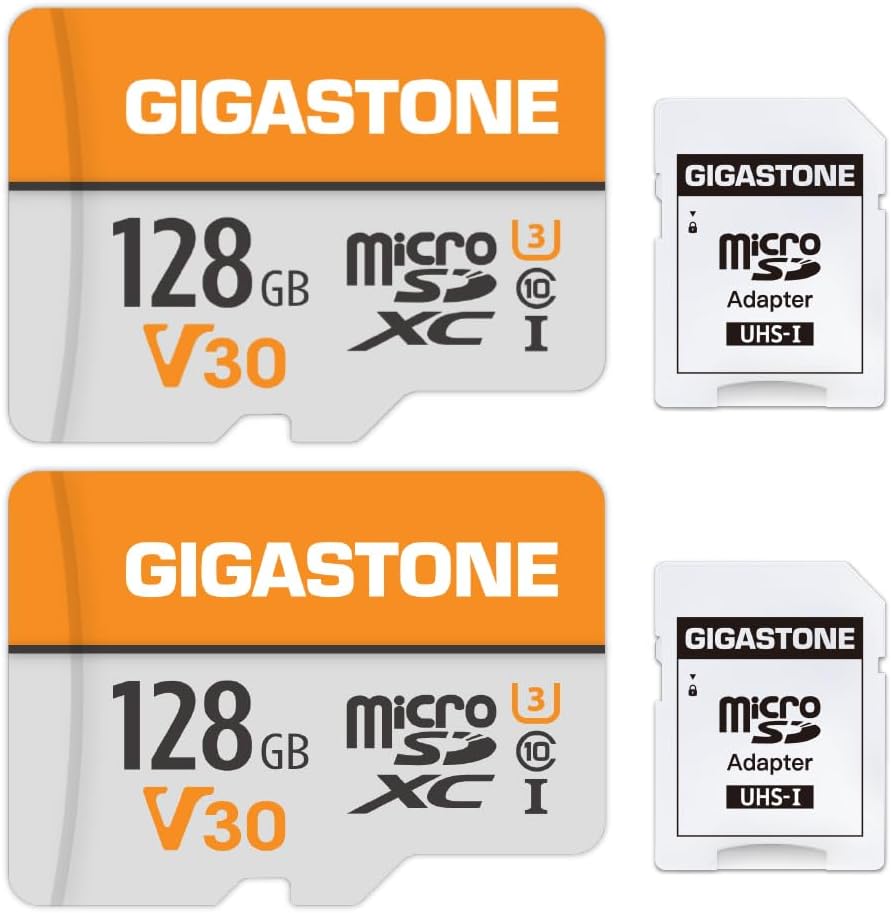
7. Gigastone 128GB 2-Pack - Best Two-Pack Spare

Gigastone 128GB 2-Pack

Gigastone 128GB 2-Pack

9.2/10★★★★★

The Gigastone 128GB 2-pack is less about a single hero card and more about operational hygiene. Dash cam owners who treat storage as consumable sleep better. One card stays in the camera; the second stays formatted and labeled in the glovebox. After an incident, you can pull the primary card as evidence and keep recording on the spare within a minute. That workflow is worth more than chasing a slightly higher peak read speed.

  • Two 128GB microSDXC cards with two adapters
  • A1 V30 Class 10 UHS-I for 4K video recording
  • Up to 95MB/s read and 40MB/s write
Check Price →
✓ Pros
  • Two cards make rotation and glovebox spares easy
  • V30 rating supports 4K-capable cameras
  • Adapters included for both cards
  • Useful across dash cams, security cams, and drones
  • Straightforward Class 10 UHS-I compatibility
✕ Cons
  • 128GB each means less retention than a single 256GB endurance card
  • May need FAT32 formatting on older devices that dislike exFAT
  • Not branded as High Endurance Pro like Gigastone’s 256GB dash cam card

Detailed review

Each card is A1 V30 Class 10 UHS-I microSDXC with claimed reads up to 95MB/s and writes up to 40MB/s. V30 is the meaningful line for 4K recording support in this pack’s value tier. Gigastone also notes that these 128GB cards ship formatted as exFAT and that older security cameras, dash cams, or Android phones may require a FAT32 format using the device’s own settings. That warning is a gift—follow it and you avoid a common first-day compatibility scare.

These are not identical to the High Endurance Pro 256GB model higher in our list. They are flexible V30 cards marketed across security cameras, dash cams, and drones. For moderate duty they work well; for the harshest parking-mode years, we still prefer the explicitly endurance-oriented cards. The 2-pack format can still complement those picks: run Samsung or SanDisk High Endurance as primary, and keep a Gigastone spare for emergencies.

Waterproof, shockproof, temperature-proof, and X-ray-proof claims cover the expected durability checklist. Warranty support is listed around five years, which is reassuring for a pair you might rotate. Format both cards in the target camera before you need them so you are not learning menus on the roadside.

Choose the 2-pack when redundancy matters as much as specs. Households with two cars, a cam plus a doorbell, or a travel kit that needs a clean spare will get more real-world value from two 128GB cards than from one slightly faster singleton without a backup.

Rotation schedule that works

Every few months, swap primary and spare after copying anything important. Formatting the outgoing card in-camera refreshes the file system and helps you notice early failure symptoms on the bench instead of during a claim.

Formatting note for older devices

If the camera rejects exFAT, use the camera’s format tool to create the filesystem it expects. Avoid relying only on a Windows format unless the manufacturer says that is acceptable.

Check Price on Amazon →

We may earn a commission at no additional cost to you.

8. Amazon Basics 128GB microSDXC - Best Budget Brand Pick

Amazon Basics 128GB microSDXC

Amazon Basics 128GB microSDXC

9.4/10★★★★★

Amazon Basics storage is easy to overlook next to SanDisk Extreme banners, but this 128GB card’s spec sheet is more serious than the house-brand name suggests. It advertises A2 and U3 performance, reads up to 100MB/s, and calls out 4K and Full HD readiness along with resistance to shock, water, temperature extremes, X-rays, and magnets. For a driver who needs a competent card without collecting boutique flash brands, that is an appealing bundle.

  • 128GB microSDXC with full-size SD adapter
  • A2 and U3 with reads up to 100MB/s
  • Shock, water, and temperature resistance claims for outdoor use
Check Price →
✓ Pros
  • U3 and A2 ratings look strong on paper for the value tier
  • Clear usable-capacity guidance in the product details
  • Adapter included for laptop offload
  • Solid customer rating in this pack
  • Temperature and shock resistance aimed at travel and dashcam-like use
✕ Cons
  • Not sold as a dedicated high-endurance monitoring card
  • 128GB limits long 4K retention
  • Brand basics line varies more in perception than Samsung or SanDisk endurance SKUs

Detailed review

The listing even discusses real-world usable capacity ranges, which is refreshingly honest. After formatting you will not see the full decimal 128GB, and Amazon Basics says so up front. That transparency helps set expectations when a dash cam reports free space that looks “low” to someone used to marketing numbers.

For dash cams, U3 is a better starting point than U1 Ultra cards when bitrates climb. Still, this is not marketed with the same High Endurance or PRO Endurance rewrite narrative as our top picks. We treat it as a capable generalist that can serve light-to-moderate loop recording, especially on 1080p cameras, while reminding heavy parking-mode users that endurance-labeled cards remain the preferred primary choice.

Adventure-oriented durability ratings and a temperature window cited for outdoor use make it more plausible in a car than a bare-bones mystery card. Pair it with good habits: in-camera format, periodic health checks, and prompt offload of locked events. If you buy it as a spare while a Samsung or SanDisk endurance card runs as primary, you get brand-backed redundancy without overthinking the kit.

We slot it as Best Budget Brand Pick because the ratings, adapter, and clarity around capacity punch above the Basics branding, even though dedicated endurance models still own the top of this guide for 24/7 automotive duty.

Good fit scenarios

Secondary car, occasional-use camera, or a spare that needs U3 credibility without jumping to Extreme-class tiers. Also fine for mixed phone and travel camera use when dash cam duty is part-time.

Watch-outs

Confirm Nintendo Switch compatibility notes if you also game with the card, and always check your dash cam’s max capacity. This review is about car video first; console quirks are secondary.

Check Price on Amazon →

We may earn a commission at no additional cost to you.

9. MindStor 128GB Micro SDXC - Best Simple HD Loop

MindStor 128GB Micro SDXC

MindStor 128GB Micro SDXC

8.8/10★★★★☆

MindStor’s 128GB card is a straightforward pitch: built for dash cams and security cameras, oriented around 24/7 loop recording, and tuned for Full HD 1080p without dropped frames. That honesty is useful. Not every driver needs a V30 4K monster. Plenty of commuting cams still record excellent evidence at 1080p, and a card that admits that mission can be the right tool instead of overbuying.

  • 128GB microSDXC with adapter for dash cams and security cams
  • Up to 90MB/s read speed, U1 and A1
  • Positioned for HD 1080p loop recording
Check Price →
✓ Pros
  • Clearly marketed for dash cams and security cameras
  • Emphasizes stable 1080p loop recording without gaps
  • Includes SD adapter for flexible offload
  • Temperature, shock, water, and X-ray resistance claims
  • Usable capacity called out as above 116GB
✕ Cons
  • Lower pack rating than the major-brand endurance cards
  • U1 focus is better for 1080p than demanding 4K bitrates
  • Less brand history than Samsung or SanDisk for long fleet deployments

Detailed review

Read speeds up to 90MB/s help when you want to skim event footage quickly after a scare. U1 and A1 cover Class-style video and app-class extras, while the listing stresses resistance to temperature, shock, water, and X-rays. An SD adapter is included. Available capacity is described as higher than 116GB, which matches the usual formatting realities buyers should expect.

Because the pack rating sits below the SanDisk, Samsung, Gigastone, and Amazon Basics cards, we treat MindStor as a value-oriented option for simpler cameras rather than a fleet-standard endurance king. If your camera is 1080p, your climate is not extreme, and you replace cards on a schedule, it can serve. If you run high-bitrate 4K, dual lenses, or aggressive parking surveillance in desert heat, step up to the endurance leaders.

Installation advice is the same as everywhere else in this guide. Format in the dash cam, verify continuous recording for a full day, and confirm that locked event files survive reboot. Keep a spare if this card becomes your primary—value cards are where rotation strategies pay for themselves.

We include it as Best Simple HD Loop Card because it matches a real buyer segment: people who want a dash-cam-labeled 128GB stick for 1080p without paying for Extreme-class marketing. Just buy with the rating and speed-class limits in mind.

Best matched cameras

Entry and midrange single-lens 1080p dash cams and indoor security cameras that recommend Class 10 microSDXC cards around 128GB.

When to spend up

Move to Gigastone High Endurance Pro, Samsung PRO Endurance, or SanDisk High Endurance if you enable high-bitrate 4K, see write errors, or depend on parking mode evidence for insurance.

Check Price on Amazon →

We may earn a commission at no additional cost to you.

10. 64GB MicroSD Kit with USB Reader - Best Starter Kit

64GB MicroSD Kit with USB Reader

64GB MicroSD Kit with USB Reader

8.6/10★★★★☆

This 64GB kit is the practical starter bundle in the pack: a U3 V30 A1 Class 10 microSDXC card plus a USB-A 3.0 reader and a full-size SD adapter. If your laptop has no SD slot and your dash cam arrived without a card, the kit removes two shopping trips. For 1080p cameras with modest bitrates, 64GB can still hold a useful loop window, especially if you drive shorter daily routes and offload events often.

  • 64GB U3 V30 A1 Class 10 microSDXC
  • USB-A 3.0 reader and SD adapter included
  • Aimed at 1080p dash cams, security cams, and phones
Check Price →
✓ Pros
  • Complete kit with reader and adapter out of the box
  • U3 V30 ratings are stronger than many tiny starter cards
  • Fine for 1080p loop recording on capacity-limited cams
  • Wide device compatibility notes for phones and cams
  • Useful travel kit when you lack a built-in SD slot
✕ Cons
  • 64GB fills quickly on modern high-bitrate or dual-lens cams
  • Lowest rating in this pack
  • Not enough capacity for long parking-mode history on 4K units

Detailed review

The speed ratings are surprisingly grown-up for a small-capacity kit. U3 and V30 support standard 4K UHD at 30fps-class workloads and continuous loop recording on paper, with reads up to 100MB/s and writes up to 30MB/s cited. Capacity, not class, is the limiter. Dual 4K systems will overwrite quickly. Older cameras that only officially support smaller cards may actually prefer 64GB for compatibility, which is one reason this size still appears in dash cam kits.

Durability language covers waterproofing, shock, magnets, X-rays, and a wide temperature range, which is appropriate for cars and trail cameras. The listing’s most important tip is to format the card in the camera or dash cam menu before first use, not only on a PC, to prevent memory errors. Follow that advice and you avoid a large share of early “card error” returns across every brand.

We rank it last among these ten not because the kit idea is bad, but because most 2026 dash cam buyers are better served by 128GB or 256GB endurance cards for retention. Choose this when you need the reader, your camera likes 64GB, or you want a cheap travel offload kit. Plan to grow into Samsung PRO Endurance, SanDisk High Endurance, or Gigastone’s 256GB Pro once recording quality or parking mode outgrows the smaller stick.

As a glovebox companion to a larger primary card, the reader alone has value. Pull the main card after an incident, copy files over USB 3.0, and get back on the road. That workflow is why a starter kit still belongs in a serious roundup even when it is not the best long-term primary storage.

Who should start here

First-time dash cam owners with 1080p units, travelers who need a USB reader, and anyone whose camera documentation lists 64GB as a validated size.

Upgrade trigger

If loop overwrite removes footage you still needed within a day, or you enable higher resolutions, move to at least 128GB endurance storage and keep this kit as the offload tools.

Kit tip

Store the reader in the glovebox inside a small pouch. Roadside transfers are easier when you are not hunting cables through a backpack.

Check Price on Amazon →

We may earn a commission at no additional cost to you.

Best MicroSD Cards for Dash Cam in 2026

Buying Guide: How to Choose a MicroSD Card for a Dash Cam

Prioritize endurance over peak marketing speed

Dash cams write, delete, and rewrite small video files for months. That workload wears cards differently than storing albums on a phone. High Endurance, PRO Endurance, and similar monitoring lines exist because consumer Ultra-style cards can fail earlier under constant loops. Fast read speeds are nice when offloading, but sustained write stability and endurance branding matter more in the windshield.

If a listing only boasts phone app speed and never mentions dash cams, security cameras, or monitoring, treat it as a secondary choice. In this pack, Samsung PRO Endurance, SanDisk High Endurance, and Gigastone High Endurance Pro are the clearest primary-fit products.

Match capacity to your camera’s validated maximum

More gigabytes only help if the firmware understands them. Check the manual for maximum supported capacity before buying 512GB. Many modern cams are happy at 256GB or 512GB; plenty of older or budget units are happiest at 128GB or even 64GB.

As a rule of thumb, 64GB suits basic 1080p with short retention, 128GB covers most single-lens setups, 256GB is the comfort zone for higher quality and light dual-channel use, and 512GB is for dual 4K or drivers who need a longer on-card history.

Understand U1, U3, V10, and V30 in plain language

Video Speed Class and UHS Speed Class describe minimum sustained write performance. V30 and U3 are the safer targets for 4K dash cams. V10 and U1 can be enough for efficient Full HD. Buying a V30 card for a 1080p cam is fine; buying a bare U1 card for a finicky high-bitrate 4K cam is how frame drops begin.

A1 and A2 ratings matter more for phones running apps from the card than for dash cams. They are a bonus, not the reason to choose a windshield card.

Respect heat, vibration, and parking mode

Cabin temperatures in summer can be brutal. Prefer cards with explicit temperature and durability testing, mount the camera so it is secure, and remember that parking mode multiplies write cycles while you sleep. If you rely on overnight coverage for hit-and-runs, endurance cards are not optional accessories—they are part of the safety system.

Beware of counterfeit and mismatched cards

Buy from reputable listings and be skeptical of capacities that seem too good to be true. After install, record for a long session and verify playback. Tools and camera error logs can reveal fake or failing cards early. Stick to the pack products here rather than mystery sticks with recycled photos.

Plan an offload path before you need it

After a collision you will not want to discover that your only computer lacks an SD slot. Kits with USB readers, or cards that include full-size adapters, make evidence handling less painful. Know how your camera locks files, how to disable recording safely before removal, and where you will copy footage for insurance.

Frequently Asked Questions

01

Do I really need a high-endurance microSD card for a dash cam?

If the camera records every drive and especially if parking mode stays on, yes—an endurance-oriented card is the smarter primary choice. Loop recording rewrites the same storage over and over, which ages ordinary phone cards faster. High Endurance and PRO Endurance products are designed around that pattern. A general-purpose Ultra or Basics card may work for light duty, but it is a compromise when evidence reliability matters.

02

Is V30 required for every dash cam?

No. Many Full HD cameras run happily on Class 10 U1 or V10 cards. V30 becomes important when you record higher-bitrate 4K, dual channels, or when the manufacturer explicitly lists V30 in the requirements. When in doubt for a 4K unit, V30 cards like the SanDisk High Endurance, Gigastone High Endurance Pro, Gigastone 128GB V30 pack, Amazon Basics U3, or SanDisk Extreme are safer bets than U1-only Ultra cards.

03

What size microSD card is best for a dash cam in 2026?

128GB remains the compatibility sweet spot for a huge number of cameras. 256GB is ideal when your camera supports it and you want more history. 512GB is excellent for dual 4K or long retention if—and only if—the camera officially supports it. 64GB still works for simple 1080p starters but overwrites sooner. Always obey the camera’s maximum capacity note over any general recommendation.

04

Why does my dash cam say the card is full or throw format errors?

Common causes include unsupported capacity, the wrong filesystem for that firmware, a counterfeit or failing card, or removing the card during a write. Format the card in the camera menu, verify capacity support, and test with a known good endurance card from this guide. If errors persist across multiple quality cards, the camera’s slot, cable, or firmware may be at fault instead.

05

Can I use a SanDisk Extreme card instead of High Endurance?

You can, and many people do, because Extreme cards are fast and durable. For a card that only lives in a dash cam with heavy parking mode, SanDisk’s High Endurance line or Samsung PRO Endurance is still the more purpose-matched choice. Extreme shines when you also want rapid offloads or multi-device speed for action cams and drones.

06

How often should I replace a dash cam microSD card?

Treat cards as wear items. Many cautious owners replace them every one to three years depending on climate, parking-mode hours, and bitrate. Replace sooner if you see corrupted files, recording gaps, mount errors, or repeated format prompts. Keeping a pre-formatted spare makes swaps painless.

07

Should I format the card on my computer or in the dash cam?

Prefer the dash cam’s built-in format tool. Cameras often expect specific cluster sizes or file layouts. Computer formatting can work in some cases but is a frequent source of mysterious errors. Several products in this pack explicitly warn to format in the device before first use—follow that guidance.

08

Is 64GB enough for 4K dash cam recording?

Usually not for long. 64GB can demonstrate that a camera works and may suffice for short 1080p retention, but 4K and dual-lens systems fill it quickly. If your camera supports larger cards, step up to 128GB or 256GB endurance models so you still have footage when you need it hours later.

09

What is the difference between Samsung PRO Endurance and SanDisk High Endurance?

Both target monitoring-style rewrite workloads rather than phone storage. Samsung’s PRO Endurance 128GB emphasizes extreme recording-hour longevity and CCTV/dash cam positioning with V10-class rating on this SKU. SanDisk High Endurance cards in this pack emphasize dash cam and home monitoring use with U3 V30 ratings and capacity options up to 512GB. Pick Samsung for trusted 128GB endurance, SanDisk when you need V30 and larger sizes.

10

Do the included adapters and USB readers matter?

Yes, especially after an incident. Adapters let you place a microSD card into a full-size SD slot, and USB readers help when a laptop has neither. The 64GB kit’s USB-A 3.0 reader is particularly handy for roadside or office offloads. Having a path to copy footage immediately is part of buying a complete dash cam storage setup.

Conclusion

For most drivers in 2026, the best microSD card for a dash cam is an endurance-first model that your camera officially supports. Samsung’s PRO Endurance 128GB is our all-around pick for trustworthy rewrite life, SanDisk’s 512GB High Endurance is the capacity upgrade for dual-lens and long retention needs, and Gigastone’s 256GB High Endurance Pro is the value-minded dash-cam specialist with V30 credentials.

If you need blistering offload speeds or share a card with action gear, SanDisk Extreme 256GB is the performance outlier. Keep Ultra, Basics, MindStor, and small starter kits in supporting roles—spares, light-duty cams, or complete reader bundles—rather than as the default for hot parking-mode duty.

Format in the camera, test before you rely on the system, archive anything important, and replace cards on a schedule. Do that, and the right microSD card turns a dash cam from a hopeful gadget into evidence you can actually use.