Expert Review & Guide

Best Lightweight Gaming Mouse 2026: Ultra-Light Picks Compared

A lightweight gaming mouse changes more than how your arm feels after a long ranked night. Cutting shell mass and concentrating weight near the sensor makes micro-adjustments cheaper, flicks less fatiguing, and stop-start tracking more consistent when you play on a large pad at medium or low sensitivity. In 2026 the category is crowded with true sub-60 g esports shells, feature-heavy wireless successors to classic shapes, and wired options that still undercut the premium wireless tax. The hard part is not finding a light mouse. It is matching shape, switch feel, polling rate, and battery reality to the games you actually play.

This guide sticks to the ten products in our Amazon pack for best lightweight gaming mouse. We favor mice that are genuinely light or that represent meaningful steps toward lighter competitive control, while still covering ergonomic and value options buyers often compare in the same shopping session. Ratings reflect the Amazon listing at the time of writing. We do not print dollar prices because promotions move weekly; open each product link for the live offer and current stock.

Start with the three top picks if you want a shortlist: a 54 g wireless esports flagship, a 60 g championship-proven wireless icon, and a next-generation magnetic-switch wireless mouse for click customization. Use the comparison table to separate ultra-light ambidextrous shells from heavier ergonomic and feature-rich designs. Then read each review for who should buy, who should skip, and how weight, sensor, and software trade off in real use.

Our Top Lightweight Gaming Mouse Picks for 2026

Best Ultra-Light Esports

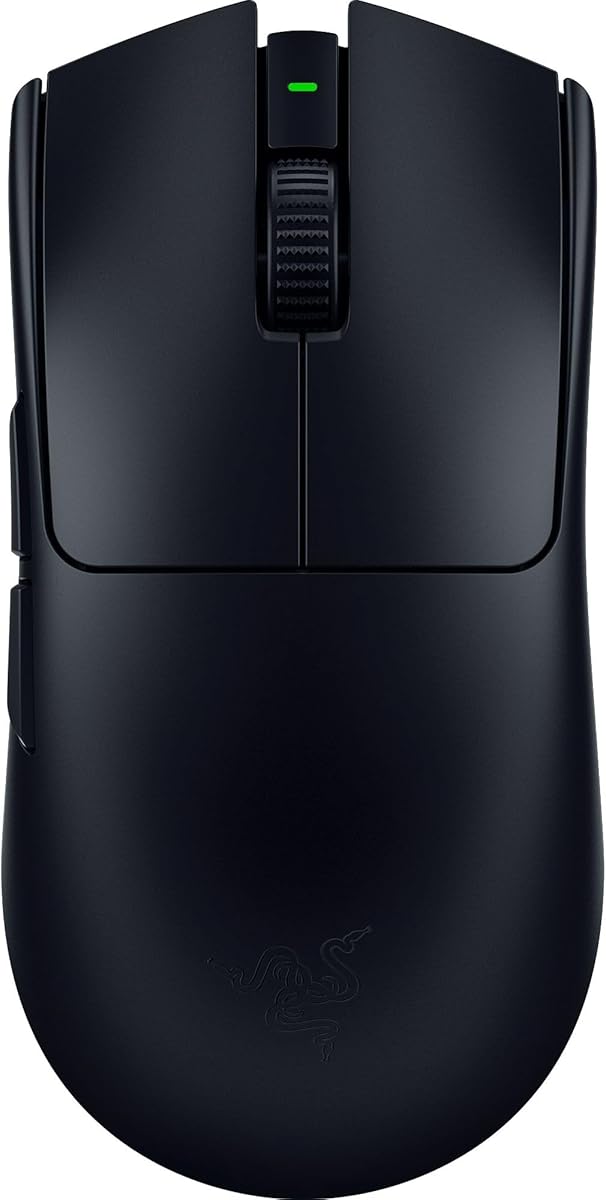
Razer Viper V3 Pro Wireless Esports Gaming Mouse

★★★★★9.2/10
Razer Viper V3 Pro Wireless Esports Gaming Mouse
  • 54 g ultra-lightweight shell tuned with pros for fast, low-fatigue flicks and tracking
  • Focus Pro 35K optical sensor with 1-DPI steps and strong glass-surface tracking support
  • Up to 8000 Hz HyperPolling wireless with up to 95 hours of competitive battery life
Check Price →
Best Pro Classic Wireless

Logitech G PRO X Superlight 2 Wireless Gaming Mouse

★★★★★9.2/10
Logitech G PRO X Superlight 2 Wireless Gaming Mouse
  • 60 g symmetrical shell with HERO 2 sensor up to 44,000 DPI and 888+ IPS tracking
  • Up to 8 kHz polling, USB-C charging, and roughly 95-hour battery with POWERPLAY support
  • LIGHTFORCE hybrid switches and zero-additive PTFE feet aimed at tournament consistency
Check Price →
Best Customizable Click

Logitech G PRO X2 SUPERSTRIKE Wireless Gaming Mouse

★★★★★9.4/10
Logitech G PRO X2 SUPERSTRIKE Wireless Gaming Mouse
  • 61 g lightweight wireless mouse with magnetic analog switches and rapid-trigger tuning
  • HERO 2 sensor up to 44,000 DPI plus haptic inductive feedback for click confirmation
  • LIGHTSPEED wireless with up to 8 kHz polling and roughly 60–90 hours of battery life
Check Price →

As an Amazon Associate we earn from qualifying purchases. We may earn a commission at no additional cost to you.

Lightweight Gaming Mouse Comparison: Weight, Sensor, Connection

Use this table to separate true ultra-light esports shells from feature-rich and ergonomic mice that still appear in the same shopping set. Specs highlight the three details that decide daily aim: claimed weight or design focus, sensor class, and how the mouse connects. No prices are listed—check the live Amazon page for the current deal.

#ProductSpecificationsScore
1
  • 54 g ultra-lightweight wireless esports shell
  • Focus Pro 35K optical sensor, Gen-3 optical switches
  • Up to 8000 Hz HyperPolling, ~95 hr battery
9.2
2
  • 60 g symmetrical wireless pro shell
  • HERO 2 sensor up to 44,000 DPI
  • Up to 8 kHz polling, ~95 hr battery, POWERPLAY ready
9.2
3
  • 61 g lightweight wireless with magnetic analog switches
  • HERO 2 sensor up to 44,000 DPI, haptic click feedback
  • LIGHTSPEED up to 8 kHz, ~60–90 hr battery
9.4
4
  • 58 g lightweight wired shell with Speedflex cable
  • 8500 DPI optical sensor, Gen-3 optical switches
  • Chroma RGB underglow and 100% PTFE feet
9
5
  • 82 g mass-centralized wireless design
  • Focus Pro 30K optical sensor, AA battery power
  • HyperSpeed wireless with up to ~280 hr battery
9
6
  • Wireless G502 successor with LIGHTFORCE switches
  • HERO 25K sensor, 13 buttons, dual-mode scroll
  • LIGHTSPEED wireless, RGB, POWERPLAY compatible
9
7
  • HERO sensor up to 25,600 DPI with zero smoothing
  • 11 programmable buttons and dual-mode scroll wheel
  • Adjustable weight tray with up to five 3.6 g weights
9.2
8
  • Ergonomic shell with thumb rest and 11 buttons
  • Focus+ 26K DPI sensor, Gen-2 optical switches
  • HyperScroll tilt wheel and 11-zone Chroma RGB
9.2
9
  • Ergonomic wireless with 9 programmable controls
  • 18K optical sensor, HyperSpeed or Bluetooth modes
  • Up to ~285 hr HyperSpeed / ~535 hr Bluetooth battery
8.8
10
  • Classic ergonomic wired DeathAdder shape
  • 6400 DPI optical sensor with on-the-fly DPI buttons
  • 5 programmable buttons and rubberized side grips
9

1. Viper V3 Pro - Best Ultra-Light Esports

Razer Viper V3 Pro Wireless Esports Gaming Mouse

Razer Viper V3 Pro Wireless Esports Gaming Mouse

9.2/10★★★★★

The Razer Viper V3 Pro is the clearest ultra-light wireless statement in this pack. At 54 grams it sits in the weight class competitive players chase when they want the mouse to disappear under the hand. The shell is balanced for swift direction changes rather than for resting a heavy palm through long MMO sessions, which is exactly the point of a best lightweight gaming mouse shortlist. If your aim style is low or mid sensitivity with large arm movements, the mass reduction shows up as less late-session drift and cleaner stops after flicks.

  • 54 g ultra-lightweight wireless esports shell
  • Focus Pro 35K optical sensor, Gen-3 optical switches
  • Up to 8000 Hz HyperPolling, ~95 hr battery
Check Price →
✓ Pros
  • True 54 g wireless weight that makes large-pad flicks and corrective micro-aims feel cheaper
  • Focus Pro 35K sensor with fine 1-DPI steps and strong multi-surface tracking claims including glass
  • Up to 8000 Hz HyperPolling paired with HyperSpeed wireless for tournament-style responsiveness
  • Gen-3 optical switches with a long click lifecycle and very low actuation delay
  • Long competitive battery life around 95 hours for scrims and event schedules
✕ Cons
  • Ambidextrous ultra-light shell may feel sparse if you want a deep palm fill or many side buttons
  • Full feature tuning depends on Razer Synapse and Windows pointer settings hygiene
  • Premium esports positioning means it is overkill if you only need casual desktop pointing

Detailed review

Sensor performance is the other half of the story. The Focus Pro 35K optical sensor Gen-2 supports granular sensitivity tuning in 1-DPI steps and claims strong tracking on a wider range of surfaces, including glass. That matters less for someone already on a quality cloth pad and more for desks that mix hard surfaces, glass mousepads, or uneven textures. Intelligent sensor functions and Synapse calibration help you keep raw input honest once you disable Windows enhance pointer precision.

Wireless is built around HyperSpeed with HyperPolling up to 8000 Hz. High polling is not magic by itself, but paired with a light shell and stable dongle design it reduces the feeling of soft aim during fast flicks. Battery life up to about 95 hours is realistic for a competitive schedule if you keep lighting modest and charging habits consistent. The mouse is aimed at PC and Mac users who want tournament-adjacent performance without a cable whip on the pad.

Gen-3 optical mouse switches target two long-standing complaints with mechanical clickers: double-click aging and debounce delay. Razer rates them for a high click lifecycle and roughly 0.2 ms actuation with no debounce delay. In practice that means a crisp primary click that stays consistent through grind sessions. Eight programmable controls cover the essentials for FPS and battle royale without turning the shell into a MMO button farm.

Who should buy this mouse is straightforward. Competitive FPS and tactical shooter players who already know they like ambidextrous or low-hump shapes will get the most from the Viper V3 Pro. Claw and fingertip users who swipe across a large pad will feel the weight advantage immediately. Palm grippers with very large hands may prefer a taller ergonomic shell even if that means giving up a few grams of lightness.

Tradeoffs are honest. You are buying a purpose-built esports tool, not a feature museum. There is no weight tuning tray, no deep thumb paddle cluster, and no infinite free-spin productivity scroll like a G502-class mouse. Software setup rewards a few minutes of Synapse work and OS cleanup. If those constraints match how you play, the Viper V3 Pro is the strongest ultra-light wireless pick here.

Who it is for

Choose the Viper V3 Pro if your priority list starts with weight, wireless consistency, and high-end sensor control. It fits ranked FPS, Valorant-style aim trainers, and anyone migrating from heavier mice who wants a true sub-60 g competitive shell. Skip it if you need many macros, a right-handed thumb rest, or the cheapest possible entry mouse.

Setup notes for cleaner aim

Disable enhance pointer precision in Windows, set a single in-game sensitivity, and use Synapse for DPI stages and polling. Test 1000 Hz first if your system or pad introduces noise, then step up toward higher HyperPolling once tracking feels stable. Keep the dongle clear of dense USB 3.0 interference when possible.

Versus Superlight 2

Both are elite lightweight wireless mice. The Viper V3 Pro is lighter at 54 g and leans into Razer’s HyperPolling stack. The Superlight 2 offers Logitech’s familiar symmetrical pro shape, HERO 2 sensor, and POWERPLAY charging ecosystem. Pick by shape preference and software ecosystem more than by marketing DPI ceilings.

Check Price on Amazon →

We may earn a commission at no additional cost to you.

2. G PRO X Superlight 2 - Best Pro Classic

Logitech G PRO X Superlight 2 Wireless Gaming Mouse

Logitech G PRO X Superlight 2 Wireless Gaming Mouse

9.2/10★★★★★

The Logitech G PRO X Superlight 2 is the refined continuation of one of the most influential lightweight wireless mice in esports. At 60 grams it is slightly heavier than the Viper V3 Pro, yet still firmly in the competitive ultra-light tier. The symmetrical shape is intentionally familiar: many players already know where their fingers land, which shortens the adaptation period when upgrading from older Superlight or similarly flat shells.

  • 60 g symmetrical wireless pro shell
  • HERO 2 sensor up to 44,000 DPI
  • Up to 8 kHz polling, ~95 hr battery, POWERPLAY ready
Check Price →
✓ Pros
  • 60 g championship-proven symmetrical shape that many pros already know by feel
  • HERO 2 sensor with high IPS, high G-force handling, and up to 44,000 DPI without smoothing
  • Up to 8 kHz polling with USB-C charging and long battery life around 95 hours
  • LIGHTFORCE hybrid switches balancing optical speed with mechanical-style click feel
  • POWERPLAY wireless charging support for nearly uninterrupted desk play
✕ Cons
  • Only five buttons, so MMO and productivity macro users will feel limited
  • Symmetrical low shell is not ideal for users who want a pronounced right-handed hump
  • Advanced features and charging accessories depend on Logitech G HUB and optional POWERPLAY

Detailed review

HERO 2 is the tracking engine. Logitech cites tracking over 888 IPS, high G-force tolerance, and DPI up to 44,000 with zero smoothing, acceleration, or filtering. Those headline numbers matter less than consistency at the sensitivities people actually use. What you feel day to day is stable cursor behavior during micro-corrections and fast swipes, especially when paired with a quality pad and raw input in game.

Polling up to 8 kHz and USB-C charging modernize the platform without changing the core identity. Battery life around 95 hours keeps charge anxiety low for most weekly schedules. POWERPLAY compatibility is a genuine lifestyle upgrade if you already own or plan to buy Logitech’s wireless charging pad ecosystem, because the mouse can stay topped up while you play and while it rests.

LIGHTFORCE hybrid switches are meant to deliver optical actuation speed with a more tactile mechanical click character. Zero-additive PTFE feet help the shell glide with less sticky breakaway on cloth pads. Together with the light chassis, the Superlight 2 feels purpose-built for long aim-trainer blocks and tournament days where fatigue and consistency matter more than RGB theaters.

This mouse is an excellent default for competitive FPS players who want a known shape and a mature wireless stack. It is less compelling if your games demand many side buttons, if you strongly prefer a deep right-handed ergonomic fill, or if you want magnetic rapid-trigger click tuning like the SUPERSTRIKE. Five buttons keep the shell clean and light, but that cleanliness is also a limitation.

As a best lightweight gaming mouse pick, Superlight 2 earns its place through balance rather than extremes. It is light enough to feel modern, familiar enough to trust in ranked, and flexible enough for PC and Mac desks that already live in Logitech G HUB. If you value ecosystem continuity and a proven pro silhouette, start here before chasing every newer gimmick.

Who it is for

Buy Superlight 2 if you want a tournament-proven 60 g wireless mouse with a symmetrical shell, long battery life, and optional POWERPLAY charging. It suits claw, fingertip, and relaxed claw grips on medium to large hands. Skip it if you need a thumb rest, thirteen buttons, or the absolute lightest shell in the pack.

Grip and pad pairing

The low symmetrical hump rewards consistent finger placement more than deep palm contact. Pair it with a large cloth pad if you play low sensitivity. If your hand constantly searches for a taller rear fill, try an ergonomic shape instead of forcing this shell.

Versus SUPERSTRIKE

Superlight 2 is the refined classic. SUPERSTRIKE is the experimental click platform with magnetic analog switches and haptics at a similar lightweight class. Choose Superlight 2 for proven simplicity; choose SUPERSTRIKE if adjustable actuation and click feedback are the features you have been waiting for.
Check Price on Amazon →

We may earn a commission at no additional cost to you.

3. G PRO X2 SUPERSTRIKE - Best Customizable Click

Logitech G PRO X2 SUPERSTRIKE Wireless Gaming Mouse

Logitech G PRO X2 SUPERSTRIKE Wireless Gaming Mouse

9.4/10★★★★★

The Logitech G PRO X2 SUPERSTRIKE is the pack’s clearest attempt to reinvent the click, not just shave grams. At about 61 grams it remains a true lightweight wireless gaming mouse, but the headline is customizable rapid-trigger magnetic analog switches with multi-level actuation points and reset behavior. For players who already optimized DPI and polling, click timing is the next variable worth tuning.

  • 61 g lightweight wireless with magnetic analog switches
  • HERO 2 sensor up to 44,000 DPI, haptic click feedback
  • LIGHTSPEED up to 8 kHz, ~60–90 hr battery
Check Price →
✓ Pros
  • Magnetic analog switches with deep actuation and rapid-trigger customization for click timing
  • Haptic inductive feedback that confirms clicks without relying only on traditional switch travel feel
  • 61 g lightweight wireless shell with HERO 2 tracking up to 44,000 DPI
  • LIGHTSPEED wireless with up to 8 kHz polling and strong claimed battery endurance
  • Highest pack rating among the ultra-light wireless options at the time of writing
✕ Cons
  • Advanced click systems reward software tuning and may overwhelm players who want a fixed mechanical feel
  • Battery life range of roughly 60–90 hours is solid but not the longest wireless option here
  • POWERPLAY 2 and full feature access depend on ecosystem accessories and G HUB

Detailed review

Logitech positions the mouse as designed with pros and engineered for faster click performance, including a claimed substantial click-speed advantage in esports scenarios. Whether you feel that as raw latency or as more confidence in short taps depends on your games and settings. What is concrete is the depth of customization: actuation points and rapid-trigger reset levels let you shape primary clicks around spray control, peek shooting, or fast AWP-style tap timing.

Haptic feedback via the Haptic Inductive Trigger System adds another layer. Instead of only hearing and feeling a traditional switch bottom-out, you get real-time haptic confirmation that can be adjusted for immersion and play style. Some players will love the clarity. Others will turn haptics down and focus on the magnetic switch tuning alone. The important part is that click feel is no longer a fixed factory decision.

Tracking still sits on HERO 2 with high IPS, high G-force handling, and DPI up to 44,000. The thin-wall case and large UHMWPE feet reinforce the lightweight glide story. LIGHTSPEED wireless with up to 8 kHz polling keeps the connection in the same competitive conversation as other flagship Logitech mice, while USB-C charging and roughly 60 to 90 hours of battery life cover most weekly play blocks.

Compatibility with PC and Mac, plus POWERPLAY 2 enablement for continuous wireless play, makes SUPERSTRIKE a future-facing desk piece if you invest in Logitech’s charging ecosystem. It is not the mouse you buy only because a listing says lightweight. It is the mouse you buy when lightweight performance and click customization both matter.

The main caution is complexity. If you want a set-and-forget optical clicker with no learning curve, Superlight 2 or Viper V3 Pro may frustrate you less. If you enjoy tuning and believe primary click behavior is part of aim, SUPERSTRIKE is the most distinctive premium lightweight option in this roundup.

Who it is for

SUPERSTRIKE fits competitive players who want a light wireless shell and are willing to tune magnetic switches, rapid trigger, and haptics in G HUB. It is especially interesting for FPS players who already optimized everything else. Casual users who never open software may not extract the value.

Tuning mindset

Start with conservative actuation settings, then change one variable at a time during aim trainers or deathmatch. Treat haptics as optional confirmation rather than a requirement. Save profiles for different games if your click timing needs diverge between tactical shooters and arena titles.

Check Price on Amazon →

We may earn a commission at no additional cost to you.

4. Razer Cobra - Best Budget Lightweight Wired

Razer Cobra Wired Gaming Mouse

Razer Cobra Wired Gaming Mouse

9/10★★★★★

The Razer Cobra is the pack’s best answer for players who want lightweight performance without paying the full wireless flagship premium. At 58 grams it is legitimately light, and the wired design avoids battery placement tradeoffs that can push some wireless mice heavier. For many aim styles, a clean Speedflex cable on a bungee is still a competitive setup, especially if your desk already has cable management.

  • 58 g lightweight wired shell with Speedflex cable
  • 8500 DPI optical sensor, Gen-3 optical switches
  • Chroma RGB underglow and 100% PTFE feet
Check Price →
✓ Pros
  • True 58 g lightweight wired design that delivers ultra-light control without battery bulk
  • Gen-3 optical switches with fast actuation and a long rated click lifecycle
  • Speedflex cable and PTFE feet help the wired mouse feel closer to wireless glide
  • Chroma RGB with underglow for players who still want lighting on a light shell
  • Accessible way into lightweight aim without committing to a flagship wireless ecosystem
✕ Cons
  • Wired cable will always be a factor on cluttered desks even with a flexible Speedflex design
  • 8500 DPI sensor is capable but not the same flagship ceiling as 30K–44K pack leaders
  • Fewer connectivity conveniences than the wireless esports mice above it

Detailed review

Gen-3 optical switches are a strong inclusion at this tier. Razer cites a 90-million click lifecycle, elimination of classic double-click failure modes, and about 0.2 ms actuation without debounce delay. That gives the Cobra a click story closer to higher-end Razer mice than older mechanical budget options. The 8500 DPI optical sensor supports fine adjustment in 50 DPI increments, which is enough granularity for most FPS and hybrid gaming setups.

Glide and lighting round out the personality. One-hundred percent PTFE feet on the front, rear, and sensor ring help the shell skate smoothly. Chroma lighting with gradient underglow makes the mouse more expressive than many stripped esports tools, reacting with Chroma-integrated games when you want immersion. If RGB is irrelevant, you can tone it down in Synapse and keep the focus on weight and clicks.

The Cobra is built to fit most grip styles rather than one extreme silhouette. That makes it a flexible recommendation for players stepping into lightweight mice for the first time. You get fast precise control claims and long-session comfort without needing to master magnetic switches or 8 kHz wireless stacks on day one.

Limitations are predictable. A cable can snag if you refuse a bungee. Sensor marketing ceilings are lower than Viper V3 Pro or Superlight 2. There is no multi-day wireless battery narrative. None of that disqualifies it as a lightweight gaming mouse; it simply defines the Cobra as the practical wired ultra-light pick.

Buy the Cobra if you want sub-60 g handling, modern optical switches, and Razer software control on a wired budget-friendly path. Skip it if wireless freedom is non-negotiable or if you need a dense side-button layout for MMO abilities.

Who it is for

Ideal for students, first serious FPS upgrades, and anyone who prefers wired reliability with a truly light shell. Also smart as a backup tournament cable mouse. Less ideal for couch PC setups or ultra-minimal desks where a cable is visually or physically annoying.

Wired lightweight tips

Use a mouse bungee, route excess cable off the pad, and keep the Speedflex path as straight as possible during large swipes. Disable enhance pointer precision and set DPI in Synapse so the sensor, not Windows acceleration, owns your aim curve.

Check Price on Amazon →

We may earn a commission at no additional cost to you.

5. Viper V3 HyperSpeed - Best Battery-Life Wireless

Razer Viper V3 HyperSpeed Wireless PC Gaming Mouse

Razer Viper V3 HyperSpeed Wireless PC Gaming Mouse

9/10★★★★★

The Razer Viper V3 HyperSpeed is a lightweight-leaning wireless mouse that prioritizes endurance and value over absolute minimum grams. At 82 grams with a mass-centralized design, it aims to keep swipes consistent even though a AA battery lives in the shell. That is a different engineering brief from the Viper V3 Pro, and it matters when shopping the best lightweight gaming mouse category: not every strong wireless pick is a 50-something gram flagship.

  • 82 g mass-centralized wireless design
  • Focus Pro 30K optical sensor, AA battery power
  • HyperSpeed wireless with up to ~280 hr battery
Check Price →
✓ Pros
  • 82 g mass-centralized design that stays manageable while using a replaceable AA battery
  • Focus Pro 30K sensor with forward placement and broad surface tracking including glass
  • Exceptional battery endurance up to about 280 hours on a single AA cell
  • HyperSpeed wireless with multi-device support for cleaner esports-style setups
  • On-mouse DPI control for fast sensitivity changes without diving into menus mid-session
✕ Cons
  • Heavier than the true ultra-light flagships at 54–61 g in this roundup
  • AA power is convenient for endurance but changes balance versus internal-battery shells
  • Mechanical Gen-2 switches lack the optical no-debounce story of Razer’s newer optical lines

Detailed review

Focus Pro 30K optical sensing with forward sensor placement is a real competitive asset. Razer emphasizes finer accuracy and tracking on more surfaces, including glass, plus intelligent sensor functions. For players who move between pads or travel with a laptop and whatever desk they find, that flexibility is more useful than another unused DPI zero on a marketing sheet.

Battery life is the headline advantage. Up to around 280 hours on a single AA battery means fewer charge rituals and easy battery swaps before a LAN or long weekend. HyperSpeed wireless targets low-latency stability even in noisy wireless environments and supports multi-device pairing for streamlined setups. That combination makes the Viper V3 HyperSpeed especially attractive for dual-purpose gaming and school or work desks.

Mechanical mouse switches Gen-2 with gold-plated contacts are rated around 60 million clicks. They provide crisp execution without the optical switch architecture used on Viper V3 Pro and Cobra. Six programmable buttons cover the essentials, and the top DPI button can toggle stages or be remapped. The shape remains in the Viper family language: relatively fast and low rather than a tall ergonomic brick.

This mouse is best for players who want wireless freedom and long battery life without jumping straight to the lightest, most expensive esports shell. It is also a sensible pick if you like the idea of swapping AAs instead of nursing a rechargeable pack through a trip. It is less ideal if your only goal is the lowest possible swing weight for aim training.

In a lightweight roundup, treat the Viper V3 HyperSpeed as the practical mid-light wireless option. It will feel lighter than classic heavy MMO mice and many older wireless designs, yet the 54 g and 60 g flagships still win pure flick economy. Choose based on whether endurance and value outrank minimum mass.

Who it is for

Buy this if you want HyperSpeed wireless, strong sensor performance, and marathon AA battery life in a still-reasonable weight. Great for students and hybrid gamers. Skip it if you are specifically shopping for a sub-60 g tournament shell.

Battery and balance notes

Use a quality alkaline or lithium AA and keep a spare for events. Because balance depends on the cell, avoid mixing depleted and fresh batteries during a long session if you are sensitive to center-of-mass shifts.

Check Price on Amazon →

We may earn a commission at no additional cost to you.

6. G502 X Plus - Best Feature-Rich Wireless

Logitech G502 X Plus Wireless RGB Gaming Mouse

Logitech G502 X Plus Wireless RGB Gaming Mouse

9/10★★★★★

The Logitech G502 X Plus is not a 54 g featherweight, and that honesty belongs up front in a lightweight gaming mouse guide. It earns a seat because many shoppers compare feature-rich wireless legends against ultra-light shells in the same cart. The G502 X Plus reinvented the famous G502 formula with LIGHTFORCE hybrid optical-mechanical switches, LIGHTSPEED wireless, HERO 25K sensing, and a dense control layout for players who refuse to give up buttons for grams.

  • Wireless G502 successor with LIGHTFORCE switches
  • HERO 25K sensor, 13 buttons, dual-mode scroll
  • LIGHTSPEED wireless, RGB, POWERPLAY compatible
Check Price →
✓ Pros
  • Modern wireless remake of the iconic G502 shape with LIGHTFORCE hybrid switches
  • HERO 25K sensor precision with LIGHTSPEED wireless responsiveness
  • Thirteen buttons and dual-mode scroll for MMO, productivity, and tactical macros
  • LIGHTSYNC RGB with play-aware battery optimization features
  • POWERPLAY charging compatibility for continuous wireless desk use
✕ Cons
  • Much heavier and more feature-dense than true ultra-light ambidextrous esports mice
  • Shape and button count can overwhelm pure aim-trainer minimalists
  • Best experience assumes G HUB setup and optional charging accessories

Detailed review

LIGHTFORCE switches aim for fast, reliable actuation with a crisp response suited to long gaming days. The HERO 25K sensor remains a high-precision engine with sub-micron level tracking claims and no smoothing, filtering, or acceleration. LIGHTSPEED wireless is described as a meaningfully faster response generation than prior G502 wireless eras, which matters if you are upgrading from older cordless G502 variants.

Where this mouse thrives is control density. Thirteen buttons, a reversible or removable DPI-shift control, and a dual-mode scroll wheel with free spin, ratcheting, and tilt inputs make it a command center. That is ideal for survival craft, MOBAs, MMO hotbars, creative shortcuts, and FPS players who bind utility to thumb keys. RGB LIGHTSYNC lighting adds spectacle and can adapt with battery-aware behavior.

Battery life up to roughly 130 hours, USB-C charging, and POWERPLAY compatibility keep the wireless lifestyle practical. You can treat it as an always-ready desk mouse rather than a device you babysit. Compared with Superlight 2, you are choosing versatility and hand-filling ergonomics over minimum swing weight.

If your ranked identity is low-sense flick aiming on a huge pad, a lighter Viper or Superlight will usually feel freer. If your week mixes shooters, strategy games, browsers, and editors, the G502 X Plus may improve your overall computer life more than a five-button esports wafer. That is a legitimate best-for-you outcome even when it is not the lightest shell in the pack.

Buy G502 X Plus when the G502 silhouette already fits your hand and you want wireless plus modern switches. Skip it when the shopping brief is strictly ultra-light competitive mass.

Who it is for

Right-handed players who love the classic G502 landscape of buttons, scroll modes, and a substantial grip. Excellent for hybrid gaming and productivity. Poor fit for fingertip ultra-light purists.

Lightweight context

Use this review as a contrast pick. If you try an ultra-light mouse and miss buttons or scroll productivity, G502 X Plus is the feature-rich wireless answer in this pack. If you try G502 X Plus and feel slow in aim trainers, move toward Viper V3 Pro or Superlight 2.

Check Price on Amazon →

We may earn a commission at no additional cost to you.

7. G502 Hero - Best Wired Workhorse

Logitech G502 Hero Wired Gaming Mouse

Logitech G502 Hero Wired Gaming Mouse

9.2/10★★★★★

The Logitech G502 Hero remains one of the most recommended wired gaming mice for a reason, even in a lightweight-focused roundup. It is a feature workhorse: HERO sensing to 25,600 DPI, eleven programmable buttons, dual-mode scroll, adjustable weights, and LIGHTSYNC RGB. Shoppers chasing the best lightweight gaming mouse often land here because the listing is ubiquitous and the shape is famous. The editorial job is to explain when that fame helps and when it fights your lightweight goal.

  • HERO sensor up to 25,600 DPI with zero smoothing
  • 11 programmable buttons and dual-mode scroll wheel
  • Adjustable weight tray with up to five 3.6 g weights
Check Price →
✓ Pros
  • Proven HERO sensor up to 25,600 DPI with zero smoothing, filtering, or acceleration
  • Eleven programmable buttons and a dual-mode hyper-fast scroll wheel
  • Adjustable weight system with up to five 3.6 g weights for balance experiments
  • Mechanical spring-tensioned main buttons for a crisp, confident click feel
  • On-board memory and LIGHTSYNC RGB for profile-friendly wired setups
✕ Cons
  • Wired and weight-tunable design can end up far from the ultra-light ideal if you install all weights
  • Older relative to G502 X Plus wireless refinements and optical hybrid switches
  • Shape is polarizing for players who dislike tall right-handed shells

Detailed review

HERO tracking with no smoothing, filtering, or acceleration is still excellent for modern gaming. Sub-micron level motion detection claims and strong precision make it trustworthy for FPS and general use. The dual-mode scroll wheel remains a productivity weapon, flipping between hyper-fast free spin and precise ratchet steps. Eleven buttons give macros and binds that five-button esports mice simply cannot match.

Adjustable weights are the most important lightweight-adjacent feature. You can run the mouse lighter by removing weights or bias balance for your grip. That does not turn a G502 into a 54 g Viper, but it lets you explore feel without buying three different shells. Mechanical spring tensioning on the primary clicks aims for clean feedback and rapid click response during long sessions.

As a wired mouse with on-board memory, it is simple for shared PCs, LAN bags, and users who dislike charging. Software through Logitech Gaming Software or the current G HUB generation unlocks lighting and button maps. It is a mature platform with huge community familiarity, which helps when you want guides for binds and grip styles.

The honest lightweight verdict is conditional. Remove the weights and accept a cable if you like the shape and need buttons. If your only metric is swing weight for aim trainers, choose Cobra, Superlight 2, or Viper V3 Pro instead. The G502 Hero is best as the wired feature champion of the pack, not as the lightest competitive instrument.

Buy it when you want legendary G502 control density on a cable. Skip it when you already know you want a flat symmetrical ultra-light wireless mouse.

Who it is for

Players who want buttons, scroll modes, and tunable weight on a reliable wired connection. Strong for MMO, MOBA, and hybrid desks. Weak for pure ultra-light esports minimalism.

Weight tuning advice

Start with no optional weights for the lightest G502 Hero configuration, then add one weight at a time only if the shell feels too floaty. Do not install the full tray and then wonder why it cannot match a 58 g Cobra in flick speed.

Check Price on Amazon →

We may earn a commission at no additional cost to you.

8. Basilisk V3 - Best Ergonomic Wired

Razer Basilisk V3 Customizable RGB Wired Ergonomic Gaming Mouse

Razer Basilisk V3 Customizable RGB Wired Ergonomic Gaming Mouse

9.2/10★★★★★

The Razer Basilisk V3 is the ergonomic wired counterweight to the ultra-light ambidextrous mice that dominate modern aim culture. Its thumb rest and right-handed landscape are designed to support the hand and place buttons where the thumb naturally falls. In a best lightweight gaming mouse article, it represents the buyers who tried a wafer shell, developed hand fatigue, and realized comfort can beat minimum grams for their grip.

  • Ergonomic shell with thumb rest and 11 buttons
  • Focus+ 26K DPI sensor, Gen-2 optical switches
  • HyperScroll tilt wheel and 11-zone Chroma RGB
Check Price →
✓ Pros
  • Iconic ergonomic shape with thumb rest that supports long right-handed sessions
  • Eleven programmable buttons for macros, pings, and utility binds
  • HyperScroll tilt wheel with free-spin and tactile modes for speed or precision
  • Focus+ 26K DPI sensor and Gen-2 optical switches for crisp competitive clicks
  • Eleven-zone Chroma RGB for deep lighting customization
✕ Cons
  • Ergonomic bulk and feature set are heavier in spirit than ultra-light ambidextrous shells
  • Wired only in this pack listing, so no wireless freedom
  • Thumb-rest shapes are uncomfortable for some claw or fingertip purists

Detailed review

Eleven programmable buttons make the Basilisk V3 a macro-friendly FPS and multi-genre tool. Push-to-talk, ability casts, DPI shifts, and ping binds can live on the mouse instead of crowding a keyboard. The HyperScroll tilt wheel is a standout: free-spin for fast weapon or inventory traversal, tactile mode for deliberate steps, plus tilt inputs for extra binds. That scroll system alone can justify the shape for some players.

Focus+ 26K DPI optical sensing with intelligent functions and zero smoothing claims keeps aim performance serious. Gen-2 optical switches provide crisp 0.2 ms-class actuation behavior and are designed to avoid unintended misclicks, with a high rated click lifespan. Together they keep the Basilisk from feeling like a pure comfort toy; it still belongs in competitive conversations if the shape fits.

Chroma RGB across eleven zones is maximalist by design. You can sync lighting with a large Razer ecosystem or tone it down. Synapse remains required for deeper remaps and optimizations, and Windows pointer precision should still be disabled for raw aiming. The wired connection keeps latency simple and removes battery planning from the equation.

Choose Basilisk V3 when palm or relaxed claw grip on a right-handed shell feels natural and you want dense controls. It is less suitable when your entire identity is fingertip flicking a 54 g mouse across a huge pad. Lightweight shopping should include this fork in the road: light and minimal versus supported and feature-rich.

As an editorial pick, Basilisk V3 is Best Ergonomic Wired in the pack. It will not win a weigh-off against Viper V3 Pro, and it does not need to. It wins when hand support and button access are the real performance limiters.

Who it is for

Right-handed gamers who want a thumb rest, many binds, and a wired optical-switch mouse with strong sensor performance. Great for long sessions and mixed genres. Skip if you need wireless or a symmetrical ultra-light shell.

Ergonomic versus ultra-light

If your aim improves when your hand is supported, prioritize Basilisk comfort over another few grams saved. If your aim improves when the mouse disappears, prioritize Viper or Superlight. Do not force either ideology when your hand already voted.

Check Price on Amazon →

We may earn a commission at no additional cost to you.

9. Basilisk V3 X HyperSpeed - Best Ergonomic Wireless Value

Razer Basilisk V3 X HyperSpeed Customizable Wireless Gaming Mouse

Razer Basilisk V3 X HyperSpeed Customizable Wireless Gaming Mouse

8.8/10★★★★☆

The Razer Basilisk V3 X HyperSpeed brings the Basilisk idea into a wireless value lane. You get the signature ergonomic support and easy-access controls, then choose HyperSpeed for low-latency gaming or Bluetooth for longer endurance and simpler device hopping. In lightweight shopping terms, this is a comfort-first wireless mouse that still tries to stay agile rather than a pure esports featherweight.

  • Ergonomic wireless with 9 programmable controls
  • 18K optical sensor, HyperSpeed or Bluetooth modes
  • Up to ~285 hr HyperSpeed / ~535 hr Bluetooth battery
Check Price →
✓ Pros
  • Familiar Basilisk ergonomics with wireless freedom via HyperSpeed or Bluetooth
  • Nine programmable controls for macros without going fully wired Basilisk V3 dense
  • Very long battery life up to about 285 hours on HyperSpeed and more on Bluetooth
  • 18K optical sensor with zero-spinout tracking focus for everyday competitive play
  • Chroma RGB and multi-device HyperSpeed support for mixed desk setups
✕ Cons
  • Not in the same ultra-light weight class as Viper V3 Pro, Superlight 2, or Cobra
  • 18K sensor and mechanical Gen-2 switches trail the pack’s flagship optical stacks
  • Lower pack rating than the top wireless esports options reflects stiffer competition above it

Detailed review

Nine customizable controls cover most gamers who want thumb macros without the full eleven-button wired Basilisk V3 arrangement. The 5G Advanced 18K optical sensor is positioned as responsive and reliable with zero spinouts, which is enough for high-refresh gaming when paired with good settings. It is not the Focus Pro 35K story, and that is reflected in the ranking.

Battery life is a major reason to consider it. Razer cites up to about 285 hours on HyperSpeed and up to about 535 hours on Bluetooth depending on use. That kind of endurance changes ownership: the mouse becomes something you forget to charge rather than something you manage. Mechanical switches Gen-2 with gold-plated contacts target consistent clicks over a 60-million click lifespan.

Chroma RGB keeps the Basilisk identity visible on the desk and can react with Chroma-integrated titles. Multi-device HyperSpeed support helps if you want one receiver ecosystem for compatible gear. Synapse configuration and the usual Windows pointer cleanup still apply if you care about aim purity.

This mouse makes sense for right-handed players who want wireless ergonomics and long battery life without flagship ultra-light pricing. It is a weaker match for players whose brief literally says lightest possible competitive mouse. The Basilisk V3 X HyperSpeed is Best Ergonomic Wireless Value in this pack because it balances shape, battery, and flexibility more than it chases gram counts.

If you love Basilisk comfort but refuse cables, start here. If you love Basilisk comfort and want the richer HyperScroll and denser controls of the wired V3, compare both carefully before choosing wireless convenience over feature depth.

Who it is for

Wireless ergonomic seekers, hybrid work-and-play users, and anyone who values battery life over minimum mass. Skip it if your shortlist is only sub-60 g ambidextrous flagships.

Mode selection

Use HyperSpeed for competitive sessions and Bluetooth for travel, lectures, or casual browsing when latency matters less. Keep a spare battery strategy in mind based on your specific power configuration and usage pattern.

Check Price on Amazon →

We may earn a commission at no additional cost to you.

10. DeathAdder Essential - Best Entry Ergonomic

Razer DeathAdder Essential Ergonomic Wired Gaming Mouse

Razer DeathAdder Essential Ergonomic Wired Gaming Mouse

9/10★★★★★

The Razer DeathAdder Essential is the entry ergonomic pick in a pack otherwise filled with modern lightweight flagships. It exists in this shopping set because many people searching for the best lightweight gaming mouse are actually searching for a better gaming mouse in general, and the DeathAdder shape is one of the most recognized right-handed answers. Editorial honesty means saying it clearly: this is not the lightest or most advanced sensor platform here.

  • Classic ergonomic wired DeathAdder shape
  • 6400 DPI optical sensor with on-the-fly DPI buttons
  • 5 programmable buttons and rubberized side grips
Check Price →
✓ Pros
  • Classic DeathAdder ergonomic shape that remains easy for many right-handed grips
  • Straightforward 6400 DPI sensor with dedicated on-the-fly DPI buttons
  • Five programmable buttons cover the essentials without overwhelming new gamers
  • Rubberized side grips and ridged scroll wheel improve control during tense moments
  • Simple wired reliability for first gaming setups and secondary PCs
✕ Cons
  • Not a true ultra-light esports mouse compared with 54–61 g options in this guide
  • 6400 DPI and older mechanical switch ratings trail modern flagship sensors and optical switches
  • Limited button count and feature set versus Basilisk and G502-class mice

Detailed review

What it offers instead is approachability. A 6400 DPI optical sensor with dedicated DPI buttons covers gaming and creative pointer needs for most users who are not chasing pro-level fine DPI steps. Five programmable buttons through Synapse are enough for primary binds without a steep learning curve. Durable mechanical switches rated up to about 10 million clicks keep the feature list simple and serviceable.

The ridged rubberized scroll wheel and rubber side grips are practical for sweaty hands and clutch moments when a glossy shell might slip. As a wired mouse, it avoids battery planning and wireless troubleshooting. That makes it a sensible first serious gaming mouse for a teen PC, a LAN backup, or a household shared computer.

In direct comparison with Razer Cobra, DeathAdder Essential emphasizes classic ergonomic comfort over ultra-light mass and Gen-3 optical switches. Against Basilisk V3, it offers fewer buttons and a simpler scroll story. Against Viper V3 Pro, it is a different product category that happens to share a brand and a shopping keyword neighborhood.

Buy DeathAdder Essential when you want an affordable ergonomic wired Razer mouse with familiar handling and no interest in 8 kHz polling debates. Skip it when your brief is explicitly lightweight competitive performance; the Cobra, Superlight 2, and Viper V3 Pro are the correct pack answers for that brief.

Including it in the roundup protects readers from accidental mismatches. If a deal page pushes DeathAdder Essential next to ultra-light wireless mice, you now know which job each product is actually hired to do.

Who it is for

Beginners, gift buyers, and anyone who wants a simple right-handed wired gaming mouse with Razer ergonomics. Not for gram-counting aim competitors.

When to upgrade from here

Move to Razer Cobra if you discover you want true lightweight wired speed. Move to Viper V3 Pro or Superlight 2 if wireless ultra-light competitive play becomes the goal. Move to Basilisk V3 if you outgrow five buttons and want a richer ergonomic feature set.

Check Price on Amazon →

We may earn a commission at no additional cost to you.

Best Lightweight Gaming Mouse 2026: Ultra-Light Picks Compared

How to Choose the Best Lightweight Gaming Mouse

Start with grams, then validate shape

Weight is the headline, but shape decides whether a light mouse is usable for you. A 54 g shell that starves your palm can hurt aim more than an 82 g mouse that locks your hand in place. Measure your current mouse if you can, note your grip style, and only then chase the lightest listing in the pack.

As a practical map for this roundup: Viper V3 Pro, Superlight 2, SUPERSTRIKE, and Cobra are the true lightweight core. Viper V3 HyperSpeed is mid-light with endurance priorities. G502 and Basilisk models trade grams for buttons and support. DeathAdder Essential is the entry ergonomic baseline.

Sensor and settings matter more than max DPI

Modern sensors in this pack are all capable far beyond typical eDPI needs. Focus on whether tracking stays clean on your pad, whether you can set exact DPI stages, and whether you are willing to disable Windows acceleration. A 35K or 44K ceiling is marketing headroom; your in-game sensitivity and raw input configuration do the real work.

If you play on glass or mixed surfaces, prioritize the mice that explicitly call out broader surface tracking, such as the Focus Pro sensor models. If you stay on a quality cloth pad, shape, weight, and click feel will decide the winner more often than sensor brand wars.

Wireless polling versus wired simplicity

High polling rates up to 8 kHz are meaningful mainly when the rest of your system can keep up and your wireless environment is clean. Many players will be delighted at 1000 Hz on a light wireless mouse. Wired options like Cobra and G502 Hero remove battery variables entirely and remain valid competitive choices with a bungee.

Battery philosophy splits the wireless side. Internal rechargeable flagships favor daily charging habits or POWERPLAY mats. AA-powered HyperSpeed mice favor swaps and extreme longevity. Pick the ownership model you will actually maintain.

Clicks, buttons, and software ecosystems

Optical switches reduce debounce and classic double-click failure modes. Magnetic analog switches on SUPERSTRIKE add actuation tuning that traditional switches cannot match. Mechanical switches remain serviceable, especially on value models, but they are not the same story.

Button count should match genre. Five-button symmetrical mice favor FPS purists. Nine to thirteen button ergonomic or G502-style mice favor utility-heavy games. Software ecosystems matter too: Razer Synapse versus Logitech G HUB is a long-term desk decision if you already own keyboards or headsets from one brand.

Match the mouse to your games

Frequently Asked Questions

01

What weight counts as a lightweight gaming mouse in 2026?

Most competitive shoppers treat sub-60 g wireless or wired mice as the true ultra-light tier. Mid-60 g to low-80 g designs can still feel light compared with older 100 g-plus mice, especially if balance is centralized. In this pack, Viper V3 Pro at 54 g, Cobra at 58 g, Superlight 2 at 60 g, and SUPERSTRIKE at 61 g are the core lightweight group. Heavier ergonomic and feature mice are included because buyers often compare them in the same session, not because they win a weigh-off.

02

Is a lighter mouse always better for aim?

No. Lower weight reduces the effort of starting and stopping the mouse, which helps many low and mid sensitivity players. If the shell is too small, too flat, or too unstable in your grip, accuracy can get worse even as grams fall. Shape fit, sensor consistency, and stable settings usually beat a few grams on a mismatched shell. Try to prioritize the lightest mouse that still feels locked to your hand.

03

Do I need 8000 Hz polling for competitive play?

Not necessarily. Many strong players perform extremely well at 1000 Hz. Higher polling can feel more immediate on capable systems, especially during tiny corrections, but it also increases CPU overhead and can expose poor wireless placement. If you buy a mouse with 8 kHz support, test 1000 Hz and higher rates in your real games rather than assuming the maximum setting is automatically best.

04

Should I buy wireless or wired for a lightweight setup?

Wireless flagships like Viper V3 Pro, Superlight 2, and SUPERSTRIKE remove cable drag and feel freest on a large pad. Wired lightweight options like Razer Cobra remain excellent when paired with a bungee and clean cable routing. Choose wireless if desk freedom and modern latency stacks matter; choose wired if you want lower cost of entry, zero charging, and maximum simplicity.

05

How important is maximum DPI on these mice?

Maximum DPI is mostly headroom. Most FPS players use sensitivities that land at modest DPI values with in-game multipliers. What matters is whether you can set exact stages, whether tracking stays clean at your speed, and whether the sensor avoids unwanted acceleration. A 26K, 35K, or 44K ceiling is less important than stable performance at the DPI you actually play.

06

What is special about the Logitech G PRO X2 SUPERSTRIKE clicks?

SUPERSTRIKE uses customizable magnetic analog switches with multiple actuation and rapid-trigger reset levels, plus haptic feedback for click confirmation. That lets you tune when a click registers instead of accepting one fixed mechanical or optical feel. It is the most experimental click platform in this pack and rewards players willing to spend time in software.

07

Can ergonomic mice like the Basilisk still make sense if I want lightweight performance?

Yes, if comfort is your real bottleneck. Some players lose more aim to hand strain than to a few extra grams. Basilisk V3 and Basilisk V3 X HyperSpeed support the hand and offer more controls, which can improve consistency over long sessions. They are not ultra-light champions, but they can be the better performance choice for the right grip.

08

Is the Logitech G502 a lightweight gaming mouse?

It is a legendary feature mouse that can be tuned somewhat with removable weights on the Hero model, but it is not an ultra-light esports shell. Include G502 Hero or G502 X Plus in your shortlist when you need buttons, scroll modes, and a filled right-handed grip. Choose Viper, Superlight, SUPERSTRIKE, or Cobra when minimum mass is the actual goal.

09

Do I need Razer Synapse or Logitech G HUB?

You can often play with default DPI and button layouts, but you will leave value on the table. Software is where polling rates, lighting, macros, actuation tuning, and profile management live. If you dislike software, favor simpler wired mice and accept fewer advanced features. If you enjoy tuning, ecosystem lock-in becomes an advantage rather than a burden.

10

Which mouse should I buy first from this list?

If you want the best ultra-light wireless esports default, start with Razer Viper V3 Pro. If you want the most proven Logitech pro shape, choose G PRO X Superlight 2. If you want to experiment with magnetic rapid-trigger clicks, choose G PRO X2 SUPERSTRIKE. If you need lightweight on a cable, choose Razer Cobra. Everyone else in the pack is a specialized answer for battery life, ergonomics, buttons, or beginner simplicity.

Conclusion

The best lightweight gaming mouse in 2026 depends on whether you are optimizing for grams, click innovation, or hand support. For pure ultra-light wireless play, Razer Viper V3 Pro leads this pack with a 54 g shell, Focus Pro sensing, and high-rate HyperPolling. Logitech G PRO X Superlight 2 remains the balanced pro classic at 60 g, while G PRO X2 SUPERSTRIKE is the click-customization flagship for players ready to tune magnetic switches and haptics.

If wireless is optional, Razer Cobra delivers true sub-60 g speed with Gen-3 optical switches on a cable. Viper V3 HyperSpeed covers endurance-focused wireless needs, while G502 and Basilisk models serve button-heavy and ergonomic players who should not pretend they want a wafer shell. DeathAdder Essential stays the simple entry ergonomic wired option.

Shortlist by grip and genre first, then compare weight and connection. Open the product links for live availability, confirm software compatibility with your PC or Mac setup, and recalibrate sensitivity after you disable OS pointer acceleration. The right lightweight mouse is the one that stays stable in your hand for hours, not just the one that wins a spec-sheet weigh-in.