Best for Local ML
Dell Precision 7680 Laptop
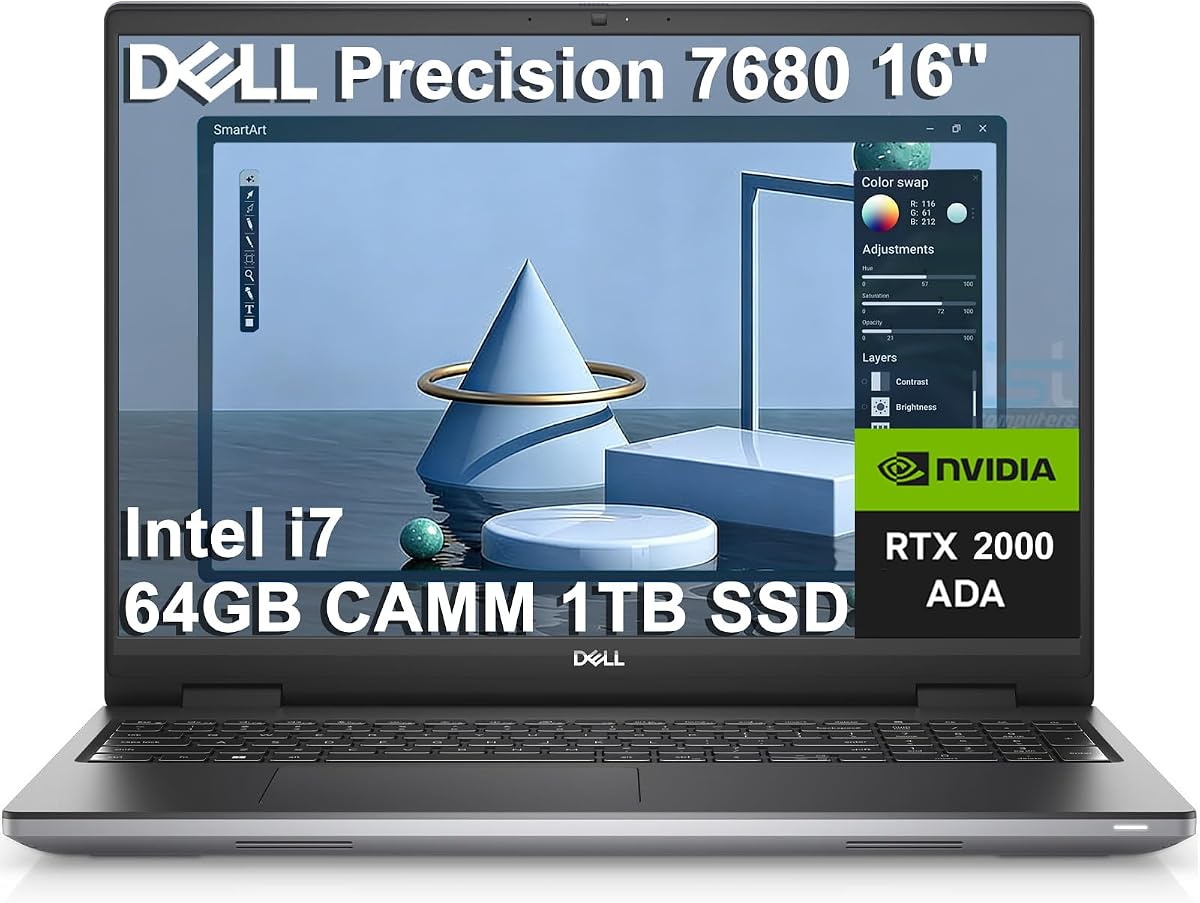
- 64GB DDR5 CAMM for massive notebooks and concurrent kernels
- NVIDIA RTX 2000 Ada 8GB for CUDA-backed local training
- i7-13850HX workstation CPU with serious multi-core headroom
Expert Review & Guide
Data science is not one workload. A morning of cleaning CSVs in pandas can become an afternoon of training a small neural net, then an evening of documenting results in Jupyter while Chrome and Slack fight for the same memory pool. That is why the best laptop for data science in 2026 is less about a flashy marketing chip name and more about whether RAM, CPU, GPU, and cooling stay honest under sustained notebook sessions.
This roundup ranks ten pack machines through that lens. We prioritize headroom for large DataFrames and concurrent notebooks, CPUs that finish feature engineering without thermal collapse, GPUs that actually accelerate local experiments when present, and chassis that keep clocks usable after thirty minutes of compile-train-evaluate loops. Budget and student models stay in the list because many people start there, but we say plainly when 8GB RAM or a low-power Pentium is the wrong tool for real ML work.
If you already know you need workstation-class CUDA for local training, jump to the Dell Precision 7680 configurations. If you mostly wrangle data, run scikit-learn, and push heavy jobs to the cloud, a ThinkPad-class Ryzen with 32GB DDR5 can be the smarter daily driver. Either way, treat this guide as a hardware checklist for notebook-first science, not a generic productivity laptop ranking.


As an Amazon Associate we earn from qualifying purchases. We may earn a commission at no additional cost to you.
Use this table as a quick filter before the deep reviews. Specs emphasize RAM capacity, processor class, and graphics relevant to Jupyter, pandas, and local ML—not retail packaging fluff. Ratings reflect pack listings; renewed units and low-power student machines are called out honestly in the write-ups.
Lenovo ThinkPad E16 Gen 2 Ryzen 7
If most of your data science life is pandas, Polars, scikit-learn, SQL clients, and a stack of Jupyter notebooks rather than multi-hour GPU training, the ThinkPad E16 Gen 2 with Ryzen 7 7735HS and 32GB DDR5 is the configuration that feels closest to a purpose-built analytics laptop. Thirty-two gigabytes is not a luxury line item here; it is what keeps a 5–10GB working DataFrame, a second kernel with feature experiments, a local database, and a documentation browser from thrashing. DDR5 bandwidth also helps when you repeatedly scan wide tables during exploratory analysis instead of waiting on a cold disk cache.
The Ryzen 7 7735HS is an eight-core, sixteen-thread HS-class chip with boost up to 4.75GHz, which matters more than the brand badge. Feature engineering, hashing, group-bys, and light HyperparameterSearch loops are still CPU-heavy. On thin U-series machines those jobs often look fine for five minutes and then fall off a thermal cliff. The E16’s thicker ThinkPad thermal budget is not a gaming vapor-chamber fantasy, but it is engineered for sustained office loads, which maps surprisingly well to notebook science: long compile times for scientific packages, concurrent conda environments, and hours of iterative coding without the chassis becoming a lap heater that silently downclocks your experiment.
Graphics come from Radeon 680M, AMD’s stronger integrated GPU family. That will not replace an RTX Ada card for CUDA-first PyTorch training, and you should not buy this machine expecting local LLM fine-tunes. Where 680M helps is OpenCL/ROCm-adjacent experimentation depending on stack maturity, faster plotting of denser visuals, and occasional acceleration in libraries that can use the iGPU. For many analysts who train on Colab, SageMaker, or a lab server, that trade is correct: spend the silicon budget on RAM and CPU cores for the work that happens locally every day.
The 16-inch WUXGA (1920x1200) anti-glare IPS panel is a quiet productivity win. Extra vertical pixels mean more notebook cells visible without constant scrolling, and the matte coating reduces reflections in shared offices and cafes where data people actually work. Pair that with a backlit keyboard, fingerprint power button, IR camera privacy shutter, and Windows 11 Pro, and you get a machine that survives standup demos and security checklists without sabotaging your toolchain.
Storage at 1TB NVMe is the right default for a data science daily driver. Conda environments, Docker images if you use them, cached datasets, and model artifacts accumulate faster than people admit. Wi‑Fi 6E and a real RJ‑45 port matter when you sync from warehouse dumps or VPN into corporate data lakes. Two USB‑C ports with Power Delivery and DisplayPort, HDMI 2.1, and mixed USB‑A speeds cover docking to an external monitor for dual-screen EDA without a dongle scavenger hunt.
Choose this ThinkPad when your bottleneck is memory and CPU for analytics, not VRAM for training. It is the pick we would hand a working data scientist who lives in notebooks, pushes heavy training to remote GPUs, and still needs a keyboard they can trust for eight-hour days. If your roadmap includes frequent local CUDA work, step up to a Precision with Ada graphics instead of forcing the Radeon 680M into a role it cannot play.
Ideal for analysts, analytics engineers, and students running scikit-learn, SQL, and medium pandas workloads who already use cloud GPUs for deep learning. Also strong for consultants who need Windows 11 Pro, fingerprint login, and Ethernet in client offices. Skip it if your primary job is local CNN/transformer training.
Install a 64-bit Python stack via conda or uv, pin project environments, and keep raw datasets on the 1TB SSD with a separate folder for processed parquet caches. Enable Windows high-performance power while training CPU models, then return to balanced mode for meetings. Monitor memory with Task Manager during your heaviest notebook; if you routinely sit above 28GB committed, plan for cloud offload rather than hoping for miracles.
HS Ryzen chips need airflow. Elevate the rear slightly on a stand during long fits, avoid soft bedding that blocks intake, and close unused Chromium tabs that quietly consume RAM. The E16 is quieter than gaming chassis under light typing, but fans will spin during multi-core feature jobs—that is healthy behavior, not a defect.
We may earn a commission at no additional cost to you.

This 15.6-inch Windows 11 Pro machine with Office 365, 8GB RAM, and a 256GB SSD is built for student documents and light business apps, not for data science as practitioners mean the term. We include it because the pack contains it and because many shoppers search “laptop for data science” while actually needing a cheap notebook for statistics class write-ups. Honesty matters: treat this as a docs-and-browser device that can open a tiny Jupyter demo, not as a platform for serious local ML.
Eight gigabytes of RAM collapses quickly once Windows, a browser with research tabs, and a Python kernel share the same pool. Even modest pandas joins thrash when the working set approaches a few hundred megabytes of real memory after overhead. Swap to SSD may keep the UI alive, but it turns every groupby into a patience test. For coursework that lives in Excel, Word, and Zoom, the memory is acceptable. For a capstone that loads real datasets, it is not.
The Intel Pentium processor prioritizes efficiency and thin thermals over multi-core throughput. That keeps the 3.53 lb chassis cool during lectures and helps the claimed mixed-use battery window near six hours. It also means CPU-bound preprocessing, cross-validation, and anything resembling hyperparameter search will feel glacial. There is no discrete GPU and no workstation cooling story—fans and heat pipes here exist to keep office apps responsive, not to hold boost clocks through a thirty-minute scikit-learn GridSearch.
The 15.6-inch 1920×1080 IPS panel and 180° hinge are pleasant for sharing slides in study groups. Mini HDMI, dual USB 3.0, headphone jack, and a microSD slot cover classroom peripherals. None of that changes the silicon reality. If your syllabus requires installing Anaconda, Docker, and a local database, the 256GB SSD fills up after a few environments and media files.
Buy this only if your “data science” semester is mostly theory, cloud notebooks, and Office deliverables, and you already plan to use Colab or school servers for any real compute. If you are choosing one personal machine to learn pandas deeply on local files, stretch to at least 16GB RAM and a stronger CPU from elsewhere in this guide. Calling an 8GB Pentium a data science laptop sets people up for frustration on week three.
Short Colab sessions in the browser, Markdown reports, Excel cleaning of tiny CSVs, and video lectures. Avoid local Docker stacks, multi-gigabyte CSVs, and concurrent virtual environments.
Budget shoppers need a clear “not enough” example. This machine defines the floor you should climb above when the keyword is data science rather than general student computing.
We may earn a commission at no additional cost to you.

2026 Laptop Computer 8GB / 128GB
The Pentium Gold 6500Y configuration with 8GB RAM and a 128GB SSD is another student-oriented 15.6-inch notebook that can participate in a data science curriculum only at the edges. Four threads peaking at 3.4GHz will open VS Code, stream a lecture, and run a toy scikit-learn example. They will not make iterative feature work feel professional. The Y-series design target is low power and thin cooling, which is the opposite of what sustained notebook compute wants.
Memory pressure arrives early. Eight gigabytes leaves little room after Windows 11 and a Chromium-based research habit. Jupyter with a few imported scientific libraries can push you into paging before your DataFrame is interesting. Storage is the second trap: 128GB evaporates once you install a base environment, a couple of IDEs, and Office leftovers. External TF cards help media, not fast random-access dataset caches.
Thermals stay quiet because the chip rarely has permission to spend watts. That is comfortable on a couch and bad for compile-heavy days. Package installs that build wheels from source will heat the chassis briefly, then clocks settle into a polite but slow rhythm. There is no discrete GPU story at all, so local CUDA is off the table; even CPU OpenMP parallelism is limited by thread count.
Where this machine is honest is connectivity and display. Dual USB 3.2 Gen1, USB 2.0, HDMI, full-function Type‑C plus a charge-only Type‑C, headphone jack, TF slot, and a Kensington-style lock hole cover classroom and café needs. The FHD IPS panel is fine for reading notebooks if you bump font sizes. Fn lock and multi-language support reduce friction for international students.
We would only recommend this configuration as a secondary travel shell for writing reports while your real experiments run elsewhere. If this is your only computer and you intend to practice data science locally, the 12GB or 16GB Pentium variants later in this list are less punishing, and the ThinkPad or Precision options are in a different league entirely. Do not confuse a friendly listing score with ML readiness.
Keep Anaconda Miniconda-small, store datasets on an external SSD, and push notebooks to Git remotes constantly. Uninstall bloat immediately after first boot. Still expect to hit the wall on medium CSVs.
The same CPU family with 12GB RAM and 256GB SSD in this pack is the better of the two Y-series options for light coding. The 8/128 cut is strictly for the most constrained budgets.
We may earn a commission at no additional cost to you.

15.6 Inch Win 11 Pro 16GB / 1TB
This gray 15.6-inch Windows 11 Pro laptop is the pack’s clearest “RAM over CPU” compromise. Sixteen gigabytes of memory and a full terabyte of SSD storage are meaningfully better for data coursework than 8GB/128GB classmates. You can keep a notebook, a terminal, Slack, and a medium CSV in play without the machine gasping every minute. The Intel Celeron (four cores, up to 2.8GHz) is still the governor on how fast those comfortable memory lanes actually finish jobs.
For introductory pandas cleaning, matplotlib plots, and small scikit-learn classifiers, the extra RAM changes the experience more than another gigahertz of marketing would. Students often fail first on memory, not on peak FLOPs. Where the Celeron shows its limits is anywhere you parallelize: larger cross-validation, heavier feature transforms, or compiling scientific wheels. Expect longer waits and fewer simultaneous heavy cells.
The dedicated CPU fan is a positive signal for thermals relative to silent ultra-thins. Celeron chips are not monsters, but sustained installs and loops still need airflow. A real fan means the vendor expects heat under load instead of pretending a sealed tablet can compute forever. Keep vents clear during overnight downloads of course datasets. Fan noise will rise under load; that is preferable to silent thermal throttling that looks like software failure.
Mobility extras are competitive for the tier: 7000mAh class battery with up-to-eight-hour mixed-use claims, Wi‑Fi 6, Bluetooth 5.2, HDMI, Type‑C, and a 180° hinge for flat sharing. Office 365 for a year lowers software friction. The FHD IPS panel is adequate for code and plots. None of these peripherals invent missing GPU compute. If your professor assigns even a small CNN, use Colab.
The 3.6 pack rating is a caution flag. Hardware on paper can still disappoint with build variance, support friction, or performance that feels slower than the RAM headline. Buy this if you need local storage and 16GB for statistics labs on a tight budget and accept that CPU-bound science will be slow. Do not buy it as a substitute for the Ryzen ThinkPad or Dell Precision workstations when your work is career-track data science.
Intro stats and data literacy courses with local CSVs under a few hundred megabytes, cloud GPUs for any neural nets, and heavy use of Office for write-ups. The 1TB drive is the star feature for keeping semester archives offline.
Run one heavy notebook at a time, close browsers during fits, and place the laptop on a hard surface. The fan helps, but the chip’s watt budget is still modest—optimize code before blaming Windows.
We may earn a commission at no additional cost to you.

Dell Latitude 5510 32GB Renewed
The renewed Dell Latitude 5510 with an i5-10310U, 32GB DDR4, and 512GB NVMe is a classic “memory-first refurbished business laptop” play for data science. Thirty-two gigabytes on a proven Latitude chassis still beats brand-new 8GB student machines for real notebooks. You can park Docker-ish tools, multiple kernels, and a local warehouse extract in RAM while the older CPU chews through transforms at a respectable if not thrilling pace.
Call out the renewed status clearly: this is not a sealed 2026 workstation. Grade A condition and included AC adapter help, but batteries, hinge feel, and keyboard wear depend on the unit. Buy from sellers with transparent testing and a workable return path. For many freelancers, the risk is acceptable because 32GB Latitudes are hard to find new at approachable configurations.
The i5-10310U is a 10th Gen quad-core U-series part boosting to 4.4GHz. Burst performance for interactive coding feels fine. Sustained multi-core jobs—large merges, big scikit-learn fits—will hit the U-series power wall sooner than Ryzen HS or Intel HX silicon. Thermals in Latitudes are tuned for quiet offices; keep the machine elevated during long jobs and expect fan ramps without the aggressive cooling of Precision workstations.
Ports are a hidden advantage for data people: USB‑A, USB‑C/Thunderbolt 3, HDMI, Mini DisplayPort, microSD, RJ‑45, and combo audio. That is a docking dream for dual monitors when you profile models or compare charts. Thunderbolt also opens the door to external GPU enclosures for experimenters who accept complexity—still not as clean as the onboard RTX Ada Precision options, but more flexible than USB‑only ultraportables.
Use this Latitude when you want Windows 11 Pro, serious RAM, and corporate I/O on a renewed budget, and you are comfortable pushing deep learning to the cloud. Skip it if you need modern instruction sets, long battery life competitive with new HS chips, or a warranty story that matches Dell ProSupport on the Precision 7680. As a RAM-rich coding shell for analytics, it still earns a place in 2026 shopping carts.
Confirm Grade A language, battery health if disclosed, keyboard backlight function, Thunderbolt port integrity, and that Windows 11 Pro activates cleanly. Run a memory stress test and CrystalDiskInfo-style SSD health check in the return window.
Wide pandas frames, multiple JupyterLab servers, local databases, and browser-based research. DDR4 bandwidth trails DDR5, but capacity beats speed when your working set simply does not fit in 16GB.
We may earn a commission at no additional cost to you.
Dell Precision 7680 RTX 1000 Ada
The Dell Precision 7680 with RTX 1000 Ada 6GB, i5-13600HX, 32GB DDR5 CAMM, and 1TB SSD is the balanced workstation pick for data scientists who need local CUDA without jumping straight to the 64GB / RTX 2000 configuration. Ada generation drivers and CUDA tooling matter more than casual integrated graphics for anyone iterating on neural nets before shipping jobs to a cluster. Six gigabytes of VRAM is enough for many teaching CNNs, smaller transformers, classical GPU-accelerated XGBoost variants, and visualization workloads—while remaining honest about not being a 16GB+ training beast.
CPU side, the i5-13600HX brings a hybrid high-performance core mix with boosts up to 4.8GHz. Feature engineering, data loaders, and CPU preprocessing stages often dominate wall-clock time even when the GPU trains the model. HX silicon in a Precision chassis is designed to hold power longer than thin ultraportables. That thermal headroom is the difference between a twenty-minute epoch schedule that stays predictable and one that silently stretches because clocks collapsed.
CAMM DDR5 at 32GB is a modern memory implementation aimed at bandwidth and thinner routing versus SODIMM. For practitioners, the takeaway is simple: fast memory at a capacity that fits multi-process training pipelines. Keep validation sets, augmentations, and a monitoring dashboard resident without constant spilling. The 16-inch FHD+ anti-glare panel favors long coding sessions over glossy media screens, and multi-monitor support via HDMI, USB‑C, and Thunderbolt 4 lets you park TensorBoard beside your editor.
Thermals and acoustics are workstation-class. Fans will announce themselves under combined CPU+GPU load—that is the machine doing its job. Place it on a hard surface, use a stand for intake, and prefer Dell’s higher performance modes when training. MIL‑STD‑810H testing language and ISV certification heritage matter less for Python scripts than for CAD, but they signal a platform built for heat and duty cycles rather than silent Netflix.
Note the listing disclosure that the computer may be resealed to upgrade the SSD, with an extended warranty story from the seller channel. Read that carefully and keep documentation. Functionally, a 1TB NVMe is the right size for checkpoints. Choose this Precision when you want a true GPU path, strong CPU, and 32GB RAM without paying for the 64GB / 8GB VRAM flagship. If your models already complain about 6GB VRAM, escalate to the RTX 2000 Ada 64GB sibling in this same roundup.
Install a matching NVIDIA driver and CUDA-enabled PyTorch or TensorFlow build, verify with a tiny tensor on cuda:0, then scale batch sizes until VRAM saturates. Use mixed precision where safe to stretch 6GB. Offload dataset prep to the HX cores so the GPU stays busy.
Beats every integrated-graphics pack laptop for local deep learning. Loses to the RTX 2000 Ada 64GB Precision when RAM and VRAM headroom dominate. Loses to the ThinkPad if you never touch CUDA and want a lighter daily analytics shell.
Undervolt myths aside, start with stock: clean vents, elevated rear, performance power plan, and closed background GPU apps. Long training runs on battery are a non-goal—plug in.
We may earn a commission at no additional cost to you.

The renewed Dell Latitude E7470 with i5-6300U, 8GB RAM, and 256GB SSD is here as a cautionary baseline, not a recommendation for aspiring machine learning engineers. Sixth-generation dual-core U-series silicon debuted in a different era of Python packaging, browser weight, and dataset sizes. Windows 11 Pro may install, but the combination of age, memory, and thermals makes local data science an exercise in compromise.
Eight gigabytes was once a fine business laptop. Today it is consumed by the OS and a few Electron apps before Jupyter loads NumPy, pandas, and a plotting stack. Any honest EDA on even medium CSVs will swap. The 256GB SSD helps responsiveness versus spinning disks, yet leaves little room after OS updates and a single conda environment.
Thermally, Skylake-U Latitudes were designed for email and Office. They will warm during browser video and package installs, then throttle. There is no path to a meaningful local GPU. Even CPU OpenMP gains are limited by core count. As a renewed unit, also budget for battery degradation and the possibility of aging keyboard membranes or display hinges.
When is it still useful? As a cheap secondary laptop for SSH into a remote training box, writing Markdown, and attending Zoom while your real compute lives elsewhere. Some students buy legacy Latitudes as travel keyboards. That use case is valid if priced accordingly and inspected carefully. It is not valid as your primary “best laptop for data science” answer.
If you are considering this because the ThinkPad and Precision options feel out of reach, look instead at the 16GB student machines in this pack or the renewed Latitude 5510 with 32GB. Those still involve tradeoffs, but they fail later in the workflow. The E7470 fails at the first real dataset.
Use this Latitude as a thin client: browser to Colab or VS Code Remote SSH to a GPU server. Keep local installs minimal. Do not attempt Dockerized ML stacks on-device.
Verify webcam, ports, and battery runtime immediately. Sixth-gen hardware may lack modern instruction optimizations some libraries assume—test your course stack on day one.
We may earn a commission at no additional cost to you.
Dell Precision 7680 RTX 2000 Ada 64GB
This is the pack’s flagship answer when “best laptop for data science” means local experimentation with real RAM and a real NVIDIA Ada GPU. Sixty-four gigabytes of DDR5 CAMM memory changes how you structure projects: keep several notebooks alive, cache large parquet subsets in memory, run a local feature store experiment, and still leave space for Docker-ish tooling or a database. Capacity at this level is what separates toy demos from workflows that resemble production analytics on a smaller scale.
The RTX 2000 Ada with 8GB GDDR sits above the RTX 1000 Ada 6GB sibling for batch size and model width. You can train and iterate on more ambitious vision models, larger embeddings, and mid-size transformer experiments before you must shard to the cloud. CUDA, cuDNN, and the NVIDIA ecosystem remain the path of least resistance for PyTorch and TensorFlow users. Eight gigabytes is still a ceiling—know it, profile it, and use mixed precision—but it is the ceiling you want inside this product set.
Intel’s i7-13850HX vPro feeds the GPU with preprocessed batches and handles the CPU-only phases that dominate many pipelines. Workstation HX chips plus Precision cooling are why this machine can compile, train, and evaluate in a loop without the polite surrender of ultralight U-series laptops. Fans will work; expect audible airflow under dual load. That sound is the tax you pay for clocks that remain useful past the first epoch.
Dell’s listing language also calls out data science oriented performance optimization features in the Precision lineage—take that as platform intent rather than magic. What you can verify yourself is I/O: dual Thunderbolt 4, USB‑C, USB‑A, HDMI, Ethernet, Wi‑Fi 6E, and Bluetooth 5.2. Drive four external 4K displays at 60Hz in dockless scenarios according to the spec sheet, which is excellent for monitoring runs. The 16-inch FHD+ anti-glare panel is built for all-day clarity, not OLED dazzle.
Support matters when a workstation is a work instrument. This configuration’s listing references Dell ProSupport with next-business-day on-site service into February 2029 and states the unit is brand new original Dell hardware. Keep those documents. For ML practitioners, downtime during a deadline hurts more than fan noise.
Buy this Precision when local CUDA and 64GB RAM are central to how you learn or ship. Choose the RTX 1000 32GB model if you need Ada on a tighter configuration. Choose the ThinkPad E16 if GPU work is rare and you want a lighter analytics daily driver. Among these ten products, the 64GB RTX 2000 Ada 7680 is the clearest ML notebook workstation.
Prioritize pinned memory awareness, DataLoader workers tuned to HX cores, and VRAM monitoring with nvidia-smi. Keep checkpoints on the 1TB SSD with a rotation policy so training artifacts do not silently fill the drive mid-run.
Use a firm desk, avoid blocking bottom intake, and prefer AC power. If clocks drop, reduce ambient temperature and close iGPU-competing apps. Undervolting and custom fan curves are enthusiast paths—validate stability before long unattended runs.
Even with this laptop, huge jobs belong on A100/H100 class cloud. The win is faster local iteration, offline capability, and cheaper small experiments. Use the Precision to shrink the loop, not to replace a cluster.
We may earn a commission at no additional cost to you.

2026 Laptop Computer 12GB / 256GB
Among the Pentium Gold 6500Y siblings, the 12GB RAM / 256GB SSD cut is the one we would actually consider for an introductory coding-heavy statistics course. The extra four gigabytes versus 8GB models delays the onset of swap during browser-plus-notebook days. Doubling storage to 256GB means you can keep a Miniconda stack and course materials without immediately living on a TF card. The CPU and thermals, however, remain firmly in the light-ultrabook category.
Four threads at up to 3.4GHz will run VS Code, small pandas scripts, and toy models. They will not make medium scikit-learn searches pleasant. Because the platform is Y-series, cooling prioritizes silence and thinness. Under install storms or nested loops, expect brief heat then conservative clocks. That is fine for learning syntax; it is frustrating for anyone treating the laptop as a compute node.
Graphically you are on integrated Intel paths only. Plan coursework GPU modules for Colab. Locally, focus on CPU-friendly libraries and smaller samples. The FHD IPS screen, HDMI, USB 3.2, USB 2.0, TF slot, headphone jack, and dual Type‑C arrangement (full-function plus charge-oriented) remain practical. The 38Wh-class battery supports portable note-taking more than training marathons.
High listing ratings on budget machines can reflect satisfaction with price and office use rather than ML performance. Read reviews with that bias in mind. If your projects already include multi-gigabyte datasets, skip ahead to 16GB configurations or the ThinkPad. If you are week one of Python and living in cloud notebooks, this 12/256 Pentium is a rational cheap keyboard with slightly less pain than 8/128.
We position it as a budget coding step-up inside the pack—not as a best data science laptop in absolute terms. Honesty about RAM/CPU/GPU limits is the theme of this guide, and this machine illustrates the first meaningful step above the absolute floor without pretending it grew workstation bones.
Python basics, small CSV EDA, Matplotlib, and cloud-hosted ML assignments. Export heavy intermediates to external storage. Restart kernels aggressively to reclaim memory.
Move up when you regularly hit memory errors, when local training becomes a grade requirement without cloud access, or when environment installs no longer fit the SSD.
We may earn a commission at no additional cost to you.

If you must stay in the Pentium 6500Y student tier, the 16GB RAM / 512GB SSD configuration is the most sensible pack option for light local data work. Sixteen gigabytes lets a JupyterLab session, documentation browser, and messaging apps coexist while you wrangle mid-size CSVs. Half a terabyte of SSD storage reduces the constant uninstall-and-pray cycle that plagues 128GB machines. The CPU remains the limiter; memory and disk simply stop being the first two failure modes.
Silent-leaning thermal design is a double-edged sword for data science. Libraries love quiet fans. Sustained multi-core work loves airflow. On light coding the chassis stays pleasant. On longer fits you may see heat soak and reduced clocks without dramatic fan noise—watch wall-clock times rather than assuming silence means headroom. Place the laptop on hard surfaces and avoid stacking papers over vents that do exist.
For ML specifically, treat this as a CPU-only learner device. Train neural nets in the cloud. Locally, practice pandas, SQL exports, and classical models on sampled data. The FHD IPS anti-glare leaning panel gives you a bigger canvas than 14-inch ultraportables for side-by-side notebook and plot windows. USB‑C, HDMI, Wi‑Fi 5, and Bluetooth 5.0 cover classroom docks and projectors without drama.
Compared with the 16GB / 1TB Celeron machine earlier, you trade a larger drive and a named cooling fan for a quieter Pentium 6500Y experience and a strong pack rating. Compared with the ThinkPad E16, you lose cores, DDR5 bandwidth, business build, and iGPU strength. Be honest about your trajectory: if data science is a career pivot, save toward the Ryzen 32GB or Precision Ada machines. If it is one semester of applied stats, this quiet 16/512 is a defensible student pick.
We close the product list on this note because it captures the guide’s thesis. RAM gets you into the room. CPU and thermals decide how long you can stay for feature work. GPU decides whether local deep learning is real. This laptop scores well on RAM for its tier, modestly on thermals for comfort, and not at all on GPU—use it accordingly.
Use lightweight editors, limit Chrome tabs, prefer parquet over giant CSV copies, and keep one conda env per course. Schedule heavy installs overnight on AC power.
The camera privacy cover is a small but real win for shared spaces. Pair it with strong passwords and disk hygiene—student laptops travel through dorms and libraries more than workstations do.
We may earn a commission at no additional cost to you.

Most aspiring data scientists hit memory walls before CPU walls. Operating system overhead, browsers, IDEs, and scientific libraries consume several gigabytes before your DataFrame arrives. In 2026 we treat 16GB as the practical student minimum for local pandas work, 32GB as the professional analytics comfort zone, and 64GB as the point where multi-notebook and in-memory workflows stop feeling fragile. DDR5 helps bandwidth on modern ThinkPad and Precision platforms; capacity still wins when your frame simply does not fit.
Feature engineering, joins, and classical ML remain CPU-heavy. Prefer HS/H/HX class chips (Ryzen 7 7735HS, Intel HX in Precision) over Y-series Pentiums and old U-series dual-cores when local compute matters. Thread count helps parallel library code; sustained boost under heat matters more than a one-second Geekbench spike. Business and workstation chassis usually hold clocks longer than silent student shells.
If your roadmap includes PyTorch or TensorFlow on-device, prioritize NVIDIA Ada workstation GPUs like the RTX 1000/2000 Ada options in this pack. Integrated Radeon 680M helps visualization and some accelerated libraries but is not a CUDA substitute. Six to eight gigabytes of VRAM covers learning and mid-size experiments; large fine-tunes still belong in the cloud. If you never train locally, spend budget on RAM and CPU instead of forcing a GPU purchase.
Notebooks do not have desktop coolers. A chip that looks strong on paper can feel weak after thermal throttling. Workstations with dedicated fans and thicker skins (Precision 7680) and business HS designs (ThinkPad E16) outperform fanless-leaning student machines during thirty-minute jobs. Elevate the chassis, use AC power for training, and interpret fan noise as capacity rather than failure. Silent operation during heavy fits is often a warning, not a luxury.
Aim for 512GB SSD minimum, 1TB preferred, because environments and datasets grow quietly. 16:10 anti-glare panels help Jupyter density. Ethernet, Thunderbolt/USB‑C video, and HDMI matter when you dock to external monitors for model dashboards. Renewed business laptops can deliver RAM bargains—inspect condition and batteries carefully.
For local pandas and Jupyter coursework, 16GB is the minimum that feels workable, 32GB is the sweet spot for professional analytics with concurrent notebooks, and 64GB is ideal when you keep large frames and multiple services in memory. Eight gigabytes is only appropriate if nearly all compute happens in the cloud and the laptop is mainly for writing and browsing.
Only if you regularly train or fine-tune models locally with CUDA frameworks. Many data scientists do excellent work on CPU-strong machines with 32GB RAM and send deep learning to Colab, SageMaker, or a lab server. In this pack, the Dell Precision 7680 Ada configurations are the clear local GPU choices; the ThinkPad’s Radeon 680M is not a full substitute for CUDA workflows.
If you only clean CSVs and fit small scikit-learn models, yes—a ThinkPad E16 with 32GB will feel lighter and quieter. The Precision earns its keep when you combine heavy CPU prep with local PyTorch/TensorFlow experiments, multi-monitor analysis, and long sustained loads. Overkill is preferable to underbuy if GPU work is part of your weekly loop.
They can be, especially when they offer 32GB RAM like the Latitude 5510 in this guide. Inspect Grade A claims, test memory and SSD health immediately, and confirm battery runtime. Avoid ancient dual-core units like the E7470 as primary DS machines. Renewed hardware shifts risk to condition rather than raw capability—budget time for verification.
Y-series and Celeron-class chips are engineered for low power and thin cooling. Short bursts look fine; sustained multi-core feature engineering exceeds their thermal design power, so clocks drop. Silent chassis can make this worse by limiting fan aggression. The result feels like “Python is slow” when the hardware is simply protecting itself.
Not for mainstream CUDA-centric stacks. Radeon 680M is a strong integrated GPU for graphics and some accelerated workloads, and it pairs well with a Ryzen CPU for analytics-heavy days. Serious local deep learning in PyTorch/TensorFlow still maps best to NVIDIA CUDA on the Precision Ada options. Use 680M as a bonus, not as your training plan.
Prefer 15.6–16-inch FHD or WUXGA panels with anti-glare coatings so you can read code and plots under office lights. Extra vertical resolution (16:10) shows more notebook cells. Color-critical OLED is optional; clarity, matte finish, and dual-monitor outputs usually matter more for analysis than HDR highlights.
Battery matters for lectures and travel writing, but heavy CPU/GPU jobs should run on AC power. Workstations like the Precision will drain quickly under training loads by design. Choose battery-friendly student machines only for mobility around campus, and accept that real fits belong at a desk outlet.
It can be if you are disciplined: one active environment, external drives for raw data, and regular cleanup of checkpoints. One terabyte is more comfortable once Docker images, multiple conda envs, and dataset versions accumulate. The 128GB class machines in this pack are too small for serious local stacks.
Start with the Lenovo ThinkPad E16 Gen 2 32GB if your first year is analytics-heavy and cloud GPUs are available—then upgrade later. If you already know you will train locally every week, stretch to the Precision 7680 RTX 1000 Ada 32GB or the RTX 2000 Ada 64GB now so you do not buy twice. Avoid anchoring on 8GB Pentium models if growth is likely.
The best laptop for data science in 2026 is the one whose RAM, CPU, GPU, and thermals match how you actually work. In this pack, the Dell Precision 7680 with RTX 2000 Ada and 64GB DDR5 is the clearest local ML workstation, the RTX 1000 Ada 32GB Precision is the balanced CUDA alternative, and the Lenovo ThinkPad E16 Gen 2 Ryzen 7 with 32GB DDR5 is the everyday analytics champion when cloud GPUs handle the heavy training.
Student Pentium and Celeron machines can still write reports and open tiny notebooks, especially at 16GB RAM, but they are not substitutes for HS/HX CPUs or Ada GPUs. Renewed Latitudes with 32GB memory remain clever budget analytics shells if you accept older silicon and inspect condition carefully. Ancient 8GB dual-core refurbs belong at the remote-client tier only.
Choose capacity before brand stories, insist on cooling that survives a long fit, and buy NVIDIA Ada only when local CUDA is part of the weekly rhythm. Do that, and your next Jupyter session will feel like science instead of swap-file endurance testing.