Membrane versus mechanical: the noise and feel fork
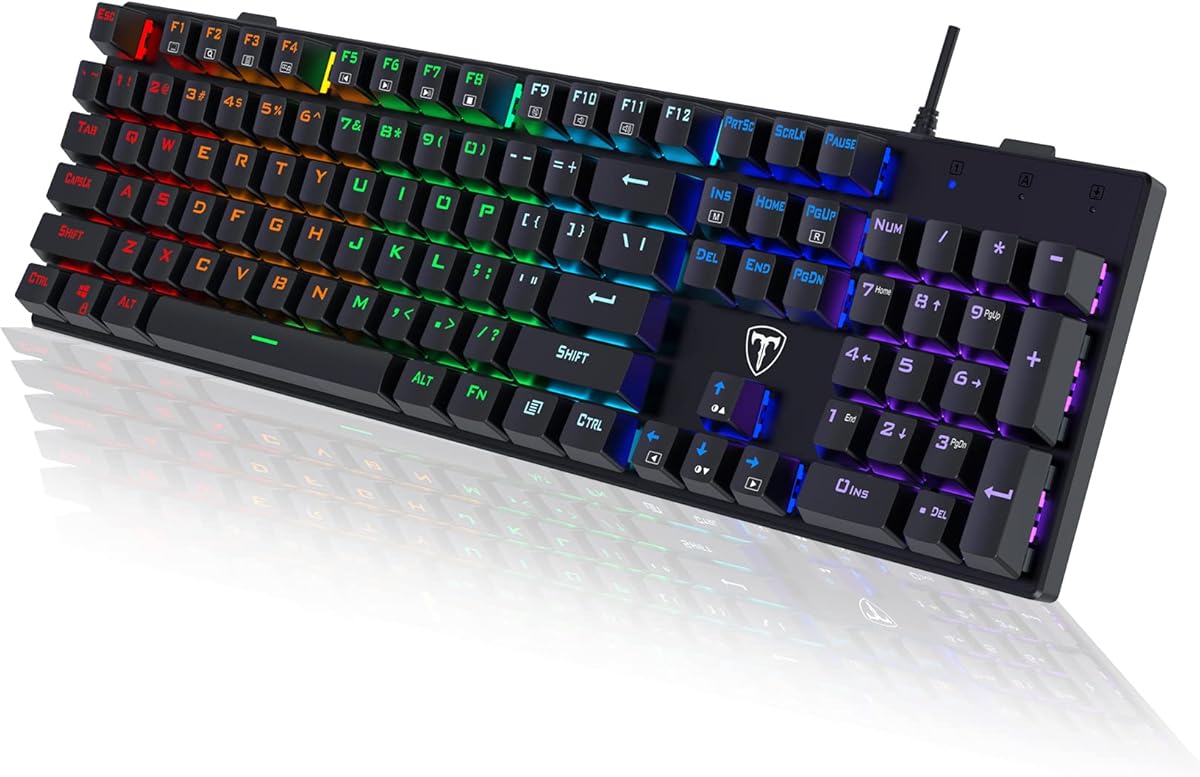
Membrane keyboards use rubber domes under keycaps to complete circuits—generally quieter, softer, and cheaper to manufacture. Mechanical boards use individual switches with metal springs and stems, offering clearer actuation points, longer rated lifespans, and mod paths on hot-swap models. Under one hundred dollars, premium membranes like MechLands S102 with silicone dampening can feel surprisingly creamy and stay roommate-friendly, while budget mechanicals deliver switch hobby satisfaction at the cost of volume—especially clicky blues on RisoPhy and wegear listings in this pack.
Choose membrane when shared walls, open mics, or sleeping partners dominate your environment. Choose mechanical when typing feedback, gaming precision, and future switch swaps matter more than silence. Linear reds on Newmen GM325Pro split the difference with smoother, quieter strokes than blues. Gasket foam mechanicals like HUO JI E-Yooso and Kisnt KN104 aim for enthusiast acoustics without boutique pricing.
Layout size: full-size, 96%, and 60% tradeoffs
Full 104-key layouts keep the number pad for finance, inventory, and coding workflows that hit numeric columns constantly. Compact 60% boards like the CACKBIRD-style listing here free mouse space for low-DPI FPS aiming but force Fn-layer learning for arrows and functions. The 99-key 96% sweet spot on HUO JI preserves numpad while trimming desk width—a compromise worth measuring against your mouse pad size.
Before buying compact, honestly audit spreadsheet and data-entry hours. A separate numpad later costs more desk space than starting full-size. Streamers and macro-heavy users may prefer specialty layouts like K1 Pro entirely—different category from conventional typing boards.
Wired reliability versus wireless freedom
Wired USB and USB-C boards—S102, Apex 3, HUO JI, most mechanicals here—eliminate battery anxiety and pairing dropouts. That matters on family PCs, tournament LAN bags, and corporate machines with Bluetooth disabled. Kisnt KN104 tri-mode adds 2.4GHz and Bluetooth when you dock laptops, tablets, and phones on one desk—but introduces charging habits and driver nuances on Windows.
Rule of thumb: competitive gaming and shared stationary desks favor wired. Hybrid work-from-anywhere setups favor KN104 when you accept software setup time.
Features that actually matter under 100
Hot-swap sockets future-proof mechanical taste without soldering—prioritize HUO JI or Kisnt if you expect to experiment. Spill ratings matter on beverage-adjacent desks; SteelSeries Apex 3 IP32 and RisoPhy drainage holes reflect real accidents better than marketing RGB alone. Wrist rests help marathon sessions—Apex 3 magnetic rest is a standout bundle. Volume knobs on Kisnt KN104 and compact membrane listings beat Fn-layer hunting during calls.
Ignore peak specs you cannot verify: focus on anti-ghosting for gaming, PBT versus ABS keycap materials for longevity, and whether software is optional or mandatory for core functions.
Brand trust and rating sanity checks
SteelSeries brings ecosystem maturity; HUO JI, Kisnt, MechLands, and others rely on Amazon reviews and return policies. Compare ratings inside the pack—S102 at 4.8 signals broad satisfaction, K1 Pro at 4.1 warns specialty complexity. Read recent one-star notes for QC patterns like rattling stabilizers or wireless sleep bugs before committing.
None of these boards include luxury switch brands like Cherry MX at this tier; pre-lubed budget linears and clicky blues dominate. Set expectations accordingly and use return windows generously during first week testing.