Prioritize the numeric keypad first
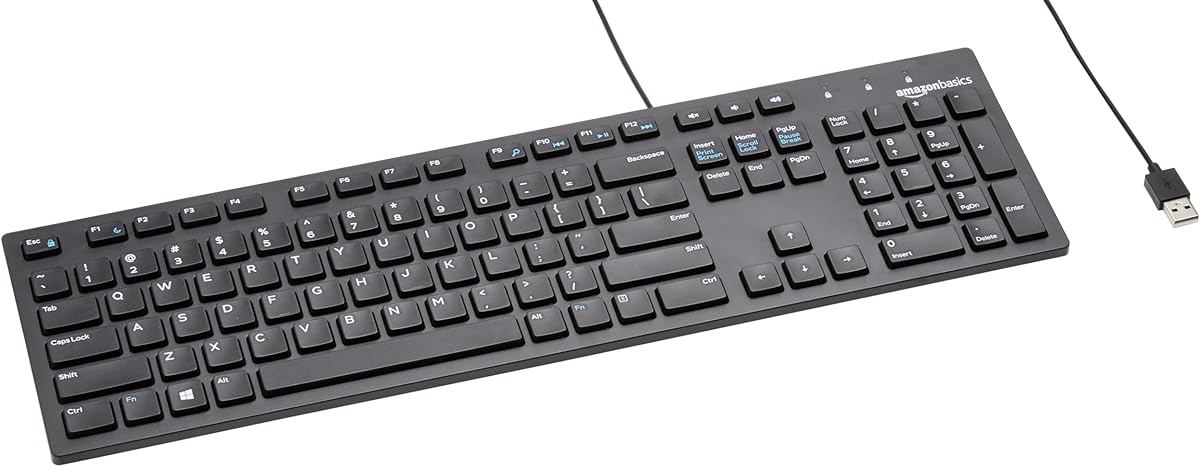
Excel power users live on the numpad for rapid numeric entry, SUM shortcuts, and navigating large tables with arrow keys while Num Lock toggles behavior. A full 104-key or 108-key board guarantees the pad sits in the standard position your muscle memory expects. Compact TKL layouts force you toward the top-row number row, which slows invoice batches and increases typos when you glance down to confirm digits.
If you love your current typing keyboard but it lacks a pad—common on laptops and 75% mechanical boards—a standalone USB numpad like the Kadaon can bolt onto your workflow without relearning your main key feel. The tradeoff is desk footprint and a second cable. For most dedicated data-entry roles, one full-size wired board remains the simpler answer.
Large print and backlighting reduce costly mistakes
Standard laptop key legends are tiny. After hundreds of lookups per hour, eye fatigue translates directly into transposition errors and slow correction cycles. Large-print keyboards enlarge characters three to four times, which helps aging eyes, shared workstations, and anyone working under uneven office lighting.
Backlighting is not cosmetic for spreadsheet teams on second shift or home offices with dim ambient light. Seven-color LED options let you pick contrast that separates numbers from letters at a glance. If you work under bright fluorescent panels all day, a non-backlit high-contrast board like the Large Print Computer Keyboard with laser-etched caps may actually be easier on the eyes than glowing legends.
Wired reliability beats wireless anxiety for production entry
Every keyboard in this pack is wired USB plug-and-play. That is intentional. Battery swaps mid-close, Bluetooth dropouts during VLOOKUP refreshes, and receiver dongle conflicts are failures data-entry managers notice on timesheets. A wired membrane or scissor board draws stable power and registers keystrokes with consistent latency.
Wireless can work for hybrid workers who split time between couch and desk, but production Excel environments—accounting firms, warehouse inventory, medical billing—favor cables that never need charging. Keep a spare USB port free or use a powered hub if your laptop is port-starved.
Ergonomics beyond flat boards
Flat full-size boards are fine for moderate use, but marathon entry benefits from foldable feet, integrated wrist rests, and thoughtful numpad placement. The Evoluent R3K moves the numeric pad to the left so right-handed mouse users shrink lateral reach—a meaningful change when you alternate between selecting ranges and clicking ribbon tools hundreds of times per hour.
Integrated wrist rests on the SABLUTE K31PRO and Large Print Computer Keyboard support neutral wrist extension without buying a separate gel pad that slides around. Tilt stands matter too: a slight negative tilt (front edge lower than back) often feels better than the default flat posture, especially when your chair height is fixed by employer policy.
Noise, spill protection, and shared desks
Open-plan offices punish loud mechanical switches. Quiet membrane keyboards like Hamile and Guiheng keep keystrokes soft enough for adjacent coworkers during month-end close crunch. Lenovo adds spill-resistant keys with a drain channel—a realistic safeguard when spreadsheets meet afternoon tea.
Large-print boards aimed at seniors sometimes ship dust covers or emphasize laser-etched legends that resist wear from fingernails and cleaning wipes. If multiple people rotate through the same workstation, durable legends and wipeable surfaces extend usable life before characters fade.