Best Overall
ASUS ROG Strix G16 (2025) RTX 5070 Ti

- Intel Core Ultra 9 275HX with GeForce RTX 5070 Ti and DLSS 4
- ROG Nebula 2.5K 240Hz panel for competitive and cinematic play
- 32GB DDR5 and vapor-chamber cooling for sustained high-mid loads
Expert Review & Guide
Spending up to the two-thousand mark on a gaming laptop in 2026 puts you in a useful high-mid band: true modern graphics options without drifting into oversized desktop replacements. This roundup stays inside that lane—machines that can run current titles with ray tracing and DLSS when a discrete GPU is present, stay useful for school and creative work when it is not, and still function as daily drivers rather than weekend-only bricks.
Every product below comes from our curated pack, so ASINs, images, ratings, and titles map to real listings.
You will get three headline picks, a full comparison table, deep reviews for all ten machines, plus a buying guide and FAQs that sort GPU tiers, displays, thermals, and upgrade paths. Use it when you are torn between 16-inch ROG screens and more portable 15.6-inch chassis, or between discrete RTX graphics and strong integrated Radeon options.


As an Amazon Associate we earn from qualifying purchases. We may earn a commission at no additional cost to you.
This table stacks every laptop from the pack side by side. Specs highlight processor, graphics, and display character so you can judge fit for elevated presets, esports smoothness, or portable everyday play before reading the full reviews.
ASUS ROG Strix G16 (2025) RTX 5070 Ti
If you want one laptop in this guide that feels like a genuine high-mid ceiling, the ASUS ROG Strix G16 with GeForce RTX 5070 Ti is the clearest answer. An Intel Core Ultra 9 275HX, Blackwell-class graphics, DLSS 4, and Max-Q technologies target gamers who keep elevated settings on while Discord, browsers, and recording overlays stay open.
The ROG Nebula 2.5K 240Hz panel is the differentiator versus the FHD+ Strix sibling in this pack. Higher pixel density cleans up UI text and foliage, while 240Hz and a 3ms response keep competitive titles snappy. ACR film helps contrast and glare control when your desk sits near a window.
Memory and storage are correctly stacked for the tier: 32GB of DDR5-5600 and a 1TB Gen 4 SSD. That kit keeps multitasking from chewing into frame-time consistency the way thinner 16GB configs can, though serious capture workflows will still want an external drive eventually.
Thermals follow the full ROG playbook—an end-to-end vapor chamber, tri-fan design, and Conductonaut Extreme liquid metal on the chipset. Expect audible cooling when the GPU is fully awake; that is the honest trade for this performance class rather than early throttling.
The full-surround RGB light bar syncs with keyboard and ROG gear, while Stealth Mode kills the light show for class or coworking. Wi-Fi 7 adds quiet future-proofing. Taken together, this Strix G16 is our Best Overall pick for maximum headroom under the two-thousand ceiling inside the pack.
Choose it if you want 2.5K clarity, RTX 5070 Ti features, and 32GB for play-plus-creation. Skip it if you need a featherweight commute machine or mostly play esports titles that never stress this GPU tier.
The RTX 5060 Strix is easier to live with near FHD+ targets. The 5070 Ti configuration wins when Nebula glass, Ultra 9, and 32GB arrive as one coherent high-mid stack.
We may earn a commission at no additional cost to you.
The Acer Nitro V 16S AI is the value hammer of this high-mid group. On paper it looks almost greedy: AMD Ryzen 7 260, GeForce RTX 5060 with Blackwell features, 32GB of DDR5-5600, a 1TB Gen 4 SSD, and a 16-inch WUXGA 180Hz panel with 100% sRGB. That is the balanced sheet shoppers usually assemble after buying an under-specced base model.
For gaming, the RTX 5060 is the right class for high settings at 1920x1200 when DLSS 4 Multi Frame Generation and Ray Reconstruction are available. You will not match the 5070 Ti Strix in every 2.5K stress test, but you will get fluid modern play without parking every slider on Medium.
The display deserves equal billing. WUXGA at 16:10 gives more vertical space than classic 16:9 FHD panels, which helps HUDs and timelines. One hundred eighty hertz keeps motion clean for shooters, and full sRGB coverage is a real step up from washed-out older Nitro memories.
Acer lists two DDR5 slots with a 32GB maximum and two M.2 slots with one free. Treat the included 32GB as your practical ceiling and use the empty SSD bay for library expansion. Wi-Fi 6 is adequate for most homes even if it is not a Wi-Fi 7 headline.
As a daily machine, the Nitro V 16S feels like the smart buy for someone who wants RTX 50-series features and a full 32GB kit without paying for Nebula glass. It earns Best Value Performance because the parts that affect frame rates and multitasking are unusually well filled out.
Pick it if you want maximum GPU-plus-RAM competence and can live with Acer’s utilitarian chassis. Nebula-screen enthusiasts should look at the 5070 Ti Strix; MIL-STD travelers may prefer the TUF F16.
Leave memory alone at the listed 32GB maximum and spend upgrade energy on a second Gen 4 SSD. Keep Nitro Sense profiles out of silent mode during ranked matches.
We may earn a commission at no additional cost to you.
ASUS ROG Strix G16 (2025) RTX 5060
The ASUS ROG Strix G16 with RTX 5060 and Core i7 14650HX is the balanced ROG: enough Blackwell GPU to matter, enough cooling theater to stay consistent, and a 165Hz FHD+ 16:10 panel that matches how most high-mid gamers still play. Its 4.5 pack rating edges the more expensive sibling, which often happens at a wider sweet spot.
Expect the RTX 5060 to deliver high-refresh esports and strong high settings in current AAA titles when DLSS 4 is available. The i7 14650HX has plenty of cores for streaming. The honesty check is memory: 16GB is fine for pure gaming, but creators who live in Premiere should budget a RAM upgrade early.
Display character is FHD+ rather than Nebula 2.5K, yet ACR film still helps contrast and glare. At 165Hz with a 3ms response, the panel matches the GPU tier well. The 16:10 ratio remains nicer for browsing and Discord than older 16:9 ROG screens.
Cooling repeats the Strix playbook with vapor chamber, tri-fan layout, and liquid metal on the chipset. That continuity makes the 5060 model feel like a tuned sibling rather than a cut-down toy, with the same Stealth Mode dial for daytime use.
Choose this Strix when you want ROG software, Wi-Fi 7, and RTX 5060 performance without insisting on Ultra 9 and 2.5K glass. It is the Best Balanced ROG pick for gamers who like the ecosystem but still think like value shoppers inside the high-mid band.
Plan a dual-channel DDR5 bump if you stream or edit regularly. The 1TB SSD is a solid start; add a second drive before constant uninstall cycles begin.
Step up for Nebula 2.5K 240Hz, 32GB out of the box, and RTX 5070 Ti headroom. Stay here if FHD+ high settings already satisfy your library.
We may earn a commission at no additional cost to you.
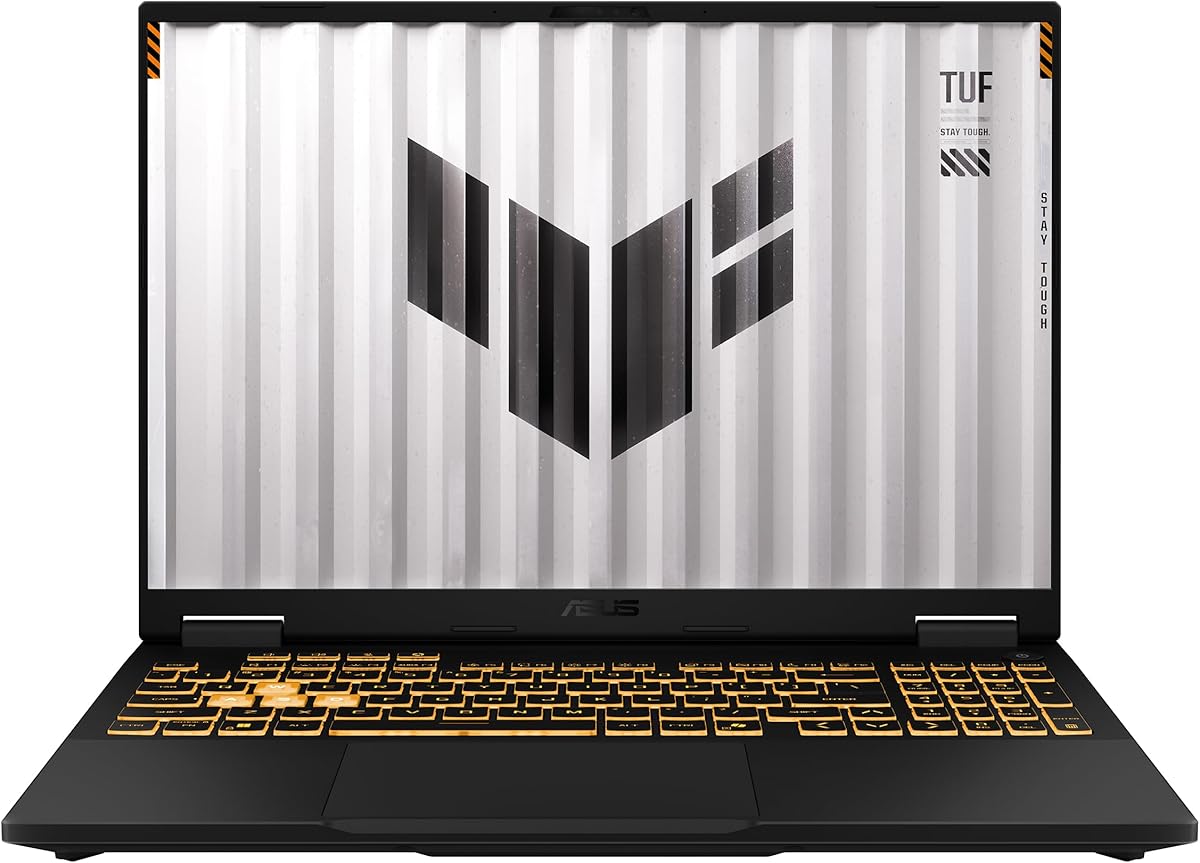
ASUS TUF Gaming F16 (2025) RTX 5050
The ASUS TUF Gaming F16 (2025) is the durable midrange answer in this pack: Intel Core i5 13450HX, GeForce RTX 5050 with a Max TGP of 115W, NVIDIA Advanced Optimus, 16GB DDR5, and a 16-inch FHD+ 165Hz panel covering 100% sRGB. It does not chase Nebula marketing, and that restraint helps gamers who want toughness over light bars.
The RTX 5050 is a practical high-mid entry for FHD+ gaming with modern upscalers. A called-out 115W TGP matters because laptop GPUs vary wildly by power limit. Advanced Optimus helps the machine stay on discrete graphics when it helps and hand off when battery life matters.
MIL-STD-810H testing is meaningful for weekly travelers. The embossed TUF lid stays quieter aesthetically than Strix, which helps in classrooms or client spaces. Adaptive-Sync on the 165Hz panel reduces tearing without forcing a premium module story.
Cooling uses 2nd Gen Arc Flow Fans, a full-width heatsink, and a full-width vent aimed at sustained play without constant jet noise. Storage at 512GB Gen 4 is the main kit compromise versus 1TB rivals—budget a second drive sooner rather than later.
We badge this Best Rugged Midrange because it hits the brief for a high-mid gamer who moves around: durable, fast enough with RTX 5050, color-capable screen, and less peacock energy than ROG. Desk-bound buyers chasing maximum GPU nameplates can look higher on the list.
Students, LAN travelers, and hybrid workers who game at night will like the MIL-STD story and subdued styling. Pure desktop-replacement seekers may prefer Strix thermals and higher GPU tiers.
Prioritize a larger SSD, then evaluate RAM if you edit or run virtual machines. Keep Adaptive-Sync enabled and update ASUS software before chasing exotic fan curves.
We may earn a commission at no additional cost to you.
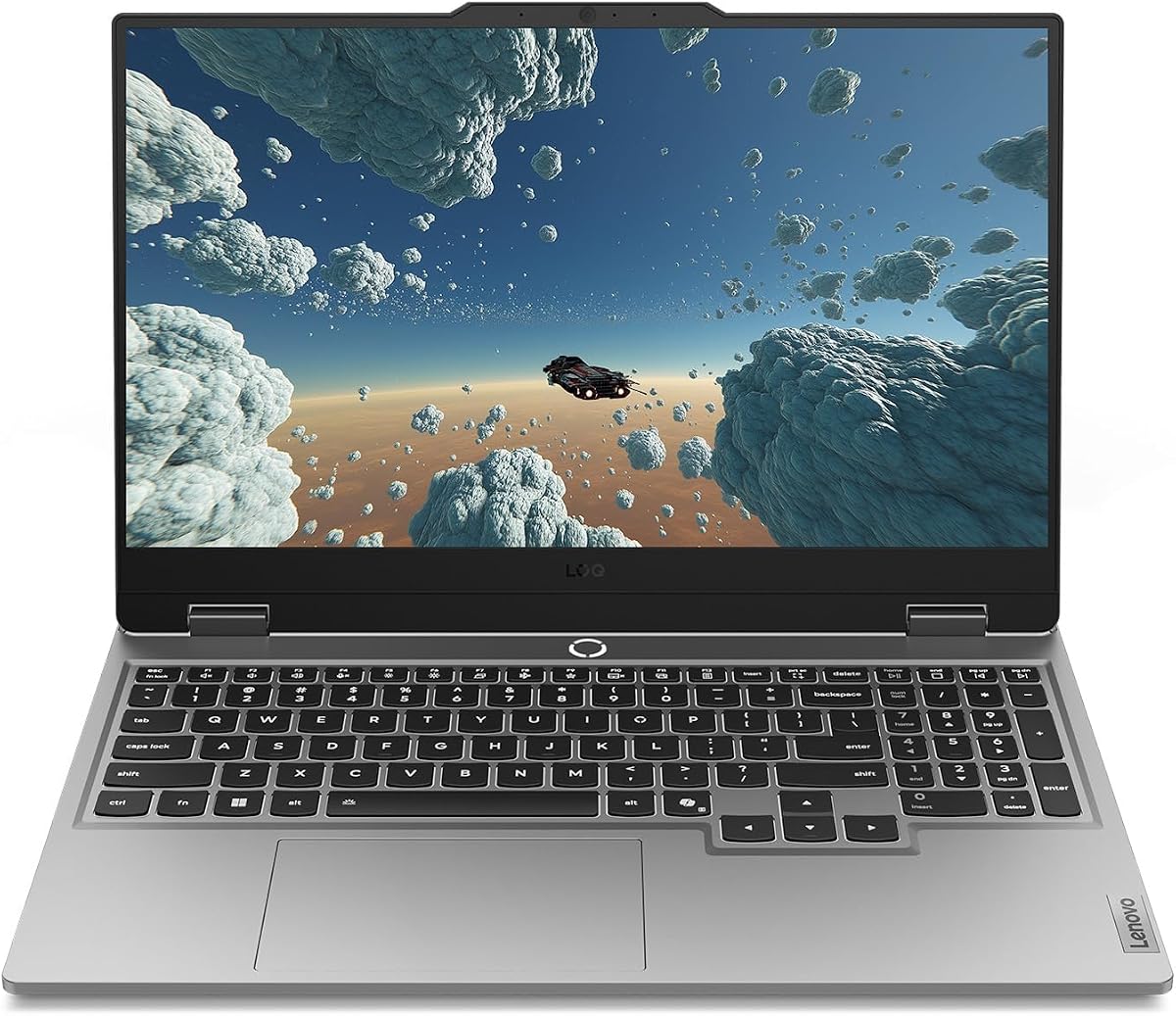
Lenovo’s Legion LOQ with Core i7-13650HX and GeForce RTX 5050 is the backpack-friendly discrete pick. At 15.6 inches with a Luna Grey aluminum cover, it aims at gamers who want true RTX features without a 16-inch ROG slab. Hyperchamber Cooling and AI Engine+ are Lenovo’s language for keeping boost behavior sane.
The CPU choice is shrewd. An i7-13650HX brings more threaded horsepower than many i5 gaming bases, which helps when you stream. RTX 5050 handles current titles at FHD with modern upscaling; G-Sync on the 144Hz IPS panel keeps that canvas tear-resistant even if peak refresh is not the highest here.
Storage at 1TB is a quiet win versus the TUF’s 512GB kit. Memory at 16GB matches several peers and should be upgraded for heavier creative workflows. Rapid Charge Pro and smart battery features matter more on a machine that actually leaves the desk.
The white-backlit keyboard and soft-landing switches favor long sessions without RGB overload. That restraint matches LOQ’s positioning as a first serious gaming laptop that still looks acceptable in a lecture hall.
We call it Best Compact 15.6 because it compresses a real high-mid discrete stack into a more portable shell with a full terabyte drive. If you need 180Hz WUXGA or Nebula 2.5K, stay with the 16-inch Acer and ASUS options.
Compared with Strix and Nitro 16-inch chassis, the LOQ trades some screen real estate and peak refresh for easier carrying. Desk-bound players should not overvalue the smaller footprint.
Update Lenovo Vantage and GPU drivers, then let AI Engine+ learn your titles before locking extreme modes. Enable G-Sync and match in-game caps near 144FPS.
We may earn a commission at no additional cost to you.

The Acer Nitro V with Core i5-13420H and GeForce RTX 4050 is the entry discrete laptop in a high-mid shopping mindset: you are buying a legitimate NVIDIA gaming GPU with a path to grow. The 15.6-inch FHD IPS 165Hz panel and Wi-Fi 6 keep fundamentals honest for esports and mainstream AAA at sensible settings.
RTX 4050’s AI TOPS and DLSS 3.5 support still matter in libraries that have not all jumped to the newest frame-generation features. You will manage settings more carefully than on the RTX 5060 Nitro V 16S, but you remain far ahead of the iGPU-only machines later in this list.
The critical honesty check is memory. Eight gigabytes of DDR5 in dual slots that can reach 32GB assumes you will open the chassis—do that early. Likewise, 512GB is a starter drive. Thunderbolt 4 and Killer Ethernet E2600 are welcome connectivity extras.
As a campus or first serious gaming laptop, this Nitro V makes sense when the rest of your setup budget still needs a headset and mouse. As a pure high-mid flex machine, it is outgunned by every RTX 50-series option above.
Buy it with RAM and SSD upgrades already planned. Skip it if you can stretch to the Nitro V 16S with RTX 5060 and 32GB—that sibling is the clearer complete package when your budget truly reaches the upper band of this guide.
Install at least 16GB—preferably 32GB—of DDR5, move to a larger Gen 4 SSD if your library is large, and update NVIDIA drivers before judging day-one frame rates.
Even a base RTX 4050 with DLSS outperforms Radeon 660M, 680M, and 780M machines in demanding featured titles. Choose iGPU laptops when battery life or weight matter more than discrete headroom.
We may earn a commission at no additional cost to you.

AMD Ryzen 7 H255 Radeon 780M 16-Inch
Not every high-mid shopper needs a high-TGP GPU. This Ryzen 7 H255 laptop with Radeon 780M targets the slim, metal, 16:10 lifestyle gamer who still wants elevated integrated graphics. The Zen 4 eight-core CPU boosts to 4.9GHz, with a tunable 35–54W gaming power window suggested by the listing.
Radeon 780M remains one of the more credible iGPUs for esports, indie titles, and well-optimized AAA games at thoughtful settings. It will not replace the RTX 5060 Nitro for path-tracing showcases, and that is fine. The value is quieter thermals, better battery behavior, and a chassis you can carry without announcing a LAN party.
Twenty-four gigabytes of fast LPDDR5 is a standout because integrated graphics share system memory. More RAM often means steadier frame times. The tradeoff is soldered memory. Storage starts at 512GB with dual M.2 slots for expansion—the correct place to invest after purchase.
The 16-inch 1920x1200 IPS panel and 180-degree hinge favor creation and couch streaming as much as gaming. Full-function Type-C ports, HDMI 2.0, USB 3.2, and a TF slot cover everyday docking without a bag of adapters.
We rank it Best Slim iGPU Gamer: a perfect 5.0 pack rating, a strong 780M story, and a metal 16:10 design that feels intentional. Choose it when portability beats peak RTX fidelity; choose Nitro or Strix when your library demands discrete ray tracing weekly.
Lean into competitive titles, indie favorites, and optimized multiplayer games. For heavy single-player showcases, lower scales or cloud options keep expectations honest.
Use the Type-C fast-charging path for cafe top-ups and flat-lay the hinge for shared-screen strategy sessions. Keep vents clear on soft surfaces.
We may earn a commission at no additional cost to you.

The NIMO 17.3-inch Ryzen 7 7735HS machine is for people who want laptop convenience with monitor-like acreage. Thirty-two gigabytes of DDR5, a 1TB SSD, Radeon 680M, and a full HD IPS panel make it a workstation-flavored iGPU laptop more than a thin esports blade.
Gaming expectations should stay in esports and medium-preset modern title territory. Radeon 680M is capable in that lane, especially with 32GB of fast memory feeding the iGPU. If your dream is maxed cinematic cities with frame-generation stacks, look at the RTX Nitro and Strix models instead.
Where NIMO shines is ownership framing: dual M.2 PCIe 4.0 slots, 100W USB-C PD charging, Wi-Fi 6E, and a stated two-year manufacturer warranty with a 90-day return window. That package reduces risk versus buying a lesser-known brand with no safety net.
The backlit keyboard and 180-degree hinge support late-night study and shared viewing. Measure your backpack before committing; this is a car-to-desk laptop more than a subway standee device.
We badge it Best Big-Screen iGPU because no other pack member commits to 17.3 inches with this much RAM and storage. It is a specialist pick for buyers who value screen real estate over ROG mythology.
Use the large panel for timelines and reference windows, and keep games on a secondary SSD so project files stay on the primary drive.
If you walk between classes daily, the 16-inch Radeon 780M laptop or the Legion LOQ will treat your shoulders more kindly.
We may earn a commission at no additional cost to you.

MALLRACE’s Ryzen 7 5825U laptop is the budget workhorse of the set: eight cores, sixteen threads, up to 4.5GHz, 16GB memory, a 1TB NVMe SSD, and a 15.6-inch FHD panel with a numeric keyboard. The pack’s 4.6 rating suggests buyers like the everyday competence even if the GPU story is modest.
Call this a gaming laptop only with calibrated expectations. Integrated Radeon graphics can handle lighter titles and esports at reduced presets. They will not deliver the RTX feature set that defines the upper half of this guide. For coursework, streaming video, and occasional lighter play, the CPU and 1TB drive matter more than the gaming label alone.
Expandability is part of the appeal. The listing describes dual-channel memory support toward higher capacities and SSD expansion toward multi-terabyte setups. Ports include USB 3.2, HDMI, full-function Type-C, TF card, and a Type-C DC jack—a practical student layout.
Battery capacity at 54.72Wh with a roughly 2.5–3 hour full charge claim positions it as a take-anywhere notebook rather than a desk-chained ROG. Backlighting helps late library sessions, and Wi-Fi 6 keeps campus networks usable.
We place it ninth as Best Budget Workhorse: useful, well-liked, and honest about its lane. Spend up to Nitro or TUF the moment discrete GPU gaming is the actual reason you opened this guide.
Students and general users who want Ryzen 7 responsiveness and a huge SSD without paying for RTX silicon. Skip it if AAA gaming with ray tracing is the core use case.
Close background browser weight, use lower resolutions in demanding titles, and keep vents clear—U-series machines still throttle when smothered on a soft bed.
We may earn a commission at no additional cost to you.
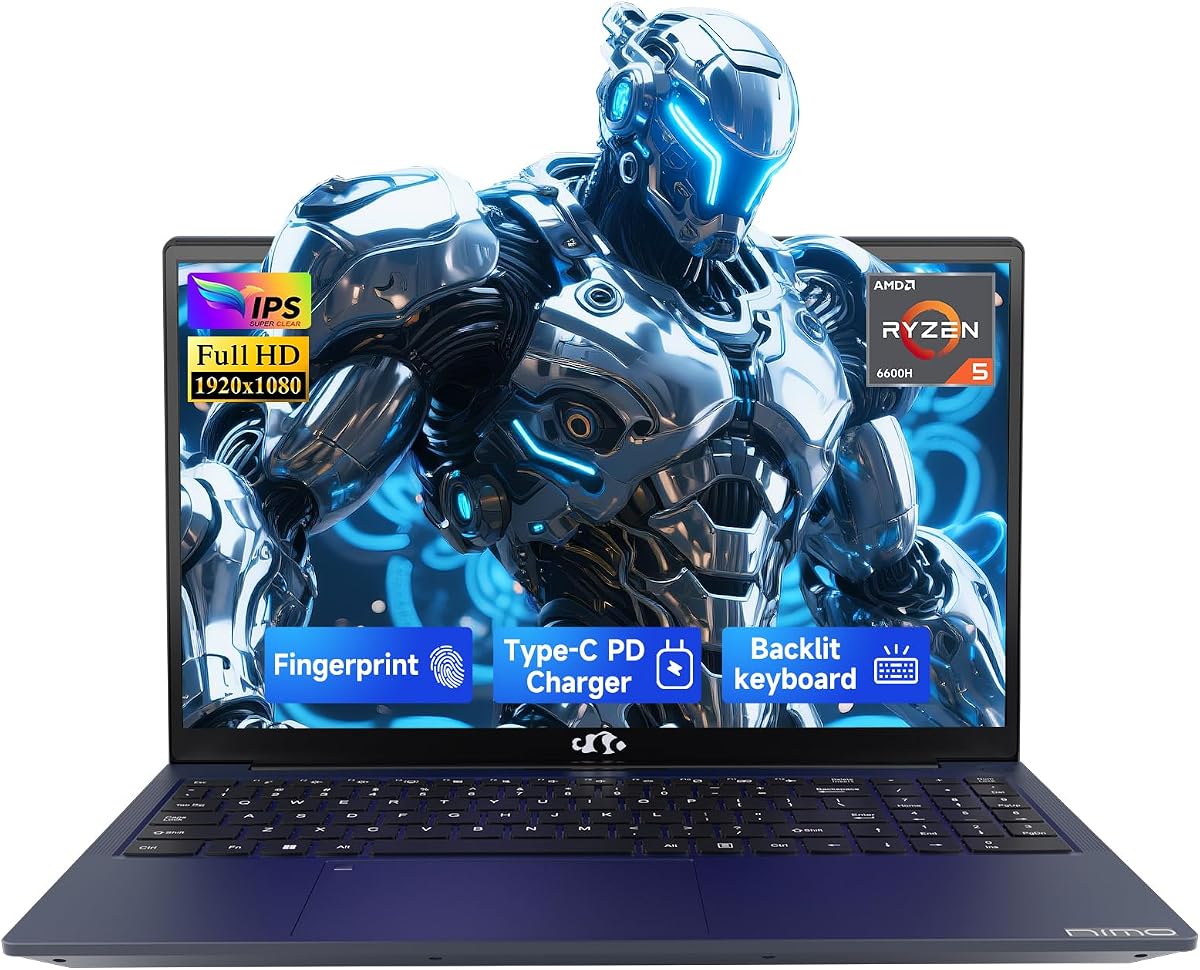
The NIMO 15.6-inch Ryzen 5 6600H closes the roundup as a portable starter: six cores up to 4.5GHz, Radeon 660M, 16GB DDR5, and a 256GB SSD in a lighter business-leaning shell with fingerprint login and a privacy webcam. It is an on-ramp for H-series pep and upgrade hatches more than a finished high-mid GPU stack.
Radeon 660M can manage popular esports and lighter games at stable rates, especially after you expand storage so Windows Update is not fighting Steam for the last gigabytes. The 256GB drive is the first thing to replace; easy RAM and SSD swaps are how this product should be owned.
Connectivity is a highlight: HDMI 2.0, multiple USB 3.2 ports, and dual full-function Type-C with PD and DisplayPort for cleaner desks. The 100W Type-C adapter story makes the daily bag lighter than many brick-style gaming chargers.
Security touches—the fingerprint sensor and physical webcam privacy—are more thoughtful than bargain gaming skins that only add stickers. Warranty framing with two years and ninety-day returns tries to offset brand unfamiliarity versus Legion or ROG.
Ranked tenth, it is still useful as Best Portable Starter for readers who need a capable notebook first and a discrete GPU later. If gaming prestige is why you are reading, start higher on this list.
Move to a 1TB-class SSD immediately, confirm dual-channel memory after any RAM upgrade, and install AMD graphics drivers before benchmarking on stale factory images.
MALLRACE offers a Ryzen 7 U-series CPU and a full 1TB drive out of the box; NIMO offers H-series clocks, fingerprint security, and clearer Type-C docking.
We may earn a commission at no additional cost to you.

High-mid shopping fails when buyers mix incompatible goals. Discrete GeForce RTX 5050, 5060, and 5070 Ti laptops in this pack are for modern feature sets—ray tracing, DLSS, and higher presets. Radeon 780M, 680M, and 660M machines are for portability, battery sanity, and lighter libraries. Write down three games you actually play weekly; that list should pick the lane faster than any badge.
Sixteen-inch 16:10 panels on the Strix and Nitro V 16S give more vertical space for Discord and editors. Fifteen-point-six-inch 16:9 screens on LOQ and the smaller Nitro travel easier. Seventeen-point-three inches on the large NIMO is a desk lifestyle. Refresh from 144Hz to 240Hz only matters if your GPU can feed it—pairing Nebula 240Hz with RTX 5070 Ti is coherent; chasing hertz on a weak iGPU is mostly marketing.
Vapor chambers, Arc Flow fans, Hyperchamber coolers, and liquid metal only help if you give the laptop airflow. Elevating the rear edge and cleaning dust seasonally matter as much as brochure thermals. Expect audible fans on RTX 5070 Ti and well-powered 5060/5050 machines. Ultrabook silence and high-mid ray tracing rarely coexist.
Yes—if you pick a discrete GPU configuration from the upper half of this guide. RTX 5060 and 5070 Ti Strix and Nitro models are built for modern libraries with DLSS support. RTX 5050 machines cover high settings at FHD or FHD+ with some compromises in the heaviest ray-traced scenes. RTX 4050 remains viable with wiser presets.
Choose the RTX 5070 Ti Strix when you want the Nebula 2.5K 240Hz panel, Core Ultra 9, and 32GB memory as a complete high-mid stack. Choose the RTX 5060 Strix when FHD+ 165Hz play is your target and you prefer balancing the rest of your setup budget. Both share ROG cooling DNA; the 5070 Ti kit is the more future-facing ceiling inside this pack.
For pure play with a launcher and Discord, 16GB can suffice. For Chrome-heavy multitasking, streaming, or creative apps beside a game, 32GB reduces stutter and tab pressure. That is why the Acer Nitro V 16S and the 5070 Ti Strix stand out. The 8GB Nitro V should be upgraded before you form opinions about the RTX 4050.
They are worth it when battery life, weight, and a metal 16:10 chassis matter as much as peak fidelity. Radeon 780M can look surprisingly good in optimized titles and esports. It will not match RTX 5060 feature sets or ray-tracing comfort.
One hundred forty-four hertz is the modern floor for a gaming-focused panel. One hundred sixty-five to one hundred eighty hertz is the sweet spot for most high-mid GPUs in this pack. Two hundred forty hertz on the Nebula Strix is excellent if you notice the difference and your GPU feeds it. On iGPU machines, prioritize panel quality over chasing the highest hertz number.
Yes, with different strengths. LOQ brings a 15.6-inch footprint, i7-13650HX, RTX 5050, G-Sync, and 1TB storage in a subdued Luna Grey design. TUF answers with a 16-inch FHD+ 165Hz 100% sRGB panel, MIL-STD-810H durability, and up to 115W TGP on RTX 5050. Pick LOQ for compact carry; pick TUF for rugged 16-inch presence.
Manufacturers hit promotional configurations by shrinking storage while advertising strong CPUs. It is common and fixable when the chassis offers a second M.2 slot or an accessible primary bay. Treat small drives as temporary and factor a larger SSD into ownership cost—especially on the Acer Nitro V 4050, TUF F16, H255 780M, and NIMO 15.6 models.
No. Wi-Fi 6 or 6E remains excellent for most apartments and campuses. Wi-Fi 7 on the ROG Strix models is forward-looking if you already own a compatible router. Wired Ethernet—via adapter or Killer Ethernet on the 15.6 Nitro V—still wins for tournament-night stability when you can use it.
Partially. The RTX 5070 Ti Strix and the 32GB RTX 5060 Nitro V 16S can serve as primary machines for gaming and creation if you add an external monitor and storage. You still trade some upgrade freedom versus a tower. For renters and dual-location lives, these high-mid laptops are legitimate main PCs.
The best gaming laptop under 2000 in 2026 depends on whether you are chasing discrete RTX headroom or a smarter portable compromise. Inside this pack, the ASUS ROG Strix G16 with RTX 5070 Ti is the high-mid ceiling, the Acer Nitro V 16S AI is the value-complete 32GB workhorse, and the RTX 5060 Strix remains the balanced ROG for FHD+ players.
Below those headline picks, the TUF F16 and Legion LOQ cover rugged and compact RTX 5050 lives, the Nitro V RTX 4050 remains a legitimate upgradeable on-ramp, and the Ryzen Radeon machines serve travelers and big-screen multitaskers who game without needing Blackwell features every night.
Match GPU lane, screen size, and memory reality to your week—not to a single marketing badge—and the right machine in this list will feel obvious. When your library, desk, and backpack agree, you will stop shopping and start playing.