Expert Review & Guide

Best Gaming Laptops Under $200 in 2026: Realistic Picks

If you are shopping for a gaming laptop under two hundred dollars in 2026, the first thing to reset is the fantasy brochure. At this price, you are usually not buying a thin-and-light RTX rig that crushes modern AAA titles on high settings. You are buying a Windows notebook with integrated graphics, a Chromebook aimed at cloud and browser games, or—on rare clearance and renewed days—a deeper discount on a machine that normally lives far above this band. That does not make the category useless. It makes honesty the product feature that matters most.

What this budget can still deliver is surprisingly practical: Minecraft with mods kept modest, League of Legends and Valorant on lowered presets, older titles, indie games, GeForce Now / Xbox Cloud / Amazon Luna sessions, Discord, browsers stacked with tabs, homework, and streaming. RAM and storage quality matter more here than RGB slogans. A Ryzen 5/7 U-series or H-series chip with a stronger iGPU will feel night-and-day better than a dual-core Atom-class board with 4GB of memory, even when both boxes say “gaming” in the listing title.

Below we ranked every laptop in this pack with that reality check baked in. We highlight which machines can handle light esports, which are really student Chromebooks with a Google Play library, which discrete-GPU models are deal-watch outliers rather than everyday under-$200 stock, and where marketing language outruns silicon. If a seller promises Cyberpunk at ultra for the cost of a console controller, walk away—or at least read the GPU line twice.

Our Top Picks for Ultra-Budget Gaming in 2026

Best Overall Under $200

MALLRACE Gaming Laptop

★★★★★9.2/10
MALLRACE Gaming Laptop
  • AMD Ryzen 7 5825U (8 cores / 16 threads) with Radeon graphics for light esports and heavy multitasking
  • 16GB LPDDR4 plus a full 1TB NVMe SSD—rare headroom at this price for games and school files
  • Wi-Fi 6, backlit keyboard, and expandable storage paths for a longer useful life
Check Price →
Best Light-Esports iGPU

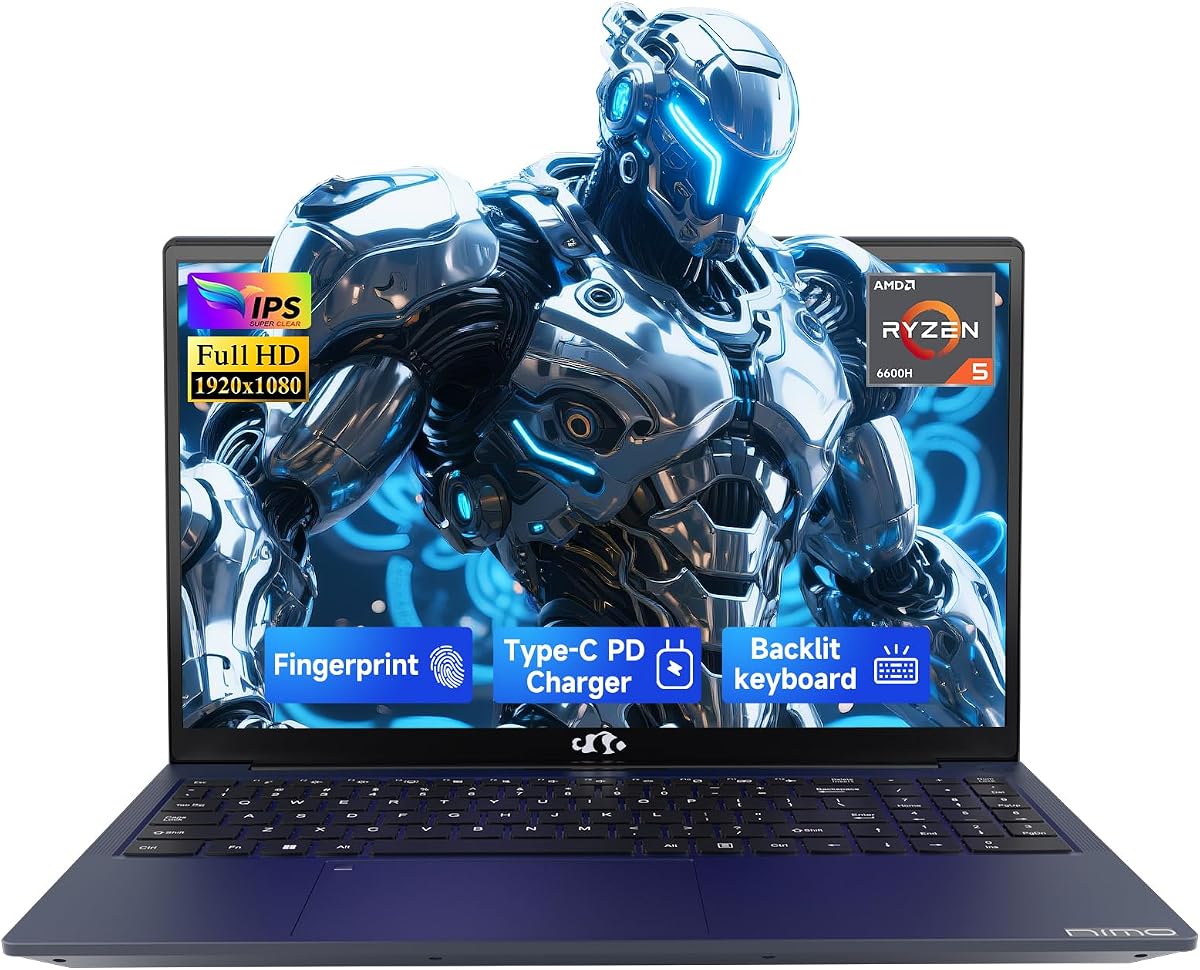
NIMO 15.6" IPS FHD-Light Gaming-Laptop

★★★★☆8.6/10
NIMO 15.6" IPS FHD-Light Gaming-Laptop
  • Ryzen 5 6600H with Radeon 660M—one of the stronger integrated GPUs you can still hope to see near this band
  • 16GB DDR5 and an upgrade-friendly chassis so you can grow storage past the base 256GB SSD
  • Fingerprint login, backlit keyboard, and dual full-function USB-C with 100W charging
Check Price →
Best Student Everyday Pick

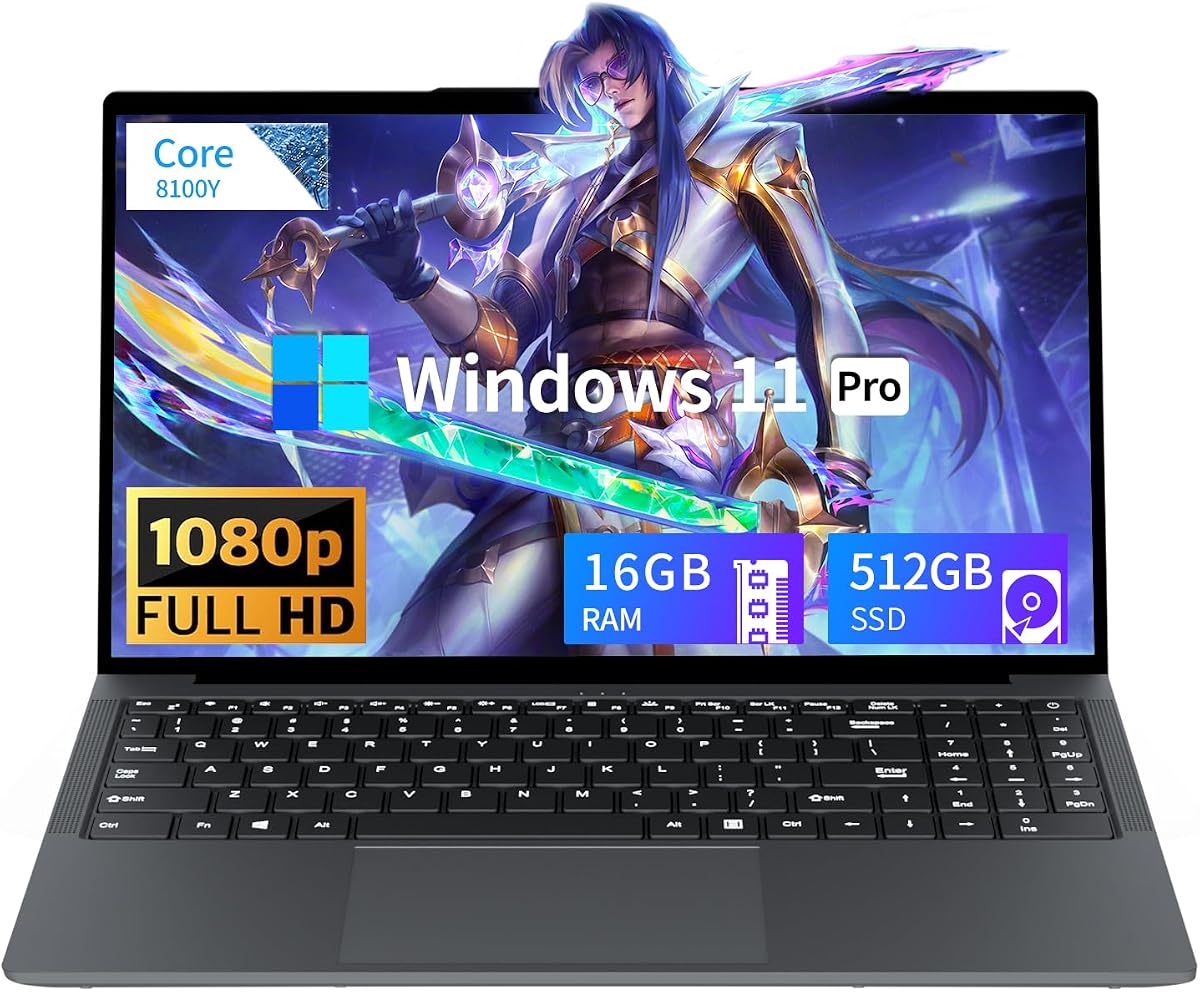
Tunhail 15.6 inch Laptop

★★★★★9/10
Tunhail 15.6 inch Laptop
  • 16GB RAM and 512GB SSD with Windows 11 Pro for schoolwork, streaming, and light indie/esports play
  • 15.6-inch Full HD panel plus a privacy shutter on the webcam for dorm and library use
  • Practical port mix including HDMI, multiple USB-A, and USB-C for monitors and flash drives
Check Price →

As an Amazon Associate we earn from qualifying purchases. We may earn a commission at no additional cost to you.

Quick Comparison: Every Laptop in This Roundup

Use this table as a reality filter before you fall for “gaming laptop” wording. Focus on CPU generation, graphics type (integrated vs discrete), RAM capacity, and storage class. Machines with 4GB memory or eMMC storage are cloud-and-browser devices, not AAA platforms. Discrete RTX models in this list are exceptional deal candidates when they appear—not the everyday definition of under two hundred dollars.

#ProductSpecificationsScore
1
  • Core processor up to 3.4GHz, UHD Graphics 615
  • 16GB RAM, 512GB M.2 SATA SSD, Win 11 Pro
  • 15.6" FHD, Wi-Fi dual-band, privacy webcam shutter
9
2
  • AMD Ryzen 7 5825U up to 4.5GHz, Radeon graphics
  • 16GB LPDDR4, 1TB NVMe SSD, upgradable paths noted
  • 15.6" FHD, Wi-Fi 6, backlit keyboard, full-function USB-C
9.2
3
  • Intel Twin Lake N150 up to 3.6GHz, integrated graphics
  • 16GB RAM, 512GB SSD, Windows 11 Pro
  • 15.6" IPS FHD, backlit keyboard, fingerprint reader
8
4
  • Intel Celeron N4500, Intel UHD Graphics, Chrome OS
  • 4GB LPDDR4X, 64GB eMMC—cloud-first storage profile
  • 14" FHD, Wi-Fi 5, long battery claims, Titan C2 security
8.4
5
  • AMD Ryzen 5 6600H up to 4.5GHz, Radeon 660M GPU
  • 16GB DDR5, 256GB SSD (RAM/SSD upgrade-friendly)
  • 15.6" FHD IPS, fingerprint, 100W USB-C charging
8.6
6
  • Intel Core i5-13420H with NVIDIA GeForce RTX 4050
  • 8GB DDR5 (expandable), 512GB Gen 4 SSD
  • 15.6" FHD IPS 165Hz—true discrete-GPU gaming class
9
7
  • Atom Gold-class dual-core CPU, entry integrated graphics
  • 4GB DDR3L (up to 16GB), 128GB SATA SSD expandable
  • 15.6" FHD IPS, HDMI, microSD, lightweight chassis
8.8
8
  • Core processor up to 3.40GHz, integrated graphics class
  • 16GB RAM, 512GB SSD, Windows traditional laptop layout
  • 15.6" FHD anti-glare, Wi-Fi + Bluetooth 5.0, 38Wh battery
7
9
  • Intel Core i7-14650HX with GeForce RTX 5060 Laptop GPU
  • 16GB DDR5, 1TB Gen 4 SSD, Windows 11 Home
  • 16" FHD+ 165Hz, ROG vapor-chamber cooling, Wi-Fi 7
9
10
  • AMD Ryzen 5 7535HS, entry-level gaming positioning
  • 8GB DDR5, 256GB PCIe SSD—tight for large libraries
  • 15" FHD+ display, Wi-Fi 6, Bluetooth 5.3, Type-C charging
8.8

1. MALLRACE Gaming Laptop - Best Overall Under $200

MALLRACE Gaming Laptop

MALLRACE Gaming Laptop

9.2/10★★★★★

The MALLRACE LX15PRO-class machine earns our best-overall badge because it respects the under-$200 brief without lying about what “gaming” means here. The AMD Ryzen 7 5825U is a real eight-core, sixteen-thread APU with a peak clock claim up to 4.5GHz. That matters more than neon stickers. In this band, many listings lean on vague processor language and ancient UHD graphics. A Rembrandt-adjacent Zen 3 U-series chip with Radeon graphics is a different conversation: you get credible CPU headroom for Chrome, Discord, OBS at cautious settings, coding classwork, and lighter esports titles when expectations stay honest.

  • AMD Ryzen 7 5825U (8C/16T, up to 4.5GHz), Radeon graphics
  • 16GB LPDDR4 memory, 1TB M.2 NVMe SSD
  • 15.6" FHD, Wi-Fi 6, backlit keyboard, full-function USB-C
Check Price →
✓ Pros
  • Genuine eight-core Ryzen 7 silicon instead of vague “Core processor” marketing
  • 1TB NVMe storage gives real room for a modest game library plus school files
  • Wi-Fi 6 and a backlit keyboard punch above typical ultra-budget kits
  • Strong multitasking for Discord, browser, and a lighter title at once
  • Upgrade notes for storage expansion extend the machine’s useful life
✕ Cons
  • Still integrated Radeon graphics—not a discrete RTX/RX gaming laptop
  • Do not expect modern AAA titles at high presets or stable ray tracing
  • Generic chassis quality and thermals can vary unit to unit at this price

Detailed review

Memory and storage are where this configuration separates itself from the thin 4GB/128GB crowd. Sixteen gigabytes of LPDDR4 is enough to keep background apps from strangling a game’s frame pacing, and the included 1TB NVMe SSD is unusually generous for ultra-budget shopping. You can install a handful of competitive titles, keep a Steam library of older or indie games, and still leave room for homework, photos, and offline lecture videos. Fast storage also shortens boot times and level loads—small quality-of-life wins that feel huge when you are used to eMMC Chromebooks.

Graphics realism check: integrated AMD Radeon on the 5825U can handle League of Legends, Valorant, Rocket League, Fortnite on lowered settings, Minecraft, Stardew Valley, Hades, and plenty of older 3D games if you dial resolution scaling and shadows down. It will not deliver Cyberpunk-style path tracing, high-refresh competitive FPS at max detail, or comfortable ray-traced AAA. If that is your goal, you need a discrete GPU and a larger budget—or cloud streaming with a strong internet connection. Treat this as a light-esports and hybrid school machine, not a portable 1440p powerhouse.

The connectivity story is practical. Wi-Fi 6 helps on congested dorm networks where older Wi-Fi 5 adapters stutter. A full-function USB-C port, HDMI, USB 3.2, a TF card slot, and a combo audio jack cover monitors, flash drives, and headsets without a shopping cart of dongles. The backlit keyboard is a quiet luxury for late-night ranked queues in a dark room. Battery capacity is listed around the mid-50Wh class with a few-hour charge window—fine for classes and browsing, shorter when you push CPU clocks for games on AC power.

Build expectations should stay grounded. Generic 15.6-inch chassis at this price often use plastic that flexes, average speakers, and webcams that are merely adequate. Cooling will throttle under sustained load more than a thick gaming chassis with vapor chambers. Still, for the money, the silicon and storage package is the right priority stack: CPU cores first, RAM second, SSD capacity third, RGB last. If you only buy one machine from this roundup for mixed school-and-play use, start here—then verify the current listing still matches the Ryzen 7 / 16GB / 1TB configuration, because budget SKUs reshuffle constantly.

Who this laptop is for

Students and first-apartment gamers who need one device for Zoom, documents, YouTube, Discord, and light competitive titles. Also a smart pick if you already subscribe to a cloud gaming service and want local performance for older Steam games without spending midrange money.

Setup tips for better frames

Plug in for gaming sessions, set Windows power mode to Best performance, update AMD chipset and graphics drivers from AMD’s site rather than only Windows Update, and use each game’s low or medium preset with FSR/upscaling when available. Cap FPS near your panel’s refresh rate to reduce heat and fan noise.

Versus other pack options

Compared with Tunhail-style Core/UHD machines, the Ryzen 7 offers more threads and a stronger iGPU path. Compared with the NIMO 6600H/660M, MALLRACE trades some graphics muscle for a much larger included SSD. Compared with discrete RTX models, it is slower in modern 3D—but far more plausible as a consistent under-$200 purchase.

Check Price on Amazon →

We may earn a commission at no additional cost to you.

2. NIMO 15.6" IPS FHD-Light Gaming-Laptop - Best Light-Esports iGPU

NIMO 15.6" IPS FHD-Light Gaming-Laptop

NIMO 15.6" IPS FHD-Light Gaming-Laptop

8.6/10★★★★☆

If your definition of “gaming laptop under $200” means the strongest integrated graphics you can still hope to touch in this neighborhood, the NIMO with Ryzen 5 6600H and Radeon 660M is the most interesting silicon story in the pack. The 6600H is a six-core H-series part with higher performance targets than many fanless or ultra-thin U-series boards. Pair that with Radeon 660M—RDNA2-class iGPU hardware that routinely outpaces older Intel UHD and weak dual-core graphics—and you get a machine that can make low-to-medium esports feel intentional rather than apologetic.

  • AMD Ryzen 5 6600H up to 4.5GHz with Radeon 660M
  • 16GB DDR5 RAM, 256GB SSD (upgrade-friendly design)
  • 15.6" FHD IPS, fingerprint sensor, 100W USB-C PD
Check Price →
✓ Pros
  • Radeon 660M is meaningfully stronger than older UHD / entry iGPUs for light esports
  • DDR5 plus a six-core H-series Ryzen helps sustained workloads feel snappier
  • User-accessible upgrade path for RAM and SSD extends longevity
  • Fingerprint login, privacy webcam approach, and dual full-function USB-C
  • Two-year warranty messaging and U.S.-assembly claims add buyer confidence
✕ Cons
  • Base 256GB SSD fills quickly once a few modern titles and Windows updates land
  • Still not a discrete GPU—AAA ultra settings remain off the menu
  • H-series chips can run warmer and louder under load than frugal U-series parts

Detailed review

Sixteen gigabytes of DDR5 is the right foundation. Integrated graphics share system memory, so skimpy RAM configurations punish both multitasking and frame rates. With 16GB on board, you can keep Discord, a browser, and a competitive title open without immediately paging to disk. The weak spot is the 256GB SSD. That capacity is fine for Windows, a browser profile, and two or three installed games—not a 200GB AAA catalog. Budget for a larger NVMe drive early; the manufacturer highlights expandability, and taking advantage of it is almost mandatory if you treat this as a Steam machine.

Expect playable results in titles that reward efficient engines: League, Valorant, CS2 on careful settings, Fortnite with performance modes, Genshin Impact on lowered presets, older Assassin’s Creed or Witcher-era games with compromise, and a wide indie library. Do not buy this expecting stable 60 FPS on the newest open-world releases at native 1080p high. Cloud gaming remains a smart complement when a title is too heavy. The 15.6-inch FHD IPS panel is a solid everyday canvas for both spreadsheets and ranked queues; it will not match a 165Hz gaming panel for motion clarity, but clarity and viewing angles beat dim TN leftovers.

Everyday features are thoughtfully above the bare-minimum tier. A fingerprint sensor on the touchpad speeds logins without typing passwords in a café. Dual full-function USB-C ports with Power Delivery and DisplayPort alternate modes keep desk setups tidy—charge, data, and an external monitor without a dock in many cases. HDMI 2.0 and USB 3.2 round out ports for older displays and peripherals. The 100W USB-C adapter story is convenient for travel: one cable ecosystem with phones and accessories beats proprietary barrels when you are living out of a backpack.

Thermals and noise deserve a candid note. H-series APUs push harder than Celeron and N-series chips, so fans will spin when you load a game or export a video. That is normal. What you want is consistent clocks without runaway throttling; leave vents clear, use a hard surface, and consider a simple laptop stand. Warranty messaging—two years plus a return window—matters more on lesser-known brands than on household names. Read the current seller’s fulfillment and return terms before you click buy, and confirm the exact CPU/GPU string still says 6600H and 660M. Configuration swaps happen.

Bottom line: among machines that can plausibly land near the ultra-budget aisle, this is the pick when frames-per-dollar on integrated graphics matter most. Pair it with a storage upgrade and modest in-game settings, and you get a credible light-gaming Windows laptop. Pair it with wishful AAA expectations, and you will be disappointed—the silicon is strong for the class, not magical.

Ideal buyer profile

Competitive-game players who stick to esports and live-service titles with performance modes, plus creators who need a bit more CPU muscle for light editing. Skip it if you refuse to upgrade the 256GB drive or insist on native high-preset AAA.

First-week upgrade checklist

Install a larger NVMe SSD if the bay allows, clone Windows carefully or clean-install, update AMD drivers, enable Secure Boot/TPM as needed for Valorant-class anti-cheat, and create a restore point before experimenting with undervolt or power-limit tools.

Check Price on Amazon →

We may earn a commission at no additional cost to you.

3. Tunhail 15.6 inch Laptop - Best Student Everyday Pick

Tunhail 15.6 inch Laptop

Tunhail 15.6 inch Laptop

9/10★★★★★

Tunhail’s 15.6-inch configuration is a classic ultra-budget Windows package: a modest Core-branded processor peaking near 3.4GHz, Intel UHD Graphics 615, 16GB of memory, a 512GB M.2 SATA SSD, and Windows 11 Pro. Read that list as a student and light-entertainment machine first. The gaming label on the product title is marketing gravity, not a promise of modern AAA readiness. Within that honest frame, the RAM and storage combo is why it earns a top-three slot for everyday buyers who also want occasional indie games and cloud sessions.

  • Core processor up to 3.4GHz with UHD Graphics 615
  • 16GB RAM, 512GB M.2 SATA SSD, Windows 11 Pro
  • 15.6" FHD, privacy camera shutter, HDMI + multi USB
Check Price →
✓ Pros
  • 16GB RAM and 512GB SSD hit the sweet spot for school multitasking
  • Windows 11 Pro brings remote desktop and business-oriented features
  • Physical webcam privacy slider is a dorm-friendly detail
  • Full HD 15.6-inch screen works for streaming and split-window homework
  • Port selection covers HDMI and several USB-A devices without adapters
✕ Cons
  • UHD Graphics 615 is dated for anything beyond light/indie/cloud gaming
  • “Gaming laptop” labeling oversells what the iGPU can sustain in modern 3D
  • 38Wh-class battery will not deliver marathon unplugged gaming sessions

Detailed review

UHD Graphics 615 sits in an older integrated graphics generation. Practically, that means browser games, older DirectX titles, 2D/indie games, Minecraft with restrained settings and packs, and cloud streaming clients are the sensible entertainment stack. Competitive shooters may run, but often with low presets, reduced resolution scales, and uneven frame times. If your primary hobby is Valorant at stable competitive settings, look harder at the Ryzen 660M or Ryzen 7 options in this guide. If your primary need is Canvas, Google Docs, Netflix, and a Minecraft server with friends on weekends, Tunhail’s balance makes more sense.

Windows 11 Pro is uncommon in the cheapest aisle and useful if you care about BitLocker-oriented workflows, Remote Desktop host features, or domain-joining in a small business context. Students may never open those tools, yet the OS still feels responsive when paired with 16GB RAM. The 512GB SATA SSD is slower than Gen4 NVMe drives found on premium gaming laptops, but it beats eMMC for app installs and is large enough for Office, a creative suite lite, and a short list of games. Keep large 4K video projects on an external drive.

The 15.6-inch 1920×1080 panel at a 16:9 ratio remains the default campus format—big enough for side-by-side windows, familiar for video. Dual-band Wi-Fi and Bluetooth 5.0 cover dorm networks and earbuds. Ports include HDMI, three USB-A, USB-C, a headphone jack, and a DC jack. That USB-A abundance is quietly valuable when your life still includes flash drives and a wired mouse. The privacy shutter on the webcam is a small, correct feature for shared housing.

Battery capacity around 5000mAh / 38Wh means you should plan for outlet access during long days. Light note-taking and video playback are realistic; local gaming on battery will drain faster and may downclock performance. Speakers are fine for cues and calls, not immersion—budget headphones remain the upgrade that improves “gaming feel” more than another RGB sticker. Overall, buy Tunhail as a capable low-cost Windows laptop that can dabble in light play, not as a substitute for a discrete-GPU gaming notebook.

Best uses

Homework, streaming, browsing, light photo edits, cloud gaming, older PC games, and cooperative indie titles. Pair with Ethernet or strong Wi-Fi if you lean on GeForce Now or Xbox Cloud Gaming.

What not to expect

High-refresh competitive panels, ray tracing, modern open-world ultra presets, or quiet full-speed rendering under long loads. The UHD 615 line is the ceiling—plan settings accordingly.

Check Price on Amazon →

We may earn a commission at no additional cost to you.

4. Twin Lake N150 Gaming Laptop - Strong N-Series Value

Twin Lake N150 Gaming Laptop

Twin Lake N150 Gaming Laptop

8/10★★★★☆

Intel’s Twin Lake N150 shows up in a wave of 2025–2026 budget Windows laptops because it hits a useful efficiency target: enough CPU snap for everyday work without the heat of heavier H-series chips. In this configuration, the seller pairs it with 16GB RAM and a 512GB SSD—exactly the memory and storage floor we want to see before taking any “gaming” claim seriously. The N150 will not transform into a desktop-replacement GPU, but it will multitask more cleanly than older dual-core Celerons starved of memory.

  • Intel Twin Lake N150 up to 3.6GHz, integrated graphics
  • 16GB RAM, 512GB SSD, Windows 11 Pro
  • 15.6" IPS FHD, backlit keyboard, fingerprint, 180° hinge
Check Price →
✓ Pros
  • N150 is a modern efficiency CPU that feels fine for classwork and light play
  • 16GB RAM / 512GB SSD avoid the crippling 4GB/64GB trap
  • IPS Full HD panel, backlit keys, and fingerprint add daily comfort
  • 180-degree hinge helps share screens in group study sessions
✕ Cons
  • Integrated graphics still limit you to light esports, indie, and cloud gaming
  • Wi-Fi 5 and Bluetooth 4.2 are a generation behind Wi-Fi 6 peers
  • Mini HDMI instead of full-size HDMI may require an adapter for some monitors

Detailed review

For entertainment, think light. Browser-based games, indie titles, Minecraft, older multiplayer games, and cloud clients are the productive path. Some esports titles can run at reduced settings; results vary with thermals and how aggressively Windows background tasks steal RAM. The 15.6-inch IPS 1080p display is a highlight of the listing—IPS viewing angles make couch streaming and library table work less frustrating than cheap TN panels. A backlit keyboard helps in dim dorms, and the fingerprint reader speeds unlocking between classes.

Portability messaging focuses on a sub-rival weight class and a 5000mAh battery for commute days. Treat battery figures as mixed-use estimates, not gaming estimates. The 180-degree hinge is genuinely handy for sliding a project across a table. Connectivity includes dual USB 3.0, Mini HDMI, a TF card slot, and a headphone jack, plus dual-band Wi-Fi and Bluetooth. The Mini HDMI and older Bluetooth revision are the compromises; keep a cheap Mini-HDMI-to-HDMI cable in your bag if you present on classroom projectors.

Windows 11 Pro again appears as a differentiator versus Home-only peers. For students, the bigger win is simply a clean Windows install with enough SSD space that you are not constantly uninstalling apps. Rating sits around the mid-four range in the pack data, which matches a product that works when expectations are calibrated and disappoints when buyers believed “gaming laptop” meant RTX. If you find this N150 kit near the under-$200 mark and your play list is casual, it is a coherent buy. If you need stronger local 3D, stretch toward the Ryzen 660M or Ryzen 7 options instead.

One more practical filter before checkout: confirm the fingerprint reader and backlit keyboard are present on the exact SKU you are ordering, because budget families sometimes ship darker gray shells with feature deletions. After unboxing, run Windows Update, then install chipset drivers, then only after that install anti-cheat-heavy games. That order reduces the mysterious launch failures that get blamed on “bad gaming laptops” when the real issue was a half-updated OS image.

Who should choose the N150

Students prioritizing battery-friendly Windows laptops with enough RAM for Chrome-heavy workflows, plus occasional light games. Not the first choice for offline AAA libraries.

Networking note

Wi-Fi 5 is still fine on many campus networks, but Wi-Fi 6 machines in this roundup will age more gracefully in crowded apartments. If online ranked play is your life, prefer Wi-Fi 6 when the price delta is small.

Check Price on Amazon →

We may earn a commission at no additional cost to you.

5. Acer Gateway Chromebook 314 - Best Cloud & Browser

Acer Gateway Chromebook 314

Acer Gateway Chromebook 314

8.4/10★★★★☆

The Acer Gateway Chromebook 314 is the honesty anchor of this roundup. It is not a Windows gaming laptop, and treating it like one will only produce frustration. What it is: a 14-inch Full HD Chrome OS device with an Intel Celeron N4500, Intel UHD Graphics, 4GB of LPDDR4X, and 64GB of eMMC storage, aimed at fast boot times, Google apps, and low-friction security via the Titan C2 chip. In an under-$200 “gaming” shopping tab, it belongs because cloud gaming and browser/Android games are legitimate ways to play when local silicon is weak.

  • Intel Celeron N4500 dual-core, Intel UHD Graphics
  • 4GB LPDDR4X, 64GB eMMC, Chrome OS
  • 14" FHD ComfyView, Wi-Fi 5, up to 10.5-hour battery claim
Check Price →
✓ Pros
  • Chrome OS stays fast for web apps and resists the malware mess of careless Windows installs
  • Long battery life claims make it a true all-day classroom companion
  • Google Play access unlocks a surprising number of Android and cloud-friendly games
  • Quick boot times and automatic updates reduce maintenance friction
✕ Cons
  • 4GB RAM and 64GB eMMC are harsh limits for heavy multitasking or offline libraries
  • Not a Windows Steam machine—AAA offline PC gaming is the wrong expectation
  • Celeron N4500 is modest; demanding Android titles can still struggle

Detailed review

On Chrome OS, entertainment leans on Xbox Cloud Gaming in the browser, GeForce Now, Amazon Luna, and Android titles from Google Play—Minecraft, among others, depending on store availability and device compatibility. Local AAA Windows games are largely off the table unless a title has a credible web or Android version. That constraint is the point: if your internet is reliable, a Chromebook can feel more “game-ready” for subscription libraries than a 4GB Windows Atom laptop pretending to be a GPU monster.

Hardware limits are real. Four gigabytes of RAM means you should keep tab counts sane; sixty-four gigabytes of eMMC fills up after offline media and a handful of Android apps. Use Google Drive, external storage, and SD expansion habits if the unit supports them via accessories. The 14-inch FHD ComfyView panel is pleasant for reading and streaming, and the battery story—up to roughly ten and a half hours in Acer’s messaging—is why Chromebooks remain campus favorites. Wi-Fi 5 with 2x2 MU-MIMO and Bluetooth 5.0 cover everyday connectivity; USB-C charging and DisplayPort alternate mode help on modern desks.

Security and simplicity are the lifestyle features. Automatic updates, sandboxing, and the Titan C2 chip reduce the “I downloaded a free skin tool” disaster pattern that wrecks cheap Windows machines. Gemini and Google AI promotions mentioned in retail copy are productivity add-ons, not frame-rate boosters. Buy this Gateway Chromebook when your gaming plan is cloud-first and your daytime life is Docs, Gmail, and YouTube. Buy something else in this guide when you need offline Steam on Windows with stronger APUs.

If you share the device with a younger student, Chrome OS profiles and supervised user tools are easier to live with than a wide-open Windows admin account. Pin cloud gaming shortcuts to the shelf, keep offline Android installs minimal so the 64GB eMMC does not choke, and teach the habit of plugging in during long streams so thermal and battery limits stay predictable. Used this way, the Gateway 314 is an honest under-$200 play device—just not a miniature desktop GPU.

Cloud gaming checklist

Prioritize stable broadband with headroom above the streamer’s minimum bitrate, use Ethernet via USB-C adapter when possible for ranked sessions, and close tab-heavy workloads before launching a cloud title to protect the 4GB memory pool.

When to skip this Chromebook

Skip it if you require Windows-only software, local modded PC games, anti-cheat titles that demand Windows, or heavy multitasking with many browser apps open simultaneously.

Check Price on Amazon →

We may earn a commission at no additional cost to you.

6. Acer Nitro V Gaming Laptop - Deal-Watch Discrete GPU

Acer Nitro V Gaming Laptop

Acer Nitro V Gaming Laptop

9/10★★★★★

The Acer Nitro V with an Intel Core i5-13420H and NVIDIA GeForce RTX 4050 is the first machine in this pack that matches what most people mean when they say “gaming laptop.” DLSS, ray-tracing capable silicon, a 165Hz FHD IPS panel, PCIe Gen 4 storage, and a chassis designed around higher TGP graphics are in a different league from UHD 615 marketing. That is exactly why you must read the price tag carefully. In a roundup titled under $200, this model is a deal-watch outlier: worth knowing, worth chasing on aggressive clearance or unusual promotions, but not the baseline expectation for this budget.

  • Intel Core i5-13420H, NVIDIA GeForce RTX 4050 Laptop GPU
  • 8GB DDR5 (up to 32GB support), 512GB Gen 4 SSD
  • 15.6" FHD IPS 165Hz, Wi-Fi 6, Killer Ethernet, Thunderbolt 4
Check Price →
✓ Pros
  • Real GeForce RTX 4050 graphics with DLSS—actual modern gaming hardware
  • 165Hz Full HD IPS panel suits competitive and fast-paced play
  • Gen 4 SSD and expandable DDR5 memory support a proper upgrade path
  • Wi-Fi 6, Killer Ethernet, and Thunderbolt 4 cover serious connectivity needs
✕ Cons
  • Unlikely to be a typical everyday under-$200 retail price—treat as a rare deal/outlier
  • Base 8GB RAM is tight for modern gaming; plan a dual-SODIMM upgrade
  • Thicker, louder, and hungrier for power than the integrated-graphics ultraportables

Detailed review

When you do find legitimate pricing that fits your wallet—and you verify seller condition, return policy, and that the configuration still includes the RTX 4050—the performance jump is enormous versus integrated graphics. Modern titles become playable at 1080p with thoughtful presets; competitive games can leverage the 165Hz panel; creative apps that use CUDA/NVENC gain encoding speed for light streaming. AI TOPS figures in Acer’s copy matter less than the simple fact of a discrete NVIDIA GPU with up-to-date driver support.

The configuration’s soft spot is memory. Eight gigabytes of DDR5 is below our comfort line for 2026 gaming. Dual-channel upgrades toward 16GB or 32GB (Acer notes two SODIMM slots and a 32GB maximum on this SKU story) should be budgeted alongside the laptop if the base kit is still at 8GB. The 512GB Gen 4 SSD is a good start; large modern install sizes still encourage an external or second-drive strategy over time. Thermals will be audible under load—that is the sound of a machine actually pushing a GPU, not a silent office netbook.

Connectivity is a bright spot: Wi-Fi 6, Killer Ethernet for dorm or desktop LAN parties, Thunderbolt 4 for high-bandwidth docks and displays, and a backlit keyboard for dark sessions. Compared with ASUS ROG hardware later in this list, the Nitro V is usually the more attainable discrete-GPU step when discounts hit. Compared with MALLRACE or NIMO, it is the correct answer only when the live price and condition make sense. Do not force it into the under-$200 cart with wishful thinking if the listing has drifted back to normal gaming-laptop pricing—buy the honest iGPU machine instead and save toward a true GPU later.

After a legitimate purchase, spend the first evening on fundamentals: install a second DDR5 stick for dual-channel operation if the machine arrived at 8GB, update NVIDIA Game Ready drivers, create an Acer custom power profile for quieter study hours versus louder performance hours, and benchmark one familiar title so you know your baseline before applying fancy overlays. That ritual turns a deal-watch laptop into a known quantity instead of a mysterious box of RGB hopes.

Deal-hunting rules

Confirm the GPU string says RTX 4050, check whether the unit is new versus renewed, inspect return windows, and prioritize upgrading RAM immediately. If the price is “too good,” scrutinize seller ratings and fulfillment to avoid bait configurations.

Who should wait for this model

Players who refuse cloud streaming and want local modern 3D. If you need a laptop this week for school and only light games, do not delay life waiting for a mythical ultra-deep Nitro discount—grab a strong APU machine now.

Check Price on Amazon →

We may earn a commission at no additional cost to you.

7. Phatom 15.6" FHD Laptop - Bare-Bones Starter

Phatom 15.6" FHD Laptop

Phatom 15.6" FHD Laptop

8.8/10★★★★☆

Phatom’s 15.6-inch Windows laptop is what under-$200 shopping looks like when the word “gaming” is absent from honest engineering and only faintly present in marketplace adjacency. The CPU story is Atom Gold-class dual-core performance with a low base clock near 1.6GHz—fine for documents, browsing with restraint, and video playback, not for modern shader-heavy games. Stock memory is 4GB DDR3L with dual SODIMM upgrade potential toward 16GB, and storage starts at a 128GB M.2 SATA SSD. If you buy it, plan the RAM upgrade on day one; leaving 4GB in place in 2026 is asking Windows to thrash.

  • Atom Gold-class dual-core CPU around 1.6GHz base
  • 4GB DDR3L (upgradeable toward 16GB), 128GB SATA SSD
  • 15.6" FHD IPS, HDMI, microSD, ~3.8 lb portable build
Check Price →
✓ Pros
  • Very approachable entry price class for basic Windows tasks
  • Full HD IPS screen is nicer than you might expect at the bottom tier
  • Documented memory upgrade path up to 16GB improves longevity
  • Lightweight chassis with practical HDMI and microSD expansion
✕ Cons
  • Stock 4GB RAM is a poor gaming and multitasking experience—upgrade is basically required
  • Weak dual-core CPU and entry graphics are unsuitable for modern 3D games
  • 128GB SSD fills up after Windows updates and a few apps

Detailed review

Why include it in a gaming roundup? Because shoppers land here after filtering by price, and someone should say clearly: this is a homework-and-streaming starter that can do cloud clients and very light 2D/older games after upgrades—not a gaming laptop in the discrete or even strong-iGPU sense. The 15.6-inch FHD IPS display is the redeeming hardware highlight, and the roughly 3.8-pound weight helps students who carry devices all day. Battery messaging around a 38.5Wh pack and up to about four hours of local video is modest; pack a charger.

Ports cover USB 3.0, a USB-C port with USB 2.0 function (read that limitation), HDMI up to 4K at low refresh, microSD to 1TB cards, Bluetooth 5.0, and dual-band Wi-Fi. That microSD slot is a practical safety valve for the tiny internal SSD. Cooling includes a fan, which is necessary even at this performance tier if you push sustained browser workloads. Speakers and webcam will be basic; budget peripherals improve the experience more than wishing for GPU drivers that do not exist on this silicon.

Rating data in the mid-fours often reflects buyers who needed a cheap Windows screen for Office and Netflix and felt satisfied. Buyers who expected Fortnite on high will leave the opposite review. Our guidance: consider Phatom only as a last-resort Windows shell you intend to upgrade, or skip to Tunhail/N150/MALLRACE configurations that ship with 16GB RAM from the start. Your “gaming” time on this hardware should be cloud-first or nostalgia-first.

If you still choose it because cash is extremely tight, set a two-weekend plan: weekend one for RAM and storage hygiene, weekend two for installing a cloud client, a lightweight launcher, and a shortlist of older games that genuinely fit dual-core realities. That structured approach beats unboxing day rage when the first modern free-to-play installer crawls and stutters on stock 4GB.

Minimum viable upgrade

Install additional compatible DDR3L memory to reach at least 8GB (preferably 16GB), move bulk media to microSD or external SSD, and keep the local game list extremely small. Without the RAM step, multitasking alone will feel broken.

Better alternatives in this guide

For a few dollars more in the same shopping mindset, the 16GB Tunhail or N150 machines are dramatically happier daily drivers. For actual light local gaming, NIMO’s 660M or MALLRACE’s Ryzen 7 are the correct targets.

Check Price on Amazon →

We may earn a commission at no additional cost to you.

8. Core Processor 15.6 Gaming Laptop - Budget Windows Workhorse

Core Processor 15.6 Gaming Laptop

Core Processor 15.6 Gaming Laptop

7/10★★★★☆

This Core-processor 15.6-inch model sits in the same conceptual bucket as other generic “gaming laptop” listings: a traditional clamshell, up-to-3.40GHz CPU marketing, 16GB of RAM, a 512GB SSD, Full HD visuals, and student/business positioning. On paper, the memory and storage story is responsible. In practice, the lower rating relative to peers in this pack is a caution flag. It may reflect quality-control variance, overheating complaints, listing mismatches, or buyers who believed the gaming headline. Read recent reviews on the live product page before you commit.

  • Core processor up to 3.40GHz, integrated graphics class
  • 16GB RAM, 512GB SSD for everyday multitasking
  • 15.6" FHD anti-glare, Wi-Fi + BT 5.0, 38Wh battery
Check Price →
✓ Pros
  • 16GB RAM and 512GB SSD match our minimum comfort checklist
  • Anti-glare Full HD panel helps in bright classrooms
  • Compact footprint messaging suits backpack commuting
  • Warranty and 24/7 support claims reduce orphaned-purchase anxiety
✕ Cons
  • Lower pack rating (3.5) signals more variability or unmet expectations
  • Vague “Core processor” branding makes apples-to-apples CPU comparison harder
  • Integrated graphics and 38Wh battery keep gaming ambitions modest

Detailed review

Performance expectations should mirror other UHD-class budget Windows machines. Everyday apps, streaming, and light creative work are the lane. Light esports and indie games are possible with patience and low settings; modern AAA local play is not a design goal. The anti-glare coating on the 15.6-inch 1920×1080 panel is a genuine usability plus under fluorescent lecture halls. Battery capacity around 38Wh means the device is at its best near an outlet for anything heavier than notes and video.

Portability dimensions listed around a 14.1 by 9.1-inch footprint are backpack friendly. Wi-Fi and Bluetooth 5.0 cover common accessories. Support messaging—two-year manufacturer warranty, ninety-day returns, around-the-clock contact—matters precisely because brand recognition is thinner than Acer, ASUS, or Lenovo. Save order details and test ports, keyboard, battery charge behavior, and thermals in the first week.

Where does it rank against Tunhail? Spec sheets look similar at a glance, so preference may come down to live price, seller reputation, and which unit has clearer CPU identification in the listing. We keep Tunhail higher thanks to stronger rating signals and clearer graphics naming (UHD 615) in the pack data. Choose this Core-processor model when the deal is better and recent customer feedback looks healthy—not merely because the title says gaming.

During the return window, verify Wi-Fi stability on a 5GHz network, confirm the SSD reports its full 512GB capacity in Windows Disk Management, and watch temperatures during a thirty-minute browser-plus-video session. Generic boards sometimes ship with odd thermal paste application or mislabeled drives; catching that early is the difference between a cheap win and a months-long regret.

Buying caution

Demand a specific CPU model name in Q&A or description when possible. “Up to 3.40GHz” alone does not tell you core count, generation, or iGPU strength. If the seller cannot clarify, prefer a listing with an explicit Ryzen or Intel N-series model string.

Light gaming posture

Use AC power, close startup bloat, and prefer cloud or older titles. If you need dependable esports frames, redirect budget toward MALLRACE or NIMO rather than gambling on vague Core branding.

Check Price on Amazon →

We may earn a commission at no additional cost to you.

9. ASUS ROG Strix G16 (2025) - Halo Performance Outlier

ASUS ROG Strix G16 (2025)

ASUS ROG Strix G16 (2025)

9/10★★★★★

The ASUS ROG Strix G16 (2025) with an Intel Core i7-14650HX and GeForce RTX 5060 is included because it appears in the product pack—not because we pretend it is normal ultra-budget inventory. This is a high-performance gaming laptop with Blackwell-generation NVIDIA features, DLSS 4 messaging, a 165Hz FHD+ 16:10 panel, 16GB of DDR5-5600, a 1TB Gen 4 SSD, Wi-Fi 7, and ROG’s vapor-chamber, tri-fan cooling stack with Conductonaut Extreme liquid metal on the chipset. It is the halo at the top of the comparison chart.

  • Intel Core i7-14650HX, GeForce RTX 5060 Laptop GPU
  • 16GB DDR5-5600, 1TB Gen 4 SSD, Windows 11 Home
  • 16" FHD+ 165Hz, ROG vapor chamber cooling, Wi-Fi 7
Check Price →
✓ Pros
  • Flagship-class ROG cooling and RTX 5060-class gaming performance
  • 16GB DDR5 and 1TB SSD form a ready-to-play modern configuration
  • 165Hz FHD+ 16:10 display with ACR film tuning for contrast and glare
  • Wi-Fi 7 and full ROG feature set including stealth lighting modes
✕ Cons
  • Does not represent a realistic standing under-$200 shopping outcome
  • Larger, heavier, and more power-hungry than every integrated option here
  • Premium brand tax means deep discounts are exceptional, not routine

Detailed review

In real use, this is the machine that can pursue modern AAA locally with credible presets, run content creation workloads that laugh at Celeron Chromebooks, and sustain performance longer thanks to serious thermal engineering. The 16:10 screen gives more vertical space for productivity and a slightly different gaming feel than classic 16:9 panels. RGB lightbar theatrics are optional flair; Stealth Mode exists for classrooms and offices where rainbow chassis lighting is a social liability.

Why talk about it in an under-$200 article? Two reasons. First, shoppers compare aspirational ROG listings against generic “gaming” ultraportables and need a calibration point for what money usually buys. Second, marketplace chaos sometimes surfaces unusual pricing, open-box events, or bundling errors—if you ever see a legitimate ROG Strix G16 near absurd discounts, you should recognize the anomaly and verify authenticity immediately. Do not anchor your under-$200 expectations to ROG street prices; that way lies disappointment and sketchy third-party sellers.

Against the Acer Nitro V RTX 4050, the Strix G16 targets a higher performance and premium-build bracket with newer GPU naming and more elaborate cooling. Against MALLRACE and NIMO, it is not a peer—it is the reminder of the cliff between integrated graphics and purpose-built gaming hardware. If your budget truly tops out under two hundred, admire this spec sheet, then buy the Ryzen APU machine that can ship today without fantasy math.

Keep this model on a watchlist only if you are flexible on timing and ruthless about seller verification. Screenshot the configuration, confirm Fulfillment channels, and compare the serial/model string G615JMR-AS74-class naming against ASUS documentation when possible. A halo laptop bought wrong—wrong GPU tier, wrong region power adapter, missing returns—hurts more than buying a boring honest APU laptop that simply works for class and light games.

Reality check

Treat ROG Strix as a category reference and a lottery-ticket deal watch, not as the default recommendation of this guide. Authenticate sellers aggressively if a price looks impossible.

If you can stretch your budget later

Saving toward a discrete-GPU laptop like a Nitro or ROG-class machine will transform local gaming more than any accessory you can add to a UHD 615 notebook. A strong iGPU laptop now plus a GPU laptop later beats an Atom brick forever.

Check Price on Amazon →

We may earn a commission at no additional cost to you.

10. Lenovo 15 Gaming Laptop - Entry Lenovo Gaming Angle

Lenovo 15 Gaming Laptop

Lenovo 15 Gaming Laptop

8.8/10★★★★☆

Lenovo’s 15-inch entry gaming laptop around the Ryzen 5 7535HS is the brand-name counterweight to generic marketplace chassis. The 7535HS is a Rembrandt-family H-series APU with stronger multithreaded manners than education Celerons, which makes it relevant for light esports and everyday speed. The configuration recorded in this pack—8GB DDR5 and a 256GB PCIe SSD—needs a frank warning: it is workable after discipline, but it is not generous. Chrome users who live in thirty tabs will feel 8GB quickly, and a couple of modern titles will consume the SSD.

  • AMD Ryzen 5 7535HS for entry-level gaming positioning
  • 8GB DDR5, 256GB PCIe SSD—upgrade pressure is real
  • 15" FHD+ display, Wi-Fi 6, Bluetooth 5.3, Type-C charging
Check Price →
✓ Pros
  • Ryzen 5 7535HS is a credible modern APU foundation for light gaming
  • Brand familiarity and parts ecosystem ease support anxiety
  • Wi-Fi 6 and Bluetooth 5.3 are appropriately current
  • FHD+ 15-inch-class panel suits mixed school and play days
✕ Cons
  • 8GB RAM is the bottleneck for 2026 multitasking-plus-games
  • 256GB SSD fills fast; large game installs will force constant juggling
  • Entry-level positioning still means integrated or modest graphics expectations—verify the live GPU line

Detailed review

Lenovo’s marketing language in the listing leans optimistic—“50+ AAA games” on 256GB is the kind of arithmetic that assumes tiny install sizes and no Windows growth. In the real world, keep a short installed roster, use external storage, or upgrade the SSD if the chassis allows. RAM upgrades, when supported on the specific sub-model, should be priority number one for anyone who wants Discord and a game open together. Always match the exact GTIN/SKU because Lenovo ships many similar shells with different graphics.

The 15.3-ish FHD+ display story is a quality-of-life win for browsing and media, and battery claims up to eight-plus hours of mixed use are aimed at students who bounce between lectures and dorms. Gaming on battery will not match those mixed-use numbers; plug in for performance modes. Wi-Fi 6 reduces stutter risk on busy networks relative to Wi-Fi 5 budget units, and Bluetooth 5.3 pairs cleanly with modern controllers and headsets. HDMI and Type-C charging support living-room and café setups.

Compared with MALLRACE’s 16GB/1TB Ryzen 7 kit, Lenovo offers brand comfort but less out-of-box memory and storage headroom in this pack configuration. Compared with NIMO’s 6600H/660M, you should compare live iGPU naming carefully—Radeon 660M remains a graphics-specialist recommendation when light local frames are the goal. Choose Lenovo when you want a recognizable OEM, acceptable APU performance, and you are willing to manage or upgrade the tight 8GB/256GB pair. Skip it if the listing price drifts above your cap while a 16GB generic Ryzen still fits—capacity often beats logos at this extreme budget.

As a closing practical note, treat this Lenovo as an entry on-ramp: install two or three lighter titles, keep cloud gaming as a overflow valve for heavier releases, and revisit a RAM or SSD upgrade once you know you will keep the chassis for a full school year. That measured approach matches what “entry-level gaming” should mean in 2026—playable beginnings, not brochure fantasy.

Day-one settings

In Windows, disable needless startup apps, set game-mode habits, install Lenovo Vantage or AMD drivers thoughtfully without stacking bloat, and move Downloads/Documents to an external drive if the SSD is already half full after updates.

Who it fits

Entry-level gamers who prefer Lenovo support channels and play lighter titles or cloud hybrids. Power users who need 16GB RAM without opening a screwdriver should look at MALLRACE or NIMO configurations in this same guide.

Check Price on Amazon →

We may earn a commission at no additional cost to you.

Best Gaming Laptops Under $200 in 2026: Realistic Picks

Buying Guide: How to Shop “Gaming” Laptops Under $200 Without Getting Burned

Redefine the goal before you shop

Under two hundred dollars, success means matching software to silicon. Local light esports, indie games, older 3D titles, Minecraft, and cloud gaming are realistic targets on stronger APUs. Modern AAA on high presets is not. If a product title screams gaming but the fine print shows UHD 615, Atom-class CPUs, 4GB RAM, or Chrome OS with 64GB eMMC, believe the fine print. The happiest buyers in this category are the ones who wanted a cheap multipurpose laptop that can also play—not a secretly discounted alienware-killer.

Graphics hierarchy that actually matters

Mentally sort every listing into four buckets. Bucket A: discrete NVIDIA/AMD laptop GPUs (RTX 4050, RTX 5060, and kin)—true local gaming when real. Bucket B: stronger integrated graphics such as Radeon 660M on recent Ryzen H-series chips—best honest local play near extreme budgets. Bucket C: ordinary UHD / entry Radeon on U-series or N-series CPUs—cloud, indie, light esports with compromise. Bucket D: Chromebooks and 4GB Atom/Celeron Windows machines—browser and cloud first. Most under-$200 carts live in B, C, and D; A is a deal-watch event.

RAM and storage floors for 2026

Display and refresh-rate expectations

A sharp 1080p IPS panel improves every hour you spend in browsers and videos, even when frame rates are modest. High-refresh 165Hz screens are wonderful on discrete-GPU machines like the Nitro V and ROG Strix, but they do not magically appear on most sub-$200 integrated laptops. Do not pay a premium for a 144Hz sticker if the GPU cannot feed it; a stable 40–60 FPS on a decent 60Hz IPS can feel better than a slideshow chasing high refresh.

Thermals, power, and noise

Thin budget chassis throttle. H-series APUs need clear vents and often sound like fans under load. 38Wh batteries are school batteries, not LAN-party batteries. Plan to game on AC power for the best frames. If a laptop is silent under stress, it may also be slow under stress. Look for reviews mentioning sustained performance, not only unboxing aesthetics.

Brand, warranty, and renewed units

Acer, ASUS, and Lenovo generally offer clearer support paths than unbranded marketplace sellers, but generics sometimes win on raw specs per dollar—especially 16GB/1TB Ryzen kits. Read whether a listing is new or Renewed; renewed can be value, yet battery health and cosmetic wear vary. Keep packaging for the return window and run memory diagnostics and a long video-plus-browser stress test in week one.

Cloud gaming as a feature, not a consolation prize

Services like GeForce Now, Xbox Cloud Gaming, and Amazon Luna can make a Chromebook or modest Windows iGPU laptop feel current—if your network cooperates. This is a valid strategy for under-$200 shoppers, not a shameful workaround. The checklist is boring and decisive: stable broadband, router placement, optional Ethernet adapter, and a headset you like. Local indie games plus cloud AAA is a healthier hybrid than believing UHD 615 will become RTX through driver updates.

Frequently Asked Questions

01

Can a laptop under $200 run modern AAA games locally?

Usually no—not at pleasing settings. Most machines you will actually find in this band use integrated graphics. They can sometimes launch newer games at very low presets or with heavy upscaling, but frame rates and stability vary widely. Discrete-GPU models such as an RTX 4050 Nitro or RTX 5060 ROG Strix can run modern AAA far better, yet they are not typical standing prices under two hundred dollars. For reliable modern AAA on a tight wallet, prioritize cloud gaming subscriptions or save for a discounted discrete-GPU laptop rather than trusting marketplace “gaming” adjectives on UHD or Atom hardware.

02

What games are realistic on integrated graphics in this price range?

Think League of Legends, Valorant, Rocket League, Fortnite performance modes, Minecraft, Among Us, Stardew Valley, Hades, older Assassin’s Creed or Source-engine games, and many indie titles. On stronger iGPUs like Radeon 660M, that list expands and settings can rise from potato to low/medium. On UHD 615 or weak dual-core graphics, keep expectations closer to 2D, older 3D, and cloud clients. Always check a game’s system requirements and community “low-end laptop” threads for the specific APU you are buying.

03

Is a Chromebook a good gaming laptop under $200?

It can be a good gaming device if your definition of gaming includes cloud streams and Android/Play Store titles. The Acer Gateway Chromebook 314 in this guide boots quickly, lasts a long time on battery, and stays secure with Chrome OS, but its 4GB RAM and 64GB eMMC are limiting, and it will not replace a Windows Steam library for offline AAA. Choose a Chromebook when connectivity is strong and software flexibility matters less than simplicity. Choose a 16GB Windows Ryzen/N-series machine when you need local .exe games and broader peripheral support.

04

Why do so many listings say “gaming laptop” without a GeForce or Radeon RX GPU?

Because “gaming” is a marketplace keyword that increases clicks. Sellers attach it to ordinary student notebooks with integrated graphics. Legally and culturally, the word has become fuzzy. Your job is to ignore the headline and parse CPU, GPU, RAM, and storage. If there is no discrete GPU model number and no strong iGPU name, assume light gaming only. This guide deliberately separates marketing language from silicon so you can shop with calmer expectations.

05

Should I buy 8GB RAM if the laptop is cheap enough?

Only with eyes open. Eight gigabytes is the new tight minimum for Windows, and it is especially painful when integrated graphics steal system memory. If the chassis allows upgrades, an 8GB machine can be a stepping stone. If memory is soldered at 8GB, lean toward a 16GB configuration instead—even if you sacrifice brand prestige. Several picks in this roundup already ship with 16GB for that reason. The Lenovo entry config at 8GB/256GB is usable for light loads but is the first thing we would upgrade.

06

How important is a high-refresh display under $200?

Less important than GPU horsepower and RAM. A 165Hz panel on the Acer Nitro V or ROG Strix is excellent when an RTX GPU can feed it. On integrated graphics that average 40–60 FPS, a quality 60Hz IPS Full HD screen is plenty. Do not choose a worse CPU/GPU package just to chase a refresh-rate number in a product title. Motion clarity follows frames; frames follow silicon and thermals.

07

Are generic brands like MALLRACE, NIMO, Tunhail, or Phatom safe?

They can be reasonable value if the specification sheet is specific, recent reviews look consistent, and the return policy is solid. Risk is higher than with Acer, ASUS, or Lenovo: BIOS support, spare parts, and long-term driver pages may be thinner. Mitigate risk by ordering through Amazon or another retailer with easy returns, testing thoroughly in the first week, and documenting serial numbers. Warranty length claims—such as NIMO’s two-year messaging—are a plus when fulfillment is legitimate.

08

What is the single best upgrade if I can only afford one accessory?

If the laptop arrives with 4–8GB soldered or slotted memory headroom, RAM is the upgrade. If RAM is already 16GB and the SSD is 256GB or smaller, storage is the upgrade. If both memory and storage are acceptable, buy a comfortable headset or a lightweight mouse. Those three moves—RAM, SSD, headset—improve under-$200 “gaming” setups more than cosmetic skins or cheap cooling pads with bling fans.

09

Can I stream or create content on these machines?

Lightly. Ryzen 7 5825U and Ryzen 5 6600H/7535HS class APUs can handle class recordings, simple OBS setups at cautious resolutions, and 1080p timeline edits with patience. Discrete RTX machines accelerate encoding dramatically when you can afford them. Chromebooks and 4GB Windows starters are the wrong tools for serious local production. Match the project to the CPU tier, export overnight if needed, and do not promise 4K60 multi-cam production on a 38Wh ultraportable.

10

How should I use this guide’s top picks together?

Start with MALLRACE if you want the best all-around under-$200 style balance of cores, 16GB RAM, and 1TB storage for school plus light games. Choose NIMO when integrated graphics strength is the priority and you will upgrade the 256GB drive. Choose Tunhail when you want a straightforward 16GB/512GB Windows 11 Pro student machine and will lean on cloud or very light local play. Keep Nitro V and ROG Strix on a deal watchlist only. Use the Chromebook when your life is already Google-shaped and your games are cloud-shaped.

Conclusion

The best gaming laptop under $200 in 2026 is the one that tells you the truth in its spec sheet. For most buyers, that truth is integrated graphics, careful settings, and a hybrid plan that may include cloud gaming. Within this pack, the MALLRACE Ryzen 7 configuration is our favorite everyday answer, the NIMO Ryzen 5 6600H with Radeon 660M is the light-esports specialist, and the Tunhail 16GB Windows 11 Pro kit is the sensible student all-rounder.

Treat discrete-GPU names like the Acer Nitro V RTX 4050 and ASUS ROG Strix G16 RTX 5060 as calibration points and rare-deal alarms—not as the normal contents of a two-hundred-dollar cart. Treat Chromebooks and 4GB Atom-class Windows laptops as cloud and classroom devices. If you keep those buckets straight, you will spend less money fixing disappointment and more time actually playing something fun tonight.