Expert Review & Guide

Best Gaming Laptop 2026: GPU Power, Cooling & High Refresh

Choosing the best gaming laptop in 2026 is less about chasing a single headline chip and more about how three systems work together under load: the GPU that draws the frames, the cooling stack that keeps clocks honest after the first hour, and the display that can actually show the refresh rate you paid for. Blackwell-class GeForce RTX 50-series laptop GPUs changed the ceiling for ray tracing and DLSS 4, but a 5070 Ti that thermal-throttles on a thin chassis can feel slower than a well-cooled 5060 that holds boost. Refresh rate marketing is equally easy to misread—240Hz only matters if your frame times stay high enough to feed it, and a sharp OLED at 165Hz can feel more premium than a washed-out 240Hz panel with weak contrast.

This roundup focuses on overall gaming laptops—machines built to play current AAA titles, competitive shooters, and creator multitasking without forcing an immediate external GPU dock. Every model below comes from our curated product pack, spanning entry RTX 5050 builds, mainstream 5060 and 5070 configs, and flagship 5070 Ti notebooks with vapor chambers, tri-fan layouts, or G-SYNC high-refresh panels. We weigh sustained performance potential, panel class (FHD+ vs 2.5K vs OLED), memory and storage headroom, and how each chassis is likely to behave when fans spin up for a long campaign.

Use the top picks if you want a fast shortlist, then dig into the comparison table and full reviews for cooling philosophy, Hz targets, and who each laptop is actually for. There is no single universal winner—only the best match for your resolution goal, noise tolerance, and whether you prioritize raw GPU horsepower, battery-friendly Optimus switching, or a screen that makes single-player worlds look cinematic.

Our Top Gaming Laptop Picks for 2026

Best Overall

ASUS ROG Strix G16 (RTX 5070 Ti / Ultra 9)

★★★★☆8.8/10
ASUS ROG Strix G16 (RTX 5070 Ti / Ultra 9)
  • RTX 5070 Ti + Core Ultra 9 275HX for high-settings AAA and DLSS 4 workloads
  • ROG Nebula 2.5K 240Hz/3ms panel that rewards high frame-rate play
  • End-to-end vapor chamber and tri-fan cooling for sustained boost behavior
Check Price →
Best High-Refresh Value

Acer Nitro 16S AI (RTX 5070 Ti)

★★★★★9.4/10
Acer Nitro 16S AI (RTX 5070 Ti)
  • RTX 5070 Ti paired with Ryzen AI 9 365 and a Copilot+ AI feature set
  • 16-inch WQXGA IPS at 180Hz with 100% sRGB color for clear, fluid motion
  • 32GB DDR5 and a 2TB Gen 4 SSD for large libraries without an early upgrade
Check Price →
Best OLED Portable

Lenovo Legion 5i (RTX 5070 OLED)

★★★★★9/10
Lenovo Legion 5i (RTX 5070 OLED)
  • 15-inch PureSight OLED 2.5K panel with deep blacks and 165Hz fluidity
  • RTX 5070 + Core i7-14700HX for strong 1440p-class gaming on the go
  • Legion Coldfront cooling tuned for quieter sustained sessions
Check Price →

As an Amazon Associate we earn from qualifying purchases. We may earn a commission at no additional cost to you.

Gaming Laptop Spec Comparison

Scan GPU class, panel refresh, and memory/storage first—those three columns usually decide whether a laptop is an eSports machine, a 2.5K AAA workhorse, or a value starter. Ratings reflect aggregated buyer feedback at research time and should be weighed alongside cooling design and upgrade headroom.

#ProductSpecificationsScore
1
  • RTX 5060 + Intel Core i7-14650HX
  • 16" FHD+ 165Hz/3ms, ACR film
  • 16GB DDR5-5600, 1TB Gen 4 SSD
9
2
  • RTX 5070 Ti + Core Ultra 9 275HX
  • 16" ROG Nebula 2.5K 240Hz/3ms
  • 32GB DDR5-5600, 1TB Gen 4 SSD
8.8
3
  • RTX 5060 + AMD Ryzen 7 260
  • 16" WUXGA IPS 180Hz, 100% sRGB
  • 32GB DDR5, 1TB Gen 4 SSD
8.8
4
  • RTX 5070 Ti + Ryzen 9 9955HX3D
  • 16" ROG Nebula 2.5K 240Hz/3ms
  • 32GB DDR5-5600, 1TB Gen 4 SSD
8.6
5
  • RTX 5070 Ti + Ryzen AI 9 365
  • 16" WQXGA IPS 180Hz, 100% sRGB
  • 32GB DDR5, 2TB Gen 4 SSD
9.4
6
  • RTX 5070 + Core i7-14700HX
  • 15" PureSight OLED 2.5K 165Hz
  • 16GB memory, 1TB storage
9
7
  • RTX 5050 (115W Max TGP) + i5-13450HX
  • 16" FHD+ 165Hz, 100% sRGB
  • 16GB DDR5, 512GB Gen 4 SSD
9
8
  • RTX 5070 8GB GDDR7 + i9-14900HX
  • 15.1" WQXGA OLED glossy panel
  • 32GB DDR5-5600, 1TB NVMe SSD
8.8
9
  • RTX 5070 Ti + Core Ultra 9 275HX
  • 16" WQXGA 240Hz G-SYNC, 500-nit
  • 16GB DDR5, 1TB Gen 4 SSD
8.4
10
  • RTX 5070 + Core i9-14900HX
  • 15.6" QHD+ 165Hz, 100% DCI-P3
  • 32GB DDR5, 1TB NVMe SSD
8.4

1. ASUS ROG Strix G16 (RTX 5060) - Best Mainstream Cooler

ASUS ROG Strix G16 (RTX 5060 / i7)

ASUS ROG Strix G16 (RTX 5060 / i7)

9/10★★★★★

If your definition of the best gaming laptop starts with “keeps FPS high without cooking my desk,” this Strix G16 configuration is the clearest mainstream example in the pack. Pairing an RTX 5060 with a 165Hz FHD+ 16:10 panel is a deliberate match: the GPU has enough headroom for modern titles at high settings with DLSS 4, while the refresh rate stays meaningful in competitive and hybrid games. ASUS stacks an end-to-end vapor chamber, tri-fan airflow, and Conductonaut Extreme liquid metal on the chipset—exactly the kind of cooling language that matters more than a one-time synthetic score.

  • NVIDIA GeForce RTX 5060 Laptop GPU (Blackwell, DLSS 4)
  • Intel Core i7-14650HX, 16GB DDR5-5600, 1TB Gen 4 SSD
  • 16-inch FHD+ 165Hz/3ms with ACR anti-glare film
Check Price →
✓ Pros
  • Vapor chamber and tri-fan ROG cooling that targets sustained clocks
  • 165Hz FHD+ panel is easy for RTX 5060 to keep saturated
  • Wi-Fi 7 and a full RGB lightbar with Stealth Mode for mixed use
  • Strong buyer rating for a mainstream 5060 configuration
  • 1TB SSD avoids the cramped feel of 512GB starter drives
✕ Cons
  • 16GB DDR5 may feel tight with Chrome plus Discord plus AAA titles
  • FHD+ lacks the pixel density of Nebula 2.5K siblings
  • RGB-first chassis may be louder in performance modes than quieter Legion designs

Detailed review

The Intel Core i7-14650HX is a proven HX-class workhorse for gaming plus streaming. Combined with DDR5-5600 memory and a PCIe Gen 4 terabyte drive, the machine is ready for large installs and background apps. Where it shows its tier is RAM capacity: 16GB is workable today, but creators who keep After Effects or OBS scenes open will want a clear upgrade path or a 32GB sibling. Still, for pure play-focused buyers, this balance of GPU class and panel Hz is smarter than overspending on a 240Hz panel the 5060 cannot fully feed at max settings.

Display quality gets a practical lift from the ACR film ASUS calls out for contrast and glare control. On a 16-inch canvas, FHD+ looks sharp enough for immersion without the GPU tax of native 2.5K. That means more consistent frame times, cooler average fan curves, and less reliance on aggressive upscaling just to hit your target FPS. If you sit near windows or play with overhead LEDs, reduced glare is a real comfort upgrade during long sessions.

Cooling is the headline differentiator versus thinner value notebooks. Vapor chamber coverage and a three-fan strategy are designed so the RTX 5060 can hold useful power longer into a raid or ranked night. You should still expect audible fans in Turbo-style modes—this is a performance chassis, not a silent library machine—but the goal is stable boost rather than short spikes followed by thermal collapse. Stealth Mode on the lightbar is a nice nod to classroom or office carry when RGB is unwelcome.

Connectivity and software polish round out the package: Windows 11 Home, Wi-Fi 7 for lower-latency home networks, and ROG’s ecosystem for keyboard and peripheral lighting sync. As an overall pick for gamers who want Blackwell features without jumping to 5070 Ti pricing, this Strix lands as the pack’s best “cooling-first mainstream” option—especially if your monitor target is 1080p-class sharpness on a tall 16:10 laptop screen.

Who should buy this Strix 5060

Choose this model if you play mostly at FHD+/1080p-class settings, value sustained thermals over maximum resolution, and want ROG’s vapor-chamber cooling without paying for a 5070 Ti. It is an excellent first “serious” gaming laptop for students and mid-core AAA players who also want a 165Hz competitive edge in shooters and battle royales.

Setup tips for Hz and thermals

In NVIDIA Control Panel or Armoury Crate, confirm the panel is set to 165Hz and that MUX/Advanced Optimus (if available in your software stack) routes frames optimally for plugged-in play. Elevate the rear intake a few millimeters, use a Performance profile for marathon sessions, and cap FPS near your refresh rate to cut unnecessary heat when you do not need uncapped frames.

Versus higher Strix configs

Step up to the Ultra 9 or Ryzen HX3D 5070 Ti Strix models when you want native 2.5K at high settings and 240Hz headroom. Stay here when budget and GPU-to-panel matching matter more than pixel density.

Check Price on Amazon →

We may earn a commission at no additional cost to you.

2. ASUS ROG Strix G16 (RTX 5070 - Best Overall

ASUS ROG Strix G16 (RTX 5070 Ti / Ultra 9)

ASUS ROG Strix G16 (RTX 5070 Ti / Ultra 9)

8.8/10★★★★☆

This is our best overall gaming laptop in the pack because it nails the 2026 triangle: a high-tier RTX 5070 Ti, ROG’s serious cooling architecture, and a 240Hz 2.5K Nebula panel that gives those frames somewhere useful to land. The Core Ultra 9 275HX brings modern Intel HX performance and AI-oriented features, while 32GB of DDR5-5600 removes the multitasking bottlenecks that still haunt many 16GB gaming configs. If you want one machine that can do ultra settings in story games and still chase high refresh in competitive titles, start here.

  • NVIDIA GeForce RTX 5070 Ti Laptop GPU with DLSS 4
  • Intel Core Ultra 9 Processor 275HX, 32GB DDR5-5600, 1TB SSD
  • ROG Nebula 16" 2.5K 240Hz/3ms ACR display
Check Price →
✓ Pros
  • Flagship-class GPU and CPU pairing for 2.5K high refresh gaming
  • 240Hz Nebula panel aligns with the “best overall” Hz + GPU story
  • 32GB DDR5 supports game clients, browsers, and creation tools together
  • Same vapor chamber / tri-fan / liquid metal cooling stack as other Strix G16s
  • Wi-Fi 7 and full-surround RGB with Stealth Mode flexibility
✕ Cons
  • Premium power draw means louder fans under full load
  • Heavier gamer aesthetic than subtle TUF or slim Legion designs
  • 1TB may fill quickly if you install 4K texture packs and large creative libraries

Detailed review

The ROG Nebula display is the experiential upgrade over FHD+ Strix variants. At 2.5K on 16 inches with a 16:10 aspect ratio, UI text, HUDs, and world detail look denser, and the 240Hz/3ms rating targets esports fluidity when the GPU can keep up. ACR film again helps contrast and glare—important because brighter, denser panels often reveal reflections that cheaper mats hide. For creators, that same panel is a better canvas for color-critical review than a dim 1080p TN-style screen, even if this remains a gaming-first IPS-class experience rather than a factory-calibrated OLED.

Cooling remains end-to-end vapor chamber with tri-fan flow and Conductonaut Extreme on the chipset. That matters disproportionately on a 5070 Ti machine: the GPU can generate more heat, and without a capable thermal solution you lose the reason you bought the Ti SKU. Expect the chassis to get warm under the WASD cluster during long sessions—that is normal for high-wattage notebooks—but the design intent is sustained performance, not a brief benchmark spike. Use manufacturer performance modes thoughtfully; Quiet profiles will trade clocks for acoustics when you are watching streams instead of playing.

Memory and storage are correctly specified for an overall champion: 32GB RAM for Discord overlays, dozens of Chrome tabs, and recording software; 1TB Gen 4 SSD for a healthy game library. Wi-Fi 7 future-proofs the wireless stack in homes upgrading access points. The surround RGB lightbar is polarizing, but Stealth Mode acknowledges that many buyers use these machines in shared spaces. Windows 11 Home is ready for Game Bar, Auto HDR where supported, and the usual NVIDIA App stack for DLSS and driver control.

Tradeoffs are honest: you are buying a thick, purposeful gaming laptop, not an ultraportable. Battery life under discrete GPU load will not resemble an office notebook, and fan noise under load is the cost of holding 5070 Ti clocks. Compared with the Ryzen 9 9955HX3D Strix twin, this Ultra 9 version is the more “all-round Intel platform” pick; compared with Acer’s Nitro 16S 5070 Ti, you gain the Nebula 240Hz panel and ROG cooling branding in exchange for Acer’s larger 2TB drive on that alternate config.

For most readers asking simply for the best gaming laptop in 2026 within this set, the Ultra 9 / 5070 Ti / 240Hz Strix is the default recommendation. It is the configuration where GPU horsepower, thermal ambition, and display refresh rate feel intentionally matched rather than assembled from leftover SKUs.

Ideal buyer profile

Buy this if you want a single high-end 16-inch laptop for AAA at high/ultra presets, competitive titles near high refresh, and light content creation without upgrading RAM immediately. Skip it only if you need OLED contrast, a lighter 15-inch carry weight, or maximum storage out of the box.

Getting the most from 240Hz

Use DLSS 4 Quality or Balanced in heavy ray-traced games to keep frame pacing near the panel’s strengths. In lighter esports titles, disable unnecessary overlays, set a reasonable FPS cap slightly above 240 if you uncapped, and verify G-SYNC/Adaptive Sync behavior in the NVIDIA control stack so you avoid tearing without adding awkward lag.

Versus the HX3D Strix

Prefer the Ryzen 9 9955HX3D sibling when CPU-bound esports and 3D V-Cache-sensitive titles are your priority. Prefer this Ultra 9 model when you want Intel’s platform features and a broadly excellent overall balance.

Check Price on Amazon →

We may earn a commission at no additional cost to you.

3. Acer Nitro V 16S AI - Best AMD 5060

Acer Nitro V 16S AI (RTX 5060)

Acer Nitro V 16S AI (RTX 5060)

8.8/10★★★★☆

Acer’s Nitro V 16S AI makes a compelling “value overall” case by combining an RTX 5060 with a full 32GB of DDR5 and a 180Hz WUXGA IPS panel. That memory headroom alone separates it from many 16GB 5060 laptops that stutter when Discord, a browser, and a launcher ecosystem sit beside the game. The Ryzen 7 260 CPU targets modern AMD efficiency and AI overall TOPS for mixed workloads, while the Blackwell 5060 brings ray tracing and DLSS 4 into a price-sensitive chassis.

  • NVIDIA GeForce RTX 5060 Laptop GPU (Blackwell)
  • AMD Ryzen 7 260, 32GB DDR5, 1TB Gen 4 SSD
  • 16" WUXGA IPS 180Hz with 100% sRGB
Check Price →
✓ Pros
  • 32GB DDR5 at the 5060 tier—rare and practical for multitasking
  • 180Hz WUXGA panel offers more Hz than many 165Hz FHD competitors
  • Strong AI TOPS marketing for DLSS 4 and neural rendering features
  • Dual M.2 layout with a free slot for storage expansion
  • AMD Ryzen 7 260 efficiency story for gaming-plus-streaming
✕ Cons
  • Wi-Fi 6 rather than Wi-Fi 7 found on some ROG peers
  • Cooling is capable Nitro fare but less exotic than ROG vapor chambers
  • Chassis design is more utilitarian than premium Nebula Strix builds

Detailed review

The display choice is thoughtful for the GPU class. WUXGA (1920x1200) on 16 inches keeps the same tall 16:10 productivity-friendly shape as many premium gaming laptops, and 180Hz gives a bit more motion clarity than the common 165Hz FHD+ class—without jumping to a 2.5K pixel load that would tax the 5060 harder. Acer’s claim of 100% sRGB coverage helps colors look intentional in games and casual photo work. You will not get OLED blacks, but you get a bright, fluid IPS experience that matches how most gamers actually play.

On thermals, Nitro systems traditionally prioritize airflow and accessible performance modes over liquid-metal marketing. Expect competent cooling for the class, with fan noise rising under load as on any mid-tower-equivalent laptop. The win here is configuration honesty: 32GB RAM, 1TB Gen 4 SSD, and a second M.2 slot available means you can grow the library without replacing the whole machine. Acer also notes dual DDR5 slots with a 32GB maximum on this SKU—so treat the shipped capacity as the practical ceiling unless Acer’s board documentation for your exact unit says otherwise.

AI messaging is heavy on this model—572 AI TOPS on the GPU side and CPU AI TOPS for assistant-style tasks. Practically, that translates to better DLSS 4 frame generation options, ray reconstruction features, and local AI utilities rather than a magical always-on FPS multiplier. Use NVIDIA’s DLSS modes as your first performance lever before dropping shadows and reflections to Low.

Choose the Nitro V 16S when you want AMD + RTX 5060, a high-refresh 16-inch panel, and memory that will not force an early upgrade. Choose a Strix or Predator instead when vapor chambers, 240Hz Nebula/G-SYNC panels, or 5070 Ti horsepower are non-negotiable. As a best gaming laptop contender for budget-aware buyers who refuse to compromise on RAM, this Acer is one of the smarter packs in the set.

Who it fits

Ideal for students and value seekers who stream casually, keep many apps open, and want 180Hz smoothness at WUXGA without paying Ti-class money. Less ideal if you demand Wi-Fi 7 or a metal premium chassis feel.

Expansion notes

Plan storage upgrades via the free M.2 slot rather than swapping the boot drive first. Keep game installs on the secondary SSD and reserve the primary for Windows and launchers to maintain snappy boot behavior.

Check Price on Amazon →

We may earn a commission at no additional cost to you.

4. ASUS ROG Strix G16 (Ryzen 9 - Best CPU-Bound Gaming

ASUS ROG Strix G16 (RTX 5070 Ti / HX3D)

ASUS ROG Strix G16 (RTX 5070 Ti / HX3D)

8.6/10★★★★☆

When people say they want the best gaming laptop for esports FPS and simulation-heavy worlds, they often mean CPU behavior as much as GPU horsepower. The Ryzen 9 9955HX3D edition of the Strix G16 is ASUS’s answer: pair a 3D V-Cache HX processor with an RTX 5070 Ti and a 240Hz Nebula panel so minimums stay healthier in titles that spike threads and cache. If your library includes strategy games, open-world CPU hitching, or competitive titles that love fast cores and cache, this SKU deserves a hard look beside the Ultra 9 twin.

  • RTX 5070 Ti + AMD Ryzen 9 9955HX3D
  • ROG Nebula 2.5K 240Hz/3ms display
  • 32GB DDR5-5600, 1TB Gen 4 SSD, MUX + Advanced Optimus
Check Price →
✓ Pros
  • 3D V-Cache HX3D CPU excels in many CPU-sensitive game engines
  • Same 240Hz Nebula panel and 5070 Ti class as the Ultra 9 Strix
  • MUX switch and Advanced Optimus for performance vs battery flexibility
  • Tri-fan cooling with Conductonaut Extreme liquid metal
  • Includes a 3-month PC Game Pass trial for a large day-one library
✕ Cons
  • Wi-Fi 6E instead of Wi-Fi 7 on the Ultra 9 sibling
  • HX3D advantage is title-dependent; not every game is CPU-bound
  • Still a large, enthusiast chassis rather than a travel ultraportable

Detailed review

Visually and thermally, you are still in flagship Strix territory. The Nebula 2.5K 240Hz/3ms panel with ACR film is the right partner for a 5070 Ti, and ROG’s intelligent cooling—tri-fan design and liquid metal—aims to keep both the HX3D CPU and Ti GPU in their productive boost ranges. ASUS also highlights a MUX switch that can improve gaming performance by routing frames more directly from the discrete GPU, plus Advanced Optimus for automatic iGPU/dGPU switching without reboots. That combination is central to feeling “desktop-like” when plugged in and more sensible on battery for lighter tasks.

Thirty-two gigabytes of DDR5-5600 and a 1TB Gen 4 SSD mirror the Ultra 9 configuration’s good sense. The Game Pass inclusion is a practical bonus if you are building a library from scratch. Wi-Fi 6E remains excellent for most homes even if it trails Wi-Fi 7 marketing on the sibling SKU; latency for online play depends more on your router, channel congestion, and wired alternatives than on the generational badge alone.

Honest caveat: HX3D magic is not universal. GPU-bound cinematic titles at native 2.5K with heavy ray tracing will still lean on the 5070 Ti and DLSS 4. The HX3D premium is for players who notice 1% lows, simulation ticks, and CPU-side stutters. If your sessions are mostly GPU showcases, the Ultra 9 Strix may be the simpler overall pick. If you live in CPU-hungry genres, this is the specialist.

As part of a 2026 best gaming laptop shortlist, treat this as the “maximum competitive consistency” Strix. Same cooling philosophy, same high-refresh Nebula ambitions, different CPU personality—choose with your genre mix, not just the higher core-count marketing slide.

MUX and Optimus practicalities

For desktop-replacement gaming at home, prefer discrete or MUX-enabled modes while plugged in. For lectures or travel days, let Advanced Optimus favor the iGPU for battery. Confirm the mode in Armoury Crate after big driver updates so Windows has not silently reverted display routing.

Who should pick HX3D over Ultra 9

Pick HX3D if strategy, simulation, and CPU-sensitive multiplayer titles dominate your playtime. Pick Ultra 9 if you want broader Intel platform features and nearly identical GPU/display outcomes with Wi-Fi 7 on that specific SKU.

Check Price on Amazon →

We may earn a commission at no additional cost to you.

5. Acer Nitro 16S AI - Best High-Refresh Value

Acer Nitro 16S AI (RTX 5070 Ti)

Acer Nitro 16S AI (RTX 5070 Ti)

9.4/10★★★★★

If best overall means “most machine per configuration” rather than brand halo, the Acer Nitro 16S AI with RTX 5070 Ti is the pack’s standout value flagship. You get a Ti-class Blackwell GPU, a Ryzen AI 9 365 Copilot+ processor, 32GB of DDR5, and a rare 2TB Gen 4 SSD—storage that prevents the familiar cycle of deleting games every month. The 16-inch WQXGA (2560x1600) IPS panel at 180Hz hits a sweet spot: sharper than FHD+, smoother than 144Hz, and less demanding than driving 240Hz at the same quality presets.

  • RTX 5070 Ti + AMD Ryzen AI 9 365 (Copilot+ PC)
  • 16" WQXGA IPS 180Hz, 100% sRGB
  • 32GB DDR5, 2TB Gen 4 SSD, Wi-Fi 6E
Check Price →
✓ Pros
  • Highest aggregated rating in this pack at research time
  • 5070 Ti power with a generous 2TB SSD for huge libraries
  • WQXGA 180Hz panel balances sharpness and refresh without 240Hz tax
  • Ryzen AI 9 365 Copilot+ features for on-device AI workflows
  • 32GB DDR5 supports creation and gaming simultaneously
✕ Cons
  • 180Hz trails the 240Hz Nebula/Predator panels for pure esports ceiling
  • Nitro industrial design is less “halo” than ROG Strix lighting
  • Cooling is strong for the class but not vapor-chamber marketed like Strix

Detailed review

Acer positions this as an AI-forward Copilot+ PC with substantial overall AI TOPS on the Ryzen AI 300 series side and enormous GPU AI TOPS on the 5070 Ti. For gamers, the tangible wins are DLSS 4 multi-frame generation options, better ray-traced image quality tools, and local AI helpers that do not need a constant cloud round trip. For creators, background removal, transcription-style features, and assistant workflows sit closer to the metal. It is still a gaming laptop first—the 5070 Ti and 180Hz panel are the soul of the purchase.

Color coverage at 100% sRGB and a 16:10 WQXGA canvas make this a comfortable daily driver for classwork, editing, and play. You will not match OLED contrast on the Legion models, and you will not match 240Hz Predator/Strix Nebula panels in pure motion ceiling, but the balance is excellent for players who want clarity and fluidity without chasing every marketing Hertz. Sustained cooling on Nitro 16S machines is generally practical for long sessions; keep vents clear and use Acer’s performance profiles when you need the Ti to stretch its legs.

Wi-Fi 6E covers modern routers with 6 GHz capability, and the 2TB drive is the quiet hero of this SKU. In a best gaming laptop discussion centered on GPU, cooling, and Hz, this Acer scores very high on GPU and refresh usefulness while trading a bit of peak Hz and ROG-style thermal theatrics for storage and a strong buyer rating. That trade will be correct for many households.

We named it Best High-Refresh Value because 180Hz at WQXGA with a 5070 Ti is a coherent stack: the panel can show the frames the GPU can produce in a wide range of titles, and the system arrives ready for a large library. If your heart is set on 240Hz G-SYNC or Nebula branding, look at Predator Helios Neo 16 or the high-end Strix models. If you want Ti-class gaming with room for every seasonal game install, start here.

Copilot+ without the fluff

Treat Copilot+ features as productivity bonuses—recall-style tools, studio effects, and local AI assists—while judging the laptop primarily on 5070 Ti gaming, 180Hz motion, and the 2TB drive. If AI PC features are irrelevant to you, the hardware still stands on gaming merit alone.

Versus Strix 5070 Ti models

Strix wins on 240Hz Nebula panels and vapor-chamber storytelling. Nitro 16S wins on storage capacity and a more value-forward overall bundle. Pick based on whether you prioritize peak Hz aesthetics or library size and configuration generosity.

Thermals and placement

Use a hard flat surface, avoid blanket-bed gaming that blocks intake, and consider a slight rear elevation. Cap frame rates near 180FPS in GPU-heavy titles when you want quieter fans without visible smoothness loss on this panel.

Check Price on Amazon →

We may earn a commission at no additional cost to you.

6. Lenovo Legion 5i - Best OLED Portable

Lenovo Legion 5i (RTX 5070 OLED)

Lenovo Legion 5i (RTX 5070 OLED)

9/10★★★★★

Not every best gaming laptop conversation should crown the loudest 16-inch RGB brick. The Legion 5i’s PureSight OLED configuration argues for image quality and portability: a 15-inch 2.5K WQXGA OLED running at 165Hz, an RTX 5070 for strong 1440p-class gaming, and a Core i7-14700HX that still has plenty of hybrid-core muscle for creation and multitasking. Legion’s thinner design brief makes this the pack’s best answer for students who actually carry a gaming laptop daily.

  • RTX 5070 + Intel Core i7-14700HX
  • 15" PureSight OLED 2.5K WQXGA at 165Hz
  • 16GB memory, 1TB storage, PC Game Pass trial
Check Price →
✓ Pros
  • PureSight OLED contrast makes dark games and HDR content pop
  • 165Hz OLED response feels immediate in fast motion
  • Thinner, more mobile Legion design for campus carry
  • Legion Coldfront: Hyper cooling aims for quieter sustained play
  • Fast USB-C charging claims for topping up between classes
✕ Cons
  • 16GB memory is the clearest limitation versus 32GB peers
  • 15-inch canvas is smaller than 16-inch ROG/Acer alternatives
  • OLED desktop brightness and burn-in hygiene need basic care

Detailed review

OLED is the differentiator. Infinite contrast, per-pixel lighting, and fast response times change how night maps, space games, and cinematic cutscenes feel. At 165Hz, you still get high-refresh smoothness—just not the 240Hz ceiling of Nebula or Predator panels. For many players, the jump from mediocre IPS contrast to OLED is more noticeable than the jump from 165Hz to 240Hz, especially in single-player and immersive multiplayer. Lenovo also leans on AI Engine+ and Legion Space for performance tuning, which can help keep FPS steadier without manual fiddling.

Cooling uses Legion Coldfront: Hyper with stealth-oriented fans, copper heat pipes, and aluminum sinks. The brand pitch is whisper-quiet gaming relative to screamers in the category. Realistically, any RTX 5070 laptop will spin up under AAA load, but Legion’s tuning often feels less harsh in mixed workloads. Pair that with power-efficient behaviors and a fast-charge story (Lenovo cites 0 to 70% in under 30 minutes via USB-C on this line) and you get a machine that fits dorm life better than a full-size desktop replacement.

The main caveat is memory: 16GB is serviceable but not luxurious in 2026 if you create and game at once. If you can configure or select a 32GB Legion elsewhere, do it; within this exact pack SKU, plan lighter multitasking or careful RAM hygiene. Storage at 1TB is fine for a curated library, and the included Game Pass months help you try more titles without buying everything outright.

As an overall pick, this Legion wins on display emotion and carryability, not on absolute GPU peak versus 5070 Ti classmates. If your priority list reads “OLED, 165Hz, RTX 5070, campus-friendly,” it earns its badge. If you want maximum Ti rasterization at 16 inches with 32GB and 2TB, the Nitro 16S or Strix Ti models remain stronger pure-performance choices.

OLED care for gamers

Use hiding taskbars or auto-hide UI where possible, enable pixel shift/screen care features Lenovo provides, avoid static HUDs at max brightness for days-long AFK desktops, and vary brightness. Gaming variety naturally helps more than a frozen Discord overlay at full white.

Who should buy it

Students, travelers, and image-quality snobs who accept 16GB RAM and a 15-inch format. Competitive players who demand 240Hz should look at Strix Nebula or Predator Helios Neo instead.

Check Price on Amazon →

We may earn a commission at no additional cost to you.

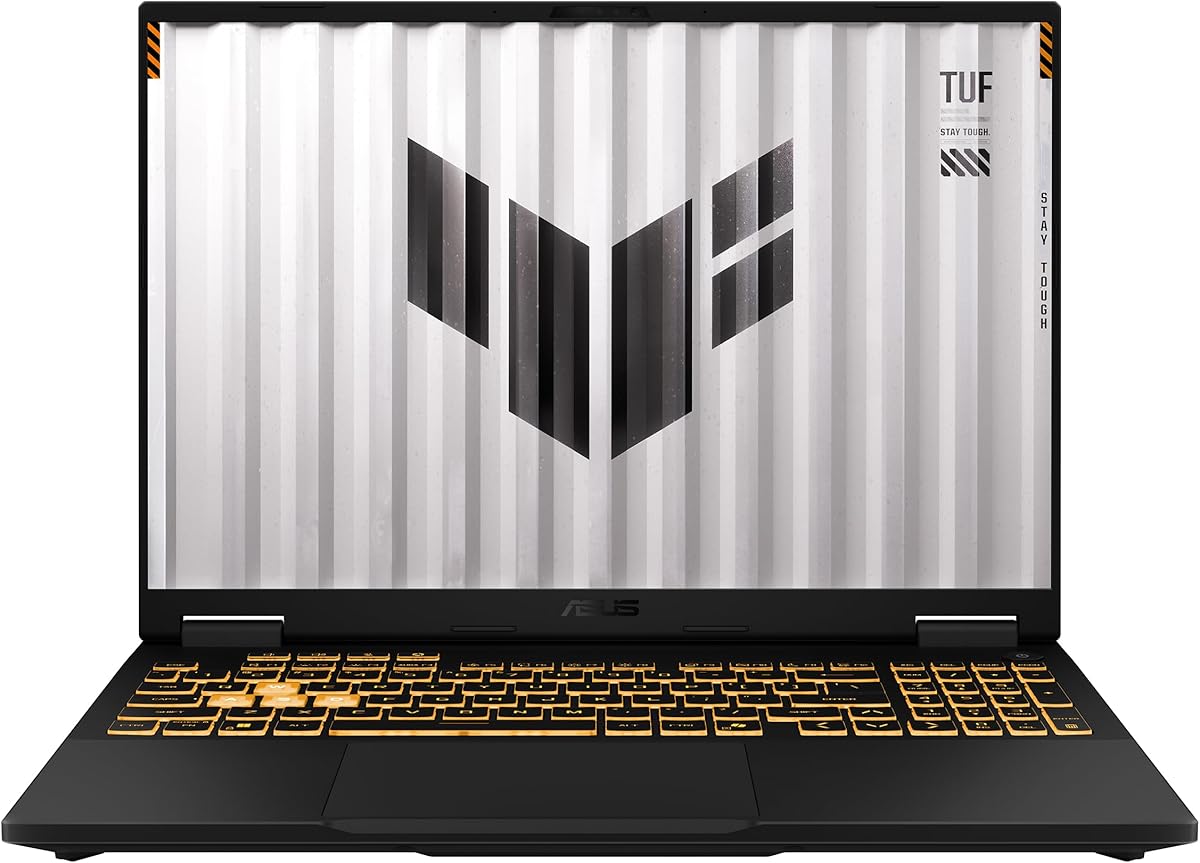
7. ASUS TUF Gaming F16 - Best Entry High Refresh

ASUS TUF Gaming F16 (RTX 5050)

ASUS TUF Gaming F16 (RTX 5050)

9/10★★★★★

The best gaming laptop for someone entering the category in 2026 is rarely the Ti flagship—it is the machine that pairs an honest GPU wattage with a panel you can actually drive. The TUF Gaming F16 does that with an RTX 5050 at up to 115W Max TGP, Advanced Optimus, and a 16-inch FHD+ 165Hz display covering 100% sRGB. ASUS keeps the design restrained with an embossed TUF logo, which helps if you want a gaming laptop that does not announce itself in every lecture hall.

  • RTX 5050 Laptop GPU up to 115W Max TGP + Advanced Optimus
  • Intel Core i5-13450HX, 16GB DDR5, 512GB Gen 4 SSD
  • 16" FHD+ 165Hz, 100% sRGB, Adaptive-Sync
Check Price →
✓ Pros
  • Accessible Blackwell entry with a clearly stated 115W Max TGP
  • 165Hz FHD+ Adaptive-Sync panel matches the GPU tier well
  • MIL-STD-810H durability testing for rougher backpack life
  • 2nd Gen Arc Flow Fans and full-width heatsink/vent cooling
  • Subtle TUF styling versus flashier RGB-first chassis
✕ Cons
  • 512GB SSD fills quickly with modern game installs
  • RTX 5050 is not a substitute for 5070 / 5070 Ti at high presets
  • 16GB RAM and i5-class CPU leave less creator headroom

Detailed review

Cooling uses 2nd Gen Arc Flow Fans, a full-width heatsink, and a full-width vent—TUF’s efficiency-focused approach rather than Strix’s vapor chamber stack. For a 5050-class GPU, that is appropriate: the goal is steady frame rates in esports and optimized AAA, not silent operation at ultra ray tracing. Adaptive-Sync reduces tearing so 165Hz feels smooth even when FPS fluctuates in the mid-hundreds.

Durability is a genuine TUF selling point. MIL-STD-810H testing does not make a laptop indestructible, but it signals more attention to drops, vibration, and environmental stress than fashion ultrabooks receive. Combined with Wi-Fi 6E and Windows 11 Home, the F16 is a sturdy daily driver for dorms and travel bags.

Spec ceilings are the trade: 512GB of storage means an early SSD upgrade should be in your plan, and 16GB of DDR5 will limit heavy multitasking. The i5-13450HX is capable for gaming but not the HX flagship experience of i9 or Ultra 9 models. Graphically, expect to use DLSS and thoughtful presets—this is how you enjoy Blackwell features without Ti money.

Buy the TUF F16 when your priority is a tough, high-refresh 16-inch starter with transparent GPU power targets. Skip it when you already know you want native high settings at 2.5K or large ray-traced cinematic presets; those ambitions belong to the 5070 and 5070 Ti machines above.

First upgrades to plan

Budget for a larger NVMe drive sooner than later. Keep the OS on the original SSD if cloning feels intimidating, or clone and relocate once—modern game sizes make 512GB a temporary home.

Settings guidance

Target High presets with DLSS Quality in newer titles, or Competitive presets in esports. Cap FPS near 165 to reduce heat when you do not need uncapped frames for monitoring.

Check Price on Amazon →

We may earn a commission at no additional cost to you.

8. Lenovo Legion 5 15IRX10 - Best Specced OLED

Lenovo Legion 5 15IRX10 (RTX 5070)

Lenovo Legion 5 15IRX10 (RTX 5070)

8.8/10★★★★☆

Think of this Legion 5 15IRX10 as the higher-specced OLED sibling energy in the pack: Core i9-14900HX, RTX 5070 with 8GB GDDR7, 32GB DDR5-5600, 1TB NVMe, Wi-Fi 7, and a 15.1-inch WQXGA OLED. Where the Legion 5i SKU above compromises on RAM, this configuration arrives ready for heavy multitasking and creation beside gaming. The weight claim around 4.19 pounds keeps it in true carry territory despite the performance parts.

  • RTX 5070 8GB GDDR7 + Core i9-14900HX
  • 15.1" WQXGA OLED glossy display
  • 32GB DDR5-5600, 1TB NVMe, Wi-Fi 7, ~4.19 lbs
Check Price →
✓ Pros
  • i9-14900HX plus 32GB DDR5 is a high-spec Legion configuration
  • RTX 5070 8GB GDDR7 for strong modern feature sets
  • WQXGA OLED panel for premium contrast and color pop
  • Wi-Fi 7 and Gigabit LAN cover wireless and wired low-latency needs
  • Relatively light ~4.19 lb chassis for a performance OLED gaming laptop
✕ Cons
  • Glossy OLED can reflect room lights more than matte IPS panels
  • Listing details are thinner on refresh marketing than the PureSight 165Hz sibling
  • Compact 15.1-inch format may feel small if you prefer 16-inch deskside immersion

Detailed review

GPU-wise, the RTX 5070 sits in the sweet middle of this roundup—above 5050/5060 entry cards for high presets and ray tracing, below 5070 Ti peaks for native high-refresh 2.5K maximalism. GDDR7 and Blackwell features including DLSS 4 keep it future-relevant for 2026 titles. Pair that with an OLED WQXGA panel and you get a visually elite portable that still makes sense for competitive play when you favor clarity and contrast over absolute 240Hz chasing.

Connectivity is unusually complete for a thin gamer: Gigabit Ethernet for tournament-style wired play, Wi-Fi 7 for next-gen routers, and Bluetooth 5.4 for peripherals. That combination matters if you bounce between a dorm desk and a LAN-friendly setup. Windows 11 Home rounds out the software baseline.

Because this listing emphasizes glossy OLED, manage expectations about reflections. In a controlled lighting room, glossy panels look deep and vibrant; near bright windows, a matte IPS Strix or Nitro may be less distracting. Use a monitor arm light carefully and consider a desk orientation that avoids specular glare on dark loading screens.

In the best gaming laptop framing for GPU + cooling + Hz, this Legion scores excellent on GPU and display quality, strong on mobility, and depends on Lenovo’s Coldfront-class tuning for acoustics (as with other Legion 5 machines). It is the pick when you want OLED and refuse to accept 16GB RAM as your ceiling.

Versus the Legion 5i 16GB model

Take this 15IRX10 when 32GB RAM and i9-class CPU headroom matter. Take the PureSight 165Hz 5i marketing SKU when you specifically want Lenovo’s clearly stated 165Hz PureSight feature set and campus-oriented fast-charge story in that listing.

Wired play tip

For ranked nights, use the Gigabit LAN port when possible. Wi-Fi 7 is excellent, but a clean Ethernet run still removes a variable when you are troubleshooting hit registration anxiety.

Check Price on Amazon →

We may earn a commission at no additional cost to you.

9. Acer Predator Helios Neo 16 AI - Best 240Hz G-SYNC

Acer Predator Helios Neo 16 AI

Acer Predator Helios Neo 16 AI

8.4/10★★★★☆

Predator Helios Neo 16 AI is the pack’s purest “display Hz” flagship: a 16-inch WQXGA panel running 240Hz with G-SYNC, Advanced Optimus, a 500-nit brightness claim, and up to 100% DCI-P3 color. Pair that with an RTX 5070 Ti and Core Ultra 9 275HX, and you have a machine explicitly built to show high frame rates with cinematic color volume. If your personal best gaming laptop criteria put panel quality and refresh first—then GPU, then cooling—this Acer belongs on the shortlist even if RAM capacity is conservative.

  • RTX 5070 Ti + Intel Core Ultra 9 275HX
  • 16" WQXGA 240Hz 500-nit, G-SYNC, Advanced Optimus
  • 16GB DDR5, 1TB Gen 4 SSD, Killer Wi-Fi 6E
Check Price →
✓ Pros
  • 500-nit WQXGA 240Hz panel with up to 100% DCI-P3 color
  • NVIDIA G-SYNC and Advanced Optimus for tear-free high refresh
  • RTX 5070 Ti + Ultra 9 275HX is a true high-end pairing
  • Killer Wi-Fi 6E tuning aimed at lag-sensitive online play
  • 3ms overdrive response complements the 240Hz esports pitch
✕ Cons
  • Only 16GB DDR5 in a tier where 32GB is increasingly standard
  • Buyer rating sits lower than several Nitro/ROG alternatives here
  • Desktop-replacement heat and noise under full Ti load are expected

Detailed review

G-SYNC matters when frame rates swing. Instead of tearing through a 200–240FPS fight, variable refresh keeps motion cleaner. Advanced Optimus helps the laptop switch graphics paths intelligently, which is valuable when you move from plugged-in gaming to lighter battery tasks. The 3ms overdrive response rating supports the esports narrative: less smear when flicking across wide FOVs.

Intel’s Ultra 9 275HX brings NPU TOPS for offloading some AI studio tasks while you stream, plus Application Optimization style features for older titles. The 5070 Ti remains the star for full ray tracing and DLSS 4 multi-frame generation. Acer’s AI TOPS figures underline that this is a modern Blackwell creative-and-play platform, not merely a 1080p esports toy.

The uncomfortable gap is memory. At 16GB DDR5, this SKU asks you to be disciplined about background apps in a class where Strix and Nitro Ti configs often ship 32GB. Storage at 1TB is adequate but not Nitro-16S-2TB generous. If you can add RAM later on your specific unit—verify soldered vs socketed before purchase—this panel-and-GPU combo becomes much more compelling. If RAM is fixed at 16GB, weigh that hard against the Nebula Strix 32GB alternatives.

Killer Wi-Fi 6E is a nice networking touch for channel management and latency-focused software features. Still use Ethernet when competing seriously. Thermally, Helios Neo machines are built to push performance; expect assertive fans when the Ti is loaded. That is the cost of feeding a 240Hz WQXGA panel with high settings.

Choose Helios Neo 16 when the best gaming laptop means the best high-brightness, high-Hz, G-SYNC 16-inch experience in this set. Choose Strix Ultra 9 when you want similar GPU horsepower with 32GB RAM and ROG vapor-chamber branding. Choose Nitro 16S when storage and value rating matter more than 240Hz DCI-P3 theatrics.

Calibrating expectations for 500 nits

High brightness helps in bright rooms and adds punch to HDR-compatible content, but you do not need maximum nits in a dark bedroom—lower brightness for comfort and thermals when possible, and let G-SYNC handle motion cleanliness.

RAM reality check

Before buying, confirm whether this exact PHN16 configuration allows memory upgrades. If not, seriously consider paying for a 32GB peer unless your workload is strictly game-plus-Discord-light.

Check Price on Amazon →

We may earn a commission at no additional cost to you.

10. MSI Katana 15 HX - Best QHD+ Combat Screen

MSI Katana 15 HX (RTX 5070)

MSI Katana 15 HX (RTX 5070)

8.4/10★★★★☆

MSI’s Katana 15 HX approaches the best gaming laptop question from a combat-visibility angle: a QHD+ 165Hz panel with 100% DCI-P3 color, an RTX 5070 for ray tracing and DLSS 4, and an i9-14900HX with 32GB of DDR5 for dense multitasking. In tactical shooters and battle royales, the combination of pixel density and refresh rate can make enemy silhouettes and environmental details easier to parse than on soft FHD panels—especially when color volume is wide enough to separate earth tones from camouflage.

  • RTX 5070 + Intel Core i9-14900HX
  • 15.6" QHD+ 165Hz with 100% DCI-P3
  • 32GB DDR5, 1TB NVMe, Cooler Boost 5
Check Price →
✓ Pros
  • QHD+ 165Hz with 100% DCI-P3 is excellent for visibility in shooters
  • i9-14900HX and 32GB DDR5 form a high-throughput CPU/RAM duo
  • Cooler Boost 5 dual-fan, five-heat-pipe design targets sustained loads
  • Full game-ready port selection including HDMI up to 8K and RJ45
  • 4-zone RGB keyboard with highlighted WASD for quick orientation
✕ Cons
  • Katana series is more value-chassis than premium CNC halo
  • 15.6" 16:9 feels shorter than 16:10 ROG/Acer productivity layouts
  • Aggregated rating trails the highest-rated Nitro/ROG options here

Detailed review

Cooler Boost 5 is MSI’s sustained-performance pitch: dual fans and a five-heat-pipe share-pipe layout to keep CPU and GPU temperatures in check during long sessions. Katana machines are typically louder under load than marketing photos suggest, but the thermal design goal aligns with our roundup theme—cooling that protects clocks so the 5070 can keep feeding 165Hz. Place the laptop on a hard surface and consider MSI’s performance modes when you need consistency over silence.

Ports are a quiet strength. USB-C Gen 2, HDMI up to 8K, multiple USB-A ports, RJ45, Wi-Fi 6E, and Hi-Res Audio support a full desk setup without a hub for many users. That makes the Katana a practical desktop replacement even if the chassis plastics feel more utilitarian than ROG aluminum flair. The 4-zone RGB keyboard with highlighted WASD is gamer-typical and useful in dark rooms.

Aspect ratio is the lifestyle fork: 15.6-inch 16:9 is classic for gaming external-monitor matching, while many competitors moved to taller 16:10 screens for browsing and documents. If you dock to a 16:9 monitor, Katana’s native shape may feel familiar. If you live in the laptop screen for everything, a 16-inch 16:10 Strix or Nitro might feel more modern.

Take the Katana when you want i9 + 32GB + RTX 5070 + color-rich QHD+ 165Hz without stepping into Ti pricing. Look elsewhere for OLED blacks, 240Hz G-SYNC peaks, or vapor-chamber ROG aesthetics. Within those boundaries, it is a coherent GPU/cooling/Hz package aimed at players who care about seeing the fight clearly.

Competitive settings approach

Use QHD+ native resolution with High or Competitive presets, enable DLSS only when you dip below your comfort FPS, and keep motion blur off. Cap frames near 165 for cooler average temperatures during long ranked blocks.

Desk docking idea

Use RJ45 and HDMI to a high-refresh external display when at home, and treat the QHD+ panel as your travel screen. That split personality gets the most from both the port set and the 5070.

Versus Legion OLED options

Katana wins on DCI-P3 IPS-style clarity and port completeness in this listing; Legion OLED wins on contrast and deeper blacks. Pick based on whether you hate reflections (lean Katana/matte IPS peers) or love perfect darks (lean Legion).

Check Price on Amazon →

We may earn a commission at no additional cost to you.

Best Gaming Laptop 2026: GPU Power, Cooling & High Refresh

How to Choose the Best Gaming Laptop in 2026

Start with GPU class, then match the panel

GPU is still the primary performance lever. In this pack, RTX 5050 is the sensible entry tier for 1080p/FHD+ high refresh with DLSS; RTX 5060 is the mainstream sweet spot; RTX 5070 targets strong 1440p-class play; RTX 5070 Ti is the high-end laptop GPU for denser presets and heavier ray tracing. The mistake buyers make is pairing a mid GPU with a native 2.5K/240Hz panel and then wondering why they live in Low settings. Match resolution and Hz ambitions to GPU headroom, or lean on DLSS 4 as a planned part of the stack rather than an emergency fix.

Treat cooling as a performance feature

Marketing TGP numbers only matter if the chassis can hold them. Look for vapor chambers, multi-fan designs, full-width vents, shared heat-pipe layouts, and honest performance modes. A cooler RTX 5060 that sustains boost can feel better than a hotter Ti that oscillates. Leave space under intake vents, avoid soft beds, and prefer laptops with clear MUX/Advanced Optimus controls when you want plugged-in desktop-replacement behavior.

Refresh rate is a budget you must feed

165Hz is the practical high-refresh baseline in this roundup; 180Hz is a nice step on Acer WUXGA/WQXGA panels; 240Hz is worthwhile when you play competitive titles and own a GPU that can approach those frame rates with acceptable quality. OLED at 165Hz can outperform a mediocre 240Hz IPS in perceived responsiveness because of pixel response and contrast. Decide whether you care more about motion ceiling (Hz) or image luxury (OLED/DCI-P3/Nebula), then pick—do not assume more Hertz automatically means a better screen.

Memory, storage, and AI extras

Prefer 32GB DDR5 when the configuration offers it—especially for Ti-class machines and creator multitasking. Treat 16GB as acceptable for play-focused buyers who close background apps. Storage under 1TB should come with an upgrade plan; 2TB is a quality-of-life win for large libraries. AI TOPS and Copilot+ badges are useful when you stream or use local assistants, but they should not distract from GPU, thermals, and panel fundamentals.

Frequently Asked Questions

01

What is the best gaming laptop overall in this 2026 roundup?

The ASUS ROG Strix G16 with RTX 5070 Ti, Core Ultra 9 275HX, 32GB DDR5, and the ROG Nebula 2.5K 240Hz panel is our best overall pick. It aligns high-tier GPU power with vapor-chamber/tri-fan cooling and a refresh rate that competitive and high-FPS players can actually use. If you prioritize storage value and a slightly lower Hz ceiling, the Acer Nitro 16S AI 5070 Ti with a 2TB drive is the strongest alternate.

02

Does a higher refresh rate always mean a better gaming laptop display?

No. Refresh rate only improves motion if your frame rate approaches it and the panel’s contrast, color, and response time are competent. A 165Hz OLED can feel better than a dull 240Hz IPS in story games, while a 240Hz Nebula or G-SYNC WQXGA panel shines in esports when an RTX 5070 Ti keeps FPS high. Choose Hz as part of a system with GPU and cooling—not as a lone trophy number.

03

How important is cooling compared with GPU model numbers?

Extremely important. Two laptops with the same RTX 5070 Ti name can behave differently if one sustains higher power longer. Vapor chambers, tri-fan layouts, liquid metal, wide vents, and sensible fan curves protect boost clocks after the first 15–30 minutes—the part of a session you actually feel. When comparing ASINs, read cooling claims and owner thermal notes alongside the GPU badge.

04

Is RTX 5060 enough for 2026 games?

Yes for FHD+/WUXGA high settings and many 2.5K experiences with DLSS 4, especially in well-cooled chassis like the ROG Strix G16 5060 or RAM-rich Acer Nitro V 16S. It is not the ideal card for maximal native 2.5K ultra ray tracing without upscaling. If you want fewer compromises at denser presets, step to RTX 5070 or 5070 Ti.

05

Should I prioritize OLED or high-Hz IPS for gaming?

Prioritize OLED (Legion PureSight / WQXGA OLED configs) when immersion, contrast, and color pop matter most and you are fine around 165Hz. Prioritize high-Hz IPS/Nebula/G-SYNC panels (180–240Hz Strix, Nitro, Predator, Katana QHD+) when competitive motion clarity and brightness in lit rooms matter more. Both can be “best” depending on genre mix.

06

How much RAM do I need in a gaming laptop now?

32GB DDR5 is the comfortable recommendation for 2026 if you stream, create, or keep many apps open—several pack leaders ship this way. 16GB remains usable for play-focused setups if you manage background processes, but it is the first bottleneck you will notice on otherwise excellent machines like some Legion and Predator configs.

07

Do I need Wi-Fi 7 on a gaming laptop?

Wi-Fi 7 is a welcome future-proofing feature on machines like the Ultra 9 Strix and the Legion 15IRX10, but Wi-Fi 6E still performs excellently with a good router. For the lowest latency in competitive play, Ethernet remains king when you can use it. Do not pick a worse GPU/display laptop solely for a newer Wi-Fi badge.

08

What is DLSS 4 and why does it show up in every review?

DLSS 4 is NVIDIA’s neural rendering suite on GeForce RTX 50-series GPUs that can raise frame rates, improve image reconstruction, and enable multi-frame generation features depending on the game. It is central to 2026 laptop gaming because thin chassis and high-resolution panels often need AI upscaling to hold high refresh targets with advanced lighting enabled. Learn the Quality/Balanced/Performance modes—they are part of modern settings, not cheating.

09

Are 15-inch gaming laptops worse than 16-inch models?

Not inherently. Fifteen-inch Legions trade some desktop immersion for easier carrying and, in this pack, excellent OLED options. Sixteen-inch ROG, Acer, and TUF models offer more screen real estate and often taller 16:10 productivity layouts. Pick based on bag size and desk distance, not an assumption that bigger always equals better gameplay.

10

Which laptop is best if I care most about competitive FPS?

Look first at high-refresh panels paired with strong GPUs and MUX/G-SYNC options: the ROG Strix G16 240Hz Nebula models (Ultra 9 or HX3D), the Predator Helios Neo 16 240Hz G-SYNC configuration, and high-Hz 165–180Hz options like the Katana QHD+ or Nitro panels if you want slightly less peak Hz with excellent clarity. Then tune in-game settings to protect 1% lows—not just average FPS.

Conclusion

The best gaming laptop for 2026 is the one where GPU class, cooling design, and display refresh rate tell the same story. In this pack, that story peaks on the ASUS ROG Strix G16 RTX 5070 Ti Ultra 9 with its Nebula 240Hz panel and vapor-chamber thermal stack, while the Acer Nitro 16S AI 5070 Ti wins on configuration generosity and high-refresh value, and the Legion OLED models win when portable image quality matters most.

Entry and mid options—the TUF F16 RTX 5050, Strix and Nitro 5060 machines, and the MSI Katana 5070—prove you do not need the tip-top SKU to enjoy smooth, modern gaming if you match presets to hardware. Use the checklist, be honest about RAM and SSD needs, and treat fan noise under load as a feature of sustained performance rather than a defect.

Pick the chassis that fits your genres and carry habits, then spend your attention on settings, desk airflow, and a stable network. That combination—not a single marketing badge—is what keeps frame times smooth months after unboxing.